12 Using data sources in Spring apps
Spring applications often need to persist data, and this chapter introduces the basic pieces required to work with a relational database in a clean, maintainable way. It explains that a data source is responsible for managing database connections so the application does not create a new connection for every operation. By reusing connections and separating connection handling from business logic, the persistence layer becomes more efficient and easier to maintain.
The chapter then shows how to use Spring’s JdbcTemplate as a simple way to interact with persisted data. Instead of writing verbose plain JDBC code, a repository can use update() for inserting, updating, and deleting records, and query() together with a RowMapper for reading rows from the database and turning them into model objects. The example application stores and retrieves purchase records, uses a repository bean to encapsulate database access, and demonstrates why BigDecimal is preferred over floating-point types for prices.
Finally, the text covers configuring a data source in Spring Boot both through application properties and through a custom bean definition. It first shows a straightforward setup with H2 for examples, then switches to MySQL by changing dependencies and adding connection settings, including schema initialization. It also explains when a programmatic data source is useful, such as when multiple databases are involved, runtime conditions affect configuration, or the app is built with Spring rather than Spring Boot. Overall, the chapter provides a practical path from basic database concepts to a working Spring REST app backed by relational data.
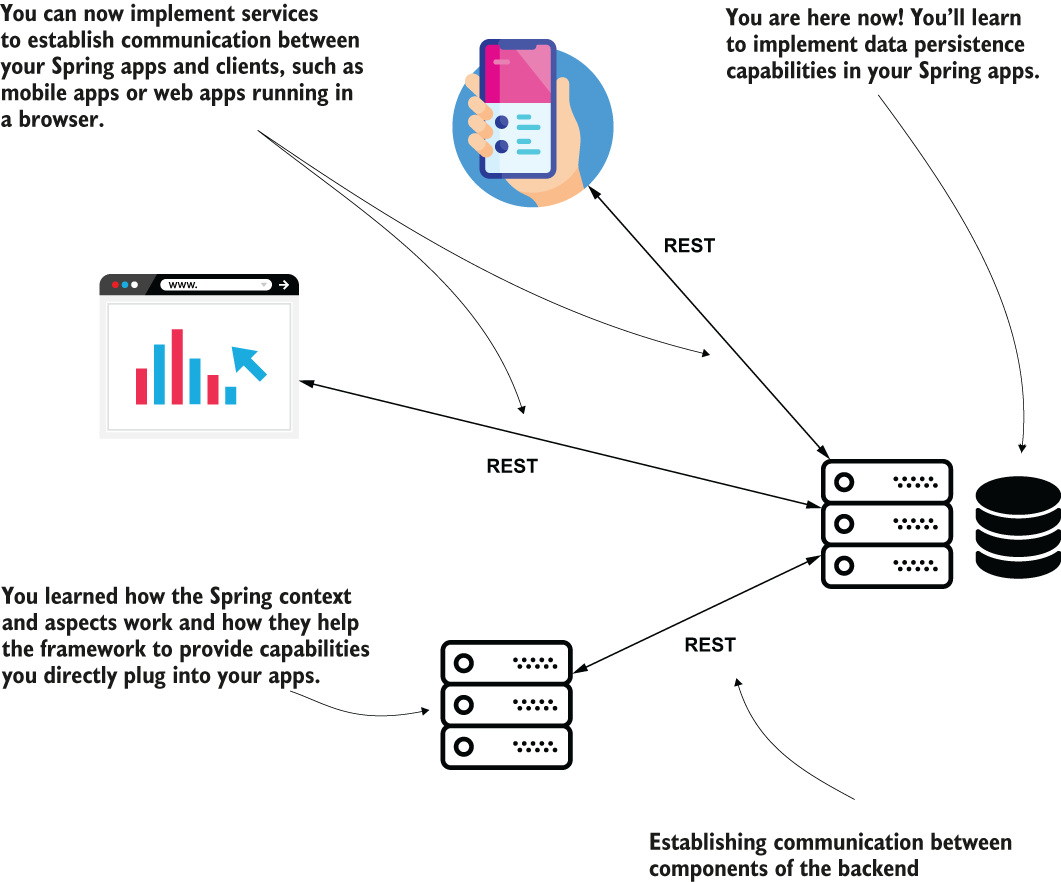
You already understand the essential parts you implement with Spring in a system. At the beginning, you learned the fundamentals and what makes Spring able to provide the capabilities you use in your apps. Then you learned to implement web apps and REST endpoints to establish communication between the system’s components. You now start your journey in learning the valuable skills of making your Spring app work with persisted data.
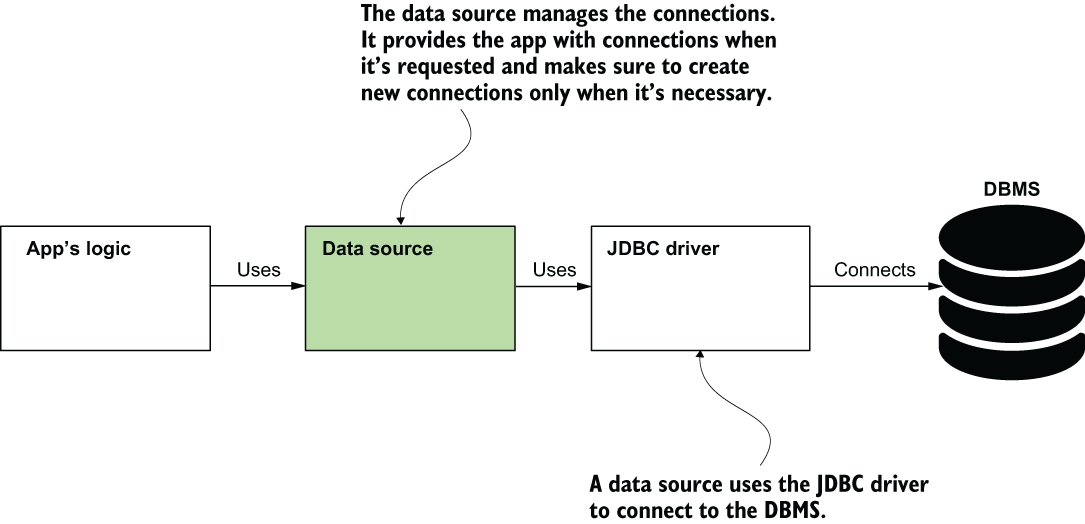
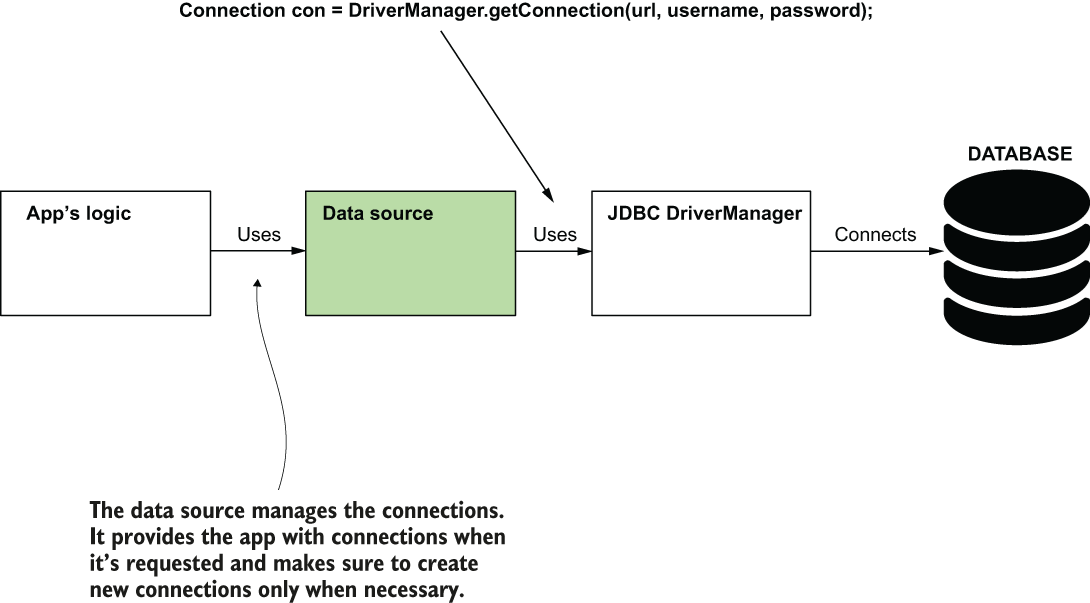
The data source is a component that manages connections to the database management systems (DBMS). The data source uses the JDBC driver to get the connections it manages. The data source aims to improve the app’s performance by allowing its logic to reuse connections to the DBMS and request new connections only when it needs them. The data source also makes sure to close the connections when it releases them.
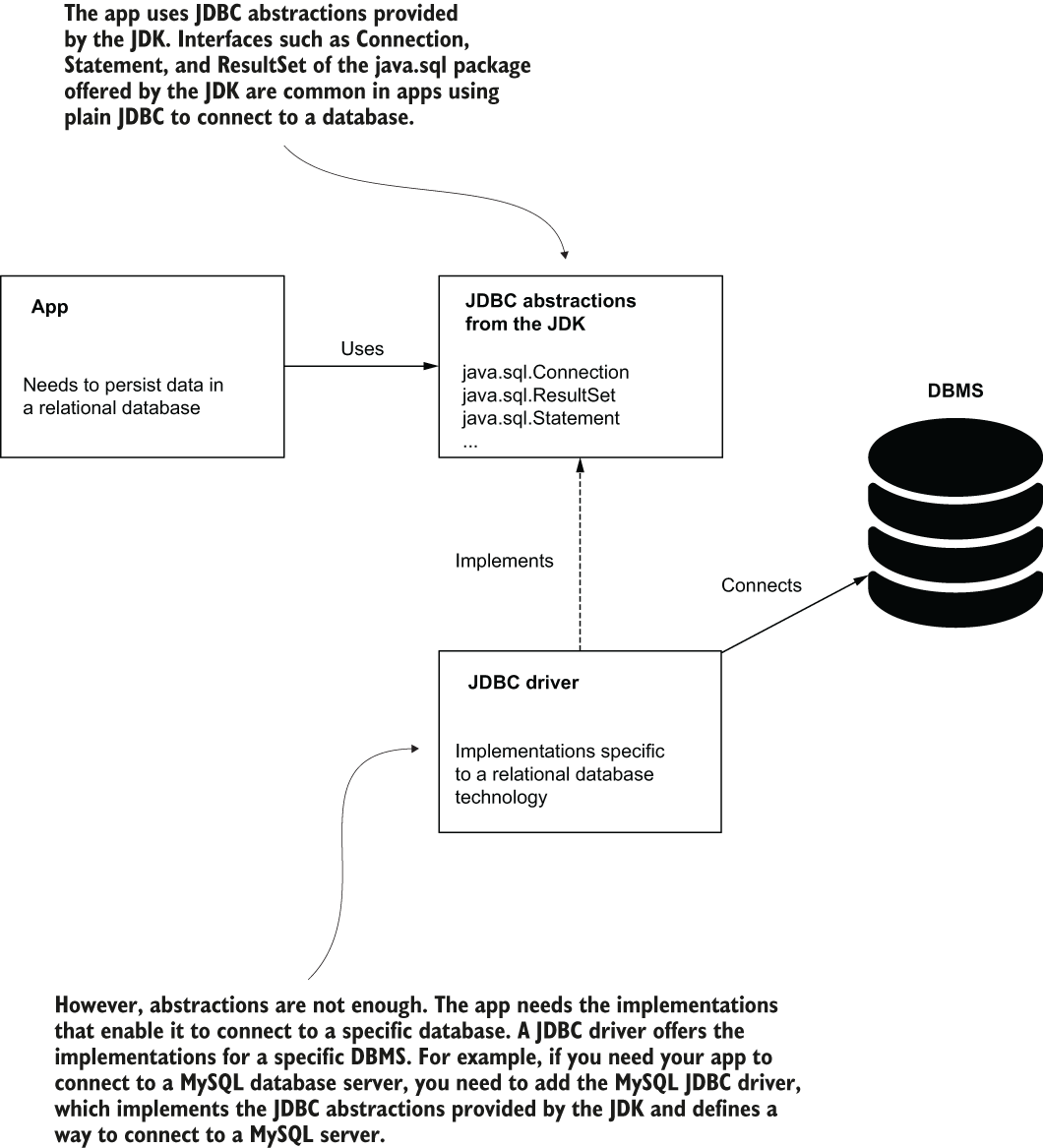
When connecting to a database, a Java app uses JDBC. The JDK provides a set of abstractions, but the app needs a certain implementation that depends on the relational database technology the app connects to. A runtime dependency named JDBC driver offers these implementations. For each specific technology, such a driver exists, and the app needs the exact driver that offers the implementations for the server technology it needs to connect to.
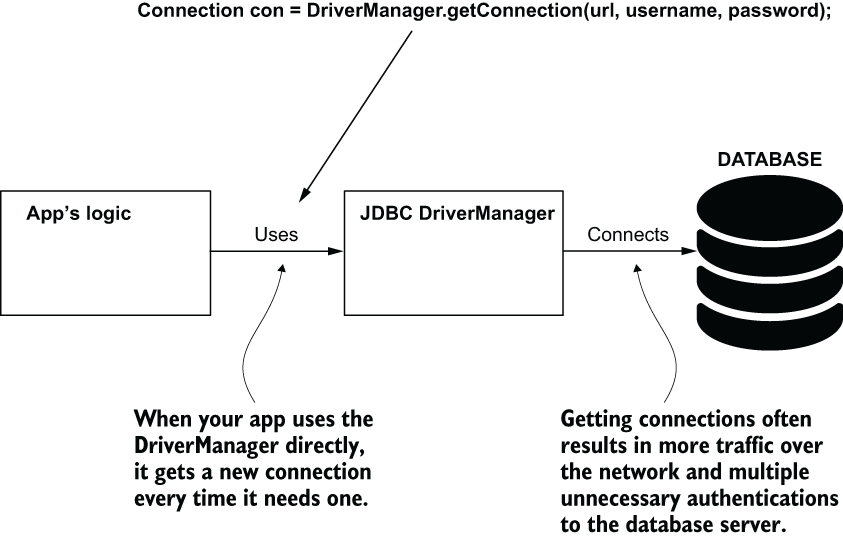
Your app can reuse connections to the database server. If it doesn’t request new connections, the app becomes less performant by executing unnecessary operations. To achieve this behavior, the app needs an object responsible for managing the connections—a data source.
Adding a data source to the class design helps the app spare time for unnecessary operations. The data source manages the connections, provides the app with connections when requested, and creates new connections only when needed.
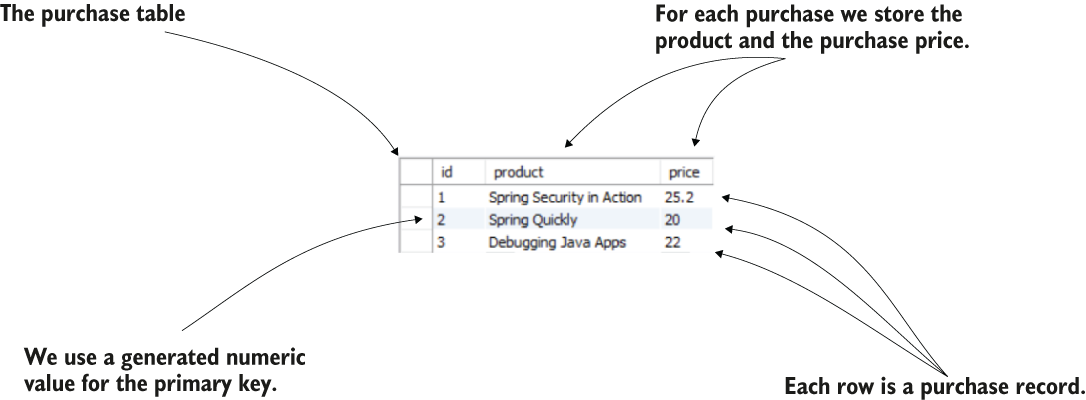
The purchase table. Each purchase is stored as a row in the table. The attributes we store for a purchase are the purchased product and the purchase price. The primary key of the table (ID) is a numerically generated value.
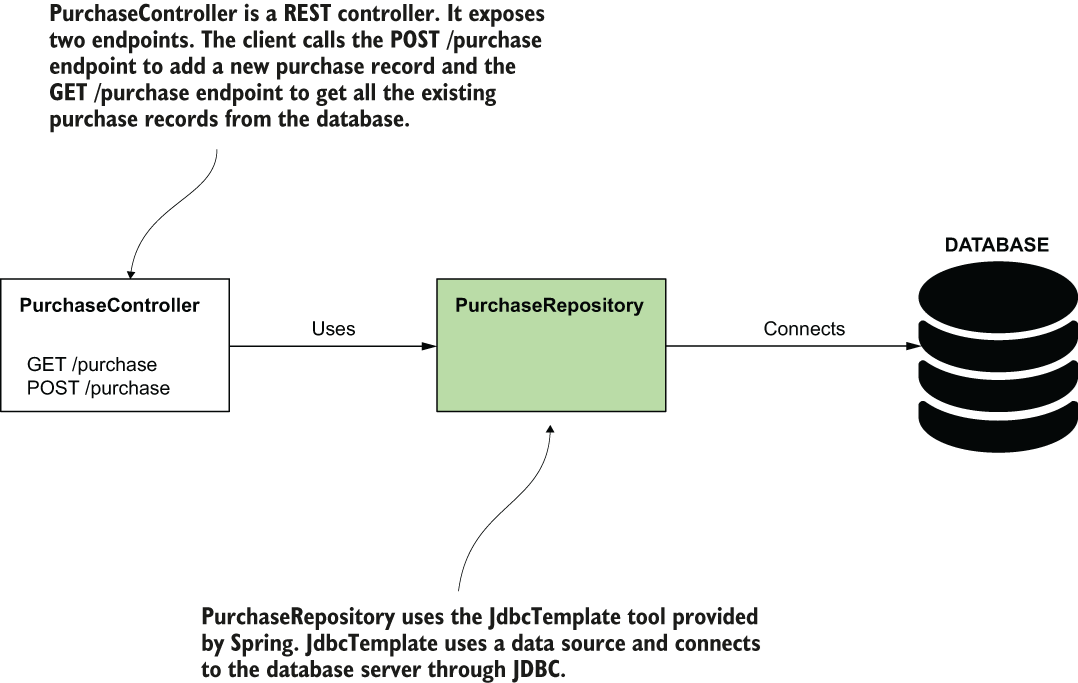
A REST controller implements two endpoints. When a client calls the endpoints, the controller delegates to a repository object to use the database.
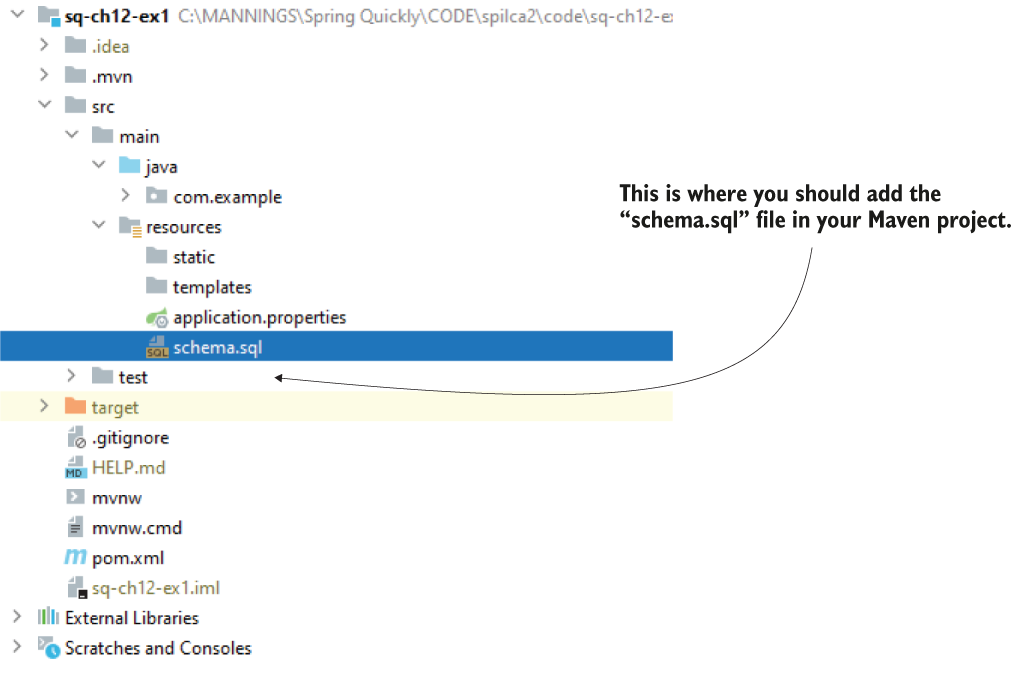
In the Maven project, you create the “schema.sql” file in the resources folder, where you can write the queries that define your database structure. Spring executes these queries when the app starts.
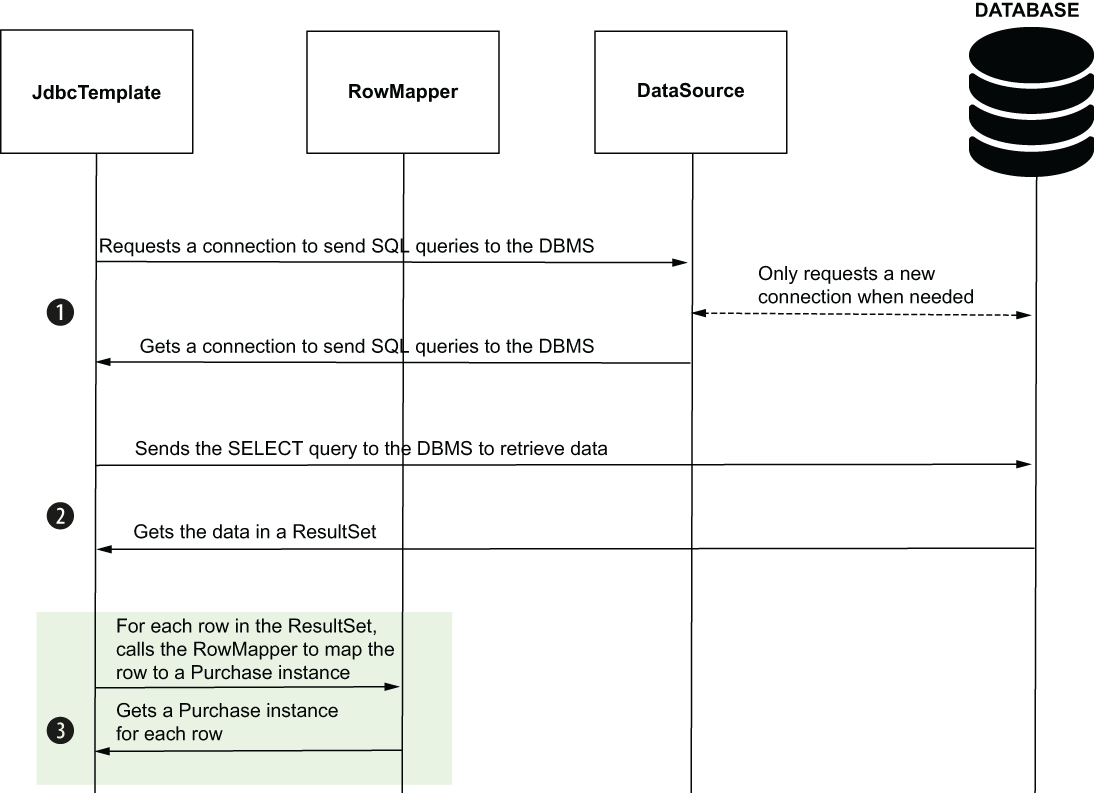
JdbcTemplate uses the RowMapper to change the ResultSet to a list of Purchase instances. For each row in the ResultSet, JdbcTemplate calls the RowMapper to map the row to a Purchase instance. The diagram presents all three steps JdbcTemplate follows to send the SELECT query: (1) get a DBMS connection, (2) send the query and retrieve the result, and (3) map the result to Purchase instances.
Summary
- For a Java application, the Java Development Kit (JDK) provides abstractions of the objects the app needs to connect to a relational database. The app always needs to add a runtime dependency that provides the implementations of these abstractions. We name this dependency the JDBC driver.
- A data source is an object managing the connections to a database server. Without a data source, the app would request connections too often, affecting its performance.
- By default, Spring Boot configures a data source implementation named HikariCP, which uses a connection pool to optimize the way your app uses the connection to the database. You can use a different data source implementation if it helps your app.
- JdbcTemplate is a Spring tool that simplifies the code you write to access a relational database using JDBC. The JdbcTemplate object depends on a data source to connect to the database server.
- To send a query that mutates data in a table, you use the JdbcTemplate object’s update() method. To send SELECT queries to retrieve data, you use one of the JdbcTemplate’s query() methods. You’ll most often need to use such operations for changing or retrieving persisted data.
- To customize the data source your Spring Boot application uses, you configure a custom bean of the type java.sql.DataSource. If you declare a bean of this type in Spring’s context, Spring Boot will use it instead of configuring a default one. You use the same approach if you need a custom JdbcTemplate object. We generally use the Spring Boot–provided defaults, but specific cases sometimes need custom configurations or implementations for various optimizations.
- You can create multiple data source objects, each with their own JdbcTemplate object associated if you want your app to connect to multiple databases. In such a scenario, you’d need to use the @Qualifier annotation to distinguish between objects of the same type in the application context.

 Spring Start Here, Second Edition ebook for free
