10 Implementing REST endpoints
REST services are presented as a core way for applications to communicate, not only in web apps but also between mobile apps and backends or even between backend services. The chapter emphasizes that REST endpoints in Spring are built with the same Spring MVC foundation used for web controllers, but they return data directly instead of rendering views. It also highlights practical concerns such as timeouts, network failures, large payloads, and the need to think carefully about reliability and data consistency when designing endpoint-based communication.
The implementation examples show how to turn a regular controller into a REST controller by using @ResponseBody or, more cleanly, @RestController. Once that is in place, controller methods can return simple values, Java objects, or collections, and Spring serializes them into JSON for the HTTP response body. The chapter also explains how to control response status and headers with ResponseEntity, and how tools like Postman and cURL are used to test endpoints and inspect responses during development.
Beyond successful responses, the chapter explains how to handle errors and receive input from clients. It shows a basic pattern for catching exceptions in a controller and returning an error response, then improves that design by moving exception handling into a separate @RestControllerAdvice class with @ExceptionHandler. It also introduces the request body for sending data from client to server with @RequestBody, notes that JSON is the standard representation, and briefly mentions contract-first API development with OpenAPI as a way to generate endpoint definitions and keep APIs consistent and well documented.
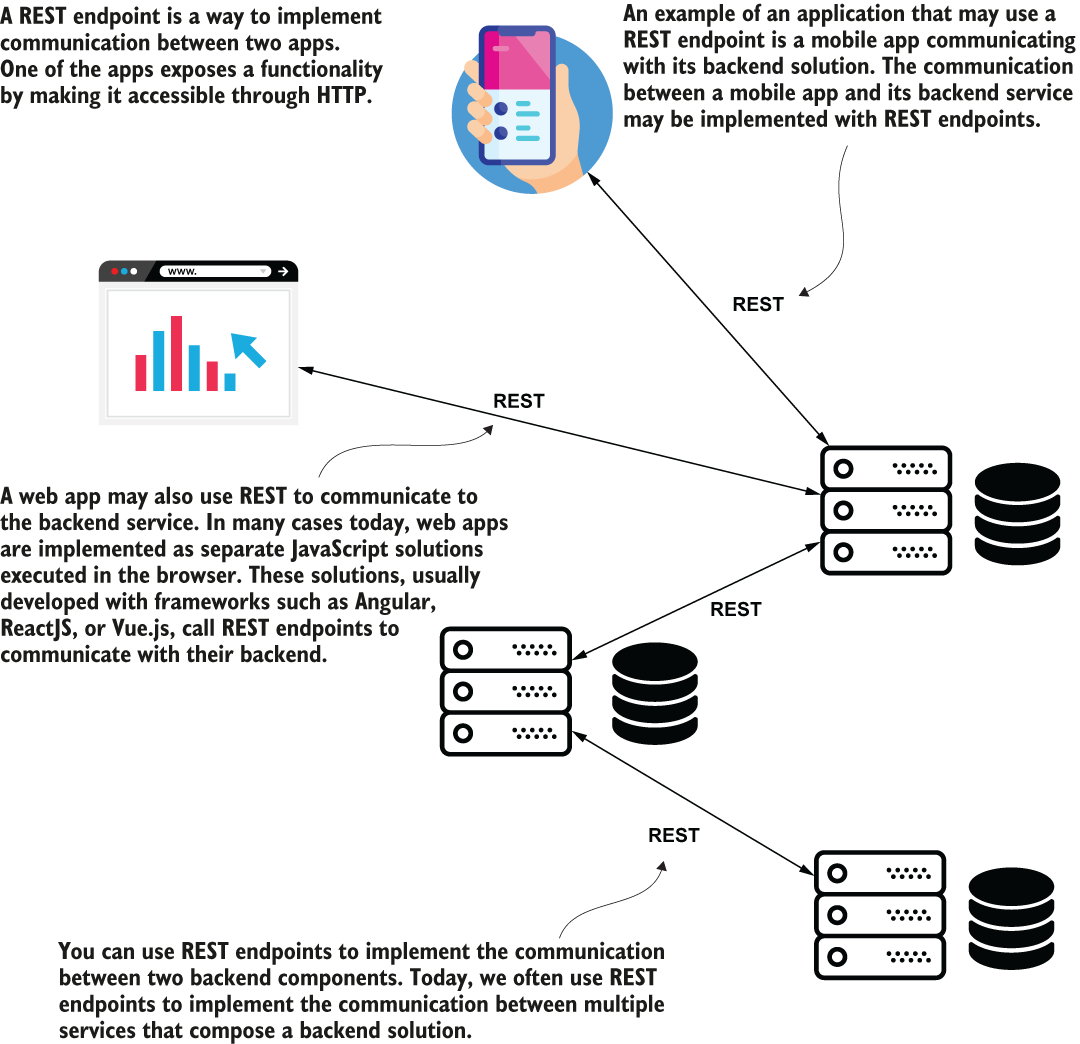
REST services are a communication method between two apps. Today, you find REST services in many places. A web client app or mobile app may call its backend solution through REST endpoints, but even backend services might communicate using REST web service calls.
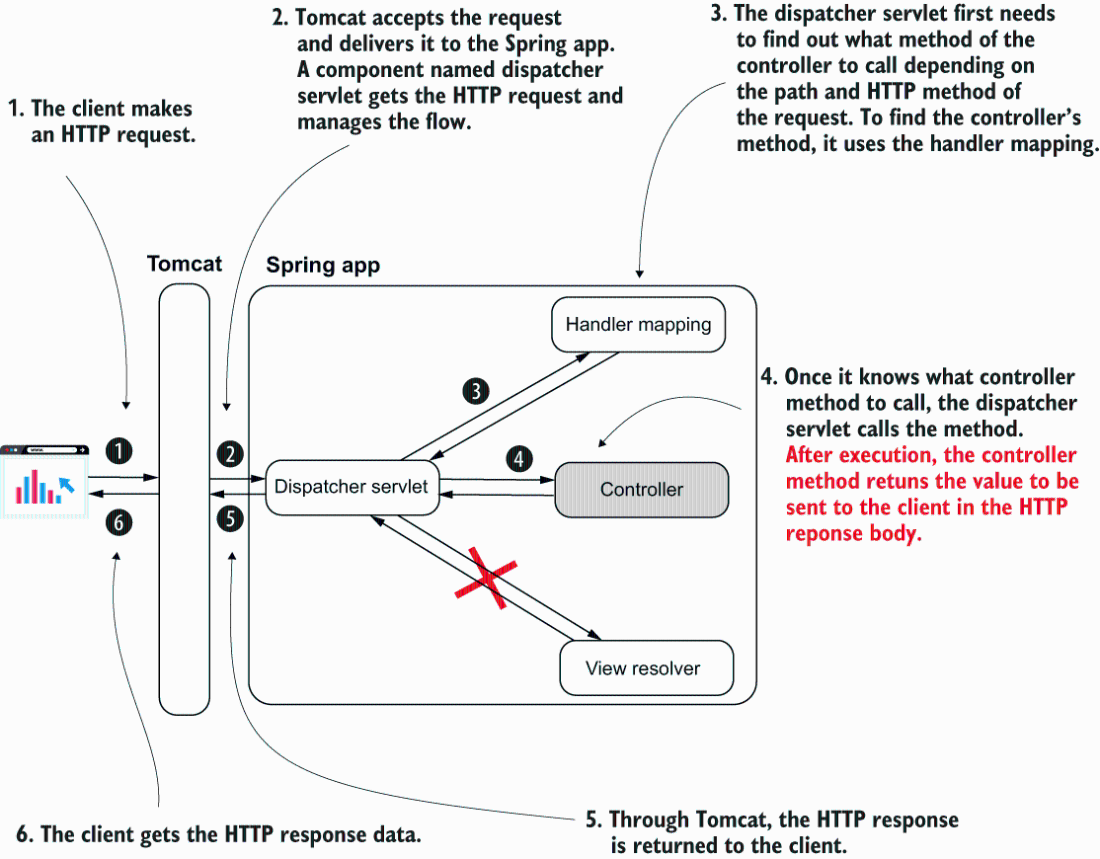
When implementing REST endpoints, the Spring MVC flow changes. The app no longer needs a view resolver because the client needs the data returned by the controller’s action directly. Once the controller’s action is completed, the dispatcher servlet returns the HTTP response without rendering any view.
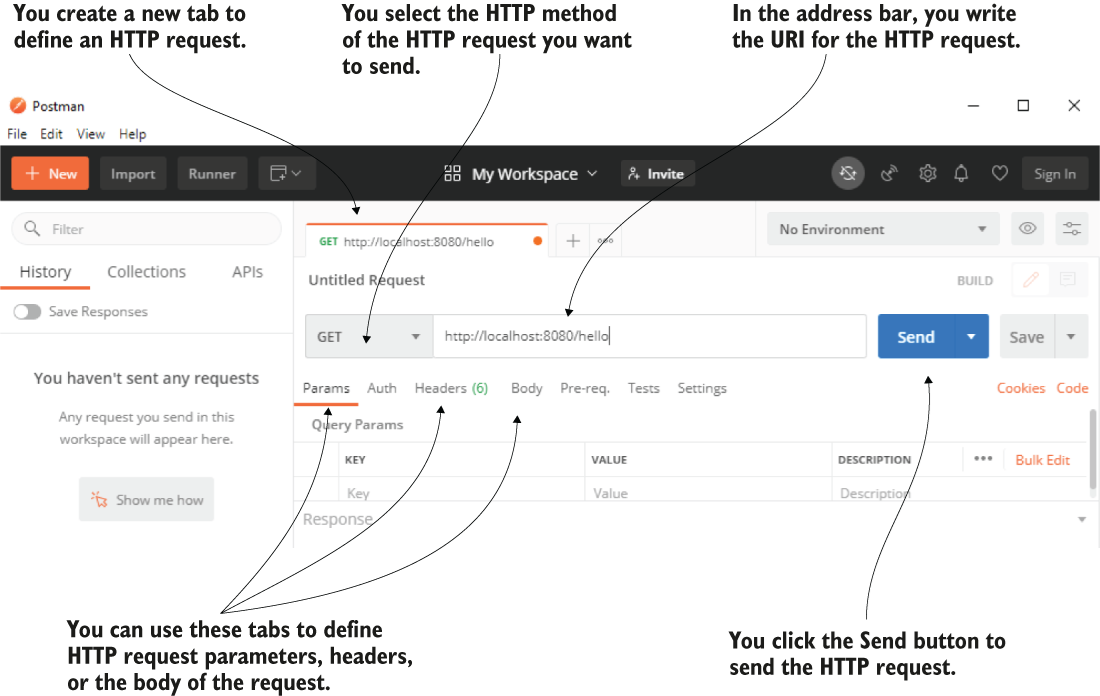
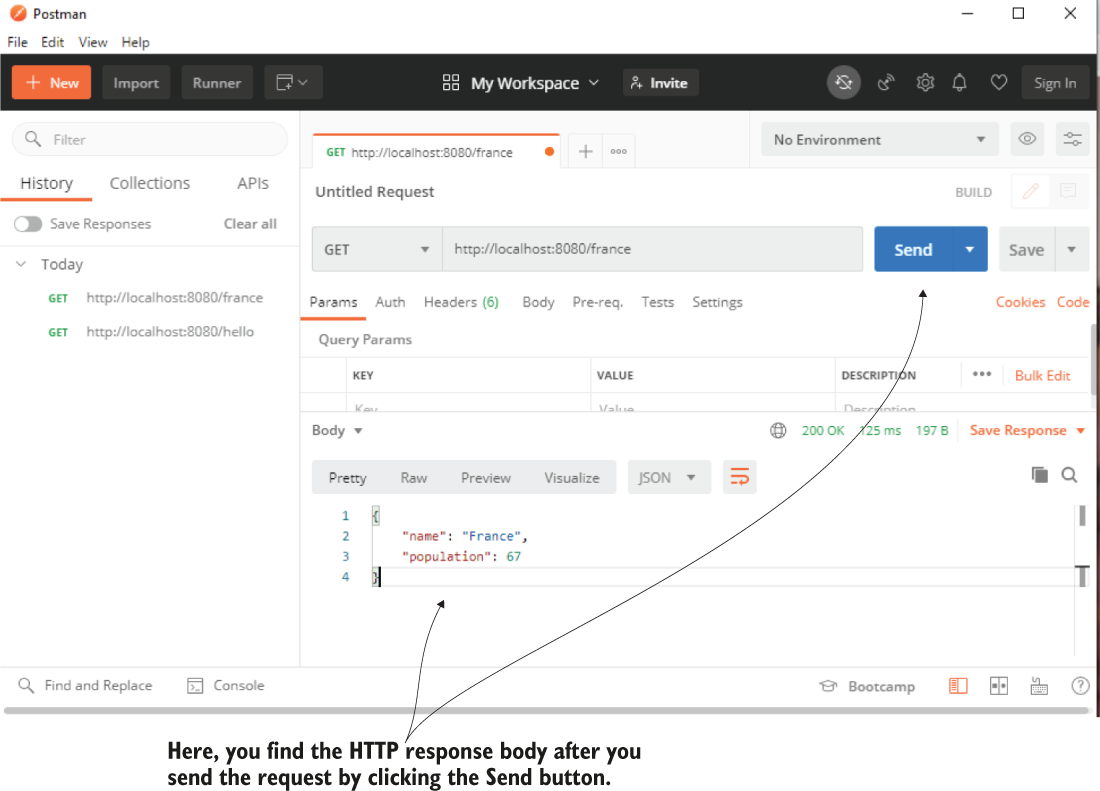
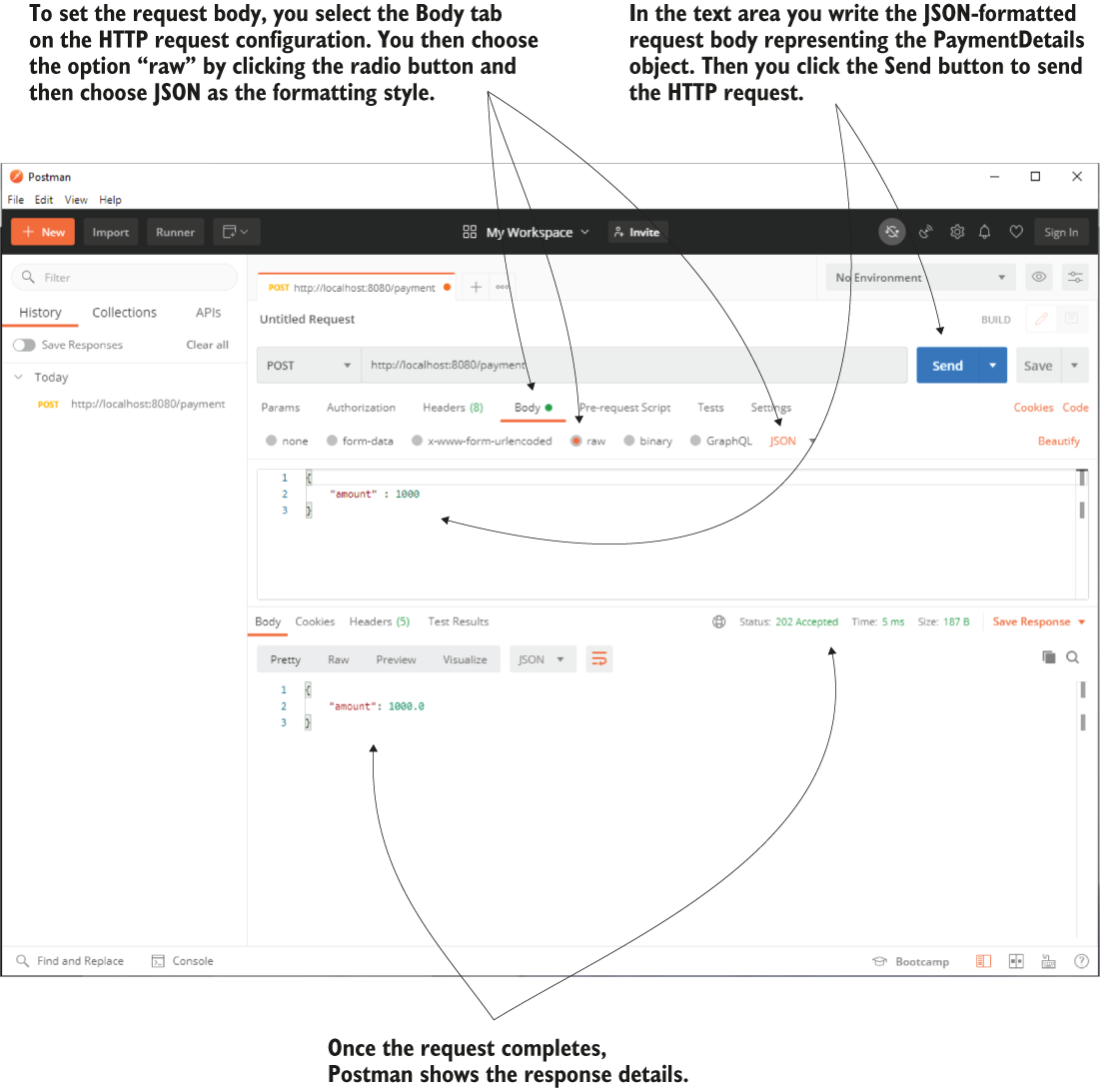
Postman offers a friendly interface to configure and send an HTTP request. You select the HTTP method, set the HTTP request URI, and then press the Send button to send an HTTP request. You can also define other configurations, such as the request parameters, headers, or the request body if needed.
Once the HTTP request completes, Postman displays the HTTP response details. You find the response status, the time it took the request to complete, the amount of transferred data in bytes, the response body, and the headers.
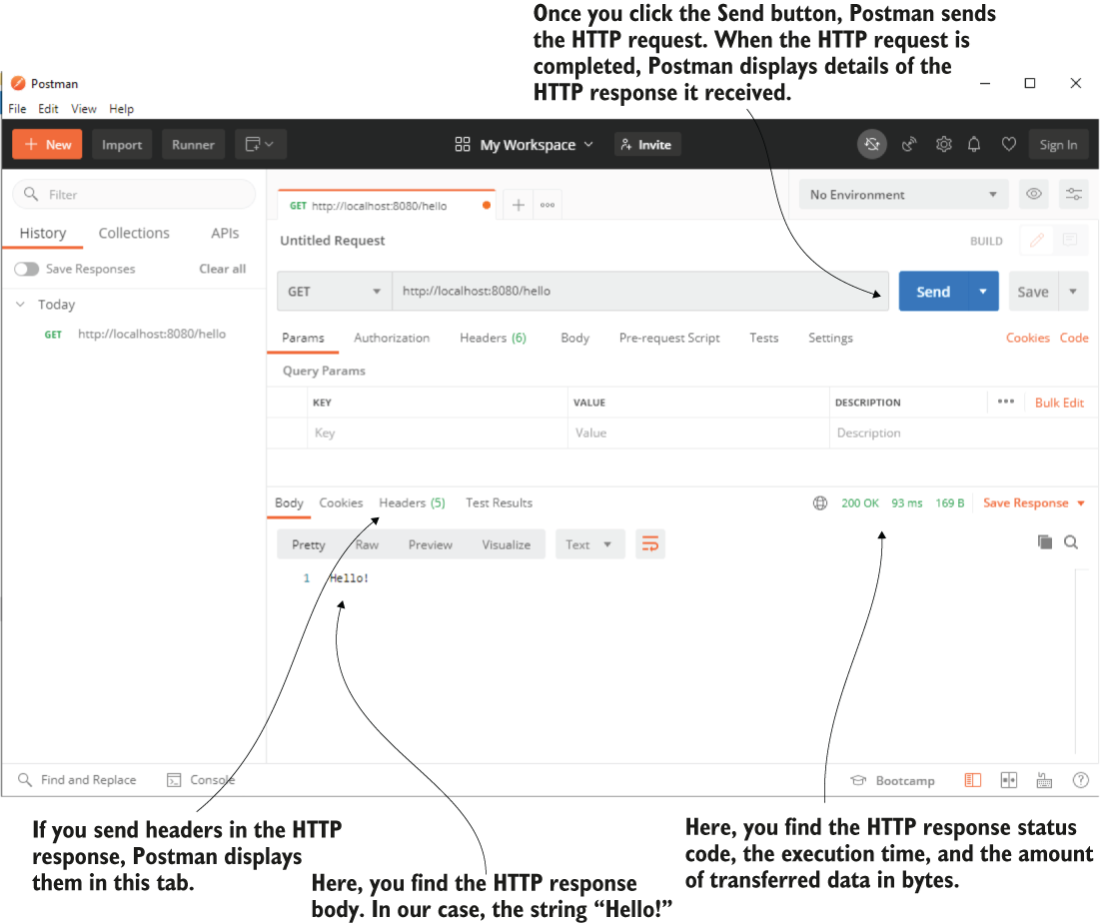
Once you press the Send button, Postman sends the request. When the request completes, Postman displays the response details, including the response body.
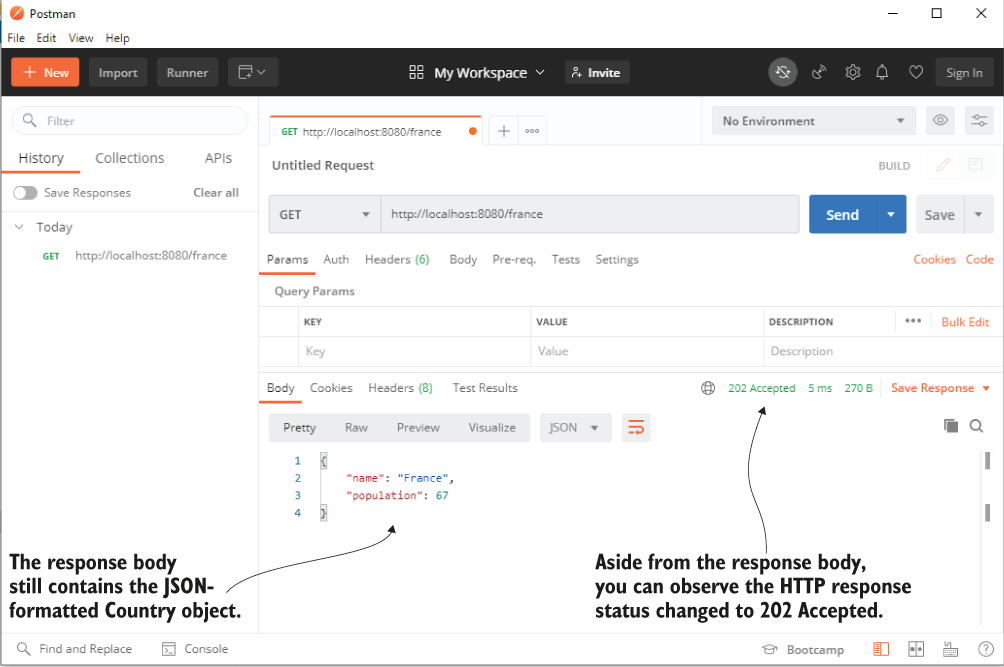
Once you send the HTTP request by pressing the Send button and get the HTTP response, you observe that the HTTP response status is 202 Accepted. You can still see the response body as a JSON-formatted string.
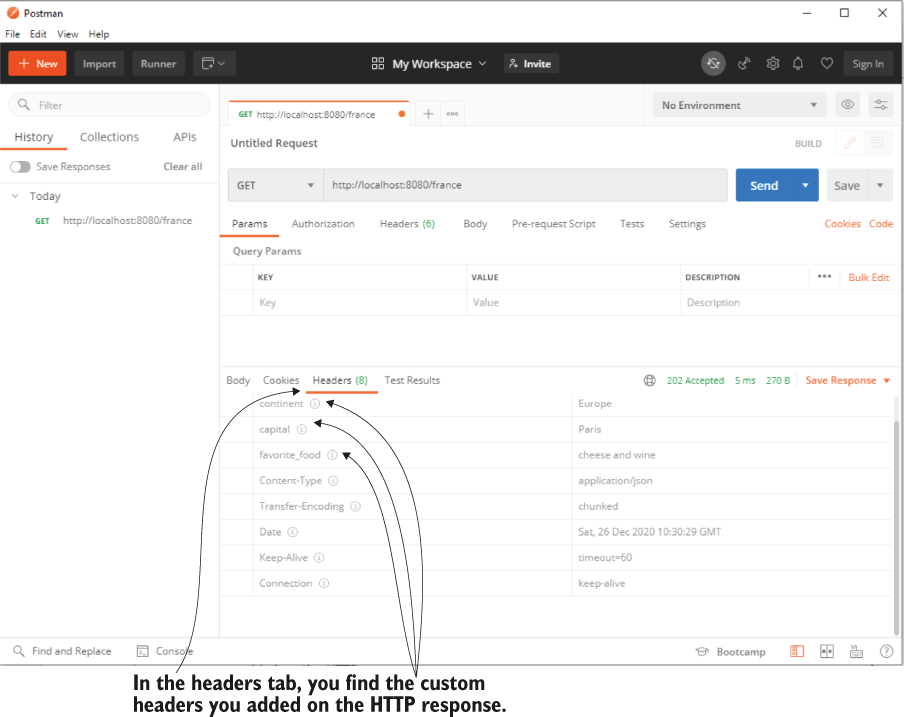
To see the customer headers in Postman, you must navigate to the Headers tab of the HTTP response.
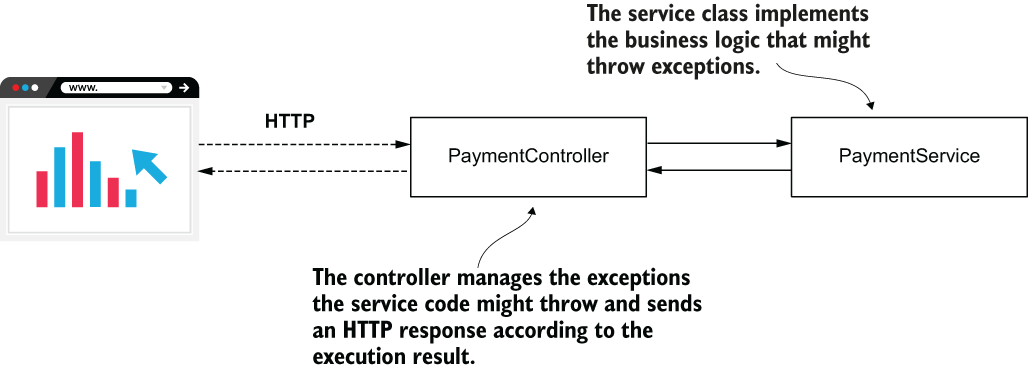
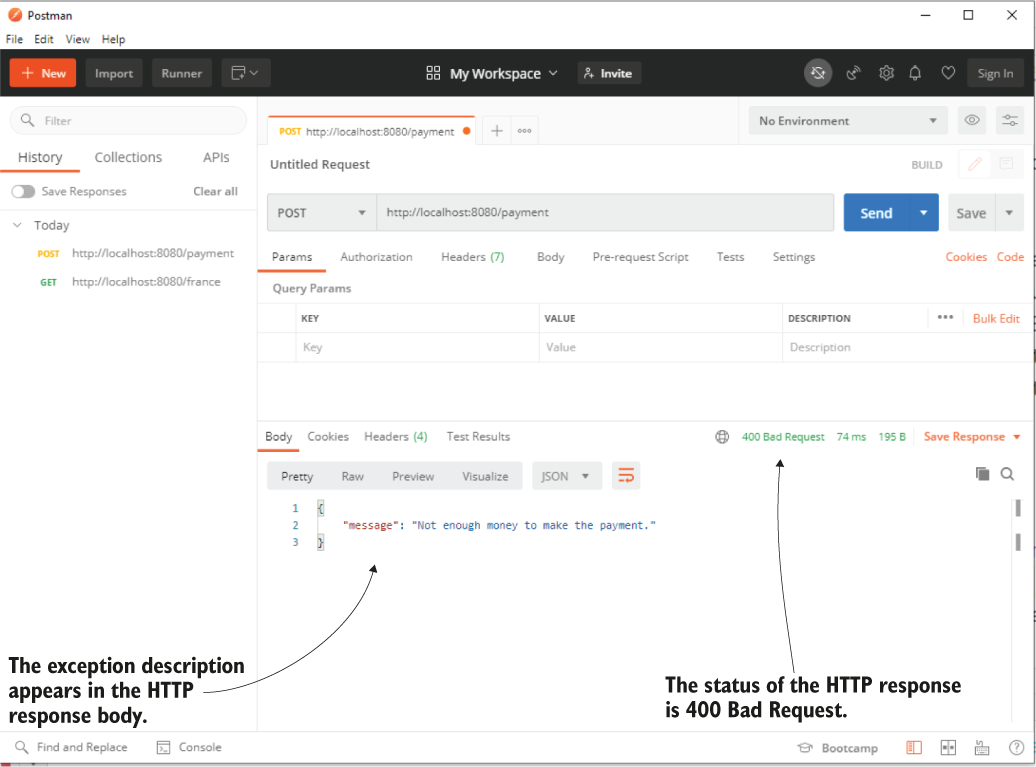
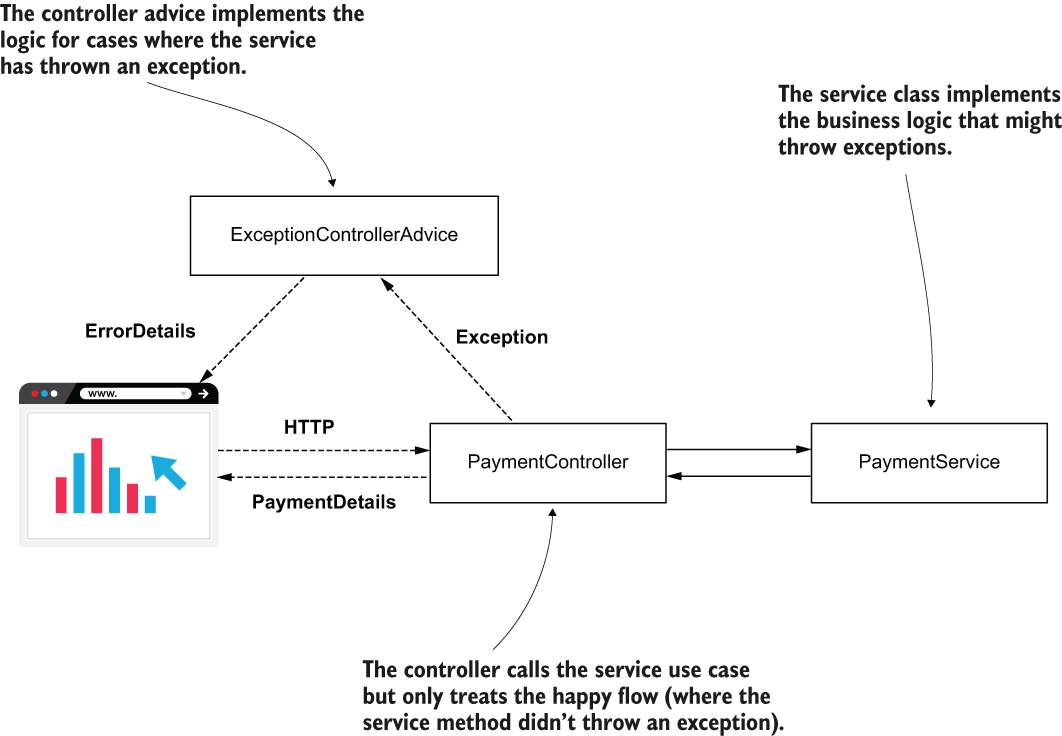
The PaymentService class implements the business logic that might throw exceptions. The PaymentController class manages the exception and sends the client an HTTP response according to the execution result.
Calling the /payment endpoint, the HTTP response status is “400 Bad Request” and the exception message appears in the response body.
Instead of managing the exception cases, the controller now only takes care of the happy flow. We added a controller advice named ExceptionControllerAdvice to take care of the logic that will be implemented if the controller’s action throws an exception.
Using Postman to call the endpoint and specify the request body. You need to fill the JSON-formatted request body in the request body text area and select the data encoding as JSON. Once the request completes, Postman displays the response details.
Summary
- Representational state transfer (REST) web services are a simple way to establish communication between two applications.
- In a Spring app, the Spring MVC mechanism supports the implementation of REST endpoints. You either need to use the @ResponseBody annotation to specify that a method directly returns the response body or replace the @Controller annotation with @RestController to implement a REST endpoint. If you don’t use one of these, the dispatcher servlet will assume the controller’s method returns a view name and try to look for that view instead.
- You can make the controller’s action directly return the HTTP response body and rely on Spring default’s behavior for the HTTP status.
- You can manage the HTTP status and headers by making your controller’s action return a ResponseEntity instance.
- One way to manage exceptions is to treat them directly at the controller’s action level. This approach couples the logic used to treat the exception to that specific controller action. Sometimes using this approach can lead to code duplication, which is best to avoid.
- You can manage the exceptions in the controller’s action directly or separate the logic executed if the controller’s action throws an exception using a REST controller advice class.
- An endpoint can get data from the client through the HTTP request in request parameters, path variables, or the HTTP request body.
FAQ
What is a REST service in Spring?
A REST service is a way for applications to exchange data over HTTP through endpoints exposed by the server. In Spring, it is typically implemented with controller actions mapped to HTTP methods and paths.What is an endpoint?
An endpoint is a specific controller action that a client can call through an HTTP method and a URL path, such as a GET request to/hello.How does Spring MVC handle REST endpoints?
Spring MVC uses the same controller mapping mechanism as web apps, but for REST endpoints it does not look for a view. Instead, it sends the controller’s returned data directly in the HTTP response.What is the difference between @Controller and @RestController?
@Controller marks a class as a Spring MVC controller, but each REST method usually also needs @ResponseBody. @RestController combines @Controller and @ResponseBody, so all methods return response data directly.What does the @ResponseBody annotation do?
@ResponseBody tells Spring that the method return value should be written directly into the HTTP response body instead of being treated as a view name.Why is @RestController useful?
@RestController avoids repeating @ResponseBody on every method and makes it clear that all actions in the class are REST endpoints.What are the main parts of an HTTP response?
The main parts are the response body, response headers, and response status. Together they describe the returned data and the result of the request.How does Spring send Java objects in the response body?
When a REST controller returns an object, Spring converts it automatically to JSON by default and places that JSON in the HTTP response body.Why is JSON commonly used with REST APIs?
JSON is simple, readable, and a natural way to represent attribute-value data. Spring also supports it well, which makes it the most common format for REST responses and requests.How can a REST endpoint handle exceptions at the endpoint level?
You can catch the exception inside the controller and return a customResponseEntity, or you can move the handling into a separate @RestControllerAdvice class with @ExceptionHandler.
 Spring Start Here, Second Edition ebook for free
