9 Working with X.509 Certificates: Lifecycle and Self-Signing
This chapter builds on the basics of X.509 by showing how certificates are created, validated, used, and eventually revoked, with a practical focus for developers. It clarifies how trust is established through certificate authorities and the chain of trust, then contrasts public issuance with self-signing and private CAs. Along the way it emphasizes modern automation with the ACME protocol for obtaining and renewing certificates, and promotes a developer-friendly workflow that uses the OpenSSL CLI to demystify each step. A key theme is enabling realistic, secure local development without disabling TLS checks or relying on brittle workarounds.
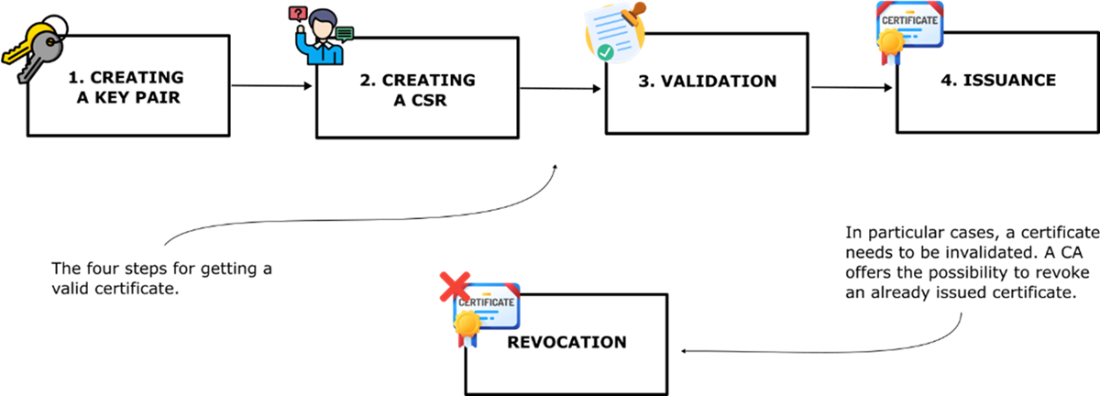
The certificate lifecycle unfolds as follows: you generate a key pair, create a CSR that binds identity metadata to your public key, and submit it to a CA for validation. For domain-validated certificates, the CA confirms control of the domain via email, an HTTP-01 file challenge, or a DNS-01 TXT record—mechanisms standardized by ACME and widely automated to support short-lived, auto-renewed certs (for example by nonprofit providers). If validation succeeds, the CA issues a certificate by signing it with its private key so clients can verify it against trusted roots. When keys are compromised or certs are no longer appropriate, revocation removes them from trust; this operational task is typically handled by platform teams, but developers should understand the concept and its impact on validation.
Practically, the chapter discourages using self-signed certificates in day-to-day development because they are not anchored in a trust chain and trigger warnings or tempt disabling verification. Instead, it shows how to create a personal root CA, inspect it for proper CA extensions, and install it into the operating system trust store so anything it signs is trusted locally. With that CA, you generate server keys, craft CSRs that include Subject Alternative Names (for example localhost), sign leaf certificates, and verify the chain—yielding a frictionless HTTPS setup on your laptop that mirrors production behavior. For shared or production environments, the same principles scale via ACME-integrated automation (such as cert-manager) to issue and renew certificates reliably without manual intervention.
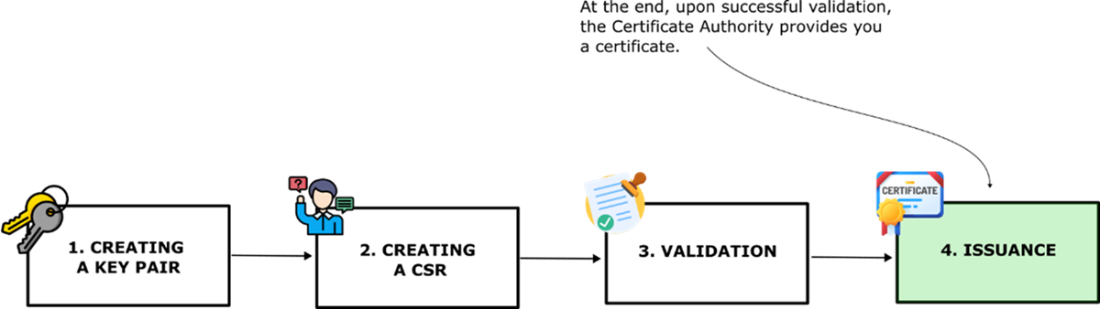
The certificate lifecycle. This diagram walks you through the four main steps to getting a valid digital certificate: generating a key pair, creating a Certificate Signing Request (CSR), having it validated by a Certificate Authority (CA), and receiving the issued certificate.
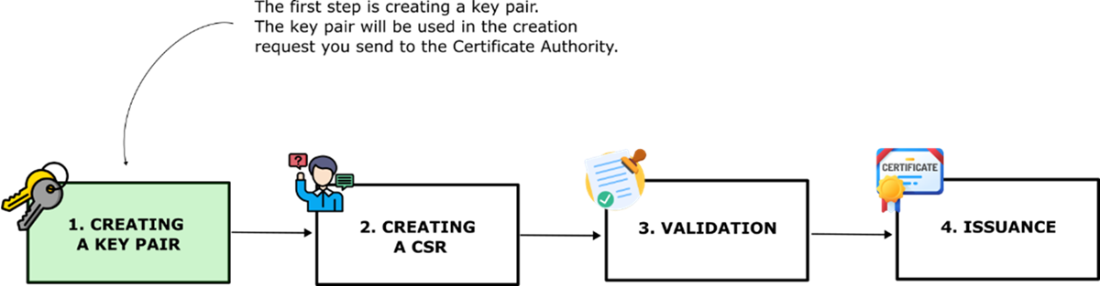
Step 1: It all begins with a key pair. The lifecycle of a certificate kicks off with generating a key pair: one public key, one private key. This pair becomes the foundation for your Certificate Signing Request (CSR), which you'll send to the Certificate Authority (CA) to prove you're legit.
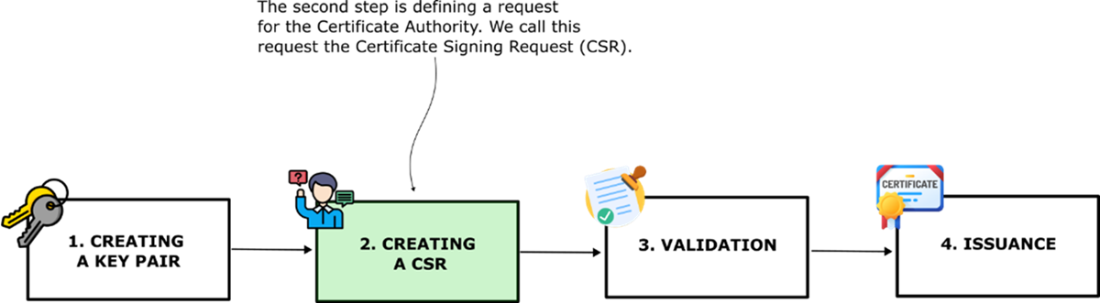
Step 2: Submitting a CSR. Once you've got your key pair, the next move is to create a Certificate Signing Request (CSR). This is like filling out a form saying, “Hey CA, here's who I am, and here’s my public key, can I have a certificate, please?” The CA will use this info to decide whether you're worthy.
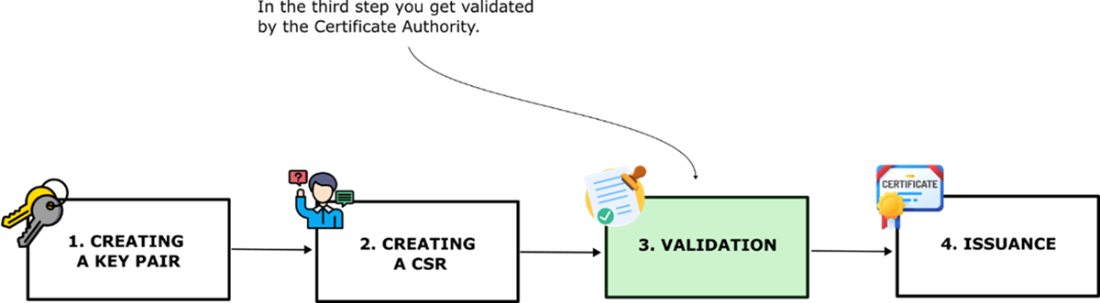
Step 3: Time for a background check. In the validation step, the Certificate Authority (CA) takes your CSR and makes sure you are who you say you are. This might involve checking your domain ownership or verifying your organization's identity.
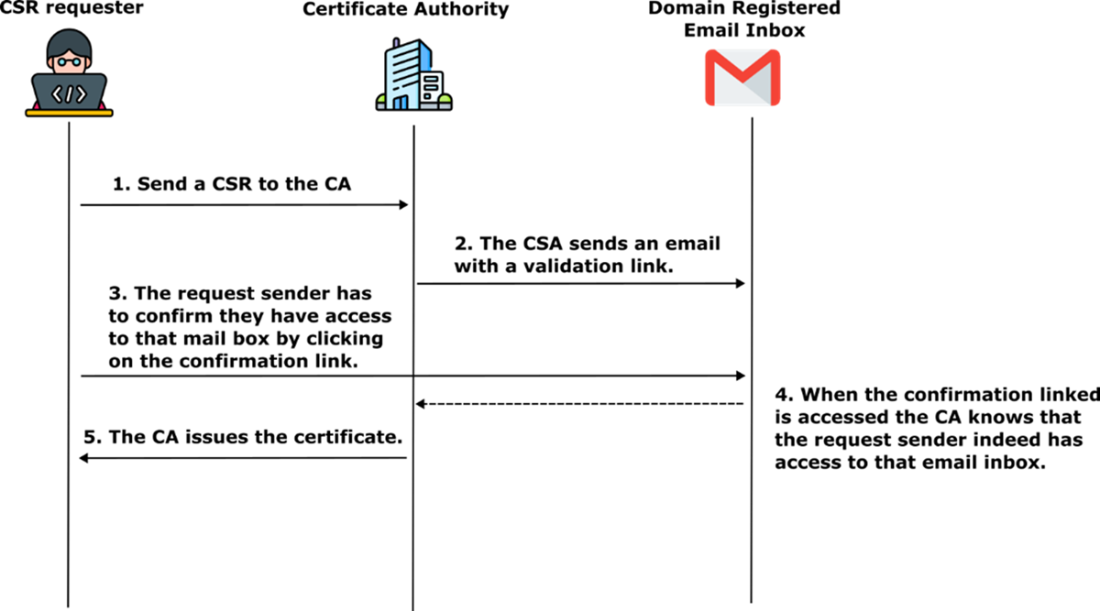
Domain validation via email. This diagram shows how a Certificate Authority (CA) verifies that the CSR requester controls the domain. After receiving the Certificate Signing Request (CSR), the CA sends a validation email. The requester must click a link to prove access to the domain's registered inbox. Once verified, the CA issues the certificate.
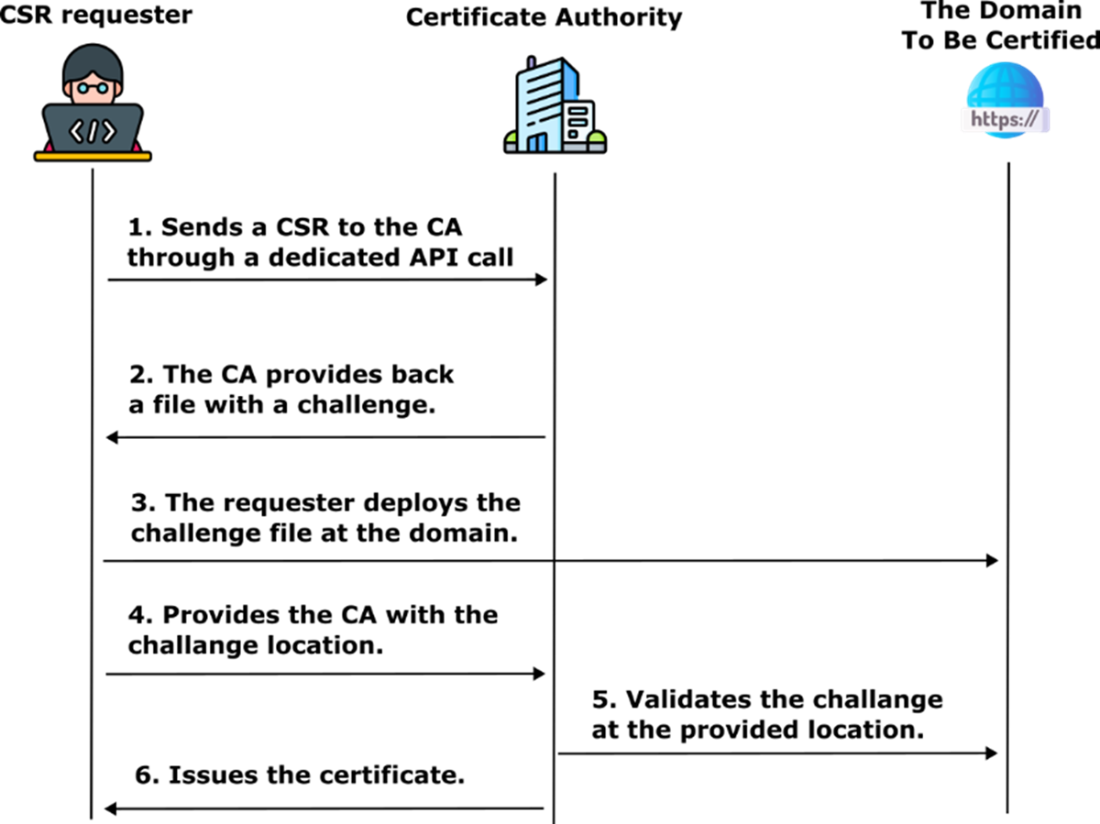
Domain validation via HTTP challenge. This flow illustrates how a Certificate Authority (CA) validates domain ownership using an HTTP challenge. The requester sends a CSR, receives a challenge file from the CA, and places it at a specific location on their website. When the CA finds the file at that location, it confirms domain control and issues the certificate.
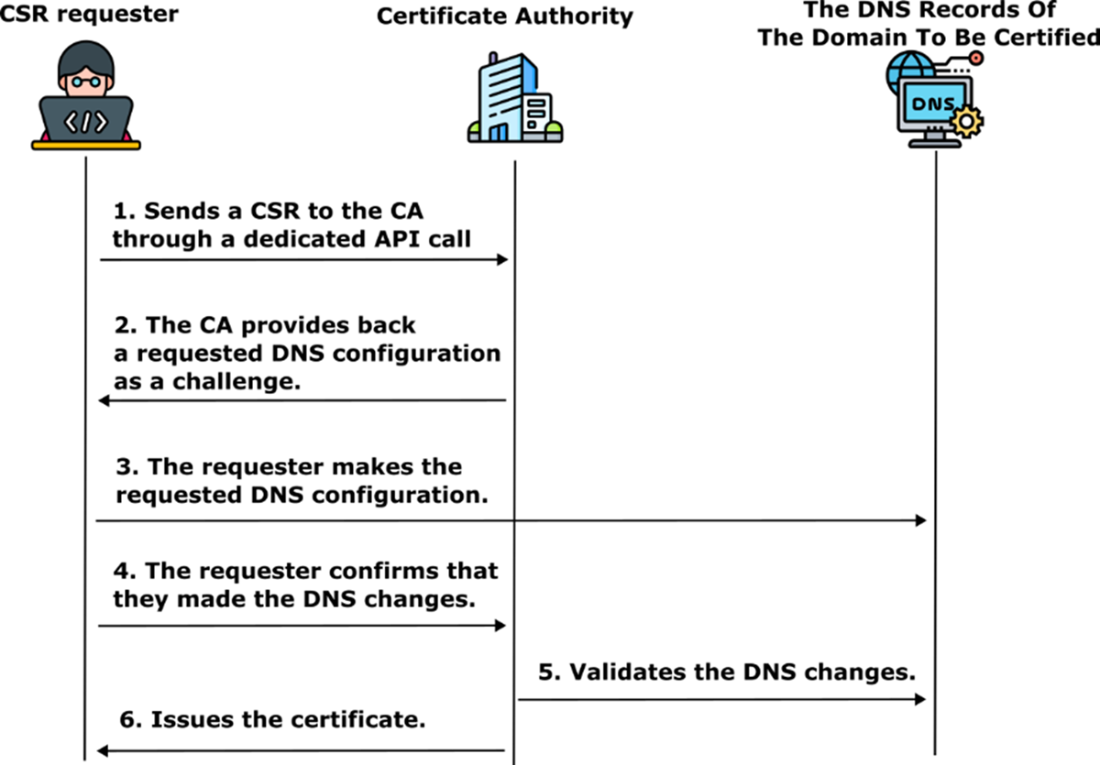
Domain validation via DNS challenge. This process shows how a Certificate Authority (CA) verifies domain ownership by requiring specific DNS changes. The requester receives a challenge from the CA and updates the DNS records accordingly. Once the changes are live, the CA checks the DNS to confirm control and issues the certificate.
Mission accomplished: certificate issued! After your identity checks out, the Certificate Authority gives you the golden ticket: your digital certificate. This cert is proof that you’re trustworthy (at least digitally), and you can now use it to secure communications and earn some internet street cred.
Summary
- The certificate lifecycle includes critical steps such as generating a key pair, creating a certificate signing request (CSR), validating the request, issuing the certificate, and revoking it when necessary.
- OpenSSL enables the creation of a key pair consisting of a private key and its corresponding public key, which form the foundation of an X.509 certificate.
- A Certificate Signing Request (CSR) includes the public key and metadata about the certificate, which is sent to a Certificate Authority (CA) to request certificate issuance.
- Domain control is verified using one of three methods: email-based validation, hosting a challenge file on the website (HTTP-01), or adding a specific DNS TXT record (DNS-01).
- The Certificate Authority (CA) validates the CSR, ensures the requester controls the domain, and issues a signed certificate that can be used for secure communication.
- Self-signed certificates allow independent creation of certificates without a public CA, but they are not trusted by browsers or systems without additional configuration.
- A local Certificate Authority (CA) can be established for development environments, allowing developers to issue trusted certificates within their own systems.
- Adding a local CA certificate to the operating system’s trusted certificate list ensures that all certificates issued by the local CA are recognized and validated by the system.
- Developers can use their private CA to issue certificates for internal applications, avoiding the need to rely on external Certificate Authorities for testing purposes.

 Software Security for Developers ebook for free
