4 Interfacing Wasm with the underlying system
This chapter explains how WebAssembly programs interface with their host environment and with one another, moving from low-level core Wasm modules to higher-level, composable Wasm components. It introduces the Canonical ABI and WIT as the foundations that let components exchange rich data types safely and efficiently, eliminating the brittle, manual memory contracts typical of plain modules. On the server, runtimes such as Wasmtime expose host capabilities through the WebAssembly System Interface (WASI), enabling components to use standard output, environment variables, files, and more—demonstrated by turning a simple greeting into one that prints directly via WASI and a small Rust host embedding a WASI context.
The chapter then traces WASI’s evolution from a POSIX-like base in Preview 1 (0.1) to Preview 2 (0.2), which centers on components and standardized “worlds” tailored to real applications, such as a CLI and an HTTP proxy. You learn to build both binary and library components with the Rust toolchain and cargo-component, run them directly with Wasmtime, and inspect their interfaces using wasm-tools. It also shows how to convert existing Wasm modules into components with wasm-tools, and, when needed, adapt Preview 1 modules to Preview 2 interfaces via adapters—useful for legacy code, languages without wasip2 targets, or gradual migrations.
Finally, the chapter focuses on security and composition. With WASI-Virt you can virtualize, restrict, or selectively allow host capabilities (for example, deny-all then enable only stdout), all implemented through component composition under the hood. You also compose components directly with wac by “plugging” a library’s exports into a binary’s imports, producing a single, self-contained component. These ideas culminate in expanding the SmartCMS example: a new “ML” component reads stories from a host filesystem via preopened directories, the key-value component consumes that story, and the Rust host links in WASI to run the composed application securely with least-privilege access.
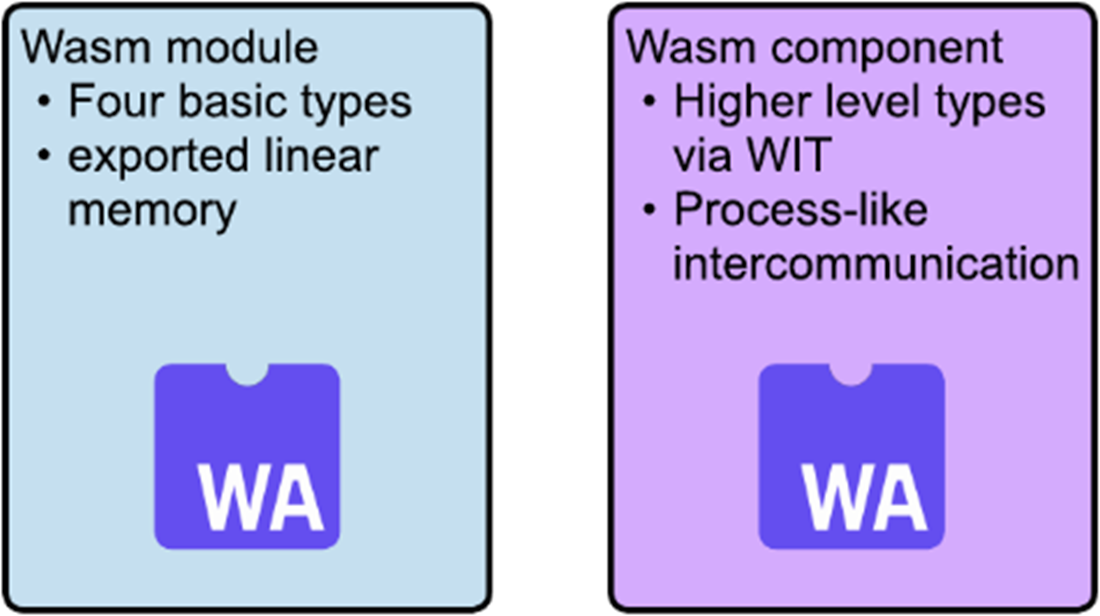
Comparing Wasm modules and Wasm components
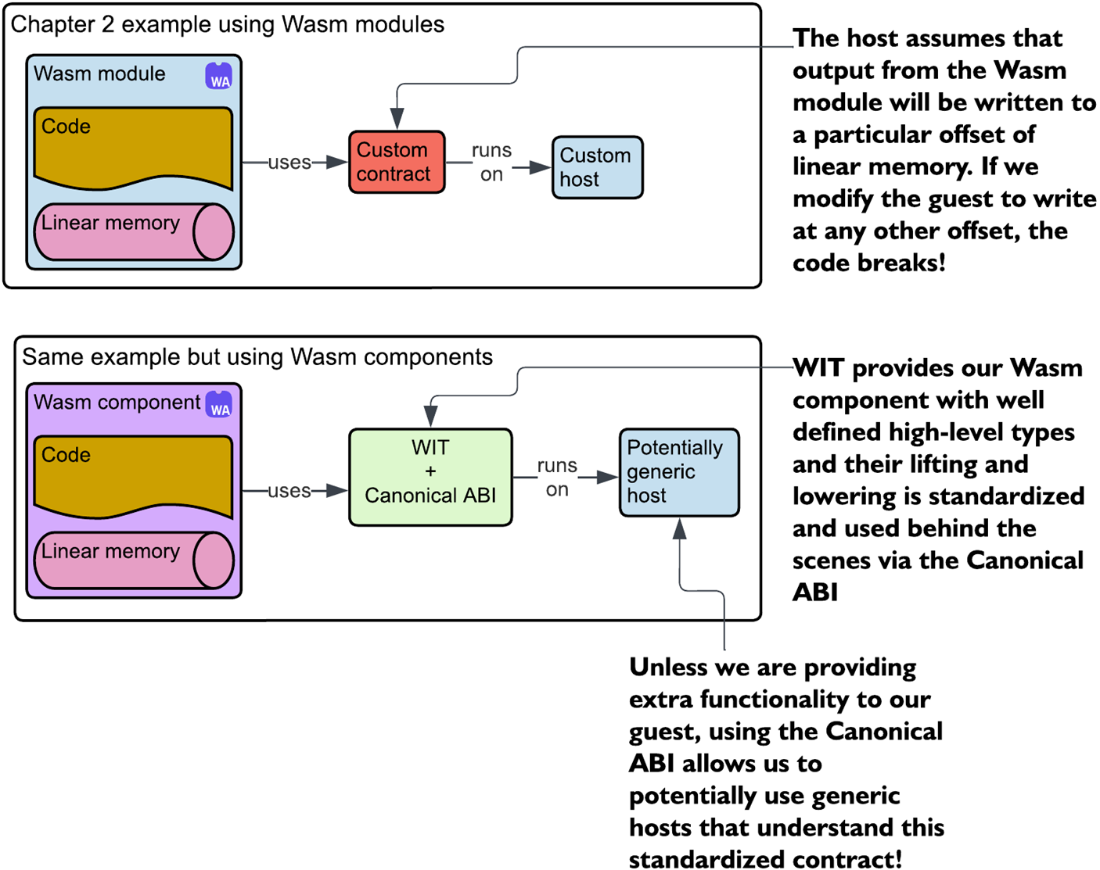
Comparing how data flows in chapter 2’s Wasm module example versus using Wasm components. The top diagram shows the manual setup, with a custom contract between the module and a custom host. The bottom diagram shows how components rely on WIT and the canonical ABI, making it possible to interact with a potentially generic host without custom wiring.
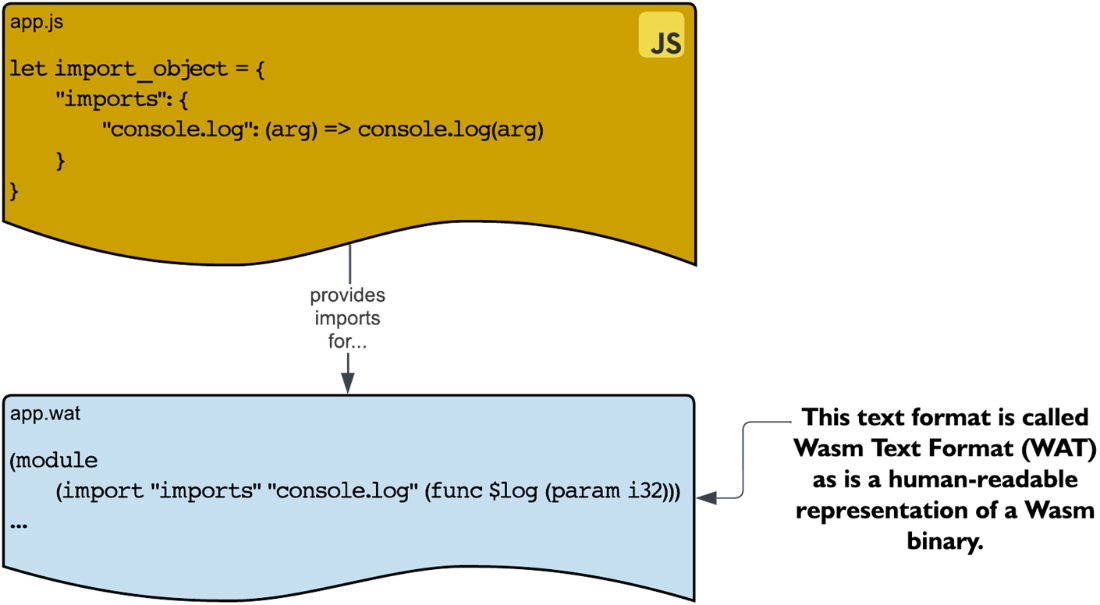
JavaScript API providing access to host capabilities to a Wasm guest
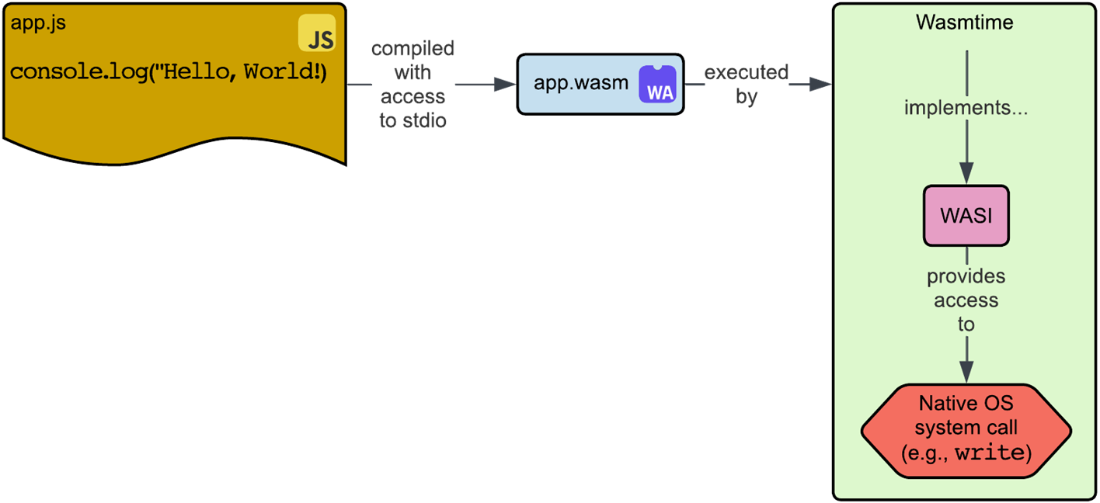
Wasmtime/WASI providing access to host capabilities to a Wasm guest
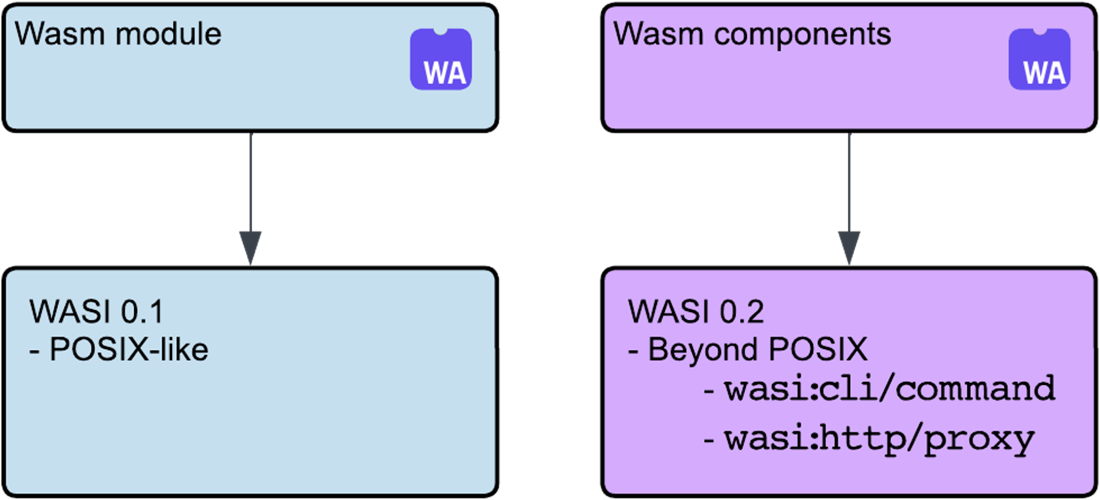
Comparing WASI 0.1 (a more POSIX-like interface) to WASI 0.2 that defines higher-level interfaces.
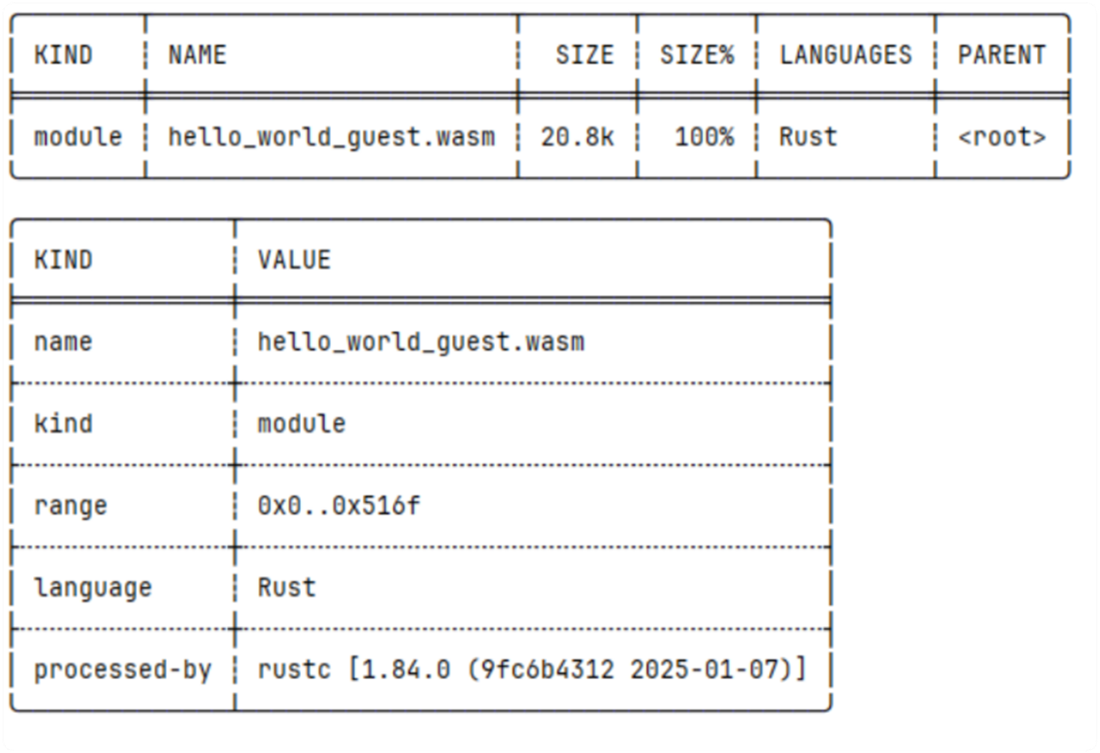
The output from inspecting the metadata of our Wasm binary with wasm-tools, showing details like the module name, size, language, and the Rust compiler version used to build it.
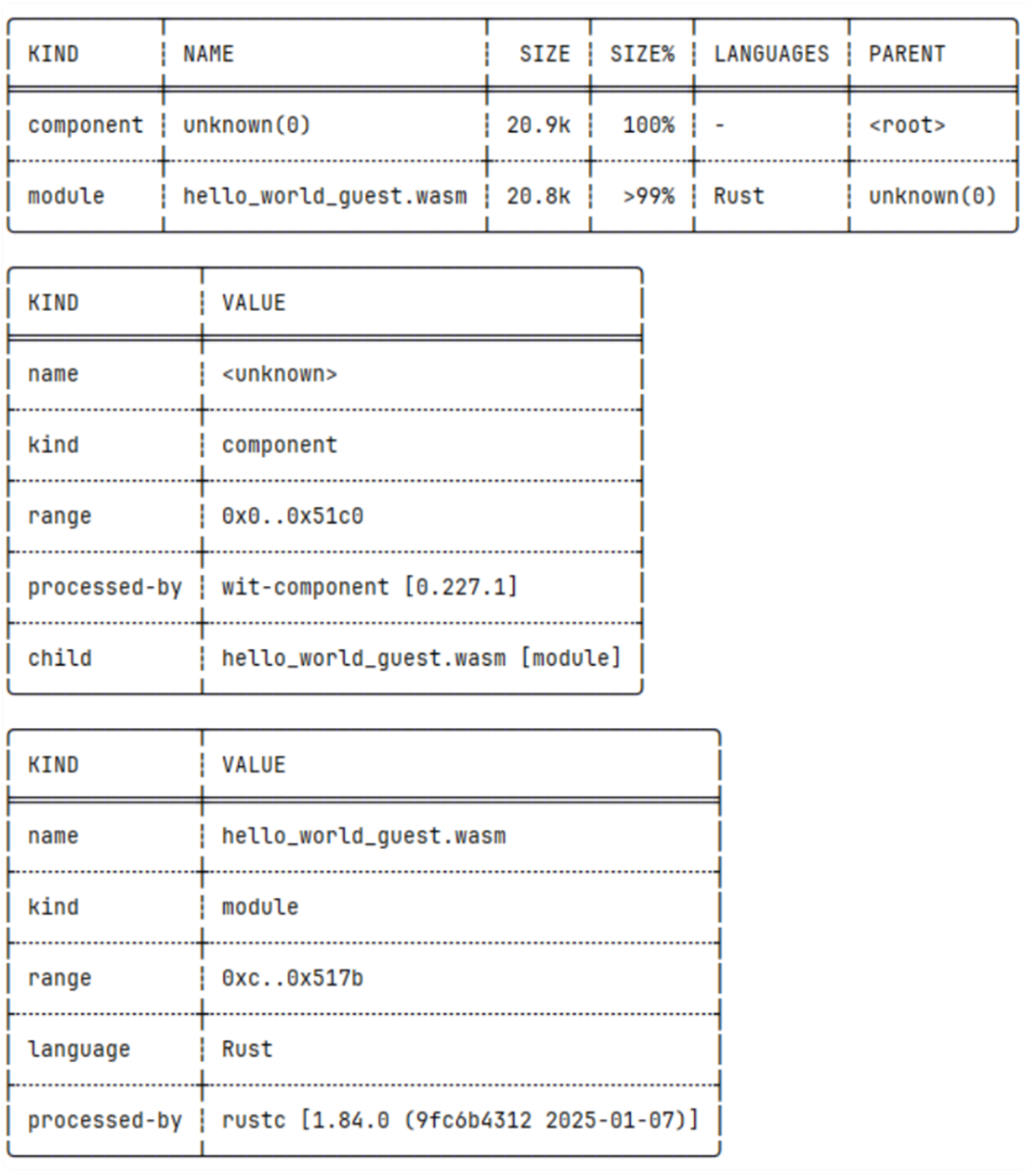
The output from inspecting the metadata of our Wasm binary with wasm-tools, now showing that the Wasm binary includes a component kind created by wit-component.
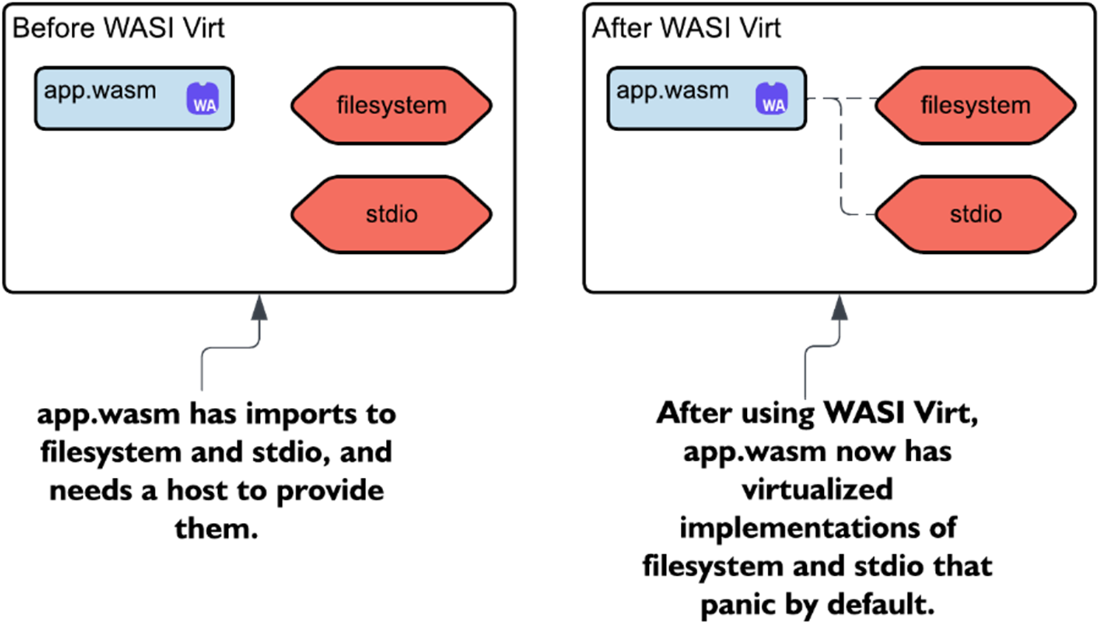
Utilizing WASI-Virt to restrict capabilities of a Wasm component
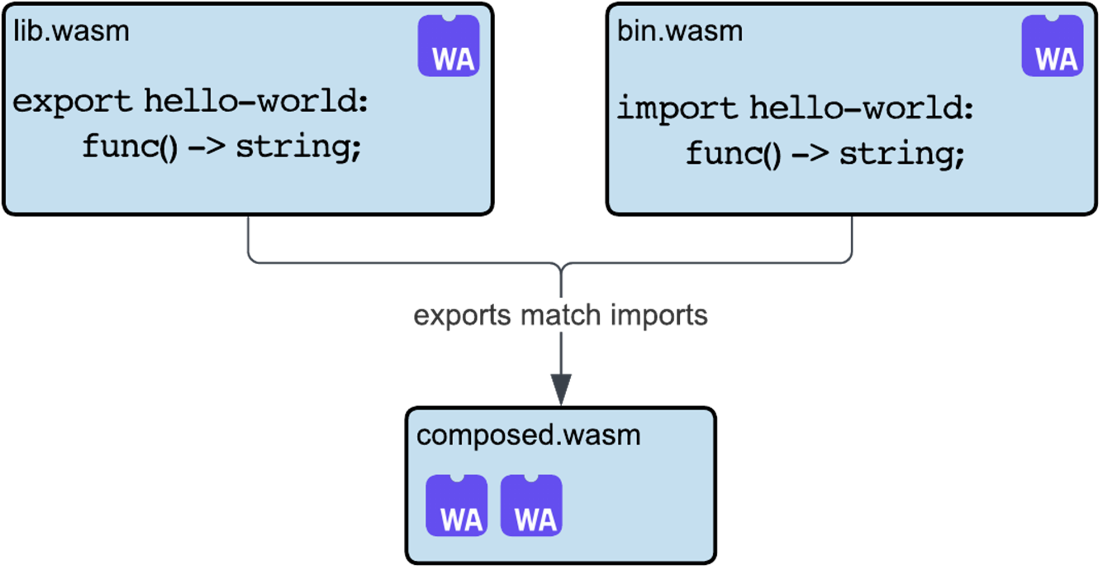
Composing a library component with a binary component and displaying matching imports and exports
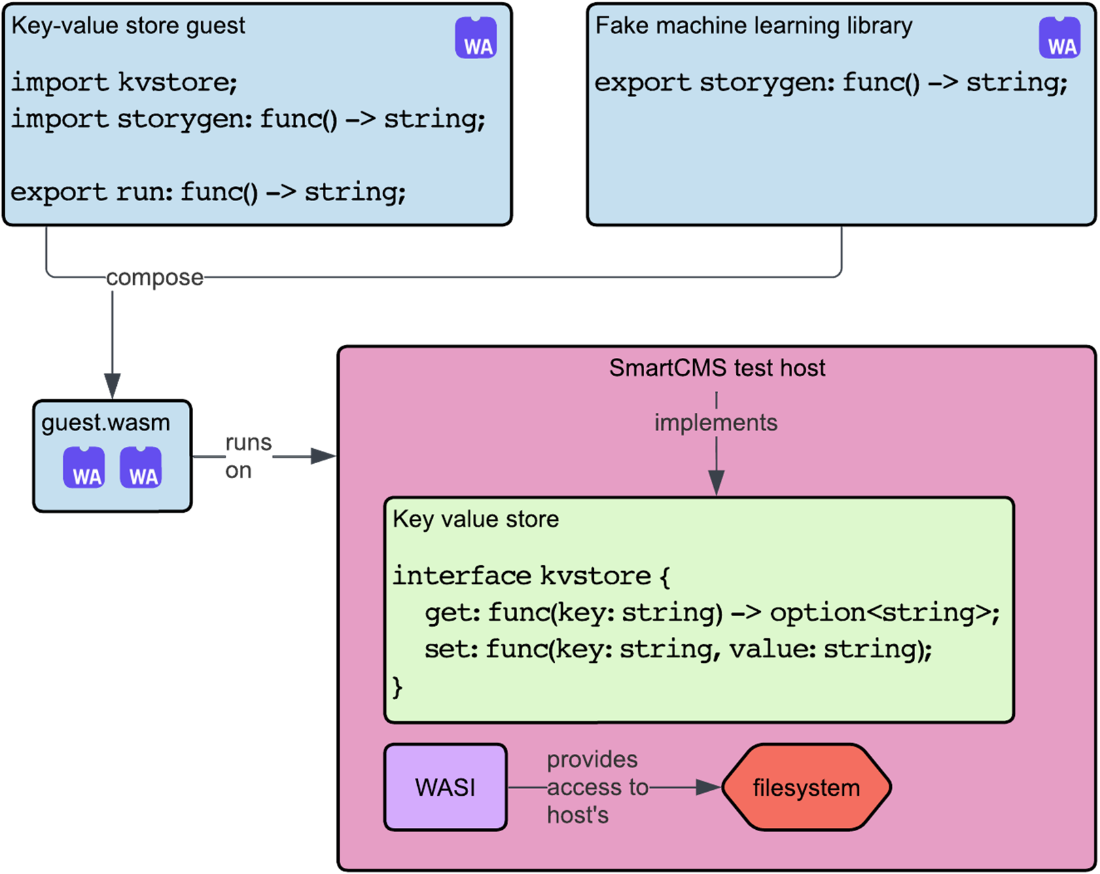
The architecture of our SmartCMS project with the addition of a machine learning component
Summary
- Wasm components have an established Canonical ABI that allows for easy interaction between two Wasms or a Wasm and a host.
- Wasm hosts implement WASI to provide a set of APIs for Wasm to interact with the host.
- WASI 0.1 defined a low-level POSIX-like set of APIs for Wasm to interact with the host. WASI 0.2 interfaces, on the other hand, provide higher-level interfaces for common application tasks, like databases and HTTP requests .
- WASI 0.2 defined two worlds: wasi:cli/command and wasi:http/proxy.
- Wasm's command components created with cargo component new export the wasi:cli/run function and can be run directly with wasmtime.
- Extracting a component's WIT with wasm-tools component wit <path-to-wasm> can be helpful for debugging.
- You can examine a component or module by seeing its metadata with wasm-tools metadata show <path-to-wasm>.
- Wasm modules can be converted to Wasm components with wasm-tools component new <path-to-wasm> to make use of WASI 0.2, higher-level types, and better composability.
- You can restrict the capabilities your Wasm component has access to with WASI-Virt.
- Aside from restricting capabilities, WASI-Virt can be used to set environment variables and mount virtual filesystem directories.
- You can use wac plug <path-to-wasm1> --plug <path-to-wasm2> -o <path-to-output-wasm> to compose two components together and match their imports/exports allowing easy interaction between two distinct Wasms.
FAQ
What’s the difference between a Wasm module and a Wasm component?
Wasm modules are core Wasm: four numeric types, linear memory, and custom host contracts. Wasm components build on modules to standardize interop using WIT and the Canonical ABI, which “lifts/lowers” rich data types and exposes well-defined interfaces and worlds for seamless host and component-to-component calls.How does WASI let a component access host capabilities like stdout?
WASI is a set of interfaces implemented by the runtime (e.g., Wasmtime). In a host, you add WASI to the linker and supply a WasiCtx (for example, inherit stdout), so guest calls to stdout flow to the host’s stdout. In contrast to browser embedding via JavaScript, WASI is the server-side system interface exposed by the runtime.How do I build and run a simple WASI 0.2 CLI component?
- Create:cargo component new --bin hello_world_wasi02- Build:
cargo component build --release- Verify Preview 2:
wasm-tools component wit target/wasm32-wasip1/release/hello_world_wasi02.wasm (you’ll see imports like wasi:cli/*@0.2.0)- Run:
wasmtime target/wasm32-wasip1/release/hello_world_wasi02.wasmNote: The wasip1 target is adapted to Preview 2 during build.
What are WASI “worlds” and which ones are standard in WASI 0.2?
Worlds are collections of interfaces tailored to app types. WASI 0.2 standardizes:- Command world:
wasi:cli/command (CLI apps: environment, stdio, filesystem, sockets).- HTTP proxy world:
wasi:http/proxy (send/receive HTTP). You can run HTTP components with wasmtime serve.When should I use a library component versus a binary component?
- Binary components exportwasi:cli/run (an entry point) and run directly under a host like Wasmtime.- Library components export functions (e.g.,
hello-world) and are meant to be consumed by other components or hosts. They’re ideal for reuse and composition.How do I convert a Wasm module into a component, and can I adapt Preview 1 to Preview 2?
- Wrap a module:wasm-tools component new module.wasm -o component.wasm (adds a component wrapper).- Adapt P1 to P2: build the module for wasip1, then use an adapter:
wasm-tools component new p1.wasm --adapt wasi_snapshot_preview1=wasi_snapshot_preview1.reactor.wasm -o p2-component.wasm.- Verify with
wasm-tools component wit. This is useful when you lack source or native wasip2 support.How can I restrict or virtualize a component’s capabilities?
Use WASI-Virt:- Deny-all:
wasi-virt app.wasm -o app_restricted.wasm (removes WASI imports; calls panic by default).- Allow specific:
wasi-virt app.wasm --stdout=allow -o app_stdout.wasm.WASI-Virt composes your component with an adapter that either denies, passes through, or virtualizes interfaces (e.g., mounting a read-only filesystem).
How do I compose components so one’s export satisfies another’s import?
Use wac (Wasm composition):wac plug binary.wasm --plug library.wasm -o composed.wasmIt wires the binary’s import (e.g.,
hello-world) to the library’s export, producing a standalone component with dependencies resolved internally. You can then run it with wasmtime composed.wasm.How do I give a guest controlled, secure access to host files?
In the host, build a WASI context with a preopened directory and explicit permissions, for example:WasiCtxBuilder::new().preopened_dir(".", ".", DirPerms::READ, FilePerms::READ)?.build()The guest can then read files like
stories.txt within the mapped directory, following least-privilege principles.Why disable capabilities like HTTP when componentizing, and how do I choose what to enable?
Follow least privilege to reduce the attack surface and avoid unnecessary imports. For example, withjco componentize you can --disable http if networking isn’t needed but keep stdio for printing. Use wasm-tools component wit to audit which interfaces your component imports.
 Server-Side WebAssembly ebook for free
