4 Building web applications
JavaScript’s role in web development has grown from a small layer of interactivity to the foundation of many modern sites, where developers often think in terms of components instead of raw HTML and CSS. This chapter explains how a client-side web application comes to life in the browser and why understanding that process matters for performance, responsiveness, and maintainability. It frames the browser as a system that first constructs the page and then responds to user actions, with JavaScript sitting at the center of both phases.
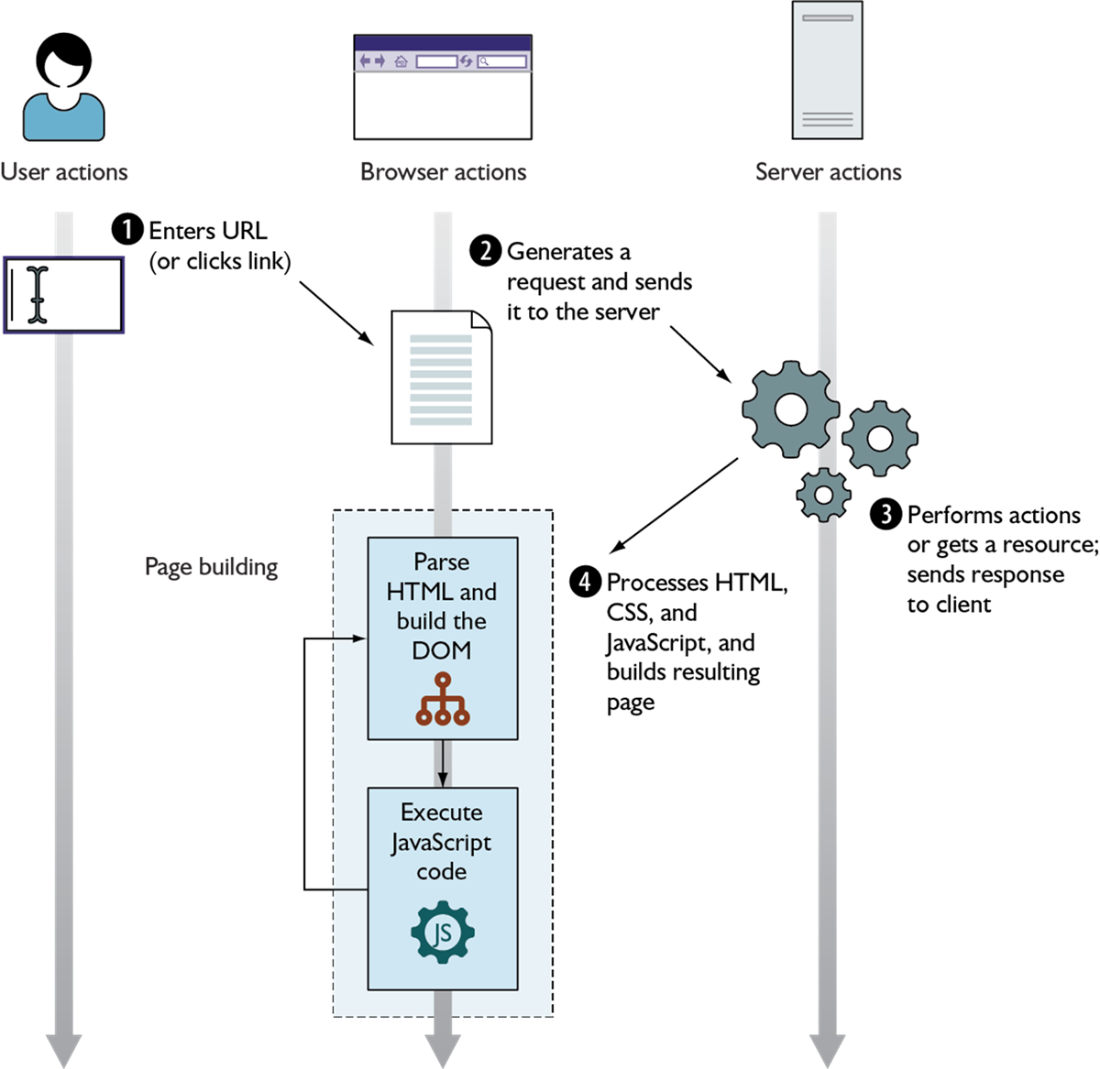
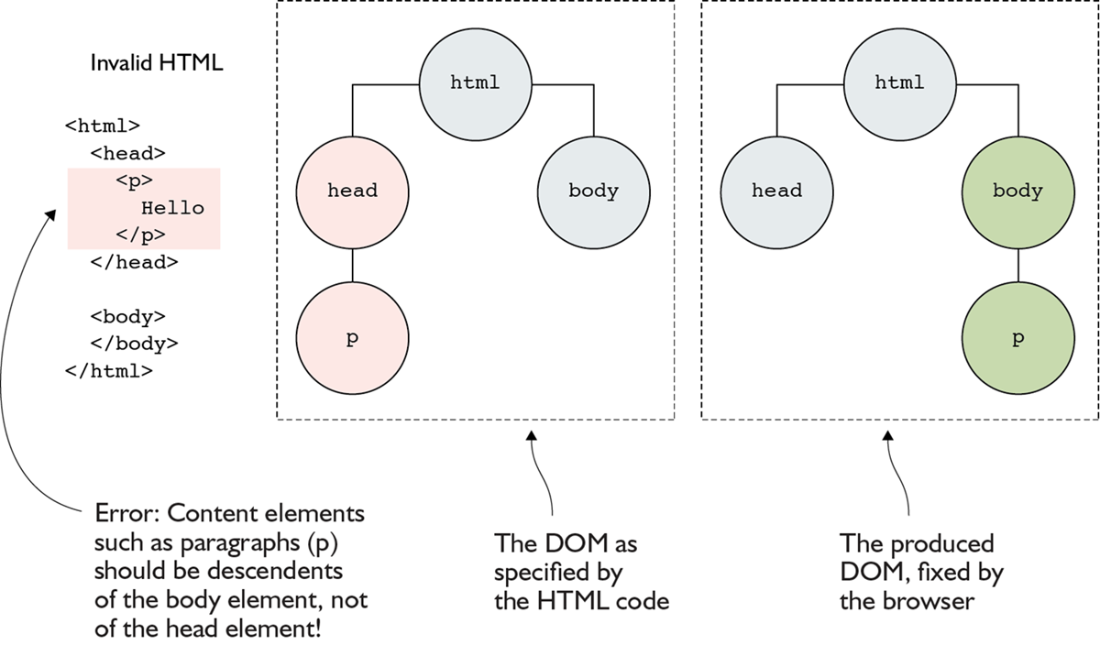
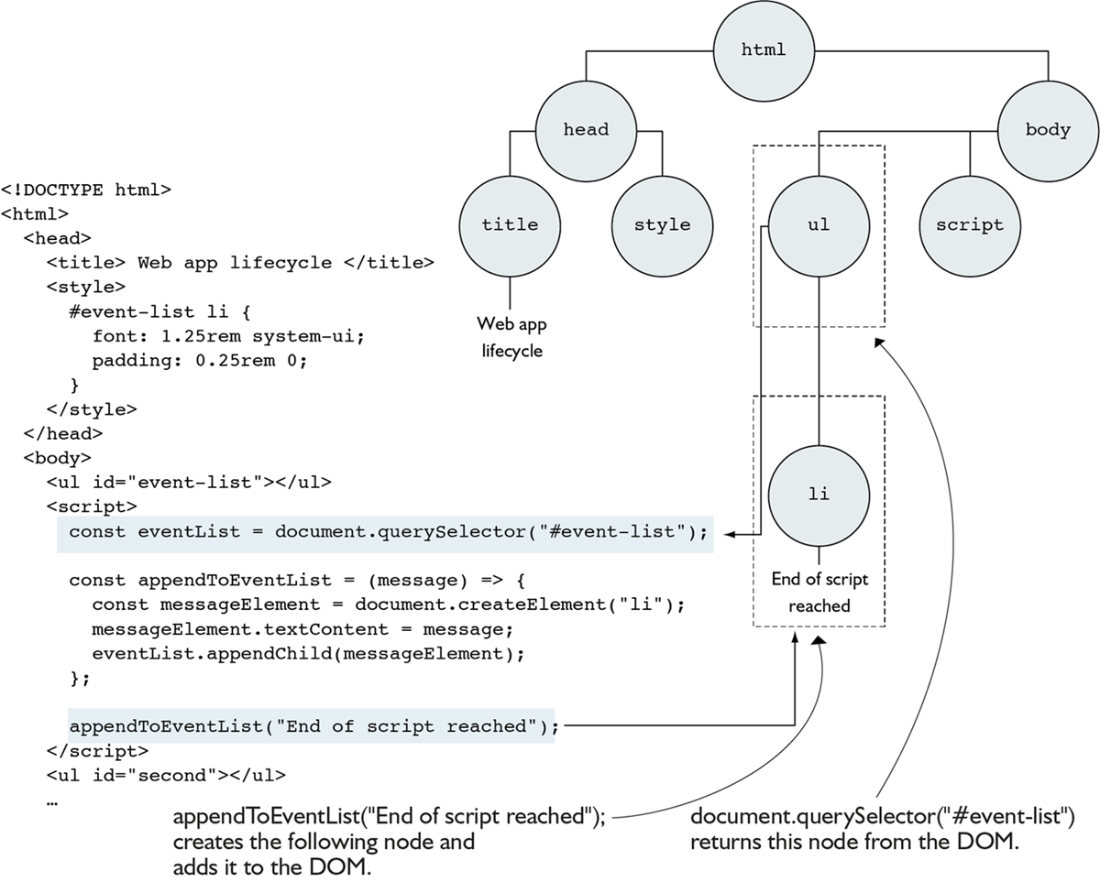
The page-building phase begins when the browser receives HTML from the server and parses it into the DOM, a tree structure that represents the page’s content. HTML acts as the blueprint, but the DOM is the live structure the browser actually works with, and the browser may even correct invalid HTML while building it. When the parser reaches a synchronous script tag, it pauses DOM construction, executes the JavaScript, and then resumes parsing, allowing the script to read and modify the DOM before the page is fully built. The example in the chapter shows this clearly by creating elements, attaching listeners, and inserting content during script execution.
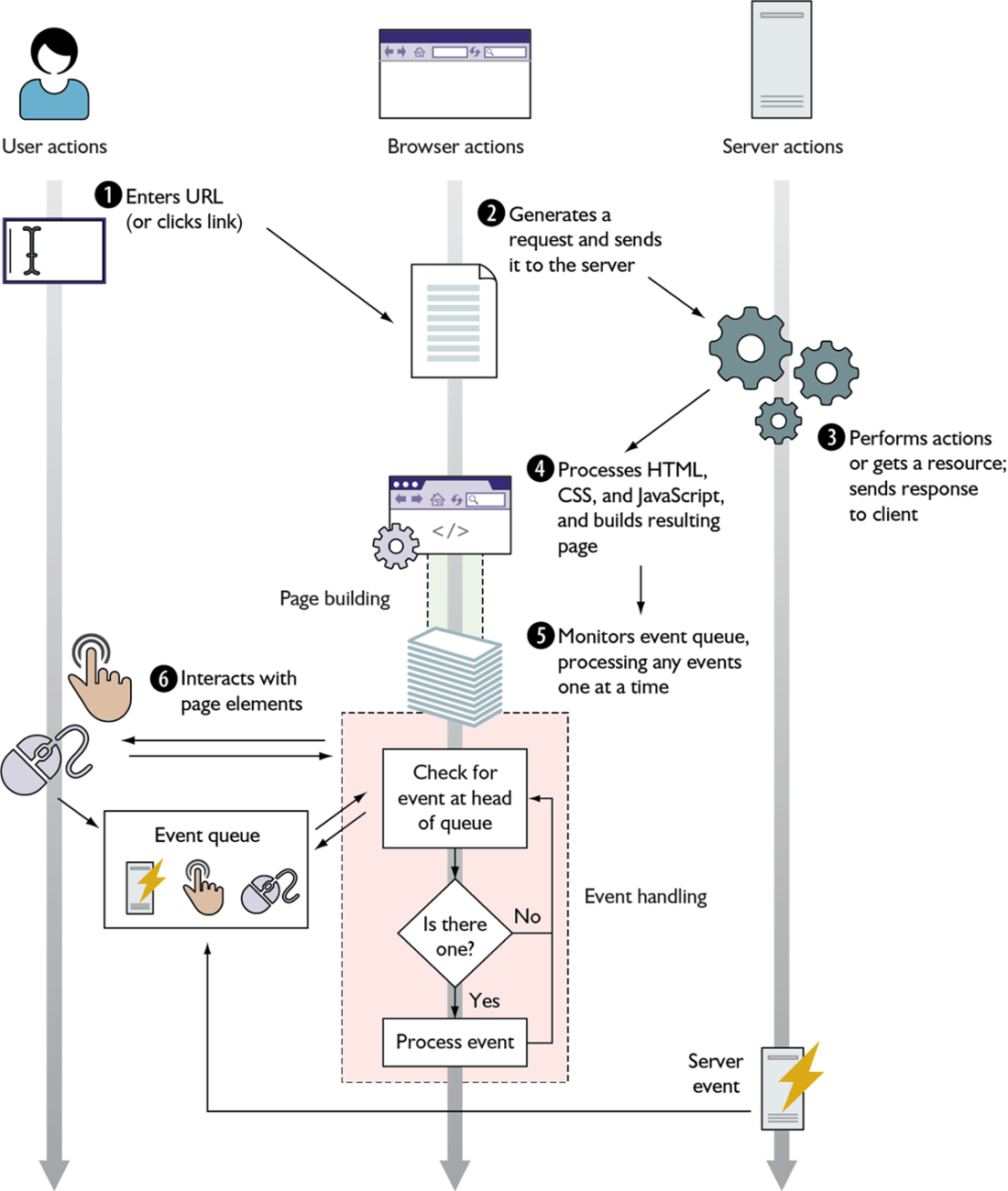
Once the page is built, the application enters the event-handling phase, where the browser waits in a single-threaded loop for queued events such as key presses, clicks, network responses, and timer callbacks. Event handlers are registered with methods like addEventListener, and because events are asynchronous, they may arrive in unpredictable order and must be processed one at a time. The chapter then shows how JSX changes the development model by blending HTML-like syntax with JavaScript, letting frameworks such as React manage DOM updates through state, virtual DOM comparison, and reconciliation. This abstraction makes UI code simpler to write, but it can also increase startup cost, so the chapter encourages careful bundle splitting, lighter frameworks when appropriate, and server-side rendering when faster initial display is important.
The lifecycle of a client-side web application starts with the user specifying a website address (or clicking a link) and ends when the user leaves the web page. It’s composed of two steps: page building and event handling.
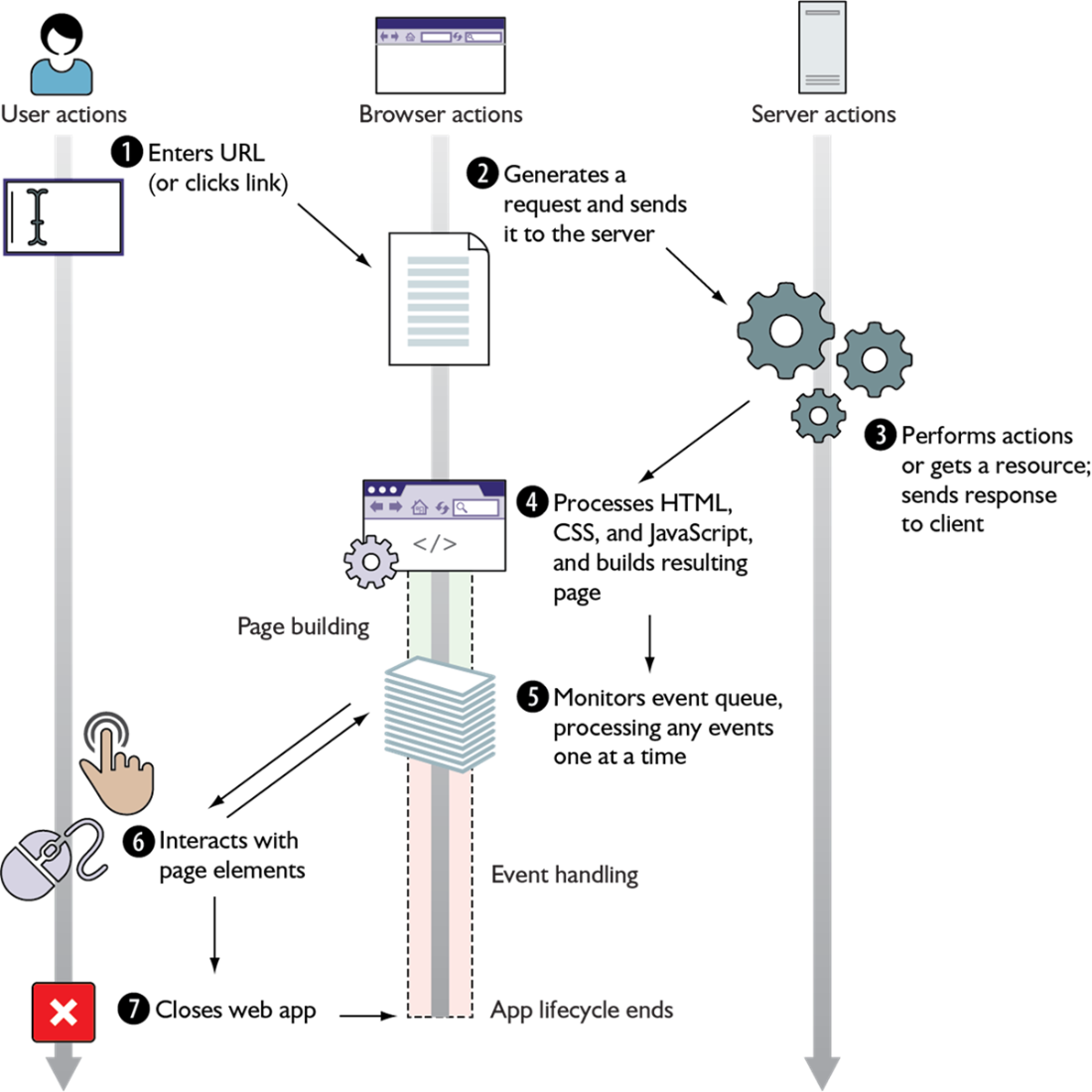
The page-building phase starts when the browser receives the code of the page. The process of parsing HTML to build the DOM is interrupted whenever JavaScript code runs.
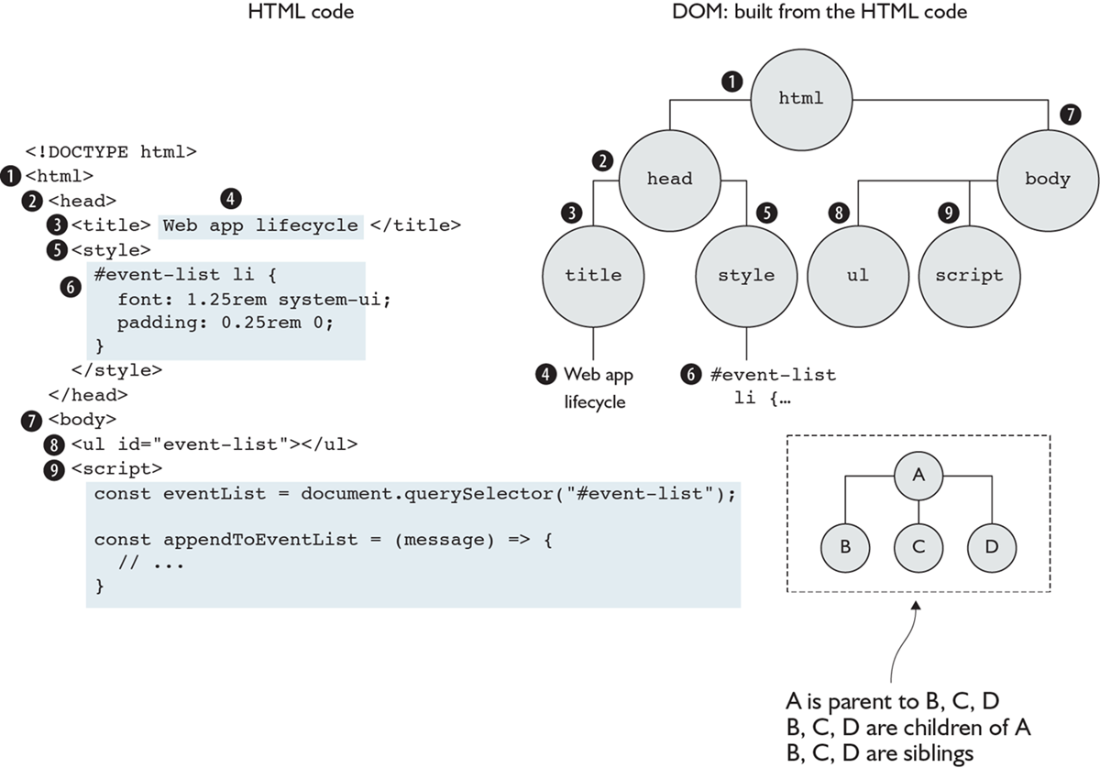
By the time the browser encounters the first script element, it has already created a DOM with multiple HTML elements (the nodes on the right).
An example of invalid HTML that is fixed by the browser
The DOM of the page after executing the JavaScript code contained in the script element
In the event-handling phase, all events (whether coming from the user, such as mouse clicks and key presses, or coming from the server, such as fetch events) are queued up as they occur and are processed as the single thread of execution allows.
Summary
- The HTML code received by the browser is used as a blueprint for creating the DOM, an internal representation of the structure of a client-side web application.
- JavaScript code can read and modify the DOM, adding interactivity to web applications.
- DOM events can be enqueued at any time, but their handlers won’t run until the JavaScript thread is free.
- The JSX language abstracts away the process of updating the DOM, allowing web applications to be written as a set of reusable components that render DOM trees based on their state.

 Secrets of the JavaScript Ninja, Third Edition ebook for free
