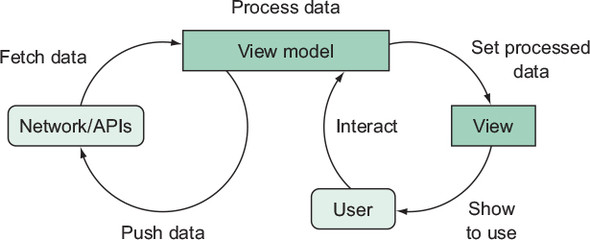
This chapter deepens the use of view models in Android apps with RxJava, positioning them as containers for business logic while the view layer focuses solely on rendering. It emphasizes drawing a clear line between UI events and reactive state, advocating for stateful, testable streams over ephemeral event handling. Along the way, it introduces practical Rx tools—RxBinding for UI events, BehaviorSubject for holding latest state, and operators like withLatestFrom and combineLatest—to transform user input into consistent, immutable UI state.
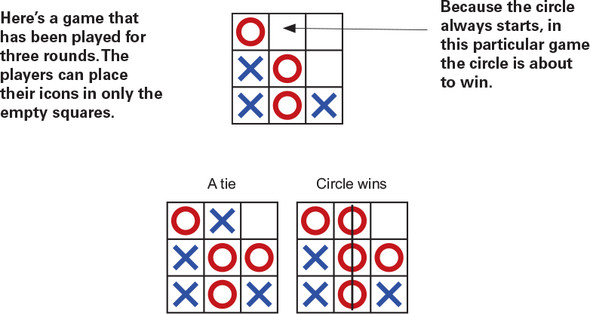
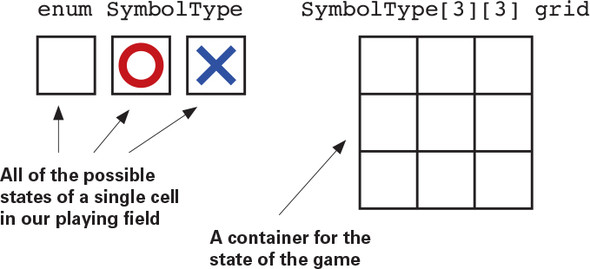
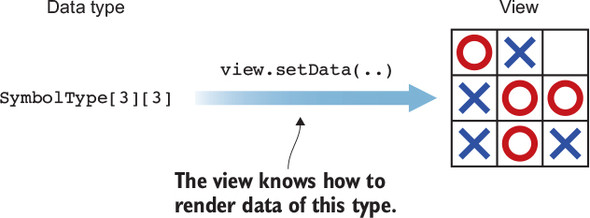
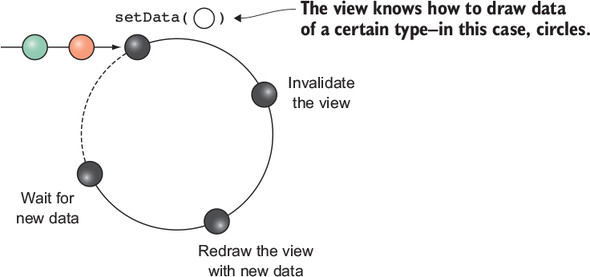
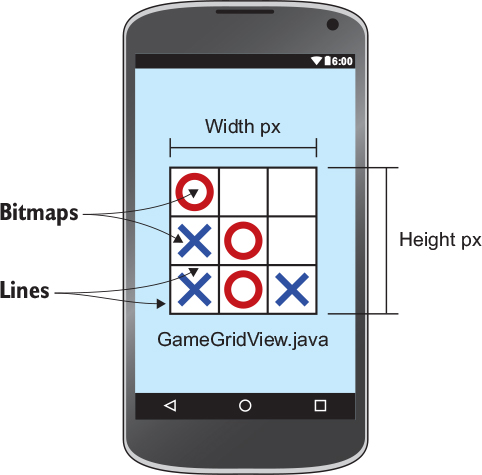
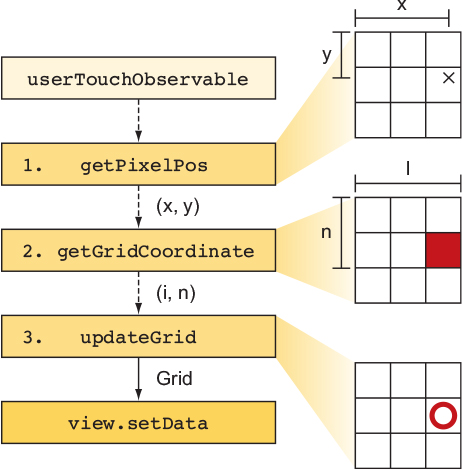
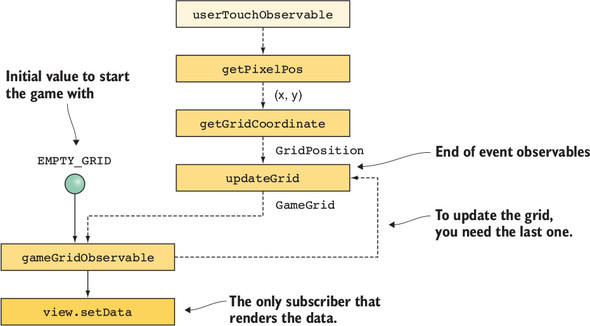
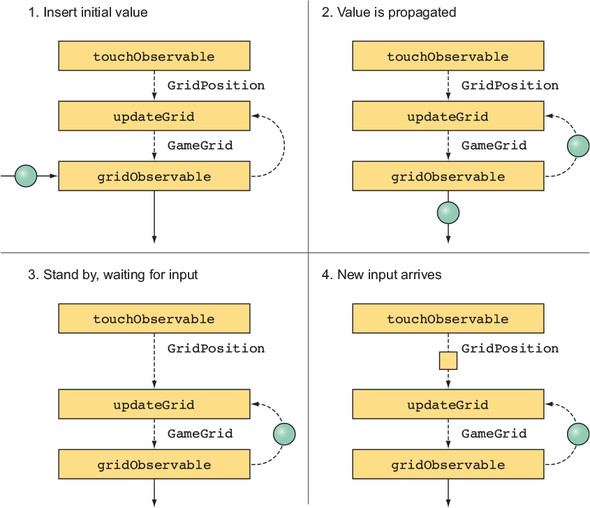
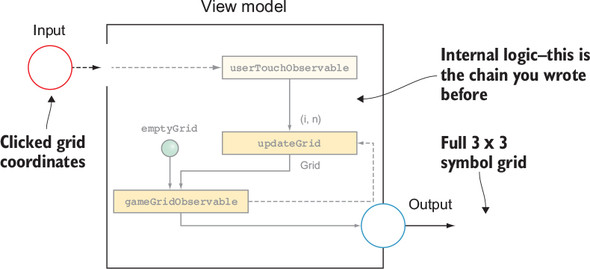
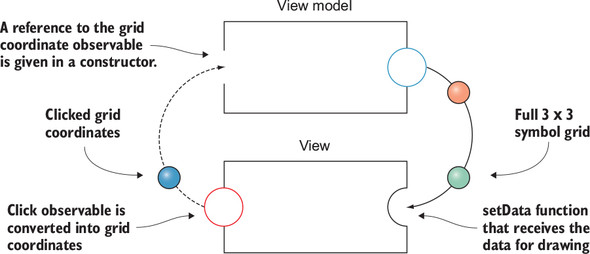
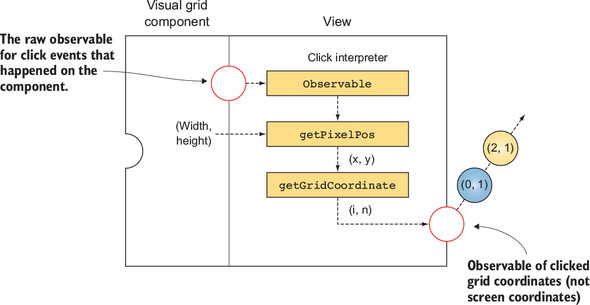
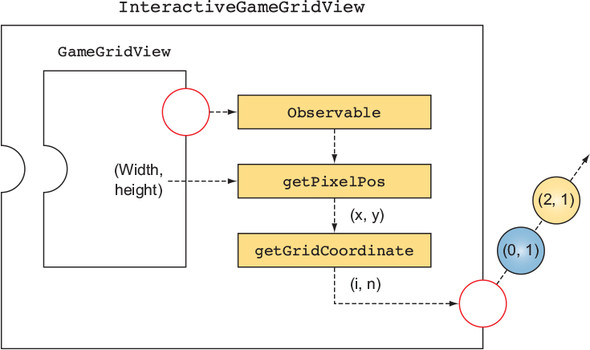
A tic-tac-toe app serves as the running example. The view is kept simple and deterministic: a custom GameGridView renders whatever data it receives via setData. Touch input is collected as observables, translated from pixel coordinates into grid positions, and then folded into a state stream that represents the whole board. State is updated immutably (copy-modify-return) through functional setters on GameGrid and later GameState, ensuring purity and thread-safety during redraws. The view model is introduced to own subscriptions, derive state, and expose outputs, while coordinate resolution is moved into an interactive view wrapper to keep responsibilities clean.
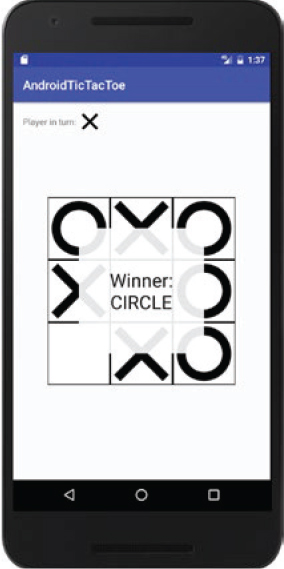
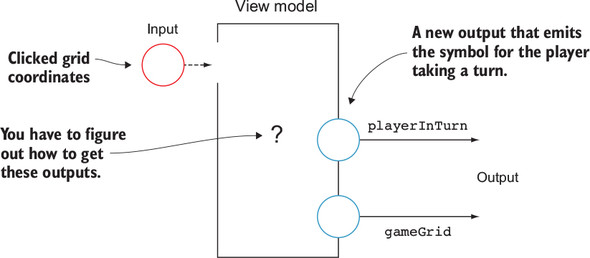
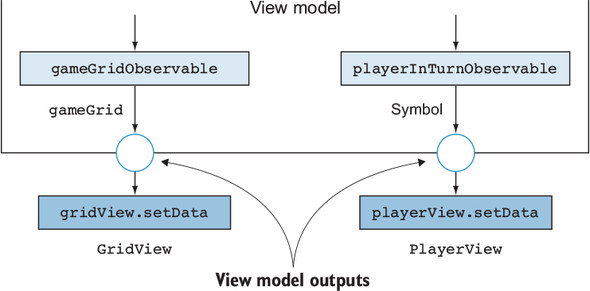
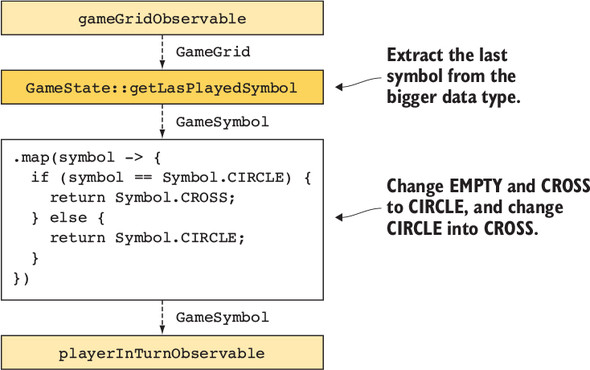
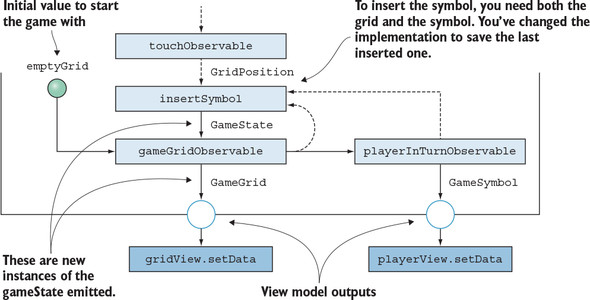
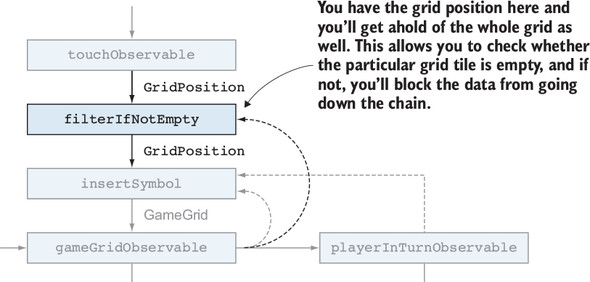
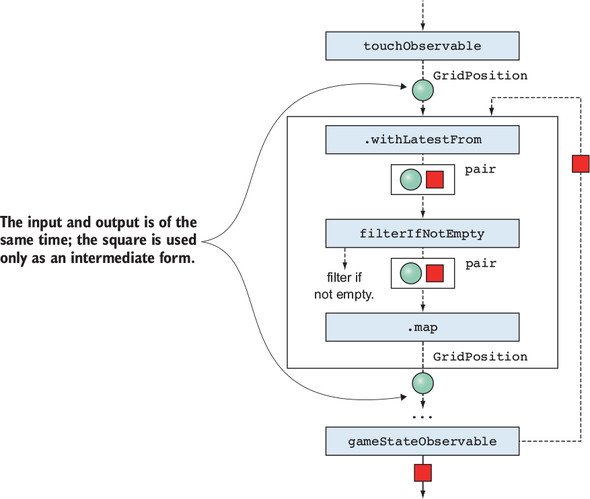
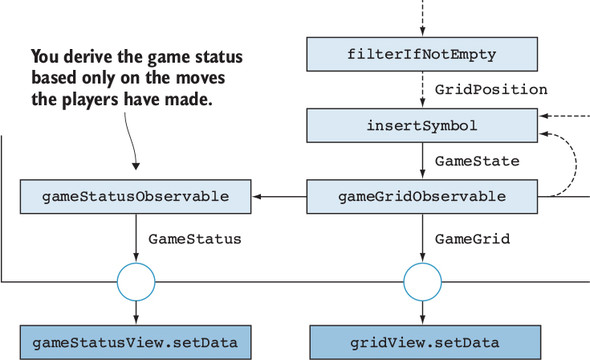
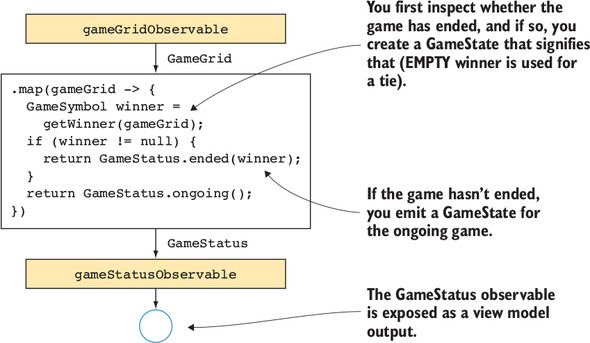
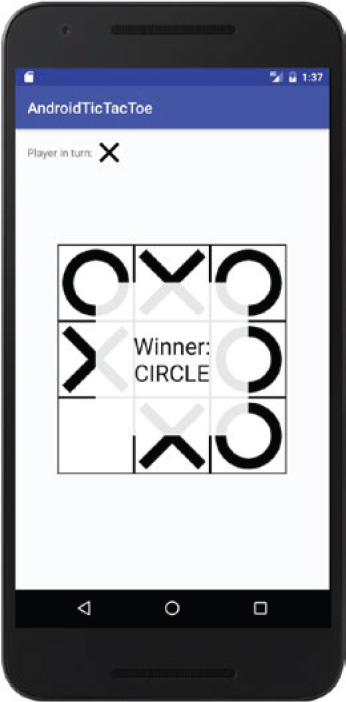
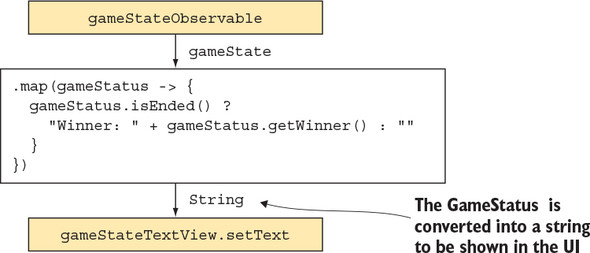
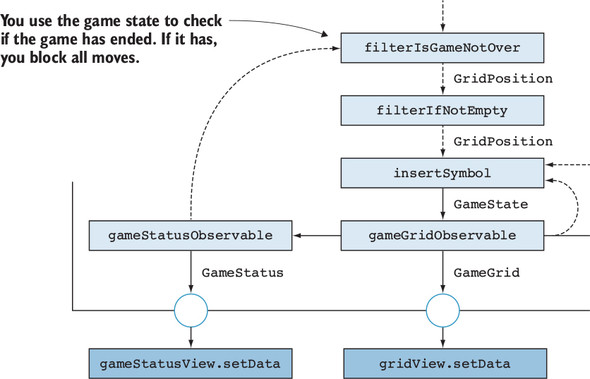
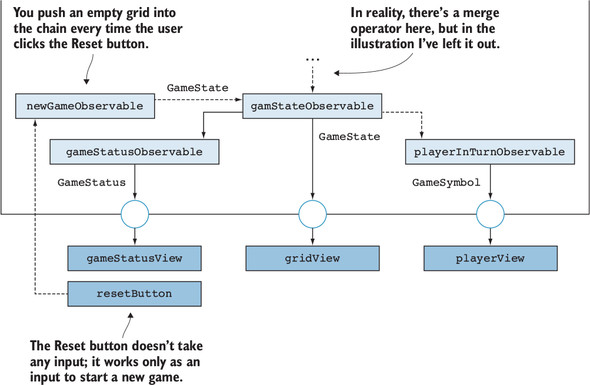
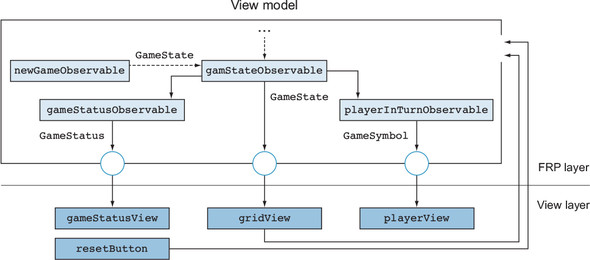
The chapter then grows the model with multiple outputs—current grid, player in turn, and game status—and shows how to derive them from existing data rather than storing redundant fields. It filters illegal moves (non-empty tiles) and blocks all moves once the game has ended, using temporary Pair joins and withLatestFrom/combineLatest to bring together just-in-time context without side effects. Finally, it demonstrates straightforward view binding to multiple UI components and an effortless reset by emitting a fresh initial state. The result is a modular, testable architecture where extending behavior (like turns, win detection, or restart) becomes small, composable changes to reactive chains rather than invasive refactors.
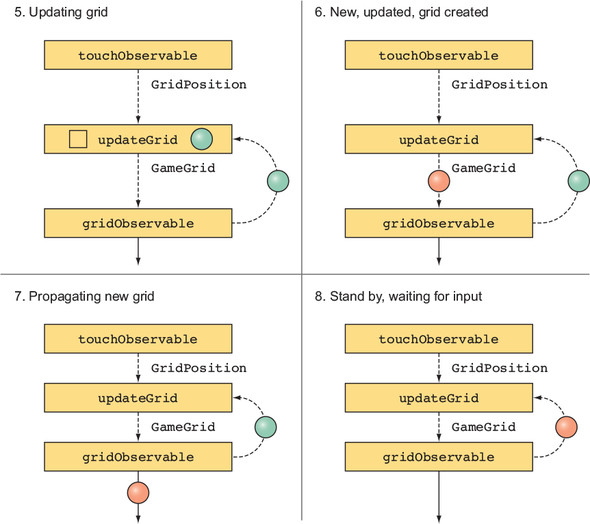
Applying a change to the GameGrid
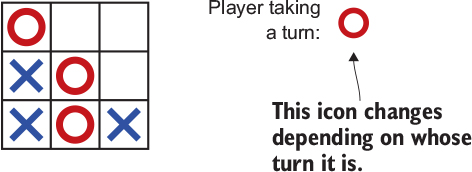
Displaying GameState in the UI
FAQ
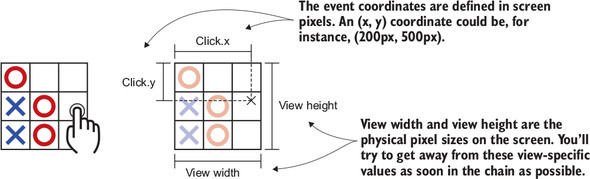
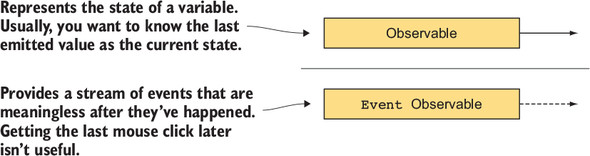
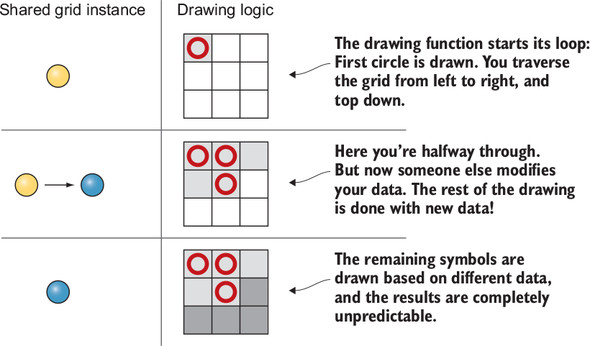
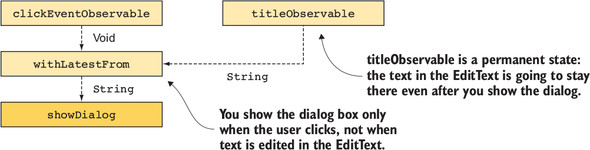
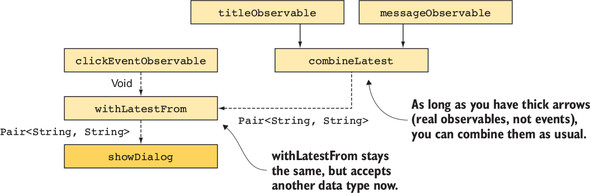
What’s the difference between the view layer and the Android View class?The view layer is everything that renders processed data to the user (widgets, custom views, labels, panels, adapters). The Android View class is just one primitive in that layer. Business logic and API access live in the view model; the view layer only draws data it receives.Why build a custom GameGridView with setData and onDraw?setData saves immutable data for drawing and calls invalidate to schedule a redraw. onDraw then clears and paints the grid and symbols using only its saved data. This keeps drawing concerns in the view and business logic elsewhere.How do I turn touch events into grid coordinates with Rx?Use RxBinding to get a stream of MotionEvent values, filter for ACTION_UP, then map screen pixels to a GridPosition by normalizing by view width/height and multiplying by grid size: i = (int)(x / width * gridWidth), n = (int)(y / height * gridHeight).Events vs. reactive state: why convert early?Events (clicks) are momentary; reactive state (like the current grid) is durable and useful later (for redraws). Convert event streams into state streams quickly (for example with a BehaviorSubject holding the latest GameGrid) to simplify reasoning and lifecycle handling.When should I use withLatestFrom instead of combineLatest?Use withLatestFrom when one source should trigger and you only want the latest value from the other source (e.g., touches × latest grid, button clicks × latest text). Use combineLatest when either source can trigger and you need the latest from both all the time (e.g., title × message text inputs).Why insist on immutable game data, and how is it implemented?Mutating shared data can race with drawing and cause glitches. Instead, implement functional “setters” that return a modified copy: GameGrid.setSymbolAt(...) returns a new GameGrid; GameState.setSymbolAt(...) returns a new GameState with updated grid and lastPlayedSymbol. You can optimize copying (for example, row-level copy) later.How do I structure a view model with multiple outputs?Create independent outputs derived from the same internal state, for example: gameGrid (for the board), playerInTurn (for a header icon), and gameStatus (for winner/ended UI). The activity binds each output to its view. Keep a single pipeline that updates state; views only subscribe and render.How do I block illegal moves (non-empty tiles) reactively?Pair each touch with the latest state using withLatestFrom, filter by gameState.isEmpty(gridPosition), then map back to the position. Only allowed moves flow forward to produce the next GameState.How do I detect wins and stop further input?Derive GameStatus from GameState by scanning rows, columns, and diagonals (for a winner) or a full grid (tie). Expose gameStatus as an output for UI, and also gate touches by pairing them with the latest status and filtering when isEnded is true.What’s the simplest way to restart the game?Treat “New Game” as an event that pushes an EMPTY_GAME value into the BehaviorSubject (or similar) holding GameState. All bound views (grid, player-in-turn, status) update automatically via the existing subscriptions.
pro $24.99 per month
access to all Manning books, MEAPs, liveVideos, liveProjects, and audiobooks!






 RxJava for Android Developers ebook for free
