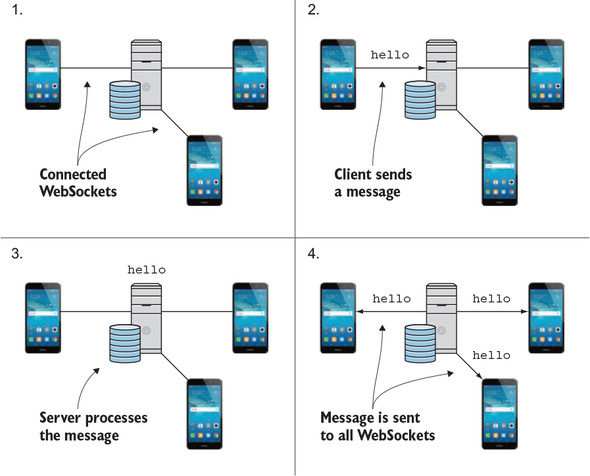
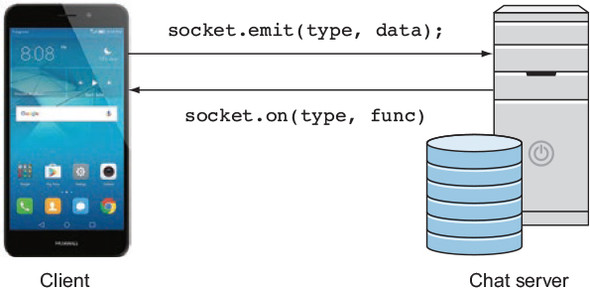
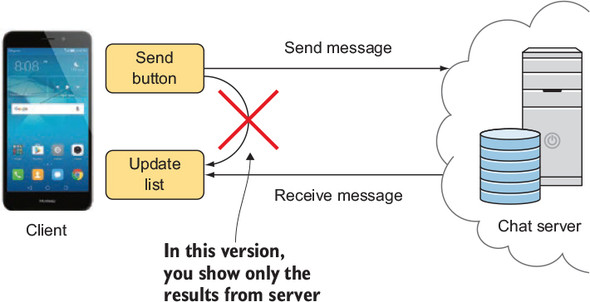
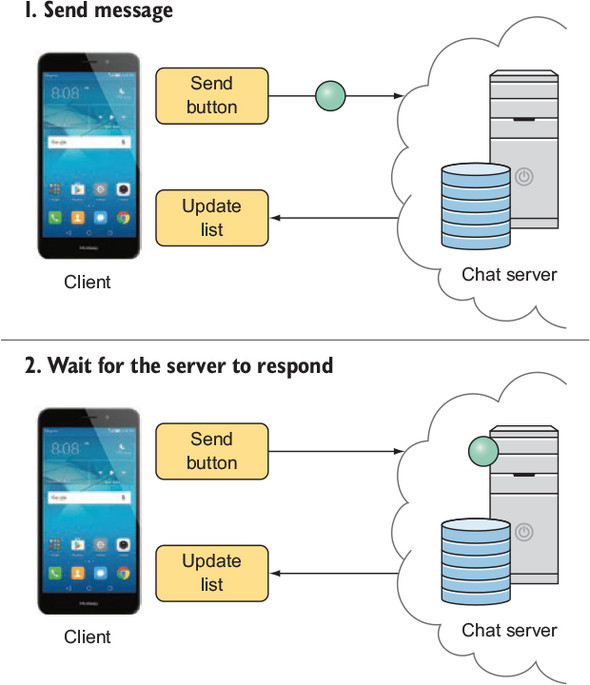
This chapter walks through building a simple, anonymous chat client to illustrate how RxJava can support real-time, bidirectional data flows and lifecycle-aware architecture on Android. It motivates WebSockets over traditional HTTP for instant messaging, then shows how to connect with a Socket.IO client, emit and receive “chat message” events, and serialize payloads using a lightweight ChatMessage model and Gson. The server broadcasts each message to all connected clients, including the sender, and the app deliberately renders only messages received back from the server (no optimistic UI), postponing sophisticated error handling for later.
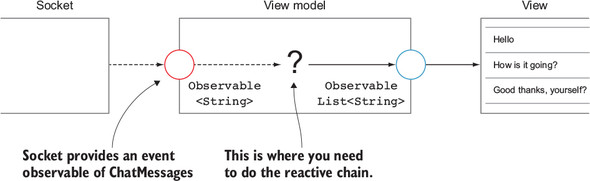
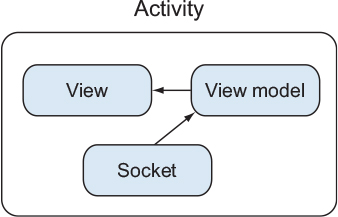
A key technique is turning callback-based listeners into Observables. The chapter demonstrates wrapping socket.on handlers with Observable.create, forwarding events via the emitter, and performing proper cleanup by supplying a Disposable that calls socket.off when the subscription is disposed. This pattern generalizes to other UI and system callbacks (akin to RxBinding), and it ensures listeners are released deterministically alongside Android component lifecycles. Practical notes include connecting/disconnecting the socket, and the library’s ability to queue emits before the connection is fully established.
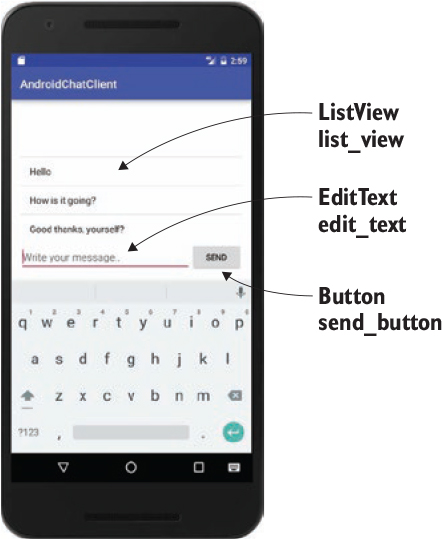
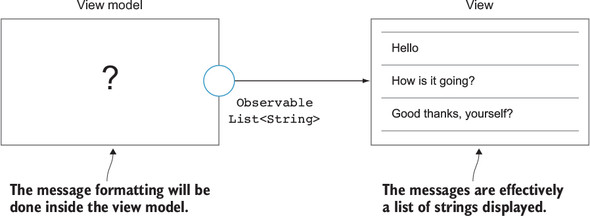
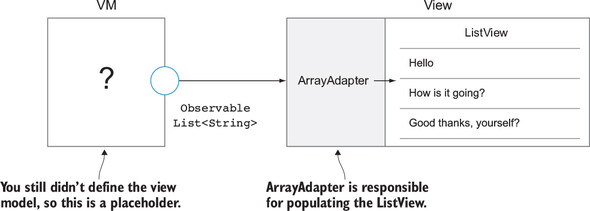
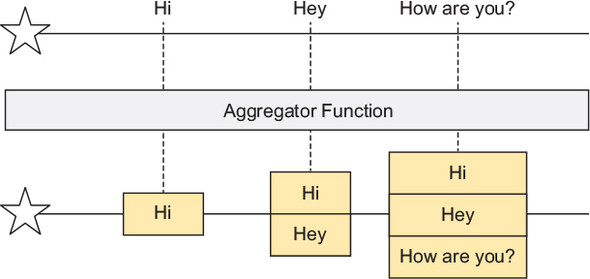
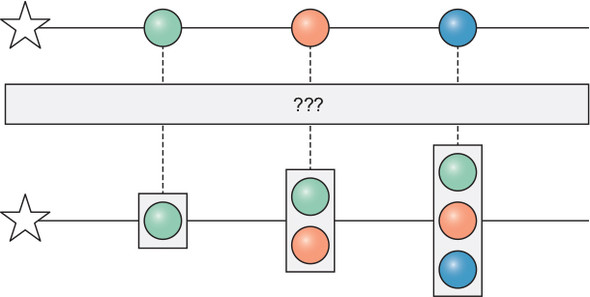
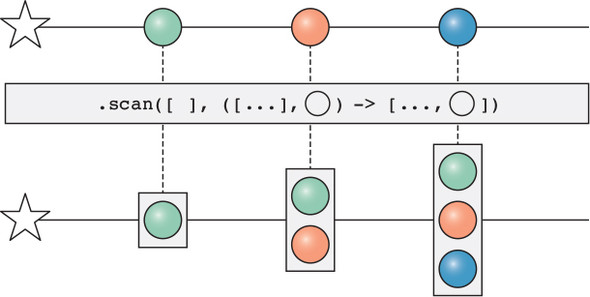
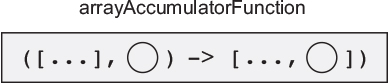
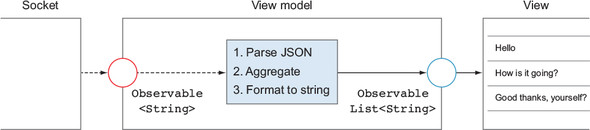
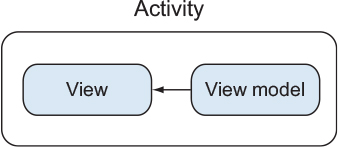
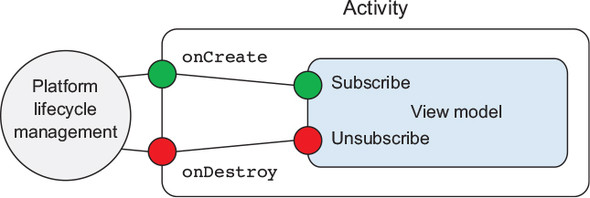
On the UI side, a minimal interface (ListView, EditText, Send button) is wired to a view model that exposes an Observable of the full list of messages. The view model parses incoming JSON into ChatMessage objects, accumulates them over time with scan (starting from an empty list), converts them to displayable strings, and publishes the evolving list. The Activity subscribes on the main thread to refresh the ArrayAdapter, while both the view and view model manage their lifecycles with CompositeDisposable and explicit subscribe/unsubscribe methods. The result is a clean separation between rendering and data flow, and a lifecycle-aware foundation ready for more advanced responsibilities in the architecture.
FAQ
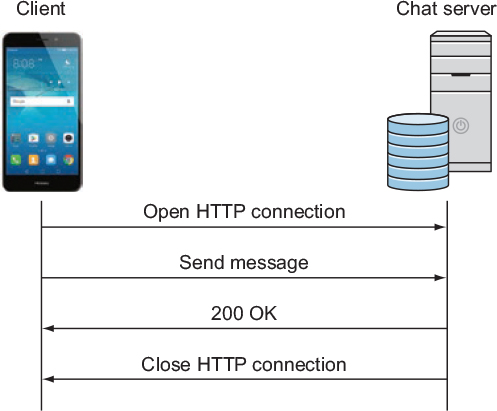
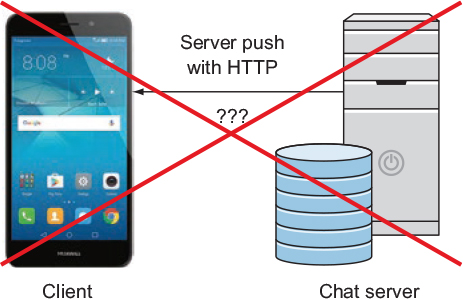
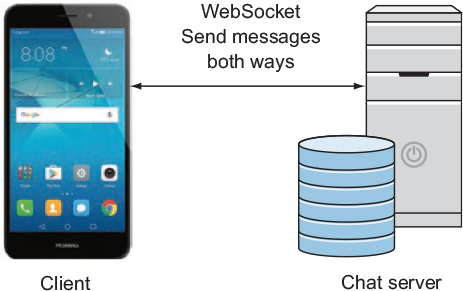
Why use WebSockets instead of traditional HTTP for a chat client?Traditional HTTP is request/response only—the server cannot push new messages until the client asks. WebSockets keep a persistent, bidirectional connection so both client and server can send messages instantly. That enables real-time chat where incoming messages arrive without polling.How do I connect and disconnect using the Socket.IO Android client?Add the Socket.IO client dependency, create a Socket with your endpoint URL, register event listeners, and call connect. When the Activity is destroyed, remove listeners (off) and disconnect the socket to free resources.How do I send and receive chat messages over the socket?Receive by registering a listener for the server’s event name (for example, “chat message”). Send by emitting the same event with a string payload. Because the protocol uses strings, serialize your message object (e.g., to JSON) before emitting.Why and how do I serialize ChatMessage to JSON?WebSocket messages here are string-based, so objects must be serialized. Use Gson to convert a ChatMessage (id, timestamp, message) to a JSON string when sending, and parse incoming JSON back to ChatMessage when receiving.How can I wrap a socket listener into an RxJava Observable and clean it up?Use Observable.create to bridge the callback: inside subscribe, attach socket.on and emit values to the emitter. Provide cleanup by calling emitter.setDisposable(Disposables.fromAction(...)) where you remove the listener with socket.off when the subscription is disposed.How do I accumulate incoming messages into a list with RxJava?Parse each incoming JSON to ChatMessage, then use scan with an initial empty list and an accumulator function that returns a new list with the new message appended. Convert to the UI format (e.g., strings) before emitting to the view.How do the view and view model interact in this architecture?The view model exposes an Observable of the full message list. The Activity subscribes to it and updates the ListView’s adapter on the main thread. The view model does not know about views; it transforms input events (socket messages) into renderable state.How is the view model lifecycle managed?Move subscriptions out of the constructor into subscribe/unsubscribe methods. Store Disposables in a CompositeDisposable. The Activity calls viewModel.subscribe() in onCreate and viewModel.unsubscribe() in onDestroy to ensure upstream subscriptions (e.g., to the socket) are released.Why not show a sent message locally before the server echoes it back?To keep all clients consistent and avoid showing messages that might fail to send. Without a pending state and error handling, locally inserting messages can mislead users. Here, the app only displays messages that arrive from the server.How should I update the ListView when new messages arrive?Update by replacing the whole dataset: clear the ArrayAdapter and addAll the new list from the view model. While ArrayAdapter.add could append items one-by-one, pushing full lists keeps state out of the view layer and scales better with future requirements.
pro $24.99 per month
access to all Manning books, MEAPs, liveVideos, liveProjects, and audiobooks!




 RxJava for Android Developers ebook for free
