6 Files
Files are a cornerstone of real-world programming, and Python provides simple, consistent tools for working with them. This chapter builds fluency with reading and writing files, iterating over their contents, and safely managing resources with context managers. It emphasizes the practical translation between in-memory data structures (like lists, dicts, and sets) and on-disk formats (plain text, CSV, and JSON), as well as navigating the filesystem to process many files at once. By the end, you can persist, analyze, and exchange data reliably across programs and machines.
Core techniques include using open to obtain file-like objects, iterating line by line, handling newlines correctly, and employing with to ensure files are flushed and closed. You learn when to use text versus binary mode and how to read fixed-size chunks for nontext data. The chapter highlights everyday idioms such as str.split, str.strip/startswith/endswith, dict and set operations (including set.update), and structured accumulation of results in dicts. It also surveys filesystem utilities (os.listdir, os.path.isfile, os.stat), pattern matching with glob, and cross-platform path building with os.path.join, with an eye toward clear, efficient, and safe code.
A sequence of exercises puts these ideas into practice: retrieving the final line from a file; turning /etc/passwd into dictionaries; implementing a word-count tool that tallies characters, words, lines, and unique words; finding the longest word per file across a directory; converting passwd-style records to CSV; summarizing class test scores from JSON files; and transforming files by reversing lines. Along the way, you apply comprehensions, context managers, and standard-library modules such as csv, json, hashlib, and io.StringIO, and you account for platform newline differences. The unifying theme is transforming raw text into structured data and producing useful summaries and reports with concise, Pythonic patterns.
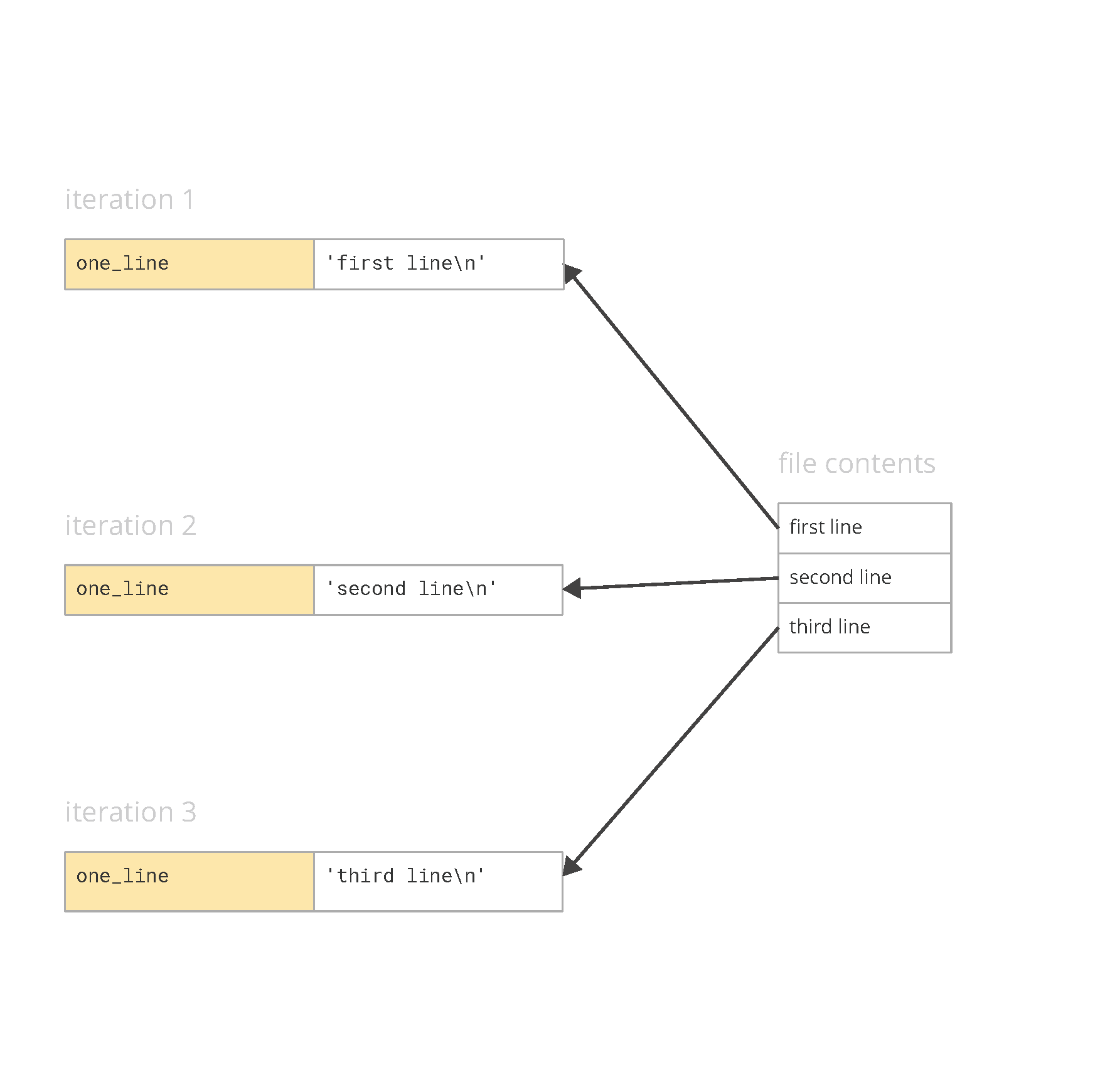
Assignment of each line in the file to one_line in a for loop
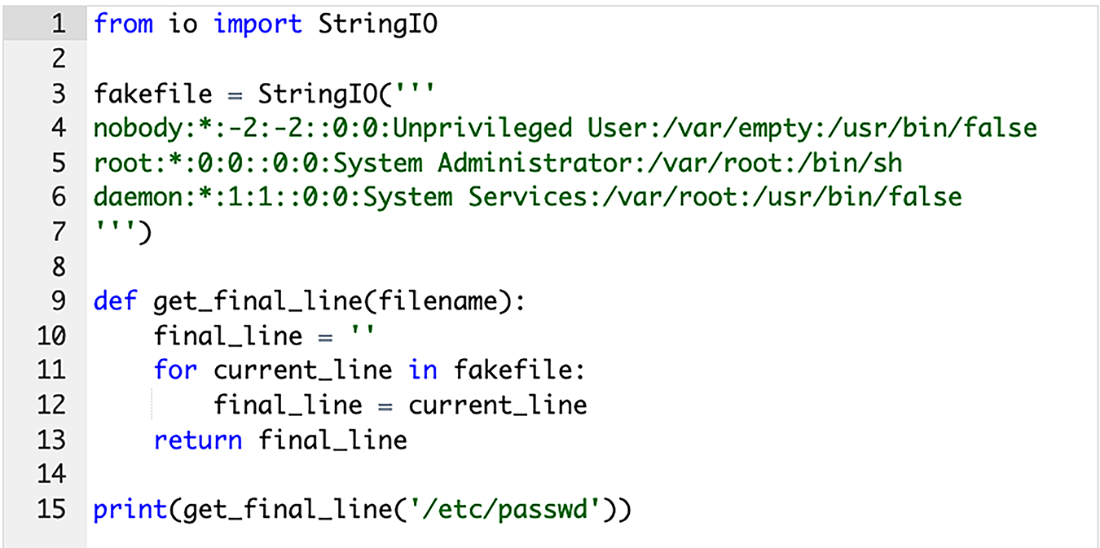
Immediately before printing the final line
Initialized counts in the dict
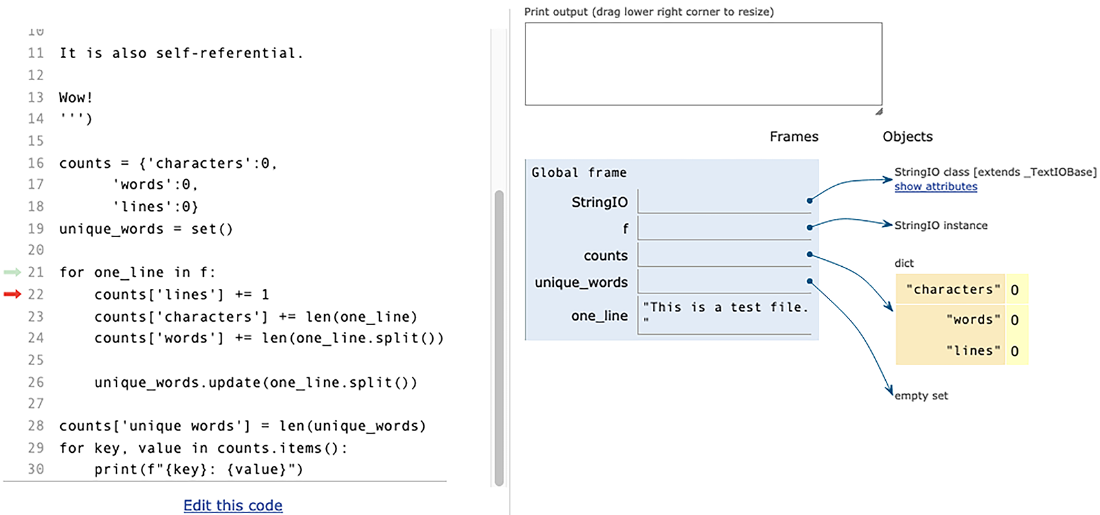
The data structures, including unique words, after several lines
Graphical version of turning the passwd file into strings
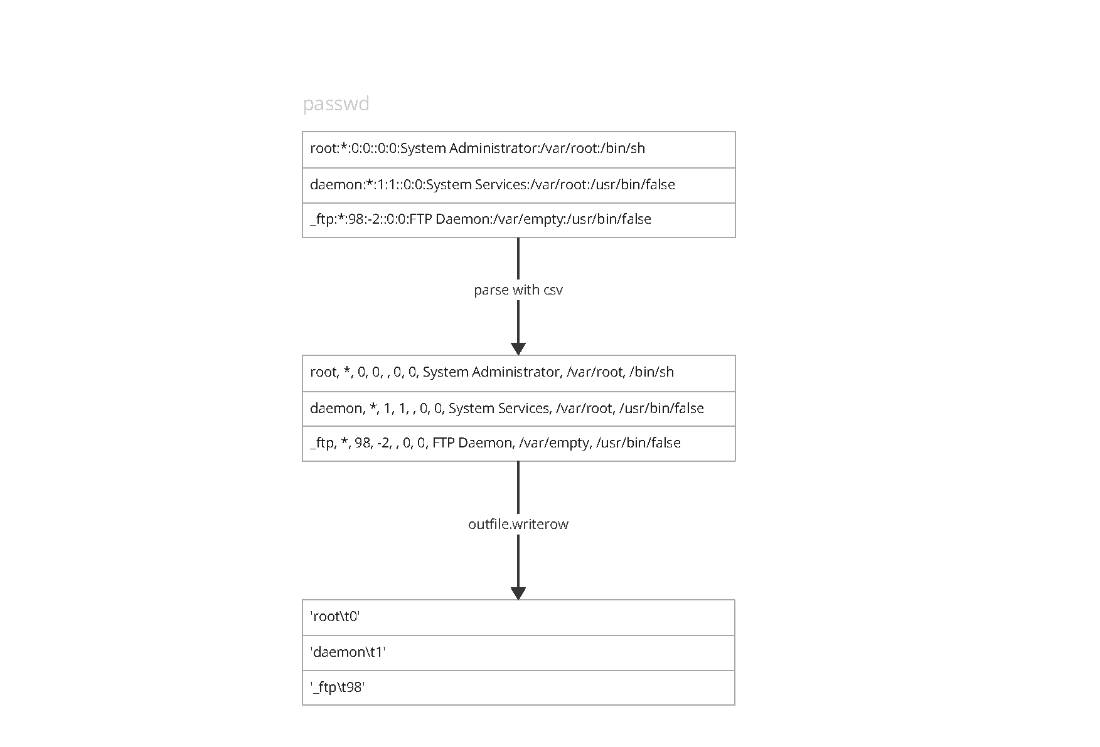
Summary
It’s almost impossible to imagine writing programs without using files. And while there are many different types of files, Python is especially well suited for working with text files—especially, but not only, including log files and configuration files, as well those formatted in such standard ways as JSON and CSV.
It’s important to remember a few things when working with files:
- You will typically open files for either reading or writing.
- You can (and should) iterate over files one line at a time, rather than reading the whole thing into memory at once.
- Using
withwhen opening a file for writing ensures that the file will be flushed and closed. - The
csvmodule makes it easy to read from and write to CSV files. - The
jsonmodule’sdumpandloadfunctions allow us to move between Python data structures and JSON-formatted strings. - Reading from files into built-in Python data types is a common and powerful technique.
FAQ
How do I safely open and close files in Python?
Use a with statement (a context manager). It ensures the file is flushed and closed even if an error occurs.filename = 'data.txt'
with open(filename, 'r') as f:
for line in f:
process(line)
# file is closed hereWhen should I use text mode vs. binary mode (the b flag)?
Use text mode (default) for Unicode text; Python decodes to str. Use binary mode (rb, wb, ab) for non-text data (e.g., images, PDFs) or when you need raw bytes. In binary mode, iterate or read bytes and usually read fixed-size chunks rather than "lines".# Binary read in chunks
with open('image.jpg', 'rb') as f:
while True:
chunk = f.read(4096)
if not chunk:
break
handle(chunk)How do I iterate over lines without printing extra blank lines?
Each line you read already ends with a newline, so pass end='' to print. Also remember some files may not end with a newline.with open('data.txt') as f:
for line in f:
print(line, end='') # avoid doubling newlinesWhat’s a simple way to get the last line of a text file?
Iterate once and keep the most recent line; it’s memory-friendly and straightforward.def get_final_line(filename):
last = ''
for line in open(filename):
last = line
return lastHow can I turn /etc/passwd into a dict of username → UID, skipping comments?
Ignore blank and comment lines, split by ':', and map field 0 to field 2.def passwd_to_dict(filename='/etc/passwd'):
users = {}
with open(filename) as f:
for line in f:
if line.startswith(('#', '\n')):
continue
parts = line.split(':')
users[parts[0]] = int(parts[2])
return usersHow do I implement a basic wc (character/word/line/unique word counts) in one pass?
Accumulate counts as you iterate; use a set for unique words.def wordcount(filename):
counts = {'characters': 0, 'words': 0, 'lines': 0}
unique = set()
for line in open(filename):
counts['lines'] += 1
counts['characters'] += len(line)
words = line.split()
counts['words'] += len(words)
unique.update(words)
counts['unique words'] = len(unique)
return countsWhat are common ways to list files in a directory and filter them?
- os.listdir(path): names only (no path), includes files and directories. - glob.glob(pattern): returns full paths matching a pattern. - pathlib.Path: object-oriented API with iterdir and glob.import os, glob, pathlib
names = os.listdir('etc') # ['hosts', ...]
paths = glob.glob('/etc/*.conf') # ['/etc/ssh.conf', ...]
p = pathlib.Path('/etc')
for entry in p.glob('*.conf'): # Path objects
print(entry)How do I find the longest word in each text file in a directory?
Write a helper to find the longest word in one file, then build a dict for all files (filtering non-files).import os
def find_longest_word(path):
longest = ''
for line in open(path):
for w in line.split():
if len(w) > len(longest):
longest = w
return longest
def find_all_longest_words(dirname):
return {
name: find_longest_word(os.path.join(dirname, name))
for name in os.listdir(dirname)
if os.path.isfile(os.path.join(dirname, name))
}How can I convert a colon-delimited passwd file to tab-delimited using the csv module?
Use csv.reader with delimiter=':' and csv.writer with delimiter='\t'. Skip malformed/comment lines by checking field count. On Windows, you may also pass newline='' to open when writing CSV.import csv
def passwd_to_csv(passwd_filename, out_filename):
with open(passwd_filename) as inp, open(out_filename, 'w', newline='') as outp:
r = csv.reader(inp, delimiter=':')
w = csv.writer(outp, delimiter='\t')
for row in r:
if len(row) > 2:
w.writerow((row[0], row[2]))How do I read multiple JSON files and summarize min/max/average per subject?
Use glob to find *.json, json.load each file (list of dicts), collect scores with dict.setdefault, then compute statistics.import glob, json
def print_scores(dirname):
by_class = {}
for path in glob.glob(f'{dirname}/*.json'):
by_class[path] = {}
with open(path) as f:
for result in json.load(f): # list of dicts
for subject, score in result.items():
by_class[path].setdefault(subject, []).append(score)
for cls, subjects in by_class.items():
print(cls)
for subject, scores in subjects.items():
avg = sum(scores) / len(scores)
print(f' {subject}: min {min(scores)}, max {max(scores)}, average {avg:.1f}')
 Python Workout, Second Edition ebook for free
