5 Dictionaries and sets
This chapter introduces Python’s dictionary and set types as core tools for modeling real-world data and solving everyday problems. Dictionaries map keys to values and rely on hashing to ensure fast, O(1) average-time lookups, uniqueness of keys, and efficient storage; only hashable (typically immutable) objects can serve as keys. The chapter emphasizes why mapping by arbitrary keys (not just integer indexes) matters, shows how much of Python itself depends on dicts, and notes modern behavior such as insertion-order preservation. Sets are presented as “dicts without values,” ideal for membership tests and deduplication with similarly fast lookups.
The text focuses on practical usage: employing dicts as small in-memory databases, grouping related attributes, and accumulating counts or totals over time. It highlights everyday APIs and idioms, such as membership tests with in, safe lookups with dict.get, iteration with items, and enhancements from collections like defaultdict and Counter. For sets, it covers uniqueness, common operations (add, update), and convenient construction from iterables, including splat expansion to build a set literal from a list, while cautioning that mutable types aren’t hashable and thus cannot be keys or set elements. It also stresses input handling in interactive programs, especially converting string input to numbers to avoid accidental string concatenation.
Hands-on exercises illustrate these ideas: a “Restaurant” program uses a constant menu dict to price orders and maintain a running total; “Rainfall” accumulates per-city totals with dict.get or defaultdict while validating numeric input; “Dictdiff” computes differences between two dicts by uniting their keys and reporting mismatched values as pairs (using None for missing keys); and “How many different numbers?” reduces a list to a set to count unique values. Beyond the core tasks, the chapter suggests extensions such as merging multiple dicts, partitioning dicts with a predicate, analyzing logs for unique IPs and status codes, and scanning directories for unique file extensions—reinforcing dicts and sets as everyday, high-leverage building blocks.
Asking the user for the first input
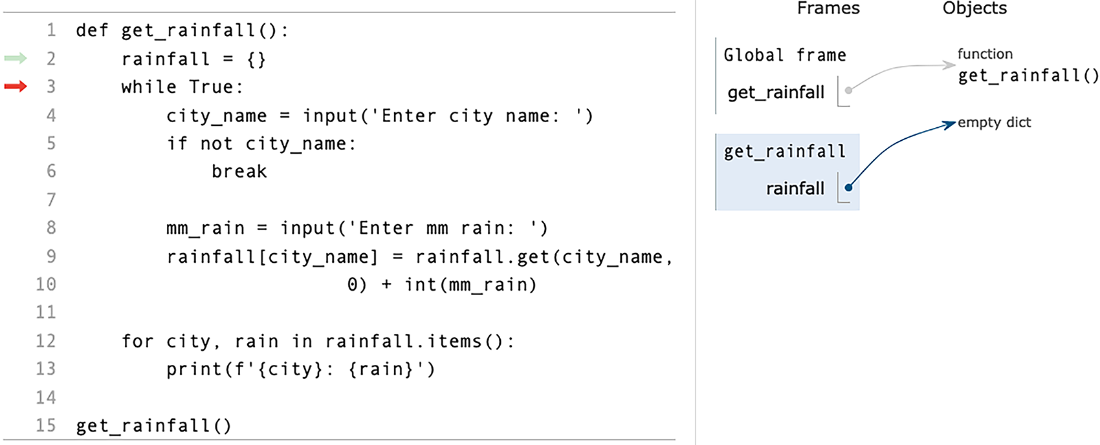
After adding the key-value pair to the dict
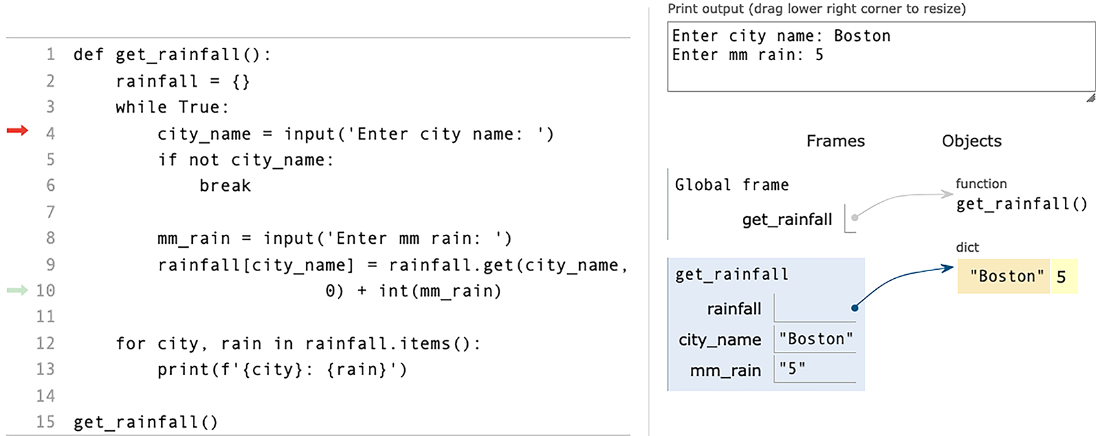
Adding to an existing name-value pair
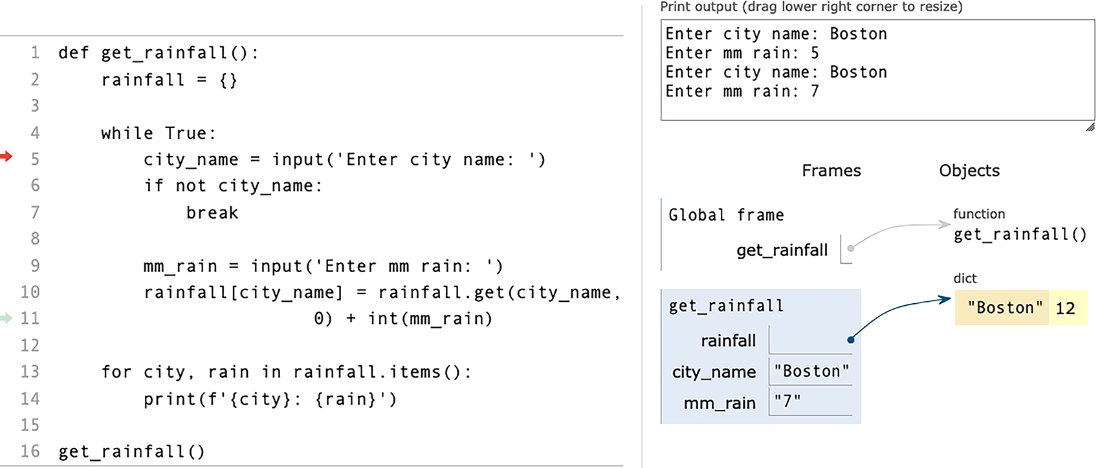
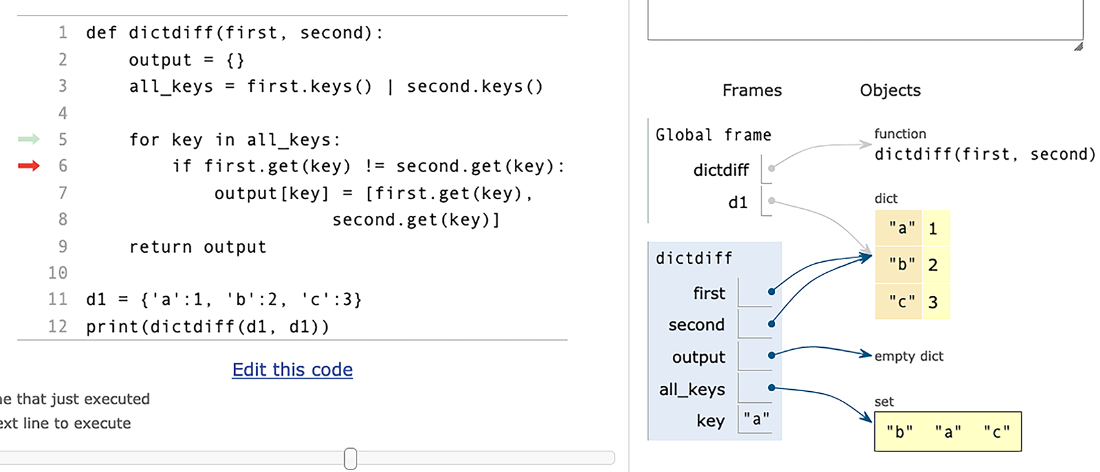
Taking the diff of d1 and itself
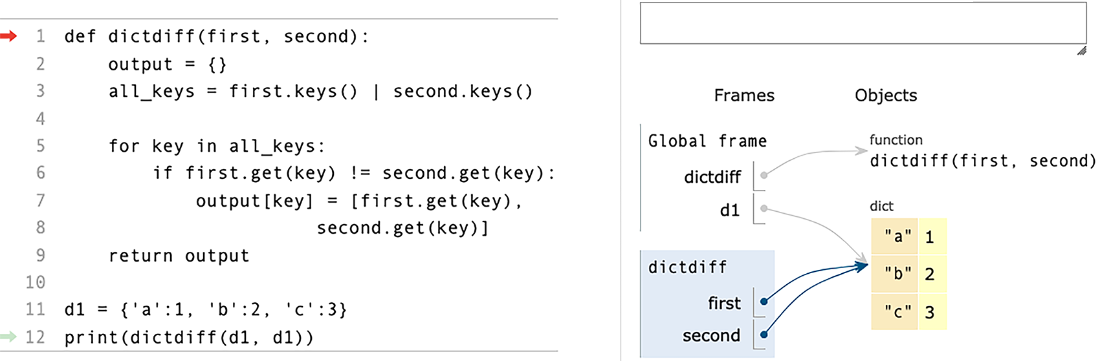
Iterating over the keys of d1
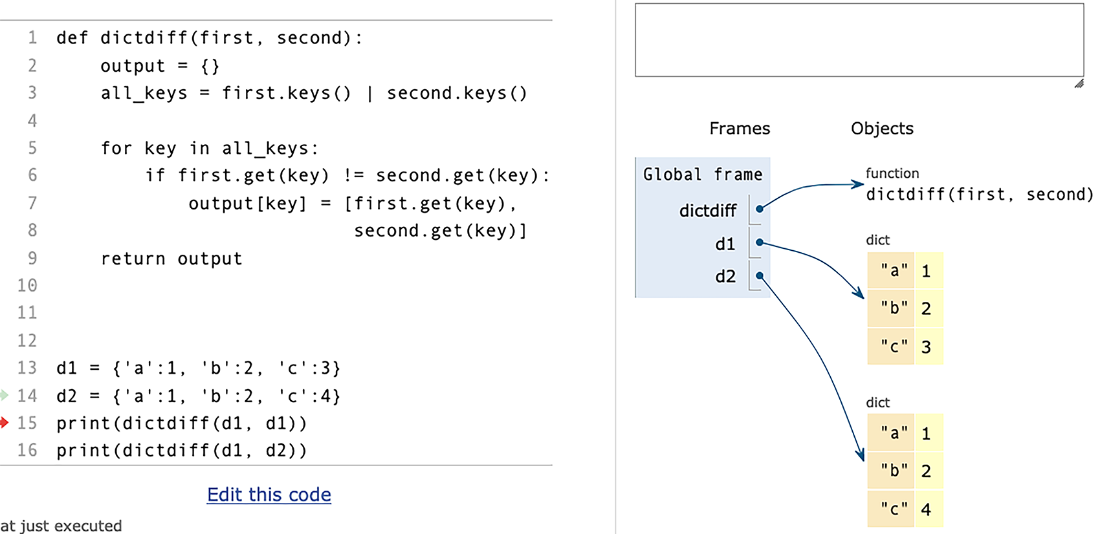
Comparing d1 and d2
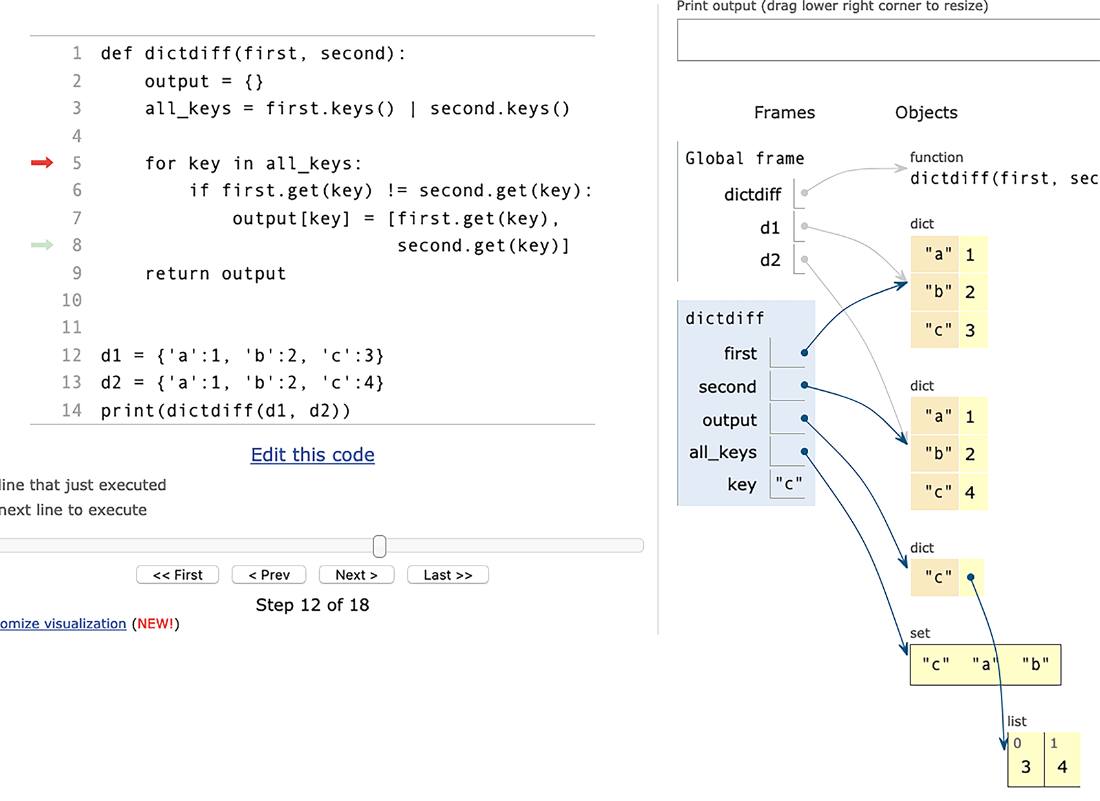
Adding a value to output
Summary
Dicts are, without a doubt, the most versatile and important data structure in the Python world. Learning to use them effectively and efficiently is a crucial part of becoming a fluent developer. In this chapter, we practiced several ways to use them, including tracking counts of elements and storing data we got from the user. We also saw that you can use dict.get to retrieve from a dict without having to fear that the key doesn’t exist.
When working with dicts, remember
- The keys must be hashable, such as a number or string.
- The values can be anything at all, including another dict.
- The keys are unique.
- You can iterate over the keys in a
forloop or comprehension.
FAQ
What is a Python dictionary, and how is it different from lists or tuples?
A dictionary (dict) stores key-value pairs instead of using integer indexes like lists/tuples. Keys are used to locate values, and they can be various hashable types (commonly strings or integers), while values can be any Python objects.Which objects can be used as dict keys, and what does “hashable” mean?
Only hashable objects can be dict keys—i.e., objects for whichhash(obj) returns a stable value during their lifetime. This is why immutable types (like strings, numbers, and tuples of hashables) are commonly used as keys, while mutable types (like lists and dicts) are unhashable and cannot be keys.How do dict lookups work so quickly?
Python hashes the key withhash(key) to map it to a storage location, enabling average-case constant-time (O(1)) lookups. Collisions (different keys mapping to the same slot) are handled internally by probing/checking, but lookup remains very fast.Do Python 3.6+ dictionaries preserve insertion order?
Yes. Since Python 3.6, dicts preserve insertion order in practice, and this behavior became a language guarantee in subsequent versions. Key-value pairs are stored and iterated in the order they were added.What are common, practical uses for dicts?
- As small in-memory databases or records (e.g., config options, user data)- Grouping related fields under one variable (e.g., website metadata)
- Accumulating values over time (e.g., counts, totals), often with
dict.get, collections.defaultdict, or collections.CounterWhat is a set, and when should I use one?
A set is like a dict without values: it stores unique, hashable items and supports fast (O(1)) membership tests. Use sets to remove duplicates, track seen items (e.g., IPs, emails), and test membership efficiently.How do I safely retrieve a dict value when a key might be missing?
Used.get(k, default). It returns the value for k if present, otherwise returns default (or None if omitted). You can also check membership with if k in d: before accessing d[k].How can I combine or compare the keys of two dicts efficiently?
Use set-like operations on the keys views:all_keys = first.keys() | second.keys() (union) to iterate each key once. This is handy for tasks like generating diffs across two dicts.What’s the easiest way to count the number of different integers in a list?
Convert the list to a set and take its length:len(set(numbers)). Sets automatically keep only unique elements.What’s the correct way to add multiple items to a set (and why doesn’t {numbers} work)?
- Add one item: s.add(x)- Add many:
s.update(iterable)- From a list in one step:
s = set(numbers) or s = {*numbers}{numbers} tries to add the entire list as a single (unhashable) element, which fails; you must add the list’s elements instead.
 Python Workout, Second Edition ebook for free
