15 Apache Thrift and JavaScript
This chapter introduces how to build browser-based RPC clients with Apache Thrift and pair them with Node.js servers. It walks through setting up a JavaScript development environment, installing the Thrift compiler and libraries, and generating code from IDL. A minimal “hello world” application anchors the discussion, illustrating the end‑to‑end workflow from service definition to a running web page that makes RPC calls. Along the way, the chapter highlights the similarities between browser and Node.js Thrift libraries, available transports and protocols, and common tooling used across both environments.
On the implementation side, the chapter explains compiling IDL to produce client and server stubs, then wiring a Node.js web server that both hosts static files and exposes Thrift services. It covers choosing protocols (JSON, binary, compact) and transports (buffered, framed, XHR) and demonstrates a browser client using XHR with JSON. The guide contrasts synchronous calls with asynchronous callbacks, shows how to surface and handle application, RPC, and low‑level errors (including IDL‑defined exceptions), and presents a simple Node.js HTTP client. It also illustrates optional jQuery-compatible stubs that return ajax objects and enable success, error, and complete handler chaining for a familiar async style.
Because browser RPC crosses web boundaries, the chapter devotes significant attention to security. It shows how to allow controlled cross‑origin requests with CORS, lock down where scripts and connections may originate via CSP, and defend against clickjacking with X‑Frame‑Options. It then adds transport security with TLS by supplying server key and certificate material, noting development considerations such as self‑signed certificates. Finally, it introduces WebSocket as an alternative to XHR: switching the client transport to WebSocket, opening the connection, and leveraging the server’s automatic HTTP upgrade to support low‑overhead, bidirectional messaging, including secure variants when needed.
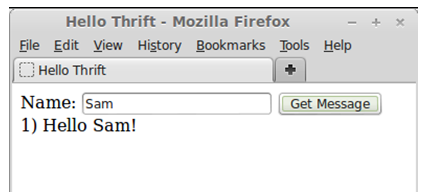
- Hello World JavaScript Client
- Node.js installation
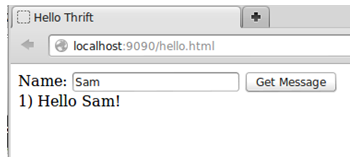
- Hello World Client
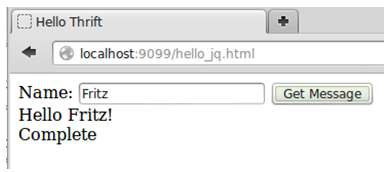
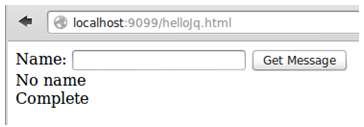
- success and complete callbacks run
- error and complete callbacks run
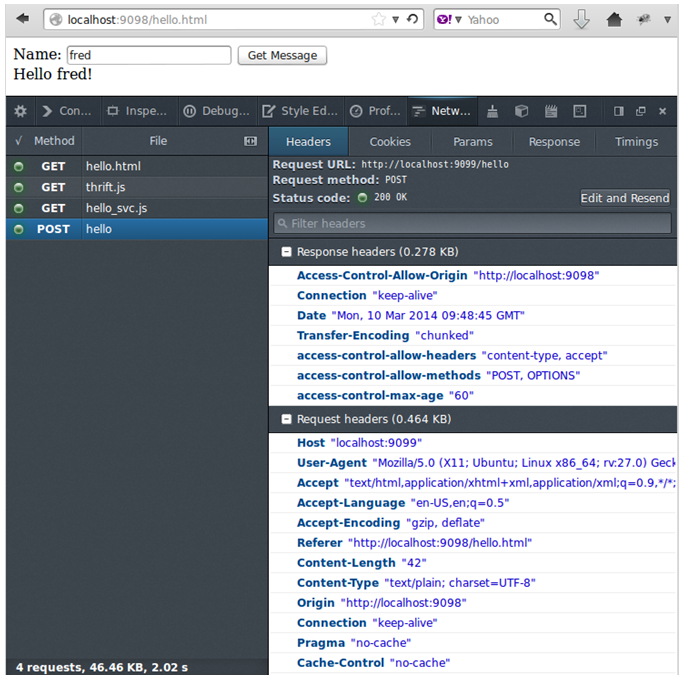
- Browser Network activity and CORS Headers
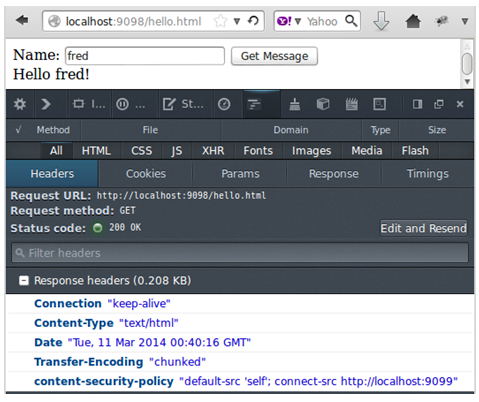
- CSP Header
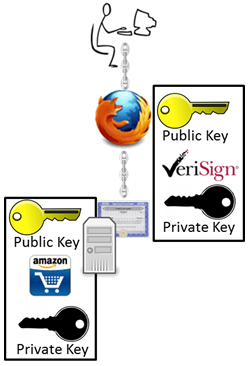
- Man trusts Browser trusts CA trusts Company
- Self-signed certificate warning
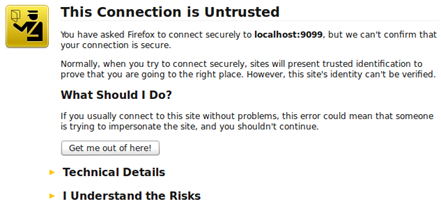
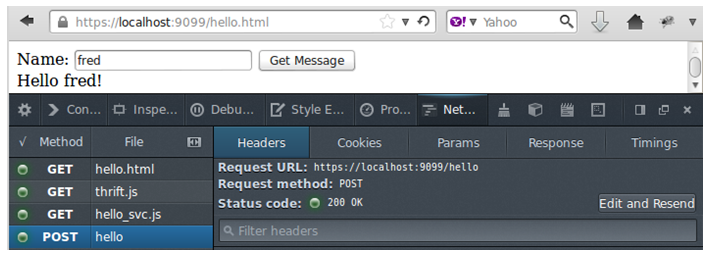
- Secure Apache Thrift RPC over SSL/TLS
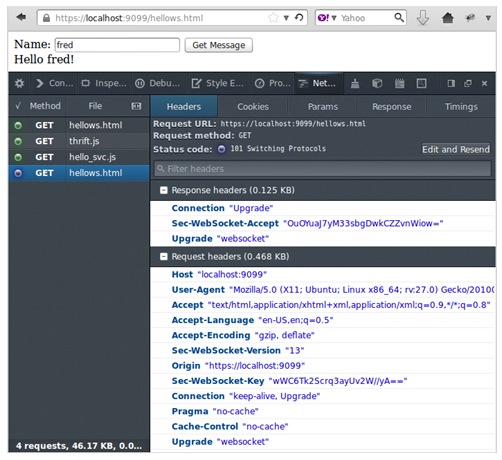
- Upgrading to WebSocket
Summary
In this chapter we have taken a look at Apache Thrift RPC over the Web. Important topics from this chapter:
- How to set up a front end JavaScript development environment
- How to build Apache Thrift clients with JavaScript in the browser
- How to build Apache Thrift Web Servers with Node.js
- How to make asynchronous client calls
- How to manage RPC errors
- How to use jQuery with Apache Thrift in the browser
- How to secure RPC over the web with
- o CORS – Cross-Origin Resource Sharing
- o CSP – Content Security Policy
- o X-Frame-Options
- o SSL/TLS
- How to use WebSocket for high performance browser based RPC
FAQ
What do I need to install to get started with Apache Thrift and JavaScript?
Install the following:- Node.js (with npm) for tooling and server-side code.
- Apache Thrift compiler (thrift) from thrift.apache.org or a package manager.
- Node.js Thrift library in your project:
npm install thrift. - Browser Thrift library (classic flow used Bower to fetch
thrift.js, or copy the single file from the repo). - Create your IDL and generate code, then run a Node.js server and open your HTML client.
How do I generate JavaScript code from a Thrift IDL for browsers and Node.js?
Run:thrift -gen js -gen js:node your_service.thrift. This emits:
gen-js/: browser client stubs (e.g.,helloSvc.js,hello_types.js).gen-nodejs/: Node.js stubs (e.g.,helloSvc.js,hello_types.js).
- Browser clients use the generated
...Client; servers use the generatedProcessor. - Use the same Thrift version for generated code and runtime libs within a single program.
How do I build a simple Node.js Thrift web server that also serves static files?
require('thrift')and your generated service module fromgen-nodejs.- Implement a handler object with methods matching your service.
- Define ServiceOptions:
{ handler, processor, protocol: TJSONProtocol, transport: TBufferedTransport }. - Define ServerOptions:
{ files: '.', services: { '/hello': serviceOptions } }. - Create and listen:
thrift.createWebServer(serverOptions).listen(9090).
How do I build a browser client and choose transports/protocols?
- Include
thrift.jsand your generatedgen-jsservice script. - Create the I/O stack:
- XHR:
new Thrift.TXHRTransport('/hello')(HTTP POST). - Protocol:
new Thrift.TJSONProtocol(transport)(browser supports JSON and Binary; JSON is web-friendlier). - Client:
new helloSvcClient(protocol).
- XHR:
- Ensure client protocol matches the server’s protocol (e.g., JSON on both sides).
How do I use WebSocket instead of XHR for browser RPC?
- Build a WS/WSS URL (e.g.,
ws://host:port/pathorwss://...if your page is https). - Use
new Thrift.TWebSocketTransport(wsUrl)and the same protocol (TJSONProtocol). - Call
transport.open()before invoking RPCs (this triggers the HTTP “Upgrade” to WebSocket). - The Node.js Thrift web server auto-upgrades; once upgraded, the connection stays WebSocket.
Should I use synchronous or asynchronous client calls in the browser?
- Synchronous calls block the UI until a response arrives—simple but can hurt UX.
- Asynchronous calls add a callback as the last argument; the call returns immediately and the callback runs when the result arrives.
- Prefer async for responsive UIs.
How do I handle errors and exceptions in JavaScript clients?
- Three error classes:
- Application errors (IDL-defined exceptions you throw intentionally).
- RPC framework errors (
TApplicationException), e.g., bad function name. - Low-level errors (I/O, server faults).
- Define exceptions in IDL and add them to a function’s
throwslist. - Sync: use try/catch around the RPC call.
- Async: the callback receives an
Error(or exception instance) instead of a result—checkinstanceof Error(and optionally your specific IDL exception type) before using the value.
How do I enable SSL/TLS for secure Thrift over HTTPS/WSS?
- Create a key/cert (PEM) pair (for testing, a self-signed cert via OpenSSL; in production, use a CA-signed cert).
- ServerOptions: add
tls: { key: fs.readFileSync('key.pem'), cert: fs.readFileSync('cert.pem') }. - Access pages via
https://and usewss://for WebSocket. - Browsers warn on self-signed certs; add a temporary exception for local testing.
How do I allow cross-origin browser calls to my Thrift service (CORS)?
- On the Node.js Thrift web server, set
ServerOptions.corsto an object of allowed origins, e.g.,{ 'http://localhost:9098': true }or{ '*': true }. - When calling a different origin, initialize the browser transport with the full URL (e.g.,
http://localhost:9099/hello), not just a route. - The browser sends
Origin; the server must reply withAccess-Control-Allow-Originfor the request to succeed.
How do I harden the browser side with CSP and X-Frame-Options?
- CSP: Add a
Content-Security-Policyheader in ServerOptionsheaders(e.g.,default-src 'self'; connect-src http://localhost:9099).- Move inline scripts to separate
.jsfiles; inline JS,eval(), and event attributes are blocked under strict CSP.
- Move inline scripts to separate
- X-Frame-Options: Add
X-Frame-Options: SAMEORIGIN(orDENY/ALLOW-FROM ...) to mitigate clickjacking. - CSP controls where the browser may connect/load content; CORS controls which origins the server accepts—use both.

 Programmer’s Guide to Apache Thrift ebook for free
