2 Starting with R and data
This chapter introduces a practical, repeatable way to work with R and real data. It motivates moving beyond ad‑hoc spreadsheets to scripted, reproducible workflows, and focuses on mastering R’s core data structure—the data frame—so you can import, explore, transform, and recode data with confidence. The chapter sets expectations for a hands‑on approach: start quickly, favor small working steps, and embrace automation so that data refreshes and reruns become routine rather than disruptive.
The chapter then equips you with the R essentials you’ll use throughout the book: how to find help, adopt clear coding style, and think “vectorized.” It explains key semantics and habits that save time and prevent bugs: printing behavior, list versus vector indexing (and 1‑based indices), scalar versus vectorized logical operators, the roles of NULL and NA, naming conventions, safe multi‑line expressions, preferring <- for assignment, and powerful left‑hand‑side slicing. It clarifies when and why to use factors (and when to delay them), the value of named arguments and package::function notation, and R’s copy‑on‑modify “value semantics.” You’ll see simple patterns for organizing intermediate results (including the dot variable), alongside the popular dplyr pipe style, while reinforcing that data frames and column‑wise, vectorized operations are the preferred way to express most data work in R.
Finally, the chapter shows how to get data into R from common sources and prepare it for analysis. You’ll read well‑structured files with a single command, examine new datasets with quick diagnostics (class, dim, head, str, summary), and branch out to other formats via dedicated packages. For less‑structured data, it demonstrates using schema documentation and named mappings to recode cryptic codes into meaningful factors, and it emphasizes avoiding manual, outside‑of‑R steps. You’ll also connect directly to relational databases using DBI and related tools, and practice reproducible curation on a production‑scale example: sampling, filtering to a well‑defined cohort, recoding factors (with chosen reference levels), and creating indicator/dummy variables for modeling. Throughout, the message is consistent: build small, reliable, and repeatable pipelines from import to exploration—laying the groundwork for the modeling and evaluation tasks to come.
Figure 2.1. Chapter 2 Mental Model
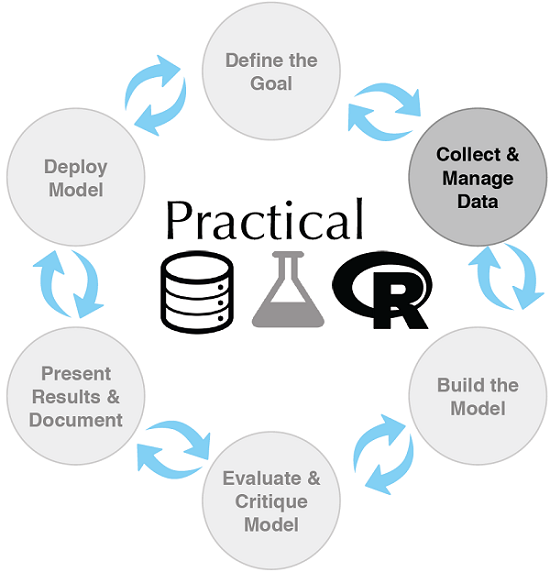
Figure 2.2. Car data viewed as a table
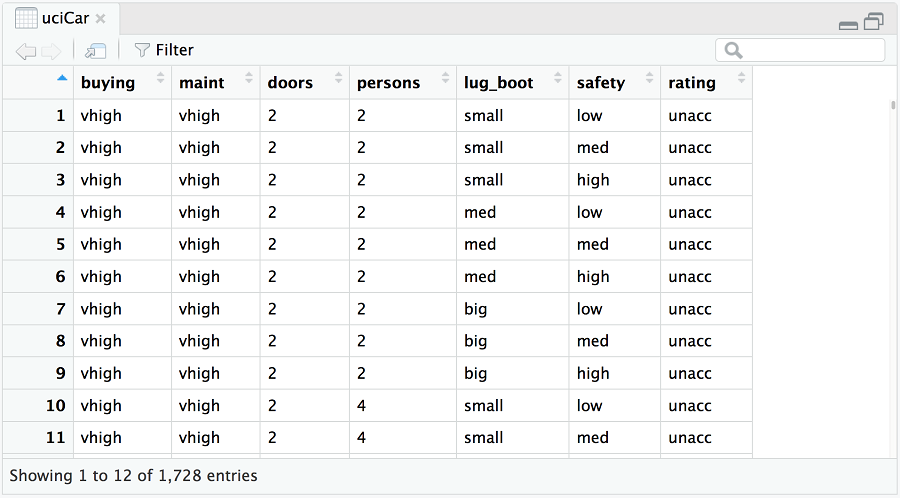
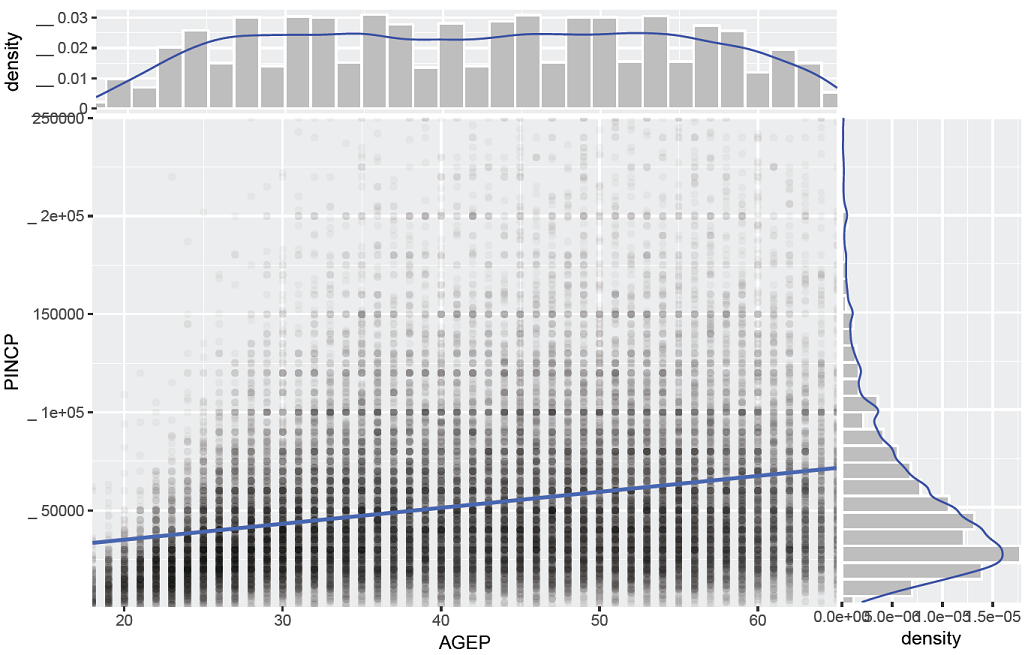
Figure 2.3. Scatter plot of income (PINCP) as a function of age (AGEP)
Summary
In this chapter, we’ve worked through the basics of how to initially extract, transform, and load data for analysis. For smaller datasets we perform the transformations using R and in memory. For larger datasets we advise using a SQL database or even a big data system such as Spark (via the sparklyr package plus SQL, dplyr, or rquery). In any case we save all of the transformation steps as code (either in SQL or in R) that can be reused in the event of a data refresh. The intent of this chapter was to prepare for the actual interesting work in our next chapters: exploring, managing, correcting, and modeling data.
R is built to work with data and the purpose of loading data into R is to examine and work with it. In chapter 3, we’ll demonstrate how to characterize your data through summaries, exploration, and graphing. These are key steps early in any modeling effort because it is through these steps that you learn the actual details and nature of the problem you’re hoping to model.
In this chapter you have learned:
- Data frames, with their each row is an instance and each column discipline, are a preferred data structure for data analysis.
- Use
utils::read.table()or thereadrpackage to load small, structured datasets into R.
- The
DBIpackage allows one to work directly with databases or Apache Spark using any ofSQL,dplyr, orrquery.
- R is designed to work with data in high-level steps, and has many ready made data transforming commands and functions. Generally if a task becomes difficult in R, it is because you are accidentally attempting to re-implement high-level data transforms in terms of low-level programming steps.
FAQ
How do I get help in R while coding?
Use R’s built-in help system. Runhelp(function_name) or ?function_name to open the docs; for example, help(setwd). Keep notes of useful function names so you can find help quickly.What’s the difference between vectors and lists, and how do I index them?
Vectors hold one atomic type; lists can hold mixed types. Indexing rules:[] returns a subset of the same container type; [[]] pulls a single element; $ accesses by name. R is 1-based, not 0-based. Logical and integer indices, as well as names, are supported.How do NULL and NA differ in R?
NULL is a length-0 vector (e.g., c()), useful as a “no value” placeholder; concatenating it is a no-op. NA means “missing/unknown” for many types and participates in computations (often propagating), with some convenient rules (e.g., FALSE & NA is FALSE).Which assignment operator should I prefer, and can I assign into slices?
Prefer<- for assignment. Use = only to bind named arguments in function calls. R allows assignments into slices, enabling powerful in-place edits, e.g., d$x[is.na(d$x)] <- 0.What are factors, and when should I convert strings to factors?
Factors encode categorical strings as integer levels and are great for summaries and modeling (e.g.,summary(), dummy variables). To avoid surprises, delay converting to factors until you need them; load data with stringsAsFactors = FALSE and later use factor() and relevel() as needed.How do I read a well-structured CSV (or similar) into R?
Useutils::read.table() (or readr alternatives). Example: read.table("file.csv", sep = ",", header = TRUE, stringsAsFactors = FALSE). It reads local files, URLs, and auto-decompresses .gz. After loading, inspect with class(), dim(), head(), str(), summary(), and optionally View().What if my data is less-structured (no headers, coded values)?
Load it as-is, then fix it in R. Set column names withcolnames(). Use a named mapping vector to translate cryptic codes to readable labels, e.g., mapping <- c("A11" = "…") and then d[[ci]] <- as.factor(mapping[d[[ci]]]) for character columns. Keeping these steps scripted ensures repeatability.How do I handle other file formats and databases?
- CSV/TSV/FWF:readr package. - Excel: readxl. - JSON: rjson. - XML: XML. - MongoDB: mongolite. - Relational DBs: DBI (e.g., connect with dbConnect(), query with SQL or via dplyr’s tbl()). - Native R formats: save sets with save()/load() (.RData), single objects with saveRDS()/readRDS() (.RDS).Should I use base R or dplyr pipelines for data wrangling?
Both work. Base R favors explicit, stepwise transformations (you can keep an intermediate variable like. for clarity and debugging). dplyr pipelines use %>% to chain steps like arrange() and mutate(). Pipelines are concise but can be harder to debug; break them into steps during development.Does R copy data frames on assignment? Will edits affect other variables?
R uses efficient copy-on-modify “value semantics.” Assigningd2 <- d gives an independent copy for user-visible behavior; changing d won’t change d2 unless you explicitly assign back. This prevents many aliasing bugs and makes iterative data cleaning safer.
 Practical Data Science with R, Second Edition ebook for free
