This chapter explains how to turn a completed data science project into clear, audience-appropriate presentations, emphasizing documentation, clarity, and actionable communication. Using a WVCorp “buzz prediction” scenario as a running example, it stresses framing your message around each audience’s needs, leading with results, and keeping decks short. It also notes that visually sparse, presenter-led slides differ from text-heavy decks that are meant to circulate, and that speaker notes may be necessary when slides are used as stand-ins for reports.
For project sponsors, the guidance is to keep the focus on the business: briefly motivate the problem and goals, state results early, then supply only the details needed to support decisions, concluding with recommendations and future work. Discuss benefits in concrete terms (workload reduction, usefulness, potential financial impact) and show where the solution fits into existing workflows, being candid about limitations. For end users, the goal is adoption and confidence: show how the model improves their day-to-day process, illustrate a before/after workflow, explain relevant inputs and outputs, and provide practical instructions on interacting with the system, notifications, and interpretation, while actively soliciting feedback.
For fellow data scientists, the chapter recommends a more technical arc: introduce the prediction task, position related work and alternatives considered, describe data, features, and modeling choices (including compromises), and present performance and findings, followed by limitations and future directions (such as improved features or retraining plans). Across audiences, the consistent themes are to tailor depth and framing to what each group values, surface results early, connect outcomes to business process and impact, be open about constraints, and use examples to make the value of the work tangible.
Figure 12.1. Mental Model
Figure 12.2. Motivation for project
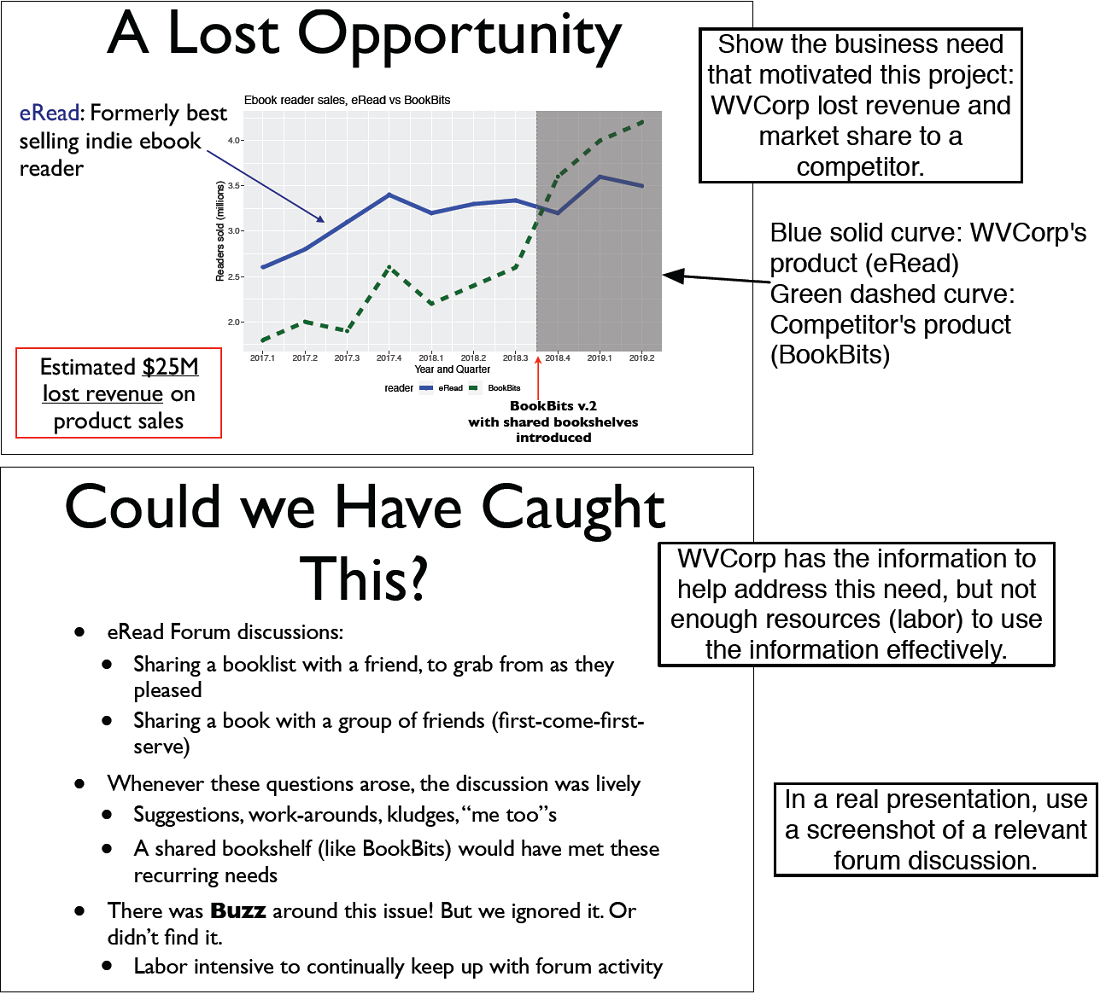
Figure 12.3. Stating the project goal
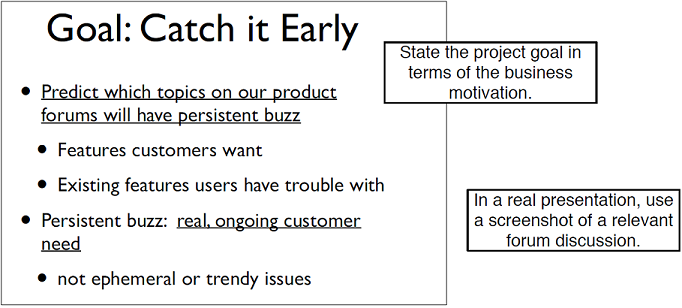
Figure 12.4. Describing the project and its results
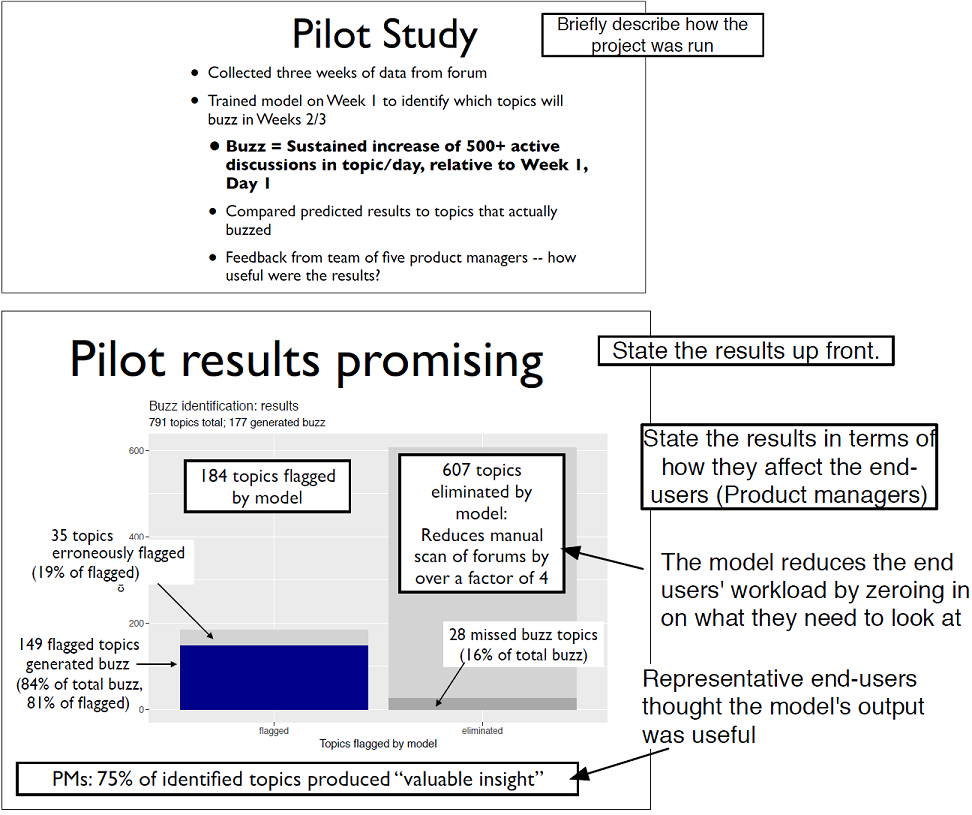
Figure 12.5. Discussing your work in more detail
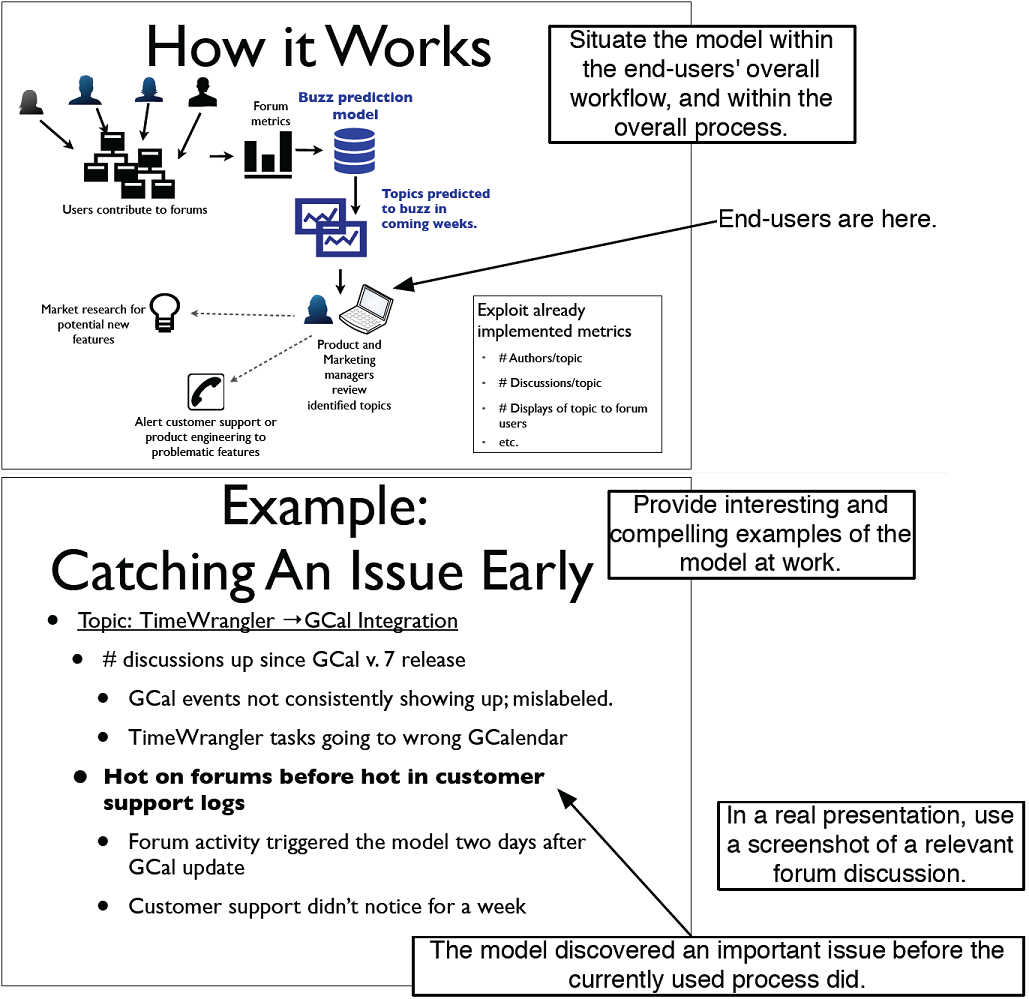
Figure 12.6. Optional slide on the modeling method
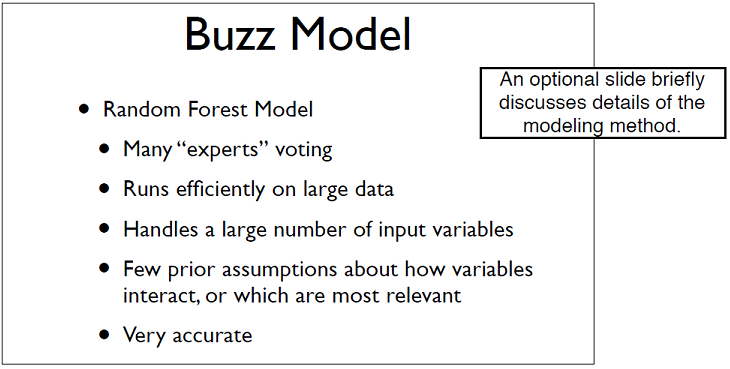
Figure 12.7. Discussing future work
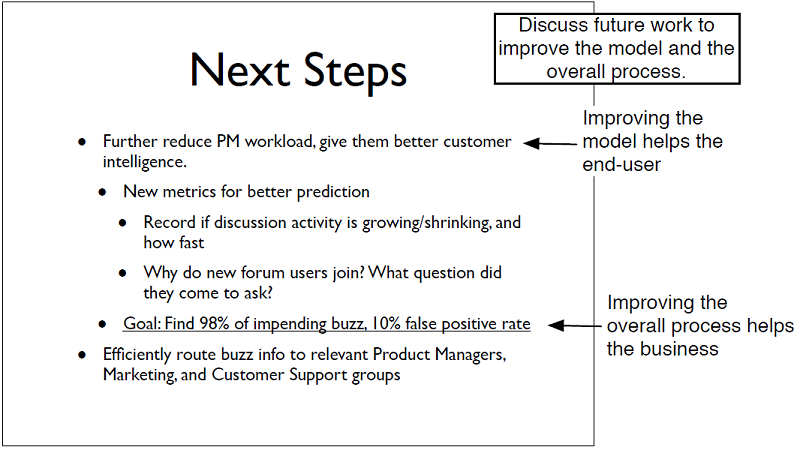
Figure 12.8. Motivation for project
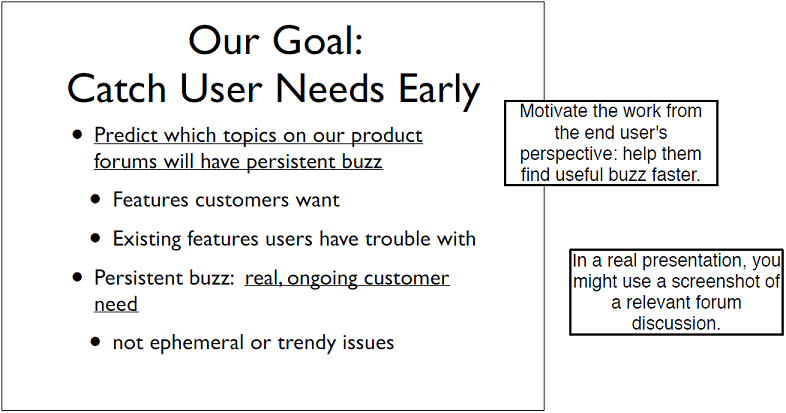
Figure 12.9. User workflow before and after the model
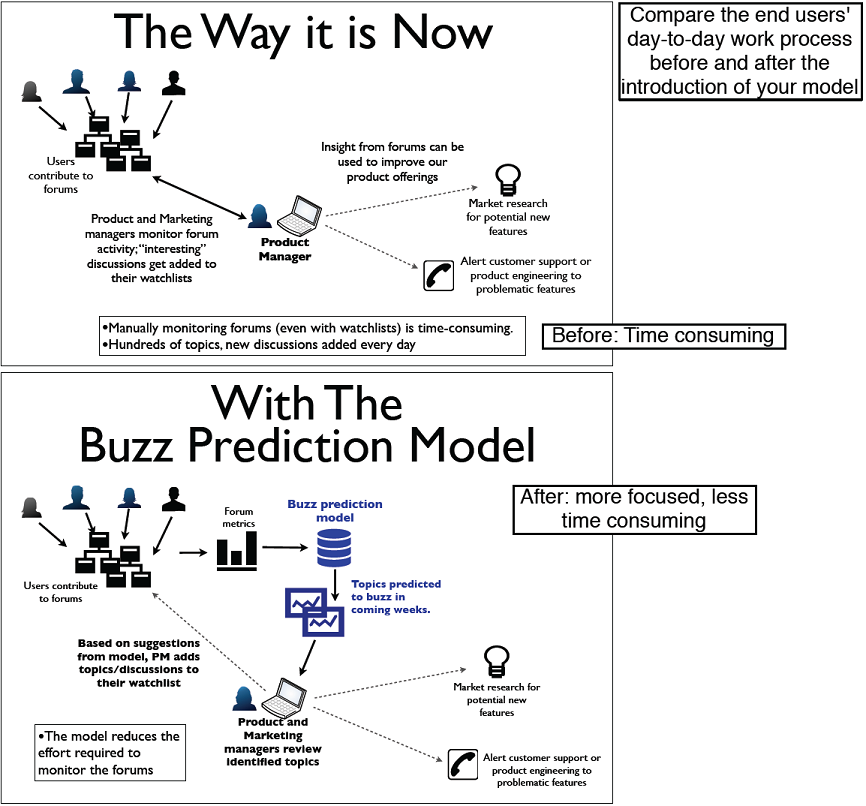
Figure 12.10. Present the model’s benefits from the users’ perspective.
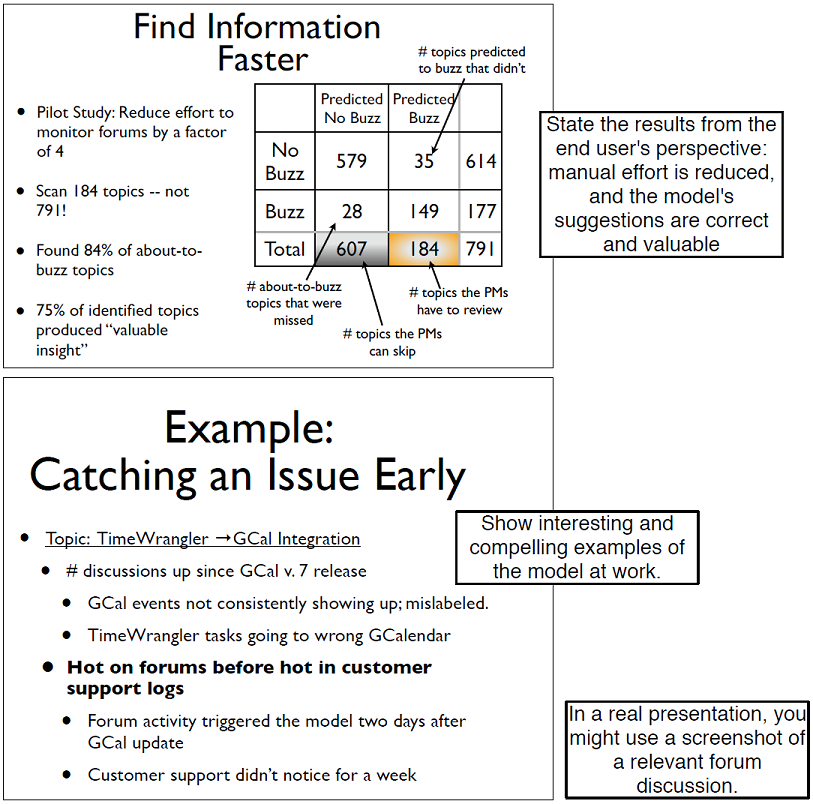
Figure 12.11. Provide technical details that are relevant to the users.
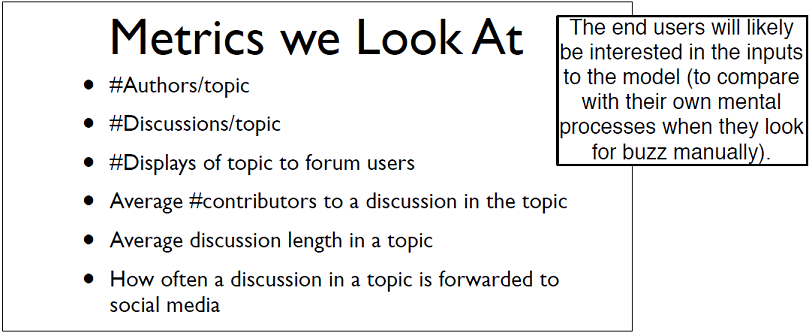
Figure 12.12. Describe how the users will interact with the model.
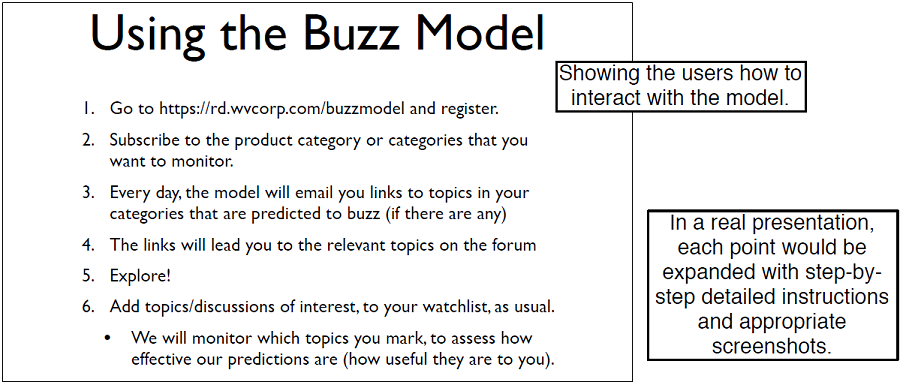
Figure 12.13. An example instructional slide
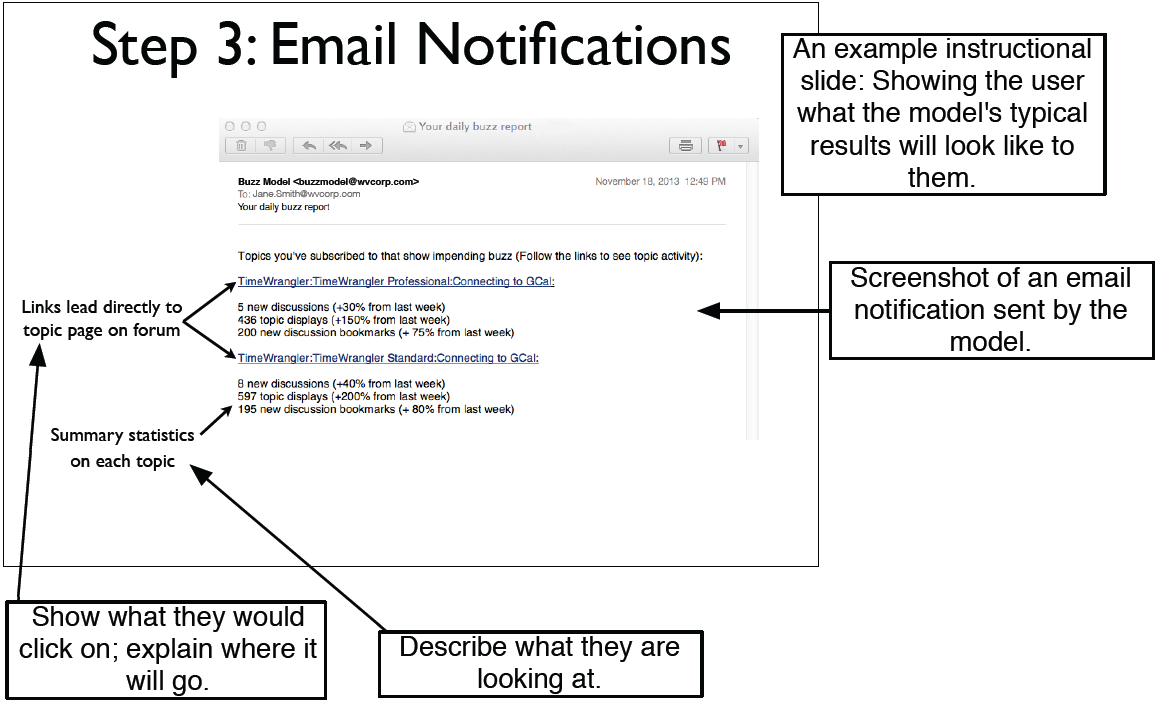
Figure 12.14. Ask the users for feedback.
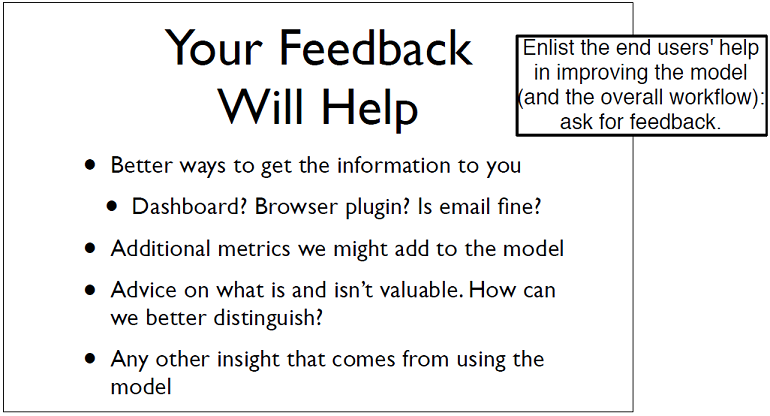
Figure 12.15. Introducing the project
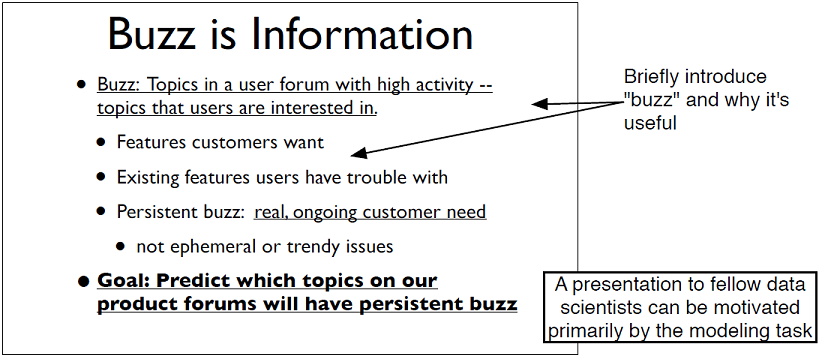
Figure 12.16. Discussing related work
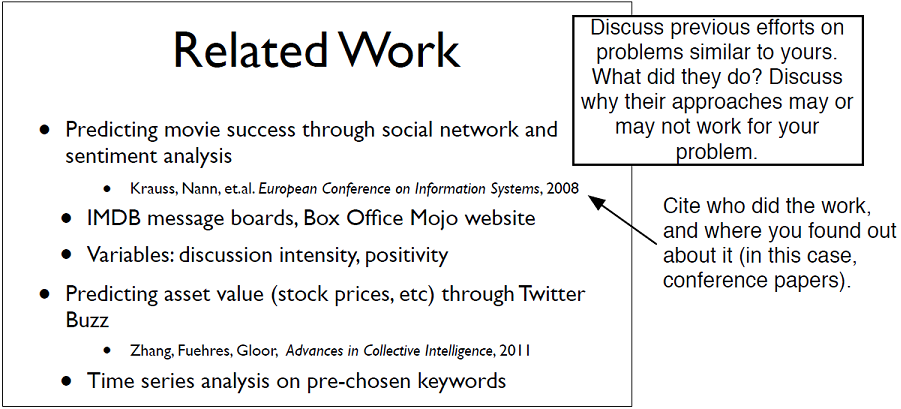
Figure 12.17. Introducing the pilot study
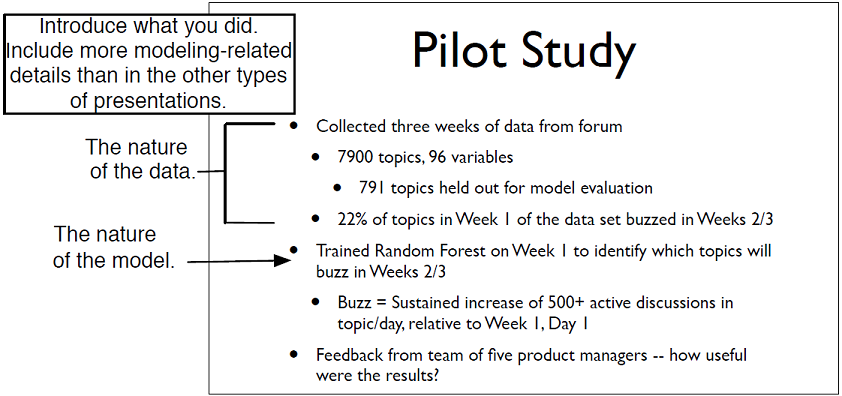
Figure 12.18. Discussing model inputs and modeling approach
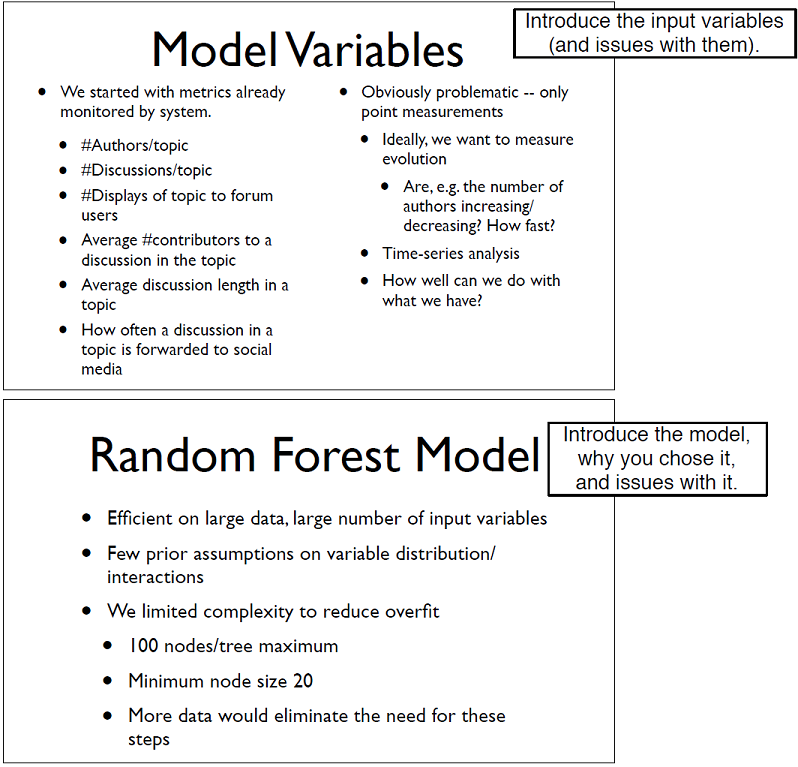
Figure 12.19. Showing model performance
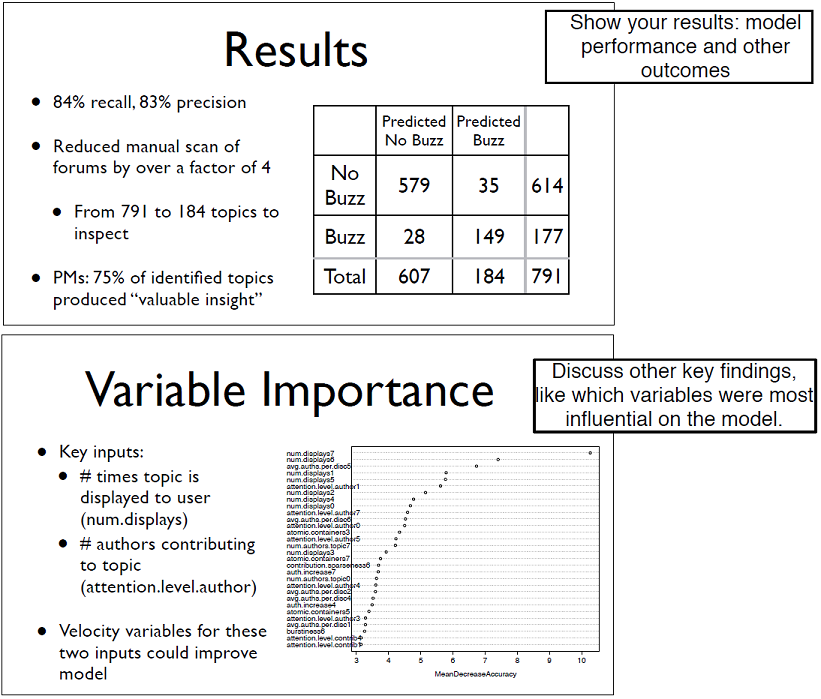
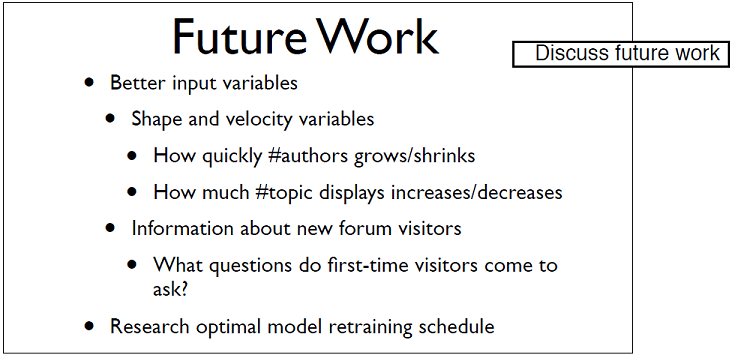
Figure 12.20. Discussing future work
Summary
In this chapter, you’ve seen how to present the results of your work to three different audiences. Each of these audiences has their own perspective and their own set of interests, and your talk should be tailored to match those interests. Organize your presentations to declare a shared goal and show how you’re meeting that goal.We’ve suggested ways to organize each type of talk that will help you to tailor your discussion appropriately.
None of our suggestions are set in stone: you may have a project sponsor or other interested executives who want to dig down to the more technical details, or end users who are curious about how the internals of the model work. You can also have peer audiences who want to hear more about the business context. If you know this ahead of time (perhaps because you’ve presented to this audience before), then you should include the appropriate level of detail in your talk. If you’re not sure, you can also prepare backup slides, to be used as needed. There’s only one hard-and-fast rule: have empathy for your audience.
In this chapter you have learned:
- How to prepare a business-focused presentation for the project sponsors.
- How to prepare a presentation (or documentation) for end users to show them how to use your model, and convince them that they want to.
- How to prepare a more technical presentation for your peers.
FAQ
What is the main objective of a presentation to the project sponsor?
The sponsor presentation should show how your work addresses a business need. Keep it short, lead with the results, and explain impact in business terms (time saved, decisions improved, money earned or saved), not technical metrics.How should I structure a sponsor presentation?
Suggested flow:- Summarize the motivation and goals
- State the results early
- Provide supporting details only as needed
- Close with recommendations, open issues, and possible future work
How much technical detail should I include for sponsors?
Very little. Focus on what the model enables and how it improves the business process. If desired, include a brief, high-level method slide and be ready with backup detail for Q&A.How can I make sponsor results concrete and persuasive?
Tie outcomes directly to the business problem, show where the model fits in the workflow, quantify benefits (e.g., reduced workload), and illustrate with a specific, memorable example that shows clear value.What’s the primary goal of an end-user presentation?
Adoption. Convince users the model makes their work easier. Emphasize workflow improvements, clarity of outputs, and how to act on the results. Show you’ve incorporated user input and ask for ongoing feedback.How do I show how the model fits users’ workflow?
Use before/after scenarios of a typical day. Highlight how the model filters, prioritizes, or notifies within tools they already use, and minimize new steps or processes.What should be covered when teaching users how to use the model?
Explain where to find results, how to interpret them, and what actions to take. Walk through interfaces (e.g., watchlists, alerts), include annotated examples of outputs, and clarify edge cases and escalation paths.How should I present to fellow data scientists?
Use a technical structure:- Introduce the problem/task
- Discuss related work and alternatives you considered
- Detail your approach, data, features, and trade-offs
- Report results and findings
- Outline limitations and future work

 Practical Data Science with R, Second Edition ebook for free
