This chapter explains how to turn data science work into artifacts that are easy to share, reproduce, and operationalize. It focuses on three competencies: creating effective milestone documentation, maintaining a trustworthy project history with source control, and deploying models so others can try, test, and integrate them. Using a running “Buzz” prediction example, the chapter adopts a practical, reproducible-research mindset: capture what you did, make it rerunnable, and package outcomes so collaborators and future you can understand and re-create results.
For documentation, the chapter centers on R Markdown and knitr to produce executable reports that interleave narrative, code, and results. It shows how to confirm data provenance (for example, recording file hashes), automate figures and metrics, and save workspaces and models for later analysis. Guidance includes writing effective code comments and leveraging package-style documentation, organizing projects into clear directories, and using milestones to snapshot goals, data sources, methods, and performance. The result is concise, reliable, and reproducible milestone documents that double as living specifications and starting points for future work.
To preserve and share history, the chapter teaches practical Git habits: initialize repositories, commit early and often, review status and logs, recover files, inspect changes, and collaborate via remotes with pull, push, and a rebase-first workflow. It then outlines deployment paths that range from batch scoring to interactive demos and services, emphasizing partnering with engineers for production hardening. Examples include Shiny apps for exploration, exposing models as HTTP services with plumber, and exporting models for use in other systems, including SQL translations and portable formats such as PMML. Production advice highlights versioning models and predictions and inserting a controllable business-logic layer so model outputs can be monitored, adjusted, or disabled safely.
Figure 11.1. Mental Model

Figure 11.2. R markdown process schematic

Figure 11.3. The Rmarkdown process

Figure 11.4. knitr documentation of Buzz data load

Figure 11.5. knitr documentation of Buzz data load 2019: buzzm.md
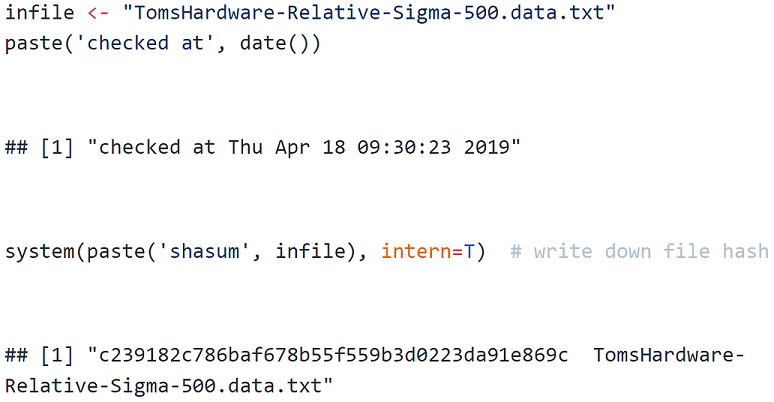
Figure 11.6. Roxygen generated online help
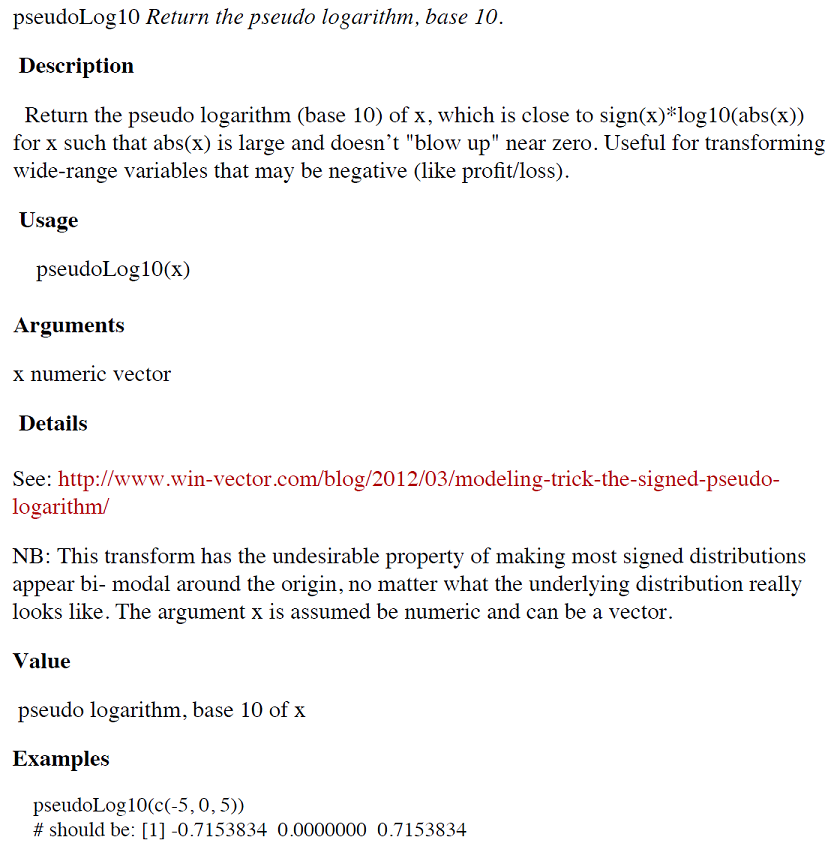
Figure 11.7. Version control saving the day
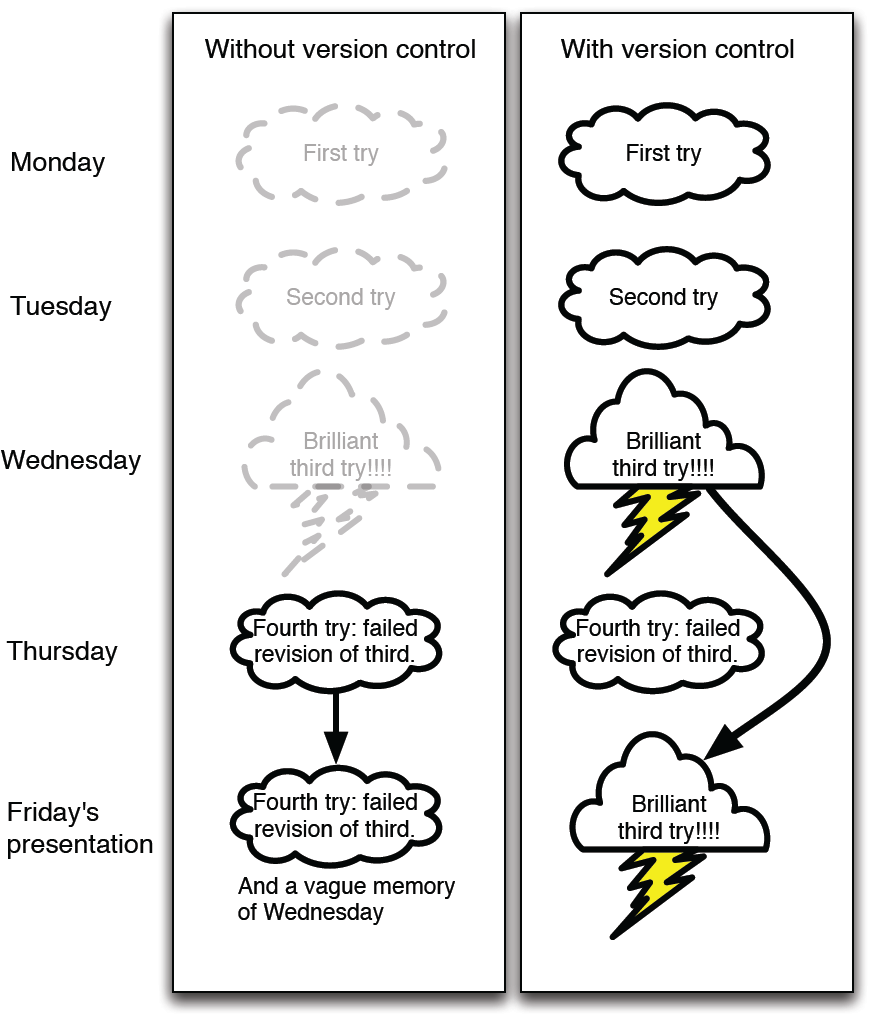
Figure 11.8. RStudio new project pane
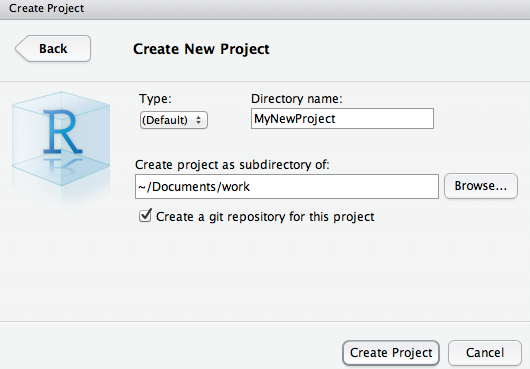
Figure 11.9. RStudio Git controls
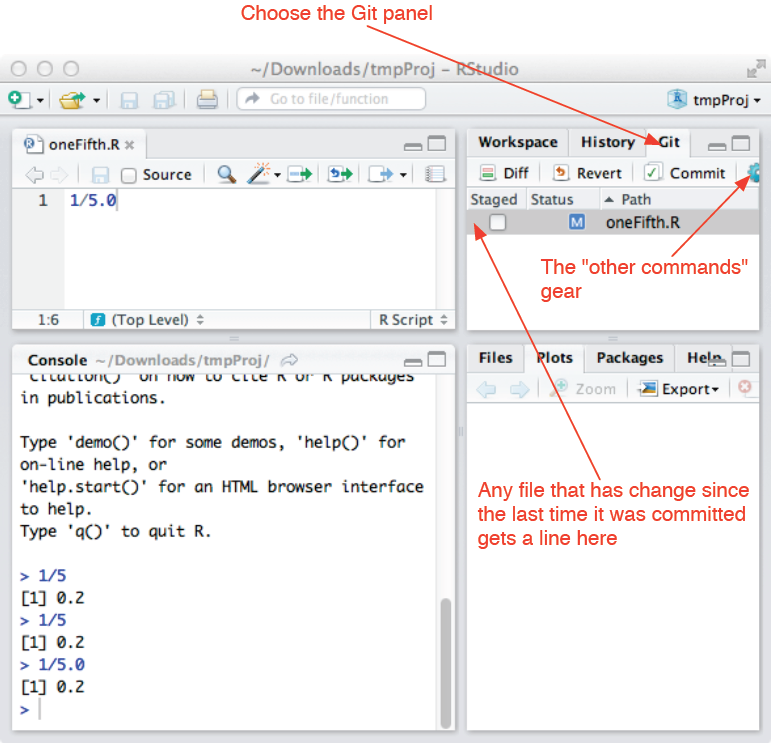
Figure 11.10. Multiple repositories working together
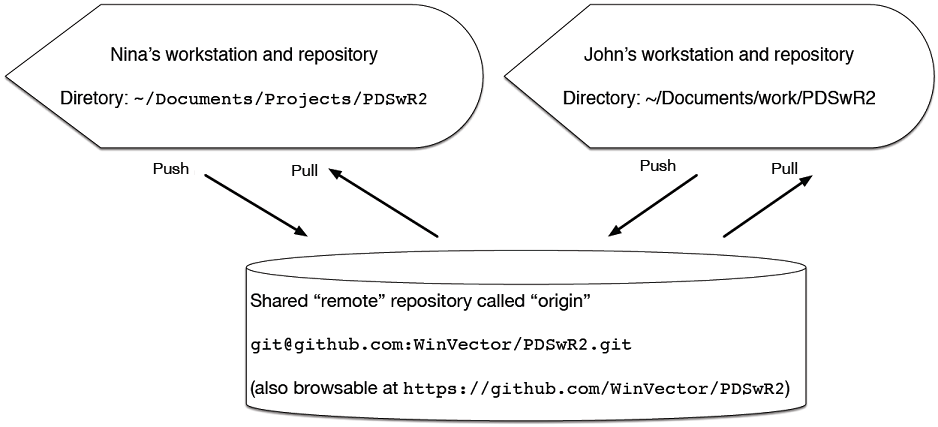
Figure 11.11. git pull: rebase versus merge
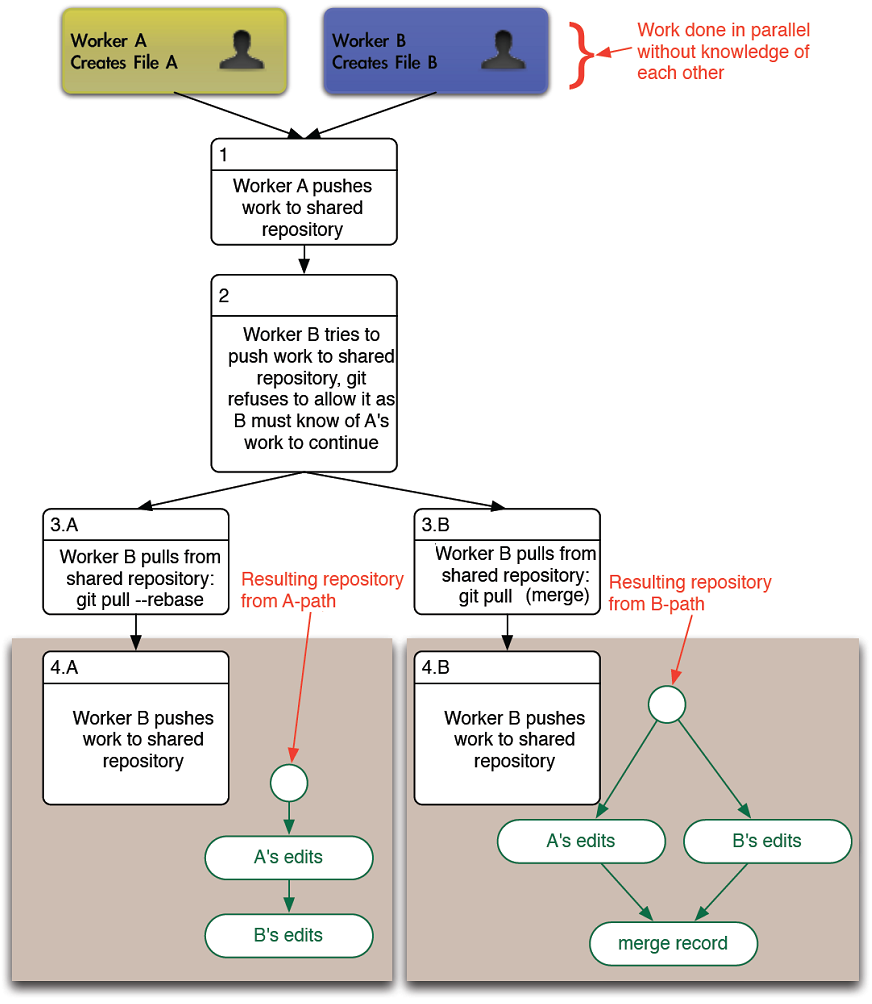
Figure 11.12. Launching the Shiny server from RStudio
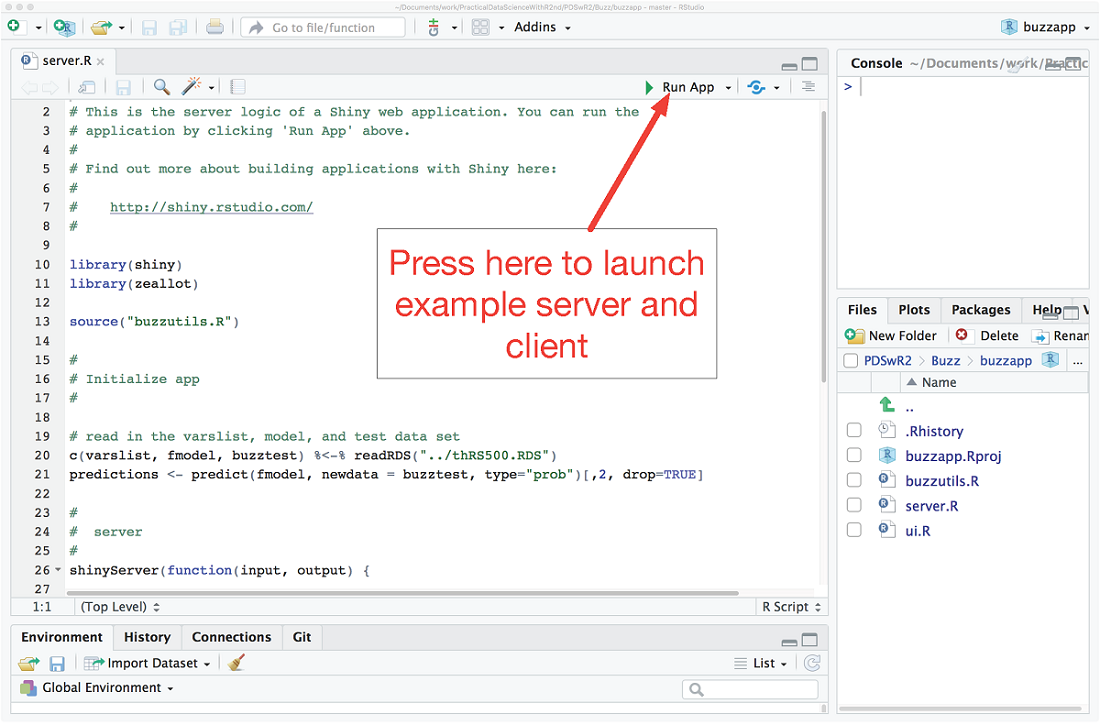
Figure 11.13. Interacting with the Shiny application
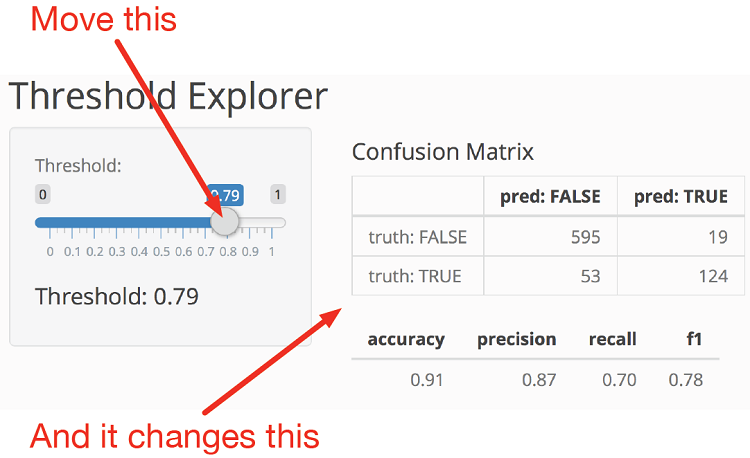
Figure 11.14. Top of HTML form that asks server for Buzz classification on submit
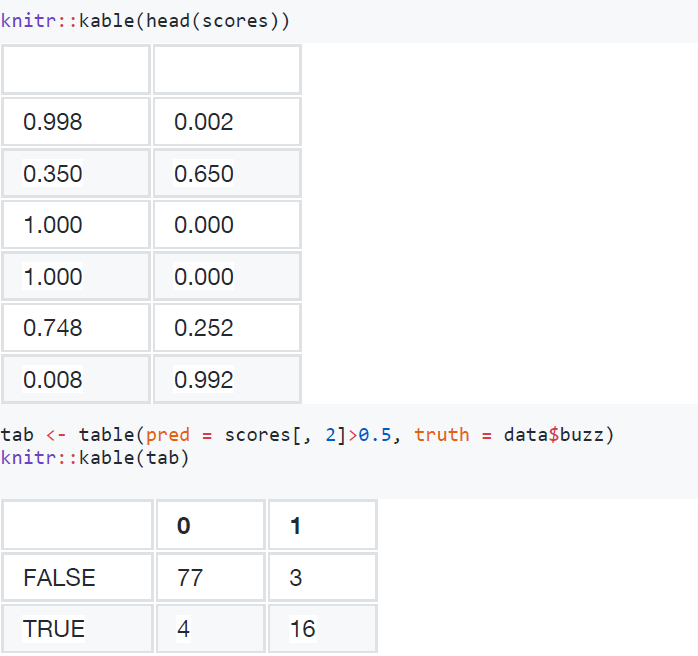
Figure 11.15. The top of the first tree (of 500) from the random forest model
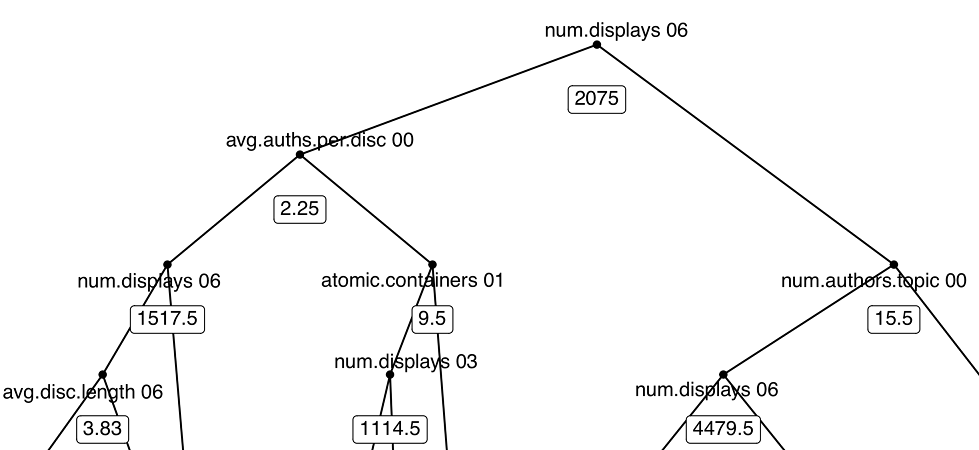
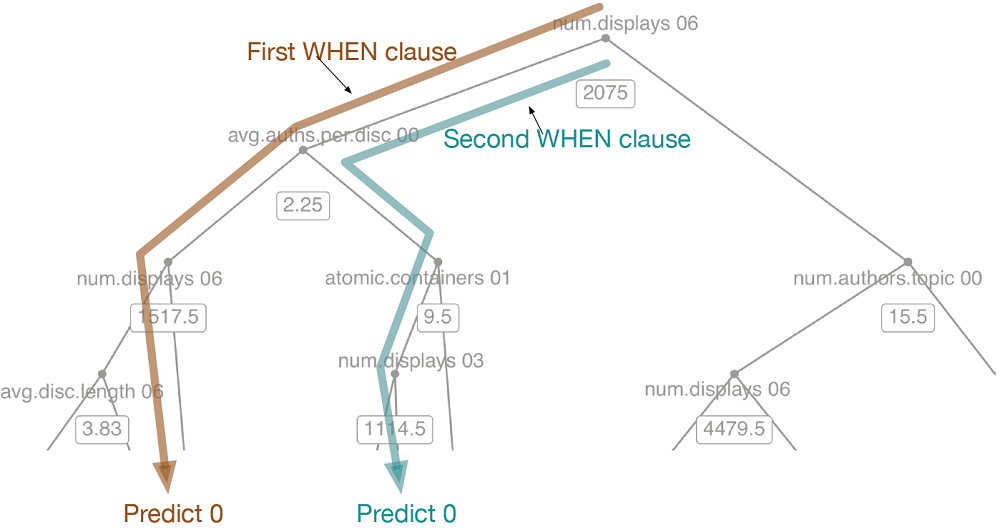
Figure 11.16. Annotating CASE/WHEN paths
Summary
In this chapter we worked on managing and sharing your work. In addition, we showed some techniques to set up demonstration HTTP services and export models for use by other software (so you don’t add R as a dependency in production). At this point you have been building machine learning models for some time, and we now have some techniques for working proficiently with models over time and with collaborators.
Key takeaways:
- Use knitr to produce significant reproducible milestone/checkpoint documentation.
- Write effective comments.
- Use version control to save your work history.
- Use version control to collaborate with others.
- Make your models available to your partners for experimentation, testing, and production deployment.
In our next chapter we will explore how to formally present and explain your work.
FAQ
What problems do R Markdown and knitr solve in data-science projects?
They keep code, narrative, and results together so your work is reproducible. When you knit a document, knitr runs the R code chunks, captures output (tables, figures, metrics), and produces a shareable report (HTML, Markdown, PDF via LaTeX, or Word). This minimizes copy/paste errors, keeps code and documentation in sync, and makes it easy for peers to rerun and verify your analysis.How do I create a reproducible milestone report with R Markdown?
- Start a .Rmd with a YAML header (title, output format).- Include a setup chunk (load packages, set global chunk options).
- Load data and models inside the document (not by hand).
- Produce key results (e.g., ROC curve, metrics) directly from code chunks.
- Render with rmarkdown::render to create the final report.
- Before sharing, delete any caches and do a clean re-knit to prove it runs from scratch.
How can I confirm I’m using the exact input data I intend to use?
Record a cryptographic hash (e.g., SHA) of your input files in the report. In an R chunk, call a platform hash program (such as shasum, md5, or fciv) via system(), capture the output, and print it. This defends against accidental drift (wrong file version or silent corruption) and gives future readers confidence they can reproduce your work with the same inputs.Which knitr chunk options should I know first?
- cache: TRUE to reuse results on re-knit; delete the cache before a final clean run.- echo: FALSE to hide source code in the output; TRUE shows it.
- eval: FALSE to show code but skip execution (useful for instructions).
- message: FALSE to keep messages out of the report.
- results: 'hide' to suppress printed output (while still running code).
- tidy: controls auto-formatting of displayed code.
What is “running documentation,” and how do I write effective R comments?
Running documentation is the day‑to‑day record embedded in code and version history. Use clear R comments and consider Roxygen2 style (#') to describe purpose, parameters, return values, assumptions, limits, NB/TODO notes, and examples. With Roxygen2, those comments can generate package help pages, keeping doc and code aligned.How do I get started with Git and checkpoint my work safely?
- Choose a project directory; run git init.- Add a .gitignore (e.g., exclude large raw Data and Derived outputs).
- Work normally, then frequently run: git add -A and git commit with a brief message.
- Use git status to see what’s pending and git log to review history.
- Treat uncommitted changes like unsaved edits—commit often.
How do I use Git to understand and recover history?
Use git log to see changes over time, git diff to compare versions, and git blame to see who last changed each line. To recover a deleted file, find the commit in git log --name-status and check out the version from the commit before deletion (e.g., git checkout COMMIT^1 -- path/to/file).How should I organize a data‑science project directory?
- Data: raw source files (usually excluded from Git; back them up).- Scripts: all code and notebooks/Rmd files.
- Derived: large intermediates generated by scripts (exclude from Git).
- Results: smaller outputs to share—figures, reports, saved models (keep in Git).
Maintain a master script/notebook to rebuild Derived artifacts end‑to‑end.
What are common ways to deploy models from R, and when should I use each?
- Batch: score data offline and write results back—simple and robust for scheduled jobs.- Services: expose scoring via HTTP (e.g., plumber) for on‑demand requests.
- Export: translate the model for another stack (e.g., hand‑code, tidypredict to SQL).
- PMML: export to a standard XML format if both sides support it.
Production tips: version every model and attach version metadata to predictions; route model output through configurable business logic so you can clamp, override, or disable behavior quickly.
How can I quickly demonstrate or deploy an R model (Shiny vs. plumber vs. export)?
- Shiny: build an interactive dashboard (e.g., slider to set a classification threshold and view precision/recall and a confusion matrix). Great for stakeholder demos and exploration.- plumber: wrap a fitted model in an HTTP endpoint (e.g., POST /score_data) so other systems can send JSON and receive scores—useful for lightweight services and prototypes.
- Export: generate SQL with tidypredict for in‑database scoring, or output PMML so other platforms can evaluate the model without R.

 Practical Data Science with R, Second Edition ebook for free
