In this chapter, the focus shifts from creating data frames by hand to importing and exporting real-world data. It explains that pandas is commonly used to read and write files such as CSVs, JSON, HTML tables, and even text formats that can be treated like delimited data. The chapter emphasizes that CSV is popular but messy in practice because there is no single strict standard, so pandas provides many options for handling separators, headers, indexes, selected columns, and other file quirks. It also introduces the idea that good analysis starts with knowing your data, including consulting data dictionaries and choosing what to load carefully.
A major theme is working efficiently with large data sets while cleaning them as needed. The chapter shows how to use read_csv with usecols to load only relevant columns, which greatly reduces memory use, and how to filter rows with boolean conditions, loc, and simple counting. It demonstrates these ideas through New York taxi data, answering questions about unusual rides, zero-passenger trips, cash payments, negative fares, and trips that are short but expensive. It also explains how to combine conditions with logical operators, use methods like count, sum, mean, and round, and interpret the results as practical summaries of the data.
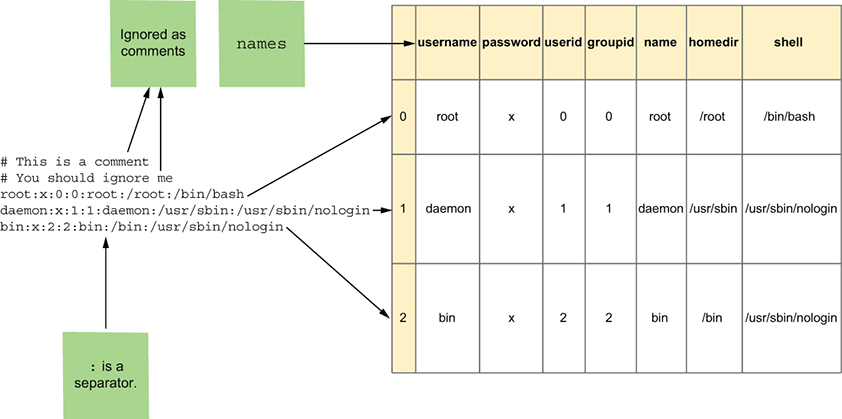
The chapter then broadens into type management and special file handling. It explains how pandas infers data types when reading CSVs, why that can cause memory waste or mixed-type problems, and how to specify dtype explicitly for better control. When missing values prevent integer types, it shows how to load data as floats first, remove rows with NaN, and then convert columns to compact integer types. It closes by showing that read_csv is flexible enough to parse nonstandard inputs such as Unix passwd files and that pandas can also read data directly from URLs, enabling workflows that pull live CSV or HTML data and summarize it automatically.
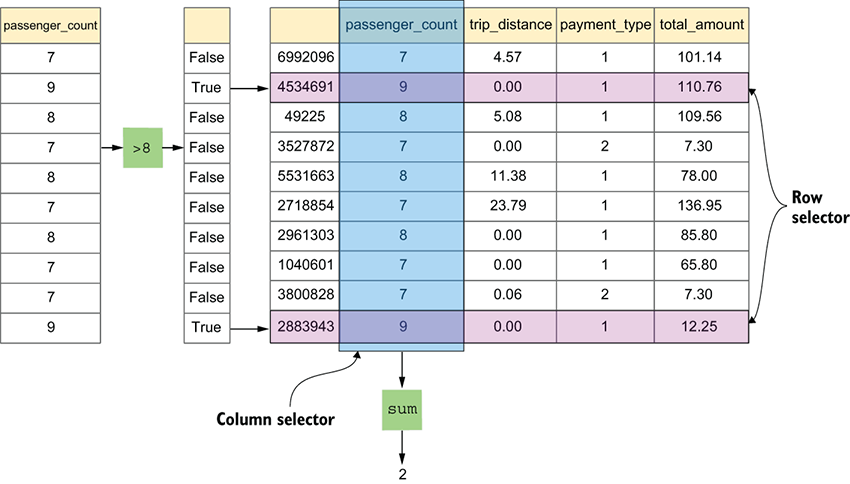
Graphical depiction of selecting rows where passenger_count > 8 and then invoking sum.
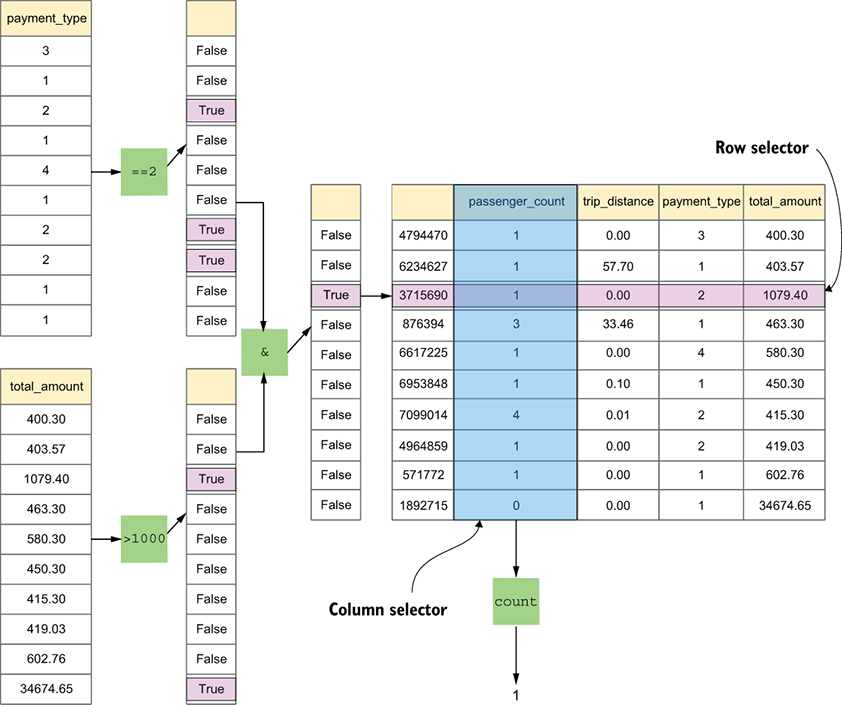
Graphical depiction of selecting rows where payment_type == 2 and total_amount > 1000, and counting the elements of passenger_count
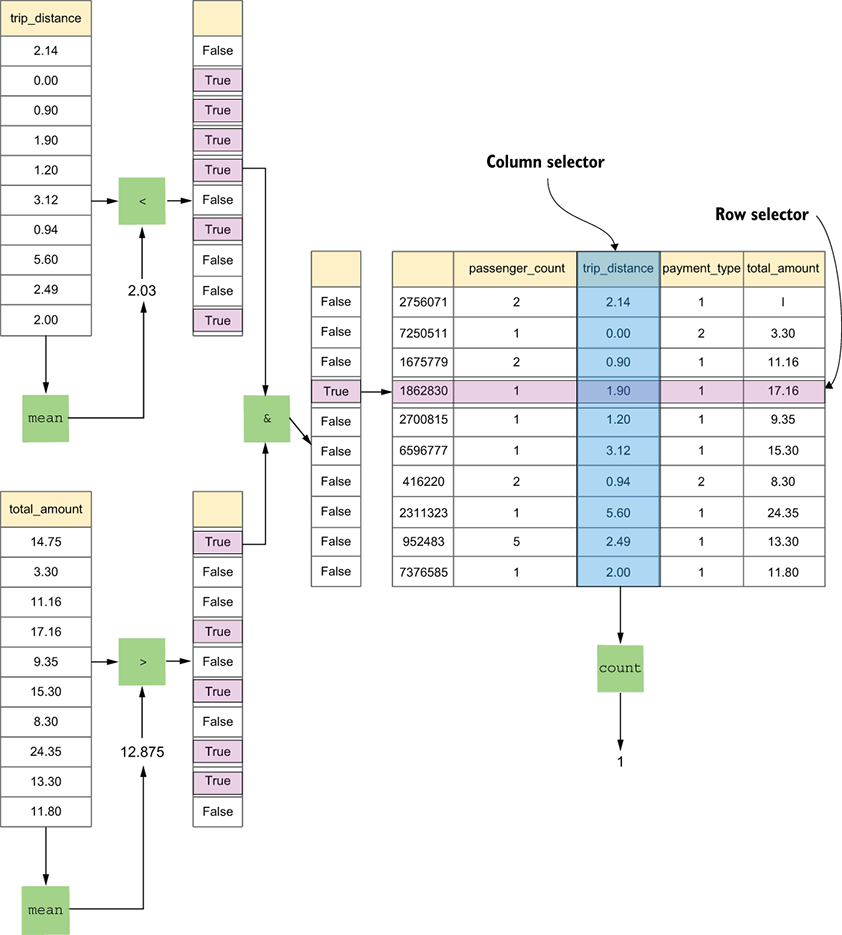
Graphical depiction of counting rows where trip_distance is less than the mean but total_amount is greater than the mean
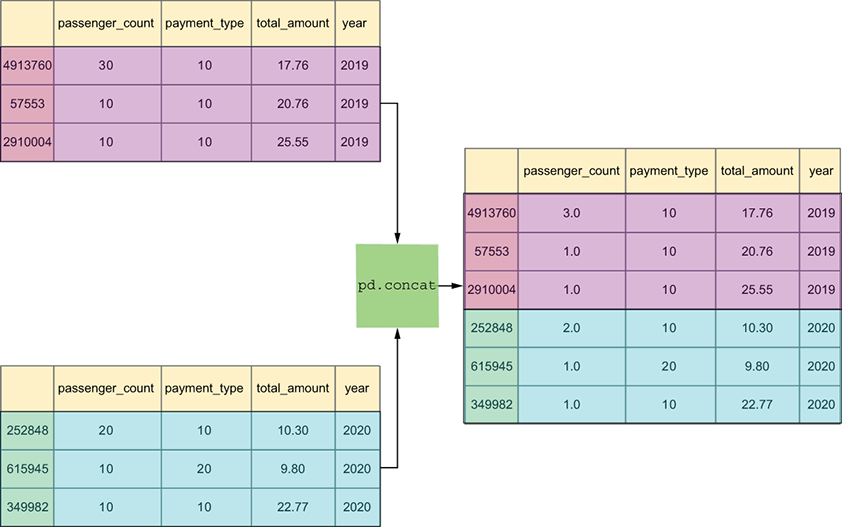
Concatenating two data frames into a single one
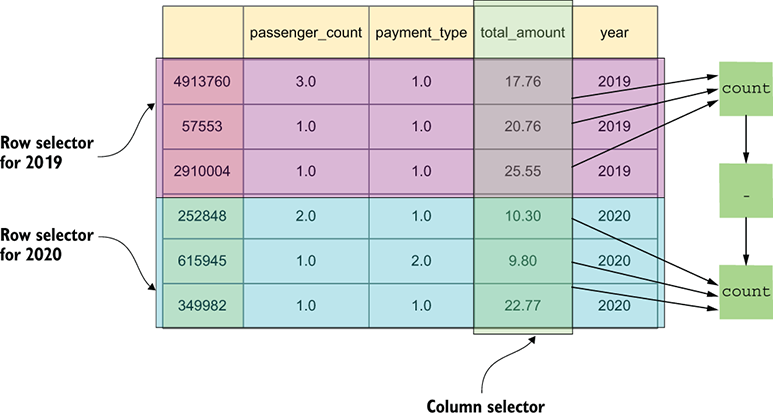
Comparing the number of rides in 2019 with 2020
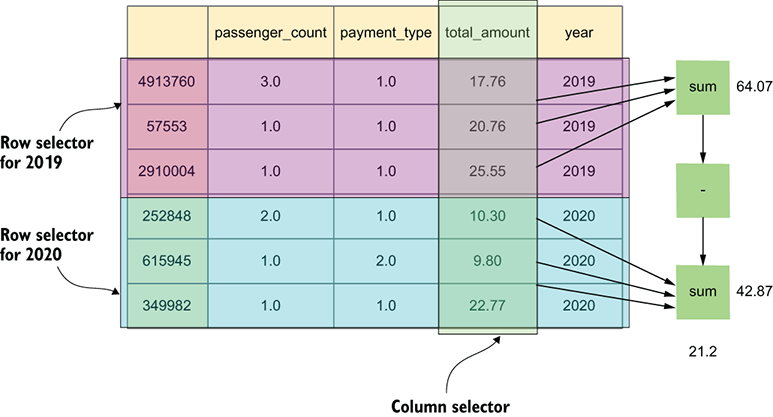
Comparing the total amount earned in 2019 with 2020
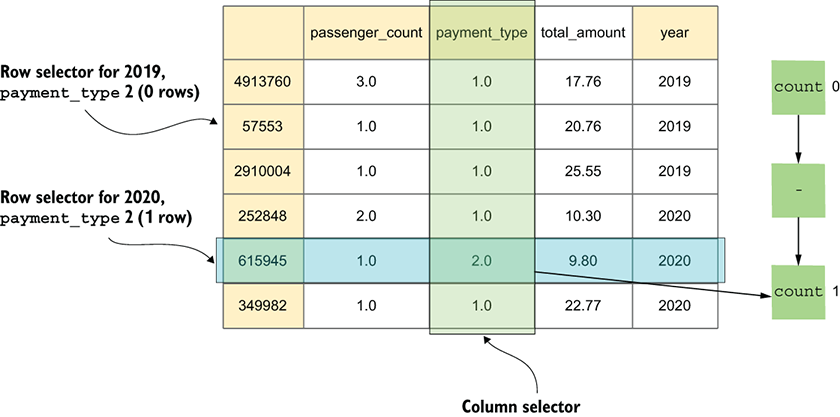
Comparing the number of cash payments in 2019 with 2020
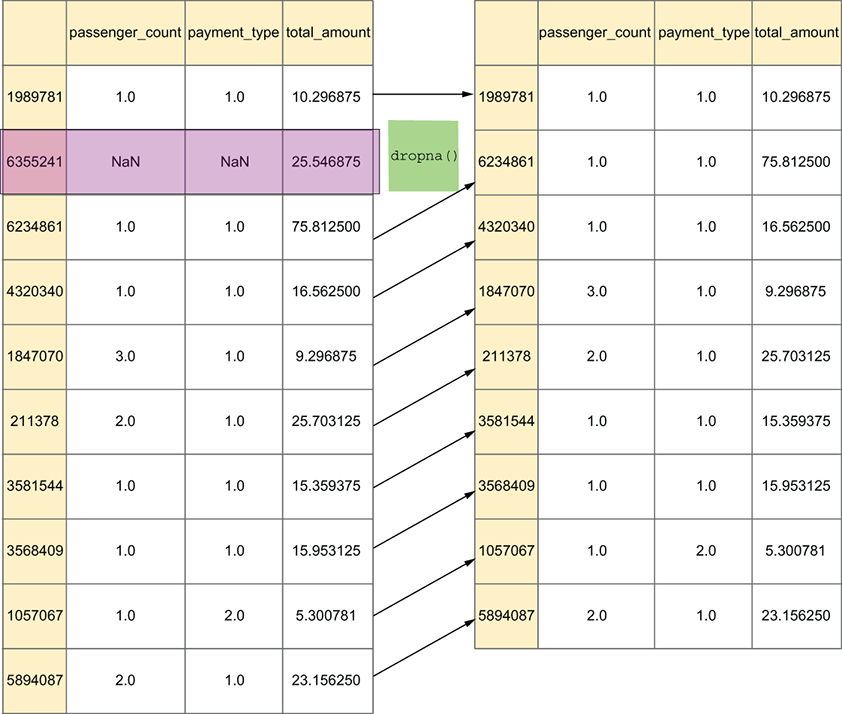
Removing rows containing NaN with dropna
Turning the passwd file into a data frame
Selecting the minimum value from a data frame with a mask index

Summary
In this chapter, we started to work with real-world data. We read data from CSV, JSON, and even HTML tables and saw how pandas provides parameters that can control and modify how file inputs are parsed and read. Given that the overwhelming majority of our data comes from such files, it’s worthwhile to learn how to read data from them—specifying the dtype for each column and even which columns we want to see.
FAQ
What is the main goal of chapter 3?
To learn how to import data from common file formats like CSV, Excel-like sources, JSON, HTML, and text-based files, and how to export data back out with pandas.Why does the chapter focus so much on CSV files?
Because CSV is one of the most common data formats in real-world analysis, even though it has no single strict standard and often requires custom parsing options.What does pd.read_csv do?
It reads CSV-formatted input and returns a new pandas DataFrame.What does df.to_csv do?
It writes a DataFrame to a CSV-formatted file or string so the data can be saved or shared.Why would you use the usecols parameter when reading a CSV file?
To load only the columns you need, which can reduce memory usage and make reading large files faster.What are some important keyword arguments for read_csv?
Common ones include sep for the field separator, header for header row handling, index_col for choosing an index column, and usecols for selecting which columns to import.Why is it important to know your data before loading it into pandas?
Because a data dictionary or similar documentation can tell you column meanings, types, and ranges, helping you choose the right import options and avoid loading unnecessary data.How can you count rows in a DataFrame that match a condition?
Create a boolean mask, useloc to filter rows, select the column you care about, and call count() to count non-NaN values.How do you load data from multiple CSV files into one DataFrame?
Read each file into its own DataFrame and combine them withpd.concat([...]).How can you read a CSV file from a URL instead of from disk?
You can pass the URL directly topd.read_csv if the URL returns CSV data; for protected sources, you may need requests and StringIO first.
 Pandas Workout ebook for free
