8 Serverless
Serverless in Azure is about running code and workflows on infrastructure managed by Microsoft so teams can focus on logic rather than servers. It’s a spectrum, not an all-or-nothing choice, and often complements traditional services in the same solution. The chapter frames serverless around practical benefits—faster development, elastic scale, and cost efficiency—using an API-centric mindset where functionality is exposed through endpoints. A lighthearted Alpaca-NFT scenario anchors the discussion, illustrating how serverless components combine to deliver real features quickly while keeping architecture flexible and future-ready.
Azure Functions take center stage as event-driven compute with triggers (such as HTTP or Blob) and bindings that simplify connecting to services like Storage. The example function fetches an NFT image from Blob Storage, creates a resized copy, and returns or saves it—built locally with the Azure CLI and Visual Studio Code, then deployed to Azure. Hosting choices are a key design decision: Consumption offers scale-to-zero and low cost, Premium provides always-warm instances and advanced networking, Flex Consumption adds more control while staying serverless, Dedicated runs on App Service plans, and Container Apps enables containerized Functions in a microservices model. Choosing among them trades off cold starts, cost, control, and networking needs.
Logic Apps provide low-code orchestration through connectors, triggers, and actions—shown by a workflow that reacts to new blobs, retrieves content, and posts to social media. API Management then “glues” the solution into a secure, governed public API, combining an API gateway, management plane, and customizable developer portal for documentation, keys, and usage analytics. Functions and Logic Apps are surfaced as API endpoints with policies and products layered on top. The chapter closes by contrasting serverless with PaaS—both speed delivery, but differ in scaling responsibilities, time-to-compute, and operational control—and reiterates the core guidance: mix and match services and plans to fit latency, cost, integration, and security requirements for the job at hand.
The server to serverless spectrum.

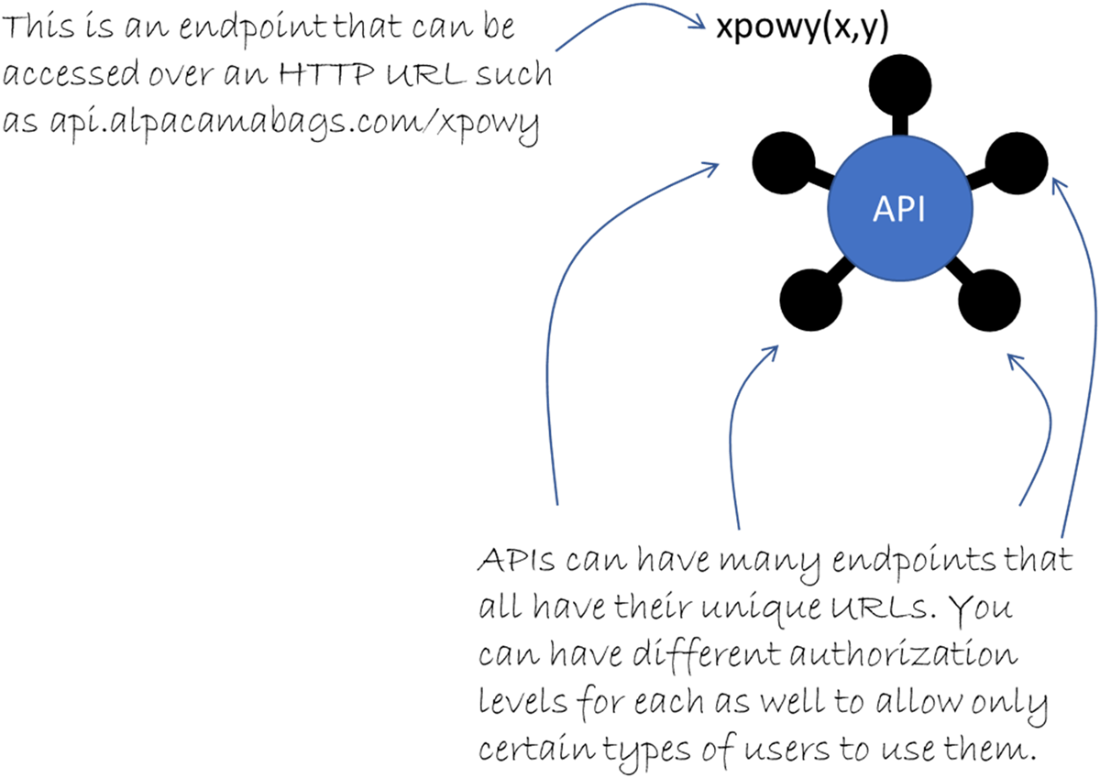
An API has endpoints, which are often HTTP URLs that can be accessed over the Internet.
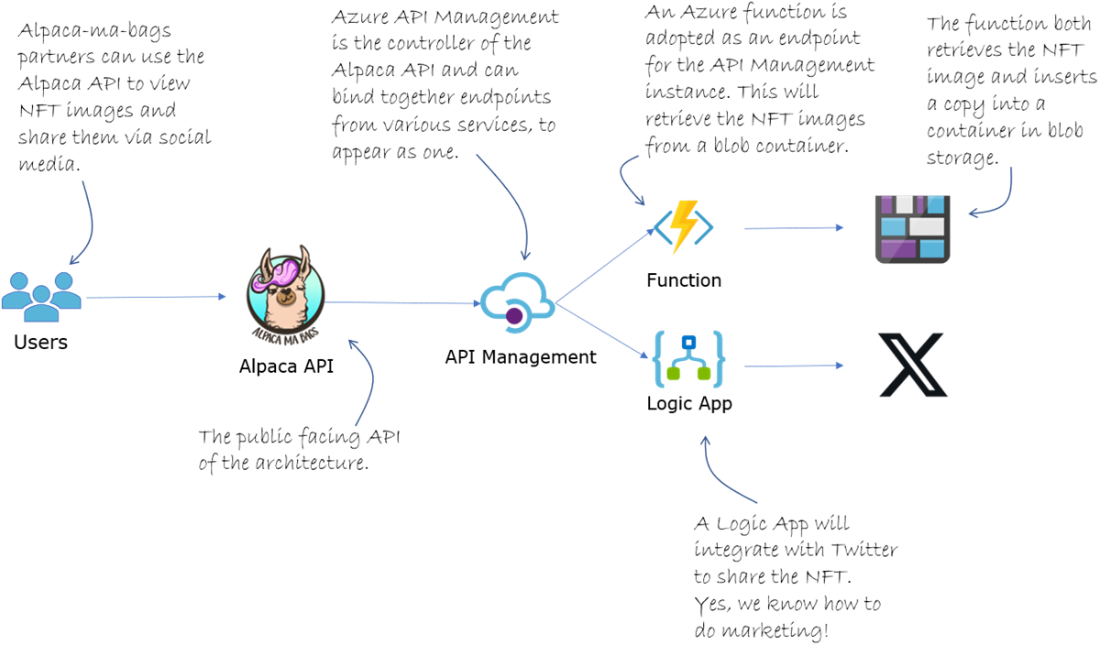
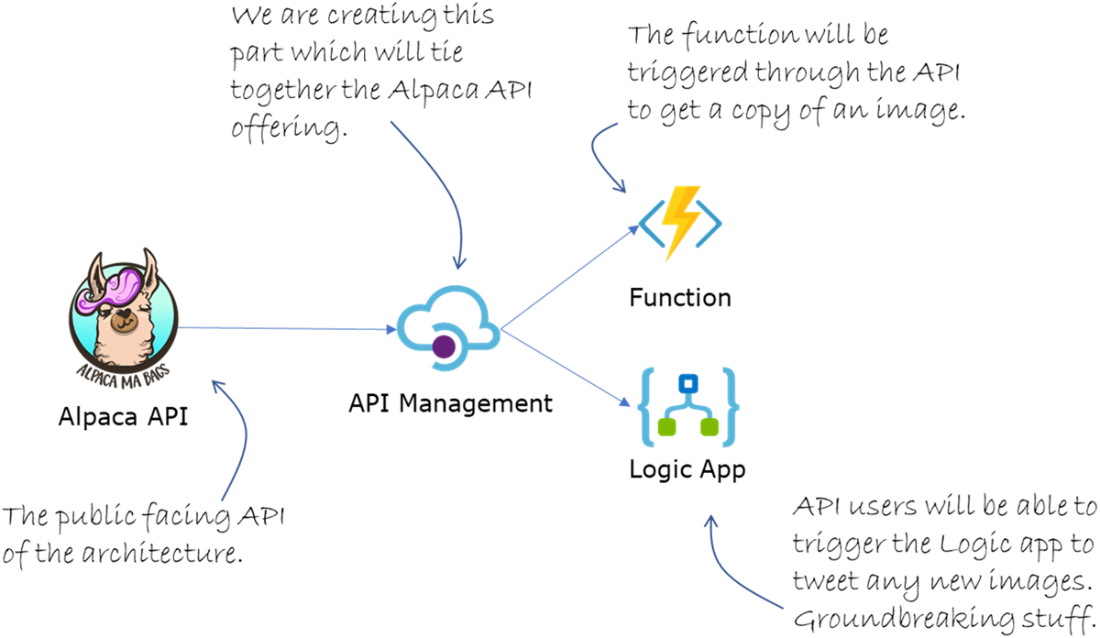
The serverless architecture we will use. Look at that fancy alpaca.
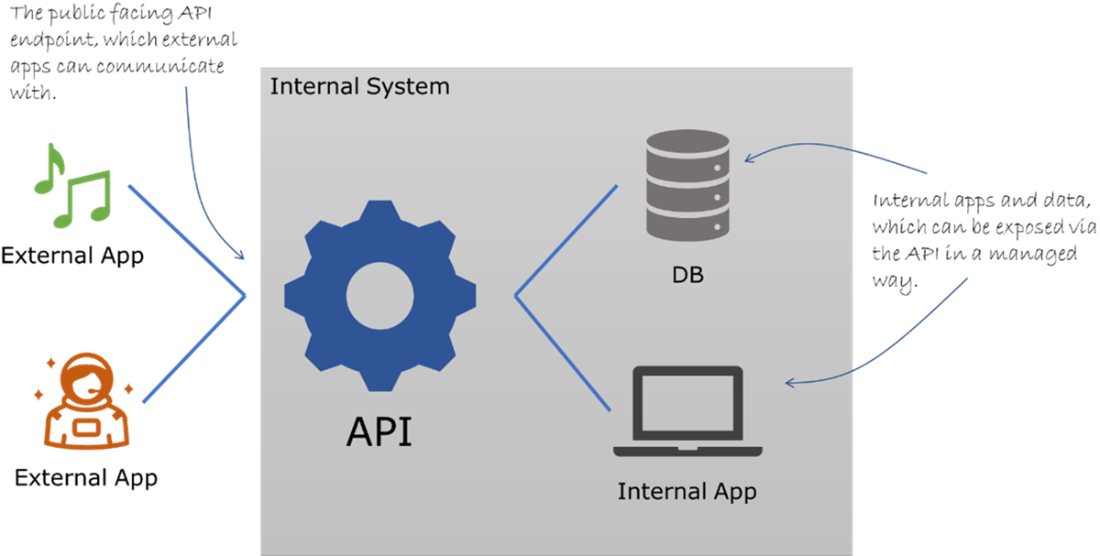
Two external apps are communicating with the API to access internal data.
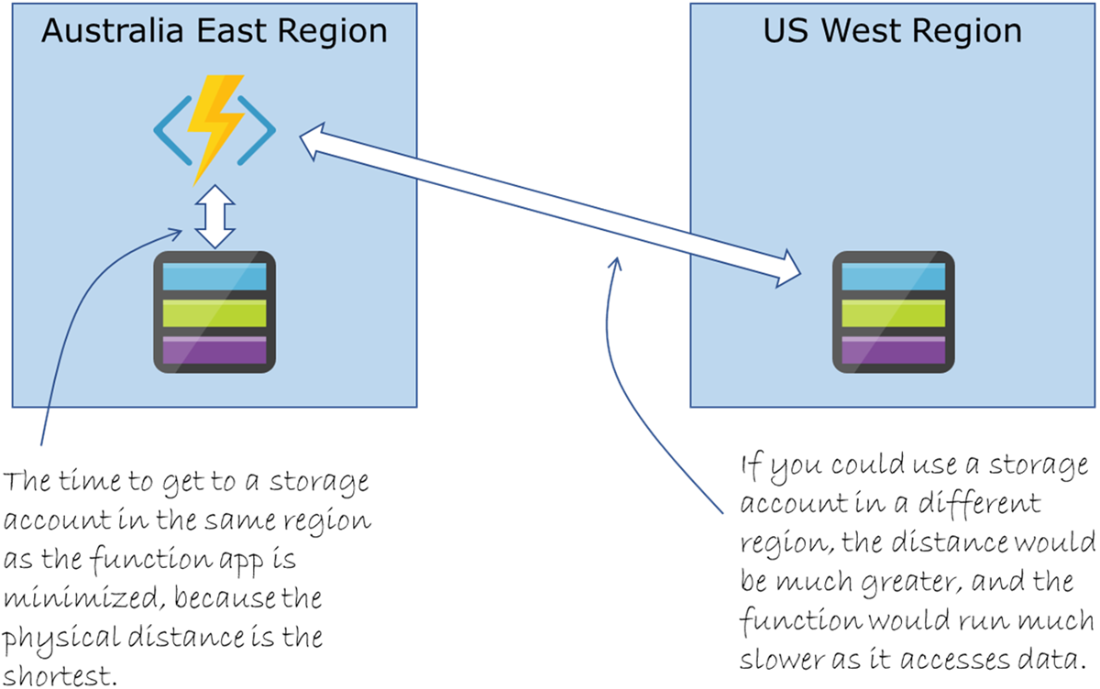
Use a storage account in the same region as the function app to minimize latency when running your function.
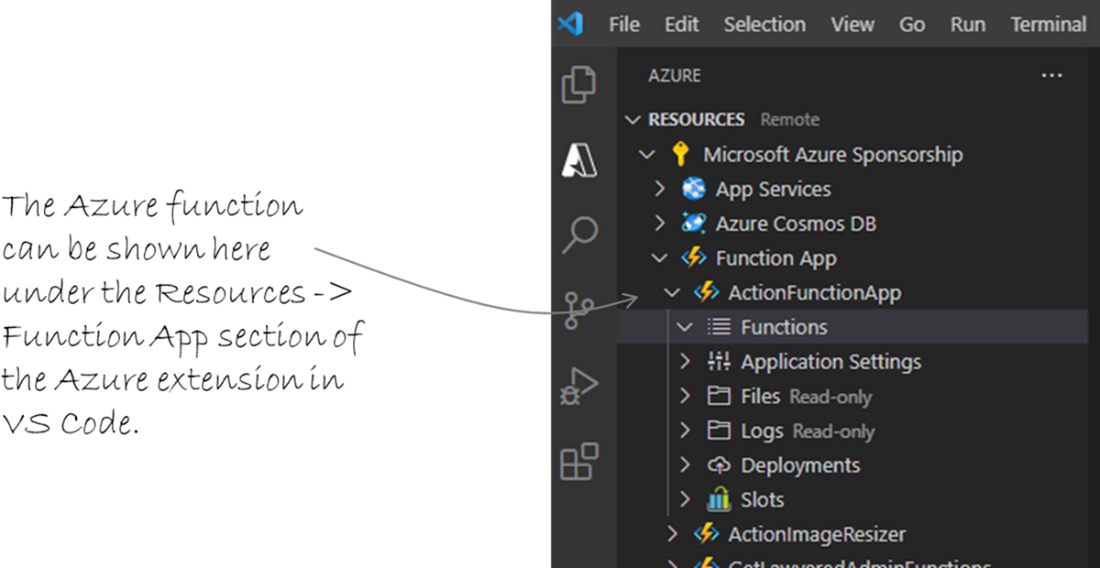
The Azure function we created is shown in VS Code.
Files created by the func init command.

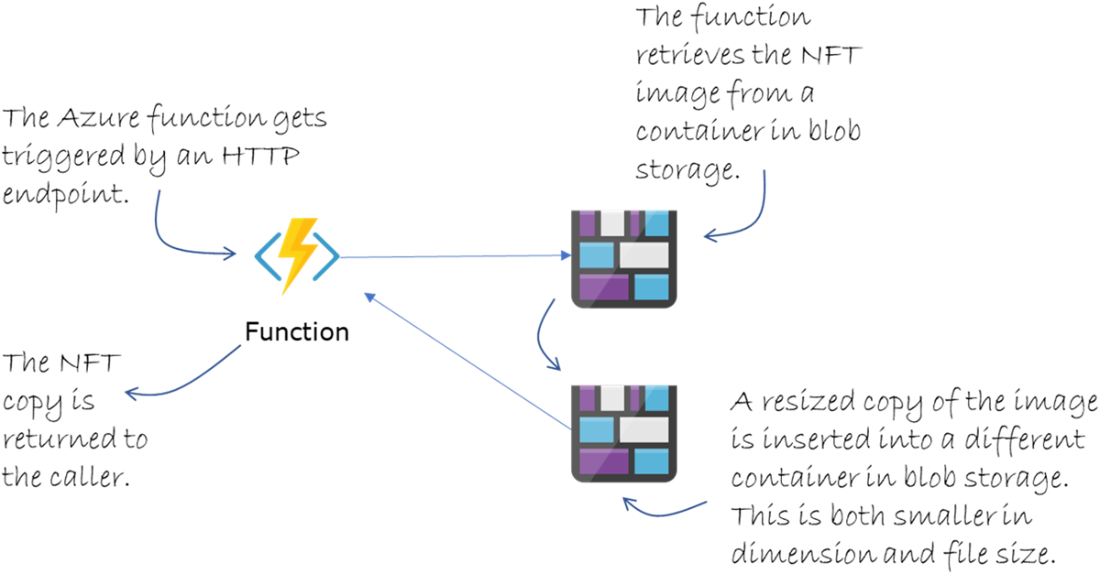
The flow we are creating for the Azure function.
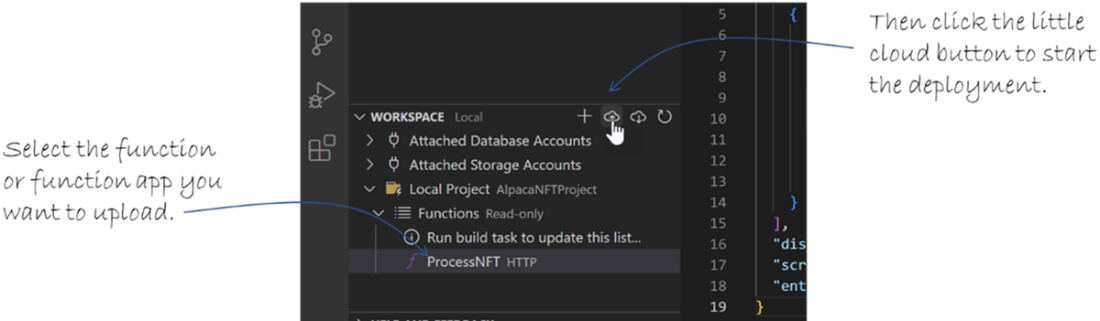
Deploying a local function app to Azure in VS Code.
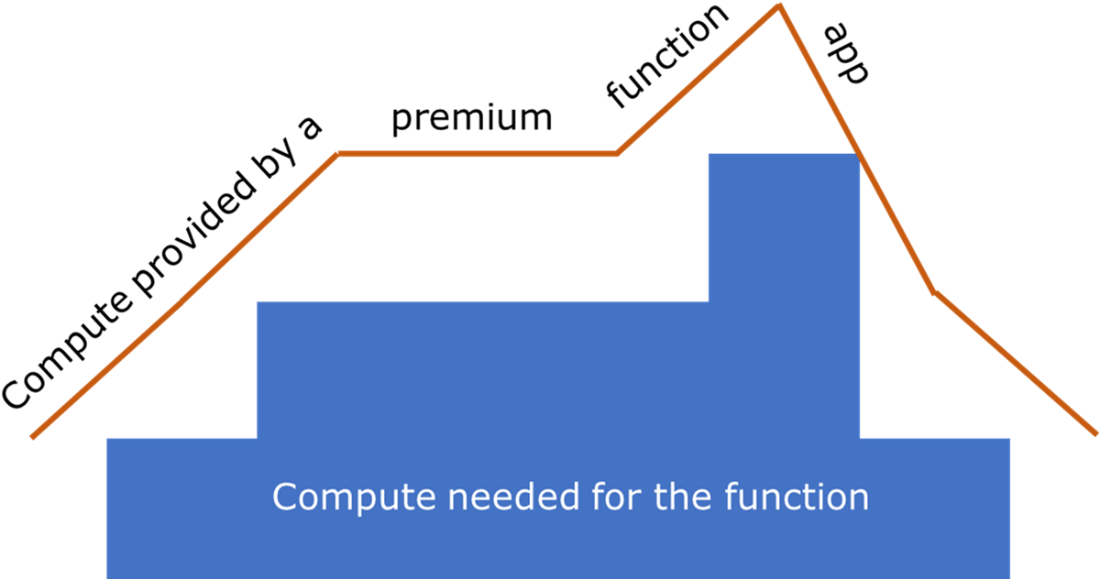
The compute resources provided in a premium function app is always more than needed to prevent cold starts.
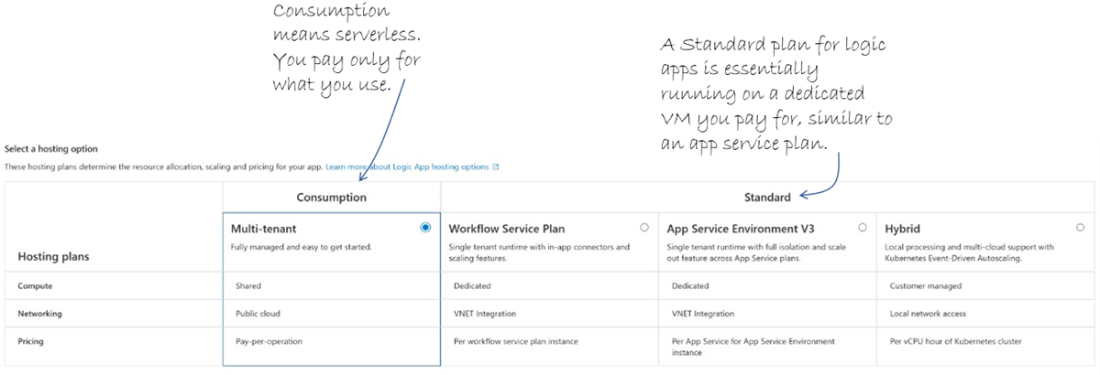
The logic app plan types.
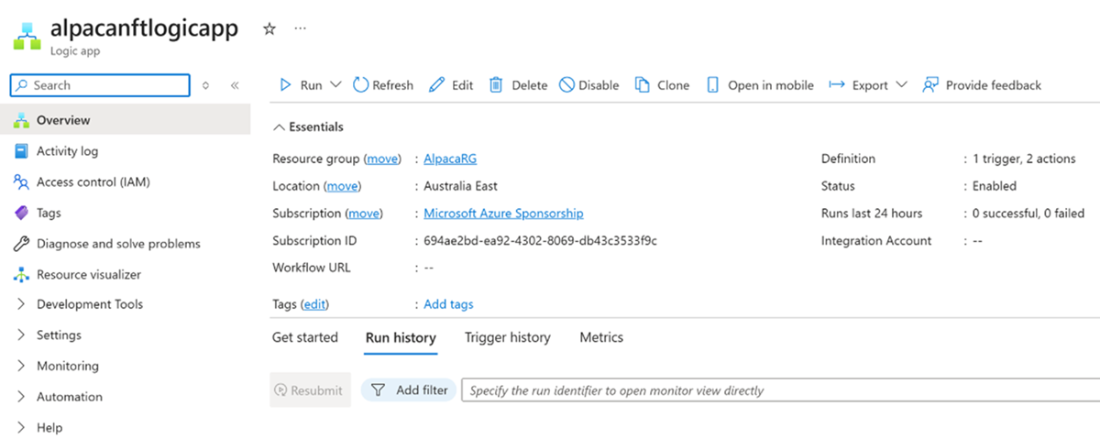
The Logic App landing page in the Azure Portal.
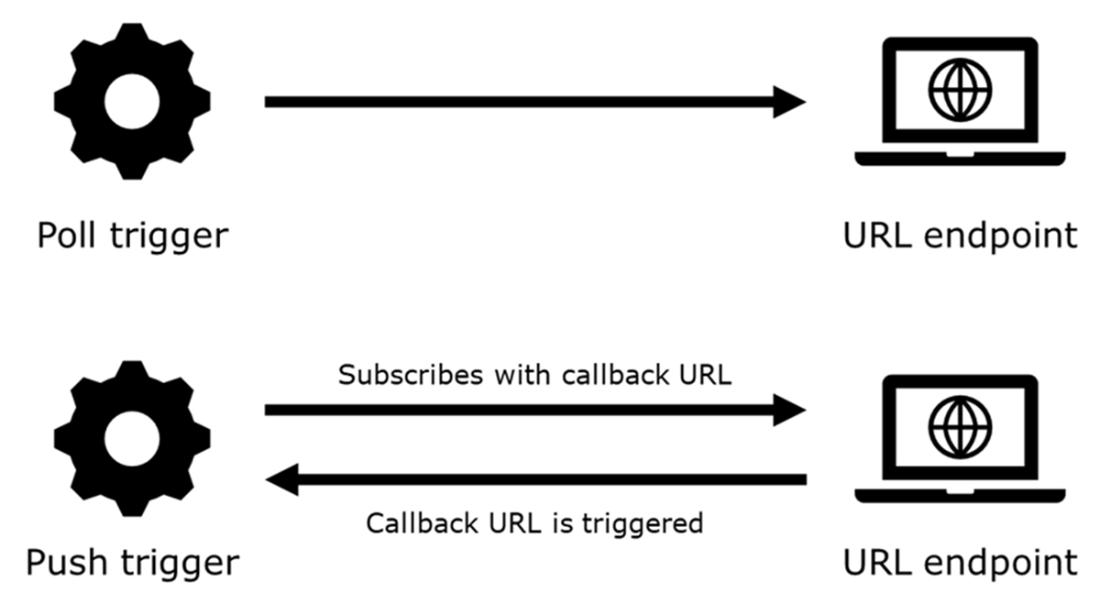
Poll and push triggers.
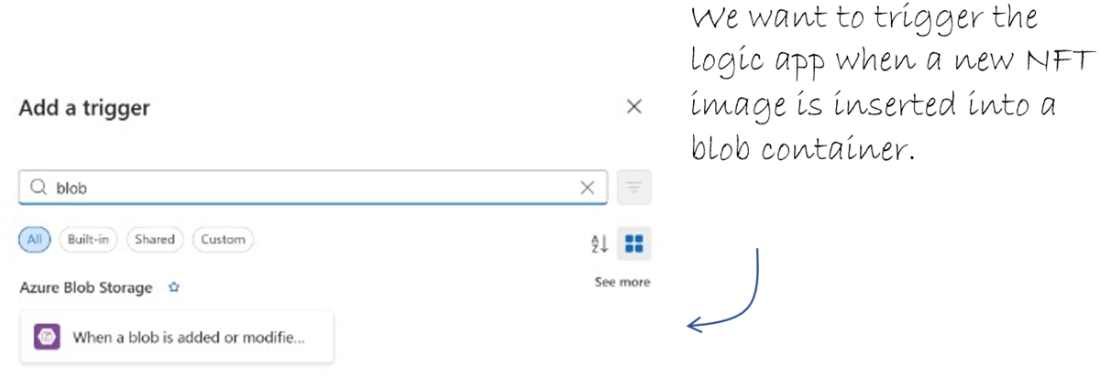
Find the blob storage trigger.
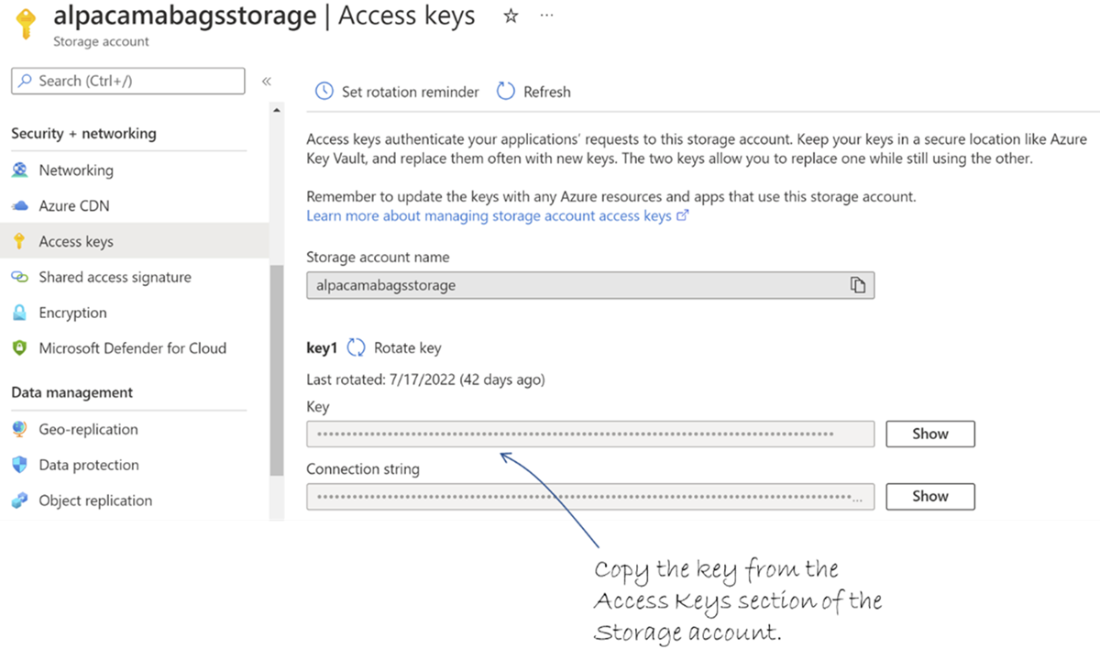
Copy the key from the storage account Access keys to use in the logic app connection.
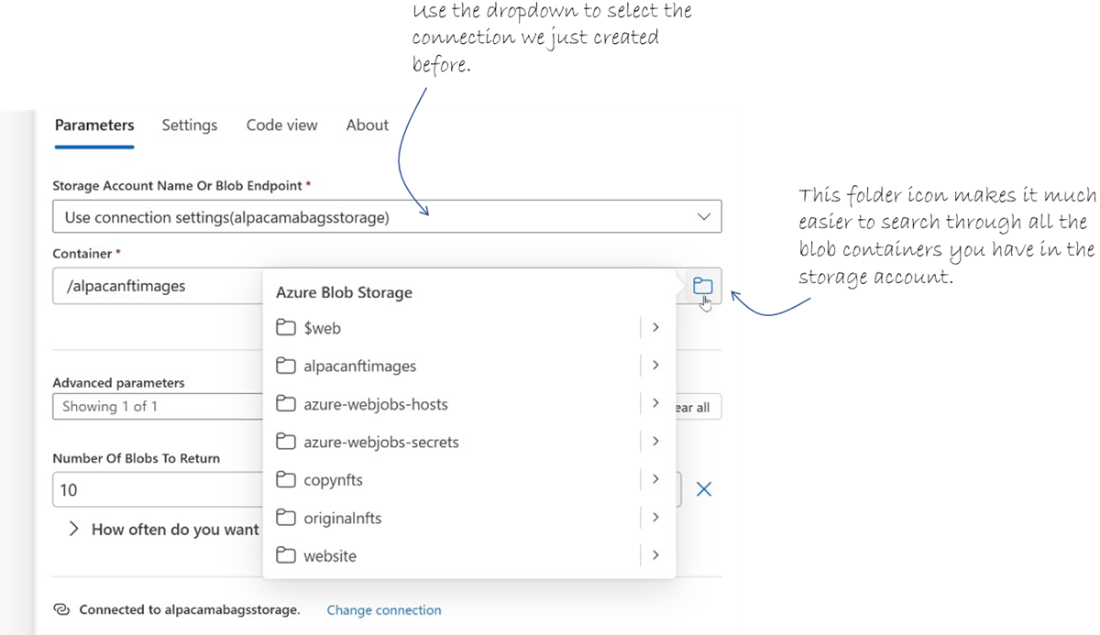
Configuring the blob trigger for the logic app.
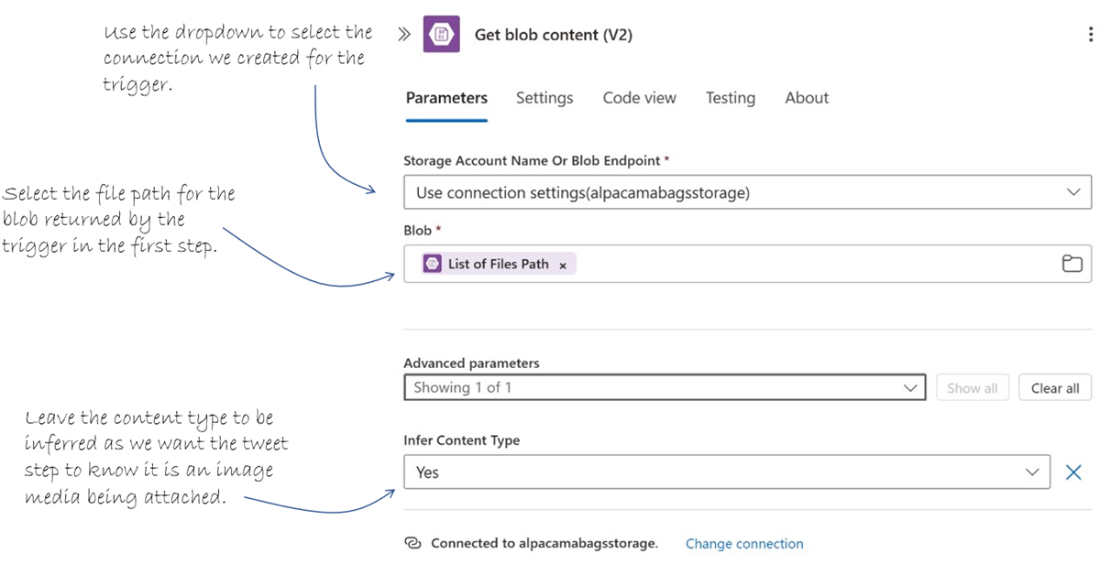
Retrieve the blob content for the inserted blob that triggered the logic app.
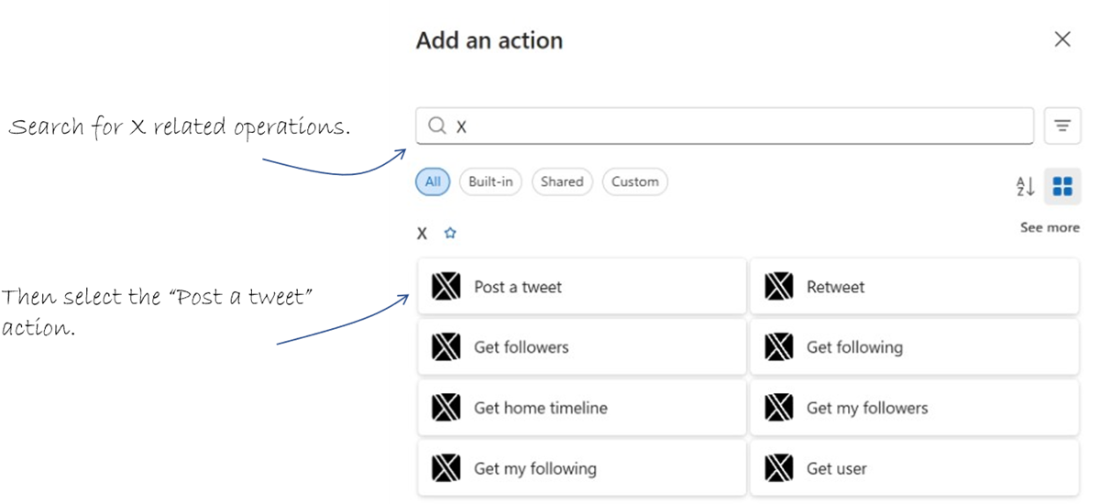
Find the “Post a tweet” operation for the step.
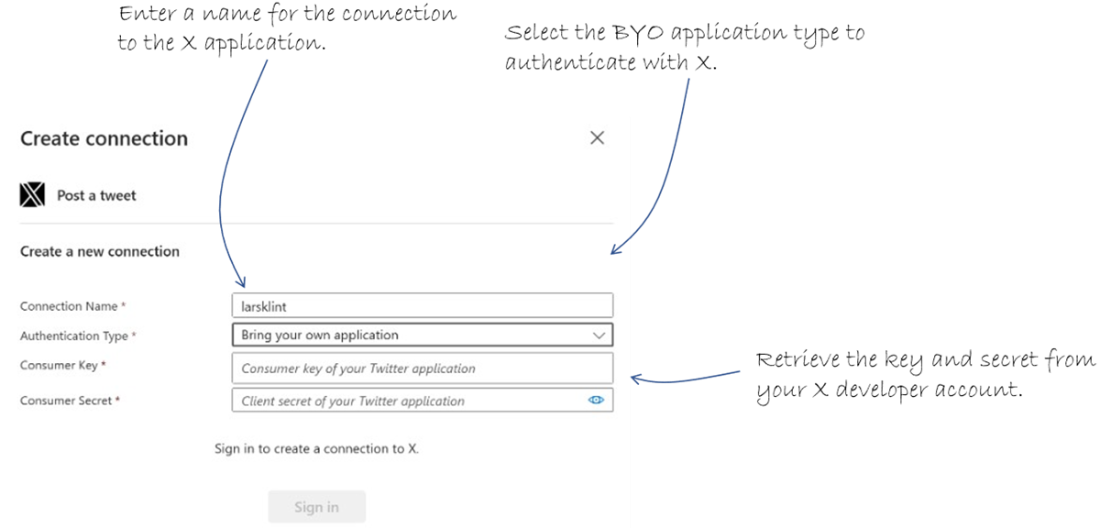
Connect the logic app action to X by authenticating with an application.
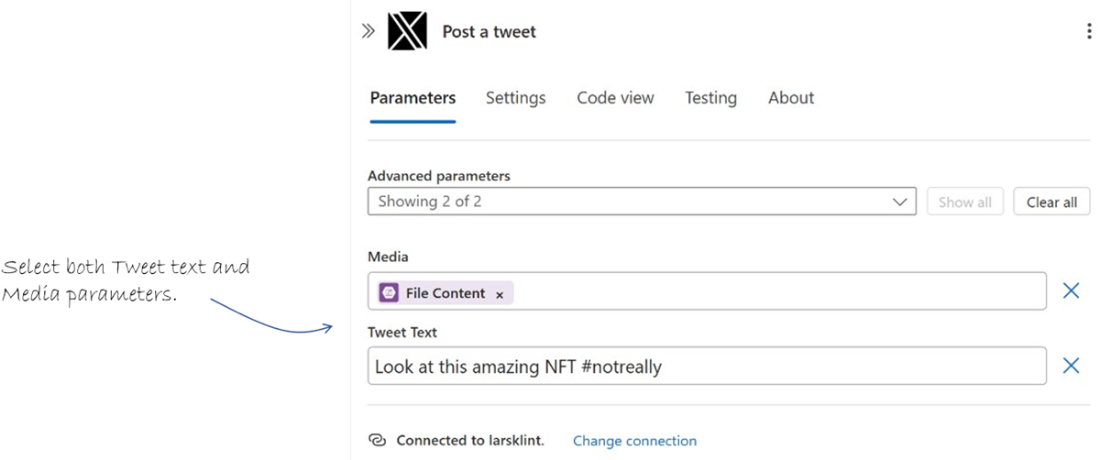
Choose both the available parameters for the imminent tweet.
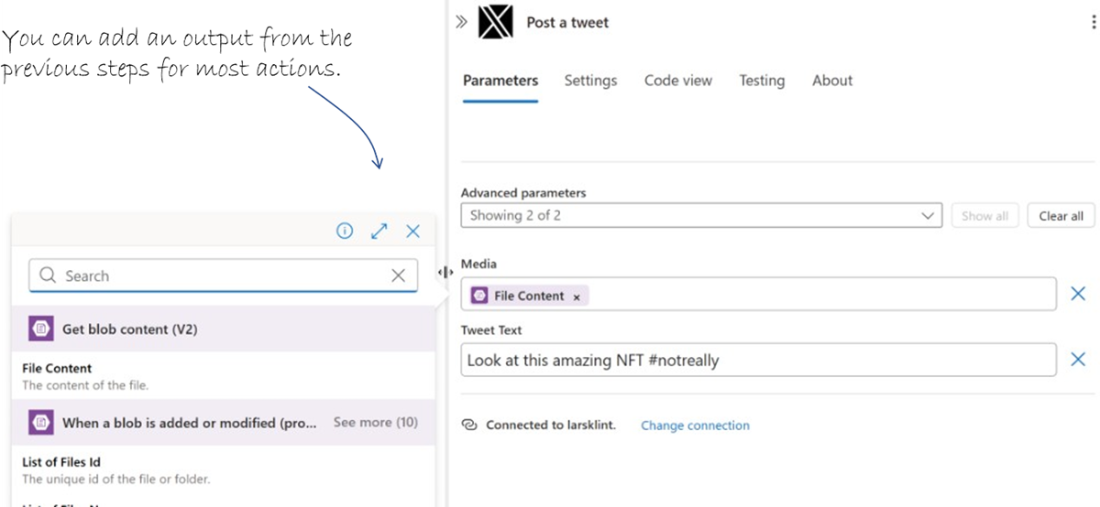
The content dialog to add values from the previous step is the power of logic apps.
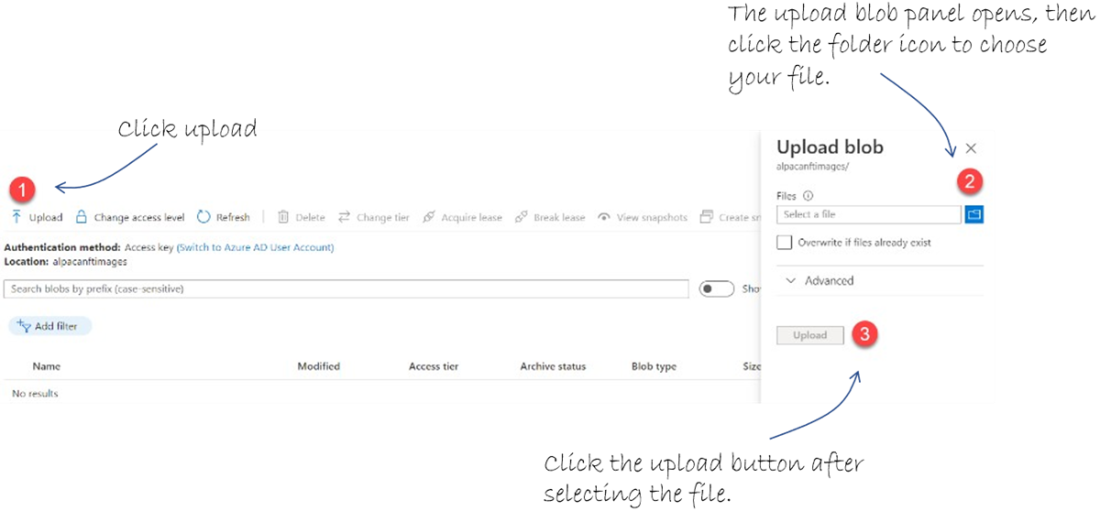
Upload an image to blob storage to trigger the logic app.
The actual tweet I created at the time of writing. It is still there.
The API Management service glues the serverless project together.
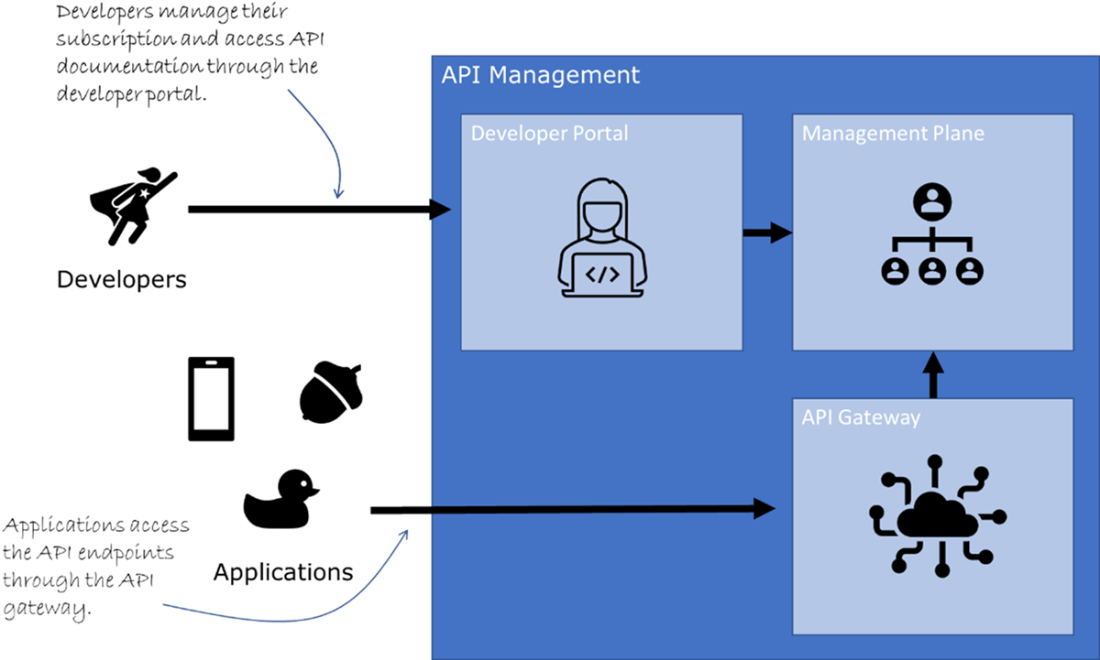
The three parts of API Management.
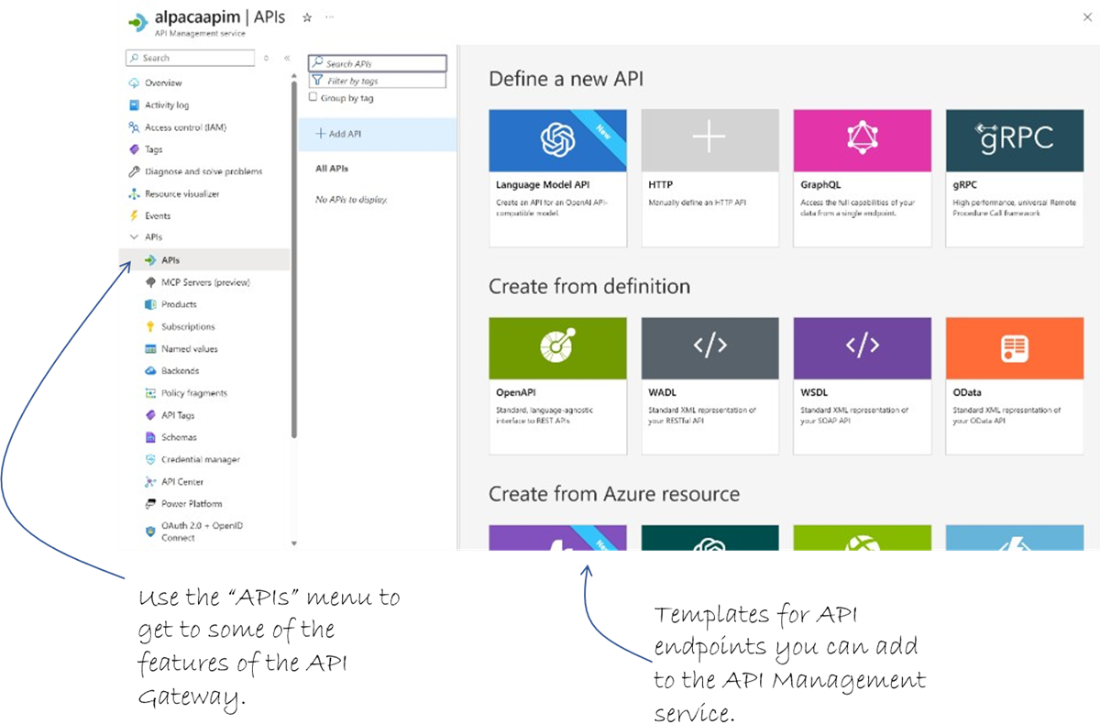
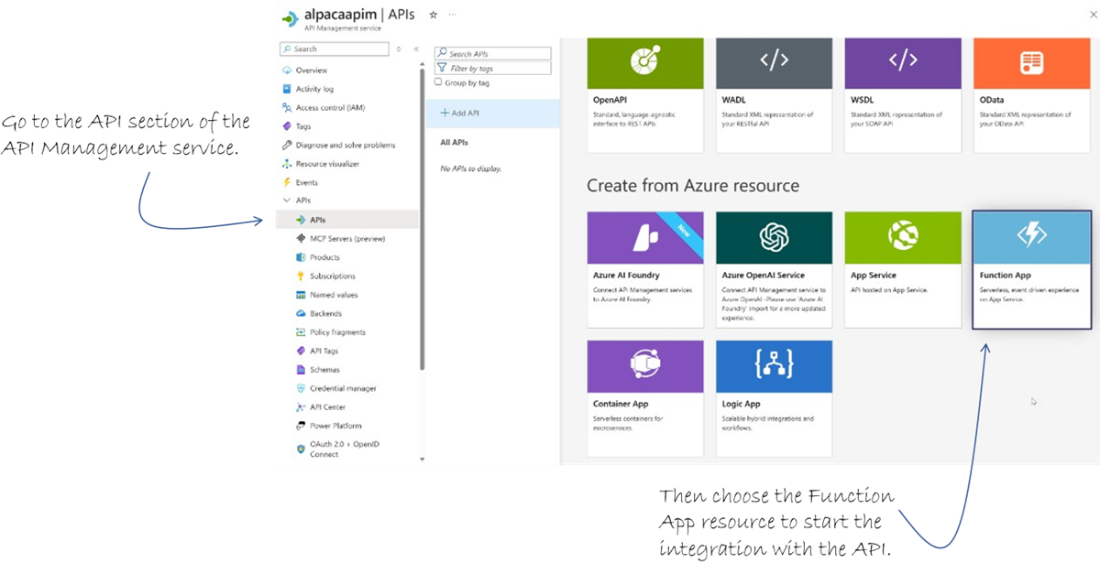
The API section of API Management.
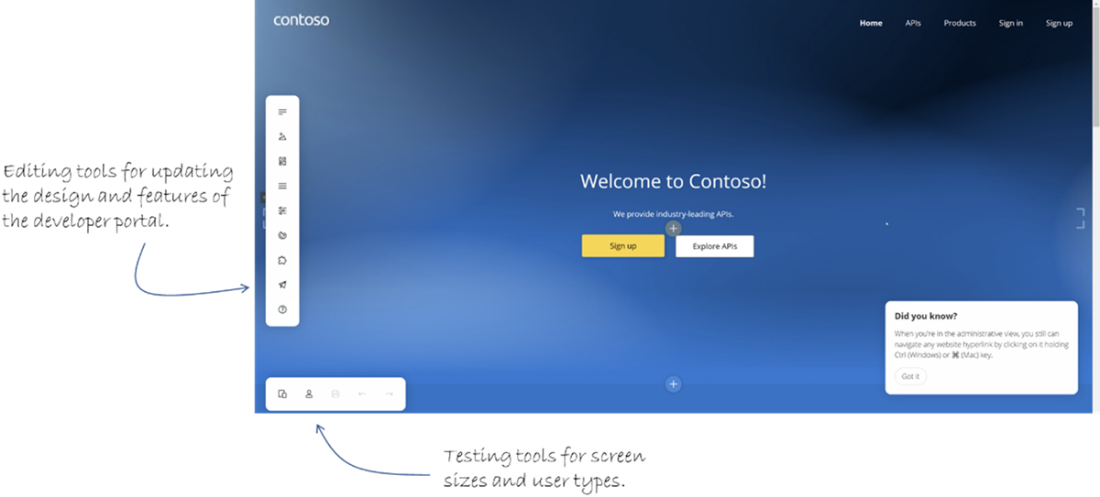
The vanilla freshly created developer portal. There are tools for updating the design and features, as well as testing it.
Choosing the Function app to start the integration with the API Management service.
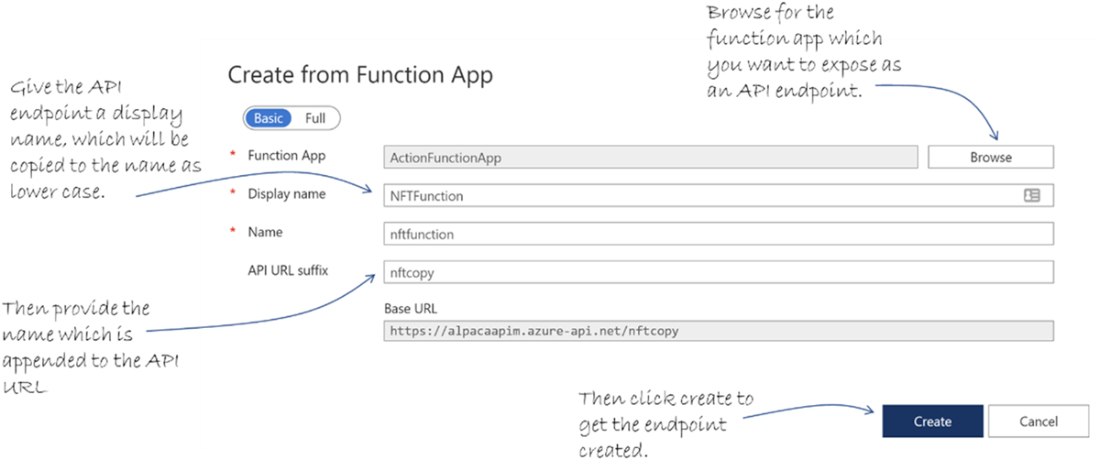
Find the function app to use for an endpoint, then give it a name and URL suffix.
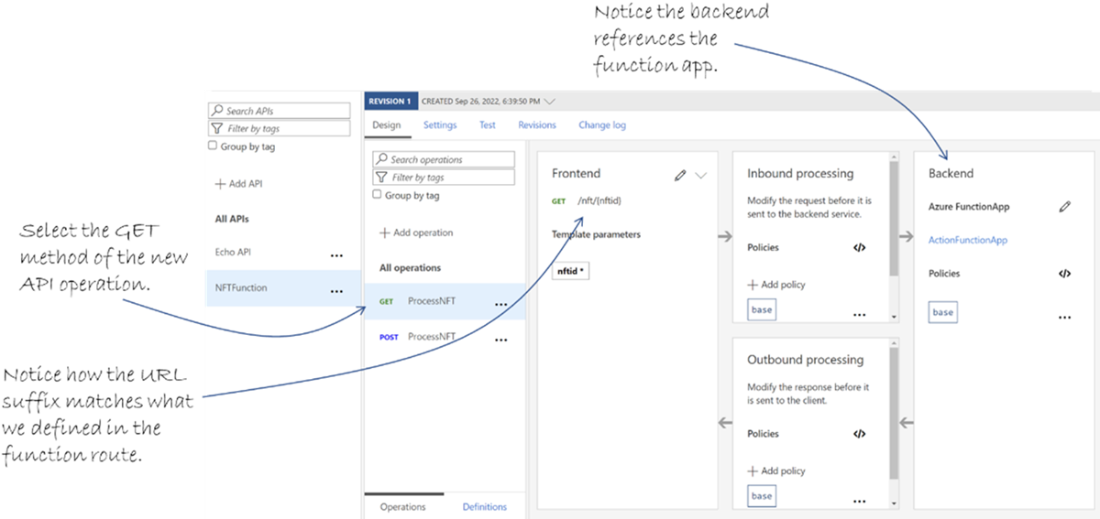
Once the function app has been linked to the API management service, it shows under APIs in the portal.
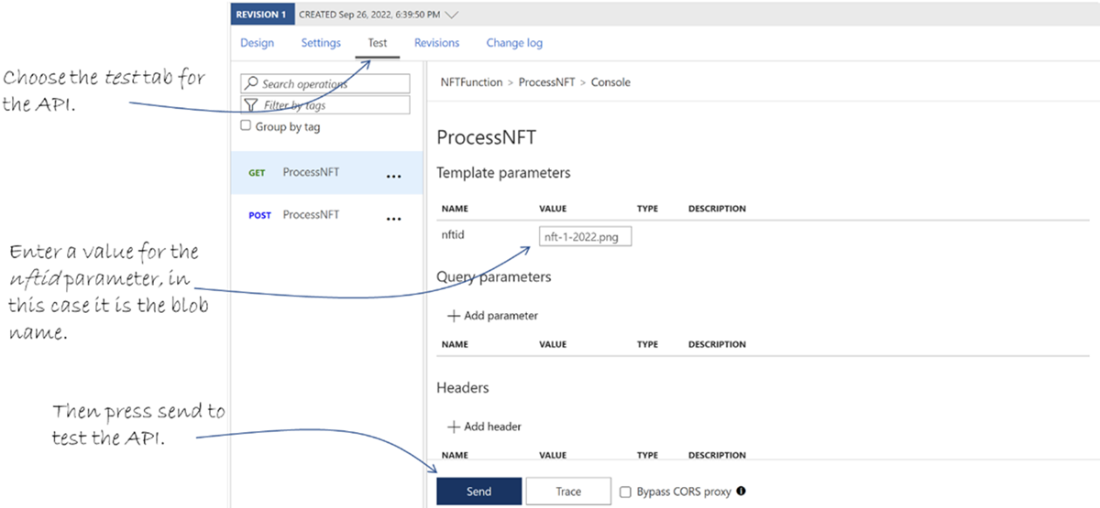
Testing an API directly through API management.
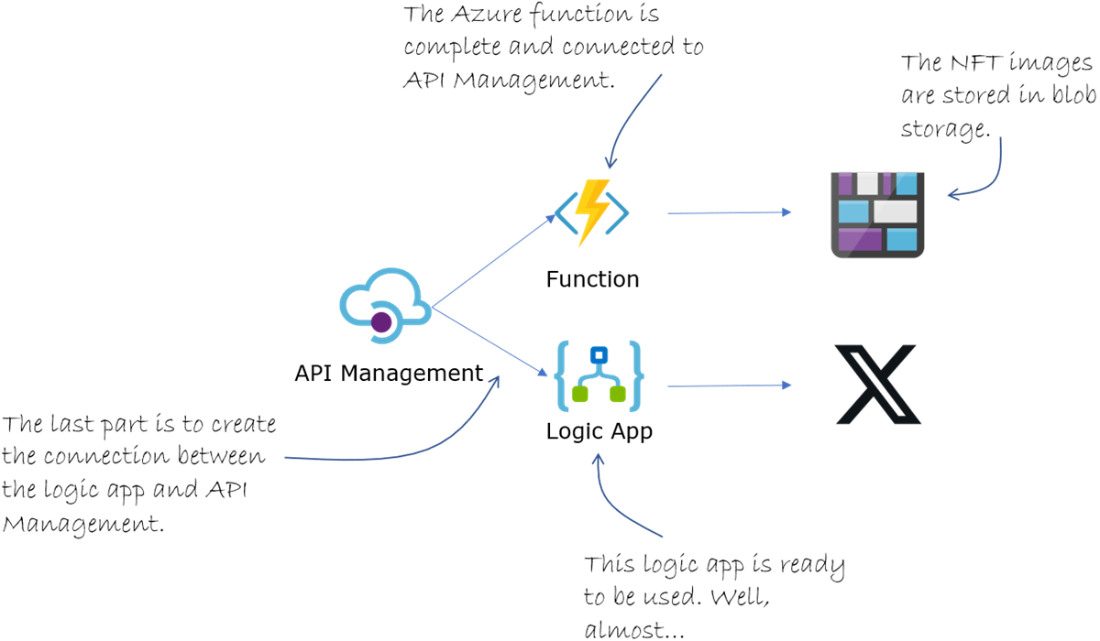
The last part of the architecture is connecting the logic app to API Management.
Summary
- Serverless architecture is a spectrum ranging from using many servers to using less servers. There is no such thing as “serverless” where no servers are used.
- An API is the connection that allows two or more applications to communicate with each other using a collection of defined endpoints.
- An API has no graphical interface and is exclusively for pieces of software to connect and communicate with each other in a managed way.
- Azure functions are units of compute that perform a single task.
- Azure functions live within a function app, which defines the tier such as premium or standard, as well as the compute power for the functions.
- You can create an Azure function using various methods, including the CLI and Visual Studio Code.
- Every function must have exactly one trigger, which is the entry point for the function. This is how the function starts every single time. Triggers can be via HTTP, from a new blob file, a new queued message, and many other ways.
- A binding in a function is a connection to another Azure resource, such as blob storage. Bindings are a shortcut to manipulating the connected resource within the function at run-time.
- Using VS Code to develop Azure functions will provide you with a complete local environment, so you don’t accidentally publish anything to production.
- The three most common hosting methods for functions is consumption, premium and with an Azure app service plan. Each have their advantages and drawbacks.
- Logic apps can combine disparate third-party services into a single workflow to provide very quick and valuable additions to your infrastructure.
- All logic apps have exactly one trigger which starts it. These triggers can be anything from a new blob being inserted to a Tweet being posted with a specific keyword.
- Triggers in logic apps can be poll, using a simple http call, or push, which uses a callback service for the trigger service.
- Actions in logic apps manipulates the data from the trigger and provides the business value. Some workflows have one action, some have many.
- API Management provides a serverless way to create an API in Azure using existing services and resources. The services don’t have to be hosted on Azure necessarily.
- Serverless and PaaS architecture approaches are similar but have differences, including scaling, time to compute and control over the development environment.
FAQ
What does “serverless” mean in Azure, and is it really server-less?
Serverless means you run on servers managed by Azure, not that servers don’t exist. It’s a spectrum between server-based and fully managed services. You can mix approaches—use the right tool for each part of your solution.What is an API and what are “endpoints” in this chapter’s context?
An API is an interface for software-to-software communication (no UI). It exposes endpoints—network-accessible URLs that accept inputs (e.g., query/body) and return results. In the Alpaca-Ma-Bags scenario, endpoints front Functions and Logic Apps via API Management.How do I create an Azure Function App and function using CLI and VS Code?
- Use az functionapp create to provision a Function App (Consumption plan + linked Storage account, ideally in the same region).- Initialize a local project (func init) and add a function (func new with an HTTP trigger).
- Develop in VS Code, run locally, then deploy from the Azure extension.
What are triggers and bindings in Azure Functions?
- Triggers start a function (exactly one per function): e.g., HTTP, Blob, Queue, Timer.- Bindings connect your function to other resources for input/output (e.g., read an image from Blob, write a resized copy back). They surface data as parameters in your function code.
Which authentication levels can an HTTP-triggered function use?
Three levels: Anonymous (no key), Function (per-function key), Admin (key valid for all functions in the app). Choose based on how you plan to expose the function (e.g., behind API Management or directly).How do I run and test Functions locally and then deploy?
- Use Azurite for local Storage emulation, add local.settings.json values, and press F5 in VS Code to host the function on localhost.- Call the local URL (e.g., http://localhost:port/api/route).
- Deploy from VS Code to your Function App when ready.
Which Azure Functions hosting plan should I choose?
- Consumption: lowest cost, scales to zero, possible cold starts; great for bursty/idle workloads.- Premium: pre-warmed instances, longer runs, VNet support, higher cost; for low-latency, enterprise needs.
- Flex Consumption (Linux): serverless with more control and reduced cold starts.
- Dedicated (App Service Plan): predictable pricing; reuse existing plan capacity.
- Container Apps: run Functions as containers with microservices flexibility; scale to zero.
What are Logic Apps, connectors, triggers, and actions?
Logic Apps orchestrate workflows using connectors to hundreds of services. A trigger starts the workflow (poll or push), then actions process data. Example: Blob trigger → Get blob content → Post a tweet with the image.What is API Management and what are its core components?
API Management provides a managed API facade with three parts: API Gateway (handles requests/policies), Management Plane (admin: products, users, analytics, policies), and Developer Portal (docs, try-it, keys, subscriptions). It unifies Functions and Logic Apps behind consistent, secured endpoints.How do I expose my Function/Logic App via API Management and test it?
- Create an API Management instance (Consumption/Developer tiers for learning/cost control).- Import a Function App using the Function App template; each function becomes an endpoint; test in the Portal’s Test tab.
- For Logic Apps, ensure there’s an HTTP-triggered workflow to import; then publish and secure as needed.

 Microsoft Azure in Action ebook for free
