5 Storage
Data is presented as the third pillar of cloud computing, and the chapter explains how Azure Storage underpins nearly every Azure service. It emphasizes that picking the right storage option is critical to performance, resiliency, and cost, and introduces storage accounts as logical containers that can host multiple services at once. Readers learn about redundancy options (from locally redundant to geo-zone-redundant with optional read access), the difference between Standard and Premium offerings, and how storage type is determined by a combination of “kind” and SKU. Practical guidance includes naming constraints, public endpoints, access configuration, and cost levers such as access tiers, with all resources manageable through the Azure portal or PowerShell.
The chapter then details each core service. Blob storage supports virtually any data, organized into containers with configurable public access and optimized via hot, cool, and archive tiers; it also outlines the three blob types (block, append, and page) for different workloads. Azure Files provides a managed, SMB-like file share that can be mounted by VMs, with tiers (TransactionOptimized, Hot, Cool, Premium) balancing transaction versus capacity costs; Premium uses SSDs and provisioned billing, while non-premium tiers bill by usage. Guidance covers large file shares, their redundancy trade-offs, and secure endpoints. Throughout, the Banning Books scenario demonstrates creating accounts and resources, setting permissions, and selecting tiers to meet availability and budget goals.
Queue storage is presented as a lightweight, massively scalable message store that enables loose coupling and burst absorption: producers enqueue small messages while consumers process them asynchronously in order, improving resilience and throughput smoothing. Table storage offers schema-less, key/value entities organized by partition and row keys for fast, inexpensive lookups—ideal for simple, high-scale datasets like catalogs. Finally, the chapter distinguishes managed disks—durable, highly available VM-attached storage without public endpoints—from the four data-plane services, noting benefits like replication, availability zones, and backup support. Together, these services form a toolbox for safely persisting data, optimizing cost and latency, and cleanly integrating applications and infrastructure on Azure.
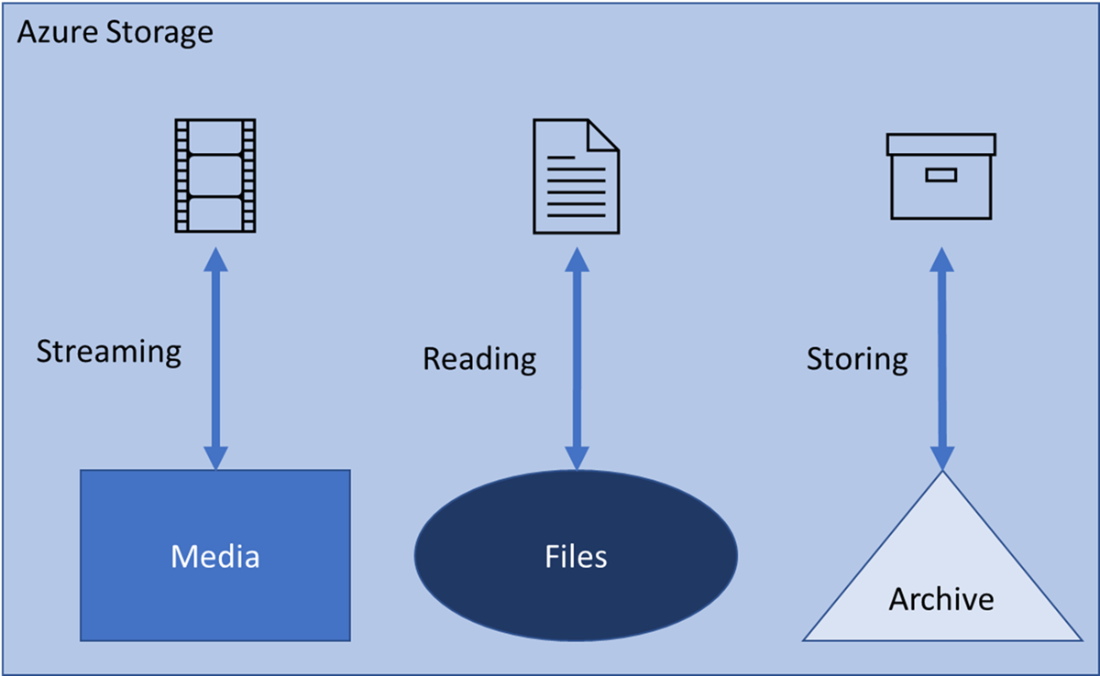
Different data purposes requires different data storages.
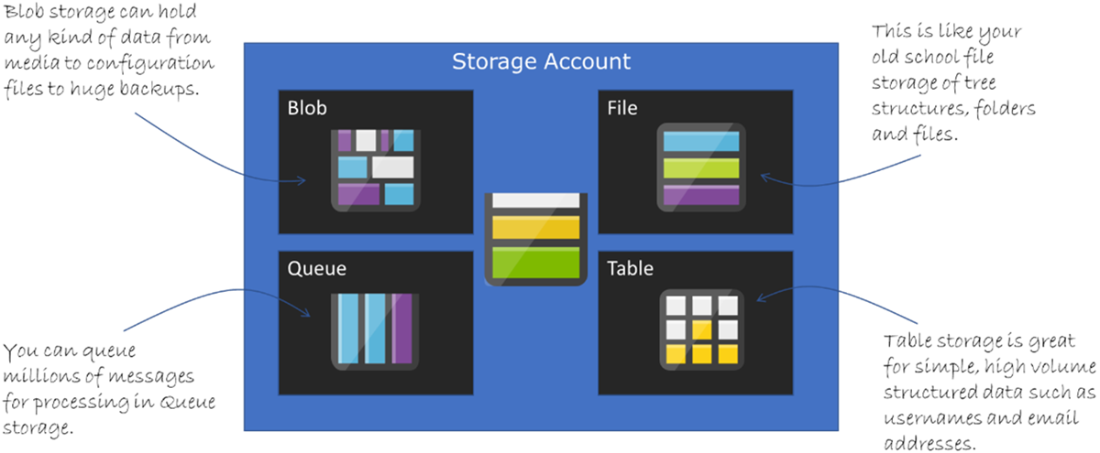
The four types of storage that can live inside a storage account.
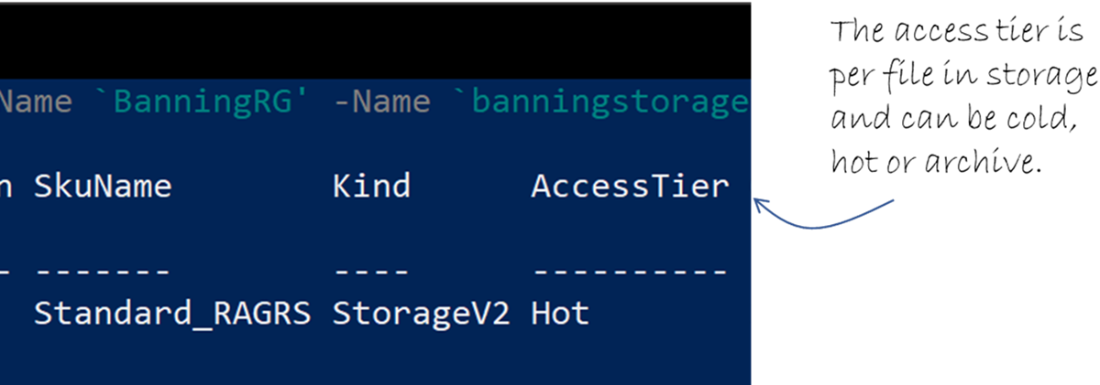
Output in the PowerShell command prompt when creating a storage account (edited for clarity).

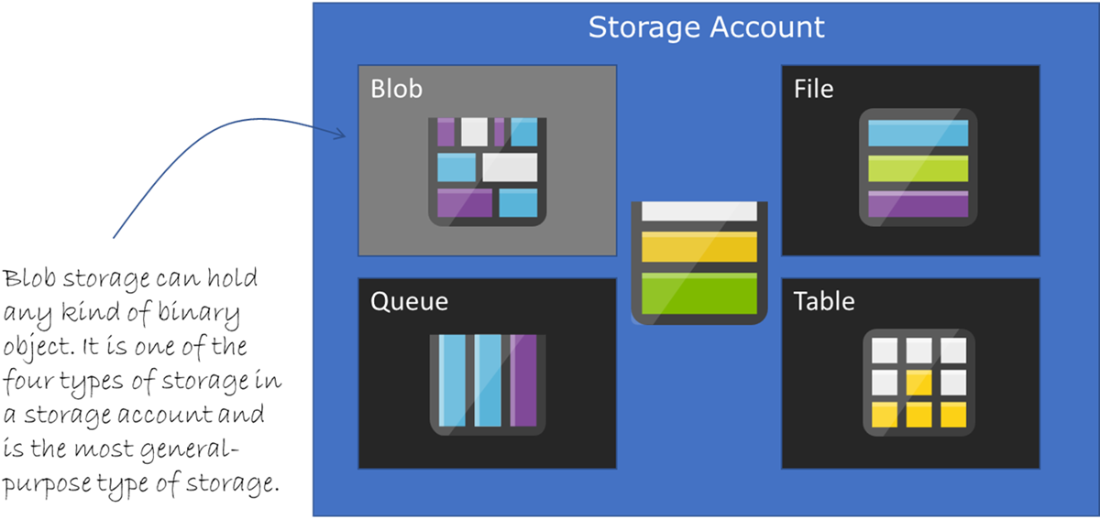
The blob section of a storage account, which is the most versatile.
The access tier is set by default to “hot” when creating a storage account.
A storage account can have an unlimited number of blob service containers.
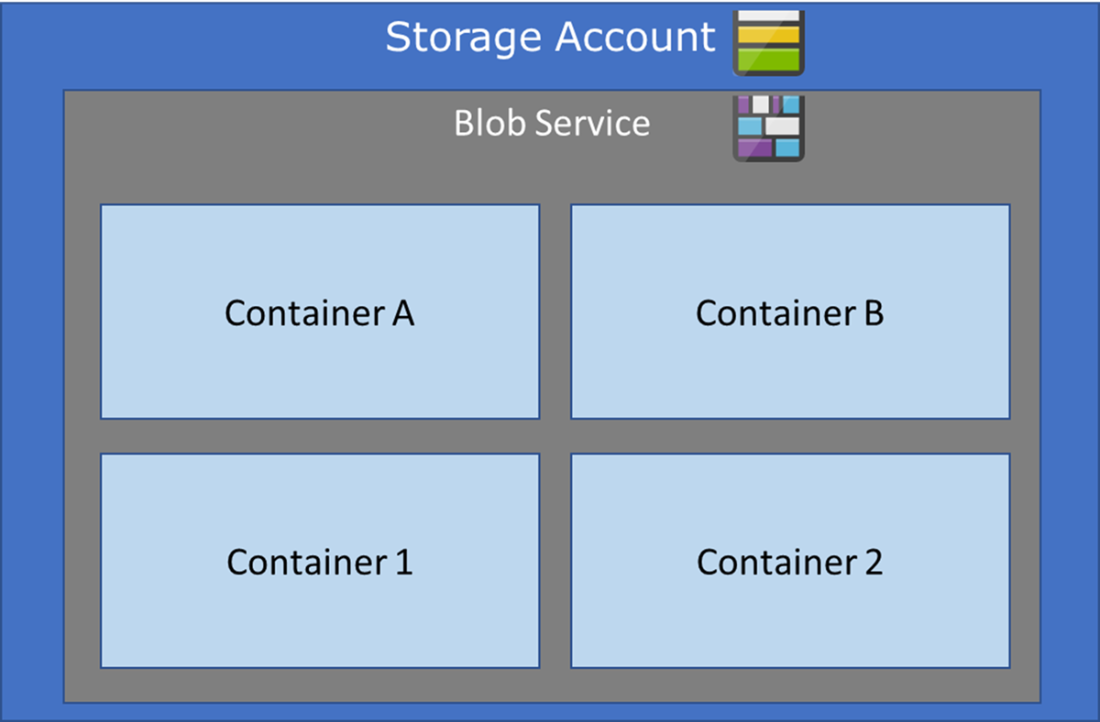
Blobs are in a container, which are in a storage account. Blobs can be anything in a binary format.
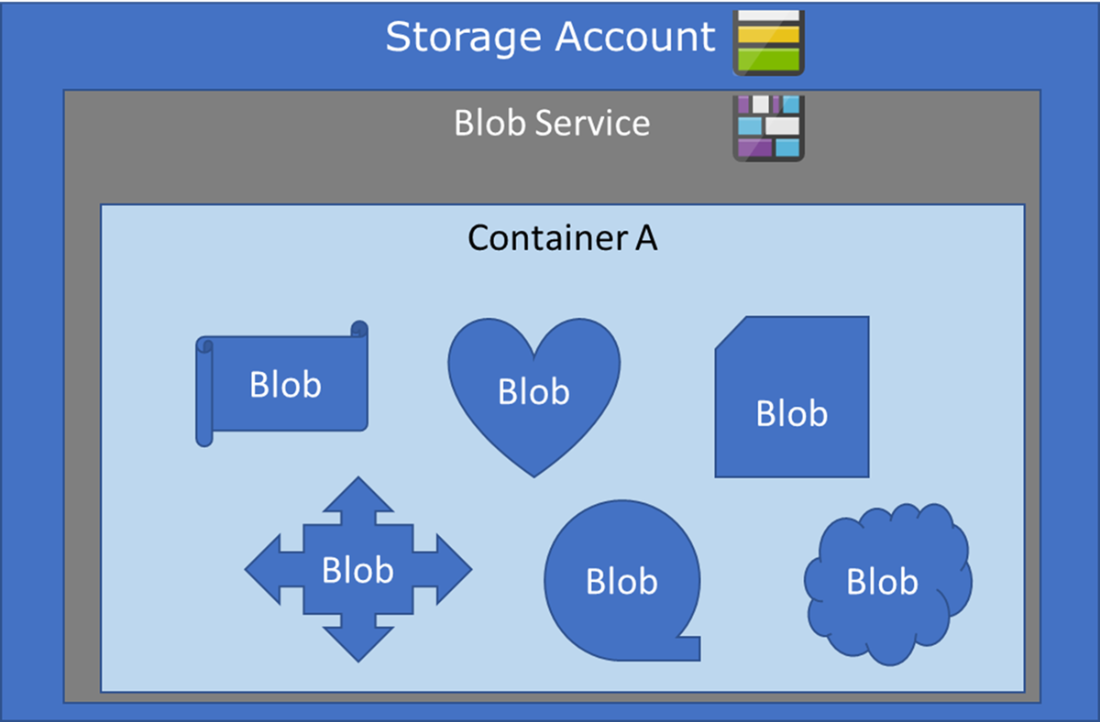
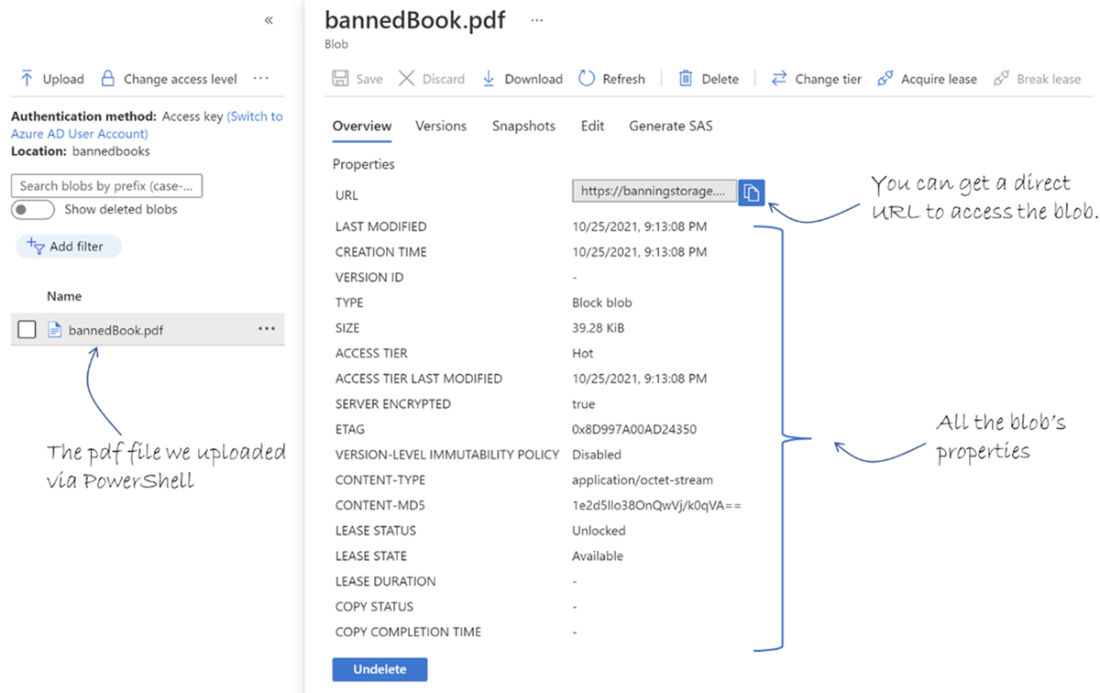
A blob in the blob container on the storage account.
The anatomy of a PowerShell pipeline command.

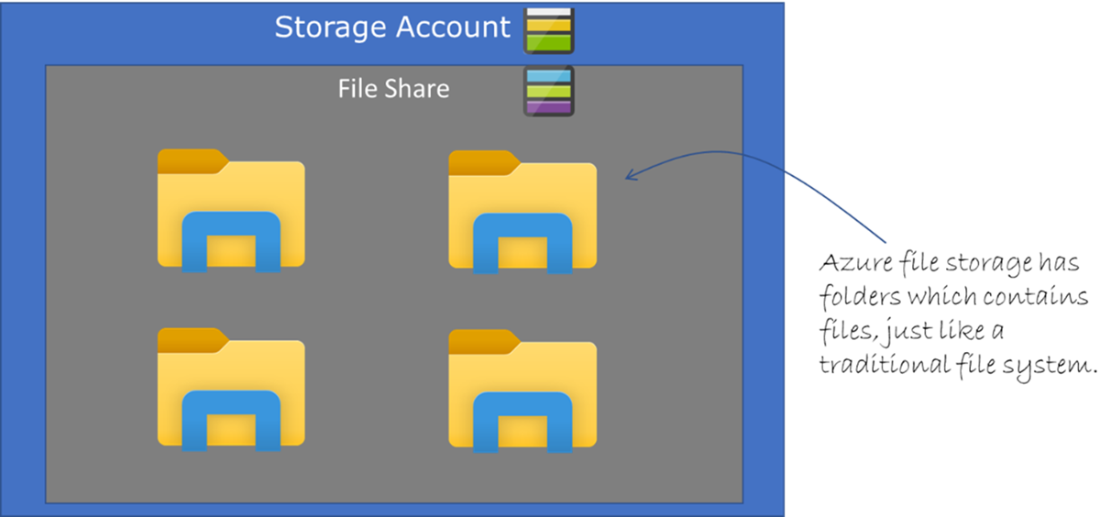
File share in a storage account with folders.
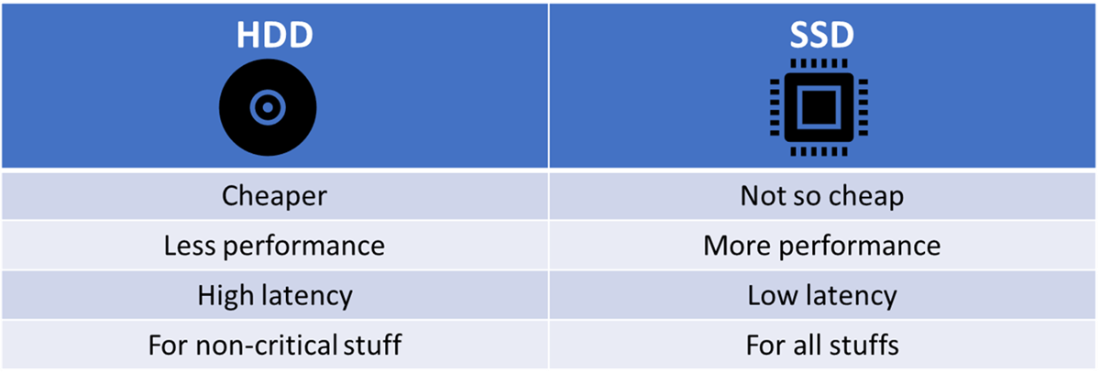
HDD vs. SSD storage properties.
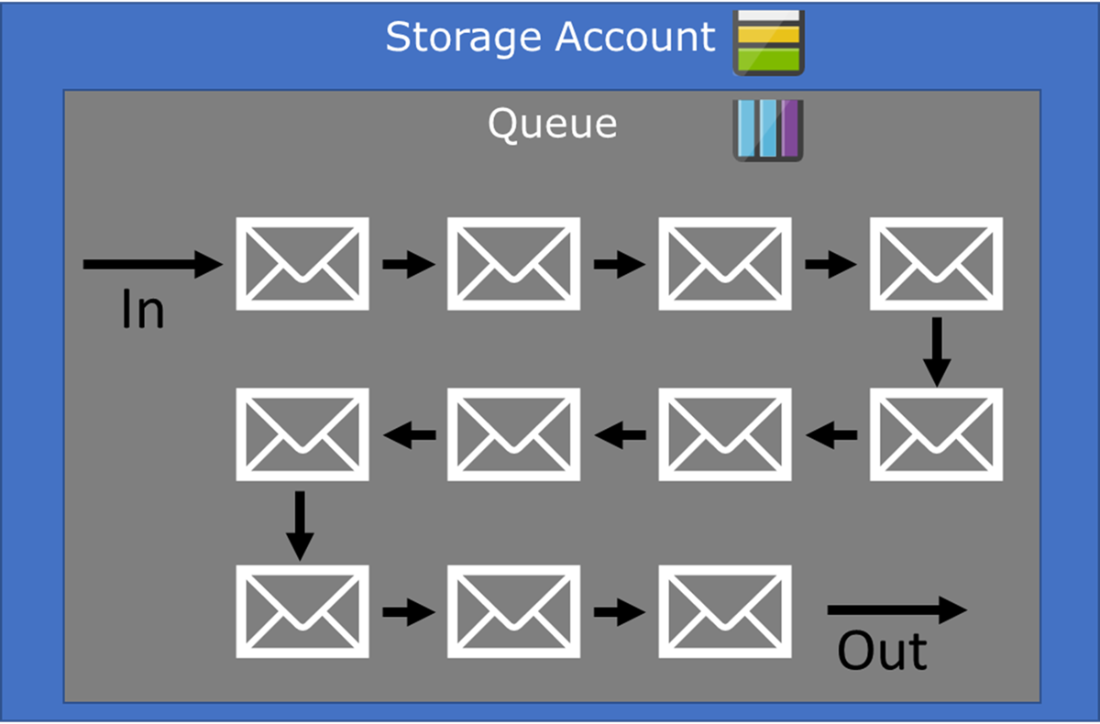
Queue storage with messages coming in one end and out the other end, in order.
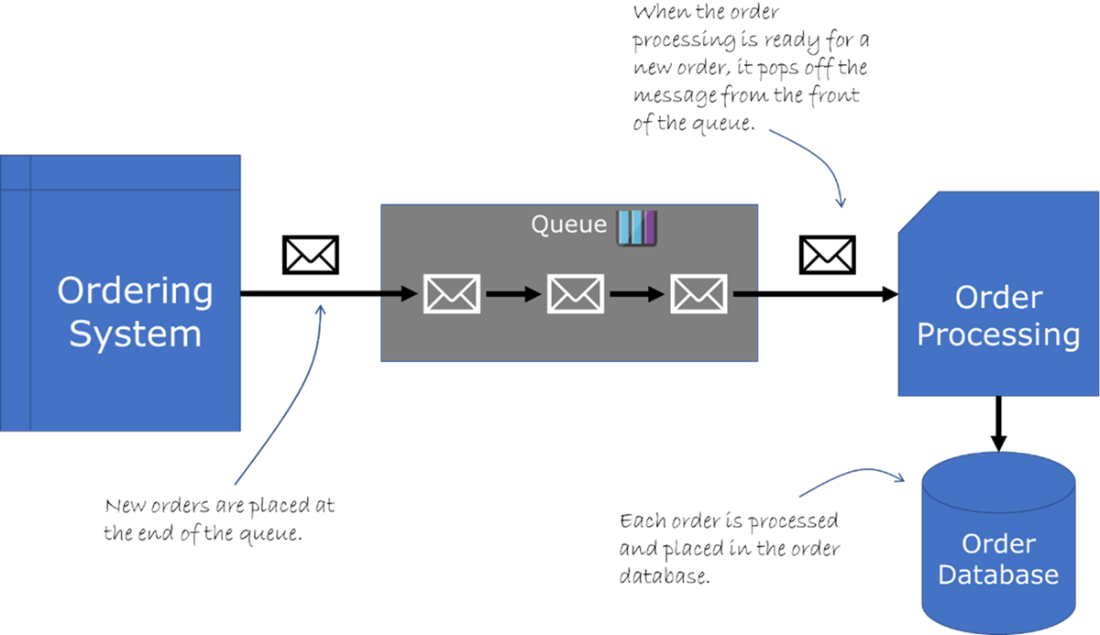
using an Azure storage queue for holding orders without overwhelming the order processing.
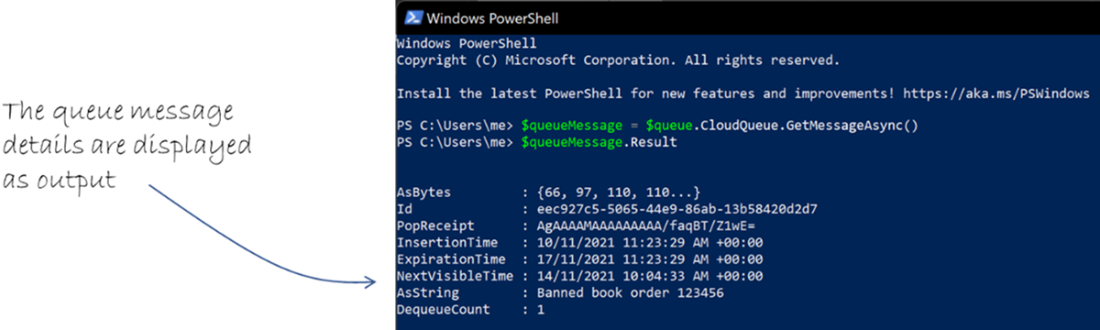
The queue details are displayed in PowerShell.
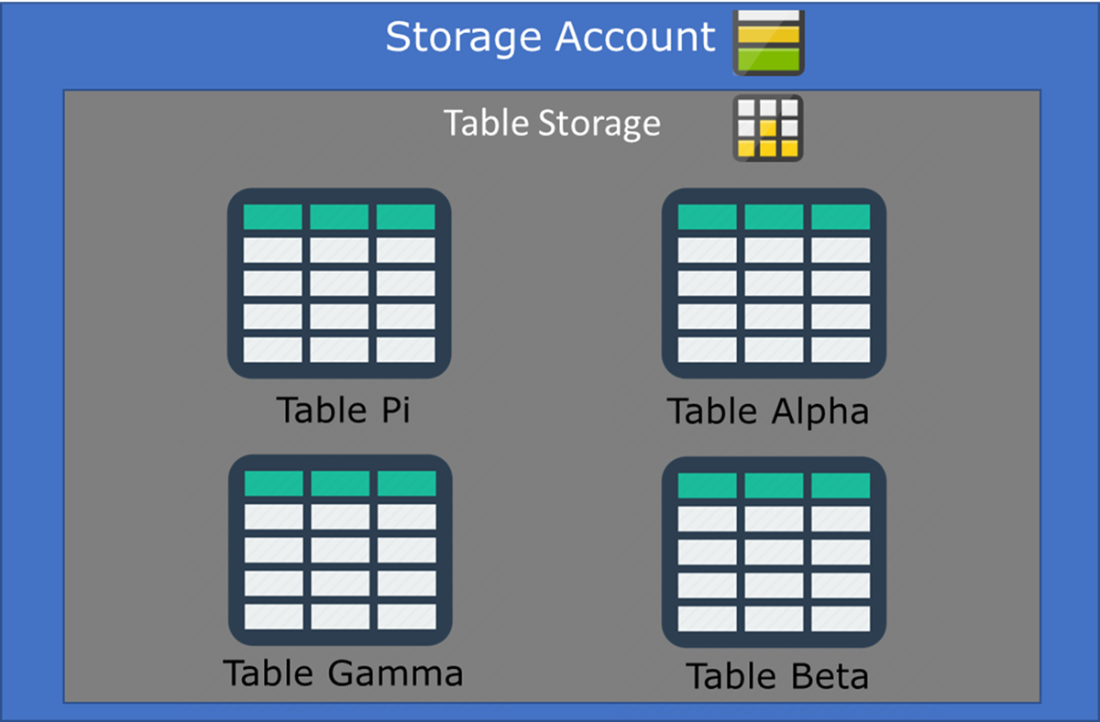
Multiple tables inside table storage.
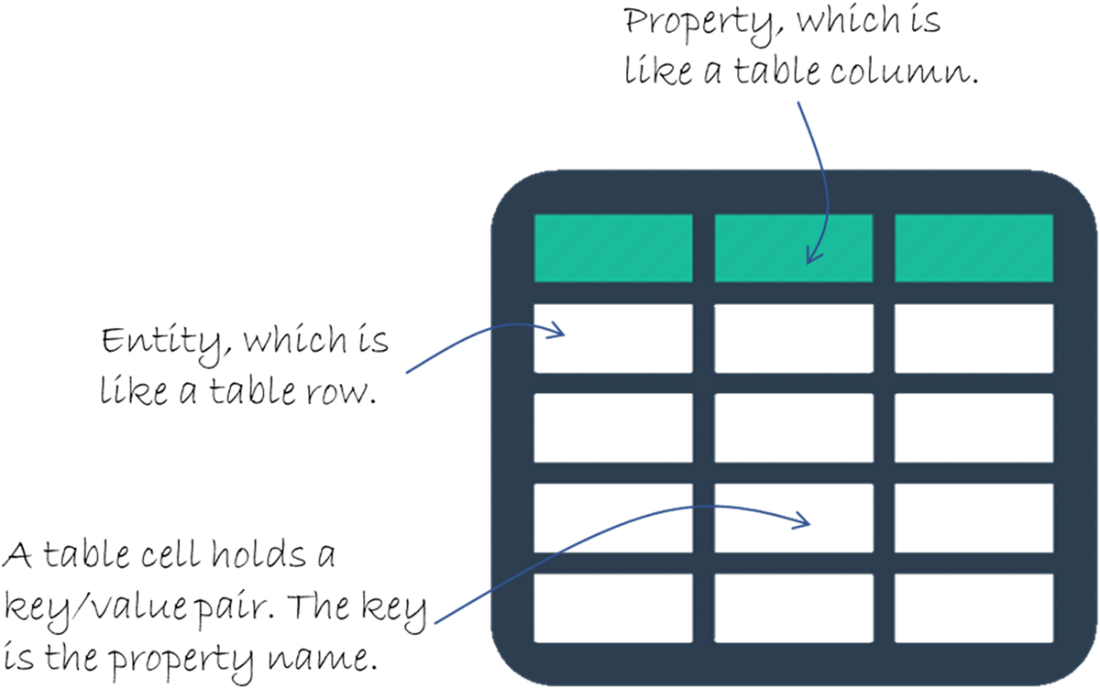
The entity, property, and key/value pairs of a table in table storage.
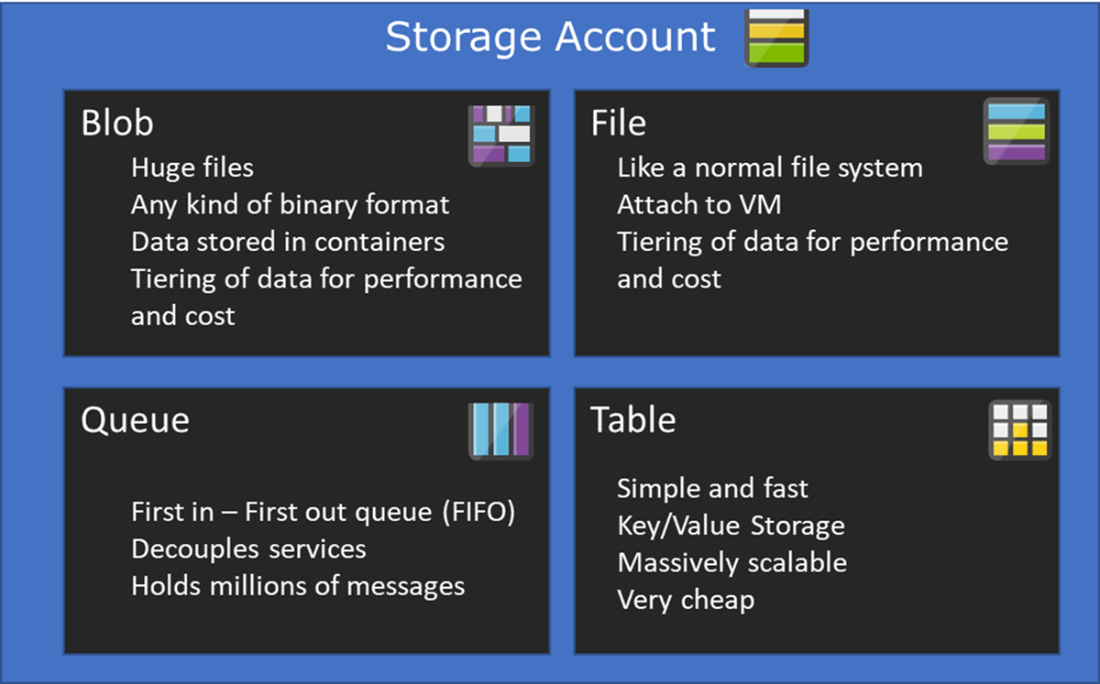
The benefits of each type of Azure storage.
Summary
- A storage account is one of the three main pillars in infrastructure-as-a-service (IaaS) services on Azure, along with virtual machines and networking.
- Each storage account will have a defined redundancy, which can be local, geo, zone or geo-zone.
- A single storage account can hold all four types of data storage at the same time, which makes it simpler to logically separate data storages by project, client or department.
- Each storage account has a unique URI that identifies access to it either from within Azure or the Internet if the permissions allow.
- Blob storage can hold any kind of data objects, up to 190.7 TiB in size for block blobs.
- File shares are like a traditional file system and is excellent as a detached centralised storage.
- Queue storage can hold millions of messages while each message is processed one at the time.
- Table storage is a schema-less super-fast way of storing data in logical tables. Each table consists of entities, properties and key/value pairs
- Each entity in a table in table storage has a unique identifier made up of the partition key and the row key.
- Storage accounts can be created in different performance tiers, with Premium using solid-state storage for low-latency workloads.
- Blob containers organise blobs into logical groupings, making management and access control easier.
- Cool access tier is optimised for infrequently accessed data, reducing storage costs while maintaining reasonable retrieval times.
- Archive tier provides the lowest-cost storage for rarely accessed data, requiring rehydration before retrieval.
- Azure Files supports both SMB and NFS protocols, enabling cross-platform file sharing from the cloud.
- Azure File Sync allows on-premises Windows Server file shares to be cached and synchronized with Azure Files.
- Queue storage enables asynchronous communication between application components using a simple messaging model.
- Table storage provides a NoSQL key/attribute store for structured, non-relational data.
- Managed disks simplify virtual machine storage management by handling availability, scalability, and performance configuration automatically.
- Shared Access Signatures (SAS) allow time-limited, permission-scoped access to storage resources without exposing account keys.

 Microsoft Azure in Action ebook for free
