2 Using Azure: Azure Functions and Image Processing
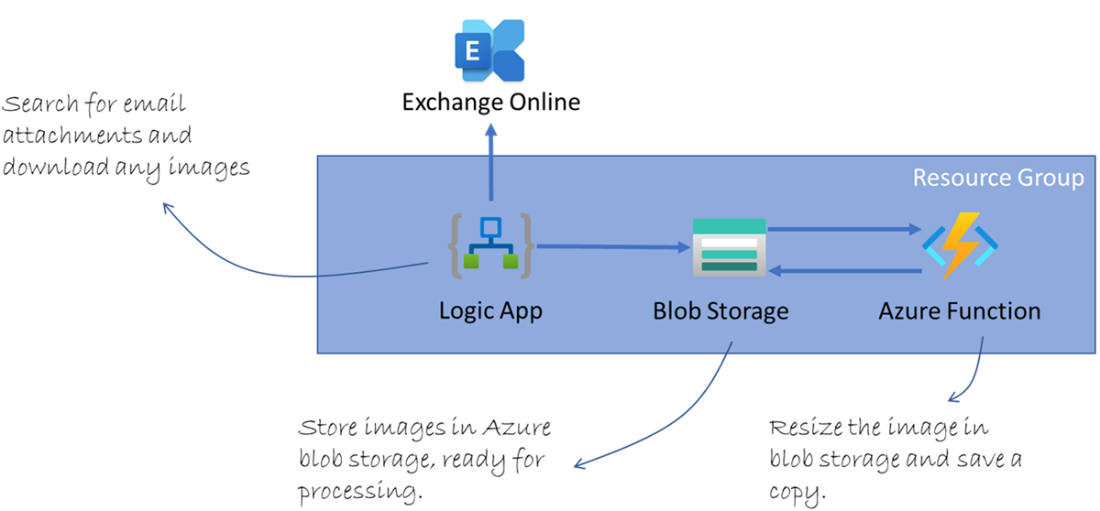
This chapter uses a practical, real-world scenario to introduce Azure’s serverless capabilities: ingesting image attachments sent via email, storing them, and generating web-optimized copies. The solution targets key outcomes—scalability, cost efficiency, low maintenance, and robustness—while deliberately excluding the album website, email setup, and sender-to-album logic. Everything is organized within a single resource group and relies on pay-per-use services so it can be built and experimented with using free or low-cost tiers.
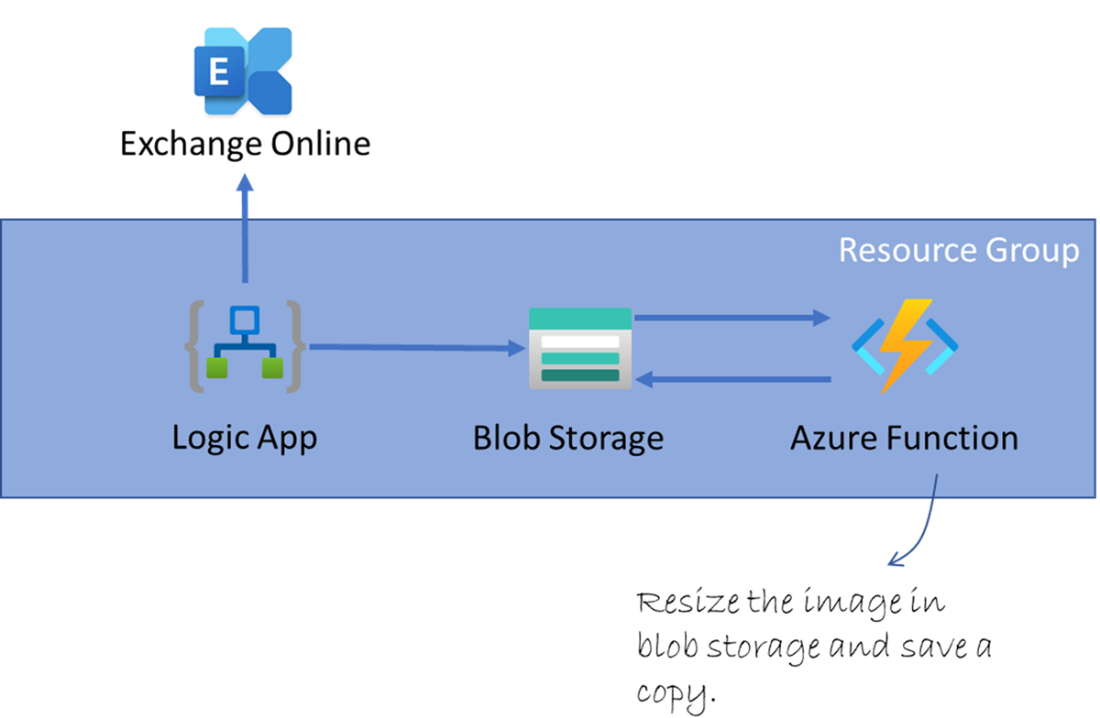
The implementation centers on three Azure services working together. A storage account with blob containers holds both original and resized images. A Logic App (consumption plan) watches an email inbox, filters for messages with attachments, and saves those attachments as blobs—mapping email metadata to blob fields without writing code. An Azure Function (in a Function App on the consumption plan) is triggered by new blobs, resizes the images using the SixLabors ImageSharp library, and writes the optimized output to a separate container via an output binding. Along the way, the chapter highlights sensible defaults, access considerations, connections to storage, enabling monitoring with Application Insights, and validating the full flow with simple end-to-end tests.
After the build, the chapter reflects on the operational benefits: automatic scaling of Logic Apps and Functions, strong performance on demand, and resilient, fault-tolerant infrastructure without managing servers. Costs remain predictable and low thanks to generous free execution grants and pay-per-use pricing, though a precise bill depends on workload. It also notes improvements required for production—filtering to images only, choosing storage tiers thoughtfully, and adopting better naming and data modeling—before concluding with best practice housekeeping: delete the resource group to remove all deployed assets and avoid ongoing charges.
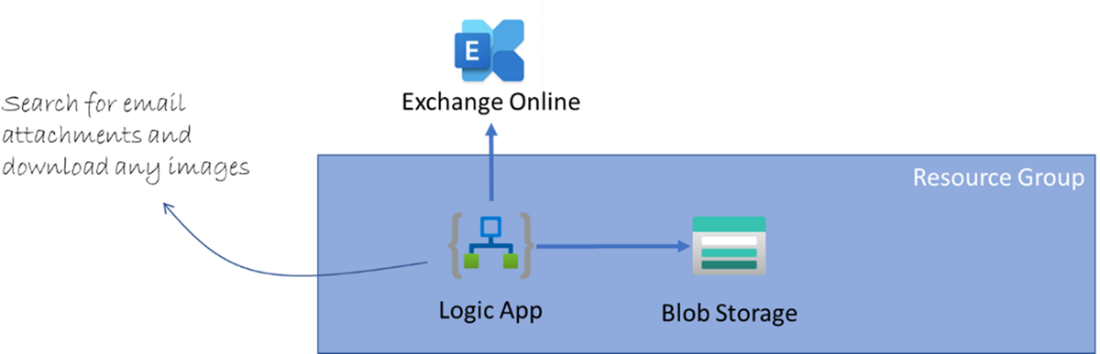
Application architecture overview
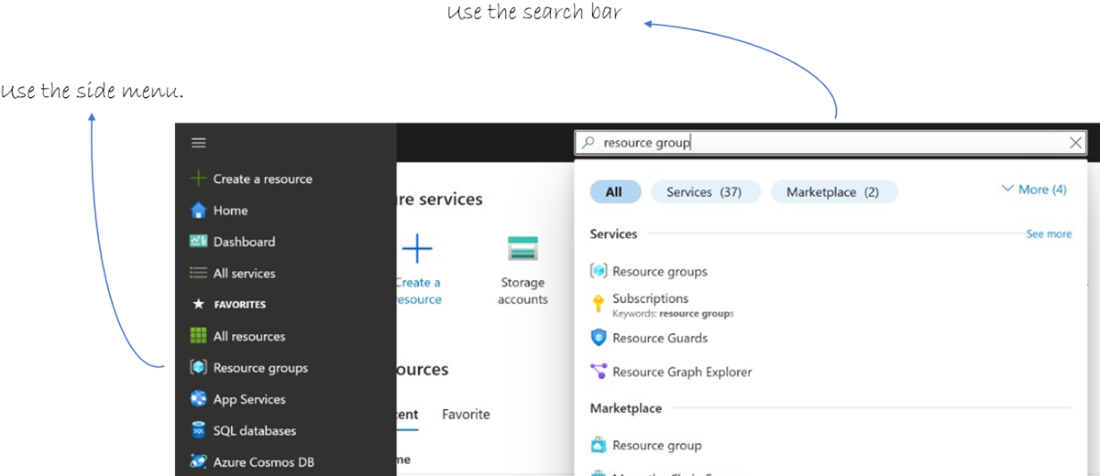
The first step is the resource group.

Go to the resource group section.
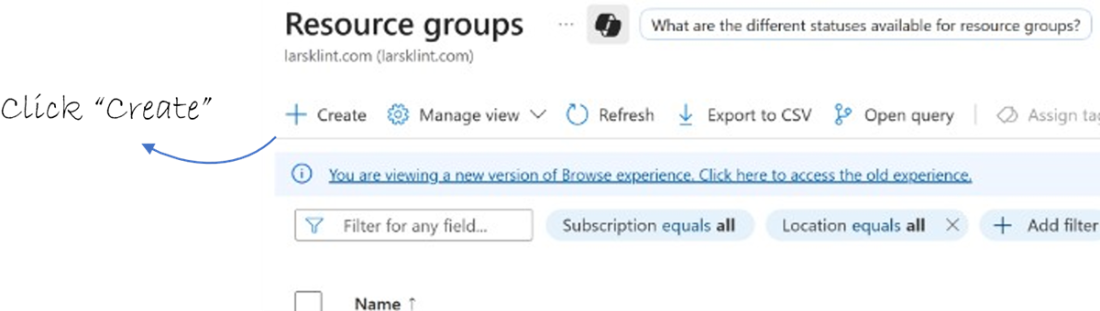
Create a new resource group
Enter values for the resource group.
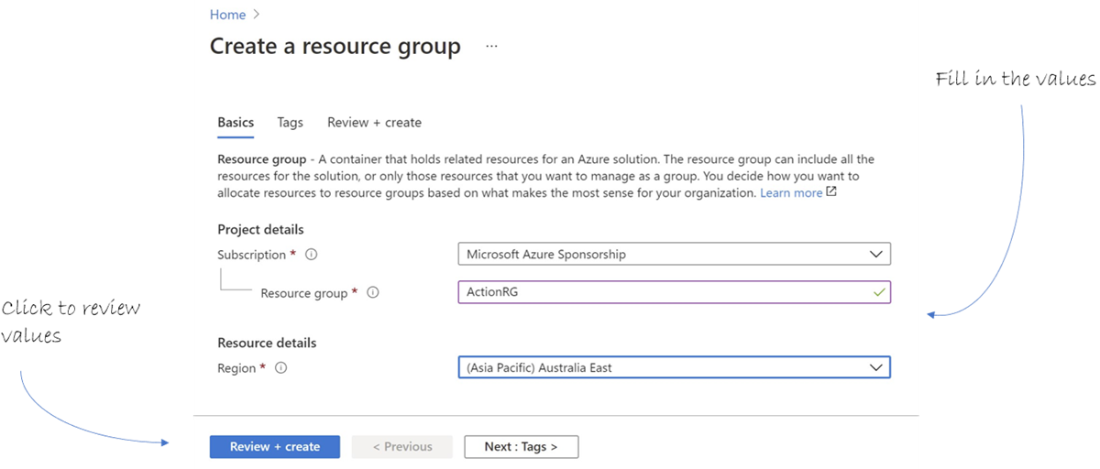
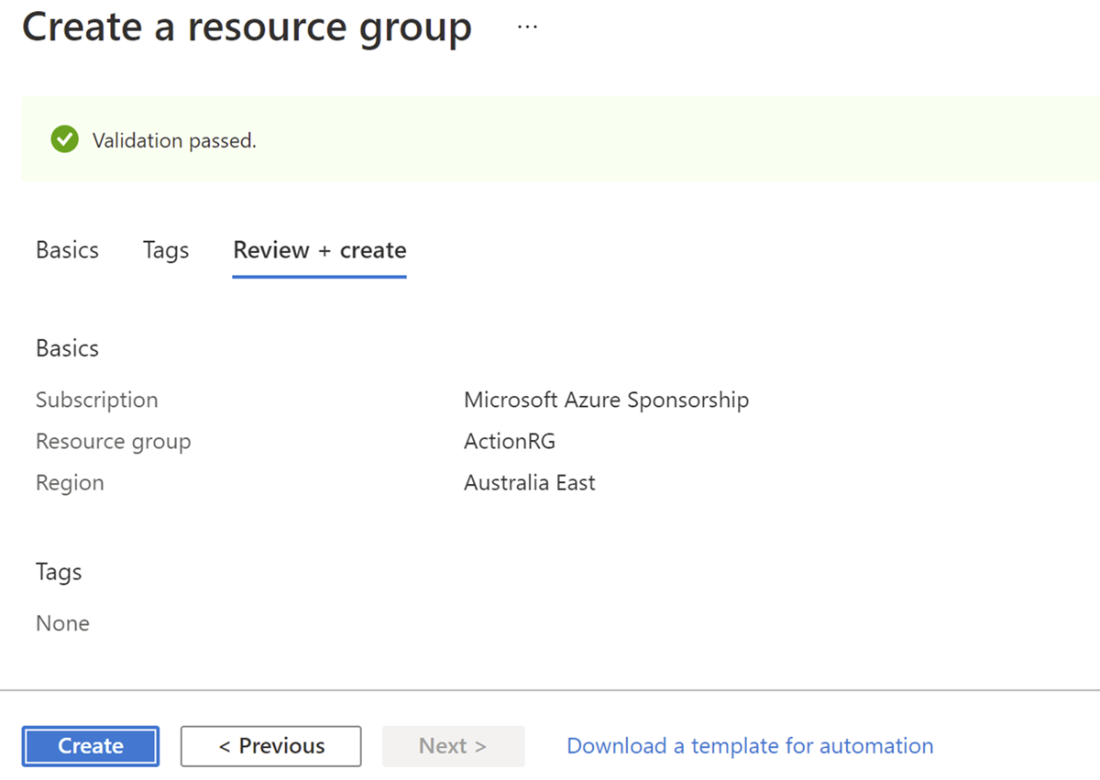
When validation has passed, you can create the resource group.
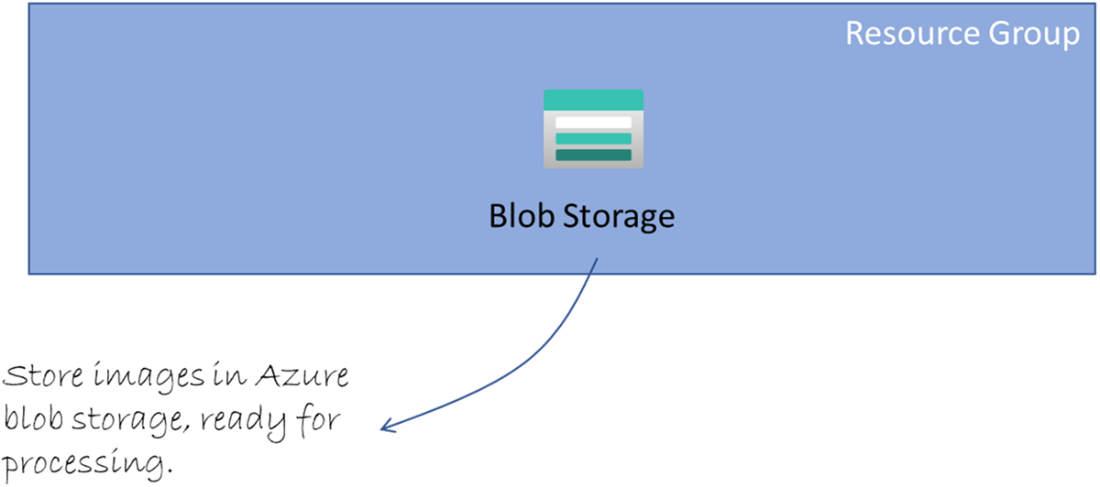
We are now creating the Storage Account and blob storage of the solution
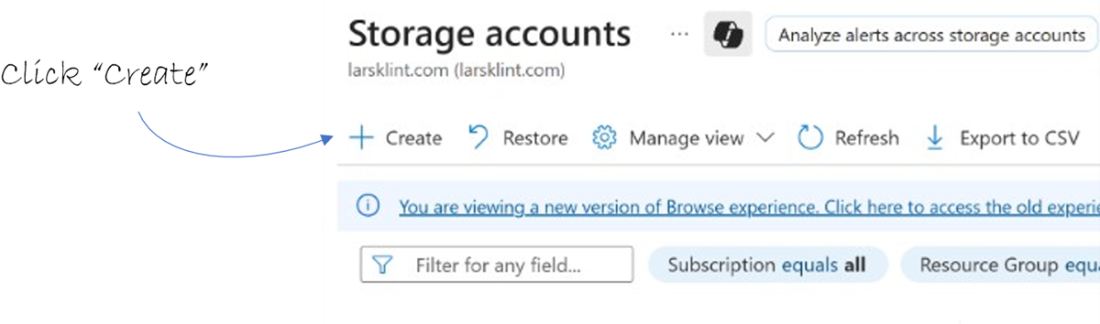
Click Create to create a new container within the storage account
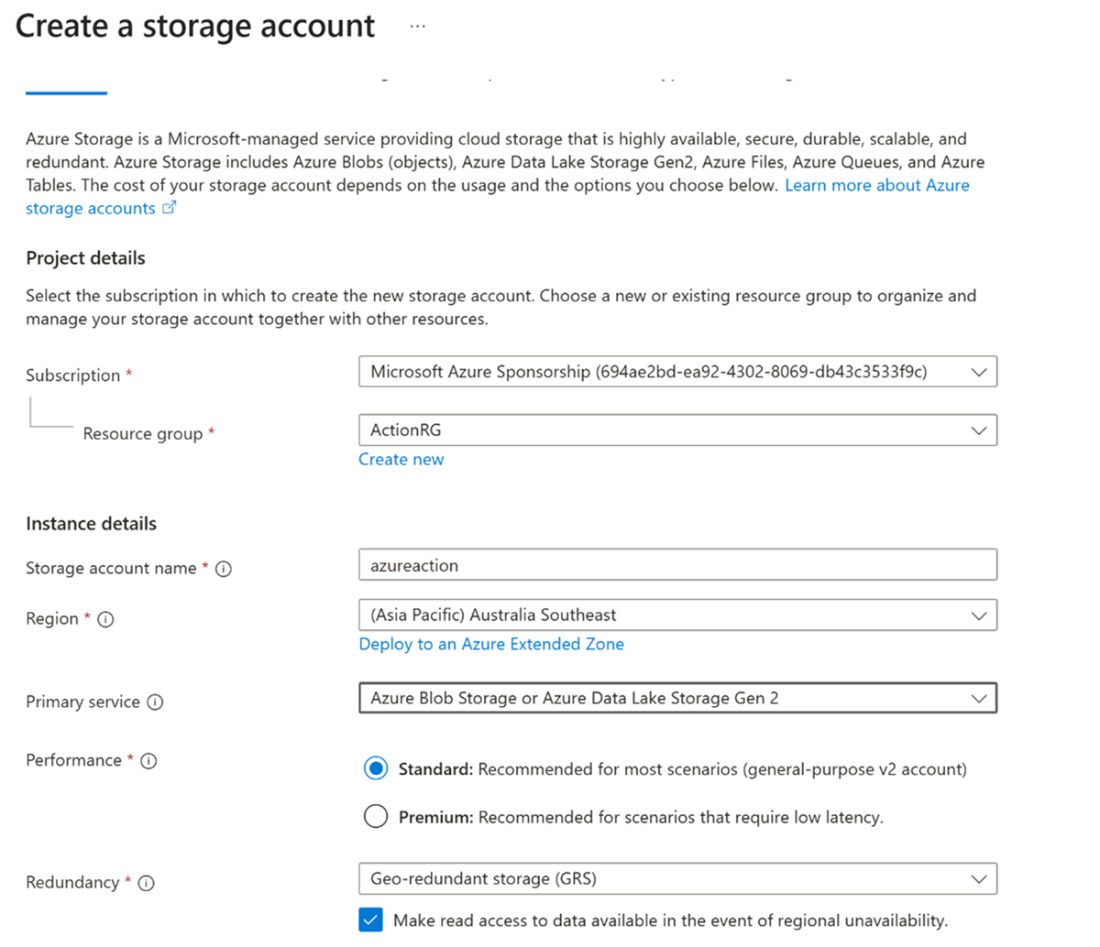
Fill in the basic values for the storage account.
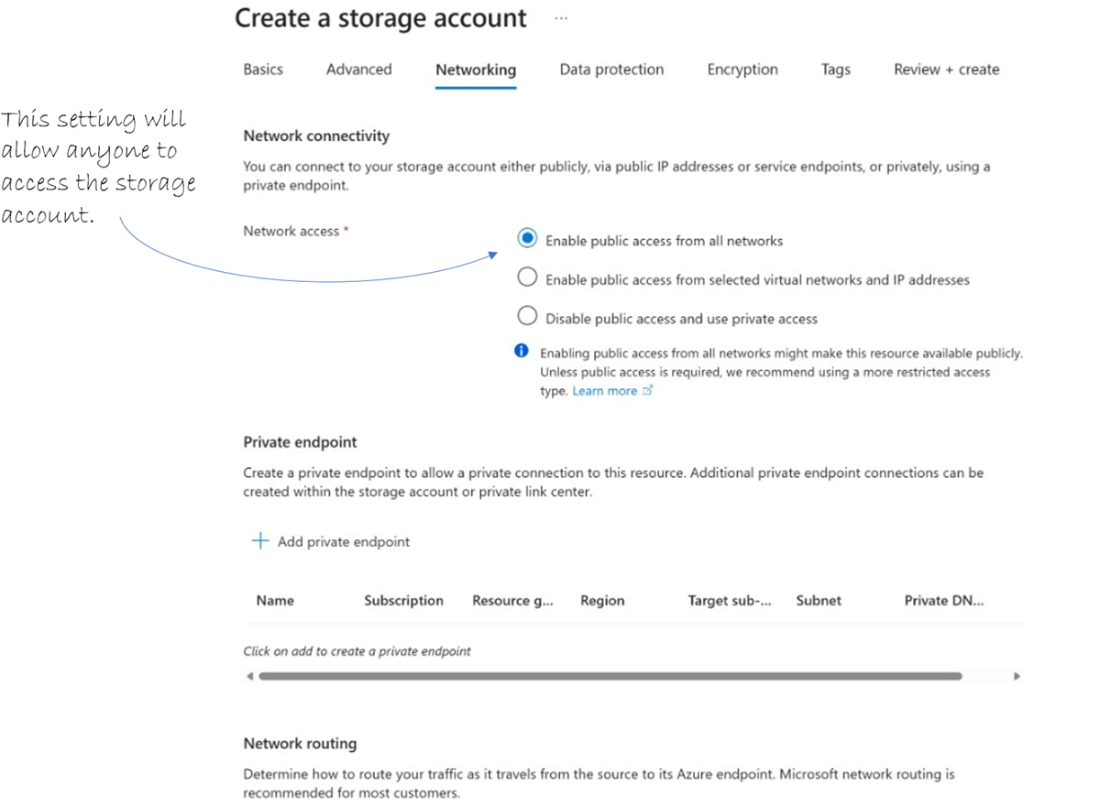
Networking settings for the storage account.
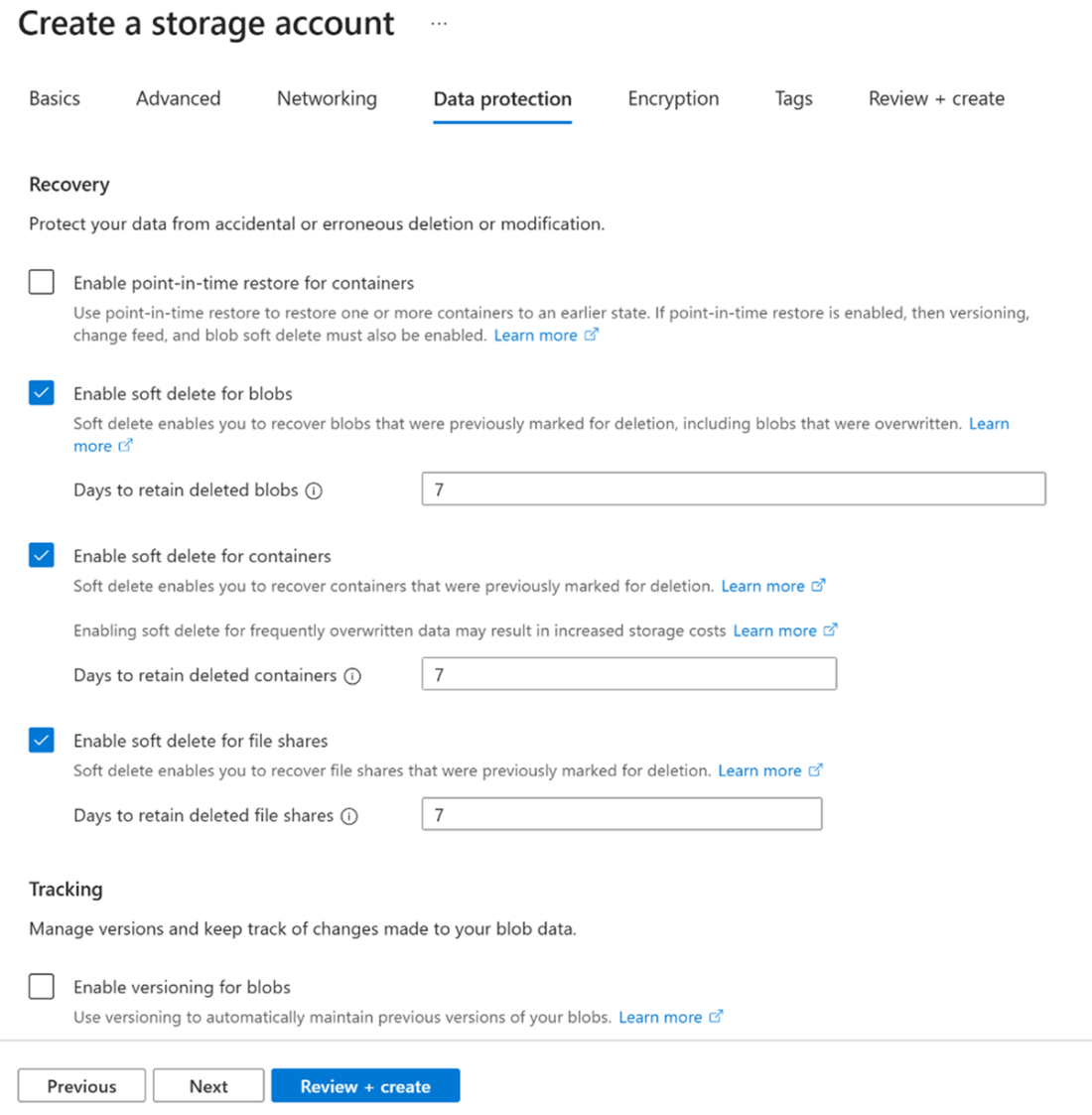
Data Protection settings for the storage account.
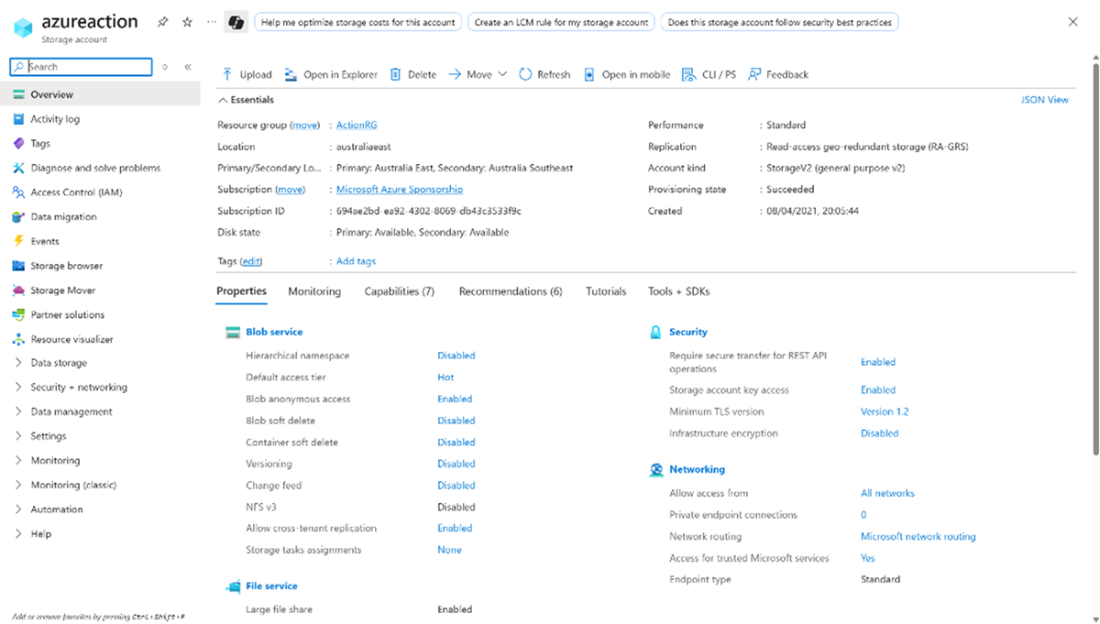
Storage account overview.
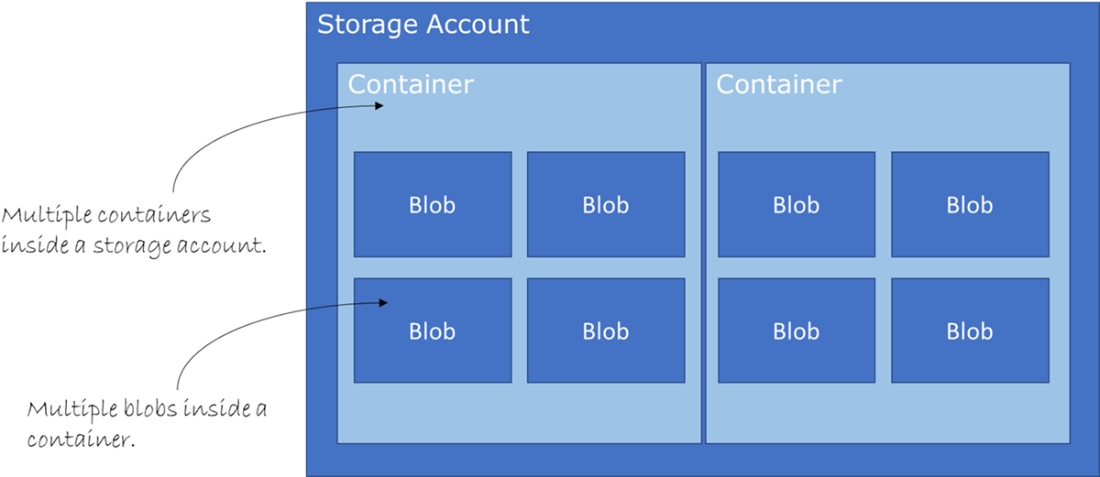
Storage account hierarchy: blobs inside containers inside a storage account.
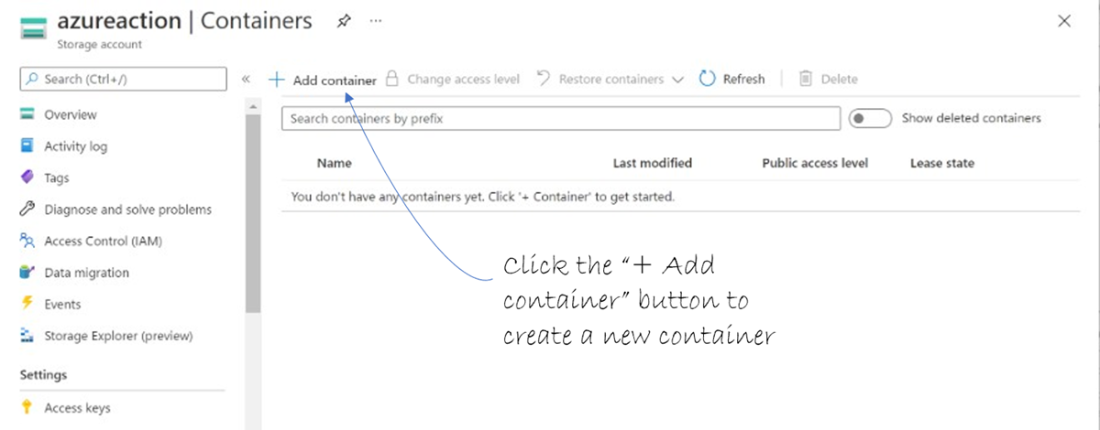
Click on the “+ Container” button to create a new container
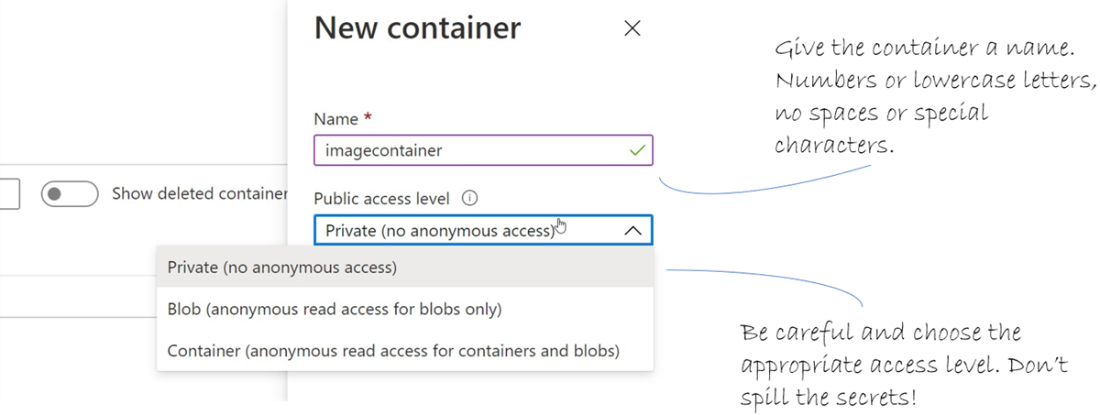
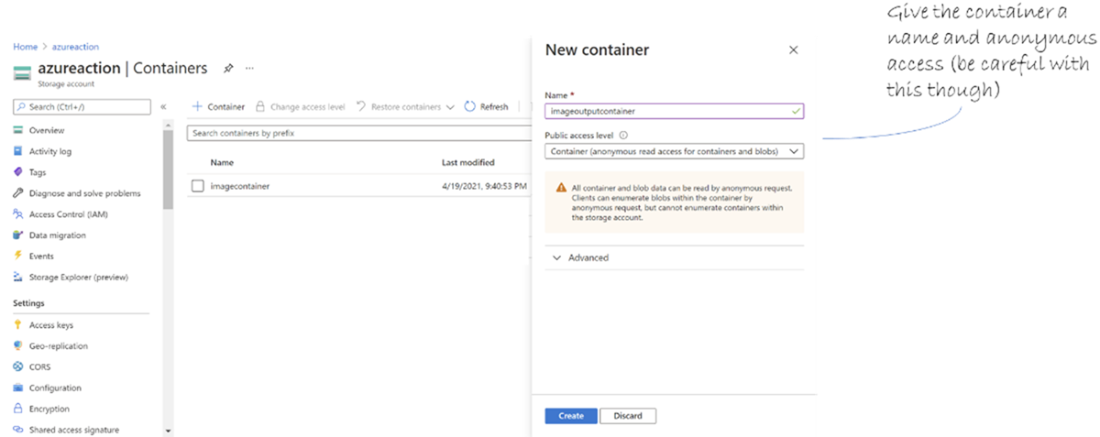
New container properties
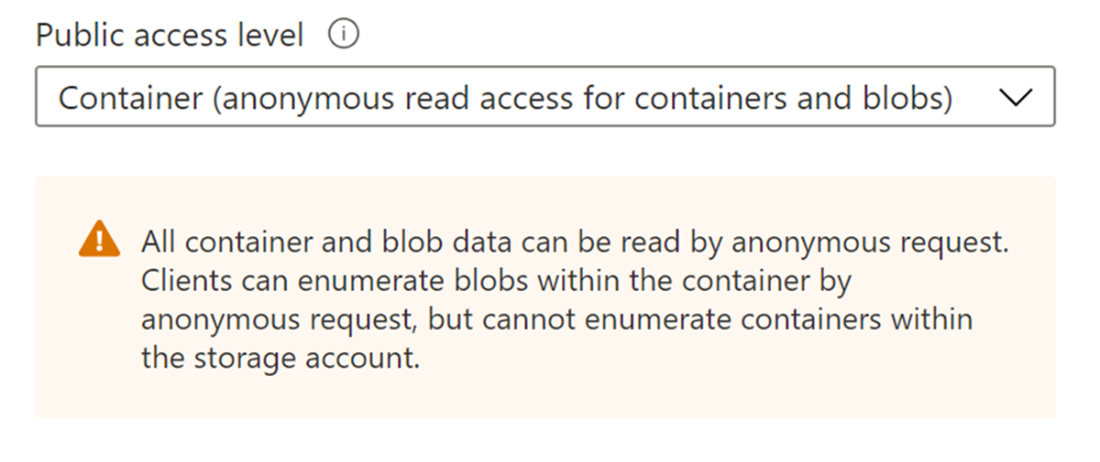
Warning for public access level of “Container”
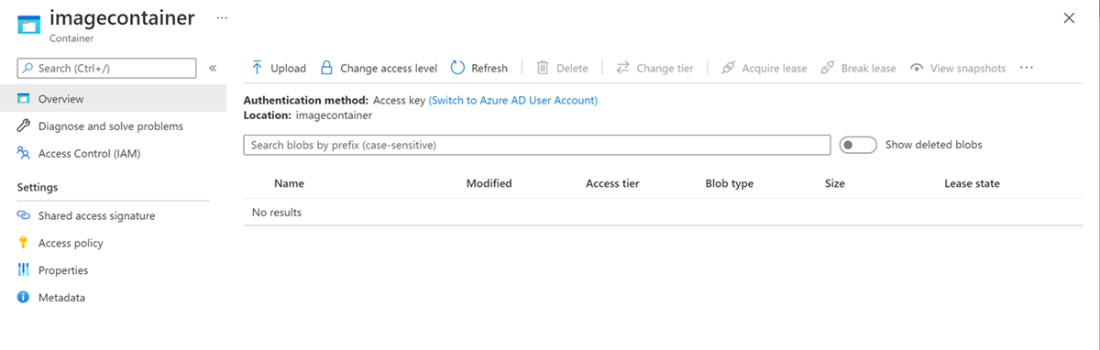
A complete container shown in the Azure Portal.
Add the Logic App and email account connection to the project.
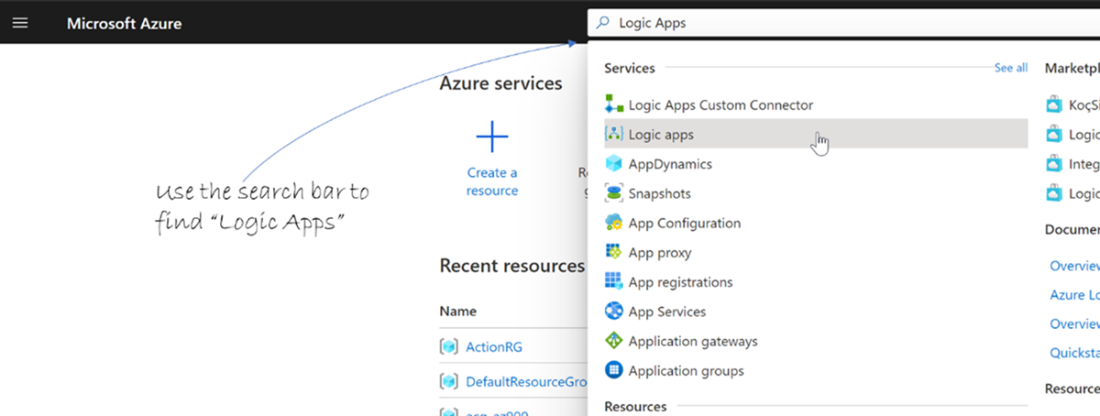
Create a new Logic App using the Azure Portal.
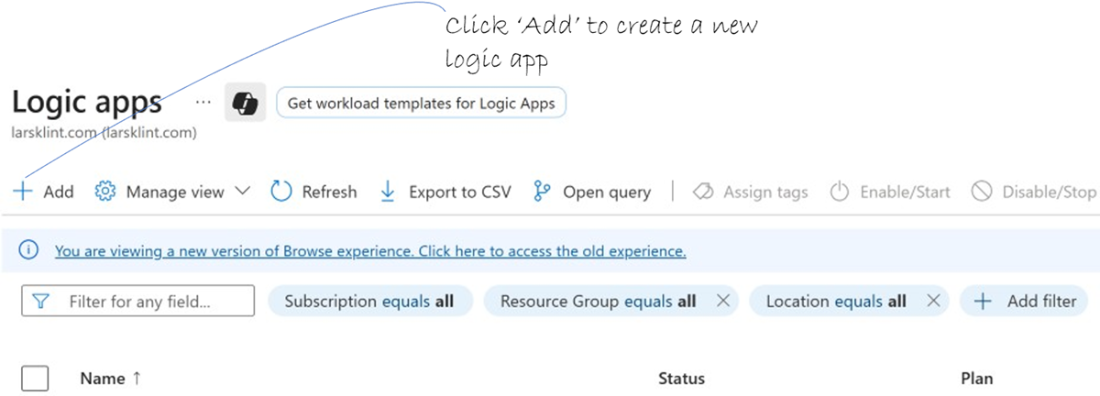
Create a new Logic App.
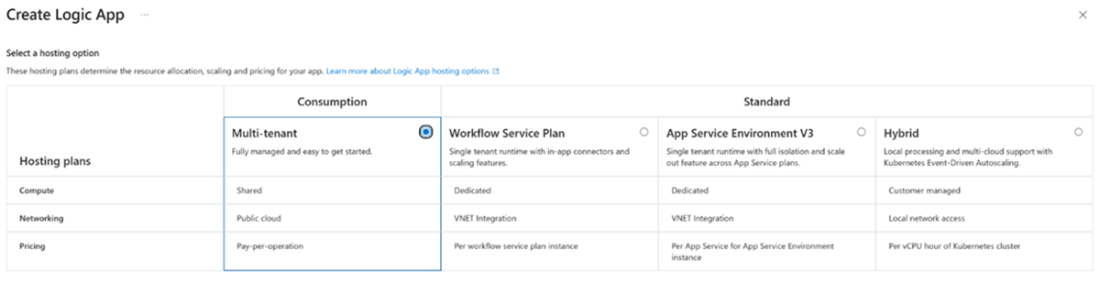
Choose hosting plan for your Logic App. We will use “consumption”.
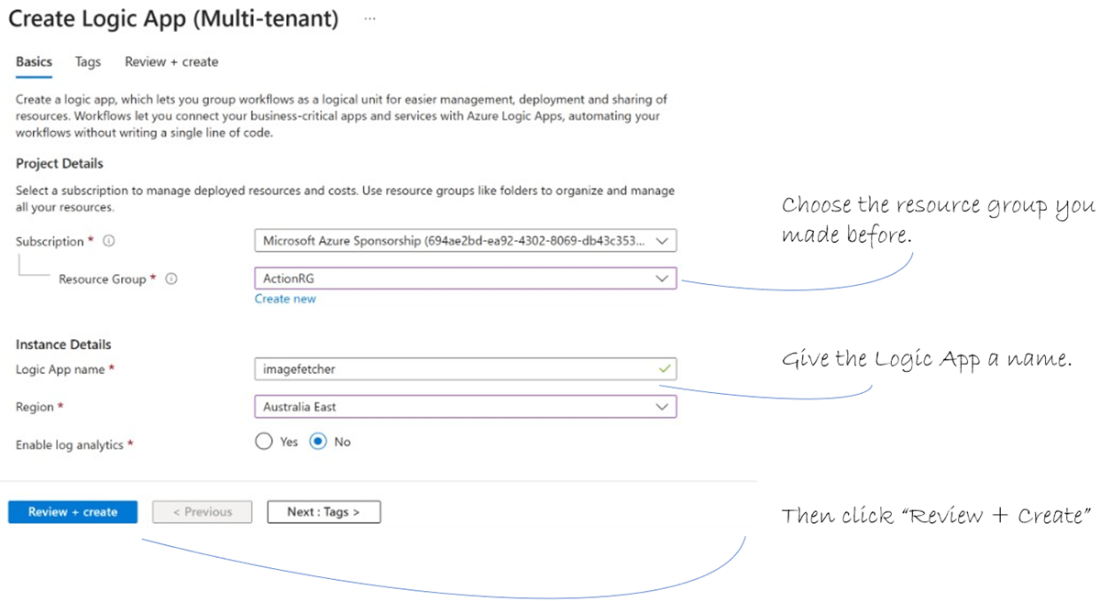
Fill in the details for the Logic App.
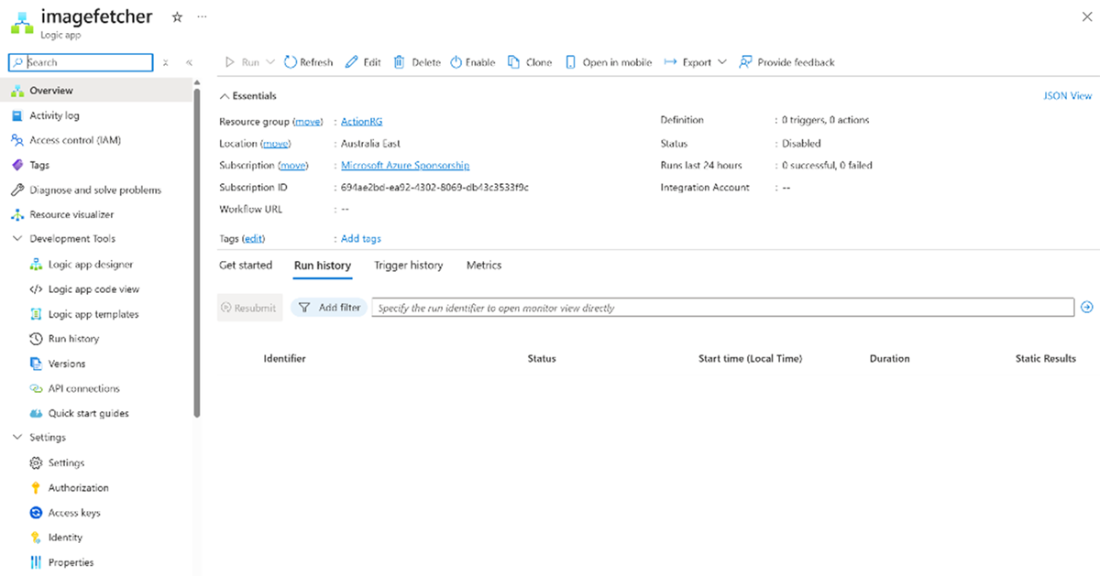
The overview screen for a Logic App
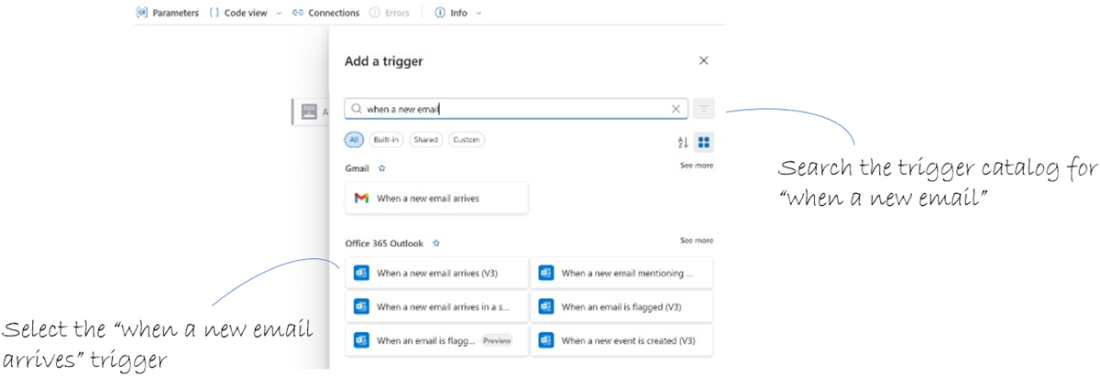
Connect your email account using the designer.
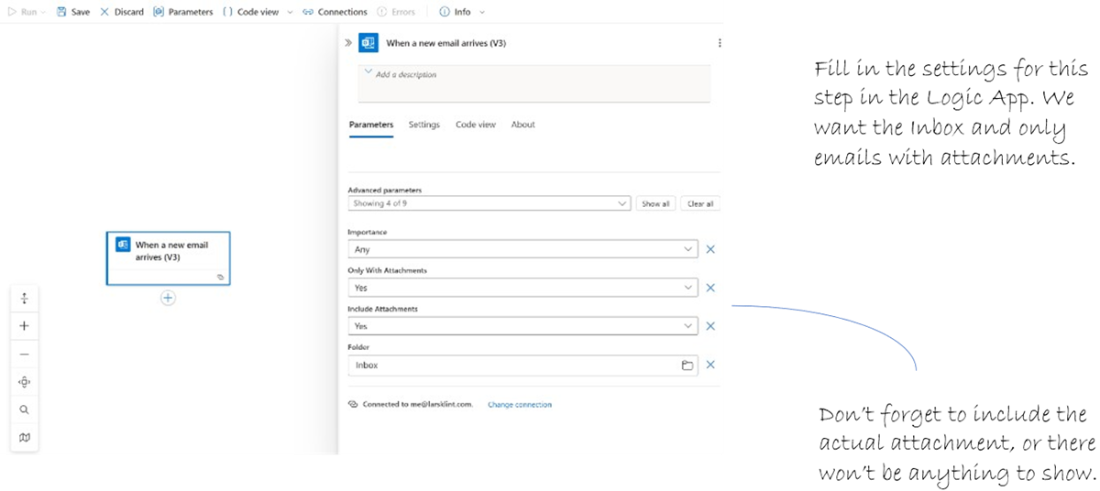
Adjust the settings for the “email arrives” step.
Choose the action “Create block blob” which will create a block blob for us and fill it with the email attachment.
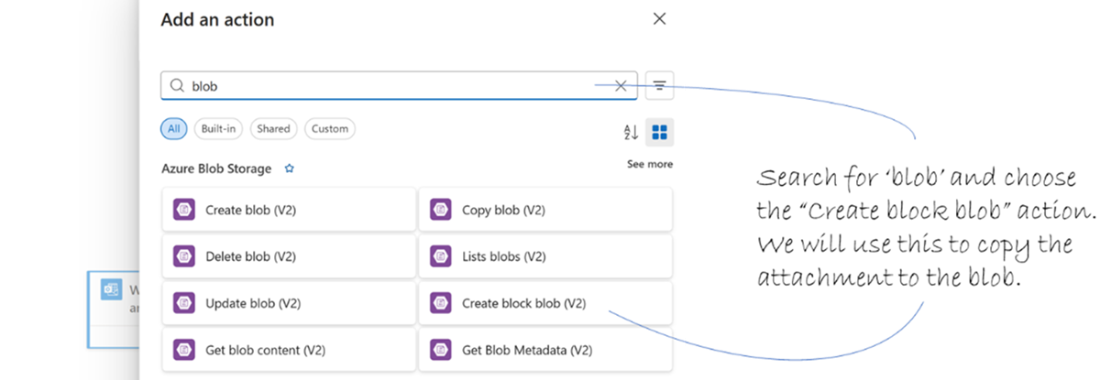
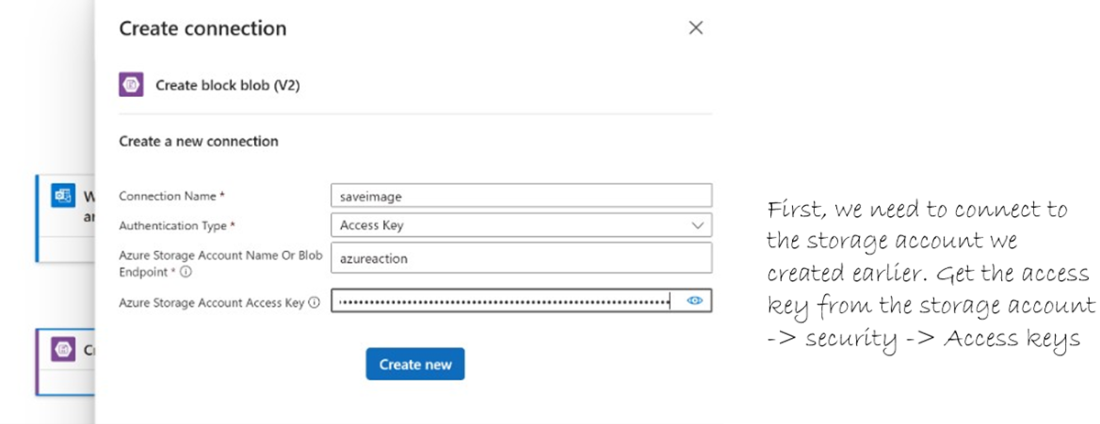
Connect the action in the Logic App to the storage account.
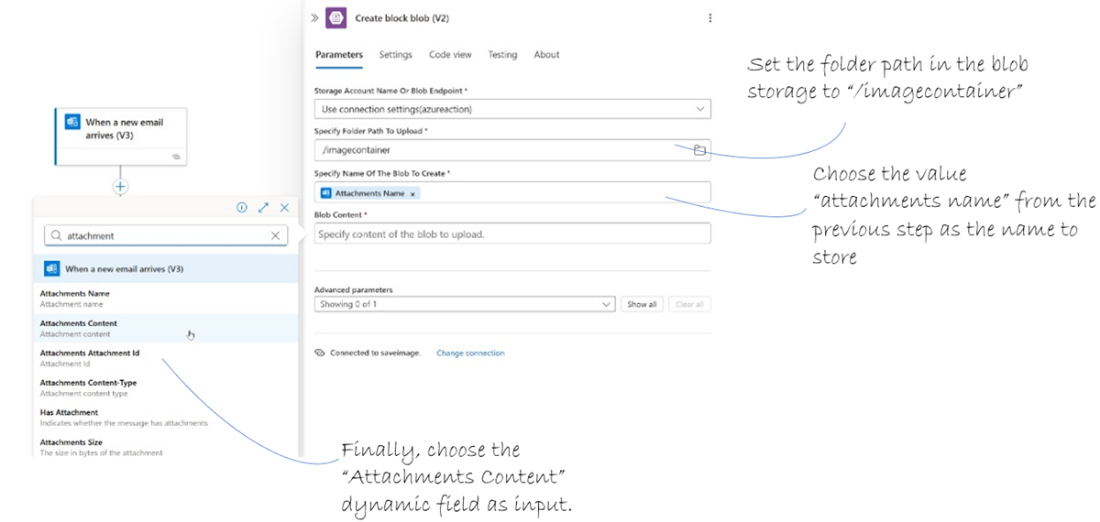
Choose the Attachments Content dynamic field to iterate through the email attachments.
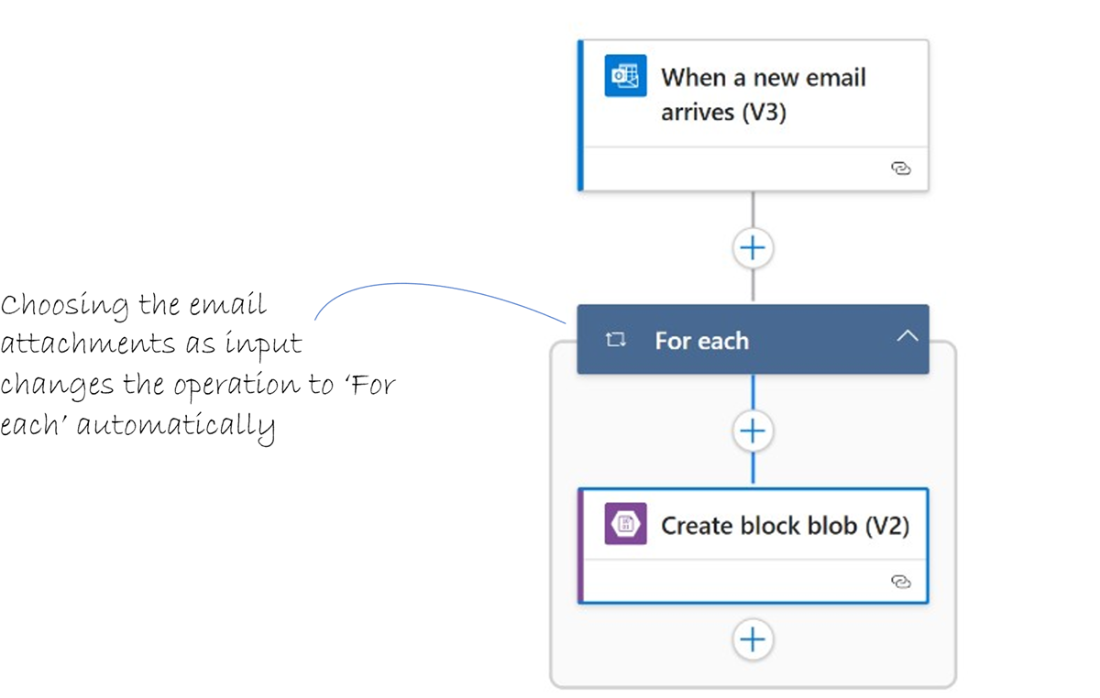
The operation changes to a ‘For each’ when choosing a collection of input, such as Attachments.
Select the email properties to use.

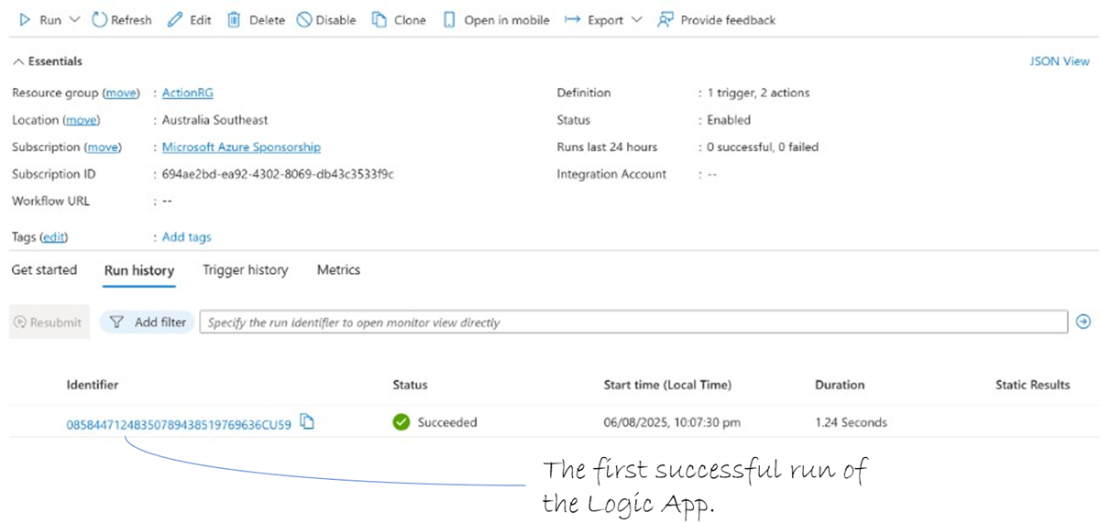
The complete Logic App has run for the first time.
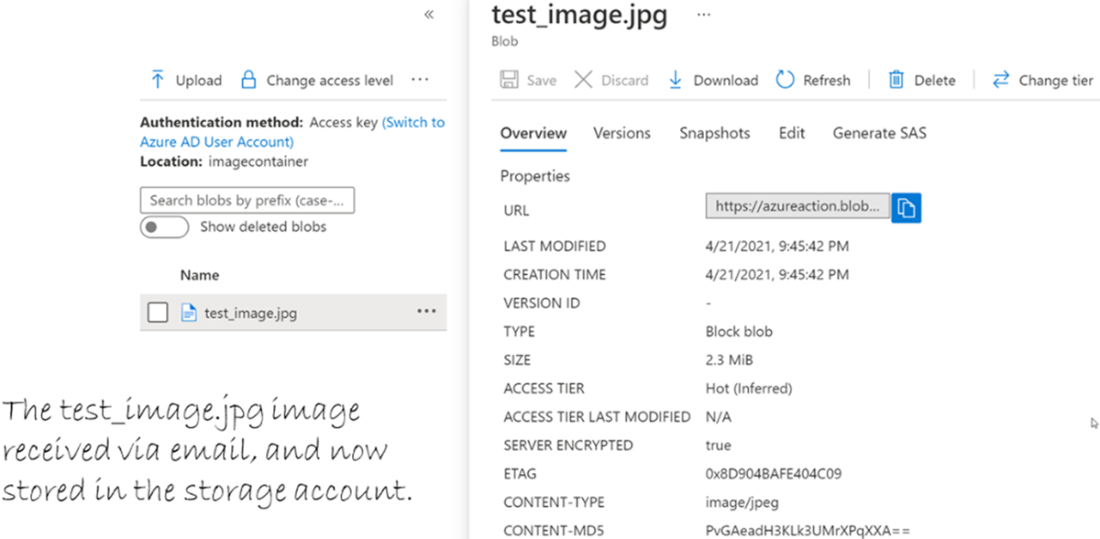
The image file received on email and now stored in the storage account.
We are now at the “resizing images with Azure Functions” part of the application.
Decide on the container name and the access level.
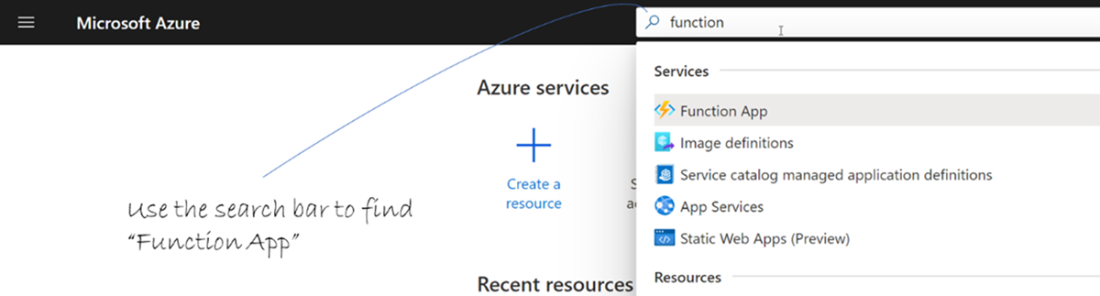
Find the Function App section in the Azure Portal.
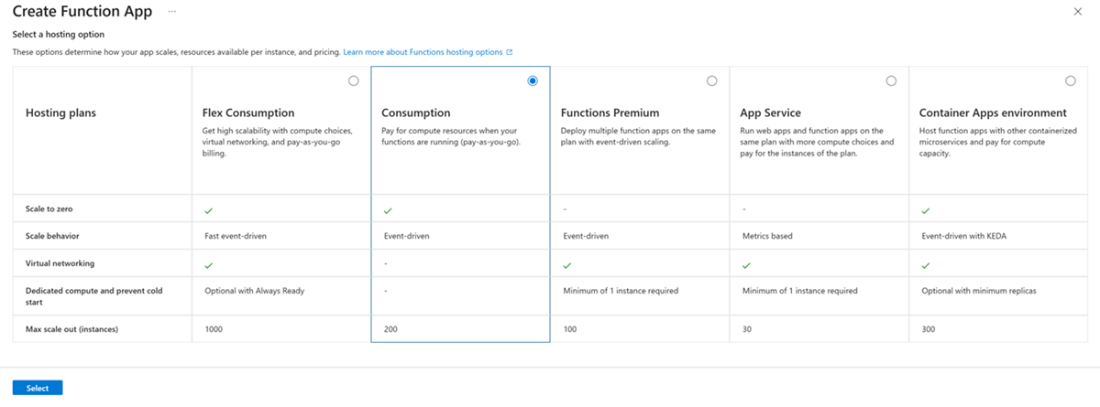
The types of Function app that you can create. Choose consumption for this exercise.
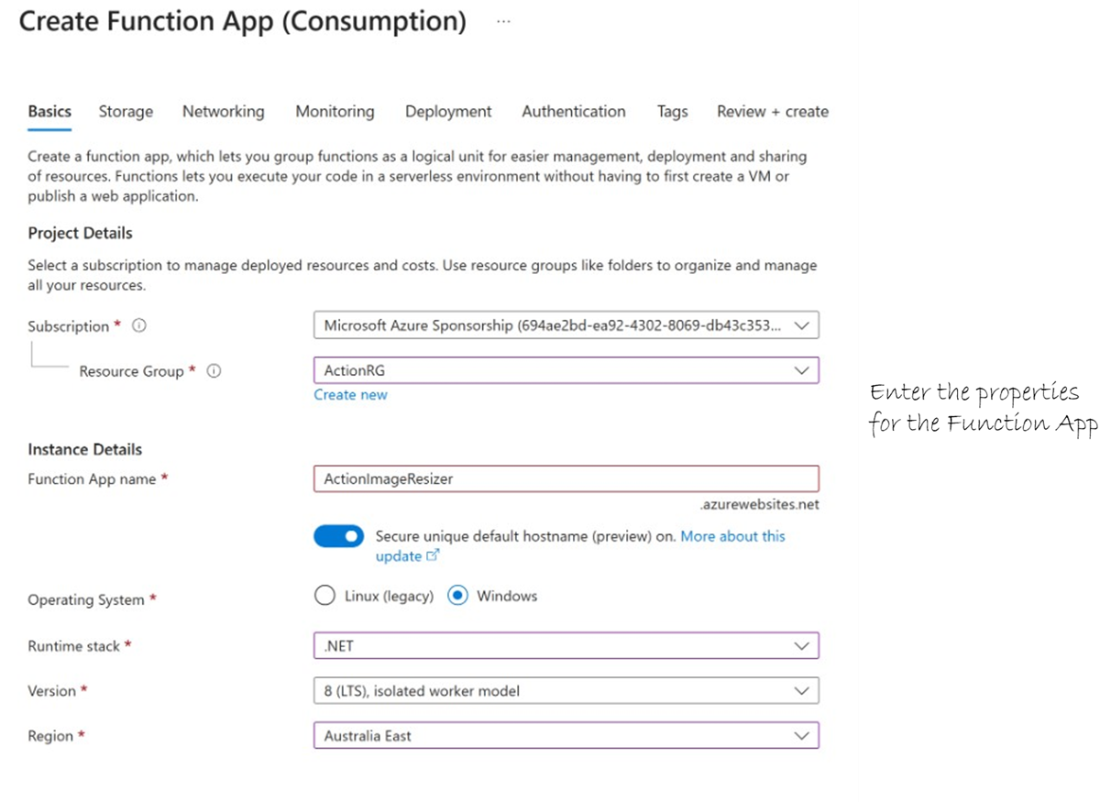
Add the properties for the Function App
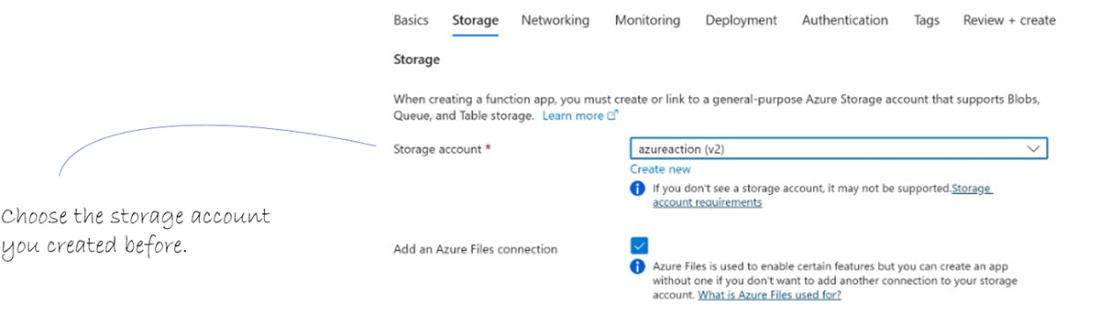
Set up the hosting for the Azure Function App.
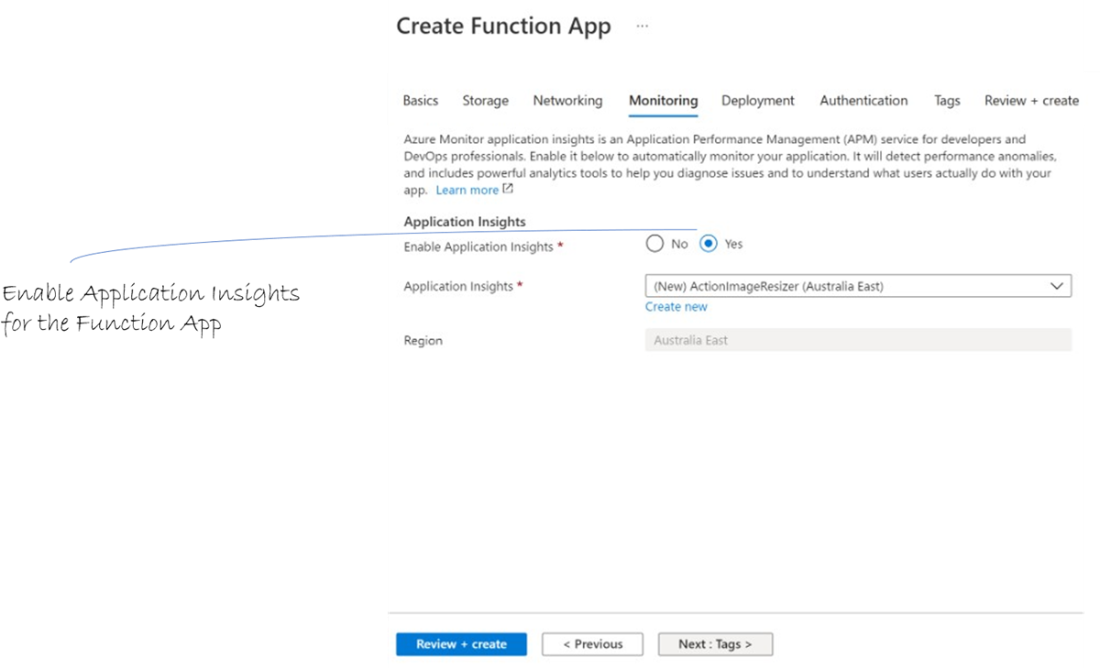
Enable Application Insights for the Function App
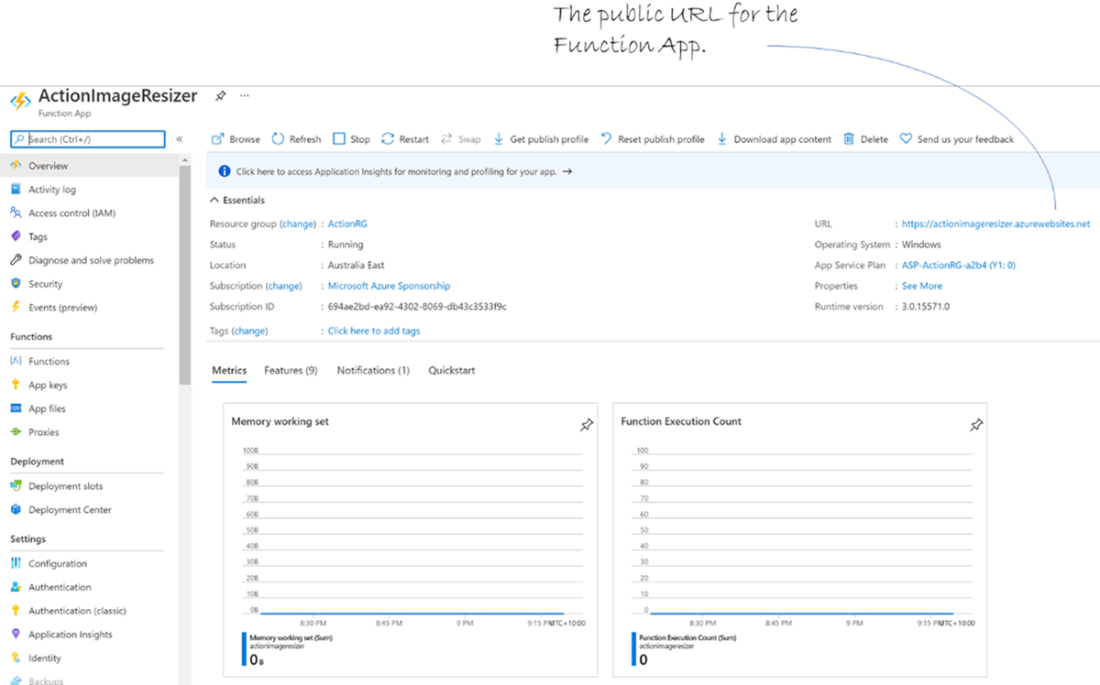
Function App Dashboard
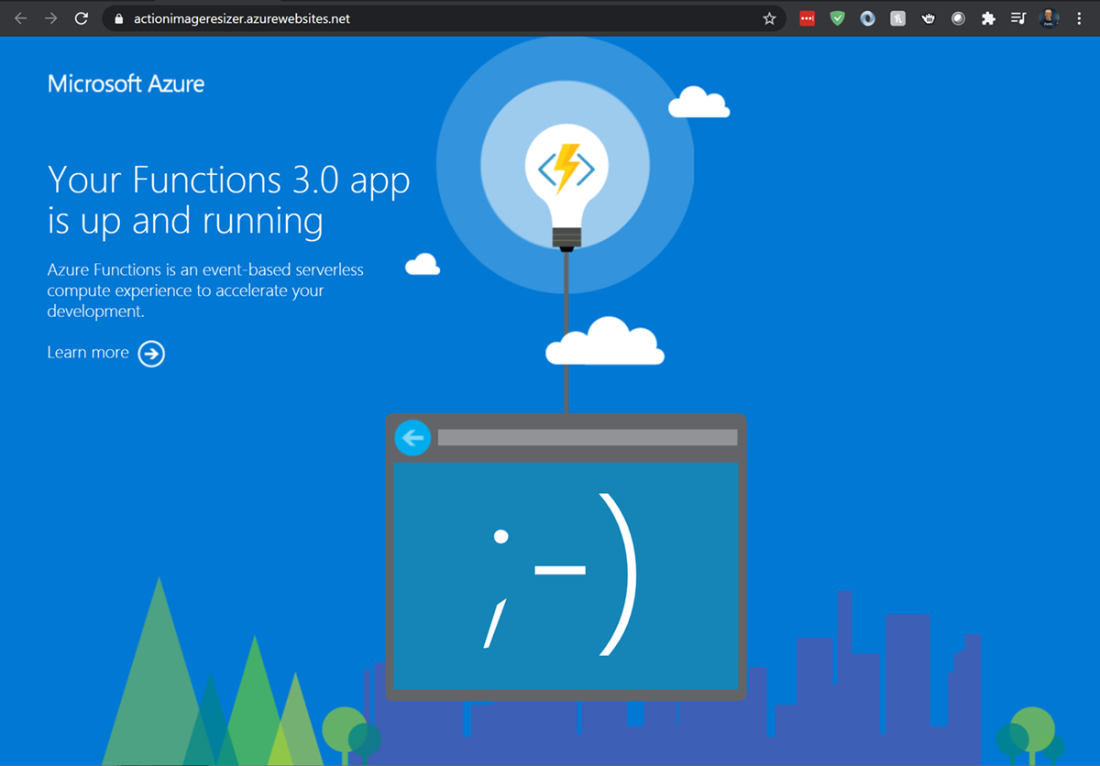
The web frontend for a brand new Azure Function. Pretty, right?
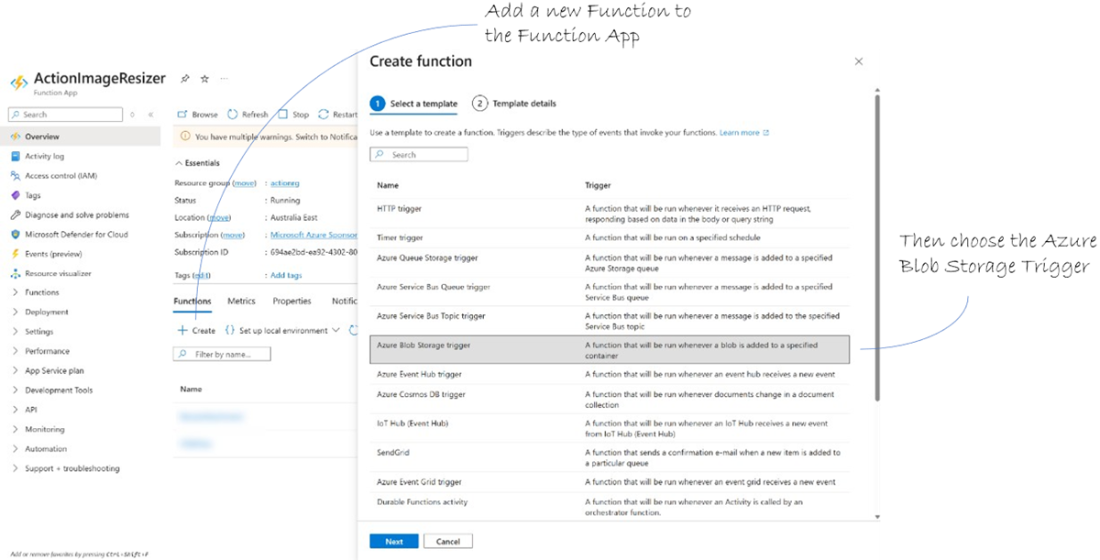
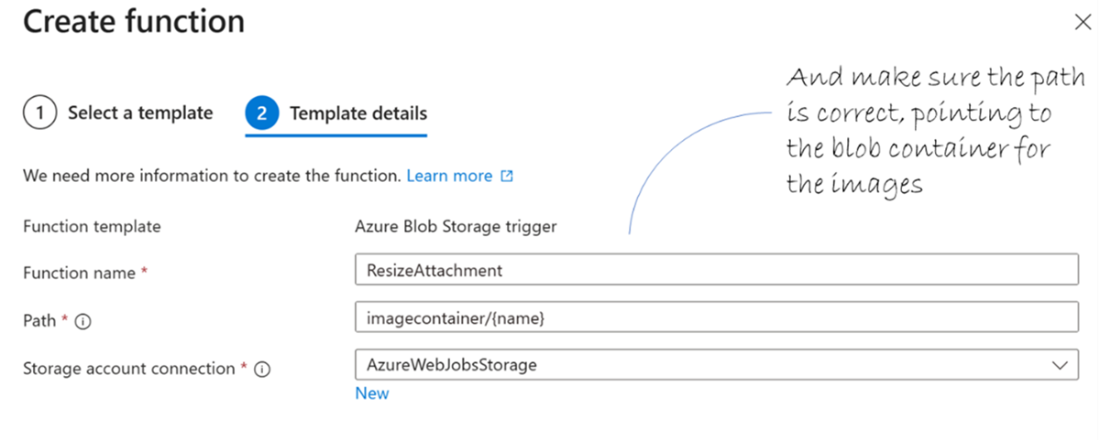
Create a new function and use the blob storage trigger template.
Make sure the function template settings are correct, particularly the path.
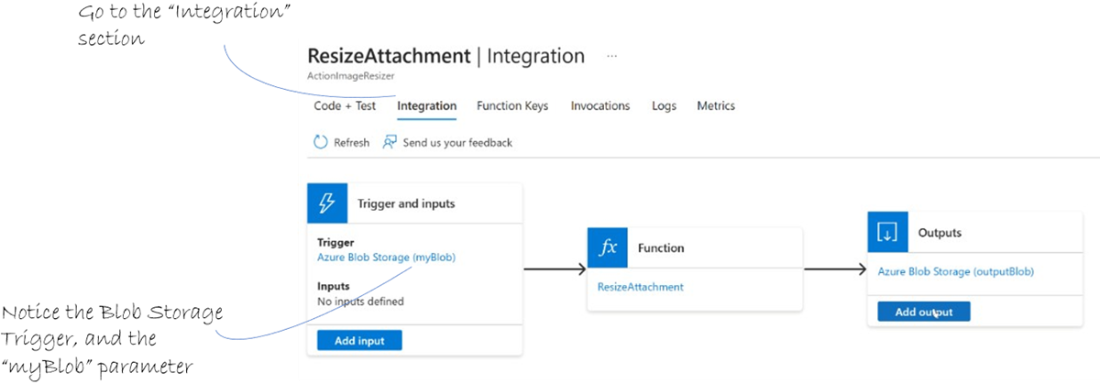
The Integration section of the Function.
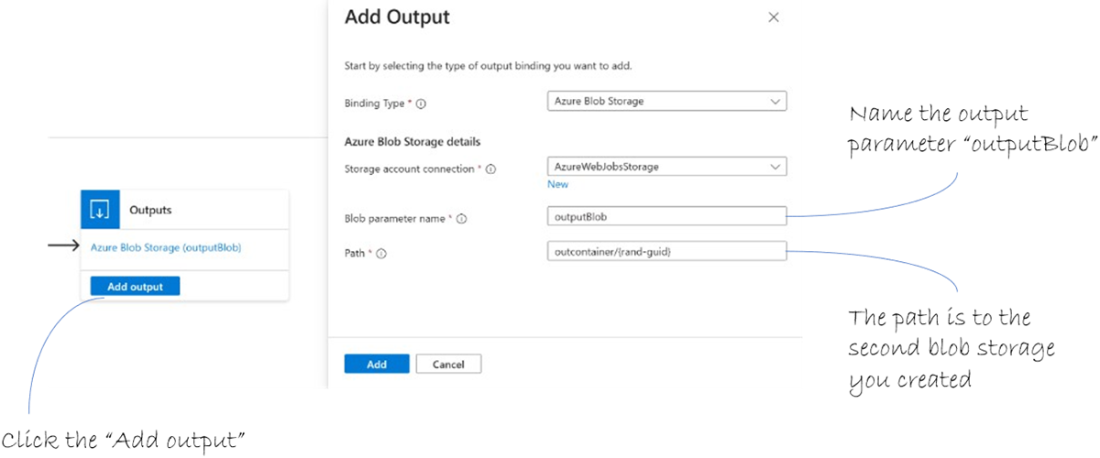
Add an output for the function that targets the “imageoutputcontainer” blob storage.
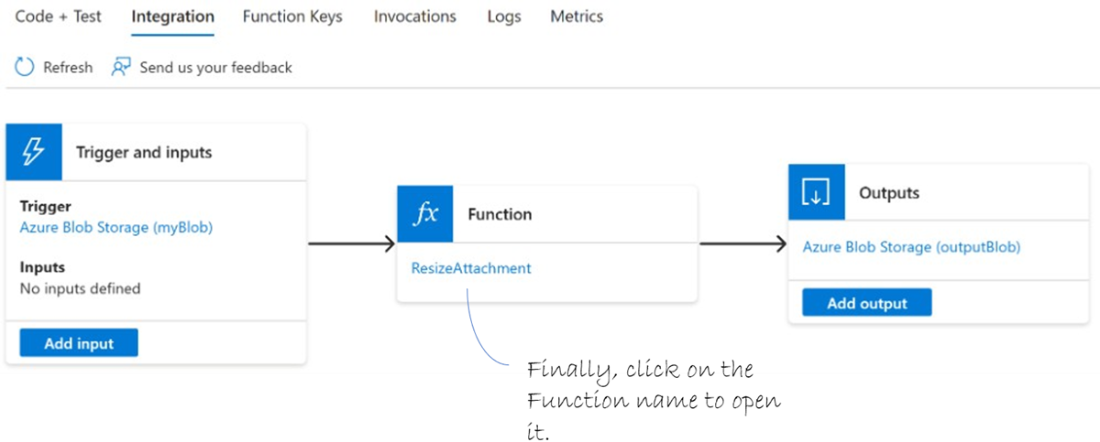
Now we have input and output open up the Function code.
The template Azure Function code.
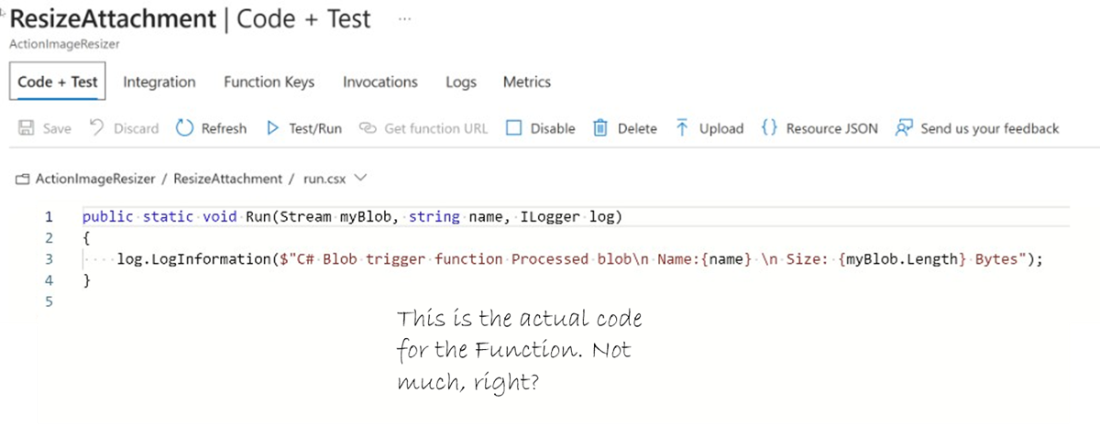
C# code to resize an image.

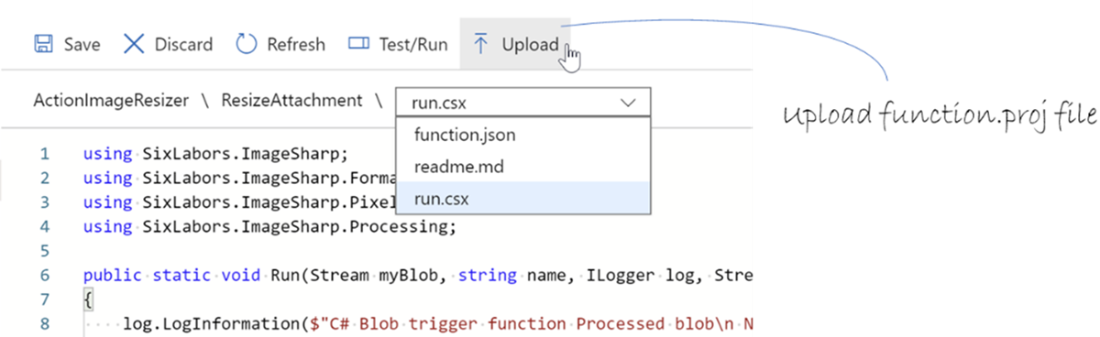
Upload the function.proj file.
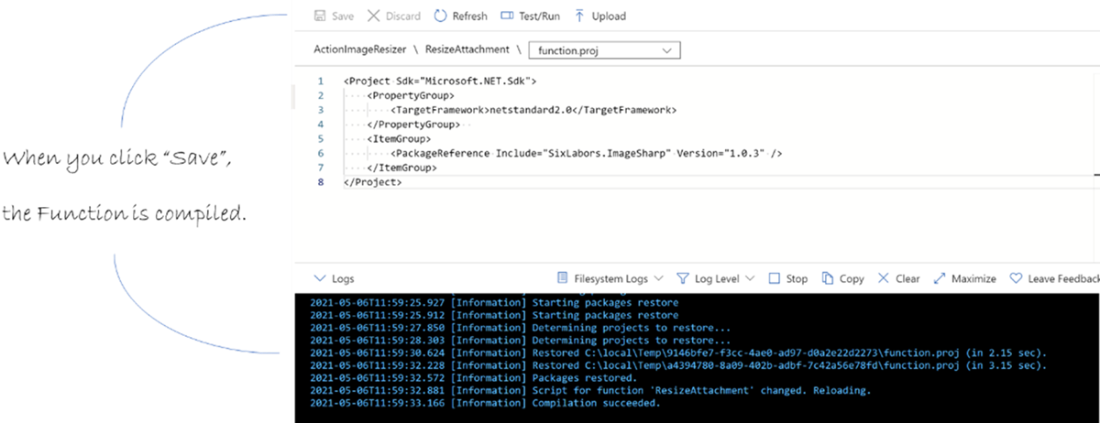
Saving a file in the editor triggers compilation of the function.
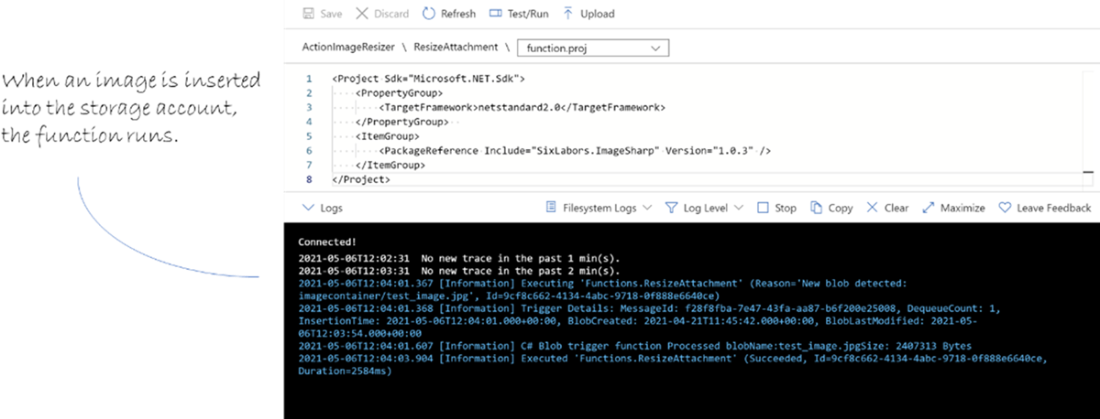
The function is triggered when a new image is inserted into the storage account.
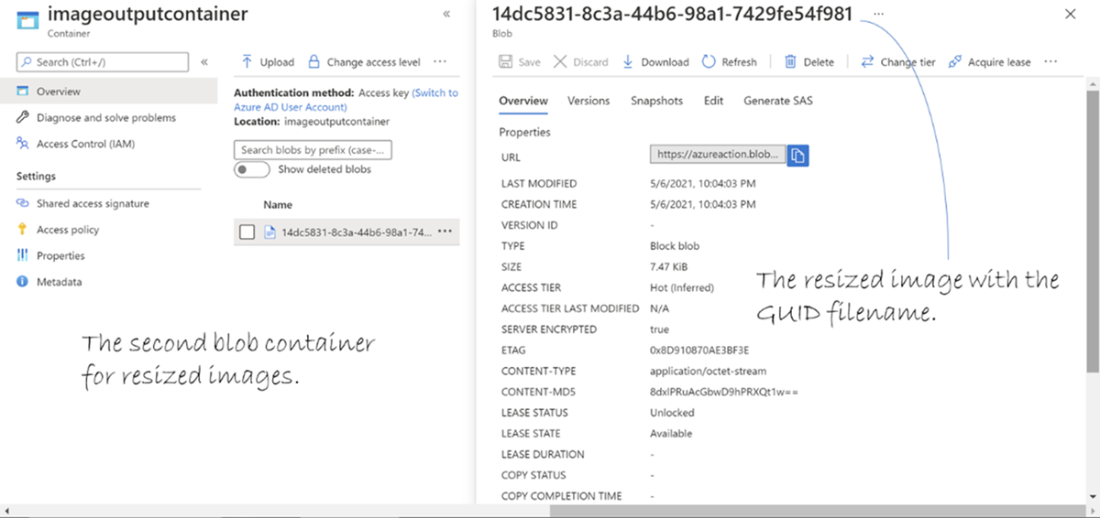
The resized image in the blob container for output.
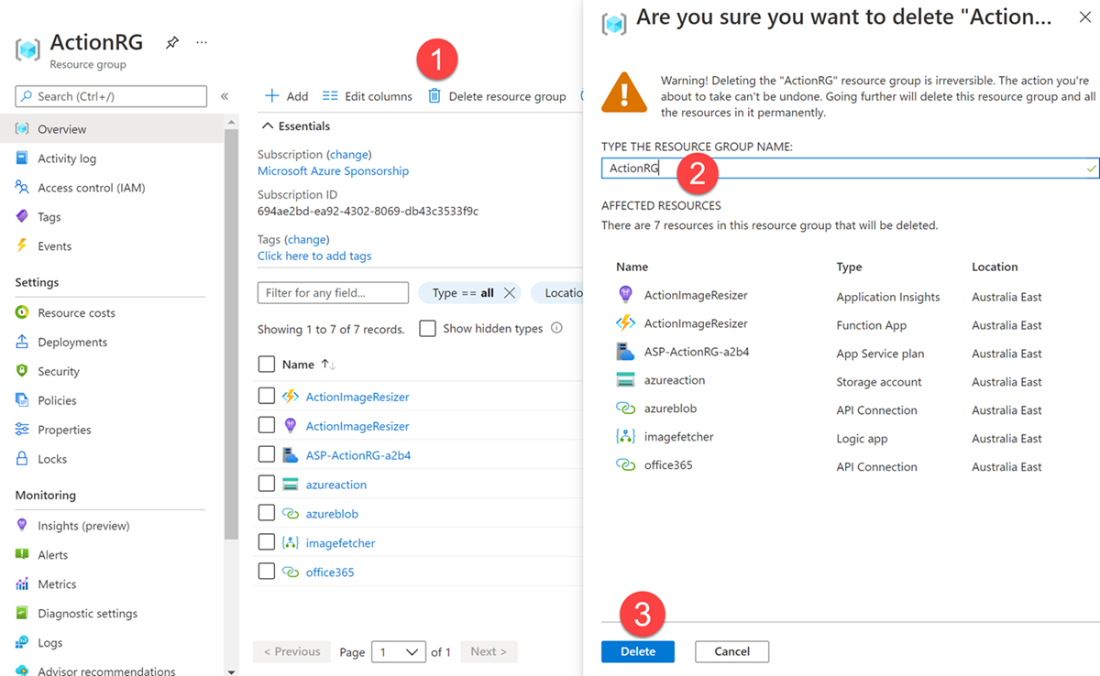
Steps to deleting the resources used in this chapter.
Summary
- Every Azure resource has to be in a resource group, which is one of the first parts to create for any project on Azure.
- Storage accounts can have blob containers that can hold blobs, which are pretty much any kind of binary object, such as images.
- Logic apps are workflows consisting of connectors and triggers. Connectors let you hook into third party services such as email clients to manipulate their data. Triggers make the workflow start when a certain event happens.
- Azure services such as storage, Functions and Logic Apps can be connected to create more powerful applications that can add value to your business.
- Azure Functions are single-purpose compute processes that run entirely within Azure. They’re called functions because that is all they do; a single function.
- It is not uncommon to build entire applications from hundreds or even thousands of Azure Functions, each responsible for a single purpose. This makes it simple to build, debug and maintain.
- Azure application lifecycles can be much easier to manage than traditional applications, as you can focus only on the services you interact with and not worry about hardware and other infrastructure.
- Azure Services can be extremely cost effective, such as using free Azure Function executions, only paying for the storage you are using (and not the whole allocation), and only paying for the actual executions of a Logic App.
- Resource groups act as containers not just for organization, but also for lifecycle management—delete the group, and all resources inside are deleted too.
- Storage accounts provide multiple data services (blobs, queues, tables, and files) under one roof, making them a core building block for many Azure solutions.
- Blob containers allow you to fine-tune access levels, from fully private to anonymous blob access, depending on your scenario.
- Logic Apps use triggers and actions to create workflows without code, letting you connect dozens of services with minimal setup.
- Standard vs. Consumption plans for Logic Apps (and Functions) let you balance between pay-as-you-go flexibility and more predictable reserved capacity.
- Functions are highly extensible; bindings let you connect inputs and outputs (like blobs, queues, or databases) without boilerplate code.
- Application Insights can be integrated into Functions and Logic Apps to monitor health, performance, and usage patterns in near real-time.
- Azure’s serverless services scale automatically, so you don’t have to provision or guess capacity ahead of time.
- Pricing models often include generous free tiers (e.g., Functions and Logic Apps), which makes experimentation inexpensive or even free.
- Designing with separation of concerns—Logic App for orchestration, Function for compute, Storage for persistence—helps keep solutions modular, flexible, and easier to maintain.

 Microsoft Azure in Action ebook for free
