7 The mathematics of color
Web color is presented as a mathematical system rather than a set of visual guesses. The chapter explains how understanding color models helps developers work more effectively with CSS, create more coherent palettes, solve accessibility problems, and build advanced effects with confidence. It emphasizes that color choices are not just aesthetic; they are based on rules that can be analyzed, converted, and controlled.
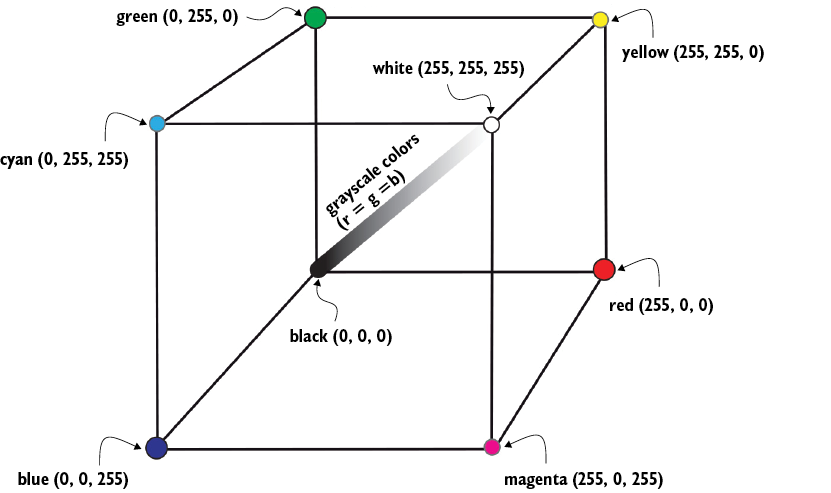
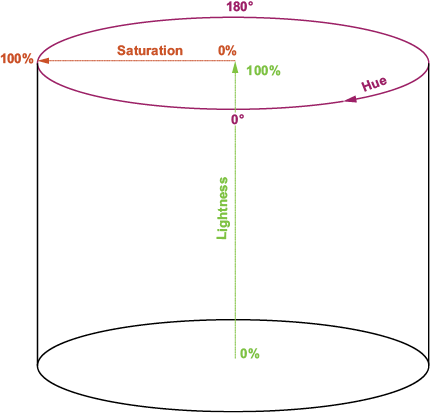
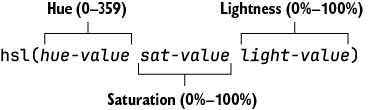
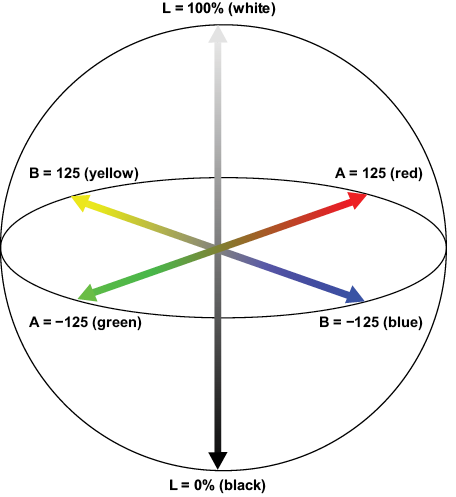
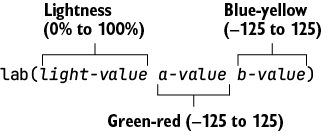
The core color models covered are RGB, HSL, LAB, and OKLCH. RGB is shown as an additive cube with values for red, green, and blue, useful for direct CSS notation but not very intuitive for design. HSL reorganizes color into hue, saturation, and lightness on a cylinder, making it easier to adjust brightness or create pastels. LAB and OKLCH go further by focusing on perceptual uniformity, with LAB modeling human vision more closely and OKLCH combining that perceptual accuracy with hue-based control; OKLCH is especially useful for creating even lightness and chroma scales.
The chapter also shows how math supports practical color work such as converting between RGB and HSL, calculating grayscale values, and building harmonious schemes like complementary, analogous, triadic, and split-complementary palettes. It then shifts to accessibility, explaining WCAG contrast ratios, relative luminance, and how to test whether text meets AA or AAA standards. Finally, it covers light and dark mode transformations and blend modes, showing why simple inversion fails and how perceptual lightness adjustments, hue shifts, alpha compositing, and blend formulas such as multiply, screen, darken, and overlay can produce more useful, polished visual results.
You can visualize the RGB color model as a cube.
You can visualize the HSL color model as a cylinder.
You can visualize the LAB color space as a sphere.
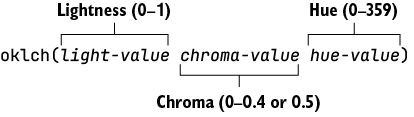
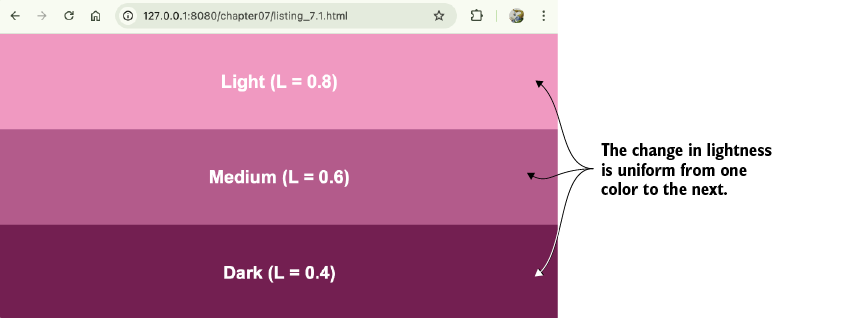
A color scale that uses different lightness values on the same hue
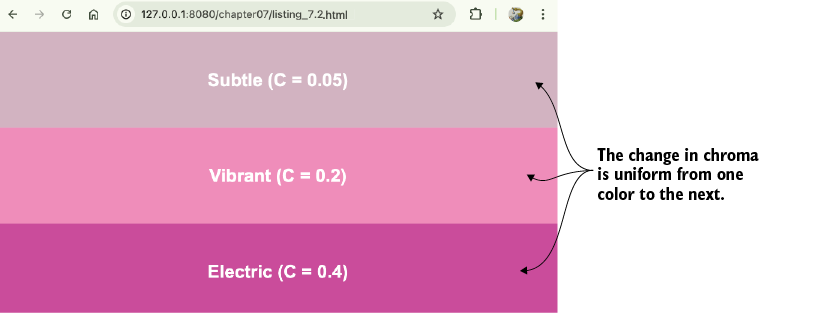
A color scale that uses different chroma values on the same hue.
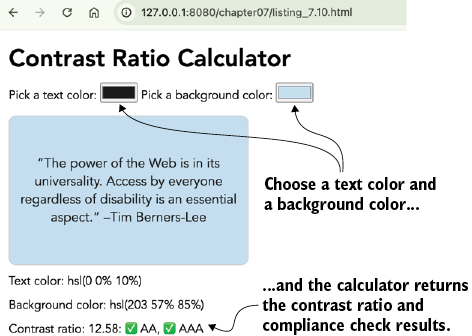
A JavaScript-based contrast ratio calculator.
Summary
- Color models are mathematical constructs where RGB uses additive mixing in a cube, HSL uses cylindrical coordinates, LAB uses spherical coordinates to represent the full range of color that humans can perceive, and OKLCH provides perceptually uniform adjustments that maintain consistent brightness across all hues.
- OKLCH provides superior color control for designers because its lightness values correspond to actual perceived brightness, enabling uniform color scales and consistent chroma adjustments across all hues.
- Converting between color spaces requires specific algorithms including weighted averages for RGB-to-grayscale transformations that account for human eye sensitivity.
- Color harmony follows mathematical rules based on hue relationships: complementary colors are 180° apart, triadic colors are 120° apart, and analogous colors are typically 30° apart on the color wheel.
- Accessible color contrast has precise mathematical requirements using the WCAG formula, which calculates relative luminance and requires ratios of 4.5:1 for AA compliance and 7:1 for AAA compliance.
- Relative luminance calculations account for human perception using gamma correction and weighted coefficients that reflect the eye’s sensitivity to different colors.
- Effective dark mode requires perceptual mathematics, not simple RGB inversion by inverting lightness values, while reducing saturation by 10%–30% and optionally applying small hue shifts for better atmospheric effects.
- Alpha compositing uses a weighted average formula where each channel (red, green, blue) of the output color is the source channel scaled by its opacity, plus the background channel scaled by whatever weight remains, forming the mathematical foundation for all CSS opacity effects.
- CSS blend modes follow specific mathematical formulas in which
multiplyalways darkens,screenalways lightens, and each mode has a precise calculation method.
FAQ
What is the RGB color model and why is it important for web design?
RGB is an additive color model used by digital displays. It represents a color as three values: red, green, and blue, each ranging from 0 to 255. By combining those light intensities, browsers can render millions of colors.How do you write an RGB color in CSS using rgb()?
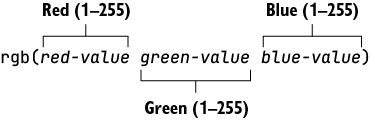
Use thergb() function with red, green, and blue values, such as rgb(128 0 128) for purple. You can also use percentages instead of 0–255 values, and add an alpha channel with a slash, like rgb(128 0 128 / 0.5).What is a hex triplet in CSS color notation?
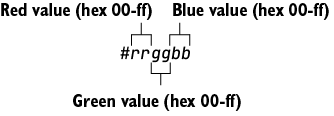
A hex triplet is a hexadecimal color code in the form#rrggbb, where each pair of digits represents red, green, and blue. For example, #800080 is purple. A shorter shorthand form like #36c is allowed when each pair has repeated digits.Why is the HSL color model often preferred over RGB for designers?
HSL is more intuitive because it separates color into hue, saturation, and lightness. That makes it easier to adjust a color to be lighter, darker, more muted, or more vivid without guessing RGB values.What do hue, saturation, and lightness mean in HSL?
Hue is the angle on the color wheel, saturation is the intensity or purity of the color, and lightness controls how dark or bright the color appears. Hue wraps around from 0 to 359 degrees, while saturation and lightness are percentages from 0% to 100%.What makes LAB color space useful for accessibility?
LAB is designed to be perceptually uniform, meaning equal numeric changes correspond to equal perceived color differences. This makes it useful for accessibility and for determining whether two colors are distinguishable to human eyes.How is OKLCH different from HSL?
OKLCH combines an intuitive hue-based model with perceptual accuracy. Unlike HSL, rotating hue in OKLCH keeps perceived brightness much more consistent, making it especially useful for creating color scales and dark mode palettes.How do you find a complementary color using hue math?
Take the base hue and add 180 degrees, then use modulo 360 to wrap around the color wheel:C = (H + 180) % 360. For example, if the base hue is 240, the complementary hue is 60.How is contrast ratio used to check accessible text colors?
Contrast ratio compares the relative luminance of two colors using the formula(L1 + 0.05) / (L2 + 0.05), where L1 is the lighter color. WCAG uses this ratio to decide whether text meets AA or AAA accessibility requirements.
 Math for Web Design ebook for free
