4 CSS Grid math
CSS Grid is presented as a major improvement over older, more rigid layout methods because it gives web designers a flexible way to divide space while still remaining predictable. The chapter frames Grid as a math-driven system: instead of relying on trial and error, developers can understand how the browser calculates rows, columns, and placement to build cleaner, more intentional layouts and diagnose problems more confidently.
At the core of Grid is a two-dimensional coordinate system. A grid container creates a formatting context in which child elements become grid items positioned by numbered lines, cells, and spans rather than by normal document flow. The chapter explains that line numbers begin at 1, can be counted backward with negative values, and can be used with span-based notation to describe relative placement, making it easier to build responsive structures that still behave consistently as the grid changes size.
The chapter also explores how the browser sizes tracks through a deterministic algorithm. Fixed values, fractional units, intrinsic sizing keywords, and functions such as minmax(), auto, fit-content(), and repeat() all translate into calculations that distribute available space according to constraints. Special attention is given to how fr units share leftover space, how box-model properties affect those calculations, and how auto-fill and auto-fit differ when empty tracks appear, helping readers use Grid’s sizing tools with precision and confidence.
A 3x2 grid formatting context
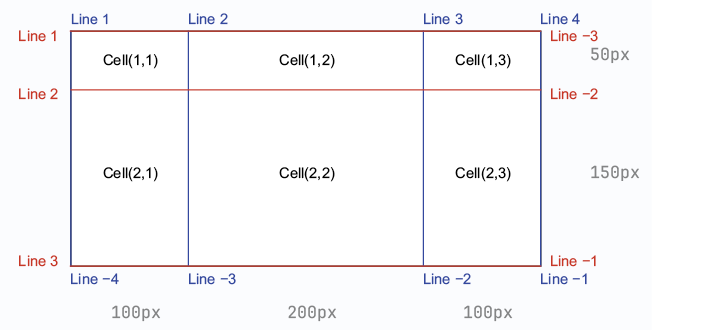
You can enable the display of grid line numbers in your browser’s devtools.
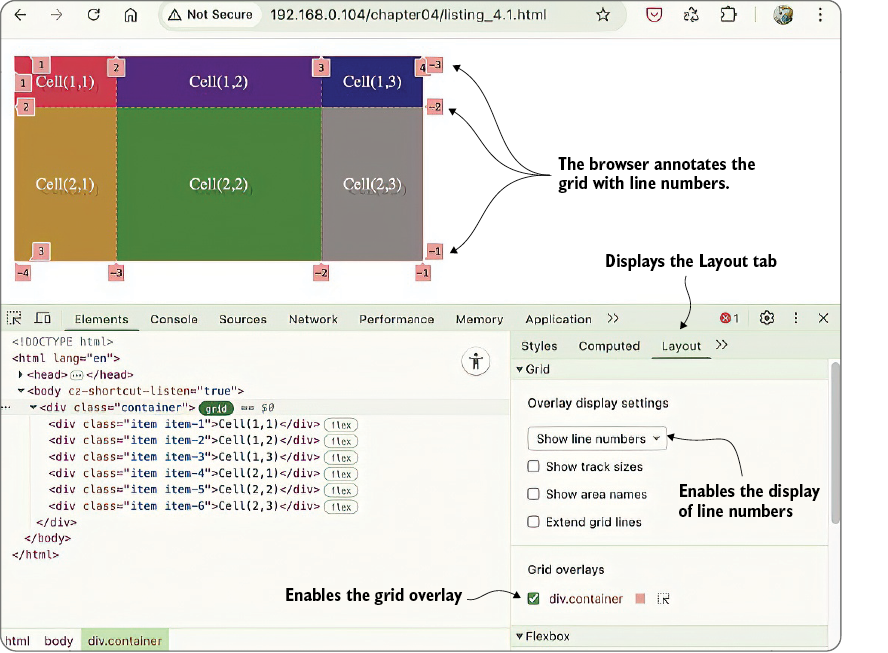
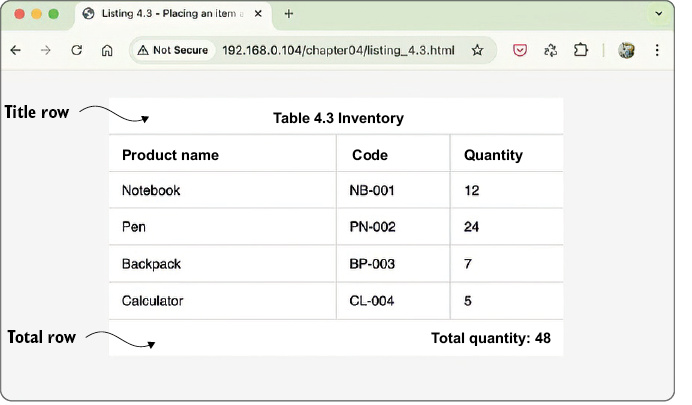
The first row and last row are placed using negative line numbers.
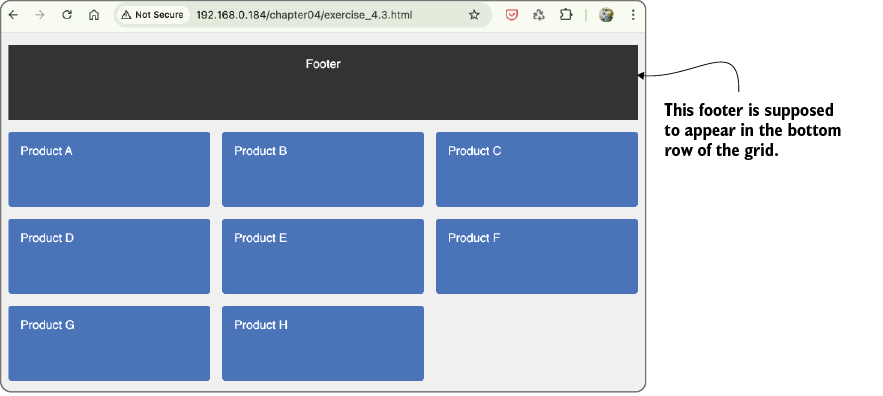
The footer is placed in the top row instead of the bottom.
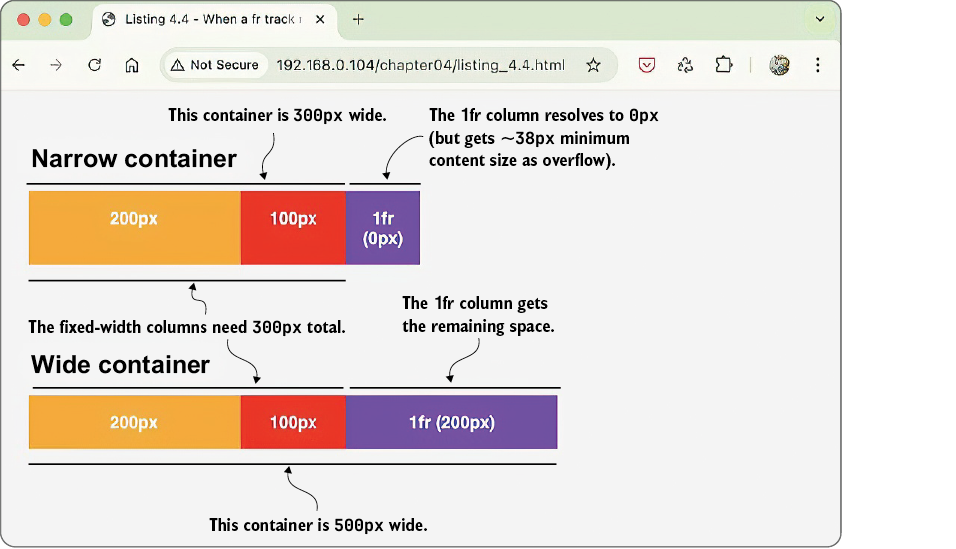
In the narrow container, the 1fr column resolves to 0px, but it is still displayed at its content minimum width.
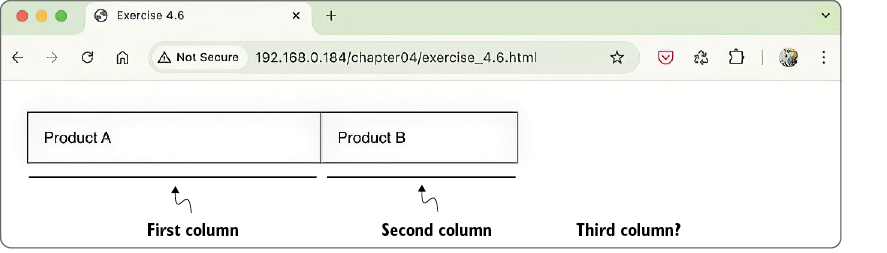
The container is defined as a three-column grid, but only two columns are rendered.
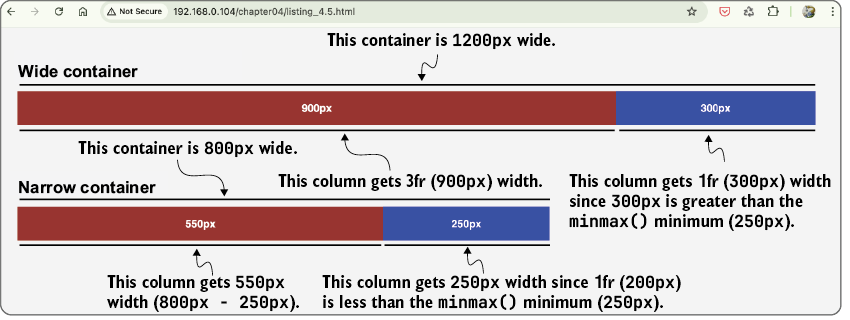
The minmax() function gives you more control over your grid tracks.
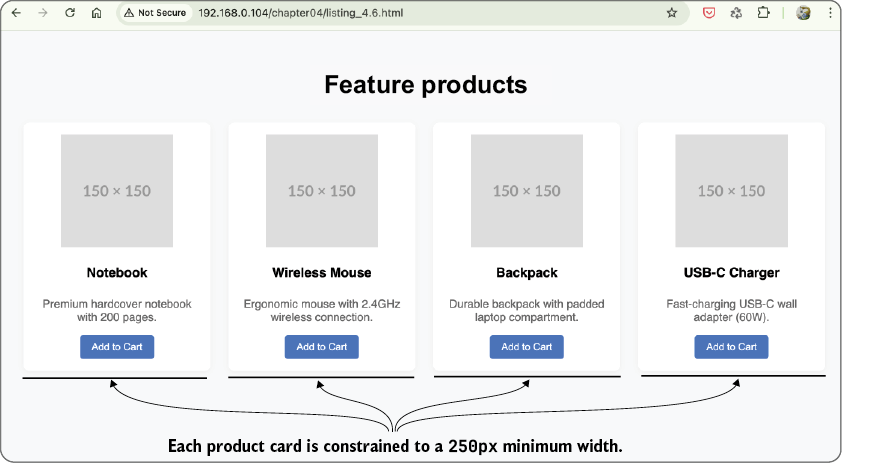
The minmax() function constrains the product cards to be no narrower than shown here.
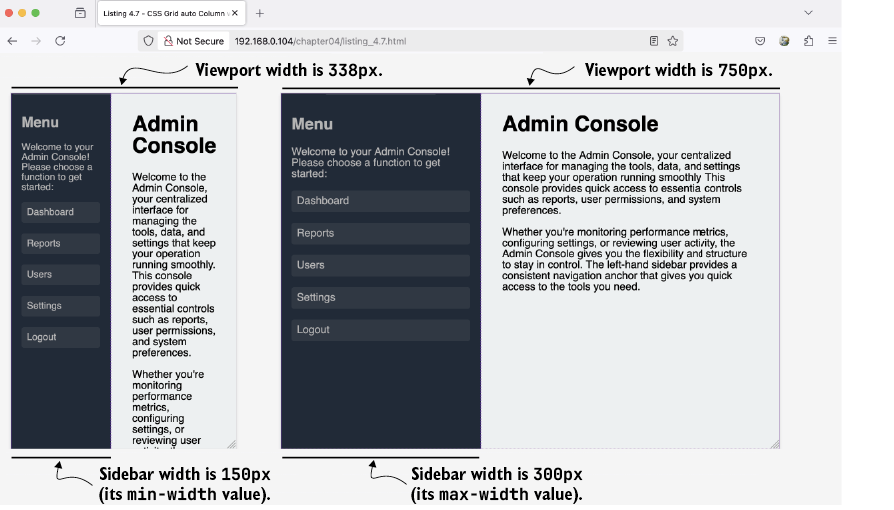
In a narrow viewport (left), the sidebar width doesn’t shrink below 150px; in a wider viewport (right), the sidebar width maxes out at 300px.
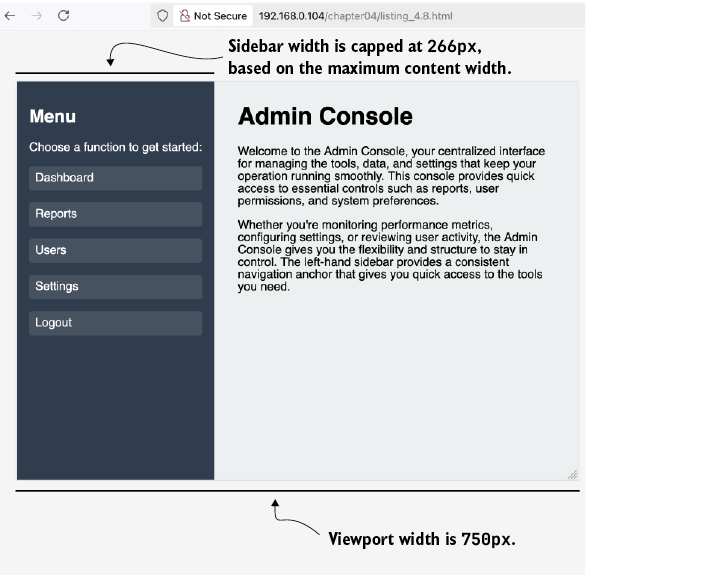
The sidebar’s maximum content width is less than the 300px limit passed to the fit-content() function, so the sidebar’s width grows no larger than that maximum value.
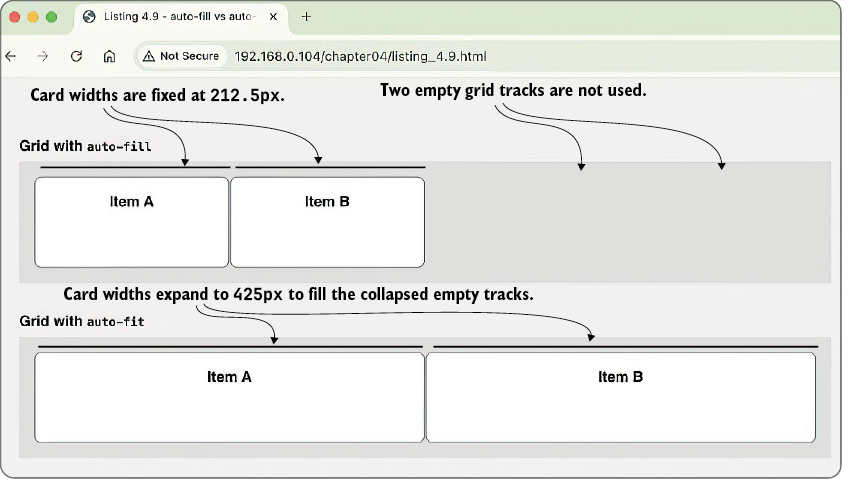
In the auto-fill example (top), the card widths are fixed at 212.5px, and the two empty columns remain in the grid container. In the auto-fit example (bottom), the two empty columns collapse and the card widths expand to 425px to fill the released space.
Summary
- CSS Grid uses a two-dimensional coordinate system that lets you position elements independently in horizontal and vertical directions.
- Grid lines are numbered starting from 1, not 0, which helps avoid confusion but requires careful attention if you’re used to zero-based indexing.
- Negative grid line numbers let you reference positions from the end of the grid, making dynamic layouts easier and more robust. Remember, though, that negative grid line numbers only work with explicit tracks, not auto-generated implicit tracks.
- The
spankeyword simplifies layout math by letting you define how many tracks an item should cover, rather than calculating endpoint positions. - Fractional (
fr) units enable the web browser to distribute leftover space proportionally, depending on how many fractions you allocate to each track. Thefrunit represents a fraction of available space after subtracting fixed tracks, gaps, padding, and borders. - When
frtracks can’t fit in available space, they resolve to0pxbut still display at their minimum content width. - The
minmax()function enforces flexible minimum and maximum sizes, giving you control over how elements grow and shrink within responsive layouts. - The
autokeyword makes tracks sized betweenmin-contentandmax-content, respectingmin-widthandmax-width. - The
fit-content()function caps a track’s maximum size, while allowing it to shrink to fit content. - The
repeat()function withauto-fitcollapses empty tracks and redistributes their space, enabling flexible layouts that shrink gracefully when fewer items are present. Userepeat()withauto-fillif you want to preserve empty tracks.
FAQ
What is the main idea behind CSS Grid’s math?
CSS Grid uses behind-the-scenes calculations to divide available space into rows and columns. Instead of relying on trial and error, you can think of Grid as a mathematical system that solves for track sizes and item placement.What is a grid formatting context?
When you setdisplay: grid on a container, it creates a grid formatting context. The container’s children become grid items and are laid out according to the grid model instead of normal block or inline flow.How does CSS Grid use a coordinate system?
Grid works like a two-dimensional coordinate plane: the horizontal axis represents columns, the vertical axis represents rows, and the intersections of rows and columns form cells where content is placed.Why does grid-template-columns: 1fr 2fr 1fr behave like an equation?
The browser treats the fr values as proportional parts of the available space. If x represents 1fr, then the total becomes x + 2x + x = w, so the browser solves for x and divides the space proportionally.How are grid lines numbered in CSS Grid?
Grid lines are numbered starting at 1, not 0. You can also use negative numbers, where-1 refers to the last grid line, -2 the second-to-last, and so on.What does the span keyword mean in Grid?
span defines a relative distance from the starting line instead of an absolute ending line. For example, grid-column: 2 / span 3 starts at line 2 and extends across 3 tracks.Why is grid-column: 1 / -1 useful?
It makes an item stretch from the first grid line to the last grid line, so it spans the full width of the grid no matter how many columns the grid has.How does the track sizing algorithm distribute fr space?
The browser first subtracts fixed track sizes, gaps, and sometimes padding and borders from the container width. Then it divides the remaining free space among the fr tracks in proportion to their fractions.What is the difference between auto-fill and auto-fit?
Both calculate how many tracks can fit, but auto-fill keeps empty tracks in place, while auto-fit collapses empty tracks and lets the remaining tracks expand into the freed space.When should you use minmax() or fit-content()?
Use minmax() when you want a track to stay within a minimum and maximum range, such as minmax(250px, 1fr). Use fit-content() when you want a track to size to its content but never exceed a set limit.
 Math for Web Design ebook for free
