3 Math basics for CSS
This chapter presents CSS as a system shaped by math rather than guesswork. It explains that many layout problems become easier once you understand how browsers convert units, evaluate expressions, and carry values through inheritance and the box model. The overall goal is to help you build styles that are more predictable, easier to debug, and better suited to responsive design.
The chapter first breaks down measurement units and how they resolve to pixels, including the compounding behavior of em values, the property-specific rules for percentages, and the responsive nature of viewport units. It then shows how to combine units with calc(), emphasizing valid syntax, operator rules, and the importance of keeping mixed-unit expressions compatible and readable. Throughout, it frames these calculations as practical tools for sizing elements, controlling spacing, and adapting layouts to changing screen sizes.
It also introduces CSS math functions such as min(), max(), clamp(), and newer functions like exp(), hypot(), log(), mod(), pow(), rem(), round(), and sqrt(), showing how they support everything from fluid typography to color and positioning logic. Later sections explain how custom properties can participate in these calculations, how inheritance passes computed values rather than always raw declarations, and how the box model turns widths, padding, borders, and margins into formulas that affect final rendered size. The result is a practical mathematical view of CSS that clarifies many common styling surprises.
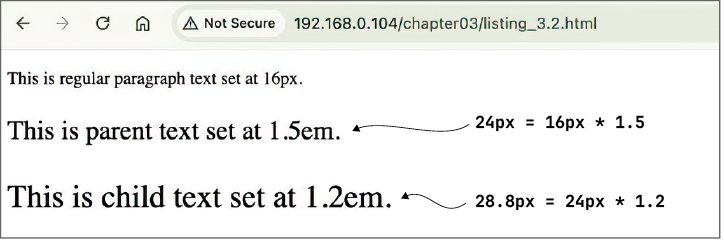
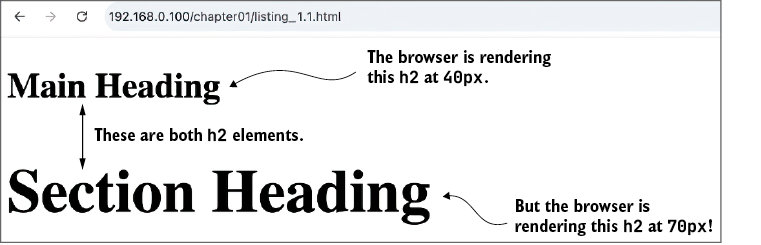
An ostensibly smaller font size (1.2em) is rendered larger than an ostensibly bigger font size (1.5em) thanks to the compounding effects of em units.
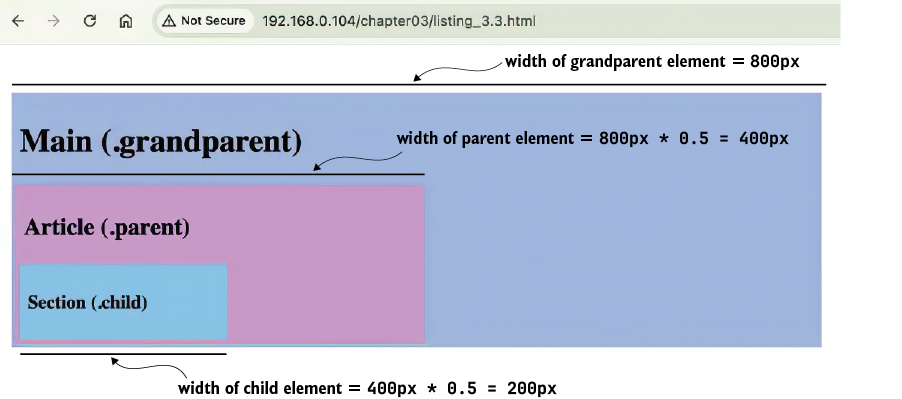
A demonstration of the multiplicative progression of percentages
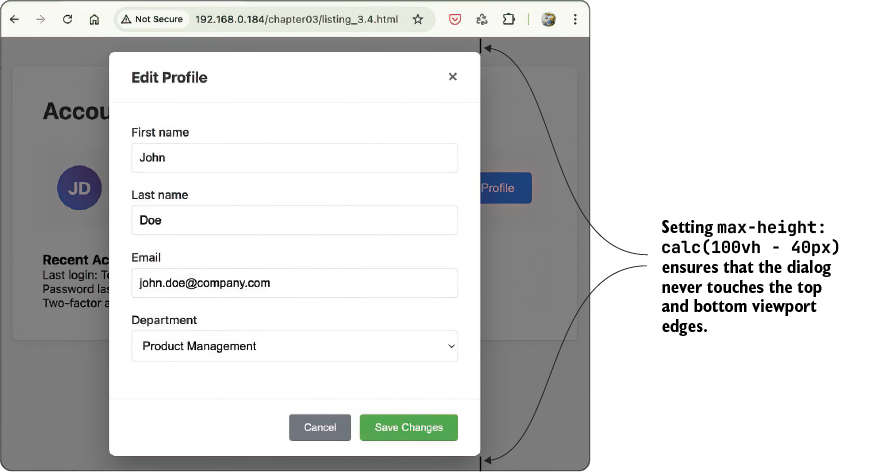
This dialog uses calc() to ensure that there is always a bit of space around it, even on small screens.
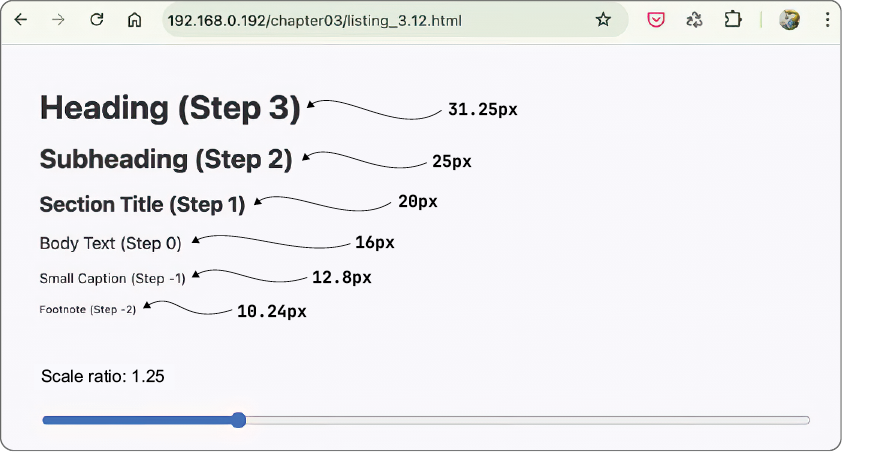
A logarithmic font size scale built using the CSS log() function
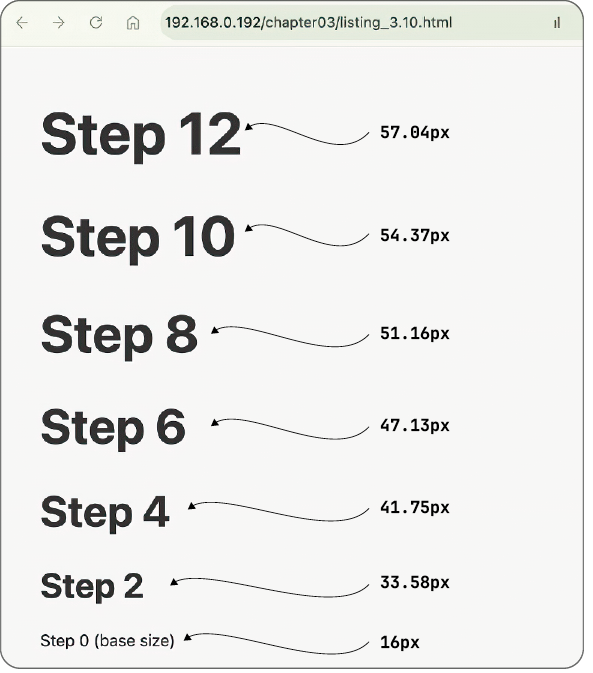
An exponential typographic scale created with the CSS pow() function
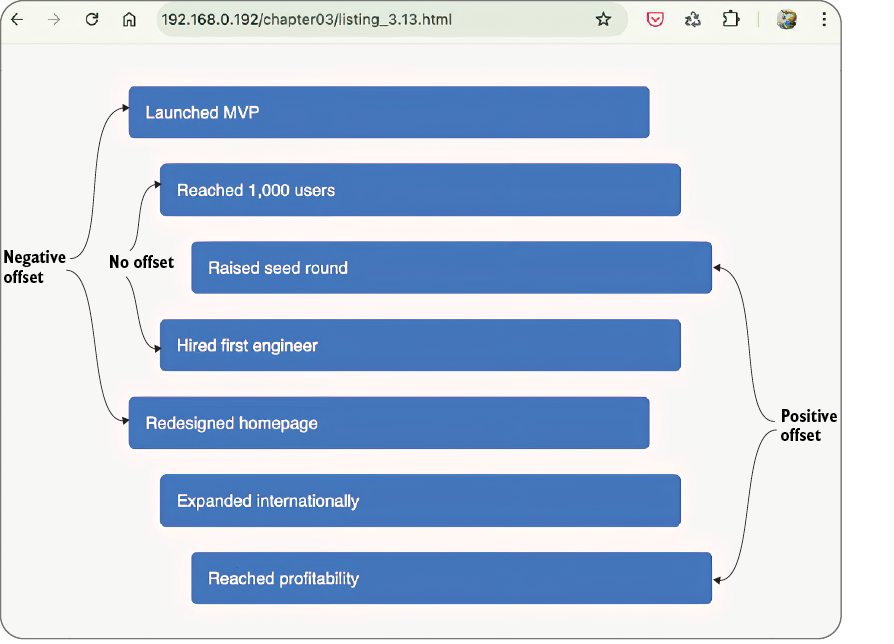
A zigzag timeline created using the CSS rem() function
The em unit inheritance multiplier explains why one h2 is rendered much bigger than the other.
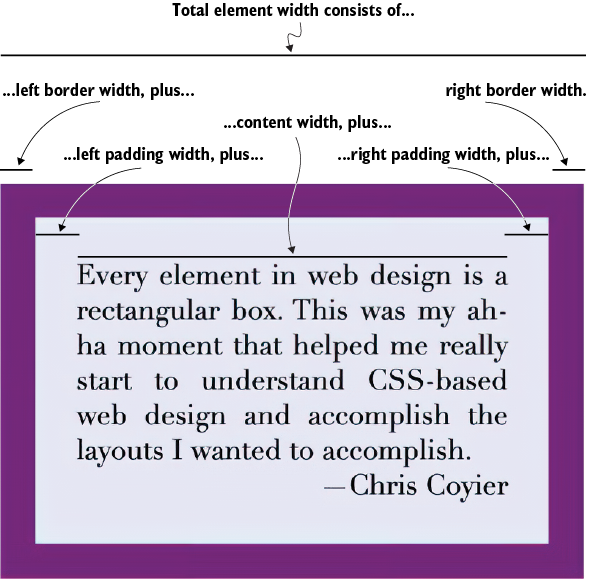
The total width of an element is the sum of the following widths: left border and padding, content, and right padding and border.
Summary
- Understanding how
em,rem,vw,vh, and percentage values are calculated lets you create properly scaled interfaces that maintain proper proportions. - The
calc()function can perform arithmetic with different units, such as combining percentages with pixels. - The
calc()function works in combination with CSS variables for dynamic calculations. - Constraint functions such as
min(),max(), andclamp()establish boundaries for values. - The
rem()function preserves the sign of the dividend, making it suitable for certain physics calculations. - The
mod()function takes the sign of the divisor, making it better for cyclic behaviors such as color wheels and carousels. - Functions such as
sqrt()andpow()let you create proportional scaling effects. - Inheritance in CSS usually involves computed values, not just specified ones.
box-sizing:content-box(the CSS default) means that the true rendered dimensions of each element are the content size plus the padding and margins.box-sizing:border-boxmeans that the declared dimensions of each element include the content size plus the padding and margins.- When an element’s bottom margin meets the next element’s top margin, the margins collapse into a single value, which is the larger of the two margin values.
FAQ
What pixel value does CSS use for 1in when converting measurements?
In CSS, 1in is always treated as 96px, regardless of the actual screen DPI.
How do rem and em units differ in CSS?
1rem equals the root element’s computed font size in pixels, while 1em equals the current element’s computed font size in pixels.
Why can em units cause font sizes to grow unexpectedly in nested elements?
em values compound through inheritance, so each nested level multiplies by its own em factor, creating a geometric progression.
How are percentage values calculated for width, height, and line-height?
For width, percentages are based on the parent’s width. For height, they are based on the parent’s height if it is defined. For line-height, percentages are based on the element’s own font size.
What does 10vw mean in CSS?
1vw is 1% of the viewport width, so 10vw equals 10% of the viewport width and changes as the browser window resizes.
Why is width: 100% - 2rem invalid CSS?
Arithmetic expressions must be wrapped in a math function like calc(). Also, + and - need spaces around them inside calc().
What does calc(100% - 2rem) do?
It converts both values to a common computed unit, then subtracts the 2rem value from 100%. The result is often used to fit an element inside padded or fixed-width containers.
What is the difference between min(), max(), and clamp()?
min() returns the smallest value, max() returns the largest value, and clamp(MIN, VAL, MAX) keeps a value between a lower and upper bound.
How do CSS variables work in math expressions?
CSS variables are inserted with var(). They can be used inside math functions like calc(), as long as the units are compatible and any required fallback values are provided.
How does box model math affect an element’s rendered width?
With the default content-box model, total width equals content width plus left/right padding plus left/right border. With border-box, padding and border are included inside the declared width.

 Math for Web Design ebook for free
