12 Physics-based animations
Physics-based animations make web interfaces feel more natural by matching the motion users already expect from the physical world. Instead of moving at a robotic constant speed, elements that accelerate, decelerate, bounce, or oscillate feel smoother, more intuitive, and more polished. The chapter introduces this idea through everyday examples and shows how even simple motion choices can greatly improve the user experience.
The core mathematical tools are linear interpolation and easing functions, which let you turn raw progress values into motion that starts, slows, or curves in believable ways. The text explains how to implement these ideas in JavaScript, including reusable easing formulas and animation loops that use timestamps so motion stays consistent across different frame rates and device conditions. It also develops the basic physics relationships of velocity and acceleration, showing how distance, time, and changing speed can be used to animate elements reliably.
Building on those foundations, the chapter demonstrates more advanced effects such as gravity-driven falling, bouncing with energy loss, pendulum-like swinging with sine waves, and spring motion based on Hooke’s law. It then extends the same principles to inertia and friction, so dragged objects can coast and gradually settle instead of stopping abruptly. Overall, the chapter emphasizes that a small set of physics formulas can produce motion that feels lively, responsive, and realistic in modern UI design.
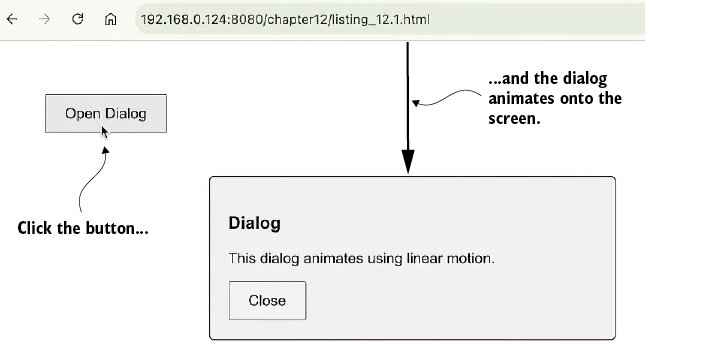
The completed animation of a dialog entering from the top of the viewport. This example uses linear motion (i.e., a constant speed).
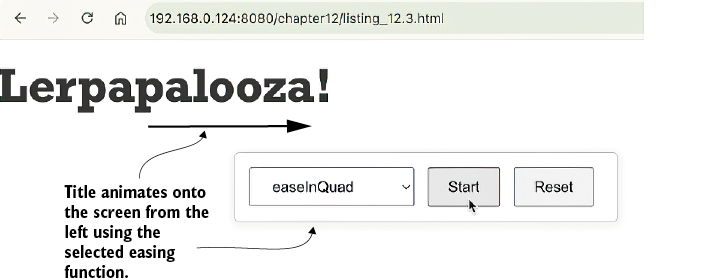
The page title in mid-animation as it enters from the left side of the viewport. The dropdown list lets you try different JavaScript easing functions for the animation.
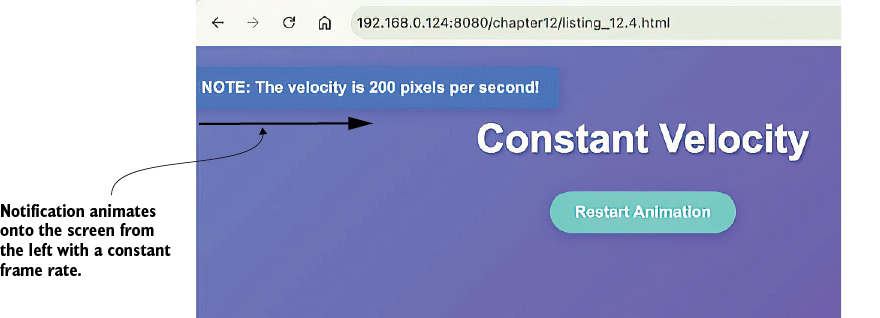
The notification in mid-animation as it enters from the left side of the viewport. The notification enters with a constant velocity of 200 pixels per second.
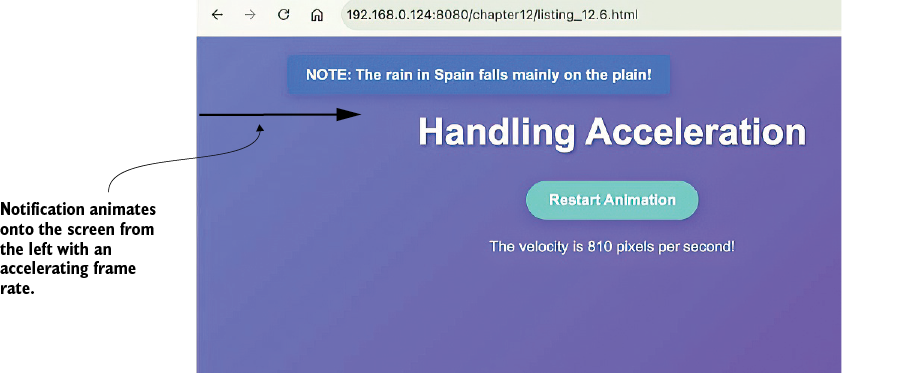
The notification in mid-animation as it enters from the left side of the viewport. The notification speed increases as it enters due to acceleration.
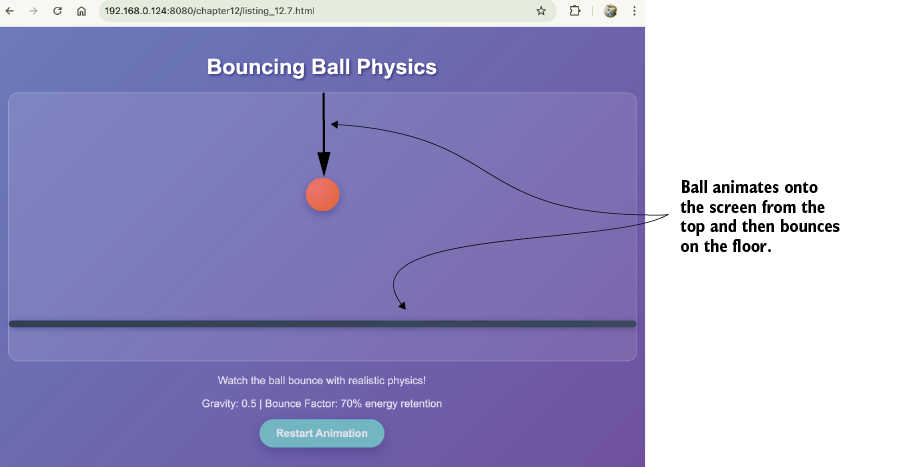
A prototype of a realistic bouncing-ball animation. The ball enters from the top of the container and then bounces a few times when it hits the floor.
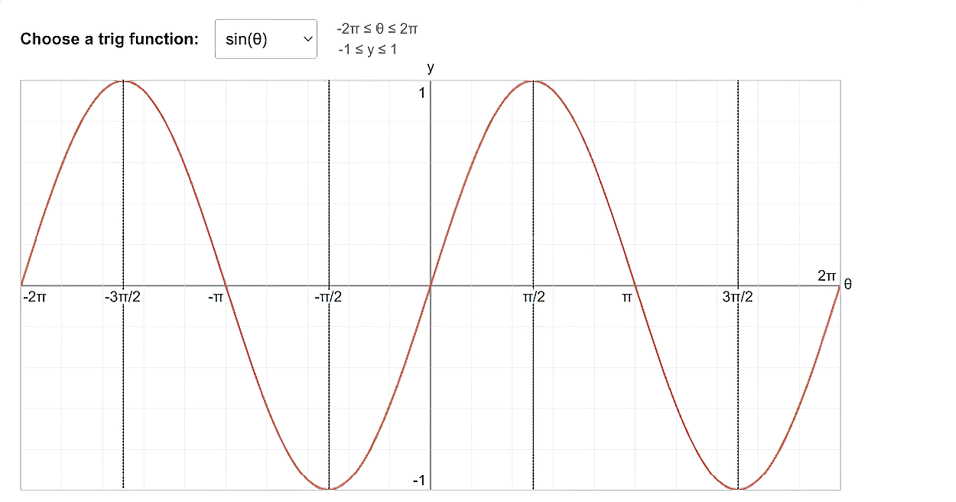
A sine wave oscillates smoothly and continuously between 1 and −1. This oscillatory movement makes a sine wave ideal for modeling pendulum-like motion.
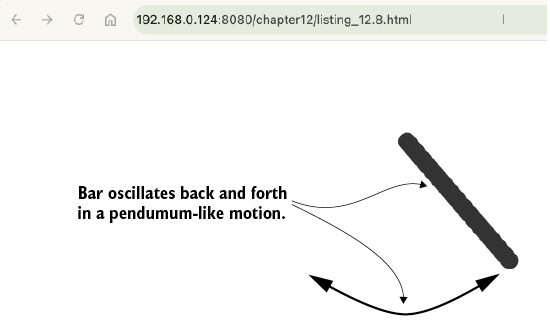
A prototype of a windshield washer effect. The bar oscillates back and forth thanks to the power of the Math.sin() function.
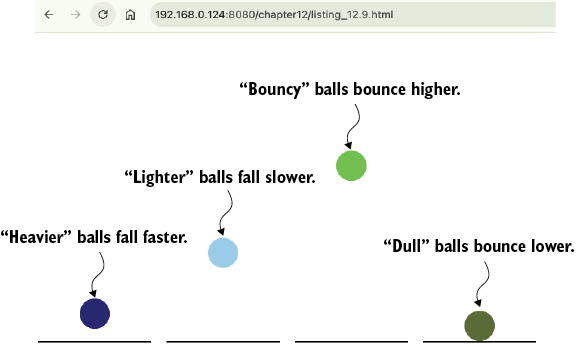
Each ball is given a different weight (gravity) and elasticity (bounce factor).
Summary
- Physics-based animations feel more natural because they mimic how objects behave in the real world, meeting user expectations.
- Velocity is the rate of change of an object’s position in a certain direction, while acceleration is the rate at which that velocity changes.
- You can simulate gravity by applying a constant positive acceleration to an object’s vertical velocity.
- A bounce effect is created by reversing an object’s velocity upon collision and multiplying it by a
bounceFactorless than 1 to simulate energy loss. - Oscillating motion, like a pendulum, can be modeled using the
Math.sin()function. - Spring animations are based on Hooke’s law, where an acceleration proportional to the distance from a target is applied, creating a snappy, bouncy effect.
- Friction (or damping) is simulated by multiplying velocity by a factor slightly less than 1 on each frame, which causes the object to slow down.
FAQ
Why do physics-based animations often feel more natural than linear motion?
Physics-based animations match the way objects behave in the real world. They include acceleration, deceleration, momentum, friction, gravity, and elasticity, which makes movement feel intuitive instead of robotic or abrupt.What is linear interpolation and why is it important in animation?
Linear interpolation, or lerp, calculates intermediate values between a start and end point based on progress. It is the foundation for animating properties like position, opacity, and color because it turns a progress value into a current animated value.What is an easing function in JavaScript?
An easing function modifies a linear progress value to create more natural motion patterns, such as easing in, easing out, or easing in and out. It helps animations start slowly, speed up, or slow down like physical objects do.How does the cubic ease-out formula make an animation feel smoother?
The cubic ease-out formula,1 - Math.pow(1 - progress, 3), creates a fast start and gradual slowdown. This mimics real-world motion where objects lose momentum before coming to rest.What is the relationship between velocity, distance, and time in animation?
Velocity equals distance divided by time (v = d / t). In animation, this means faster motion covers more distance in the same amount of time, and the distance moved per frame depends on the elapsed time.Why should animations use timestamps instead of assuming a fixed frame rate?
Timestamps make animations frame-rate independent. SincerequestAnimationFrame() can run at different rates depending on the device or browser conditions, using elapsed time keeps the motion consistent across 60Hz, 120Hz, or slower displays.How does acceleration affect animation motion in JavaScript?
Acceleration changes velocity, and velocity changes position. By increasing velocity a little each frame, an object speeds up over time, which creates more realistic motion than constant speed alone.How is bouncing motion simulated in the chapter?
Bouncing is simulated by applying gravity to vertical velocity and then reversing and reducing that velocity when the object hits the floor. The reduced reversed velocity creates a bounce that gets smaller over time.How can Math.sin() be used to create pendulum-like motion?
Math.sin() produces a smooth oscillation between -1 and 1. By multiplying that output by an amplitude and applying it to rotation, you can create back-and-forth swinging motion like a pendulum.
 Math for Web Design ebook for free
