8 Model training and validation: Part 1
This chapter shifts from data preparation to building production-grade training and validation components that are reproducible, modular, and pipeline-ready. Using an ID card detection use case, it emphasizes designing components that are versioned, portable across environments, and instrumented to capture metrics and artifacts. The goal is to help practitioners move seamlessly from experimentation to reliable, scalable workflows while maintaining visibility into performance and facilitating informed deployment decisions.
The training workflow centers on adapting Ultralytics YOLOv8 to a custom dataset via a simple YAML configuration, then running a configurable training loop that balances efficiency, resource constraints, and accuracy. It highlights architecture trade-offs (e.g., starting with the nano model), key hyperparameters (image size, epochs, batch, optimizer), and systematic artifact capture (weights, plots, sample inferences). To address system-level dependencies, the chapter demonstrates Kubeflow Pipelines container components: installing OS packages, injecting a full training script at runtime, and wiring inputs/outputs so the pipeline can download/split data, train the model, and persist results as managed artifacts.
Validation is treated as a first-class pipeline step, using YOLO’s built-in evaluation to compute standard metrics (e.g., mAP) and logging them through Kubeflow’s Metrics interface for UI display and historical tracking. Beyond automated checks, the chapter encourages manual artifact inspection by running local inferences to sanity-check behavior, illustrating how additional epochs can markedly improve confidence and bounding boxes while YOLO automatically retains the best-performing weights. It closes by advocating automated acceptance thresholds, iterative hyperparameter tuning, and previewing the addition of persistent storage and experiment tracking tools to further harden the end-to-end training and validation workflow.
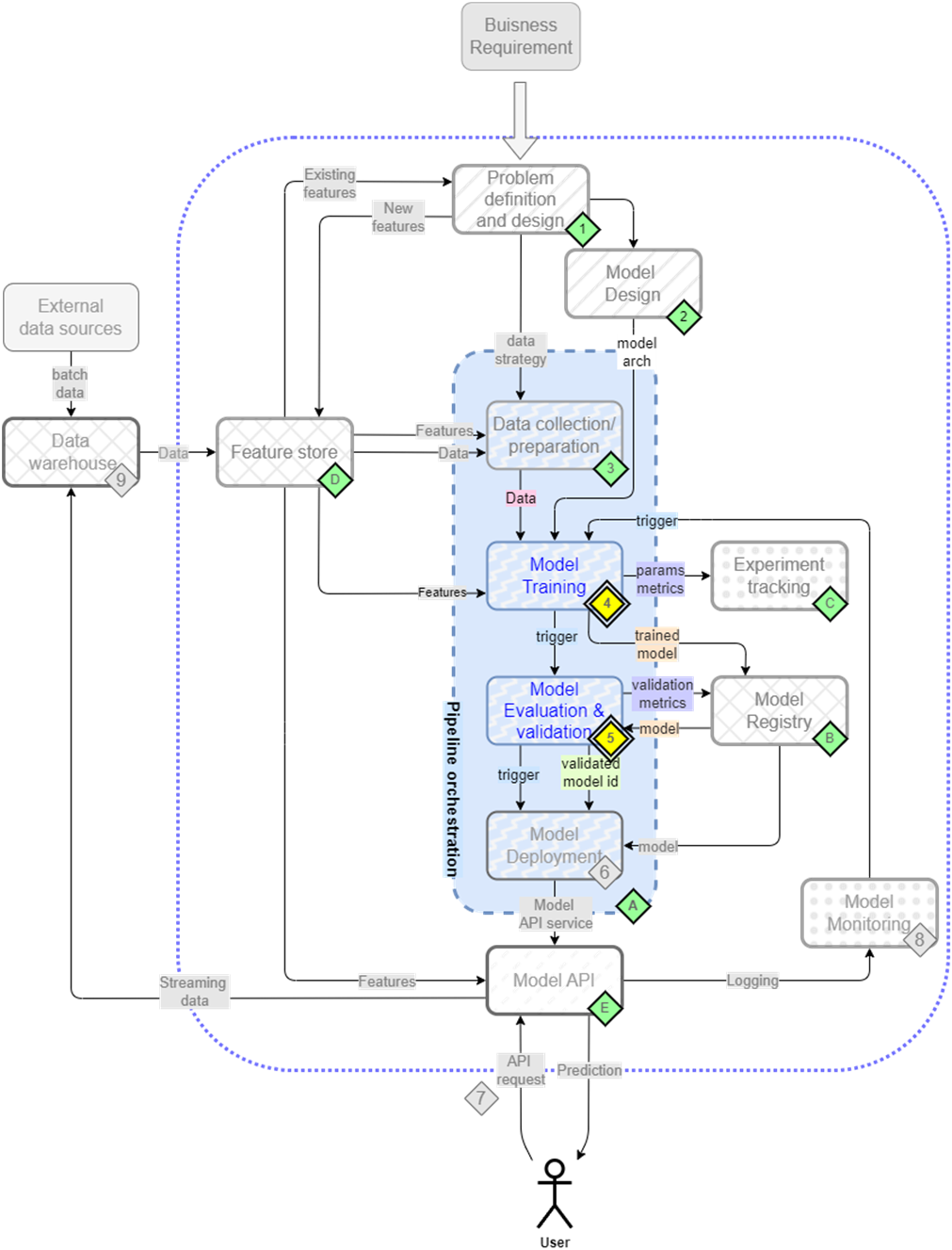
The mental map where we are now focusing the second and third step/component of our pipeline - model training(4) and evaluation(5)
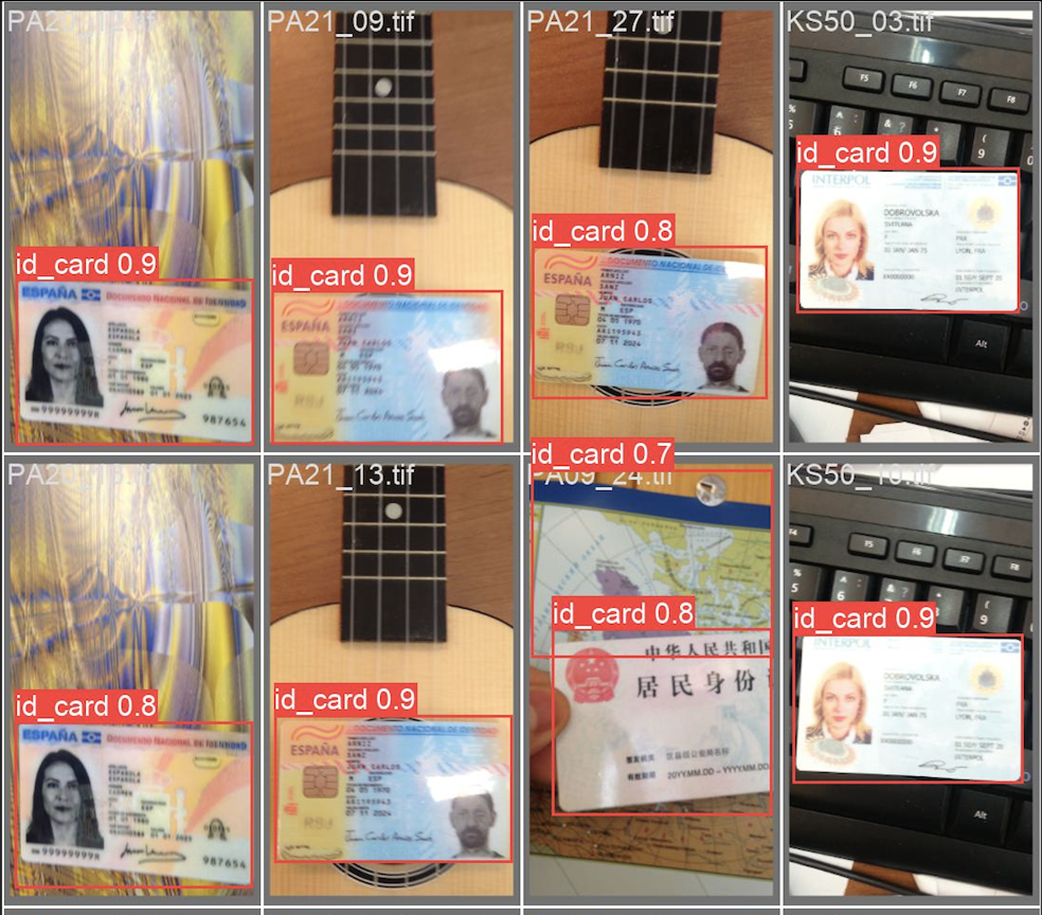
Examples of inferences during training that are captured automatically
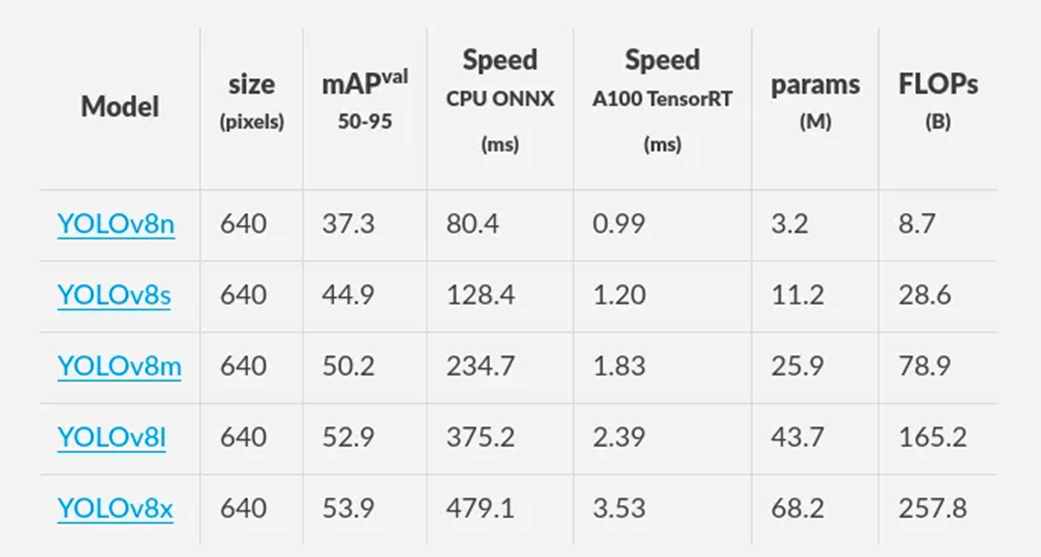
YOLOv8 in various model sizes along with performance metrics.
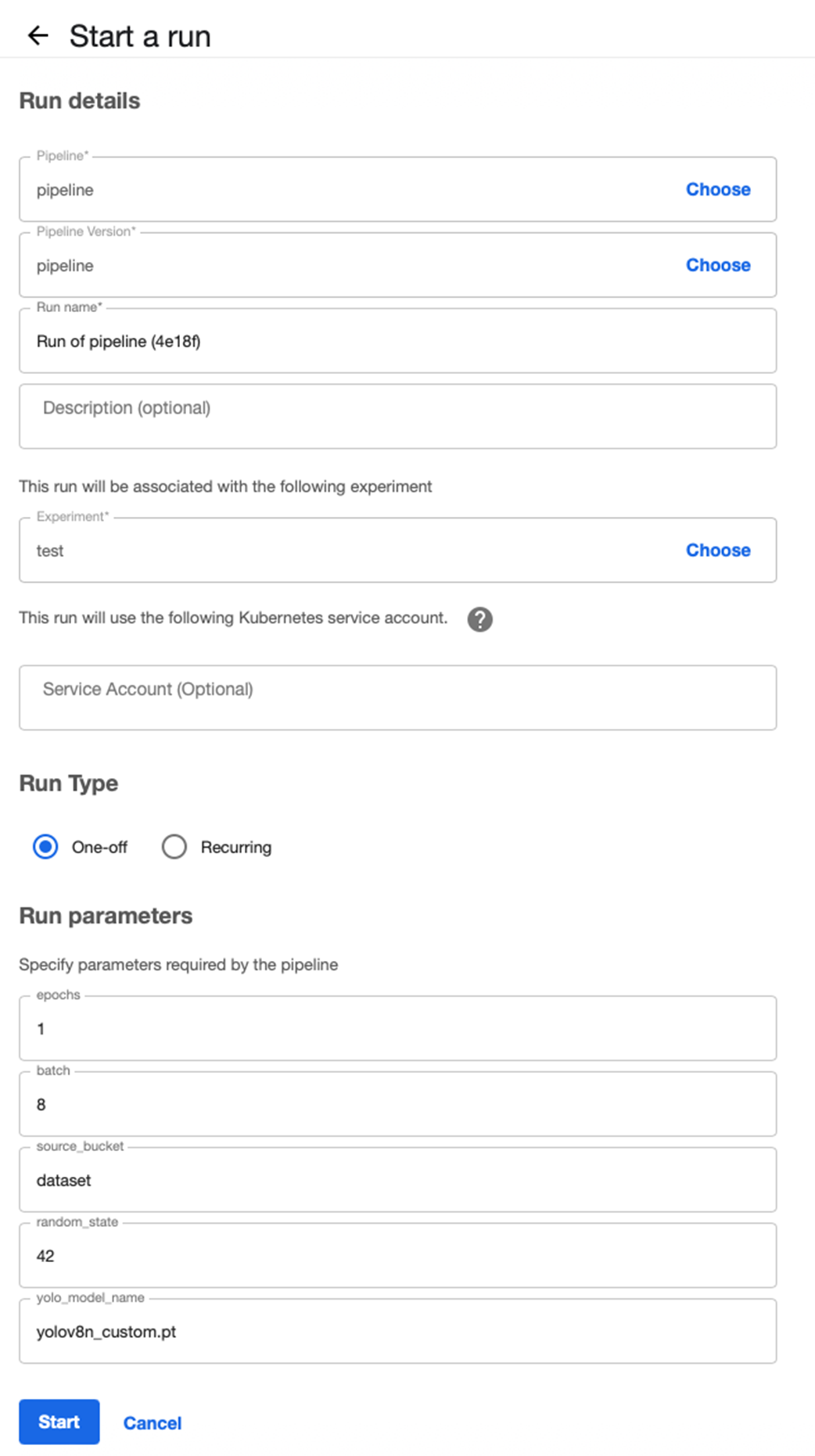
Run parameters get populated based on the pipeline parameters.
Topology of the newly uploaded pipeline.
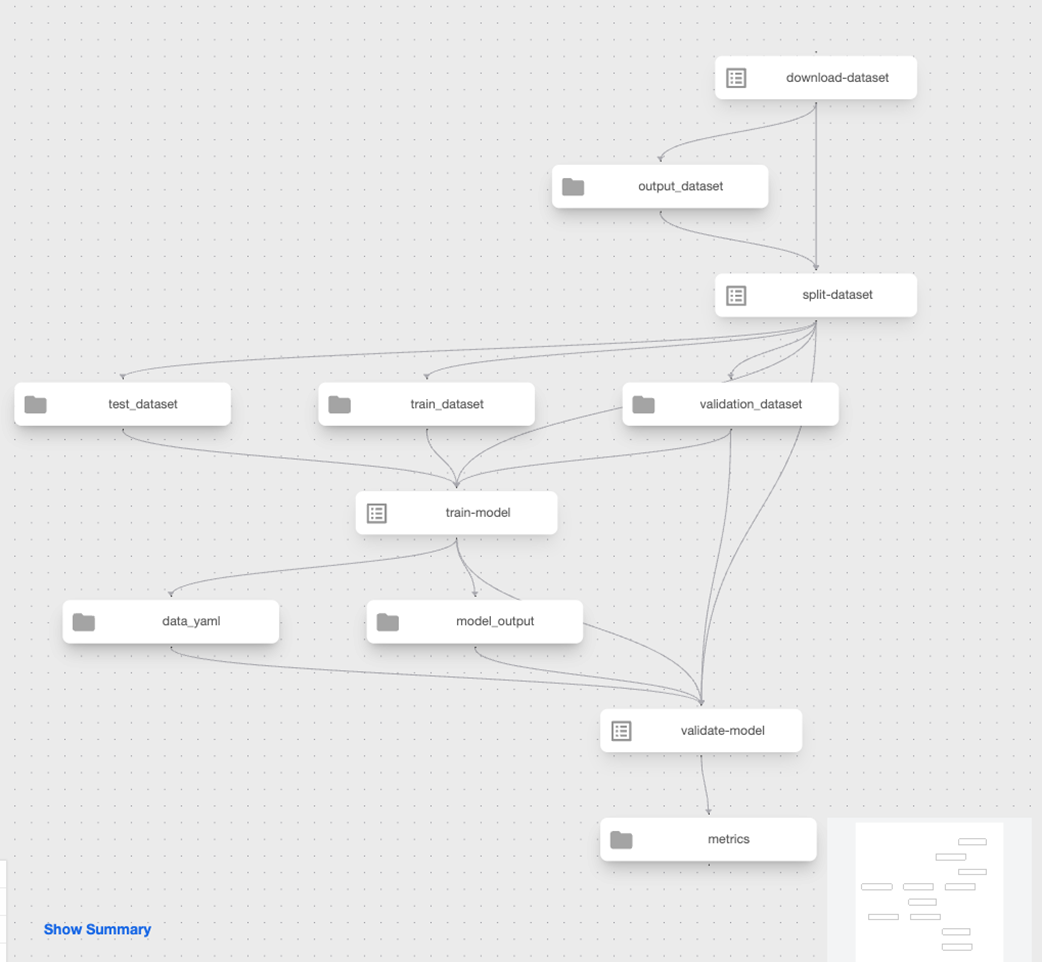
Successful pipeline run with training and validation components
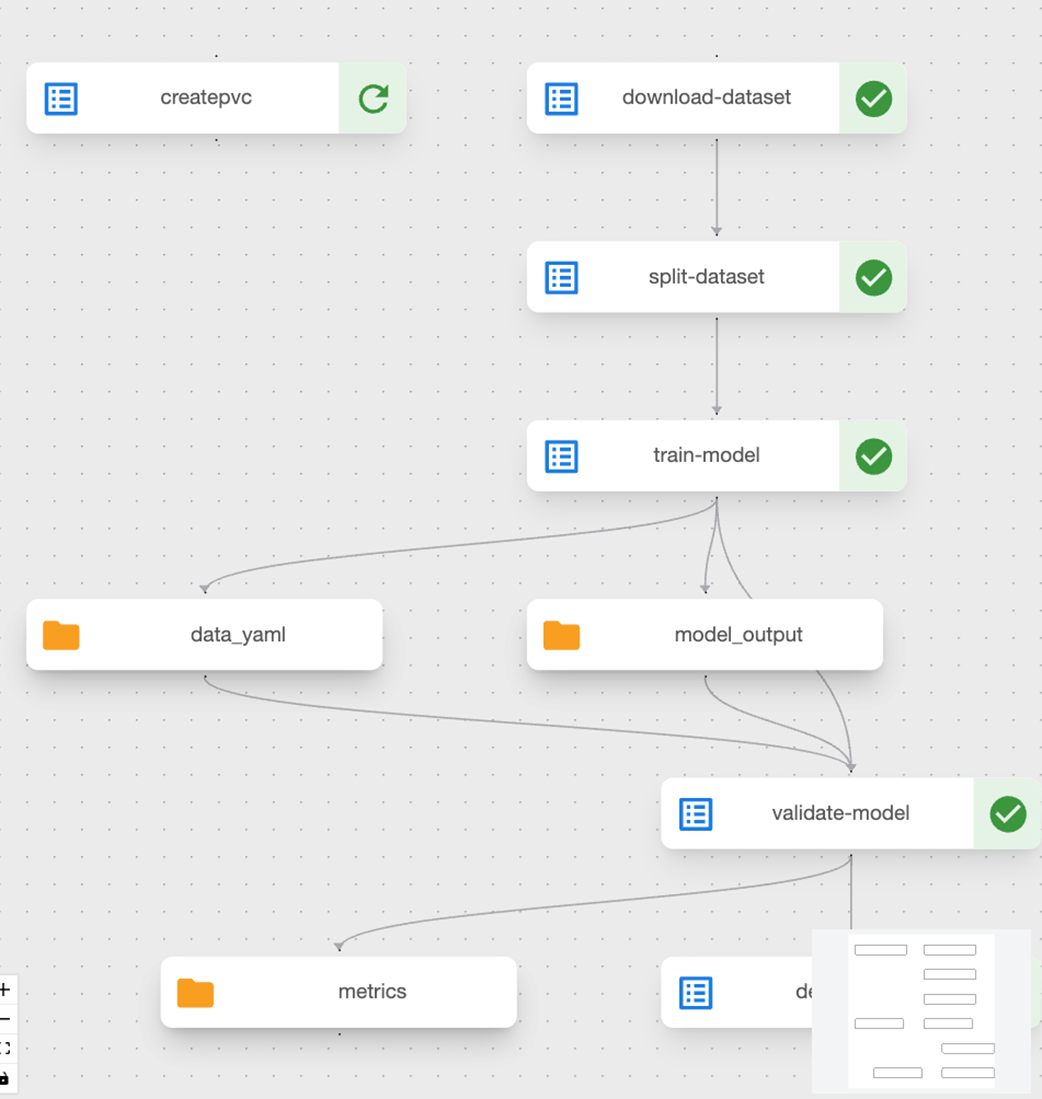
Metrics gets displayed as part of the Run output in the UI.
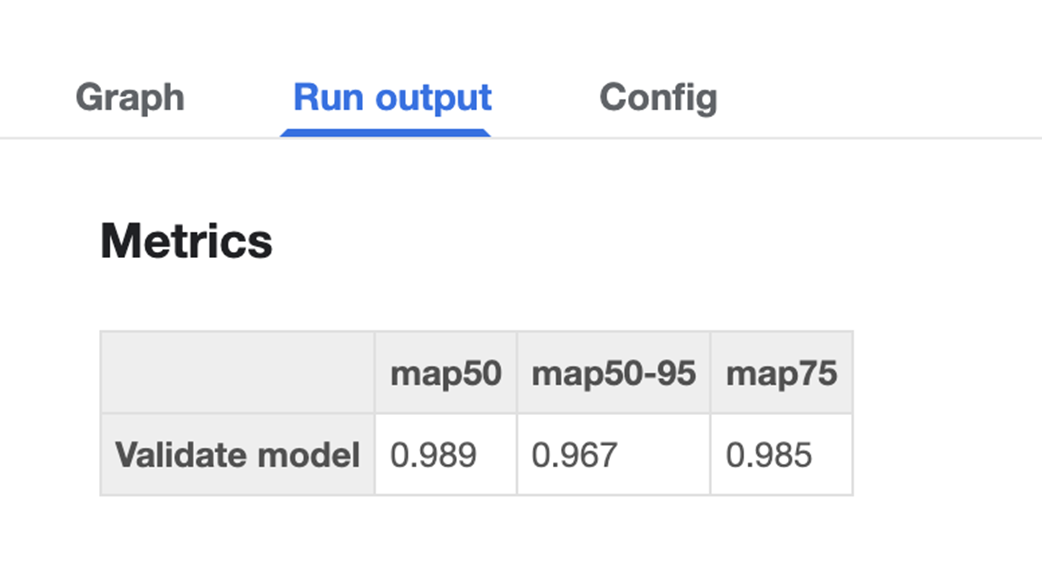
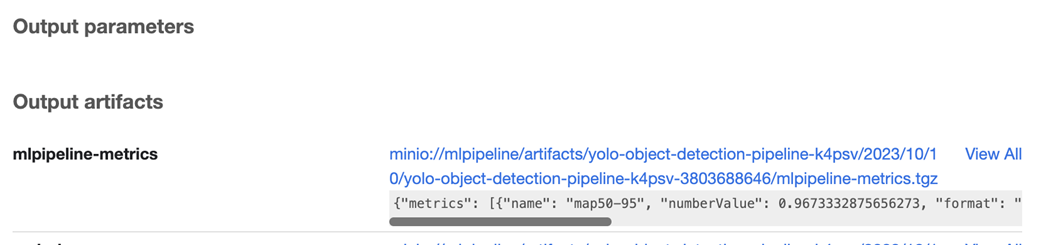
Same metrics can be viewed in raw form under Output artifacts.
Metrics are now displayed with all the previous pipeline runs

Detections without training on the default YOLO model.

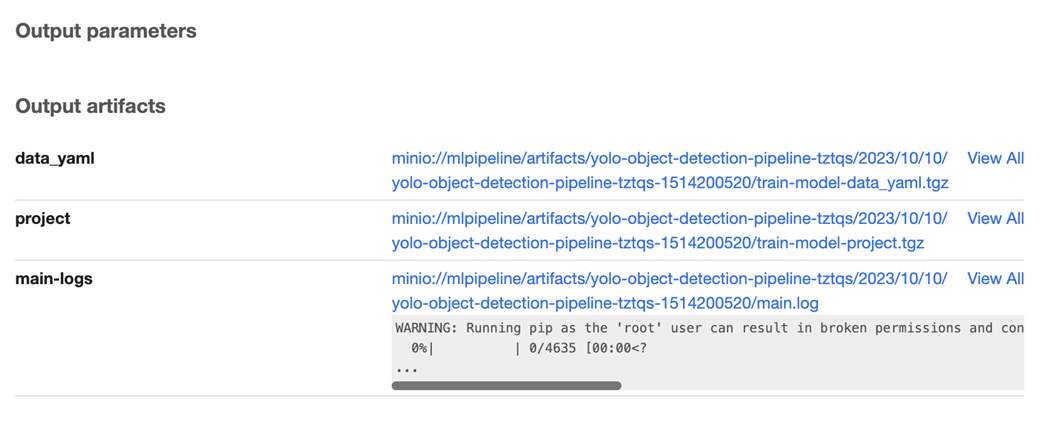
Project shows up as an output artifact that contains model training artifacts.
Promising results even with just one epoch of training

Better detections with just a little bit more training; the entire ID card is now selected

Summary
- Getting training data to a model can be solved in a few ways. Any method you choose must lend itself to version control and lineage.
- Kubeflow offers a few ways of accessing downloads that we have discussed in this chapter. Among others, we discussed direct downloads and stream reads.
- It is important to keep the requirements and acceptable limitations of the final model in mind while deciding on a model architecture. No matter how good the public metrics for a model are, if you do not understand the tradeoffs with respect to requirements, we will face problems down the road.
- Data access and passing is important to keep in mind while writing the training code. Always assuming local access is not the best idea while creating training codebases that need to be deployed into automated pipelines.
- Metrics and, more importantly, the visibility of metrics are a key criterion for success in large organizations and/or teams that employ training pipelines at scale. Having a convenient place like the kubeflow dashboard to quickly visualize pipeline metrics goes a long way in reducing feedback loops and promotes collaboration.
- An aspect of automation that is not often discussed is the ability to quickly run a sanity test on a given model’s output weights. Keeping this in mind while designing dataflows and model storage strategies helps ease debugging and dashboard workflows later on.
FAQ
Why build training as modular components instead of using notebooks?
Modular components are versioned, reproducible, and environment-agnostic. They integrate cleanly with data prep steps, run consistently in CI/CD and pipelines, and make monitoring and evaluation systematic—capabilities that notebooks alone don’t provide for production.How do I configure YOLOv8 for a custom dataset?
Create a YAML (e.g., data.yaml) that points to your splits and class names. For YOLOv8 you typically specify image directories only:train: .../train/images, val: .../val/images, test: .../test/images, plus names (e.g., index 0 → “id_card”). Ensure labels live adjacent to images (e.g., train/labels).Which YOLOv8 model size should I choose?
Pick based on the speed–accuracy–resource trade-off. Smaller models (e.g.,yolov8n) are fast and light—great for quick iteration and edge devices. Larger variants are more accurate but costlier to train and run. Start small to assess feasibility, then scale up if accuracy demands it.What are the key training parameters to expose in production?
Common, high-impact ones include:epochs (training duration), batch (throughput vs. memory), imgsz (accuracy vs. compute), and optimizer (e.g., auto-selects SGD/AdamW). Keep sensible defaults and only widen the surface area as needs evolve.Where are training artifacts stored and what’s captured?
Use YOLO’sproject and name to collect artifacts: model weights (including best.pt), confusion matrices, precision/recall curves, sample inferences, and logs. This makes runs auditable and comparable, and enables downstream validation and deployment.When should I use a container-based KFP component instead of a standard Python component?
Use@dsl.container_component when you need system-level packages (e.g., fixing ImportError: libGL.so.1 by installing libgl1-mesa-glx via apt-get). @dsl.component manages Python deps only; container specs let you run arbitrary shell commands.How can I include a training script in a containerized component without building a custom image?
Inject it at runtime using a heredoc insidedsl.ContainerSpec (e.g., cat << 'EOF' > /train.py ... EOF), install deps, then call python /train.py with arguments mapped from component inputs. This avoids maintaining a Dockerfile while staying fully reproducible.How do I implement validation and track metrics in Kubeflow Pipelines?
Loadbest.pt into YOLO and call model.val() with the same data.yaml. Log results to a KFP Metrics artifact (e.g., mAP@50–95, mAP@50, mAP@75). These appear in the run UI and are saved as output artifacts for comparisons across runs.How do pipeline components exchange datasets, models, and configs?
Use typed artifacts:Input[Dataset], Output[Model], Input[Artifact] (for configs like data.yaml), and Output[Metrics]. The pipeline wiring passes paths between steps, preserving data lineage and enabling the UI to visualize dependencies.How can I manually verify trained weights locally?
Download the training “project” artifact from the run, extractbest.pt, and load it with YOLO("path/to/best.pt"). Run inference over sample images to visually inspect detections and confidence scores. This complements automated metrics and helps debug unexpected behavior.
 Machine Learning Platform Engineering ebook for free
