7 Data analysis and preparation
This chapter argues that robust data preparation is the foundation of successful machine learning, then shows how to operationalize it with Kubeflow. It begins by addressing the realities of data analysis at scale—running close to large datasets while offering on-demand, interactive compute—and presents Kubeflow notebooks as the solution. Readers learn how to launch and tune notebook servers (images, resources, GPUs), work with workspace and data volumes, apply PodDefaults, affinity, and tolerations, and customize the Jupyter Web App menu. The chapter also explains how to build custom notebook images and fold them into CI/CD so experimentation mirrors deployment, improving reproducibility and version control.
The core pipeline concepts focus on how isolated components pass data in Kubeflow Pipelines v2. After demonstrating simple parameter passing, the chapter emphasizes artifact-based data movement for large datasets using strongly typed Input/Output artifacts (for example, Dataset, Model, Metrics, HTML, Markdown, and generic Artifact), along with practical guidance on dependency management via packages_to_install, base_image, and best practices like scoping imports inside component functions. It further introduces containerized Python components that prebuild dependencies into images (target_image) for faster, more reliable execution—bridging lightweight components and full container components—while maintaining clear interfaces and type safety.
Two end-to-end data preparation projects put these ideas into practice. For object detection (YOLOv8), the chapter covers formatting expectations, building components to download and unpack data, store assets in MinIO, split images and labels into train/validation/test, and validate outputs. For a movie recommender using the MovieLens 25M dataset, it adds tabular-specific steps: unzip, convert CSV to Parquet for efficiency, split datasets, upload to MinIO, and perform QA with pyarrow, all orchestrated as a Kubeflow pipeline executed from the UI or SDK. Along the way, it highlights caching choices, logging trade-offs, and resource controls, showing how well-structured components and typed artifacts yield reproducible, scalable, and observable data preparation workflows.
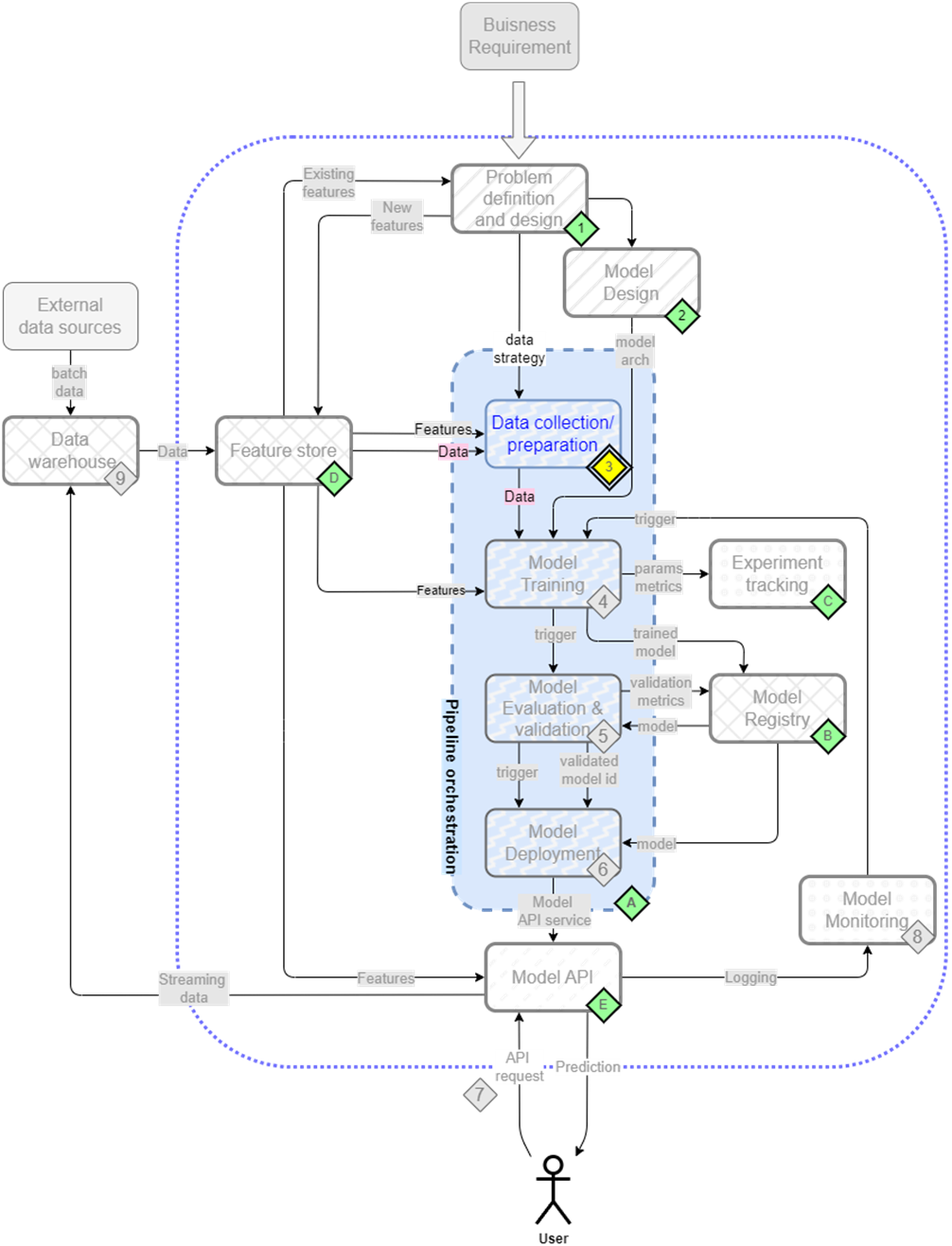
The mental map where we are now focusing the first step/component of our pipeline - data collection and preparation(3)
Click on New Notebook to launch a Kubeflow notebook

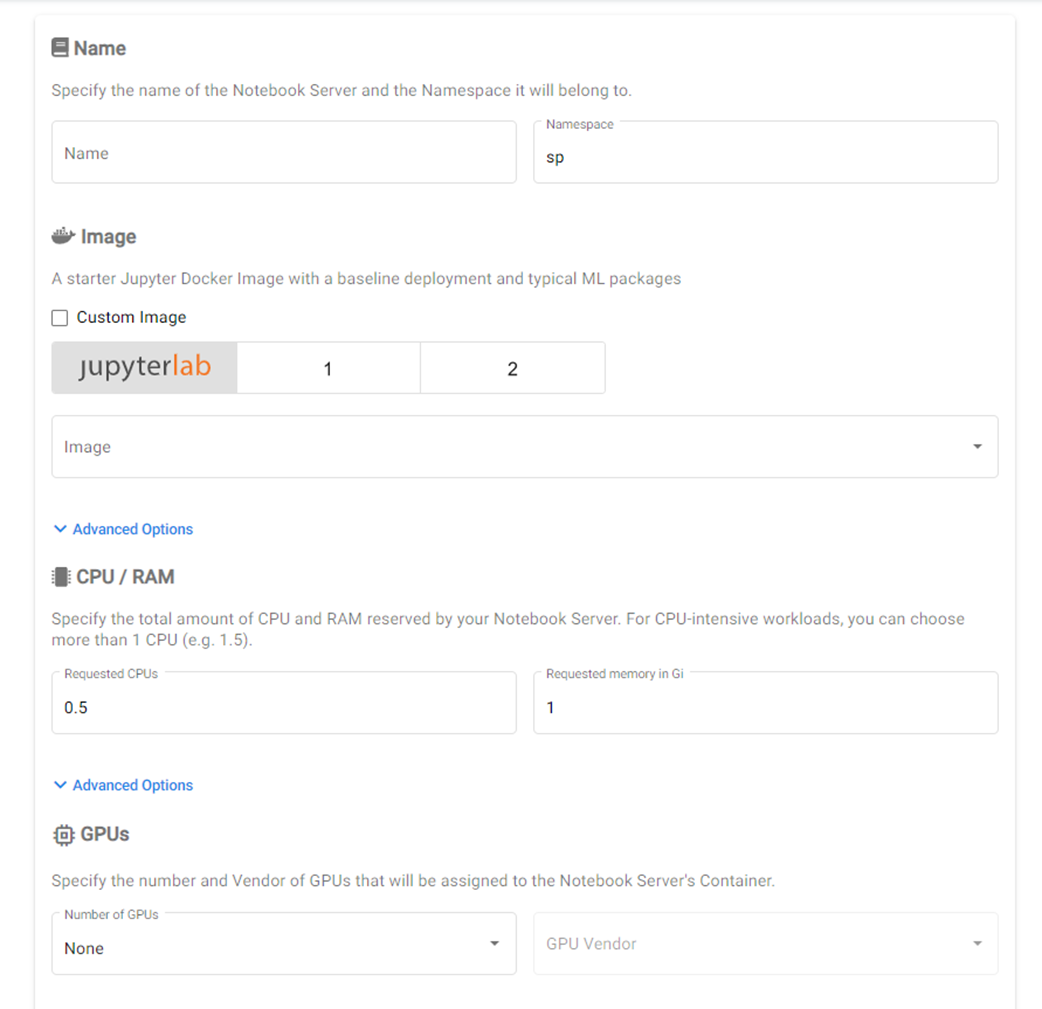
Image configuration options for name, namespace, image and resources
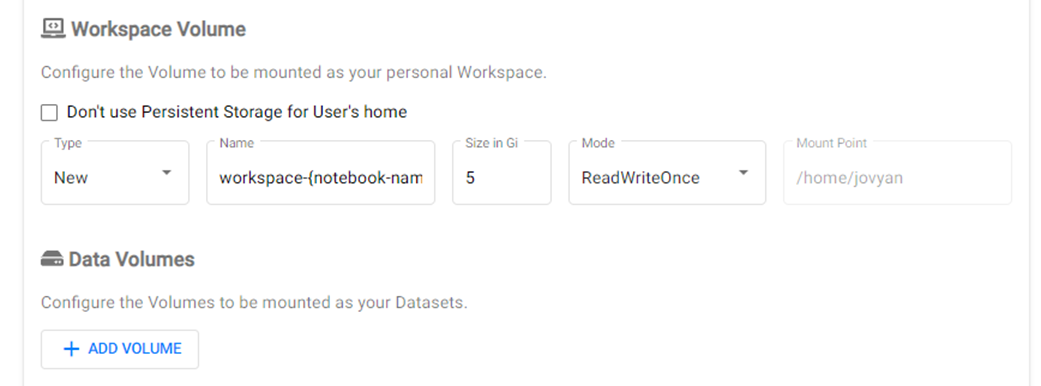
Configuration options for adding a workspace and data volumes to the notebook
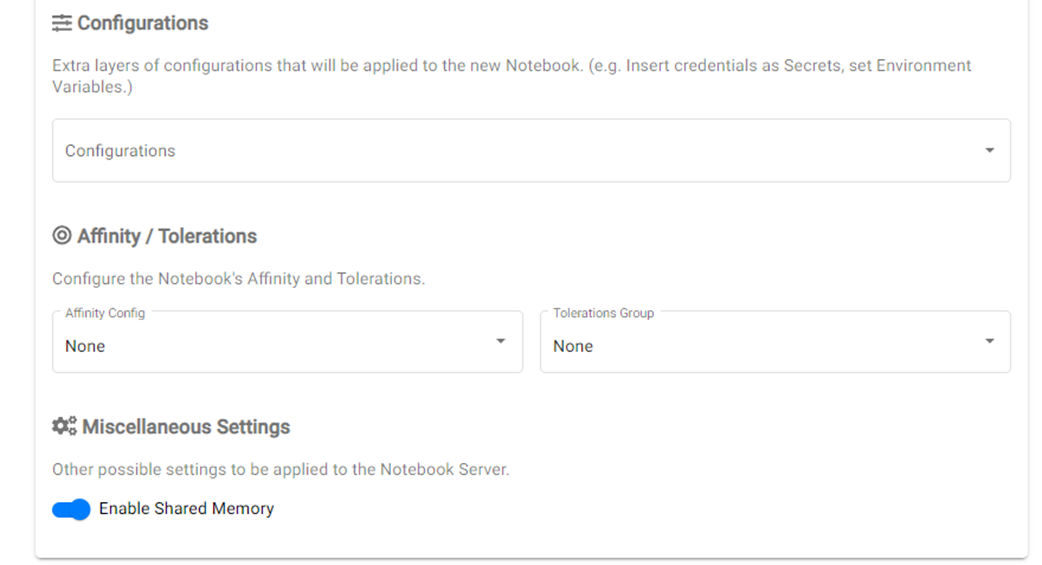
Affinity and tolerations group configurations
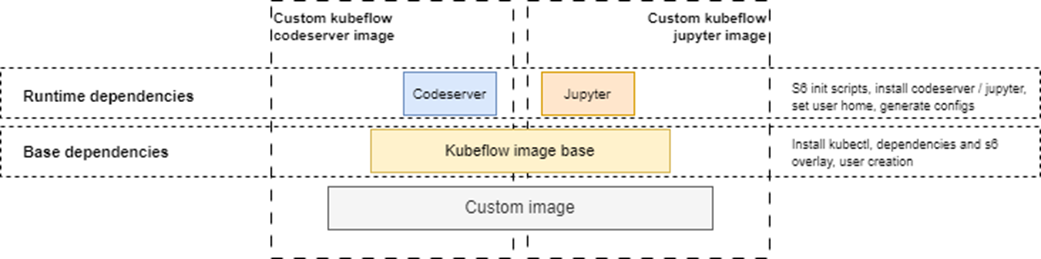
Overview of the layers in a custom Kubeflow notebook image.
MIDV-500 dataset. Source: https://github.com/fcakyon/midv500

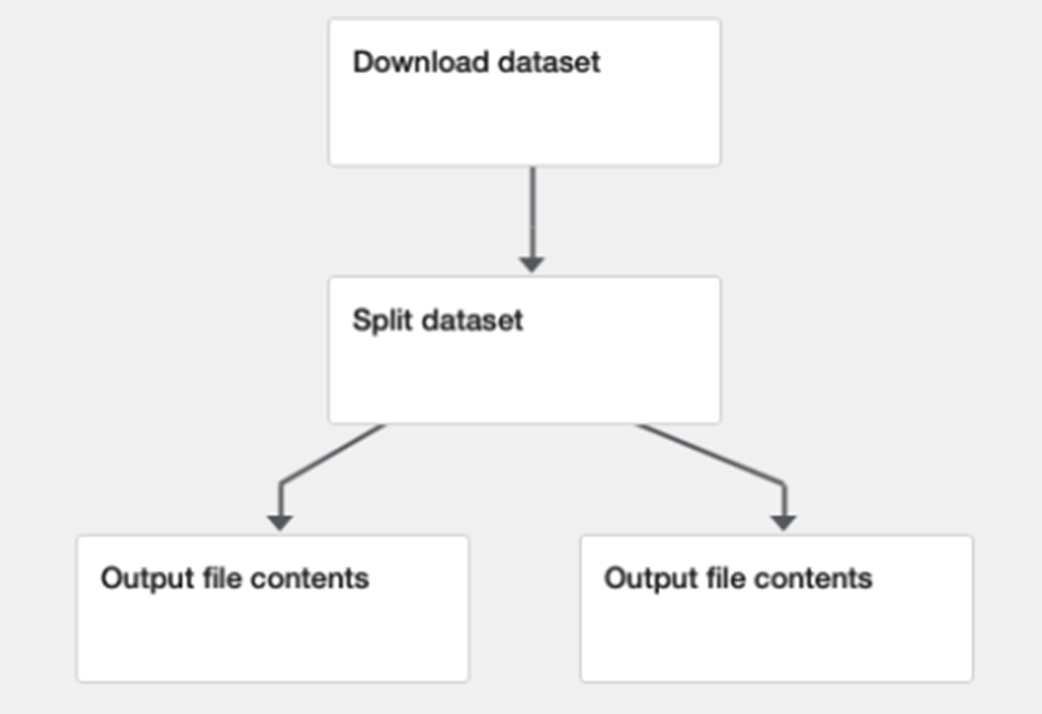
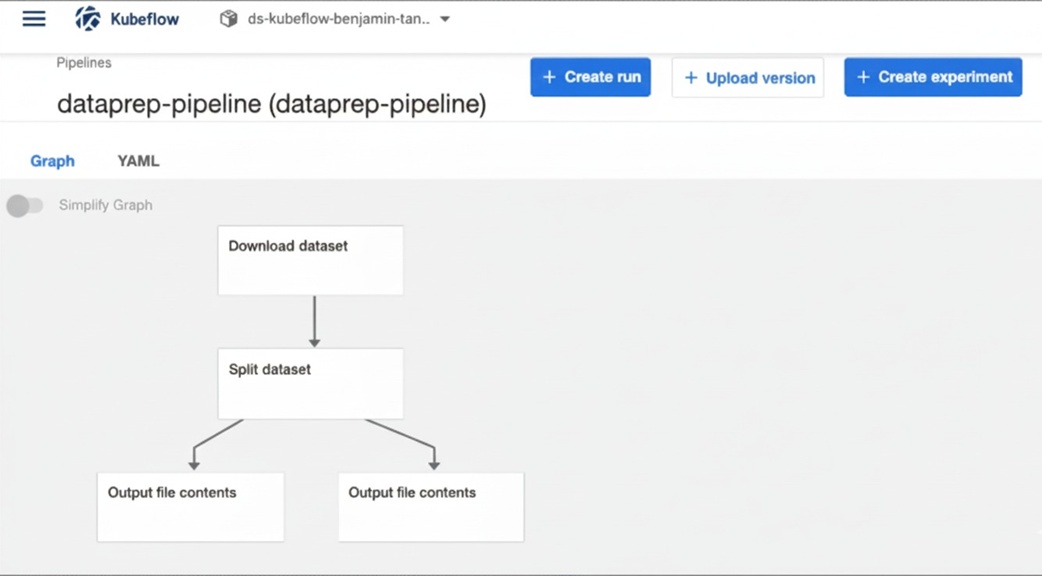
The Data Preparation Pipeline. First data is downloaded from a remote location, then it is split and two files are selected to pass through a sanity check.
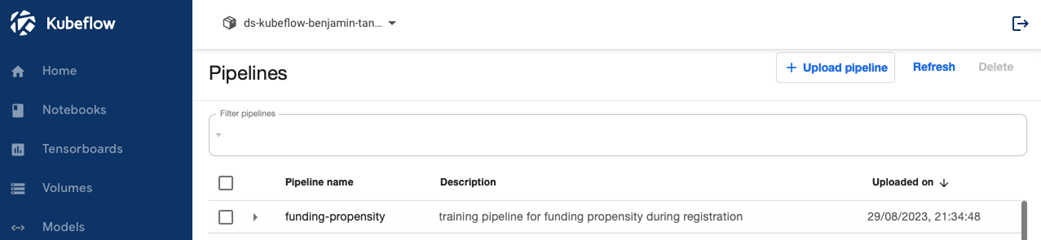
The Pipelines screen lists all the uploaded pipelines and also lets you upload new pipelines.
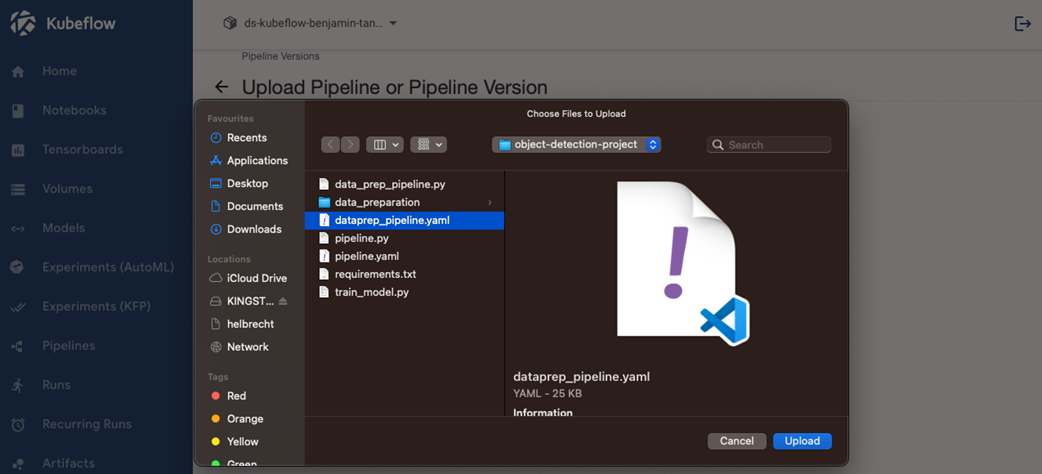
Pipelines can either be zip files or YAML. In this case, we're selecting a YAML file.
After a successful upload, you can see the pipeline.
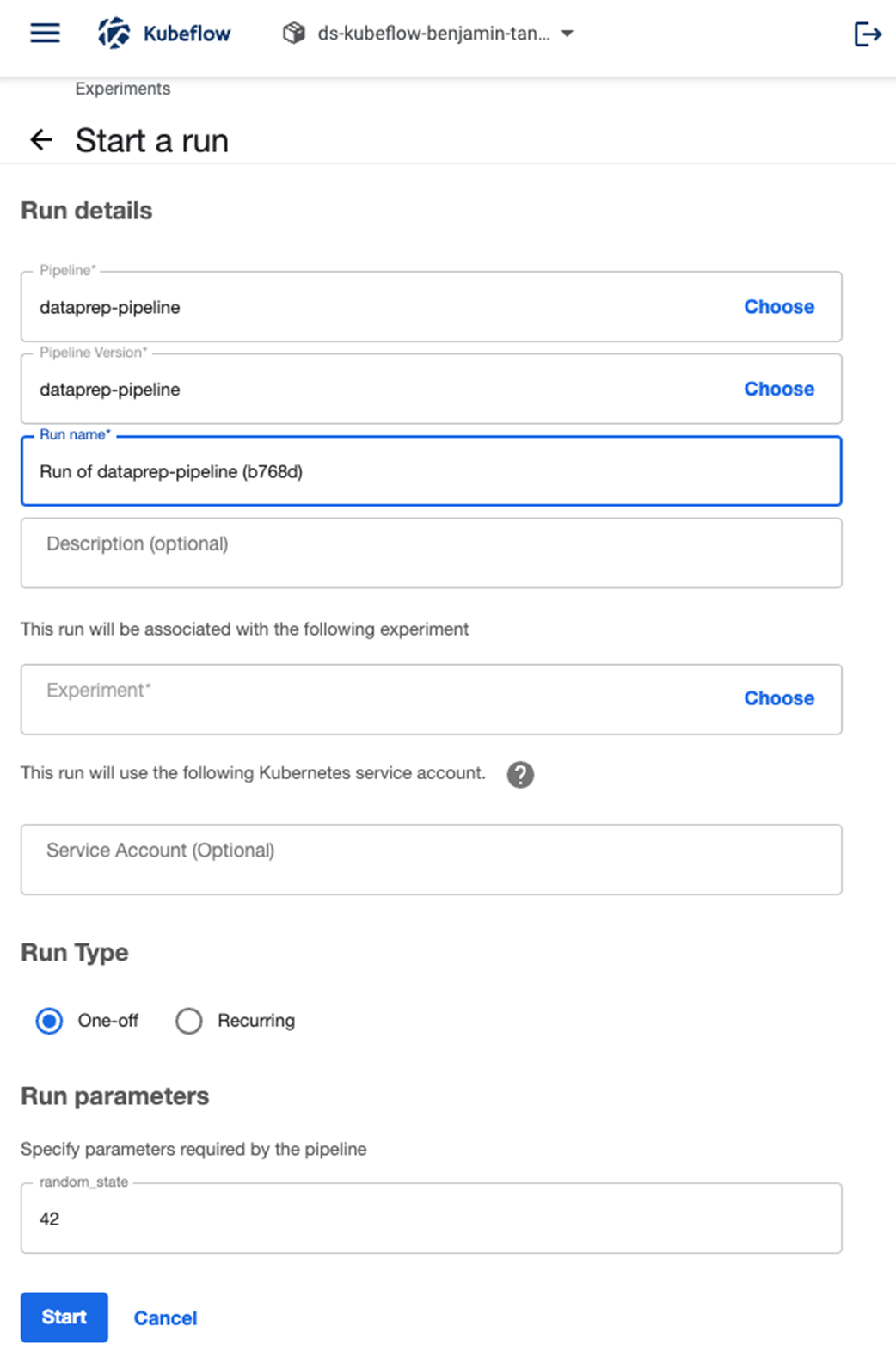
The Run details page is mostly populated automatically. You'll have to choose the experiment.
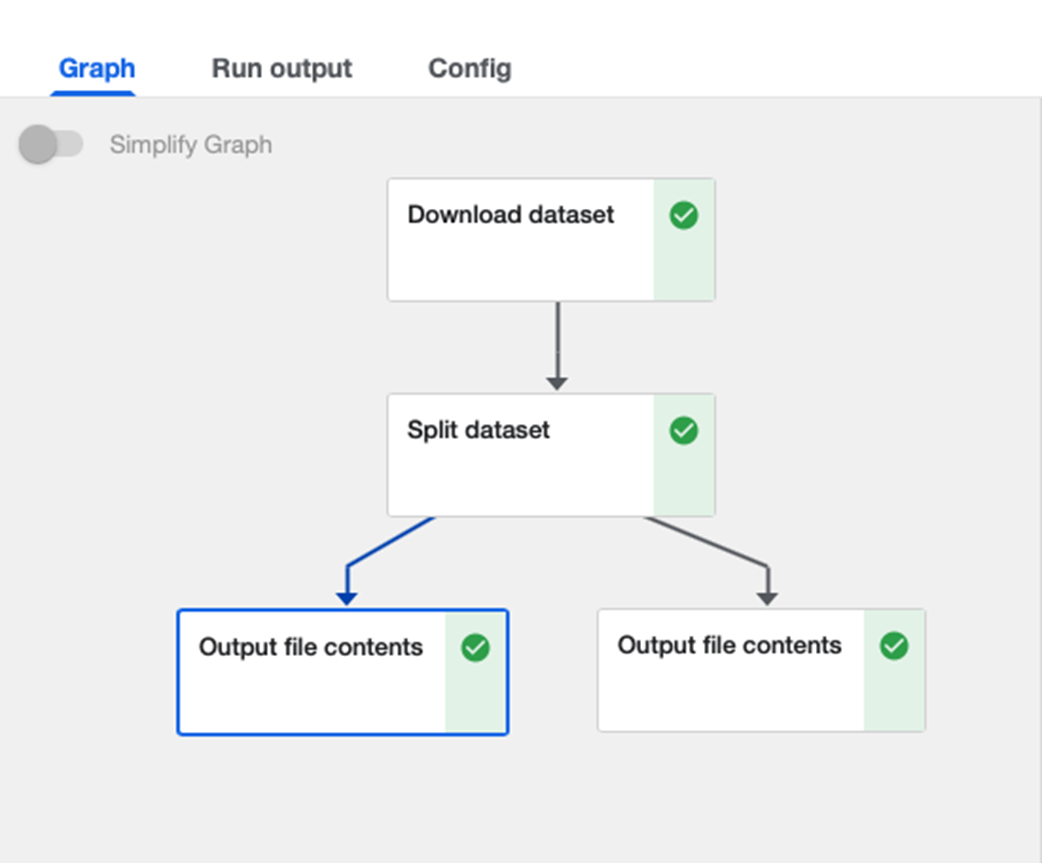
A completely executed Kubeflow pipeline. Seeing this gives us warm fuzzy feelings every time (and a sigh of relief).
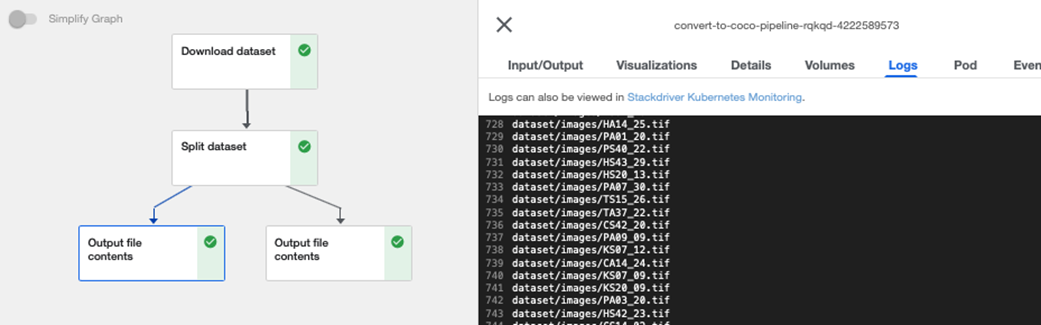
Clicking each component reveals the side menu. Clicking on the logs tab lets you see all the output. If the component is running, the output is in real-time.
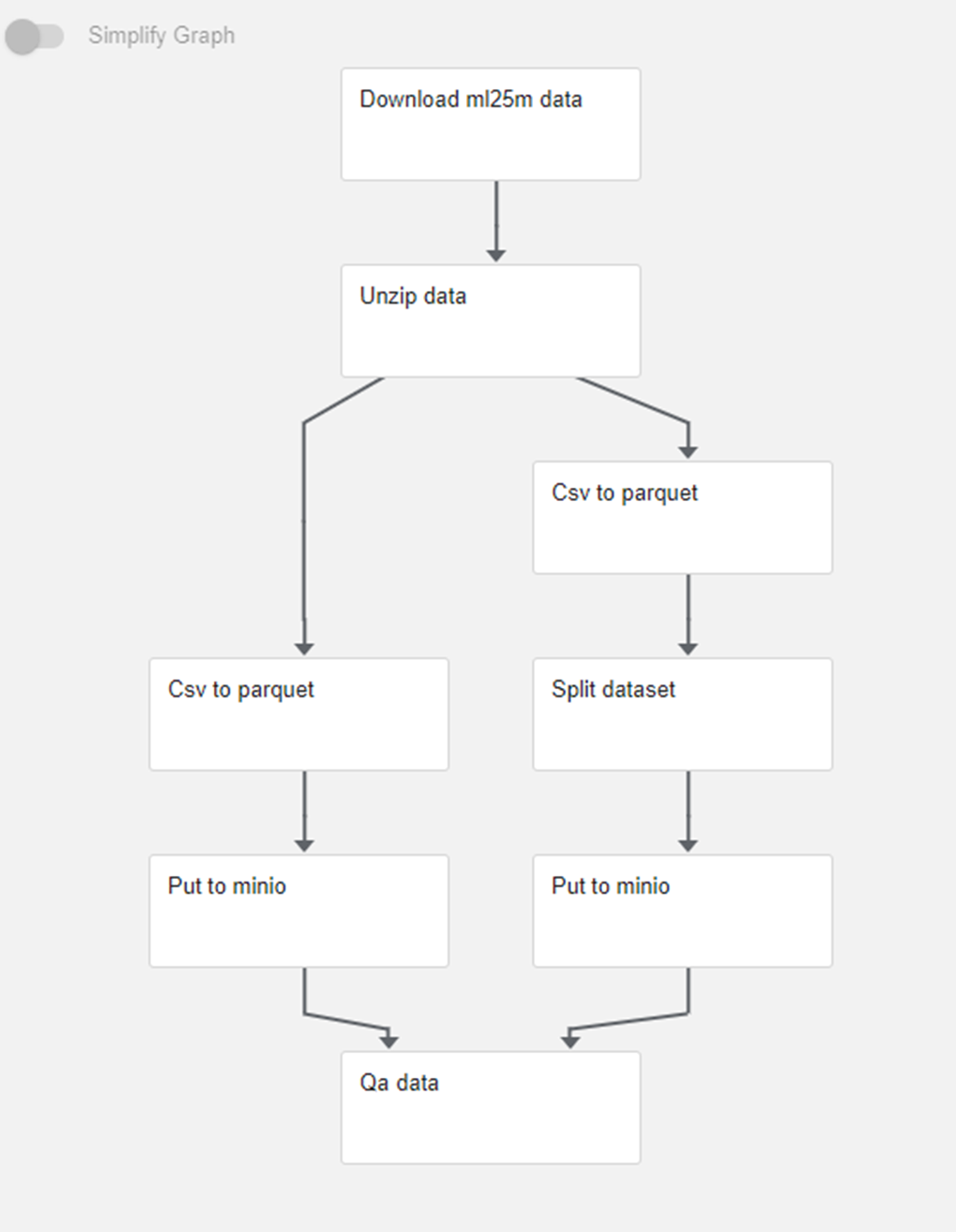
The pipeline we are going to build out in this section
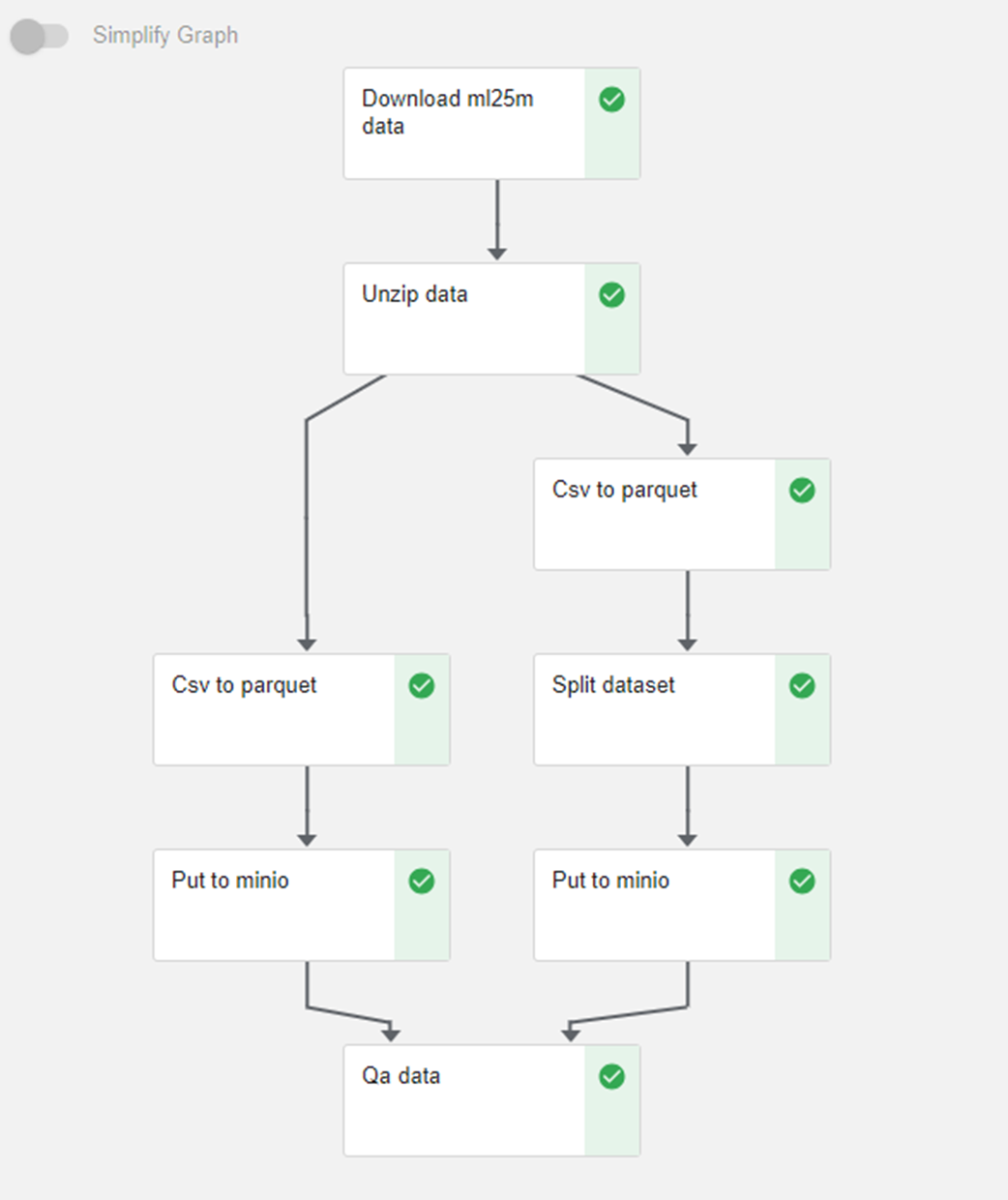
The successfully run pipeline
Summary
- ML workflows demand close proximity to datasets for processing while necessitating ad-hoc access to specialized resources like GPUs.
- Kubeflow notebooks offer Jupyter-like interfaces within the same cluster as pipelines, ensuring environment consistency with deployment settings.
- These notebooks streamline versioning and CI/CD practices by sharing base images and integrating into CI pipelines, simplifying management and ensuring robust controls.
- Kubeflow components can be created using kfp.create_component_from_func.
- Understanding the data passing rules in Kubeflow components, and the different scenarios for data passing between components, including the results for input and output of pipeline parameters and naming conventions like training _path and _file, are essential building Kubeflow components.
- When building components using functions, import statements should be defined within the function definition. Third-party dependencies can be installed by specifying the packages_to_install parameter in kfp.create_component_from_func.
- Combining these Kubeflow components form a Kubeflow pipeline, which is specified using the @dsl.pipeline decorator.
- Once the pipeline is compiled, a YAML file is produced. This YAML file contains boilerplate code that not only contains the individual function definitions, but also code that handles argument parsing and serialization of input/output parameters.
- The YAML file can be uploaded and executed from the Kubeflow UI or via the SDK. You can also check on the progress by viewing the real-time generated logs from the UI.
- Leveraging Kubeflow components, this chapter outlines the assembly of a object detector pipeline, employing various steps from dataset download to splitting the dataset into train/test/validation.
- It also outlines the assembly of a movie recommender system pipeline, employing various steps from dataset download to quality assurance checks.
- Using parquet file storage and conversion techniques, the chapter demonstrates efficient data handling methods, including CSV to Parquet conversion and dataset splitting for model training.
- Next chapter will work on creating the components and pipelines for training the object detection and movie recommender models. We will make use of the data from pipelines developed in this chapter and add some features to the data preparation components to reflect learnings we have from our training experiments.

 Machine Learning Platform Engineering ebook for free
