6 Productionizing ML models
This chapter moves from pipeline orchestration to the two pillars of production ML: reliable deployment and ongoing monitoring. Using a running income-classifier example, it shows how to expose models as robust services and how to keep them healthy as data and behavior evolve. The tools and patterns are broadly applicable to both traditional ML models and LLMs, with a focus here on practical, end-to-end workflows that reduce infrastructure toil while increasing observability and trust in production.
For deployment, the chapter standardizes on BentoML to package and serve models as APIs. Instead of handcrafting Dockerfiles, Kubernetes manifests, and ad hoc monitoring hooks, teams create a Bento—a unified application artifact defined by a lightweight bentofile—and let Yatai (the BentoML control plane) build, containerize, and deploy it on Kubernetes. Models are imported from MLflow, services encapsulate serving logic and scale through Runners, and configuration is centralized. Yatai manages replicas and resources for API and Runner pods, exposes a documented endpoint, and provides a ready-made /metrics endpoint for Prometheus scraping, giving engineers a clean path from local build to cluster deployment with consistent, repeatable operations.
For monitoring, the chapter addresses data drift—the gradual or sudden shift in data distributions that degrades model performance—using Evidently. It explains common drift types and shows how Evidently applies statistical tests (such as KS, χ², or Wasserstein distance) and presets to generate reports that compare reference (training) data with current data. The chapter demonstrates two integrations: batch drift checks as a Kubeflow pipeline component that can populate a dashboard and even halt execution on drift, and real-time (micro-batch) monitoring embedded in the BentoML service via a MonitoringService that maintains a sliding window, runs periodic reports, and publishes results to an Evidently workspace. It closes with pragmatic guidance on responding to drift: investigate root causes, fix upstream data issues, retrain models, and revisit features and thresholds.
The mental map where we are now focusing on deployment of Model as an API(E)
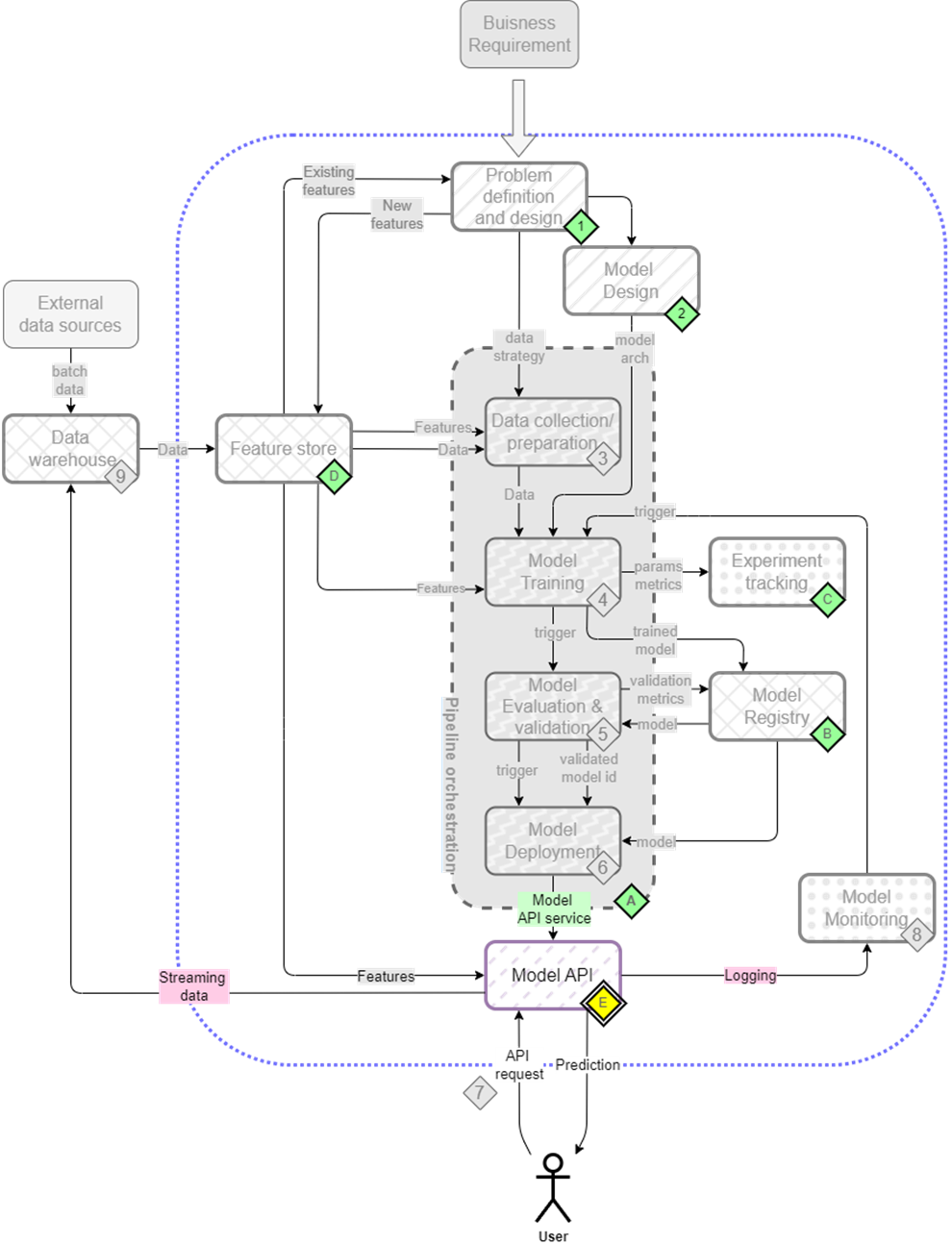
BentoML process to deploy the model as a service. We build a Bento and push it to the container registry. Yatai builds an image and deploys it.

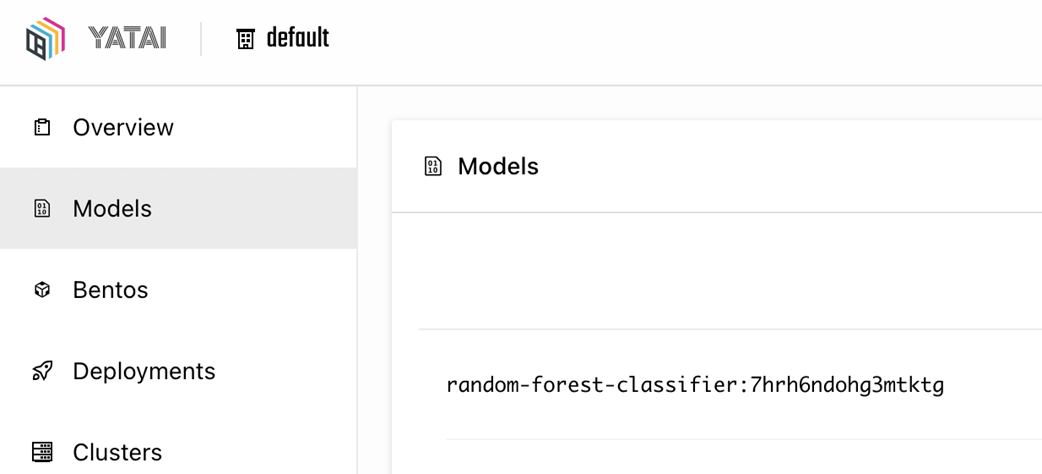
Yatai UI Models tab which displays the models registered in the BentoML model registry.
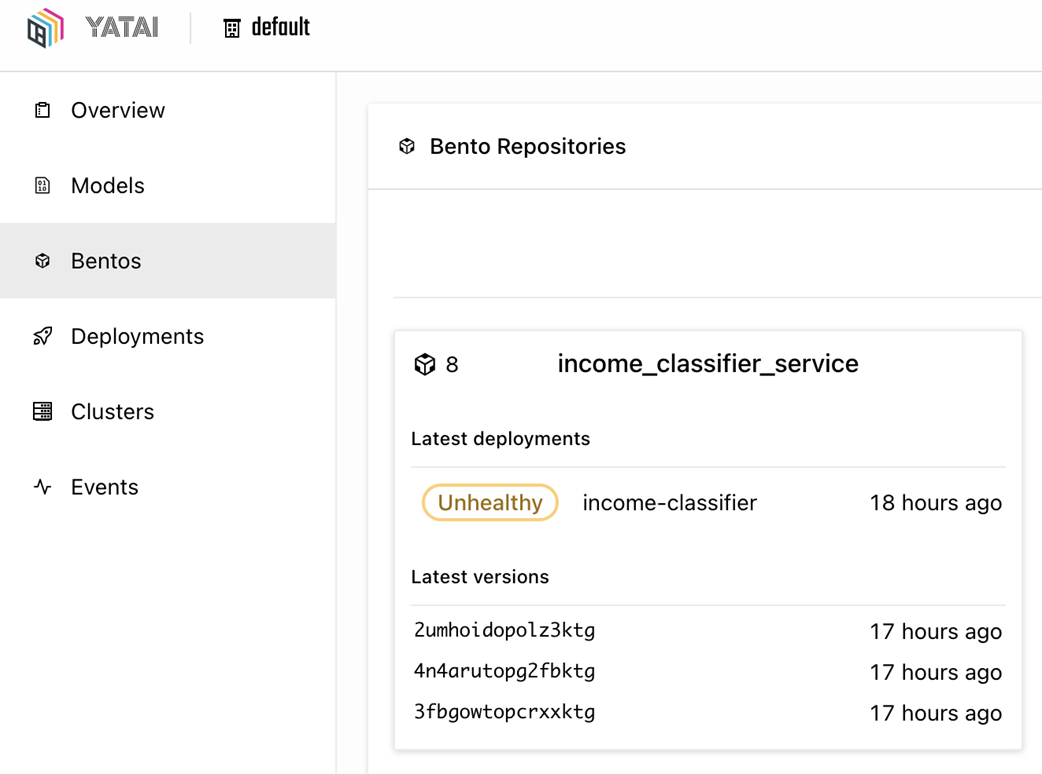
Yatai UI Bentos tab displays the bentos which have been pushed over to the bento registry.
Create a deployment by clicking on Create button

Create a deployment by providing the name of the Bento and its version.
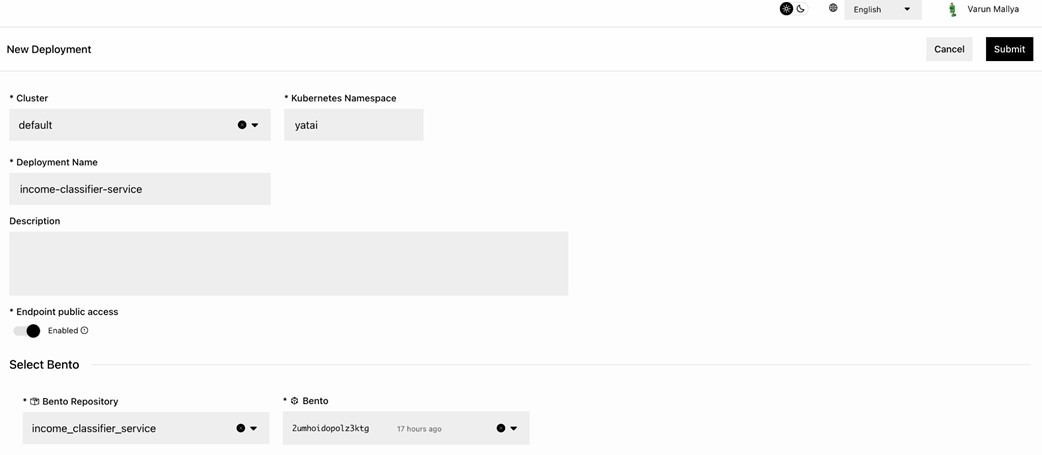
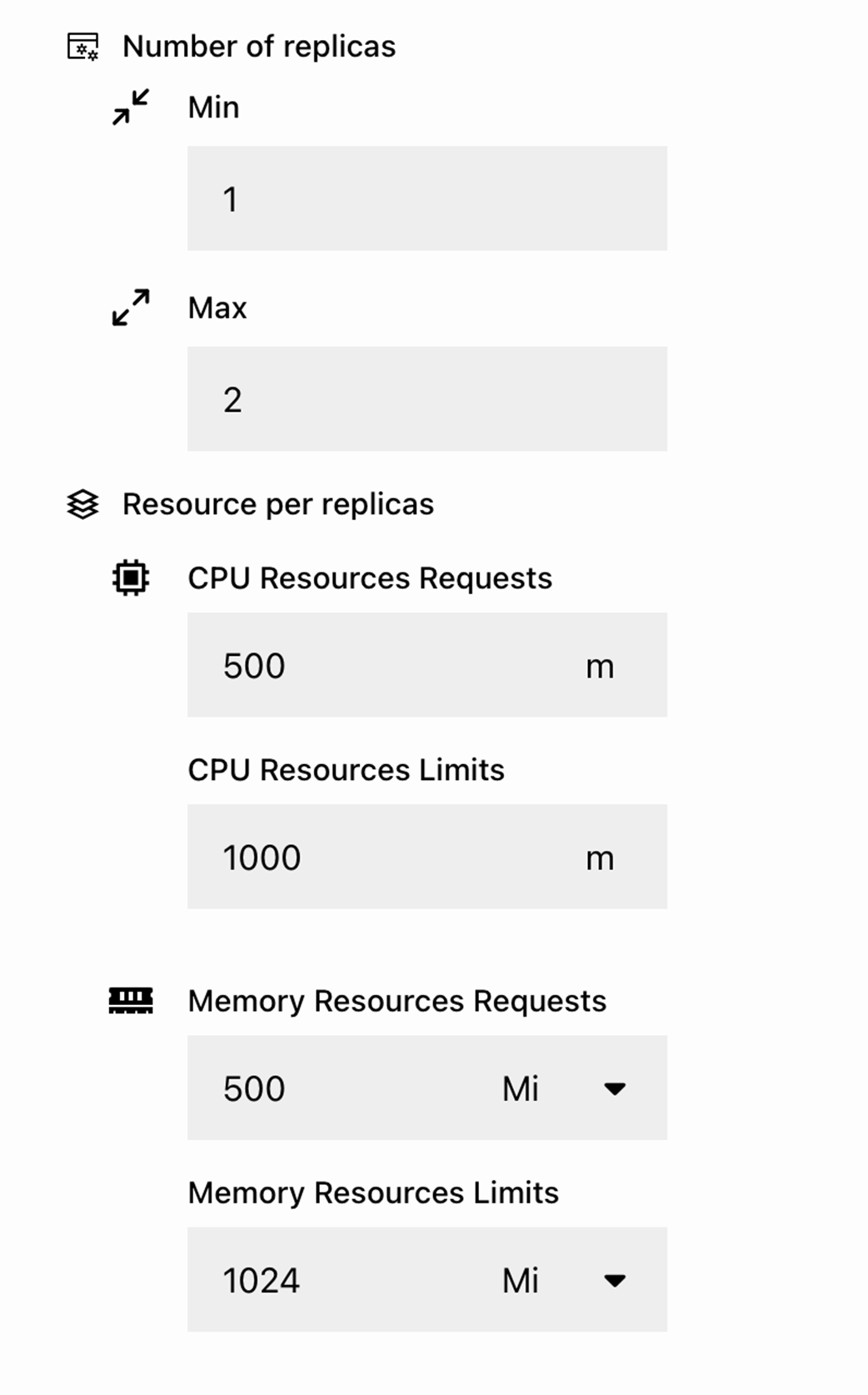
Additional configurations for the deployment such as resource limits and replica count.
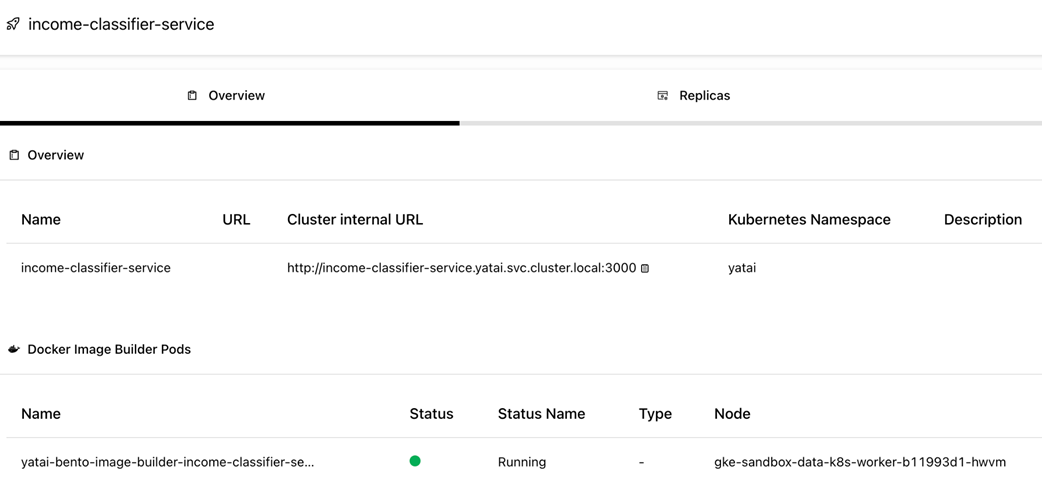
Yatai running a job to containerarize the application and build an image.
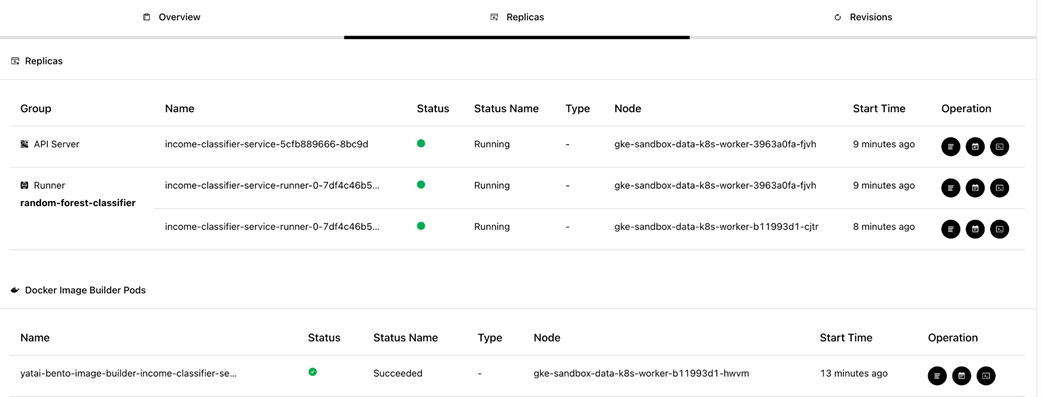
Yatai successfully launched a deployment with an API server and runner pods.
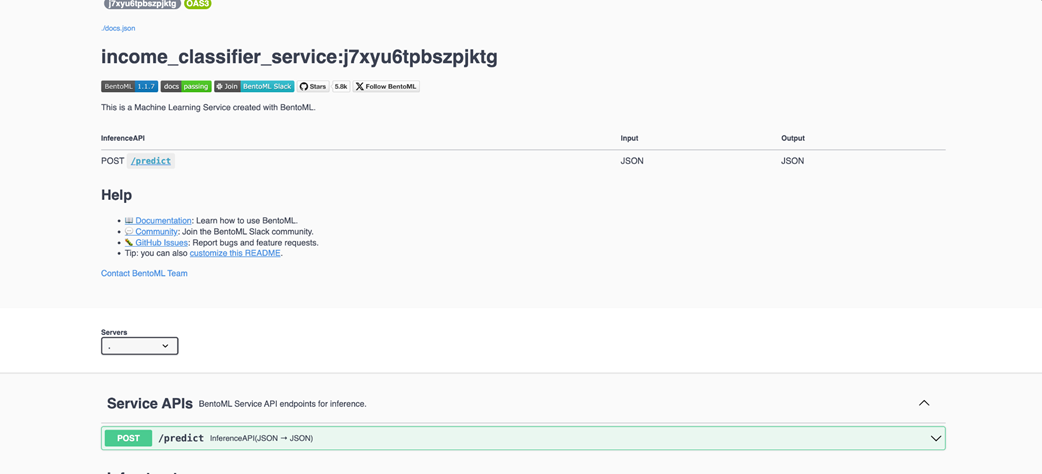
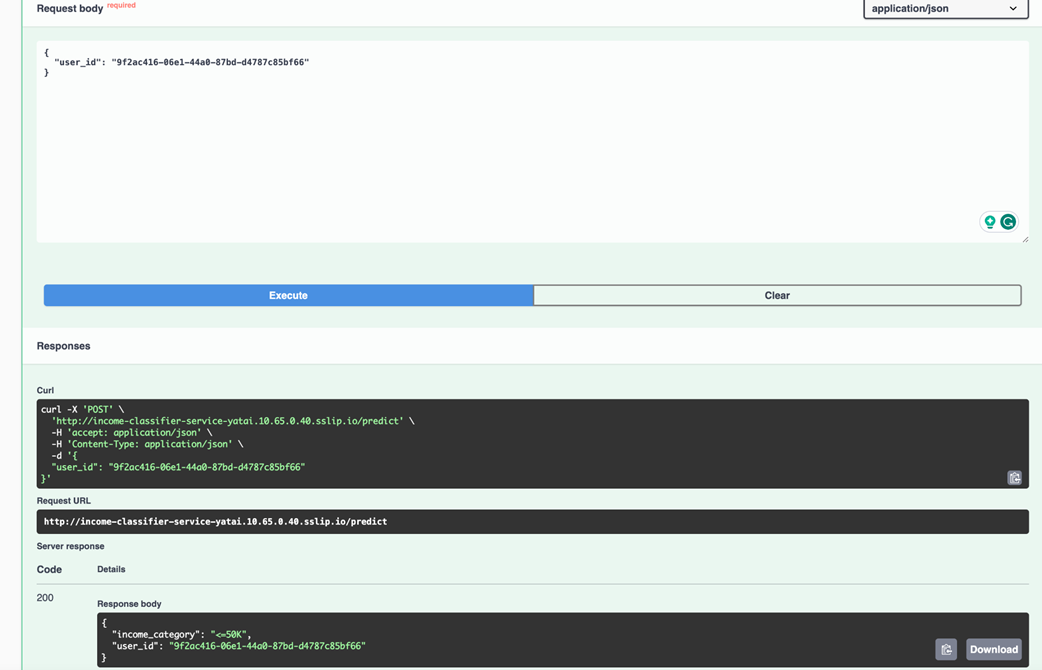
Swagger doc for the deployed service with the /predict endpoint
A sample request and its prediction.
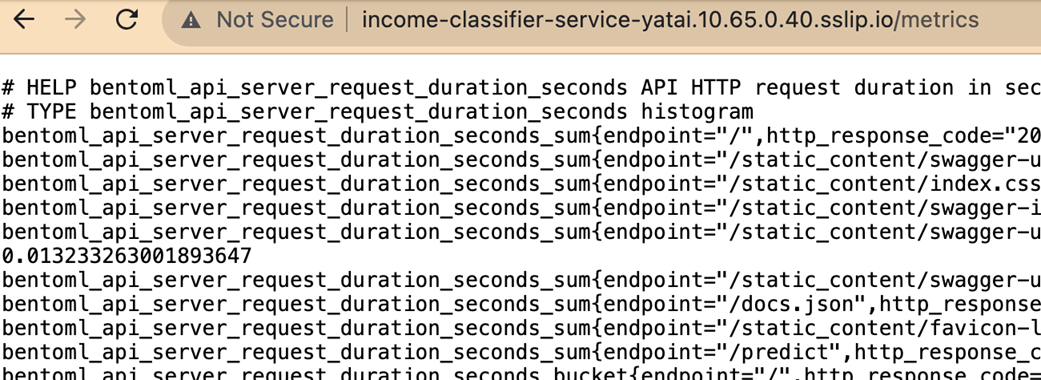
Default metrics made available at /metrics endpoint by BentoML.
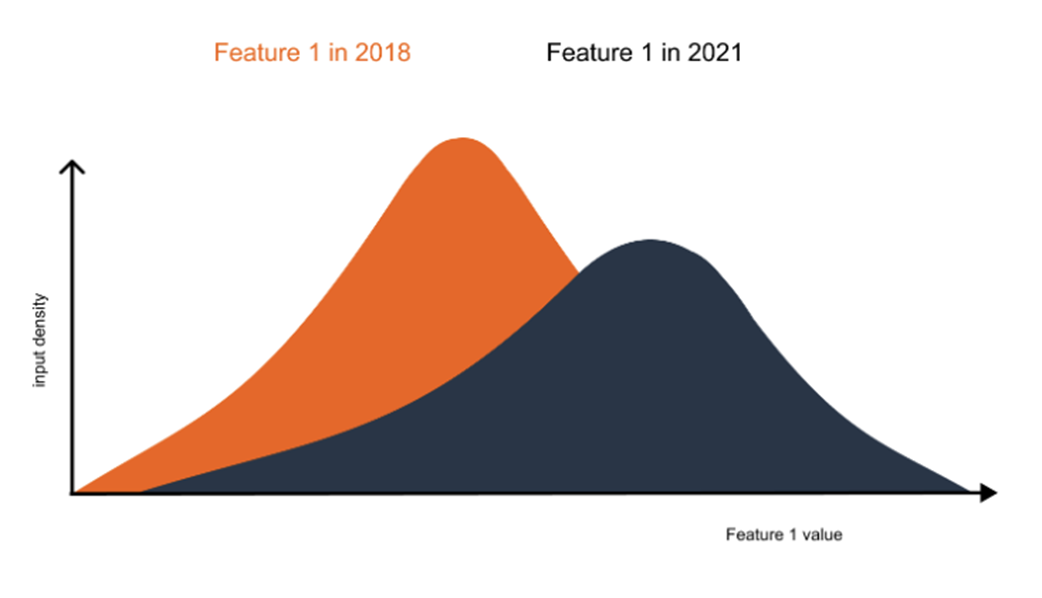
An example of covariate shift for one of the features. The distribution in 2021 is different from the distribution in 2018.
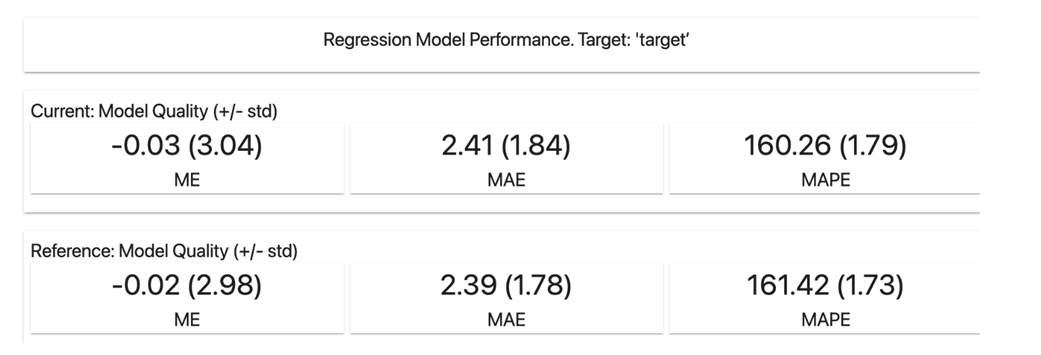
Regression Model report which displays mean error, mean absolute error and mean absolute percentage error. For each metric it also displays the standard deviation to estimate the stability of the performance.
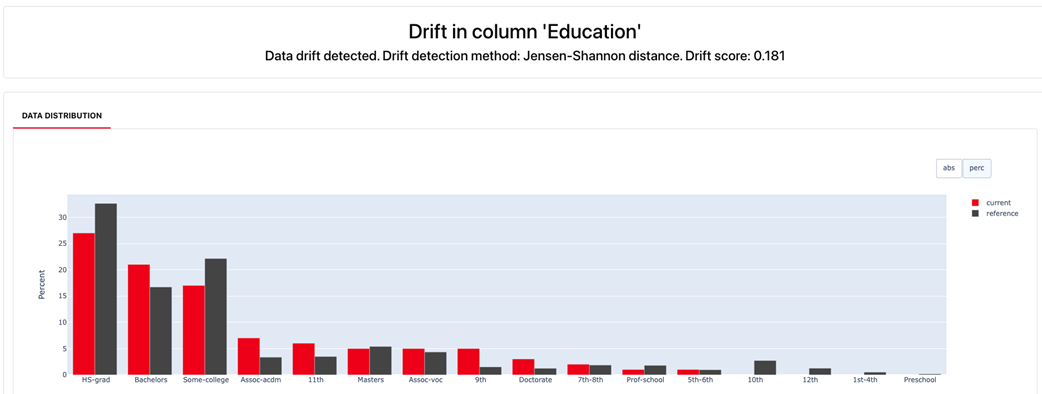
An example of column level metric that displays the drift score and data distribution of the feature for current vs reference.
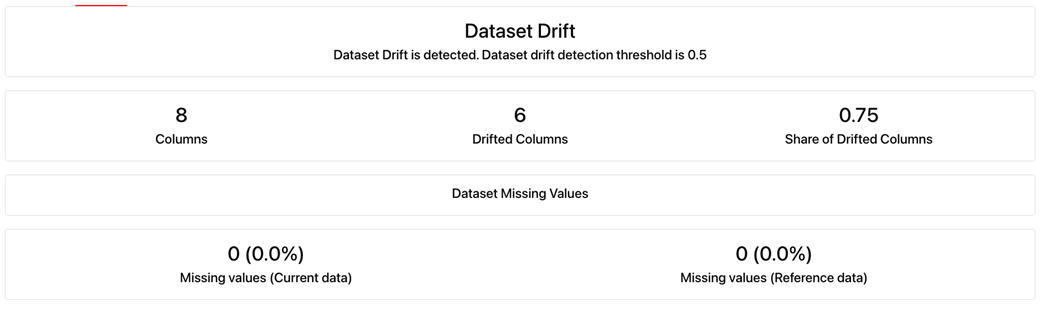
An example of Evidently data drift report. The panel provides quick information about the number of drifted columns and missing values in the current and reference dataset.
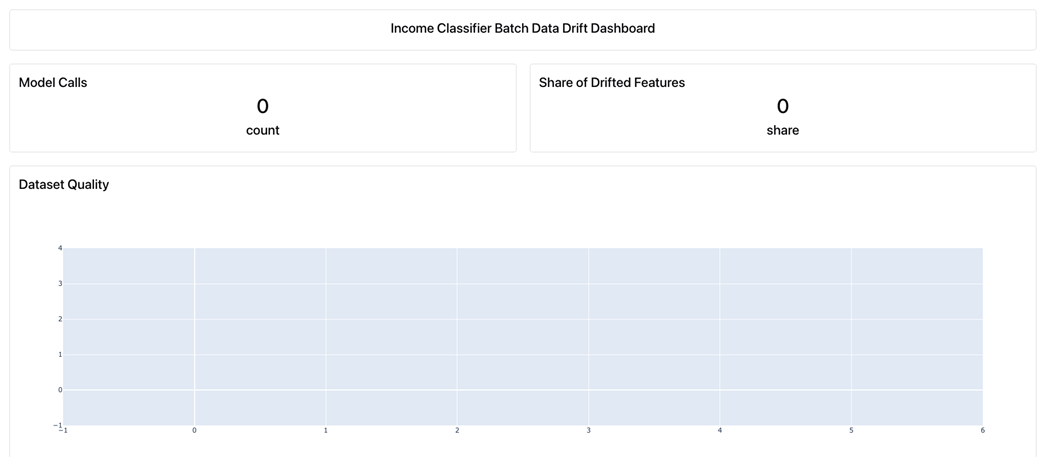
Evidently UI with no listed projects.

Empty income classifier dashboard.
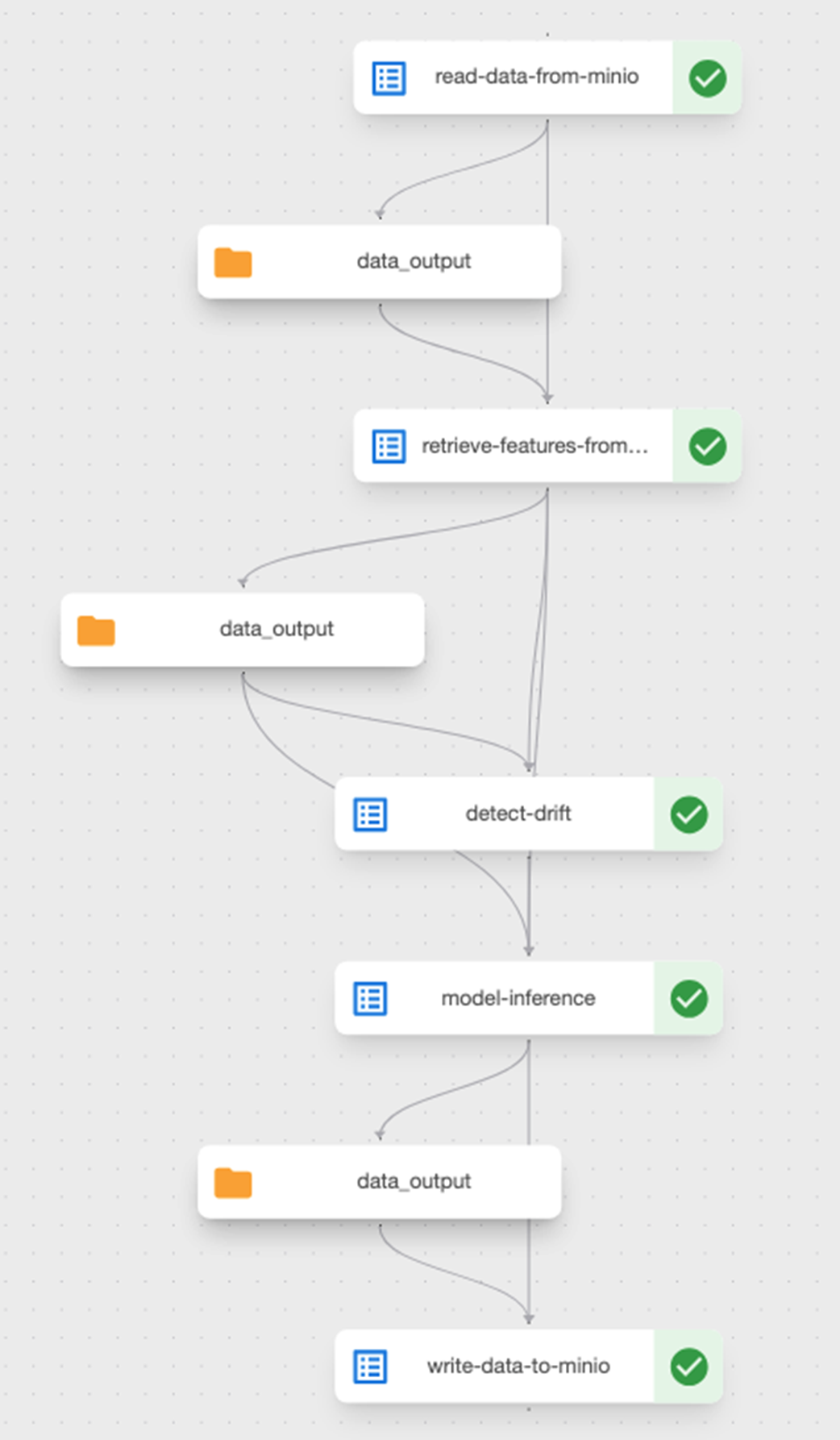
Successful run of the Kubeflow inference pipeline with detect data drift component.
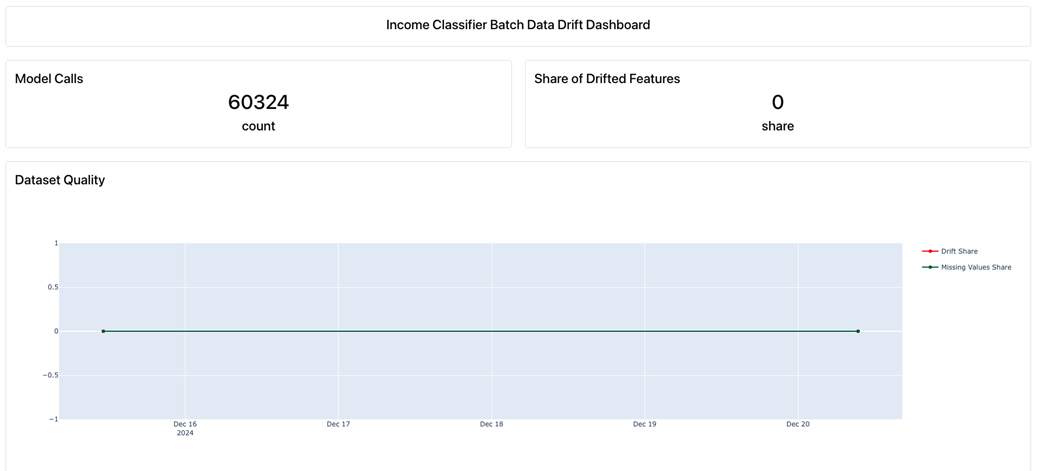
An Evidently dashboard showing data quality (missing data) metric
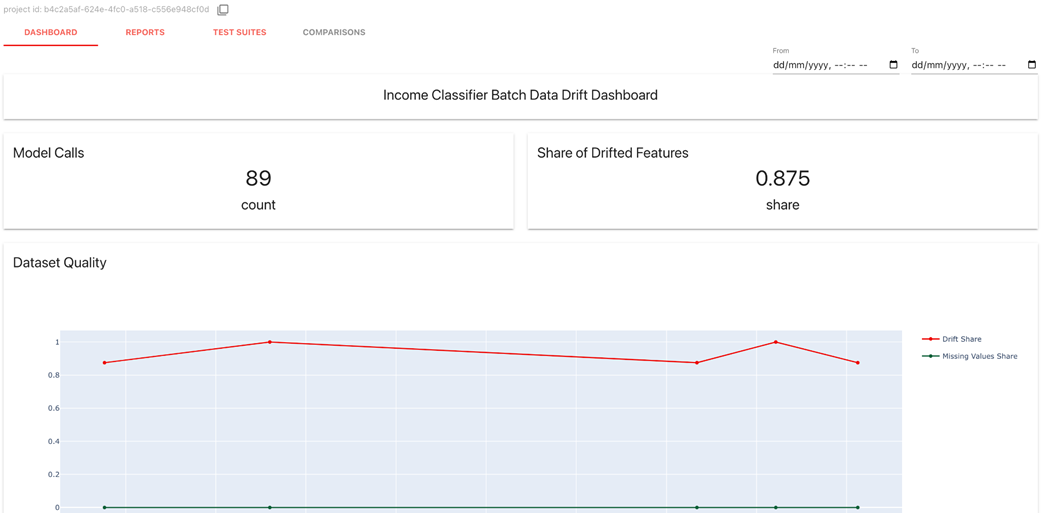
Evidently dashboard for real time use case. A data point for the report is generated for every window size/snapshot.
Summary
- Tools like BentoML empower data science teams by reducing the technical barriers to deployment, fostering collaboration between data scientists and engineers, and accelerating the path from model development to real-world impact.
- While the tools offer a streamlined deployment process, understanding the underlying technologies (Docker, Kubernetes) empowers data scientists to customize and fine-tune deployments for specific needs.
- Integrating data drift monitoring into ML pipelines allows for early detection of performance degradation, enabling timely interventions and preventing costly mistakes.
- Monitoring data drift is important for preserving the precision and efficiency of ML systems. By recognizing and correcting changes in data distributions over time, the risk of model deterioration and flawed decision making can be avoided.
- Data drift detection tools like Evidently help us identify shifts in data patterns over time, helping maintain model accuracy, compliance, and data quality in machine learning applications.
FAQ
What does Chapter 6 focus on, and which tools are used?
It focuses on taking models to production and keeping them healthy: deploying models as APIs with BentoML/Yatai and monitoring data drift with Evidently. The chapter demonstrates these on an income-classification use case and provides step-by-step examples and commands.What is a “Bento” and what goes into bentofile.yaml?
- A Bento is BentoML’s portable bundle that packages your ML service code, models, dependencies, and environment into a single distributable unit.- bentofile.yaml declares: the service entry point (e.g.,
service: "service:svc"), files to include, Python requirements, and environment variables. It’s conceptually similar to a Dockerfile but higher level and ML-focused.How do I register a model from MLflow into the BentoML store?
Usebentoml.mlflow.import_model with your MLflow model URI (e.g., models:/<name>/<stage>). Point MLflow to its tracking URI and configure MinIO/S3 env vars if needed. After import, verify with bentoml models list to see the model tag and size.How do BentoML Services and Runners work, and why use runners?
- A Service defines API routes and orchestration logic (feature retrieval, post-processing, etc.).- A Runner wraps a model or compute function and scales independently in separate worker processes for parallel inference.
- You can attach multiple runners to a service, scale API and runner pods separately, and keep the API responsive under load.
How is the /predict API wired for the income classifier?
The endpoint accepts a JSON payload with a user_id, fetches features from Feast, aligns them to the model’s expected columns (using a stored column list), calls the model via the runner, and returns a mapped income label along with the user_id.How do I build, containerize, run locally, and push a Bento to Yatai?
- Build:bentoml build -f bento/bentofile.yaml- Containerize:
bentoml containerize <bento_tag>- Run locally: ensure port-forwarding to MLflow/MinIO/Redis (Feast) if needed, then
docker run --rm -p 3000:3000 <image>. Visit http://localhost:3000 for Swagger.- Push to Yatai: port-forward Yatai, login with
bentoml yatai login, then bentoml push <bento_name_or_tag>.How does Yatai deploy and scale the service, and how do I access it?
- In Yatai UI, create a Deployment from your Bento tag, set replicas and resource limits for API and Runner pods.- Yatai builds the image and launches API and Runner pods (independently scalable).
- Access via the generated Ingress host; the service exposes Swagger at the root and Prometheus metrics at
/metrics.What is data drift, why does it matter, and which tests does Evidently use?
Data drift is a shift between training (reference) data and current (inference) data that can degrade model performance. Types include label drift, prior probability shift, covariate shift, and sudden drift. Evidently compares reference vs. current using statistical tests such as KS test (continuous), Chi-square (categorical), and Wasserstein distance, and flags drift when scores cross configured thresholds.How do I create drift reports and dashboards with Evidently?
- Create a Report and add metrics or use presets (e.g.,DataDriftPreset()), then run with reference/current data and save to HTML/JSON.- For dashboards, run
evidently ui; connect via RemoteWorkspace, create a project, and add panels (counters, plots) that render metrics over time. The UI aggregates snapshots so you can track drift trends.How do I monitor drift in batch and real time, and what actions follow drift detection?
- Batch: add a Kubeflow component that loads the training reference dataset (from MLflow/MinIO), runs an Evidently report on the freshly retrieved features, publishes to the Evidently UI, and optionally stops the pipeline on drift.- Real time: in the BentoML service, maintain a sliding window (micro-batch) of recent requests; when the window fills, run a report and push it to the dashboard. Tune window size and thresholds to reduce false alarms.
- Actions after drift: investigate root cause, fix upstream data issues, adjust features, update thresholds, or retrain/redeploy the model.

 Machine Learning Platform Engineering ebook for free
