3 Programming Stable Diffusion with Hugging Face Diffusers
The chapter explains how Python, especially in a notebook environment, can be used to work with Stable Diffusion in a more flexible and automated way than a graphical interface. It emphasizes that even nonprogrammers can get started by copying and modifying existing code, while benefiting from the ability to test small pieces interactively, organize experiments clearly, and repeat tasks efficiently. The main tools introduced are Jupyter-style notebooks and the Hugging Face Diffusers library, which together make diffusion models easier to control and adapt.
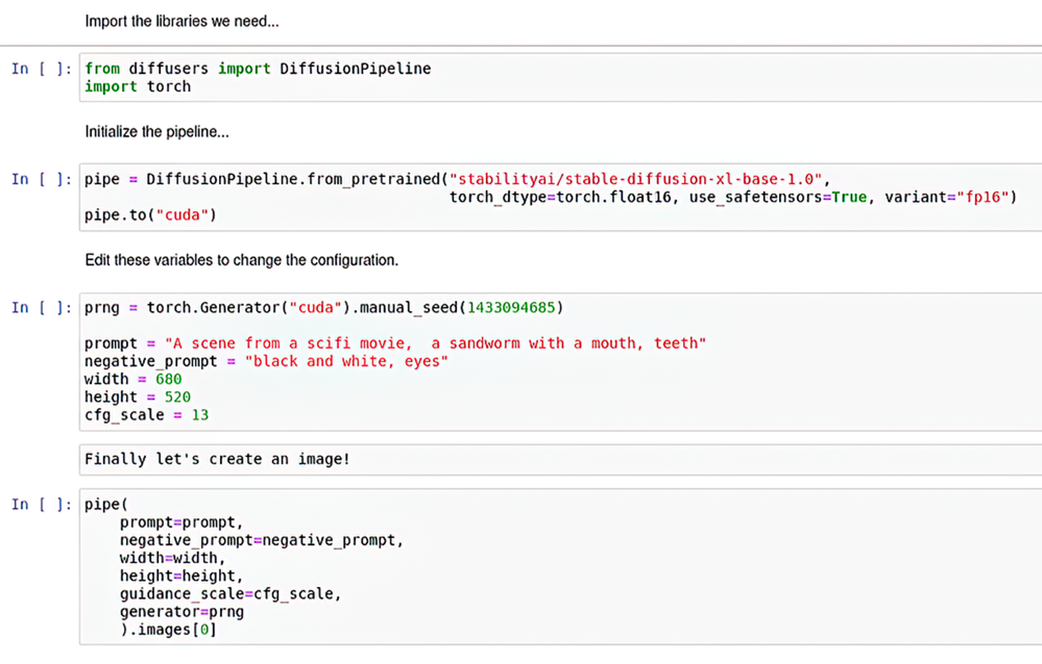
It then demonstrates the core mechanics of using Diffusers with Stable Diffusion XL: importing the needed libraries, loading a pretrained pipeline, creating a seeded random number generator, defining prompt and image settings as variables, and generating an image from those inputs. The text breaks down these code parts so readers understand how the pipeline works and how simple changes, such as switching the model name, can move between different Stable Diffusion versions. It also shows how notebooks can serve as an ad hoc interface for making quick prompt and parameter adjustments without rewriting entire programs.
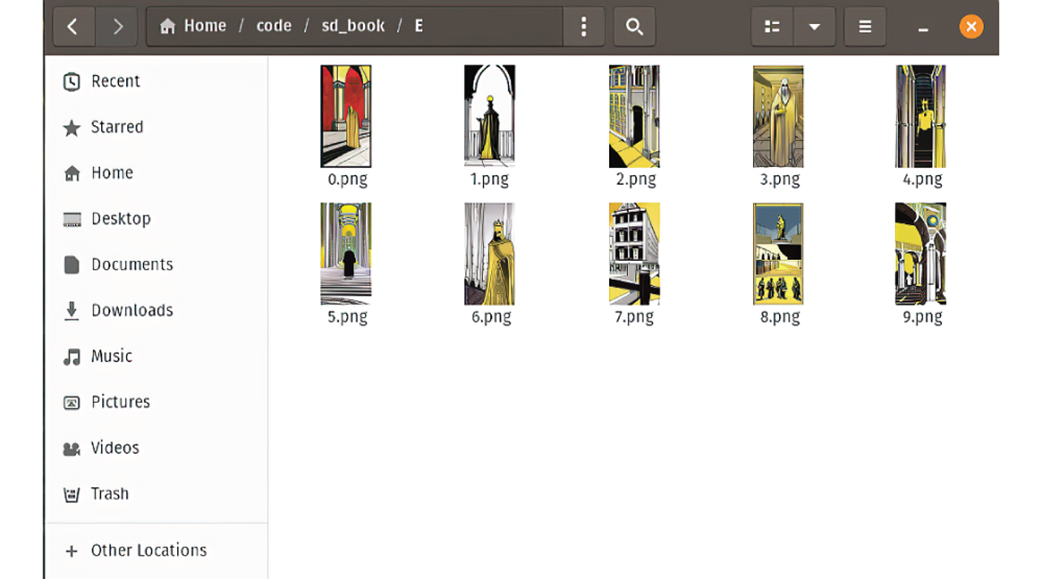
Finally, the chapter applies this workflow to a larger creative task: generating a page of a graphic novel inspired by a quote from True Detective and The King in Yellow. The quote is split into five illustrated ideas, each given its own prompt, dimensions, and repeated generation loop to create multiple candidate images per panel. The result is a folder of generated options for each panel that can be chosen from and assembled into a finished page, illustrating how notebooks and code make it practical to automate complex Stable Diffusion projects and iterate across many outputs at once.
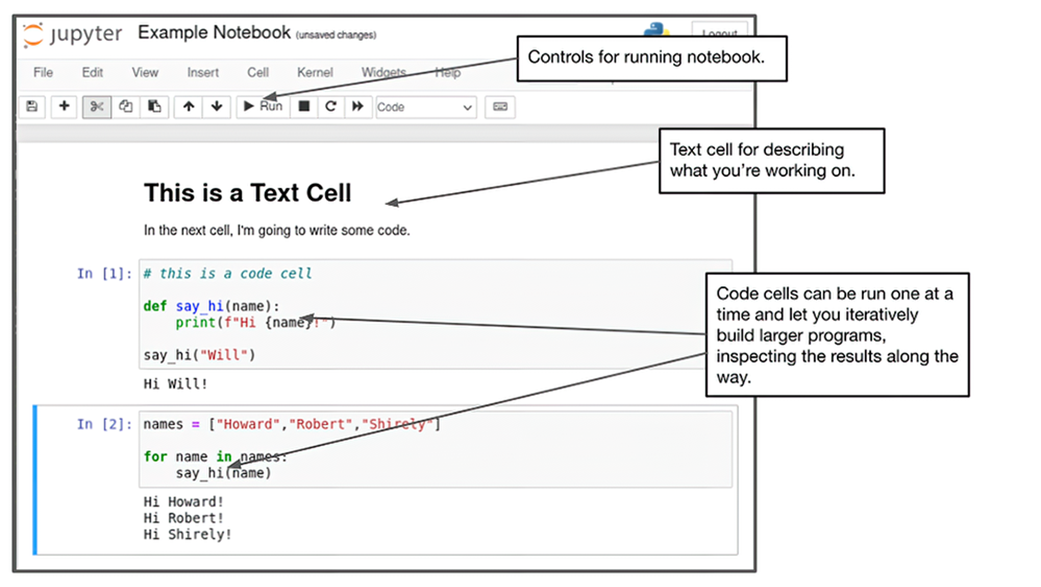
Basic layout of a Jupyter notebook.
Sandworm image created by Stable Diffusion XL

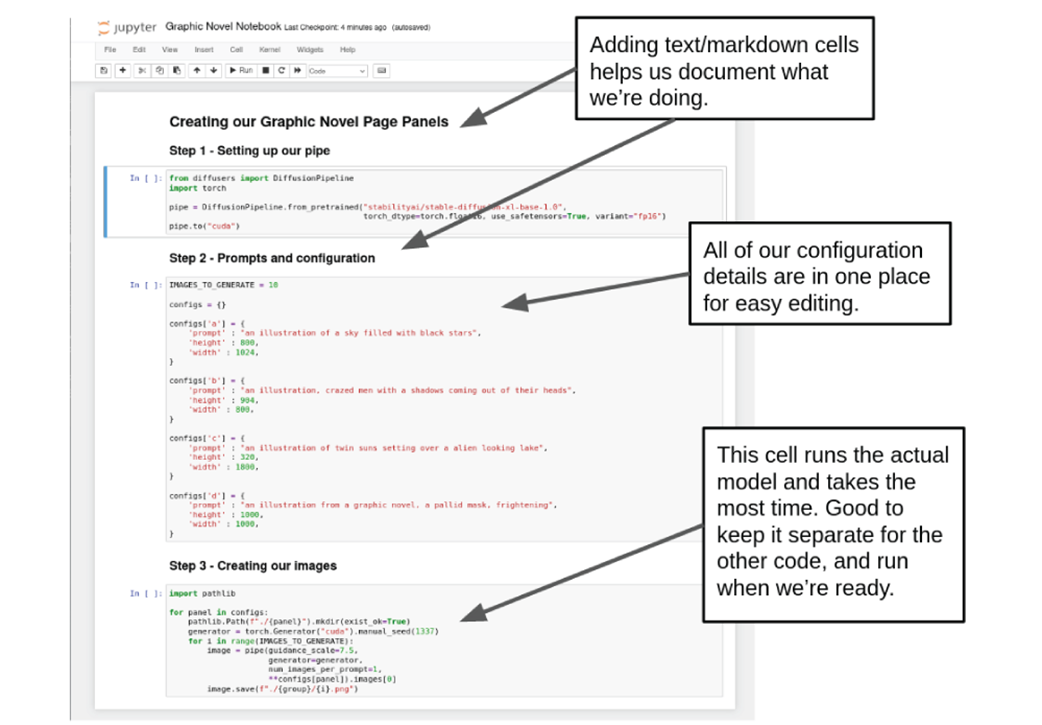
A good layout for our code to run in a notebook.
Images generated for panel E
Choosing an image for each cell and putting it with text.
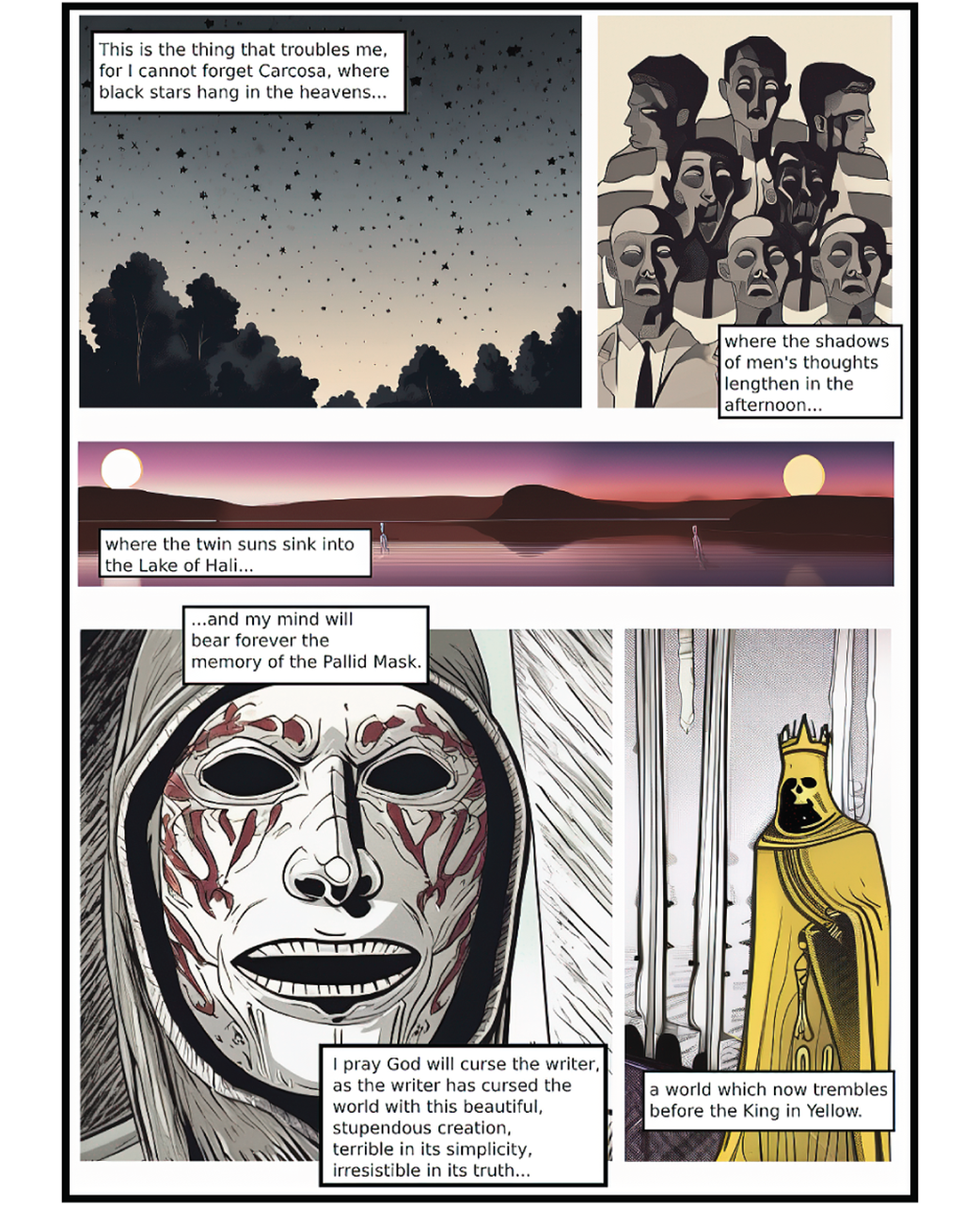
Example layout of the notebook
Summary
- Programming Stable Diffusion with Python allows us to use state of the art models, automatic complex tasks we couldn’t automate with A1111i alone, and offer the opportunity for very deep customization.
- Notebook environments offer a nice middle ground between a full blow UI and raw code.
- The Hugging Face Diffusers library makes working with very complex diffusion models, like Stable Diffusion XL, almost as easy as just using the command line application.
- Automating the generation of many different types of images allows us to move beyond simply creating interesting images into creating entire collections of images with unique properties.
FAQ
What is the main reason to use Python for Stable Diffusion in this chapter?
Python lets you automate repetitive image-generation tasks, work with newer models like Stable Diffusion XL, and customize workflows more directly than a GUI.Why are notebook environments like Jupyter useful for Stable Diffusion work?
Notebooks let you write and run code in small, isolated cells, making it easier to iterate, test changes, debug, and modify only parts of a larger image-generation workflow.What role does the Hugging Face Diffusers library play?
Diffusers provides a Python interface for loading and running diffusion models, reducing the complexity of working with Stable Diffusion directly.How do you start a local Jupyter notebook server?
Run the commandjupyter notebook, which starts a server and opens the notebook interface in your browser.Why does the chapter recommend using cloud notebooks?
Cloud notebooks are useful if you do not have enough local GPU resources, since they let you access Stable Diffusion from a browser and run it on remote hardware.What is a DiffusionPipeline in Diffusers?
A DiffusionPipeline is an abstraction that organizes the steps needed to generate an image, and it can load pretrained models like Stable Diffusion XL with very little code.Why is the torch library imported in the example code?
torch is used to create the random number generator and supports the neural network operations that Stable Diffusion relies on under the hood.
 Local Image Generation ebook for free
