Overview

14 Checkpoint Merging

Checkpoint merging is presented as a fast, low-VRAM way to create new Stable Diffusion models by combining the weights of existing checkpoints. The chapter explains that model files are largely just collections of weights, so merging usually means averaging those weights, often with a weighted ratio rather than an even split. This simple idea is compared to mixing paint colors: by adjusting the proportions, you can blend the strengths of two models into a new style without the cost of full training.

The chapter first demonstrates the idea in Automatic1111 using Stable Diffusion 1.5 checkpoints, merging a more stylized model with a more realistic one to produce a hybrid look. The interface makes the process straightforward: choose the primary and secondary models, set the multiplier to control how much each contributes, and run the merge. The resulting checkpoint is saved automatically and can be used right away for image generation, letting users rapidly test different ratios until they find a mix that fits their goals.

It then expands to Stable Diffusion XL in ComfyUI, where the workflow is more complex but far more flexible. ComfyUI allows the user to generate preview images from the original models and the merged model in one run, optionally skip saving the large merged checkpoint, and reuse shared components like prompts and latents to save time. The main takeaway is that checkpoint merging gives creators an efficient form of practical fine-tuning, and ComfyUI makes that experimentation even more powerful through customizable workflows and quick iteration.

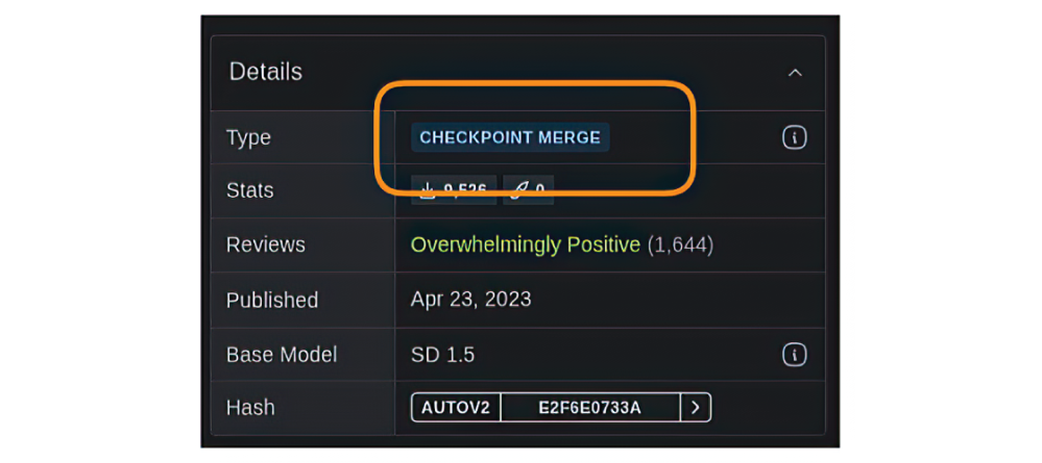
A surprising number of models on Hugging Face and CivitAI are the result of merging checkpoints.
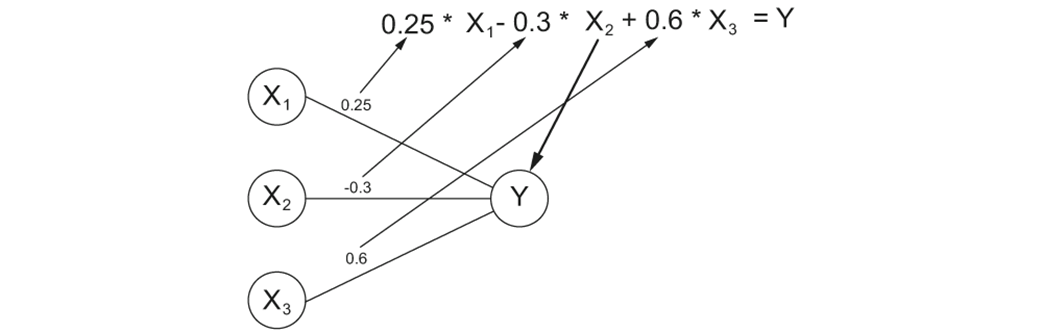
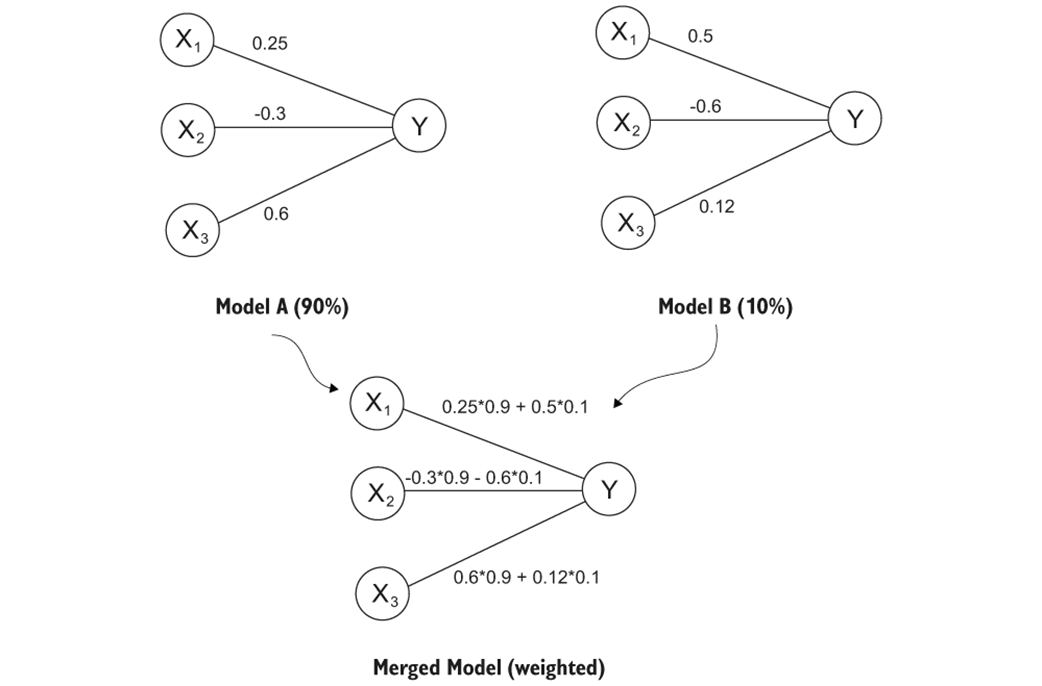
Visualizing how weights are used in Neural Networks.
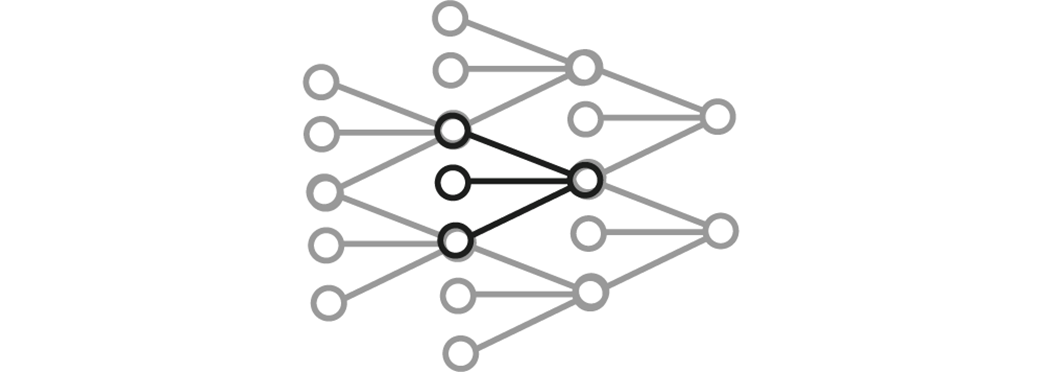
The nodes we visualize represent a tiny portion of the neural network as a whole
Model merging just means averaging the values of the weights in the same locations.
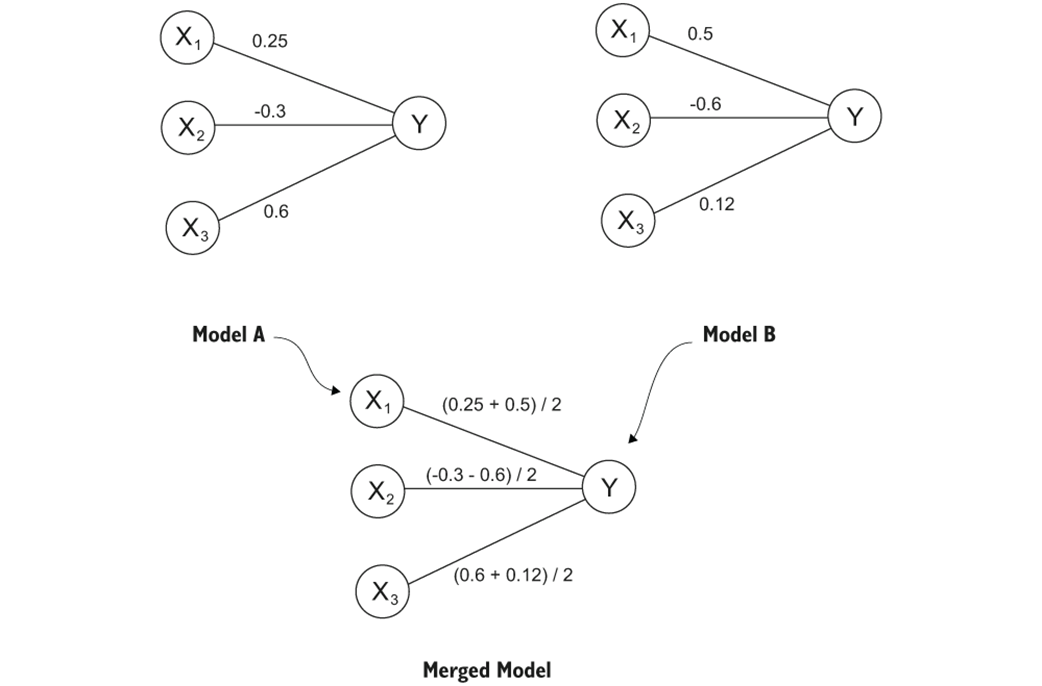
Very often we use a weighted average to merge two models.
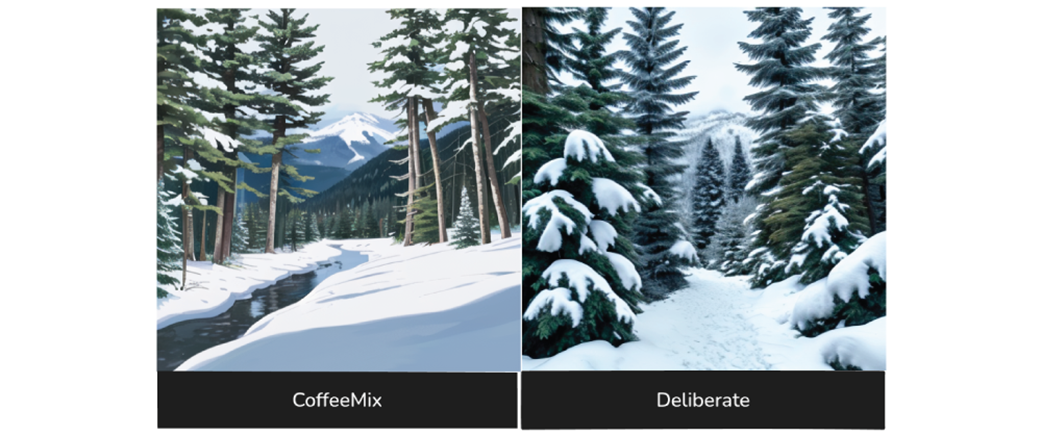
CoffeeMix creates a more “cartoony” style image while Deliberate is more realistic.
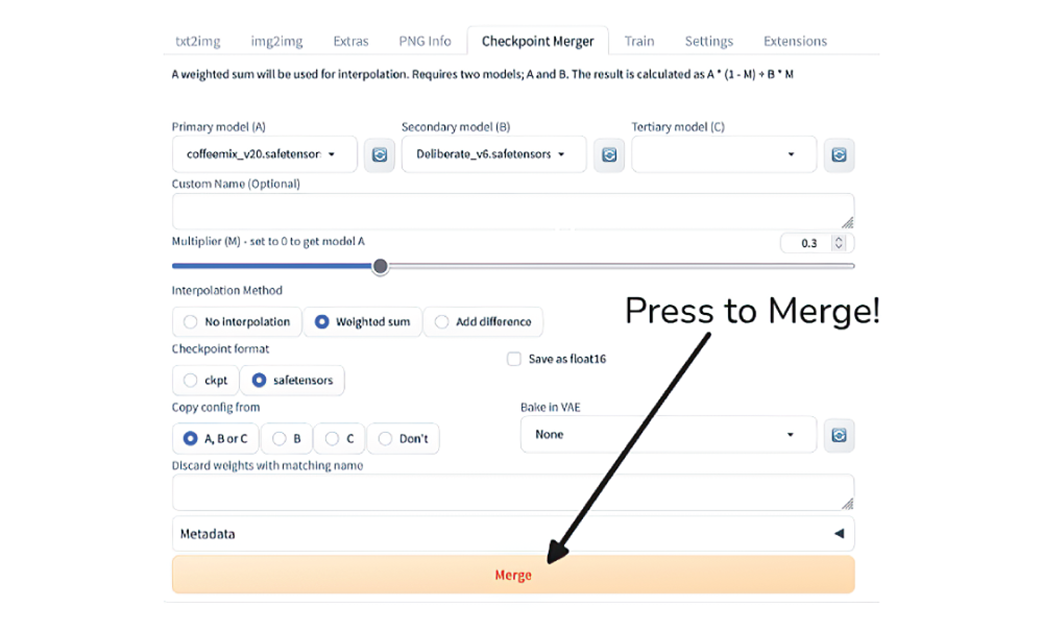
The checkpoint merge tab in A1111 we haven’t used yet so far.

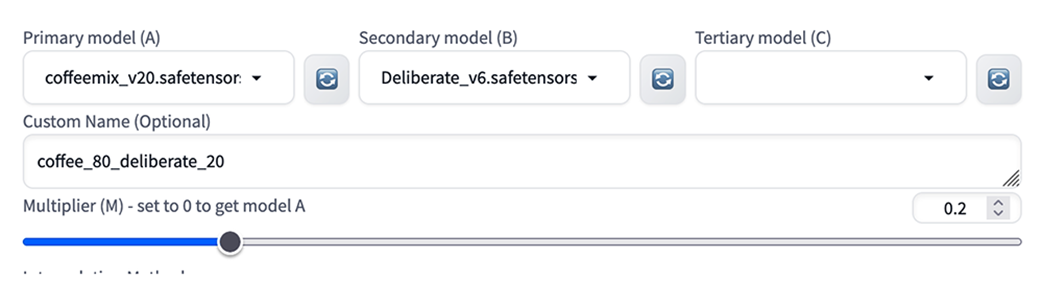
Setting up our primary (CoffeeMix) and secondary (Deliberate) models

Setting our multiplier to 0.2 we give 80% of the weight to the primary model.
A view of the Checkpoint Merger tab, pushing the “Merge” button is all we need to do now.
Our newly created checkpoint is already in the correct place to be loaded for image generation.

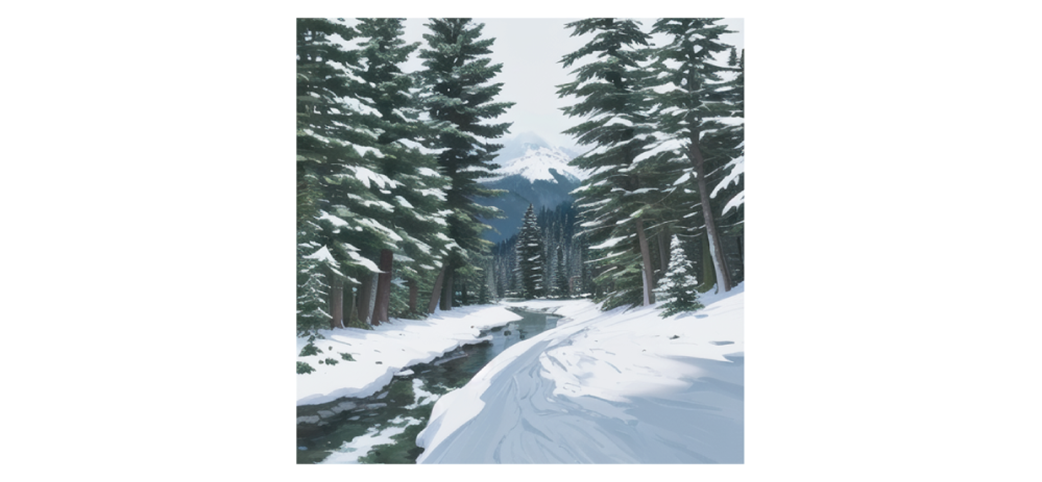
Results of an 80% CoffeeMix, 20% Deliberate checkpoint merge.
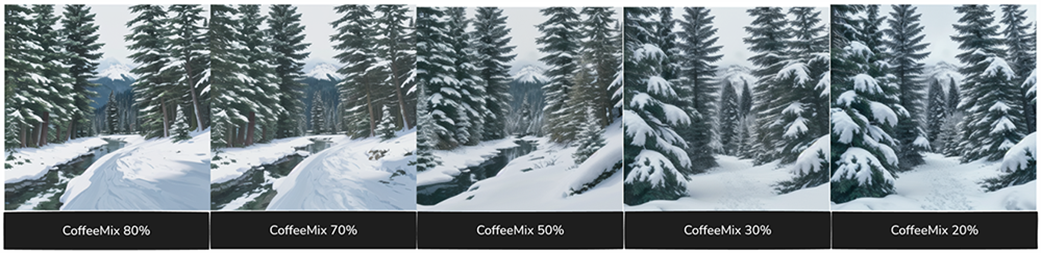
Visualizing a range of results by combining CoffeeMix with Deliberate at different ratios.
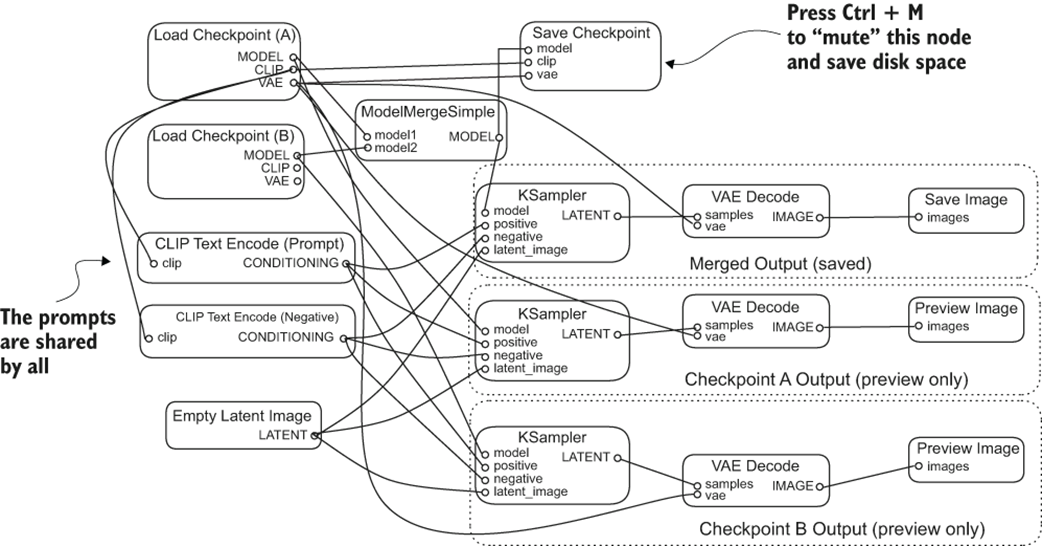
As is common with ComfyUI workflows, there’s a lot going on here.
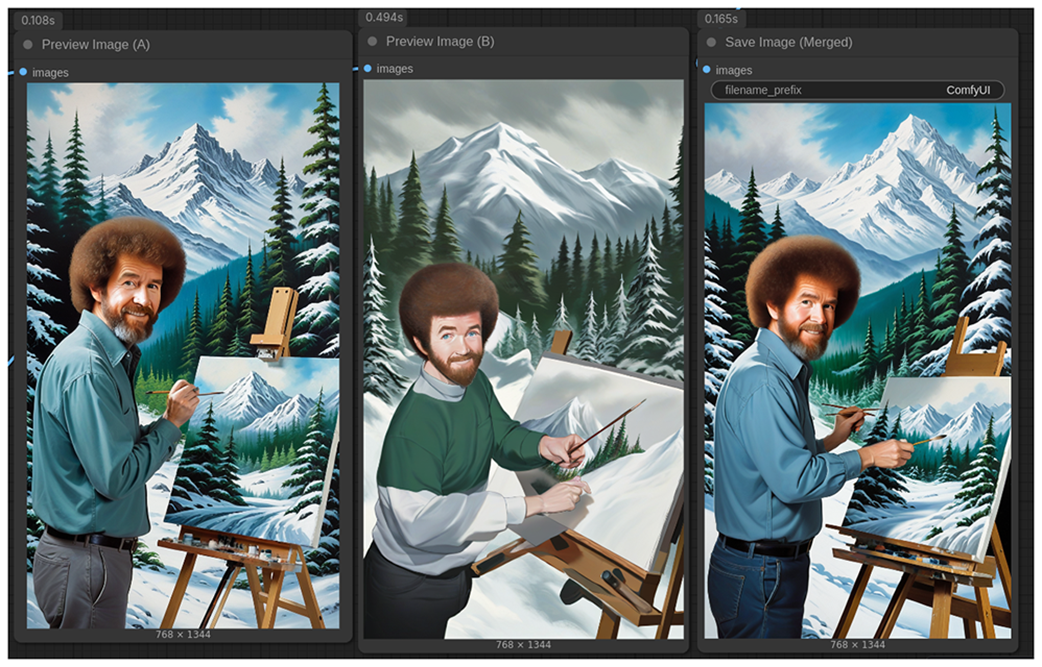
We are generating 3 images with each run of the workflow.
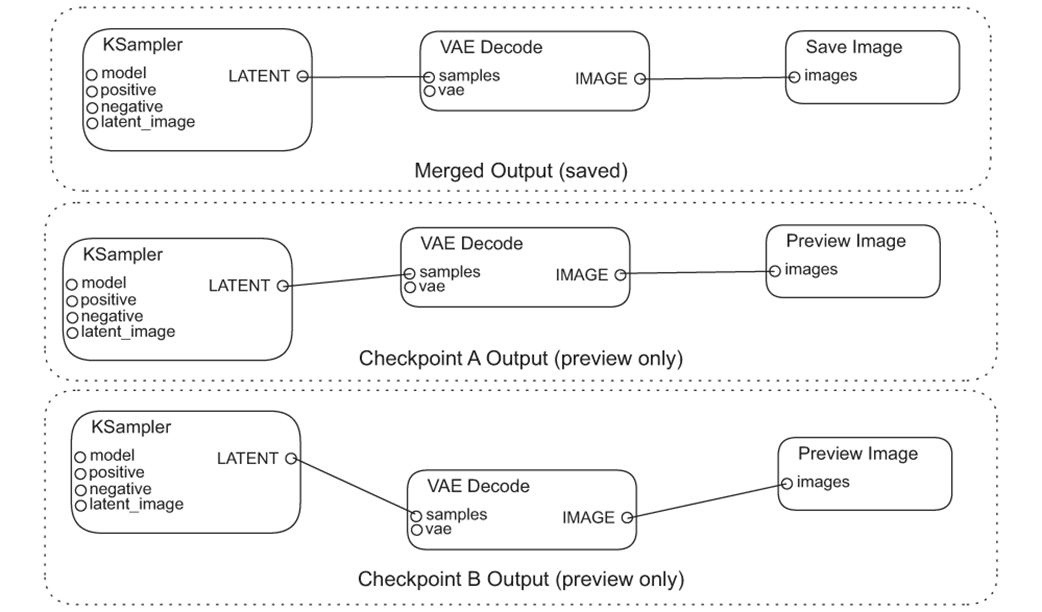
Results as seen in ComfyUI.
Summary

  • Checkpoint merging is a fast and easy way to combine the qualities of two different Stable Diffusion models.
  • We merge checkpoints by averaging the model weights between them.
  • Typically I want to use a weighted average that gives more weight to one model over the other.
  • A1111 makes it very easy to iterate quickly and remains a great tool for fast exploration of Stable Diffusion 1.5 checkpoint merging.
  • For more serious work with checkpoint merging it can be helpful to create an entirely custom workflow using ComfyUI.
  • Ctrl+M allows us to easily ‘mute’ any node in a ComfyUI work flow which can be very helpful for times we might not want to automatically save large files.
  • Despite the simplicity and ease of the technique, checkpoint merging is quite capable as well. Checkpoint merging is responsible for a large number of existing models shared by the community.

FAQ

What is checkpoint merging in Stable Diffusion?Checkpoint merging is a technique for combining two or more existing Stable Diffusion checkpoints to create a new checkpoint. It works by blending the model weights, which can produce a model with characteristics from each source model.
Why is checkpoint merging useful for creators with limited hardware?It requires very little VRAM and computing power compared with training a new model from scratch or even training a LoRA. That makes it a fast, accessible way to make custom models on lower-end GPUs or even modest systems.
How does checkpoint merging work at a high level?Checkpoint files mostly contain neural network weights. Since checkpoints for the same model family have the same weight structure, merging typically means averaging corresponding weights from the source models.
Is checkpoint merging just a 50/50 blend of two models?No. While equal averaging is possible, the chapter emphasizes weighted averages as the more common approach. For example, you might use 80% from one model and 20% from another to get a more subtle mix.
What kind of results can checkpoint merging produce?It can create a new model that combines traits of both source checkpoints, such as one model’s stylized look with another model’s realism. The result often lands somewhere between the two, depending on the ratio used.
Why does the chapter revisit Automatic1111 for Stable Diffusion 1.5 merging?Automatic1111 makes SD 1.5 checkpoint merging very fast and easy to set up. It’s a simple way to try merging before moving on to more flexible workflows like ComfyUI.
How do you merge checkpoints in A1111?You open the Checkpoint Merger tab, choose a Primary model (A) and Secondary model (B), set the Multiplier, give the merged model a file name, and click Merge. The new checkpoint is saved to the checkpoints directory.
Why is the A1111 multiplier setting confusing?Because the value is applied to model B, not model A. So if you want model A to contribute 80%, you set the multiplier to 20% for model B.
Why use ComfyUI for SDXL checkpoint merging?ComfyUI is more flexible and better suited for larger, more customized workflows. It lets you preview images from the original models and the merged model in one run, and it can avoid saving huge merged files unless you want to.
What is the advantage of muting the Save Checkpoint node in ComfyUI?Muting the node prevents the merged checkpoint from being saved. This is useful when iterating quickly, since SDXL checkpoints are large and you may only want to test the merge or save just the generated image.

pro $24.99 per month

  • access to all Manning books, MEAPs, liveVideos, liveProjects, and audiobooks!
  • choose one free eBook per month to keep
  • exclusive 50% discount on all purchases
  • renews monthly, pause or cancel renewal anytime

lite $19.99 per month

  • access to all Manning books, including MEAPs!

team

5, 10 or 20 seats+ for your team - learn more


choose your plan

team

monthly
annual
$49.99
$499.99
only $41.67 per month
  • five seats for your team
  • access to all Manning books, MEAPs, liveVideos, liveProjects, and audiobooks!
  • choose another free product every time you renew
  • choose twelve free products per year
  • exclusive 50% discount on all purchases
  • renews monthly, pause or cancel renewal anytime
  • renews annually, pause or cancel renewal anytime
  • Local Image Generation ebook for free
choose your plan

team

monthly
annual
$49.99
$499.99
only $41.67 per month
  • five seats for your team
  • access to all Manning books, MEAPs, liveVideos, liveProjects, and audiobooks!
  • choose another free product every time you renew
  • choose twelve free products per year
  • exclusive 50% discount on all purchases
  • renews monthly, pause or cancel renewal anytime
  • renews annually, pause or cancel renewal anytime
  • Local Image Generation ebook for free
