12 Using ControlNets
This chapter explains how ControlNets let image generation models follow a reference image much more closely than prompting alone can achieve. It introduces the idea that a ControlNet uses an input image with a specific structure to guide the final output, and shows how ComfyUI can be extended with custom nodes installed through the Manager to make these workflows easier. The chapter also emphasizes using Stable Diffusion 1.5 for these examples because it offers a rich selection of ControlNets and can still produce impressive results on modest hardware.
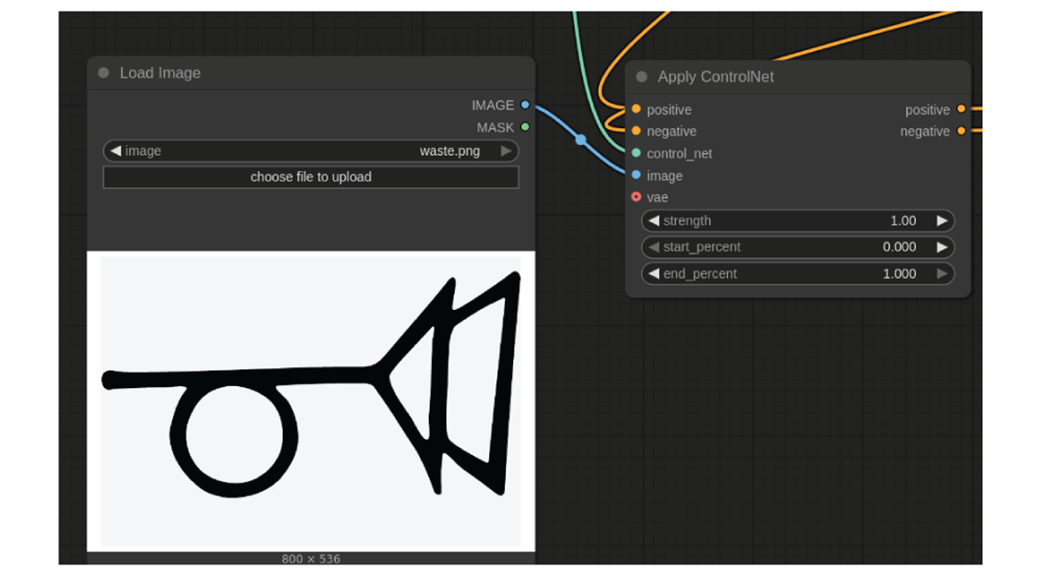
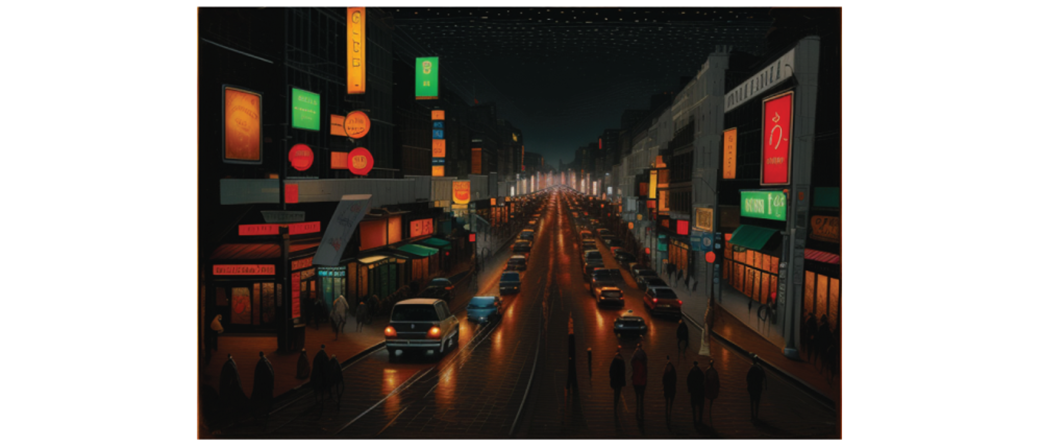
The first practical example uses the QR Code ControlNet to create a hidden image embedded inside a generated scene. Because this ControlNet does not require preprocessing, it serves as a simple entry point into the workflow: load the controlnet model, provide a high-contrast reference image, and generate a new image that subtly contains the hidden shape while still matching the text prompt. The result demonstrates how control strength can make the hidden form more or less visible without destroying the visual coherence of the picture.
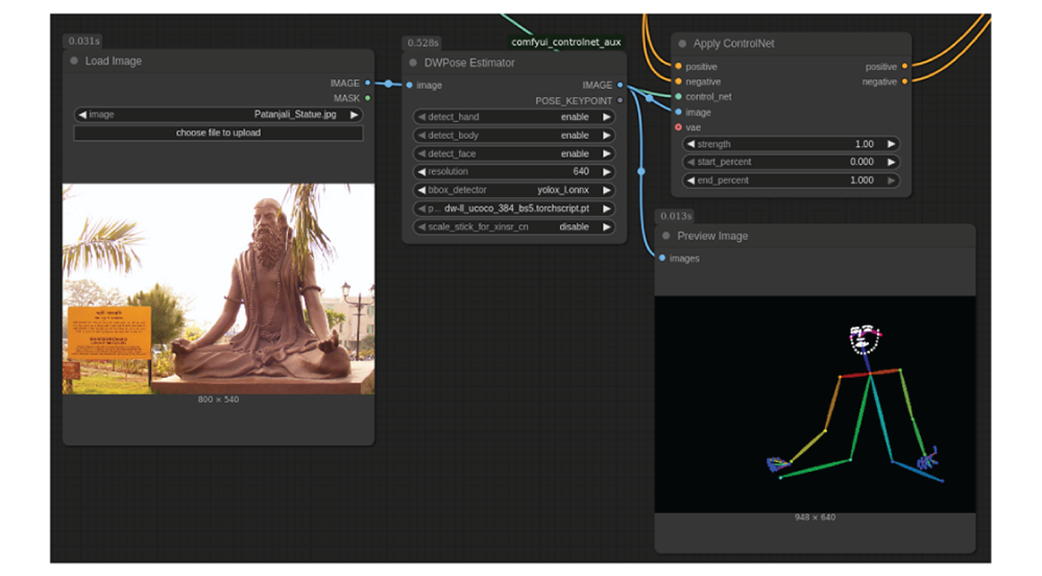
The later examples show how preprocessing expands what ControlNets can do. Scribble uses an outline-extraction node to stylize a real photo into anime while preserving the original structure, Open Pose uses pose estimation to recreate a specific body position in a completely different character and setting, and Semantic Segmentation captures the overall composition of a scene while allowing major stylistic and content changes. Taken together, these examples show that ControlNets provide a practical way to control pose, structure, and composition with far more precision than text prompts alone, even fixing common diffusion issues like extra limbs or awkward anatomy.
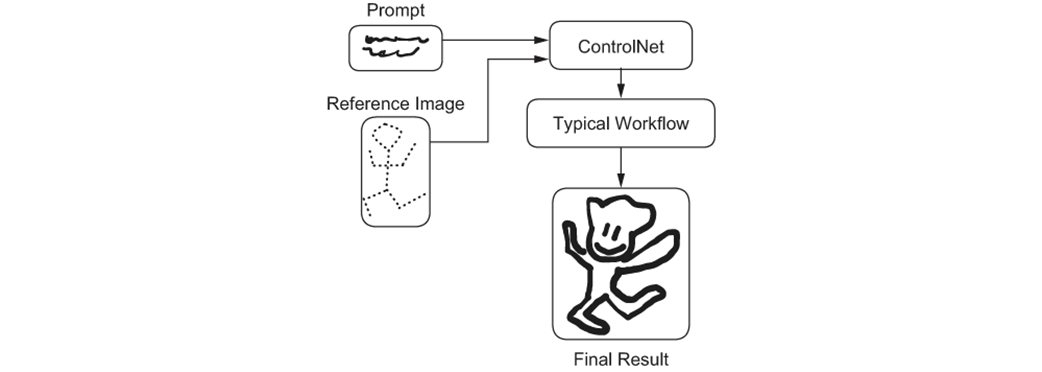
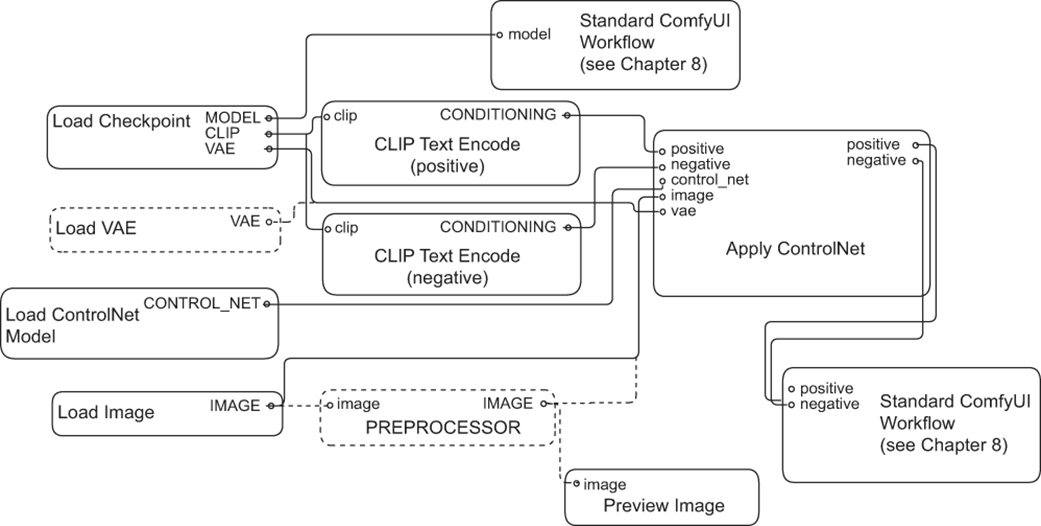
Basic structure of a control net workflow.
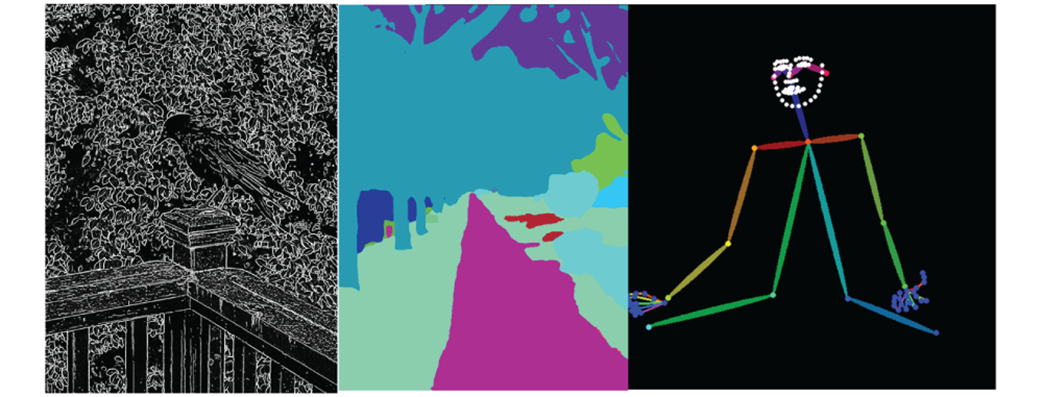
Examples of the reference images we’ll need in this chapter
Controlnet workflow with a preprocessor.
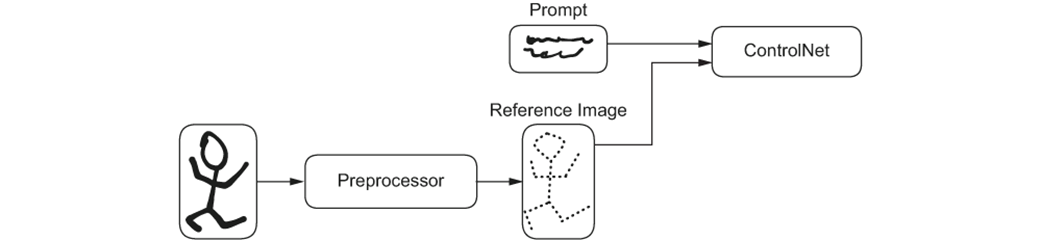
Controlnet workflow with a preprocessor.

Searching for the ControlNet Aux nodes
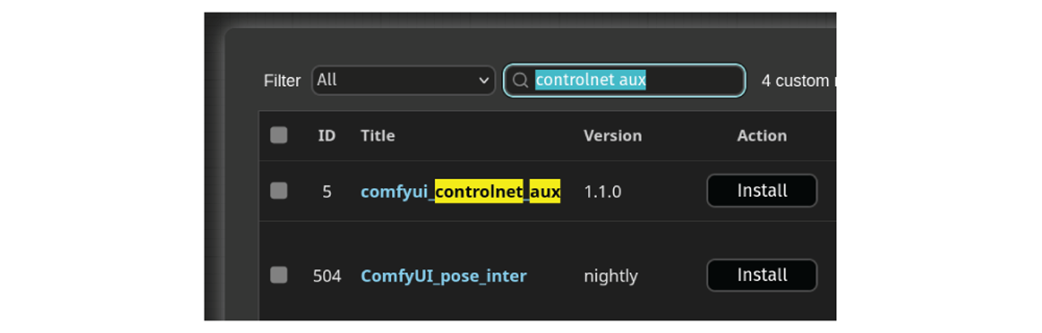
ControlNet Aux versions
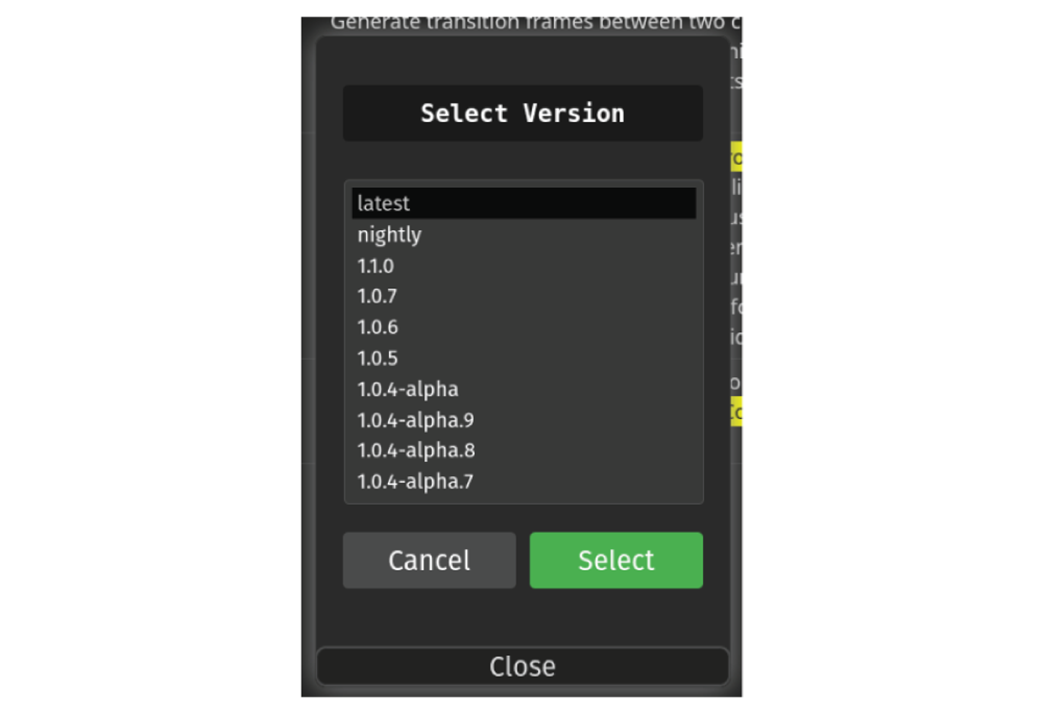
ComfyUI must be restarted for the newly installed nodes to be available

General ComfyUI workflow for ControlNets
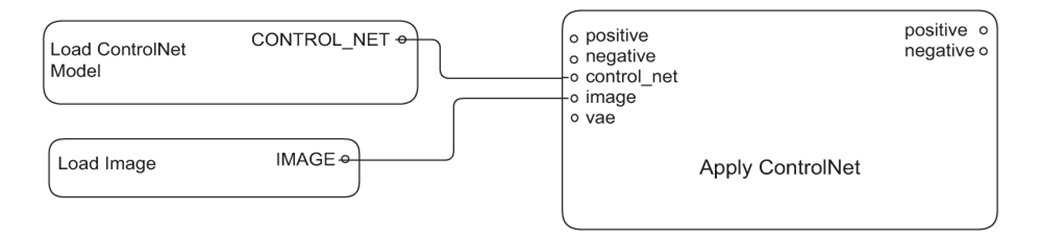
The ControlNet portion of our QR Code work flow is straightforward
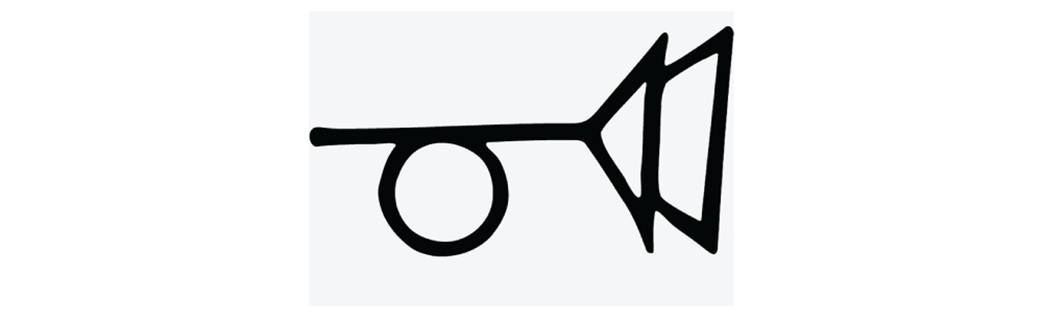
The muted horn symbol will appear ‘hidden’ in our final image thanks to the controlnet
Loading our reference image in the actual ComfyUI workflow
The hidden symbol is visible when you look at the picture farther away.
Increasing the controlnet strength makes the hidden image more visible.
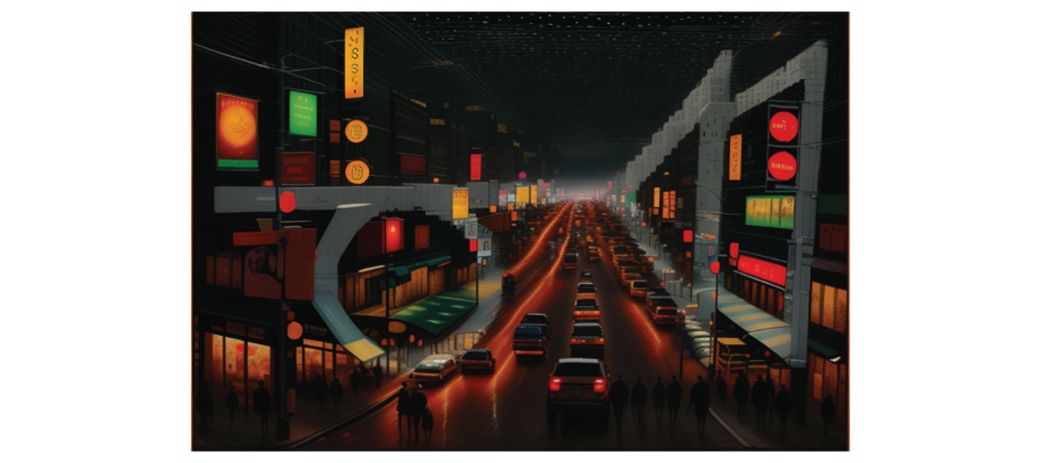
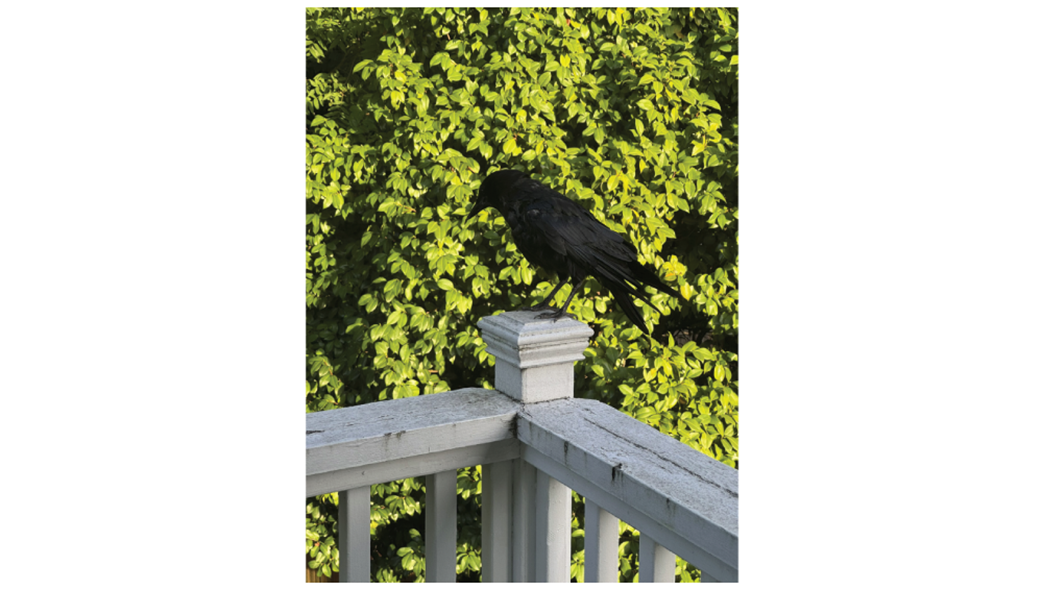
Image of Crowmeo at my balcony.
We definitely don’t want to create this reference image by hand.
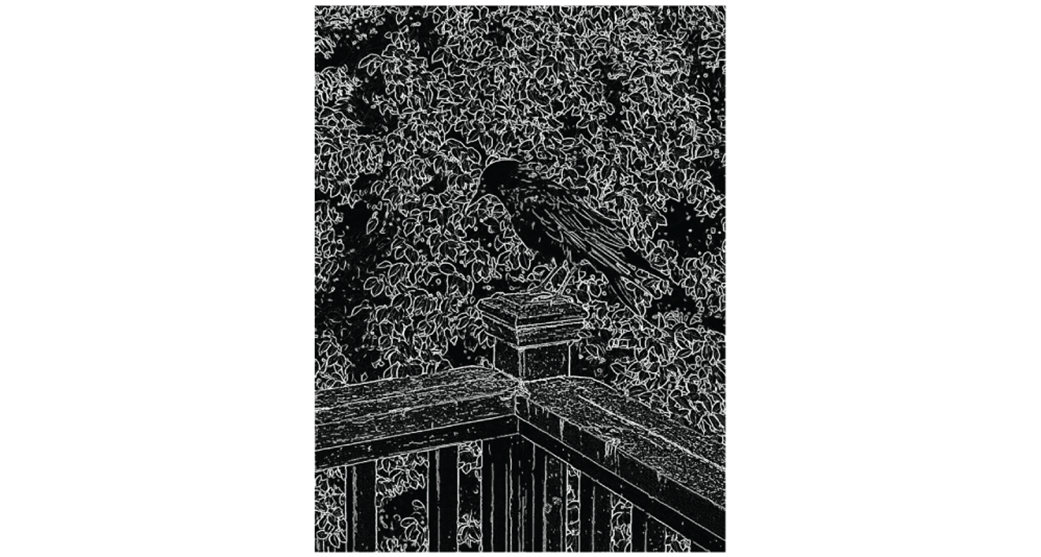
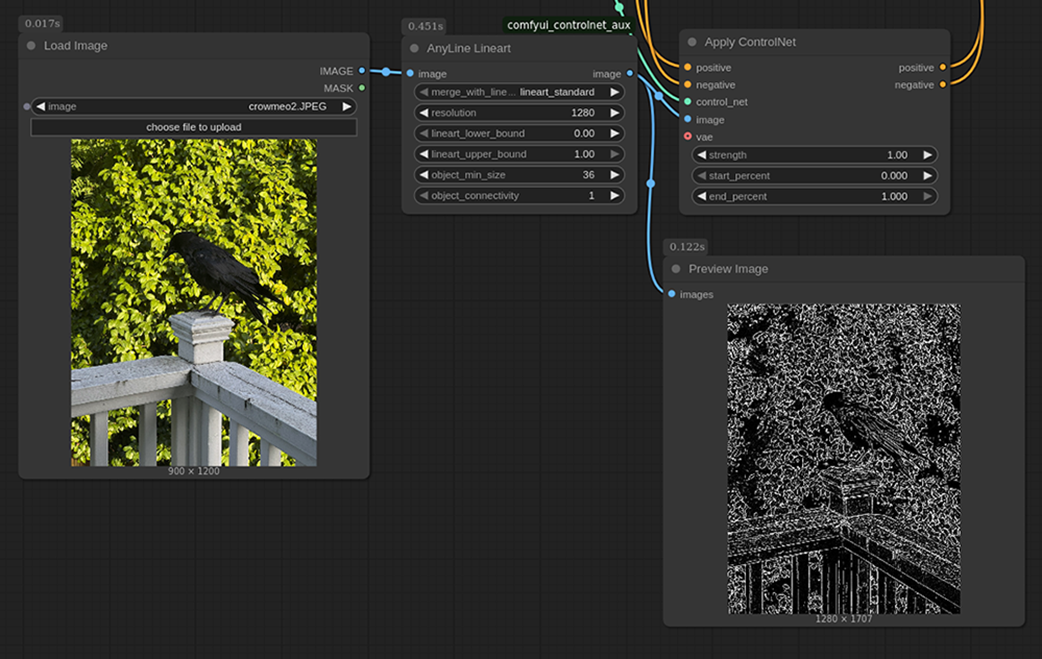
Using the AnyLine Lineart preprocessing node and viewing the results with Preview Image.
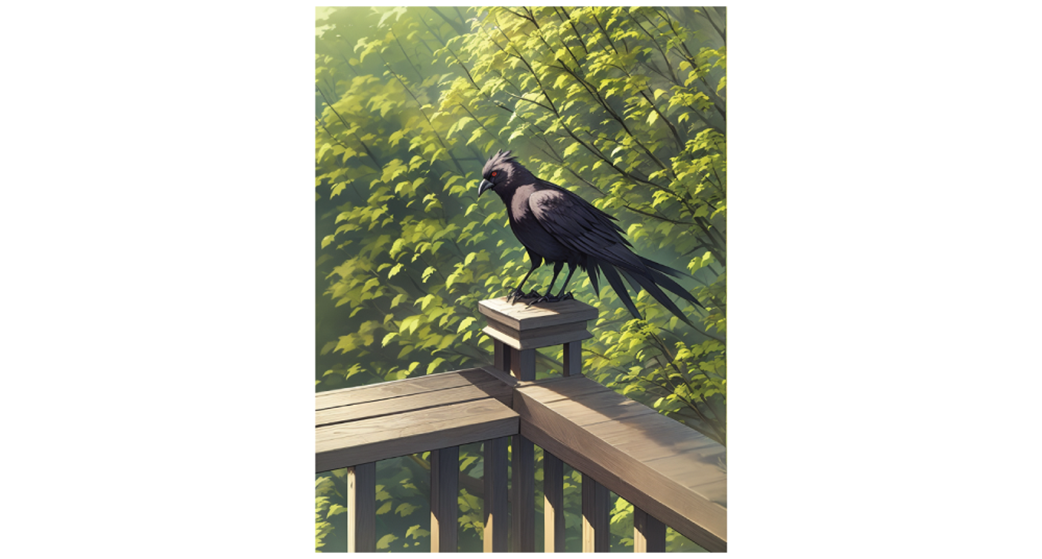
Our Anime style Crowmeo!
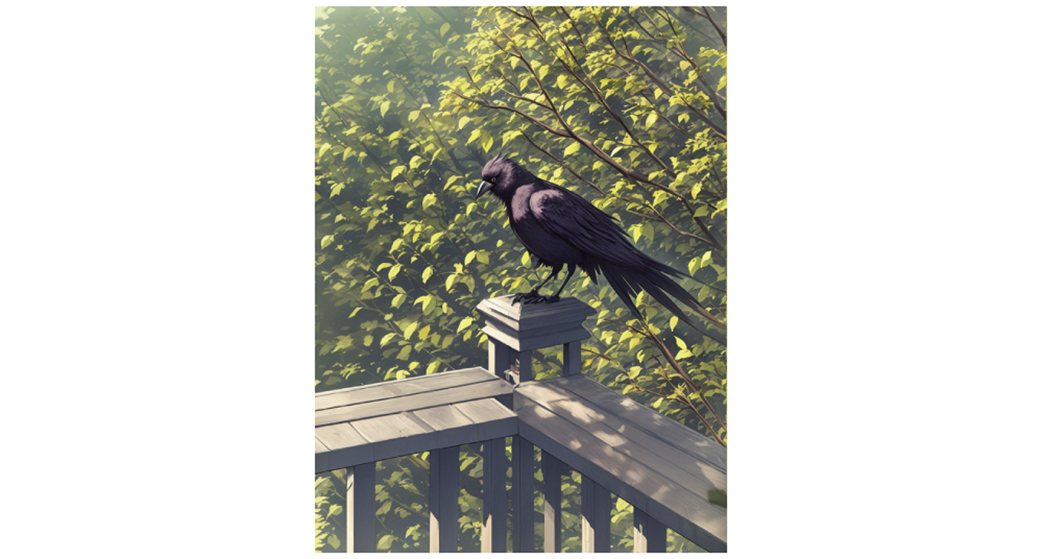
Our Anime style Crowmeo with the appropriate number of legs!
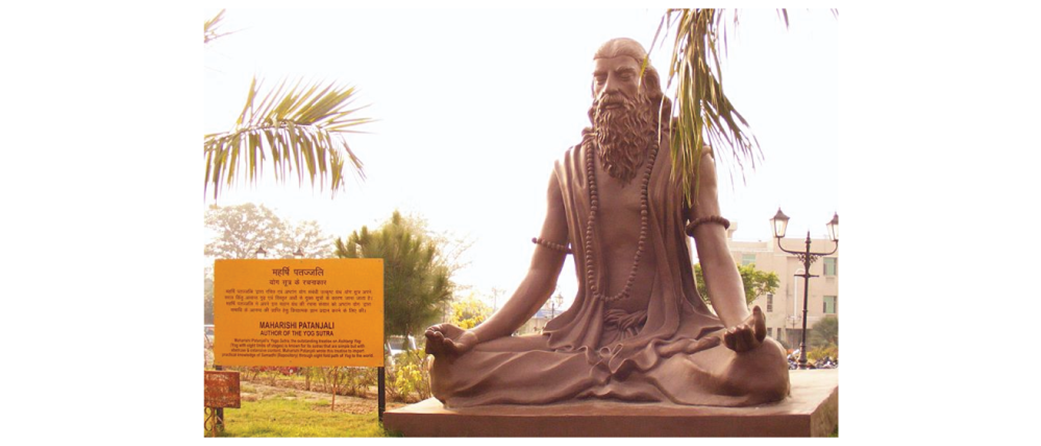
Statue of Patanjali meditating (attribution: Wikipedia user Alokprasad)
Our workflow extracting the pose from our image.
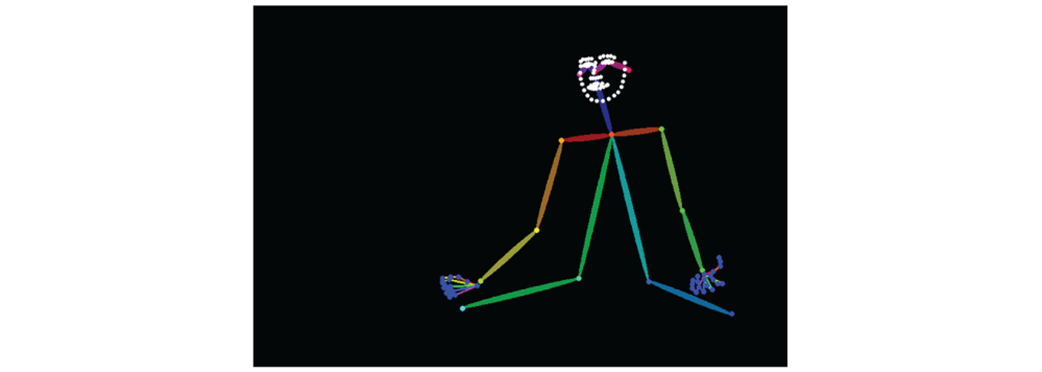
Pose reference image for the Open Pose controlnet
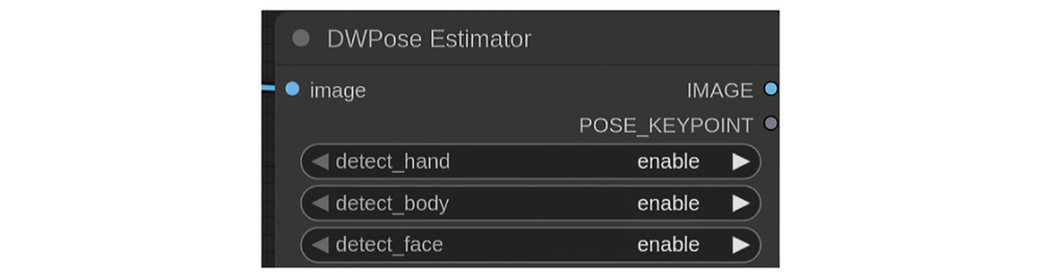
We can control which parts of the pose we’d like to extract.
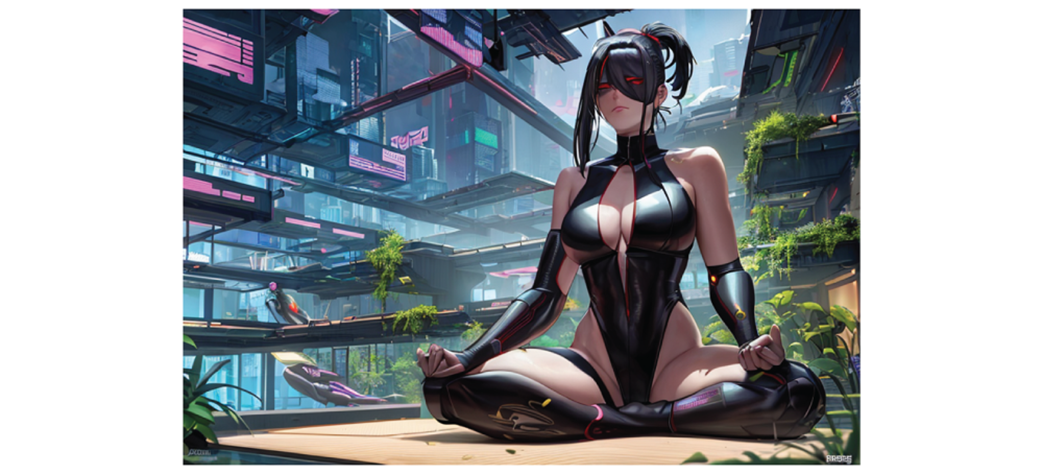
We have a completely different image but using the exact pose of Patanjali.
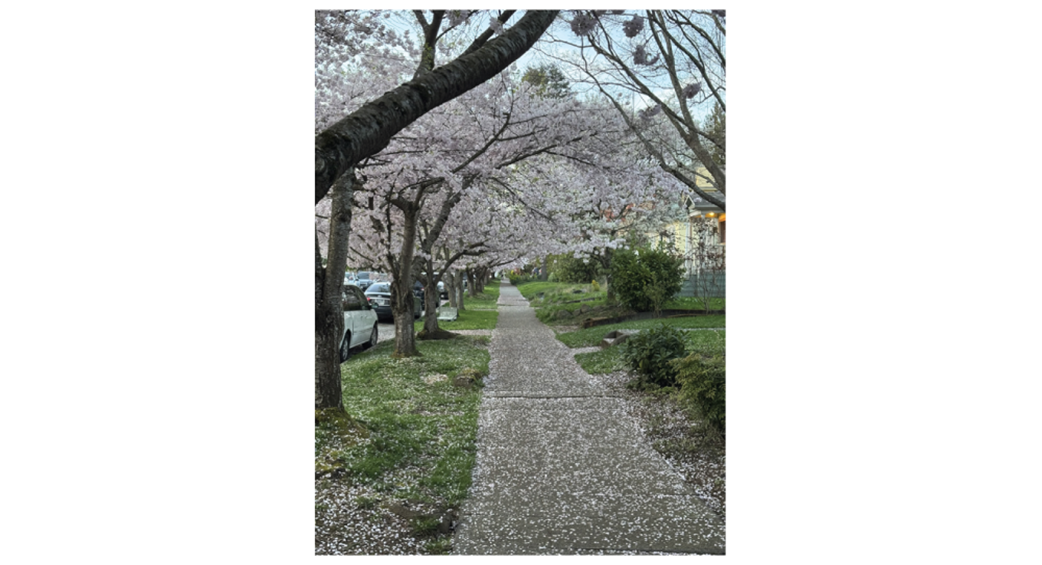
The cherry blossoms in Seattle in the spring can be a sight to behold!
The segmentor has determined which objects occupy which parts of our scene.

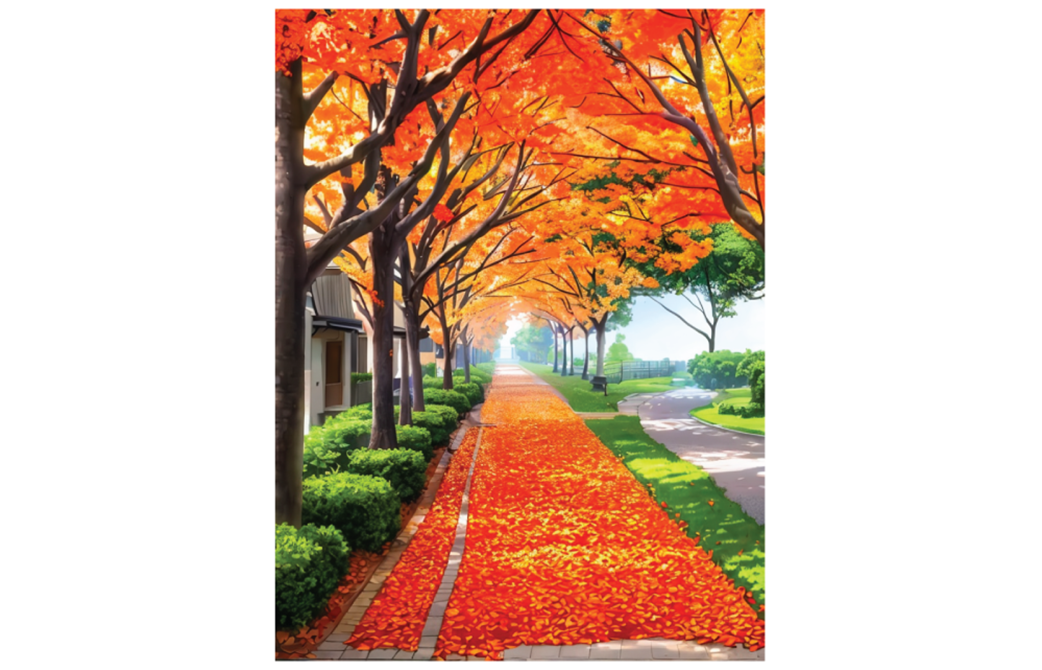
Though the images look very different they share the same composition
Summary
- ControlNets are a type of model that allows us to use a reference image to control the output of a model.
- In some cases the reference image can be created by hand, but more often than not we need a special preprocessor to create the correct reference image from an original source image.
- ComfyUI Controlnet Aux is a collection of custom nodes that can be downloaded from within the ComfyUI Manager interface.
- The QR Code controlnet was designed to embed QR Codes into images, but can also be used to create interesting “hidden” images in our output and requires no special preprocessing node.
- The Scribble control net takes an outline of an image and ensures that Stable Diffusion sticks to that outline.
- The Anyline Lineart node makes it easy to extract outlines from existing images.
- Open Pose is a controlnet that allows you to use the DWPose estimator preprocessor to determine the pose a character is in in a source photo and ensure the model generates an image according to this pose.
- Semantic Segmentation is a combination of preprocessor and controlnet that allows us to understand and generate images based on the composition of an image in terms of the types of objects in each section.
- The use of ControlNets allows us to greatly extend the capabilities of even Stable Diffusion 1.5 (as well as SDXL and Flux) allowing us to ensure the image generated follows precisely the structure we want it to.

 Local Image Generation ebook for free
