Overview

11 Deeper Customization Using LoRA

This chapter introduces LoRA as a practical way to make diffusion models more customizable, especially when full checkpoint fine-tuning is too expensive. It explains that training diffusion models needs far more memory than inference, with Flux being especially demanding, which makes traditional fine-tuning impractical for most users. LoRAs address this by offering a much smaller, more efficient method for changing model behavior without retraining the entire system.

The core idea is that LoRAs modify only key parts of the model, especially the attention layers, yet can still produce dramatic changes in style and output. The chapter shows how to load a LoRA into a ComfyUI workflow, adjust its strength, and use it to transform a plain Flux generation into something with a much more distinct look. It also emphasizes that LoRAs are especially useful for style adaptation, giving Flux the ability to produce results that feel more realistic, more artistic, or more visually specific.

Beyond style transfer, the chapter explores trigger words, concept LoRAs, and combining multiple LoRAs together. Trigger words help activate the desired behavior of a LoRA, while concept LoRAs can represent a character, person, or object consistently across different scenes, making them useful for personalized images and longer creative projects. By chaining multiple LoRAs, users can blend effects, though order and strength can matter, showing that LoRAs offer a flexible and powerful path toward deeper image generation control.

Attention layers are an essential part of how large models summarize important information
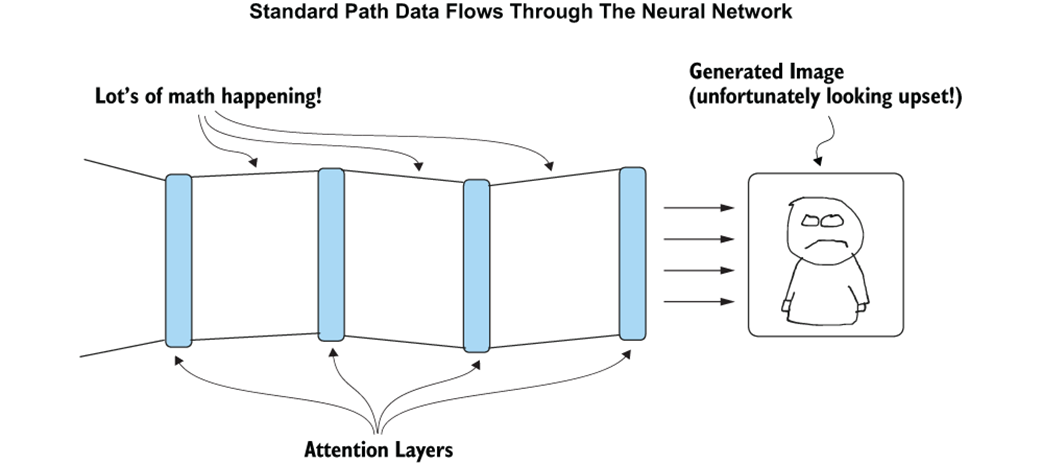
A LoRA learns only to modify the attention layers, which still has a big impact!
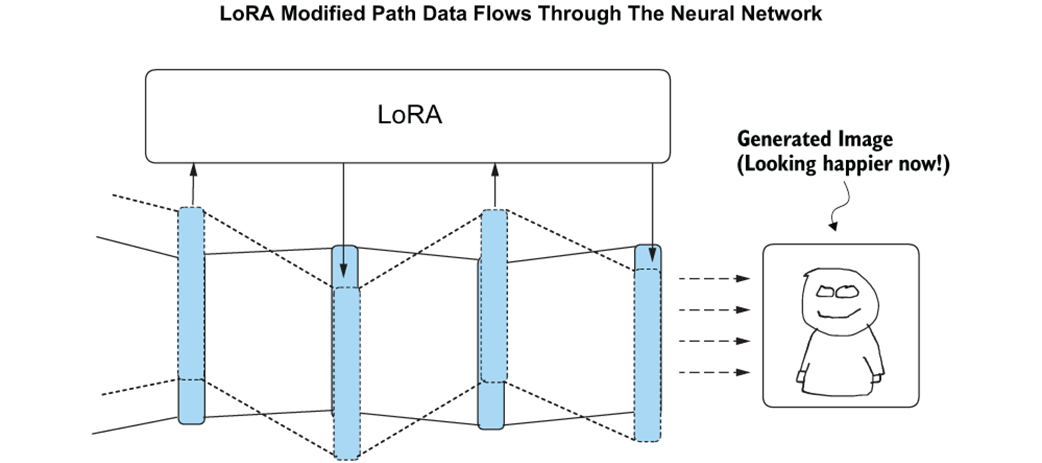
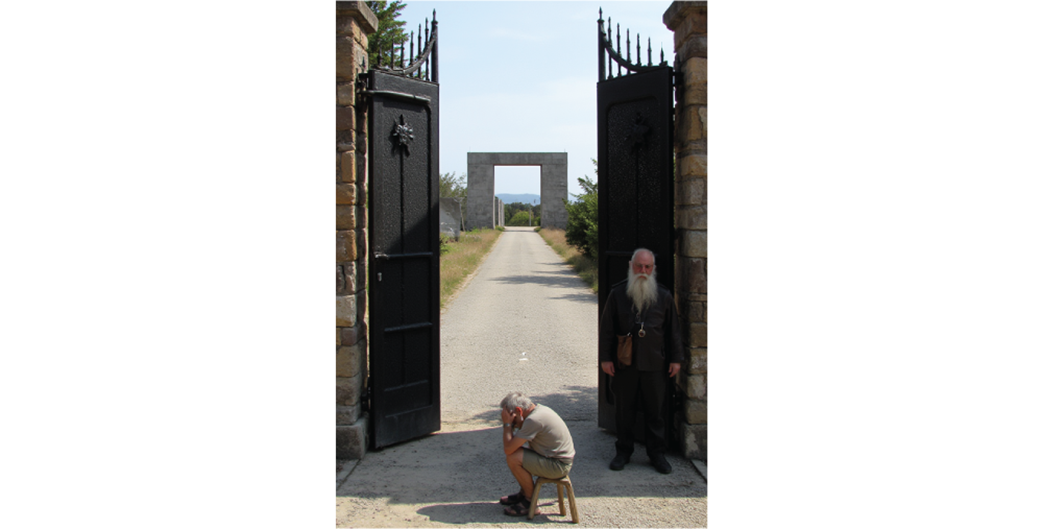
Generating a scene from Before the Law using Flux
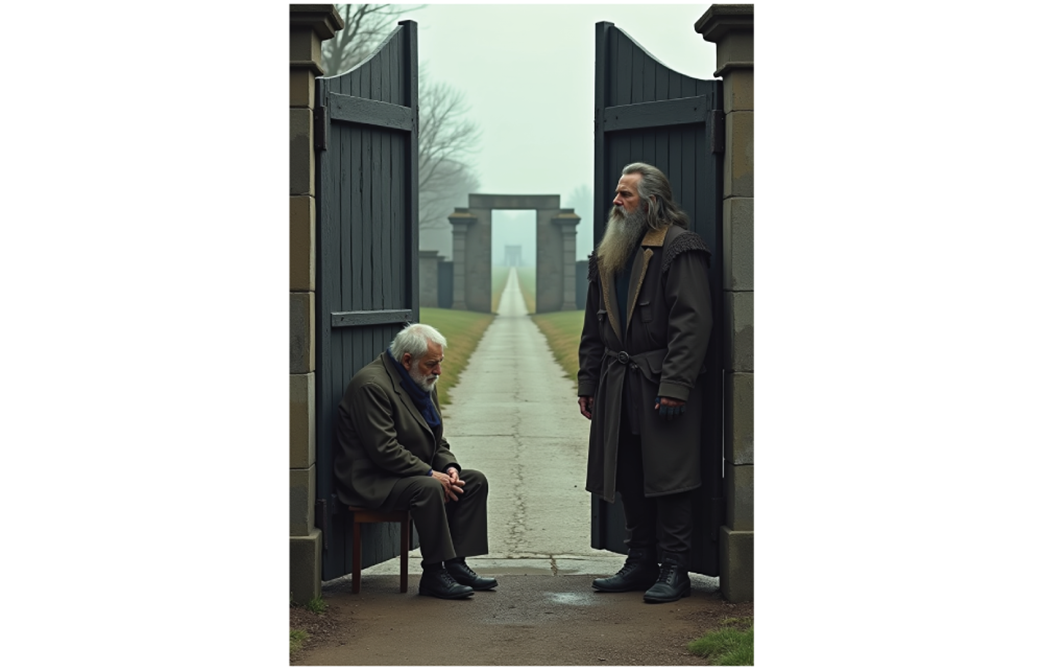
The Load LoRA node in the ComfyUI workflow.
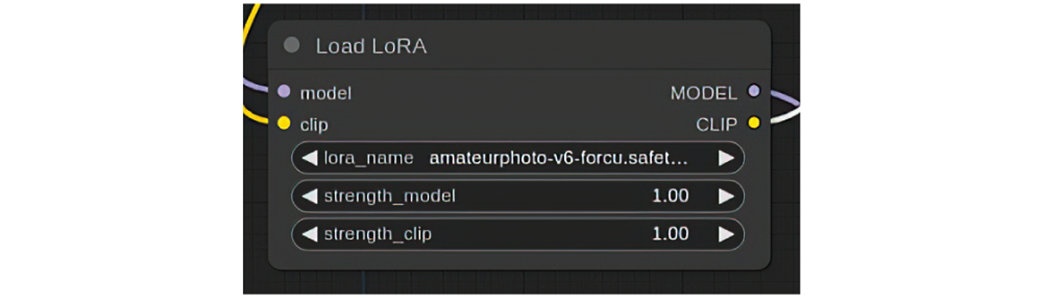
Visualizing how to connect the LoRA to the rest of the workflow.

Using the Amateur Photography LoRA dramatically changes the style of our image.
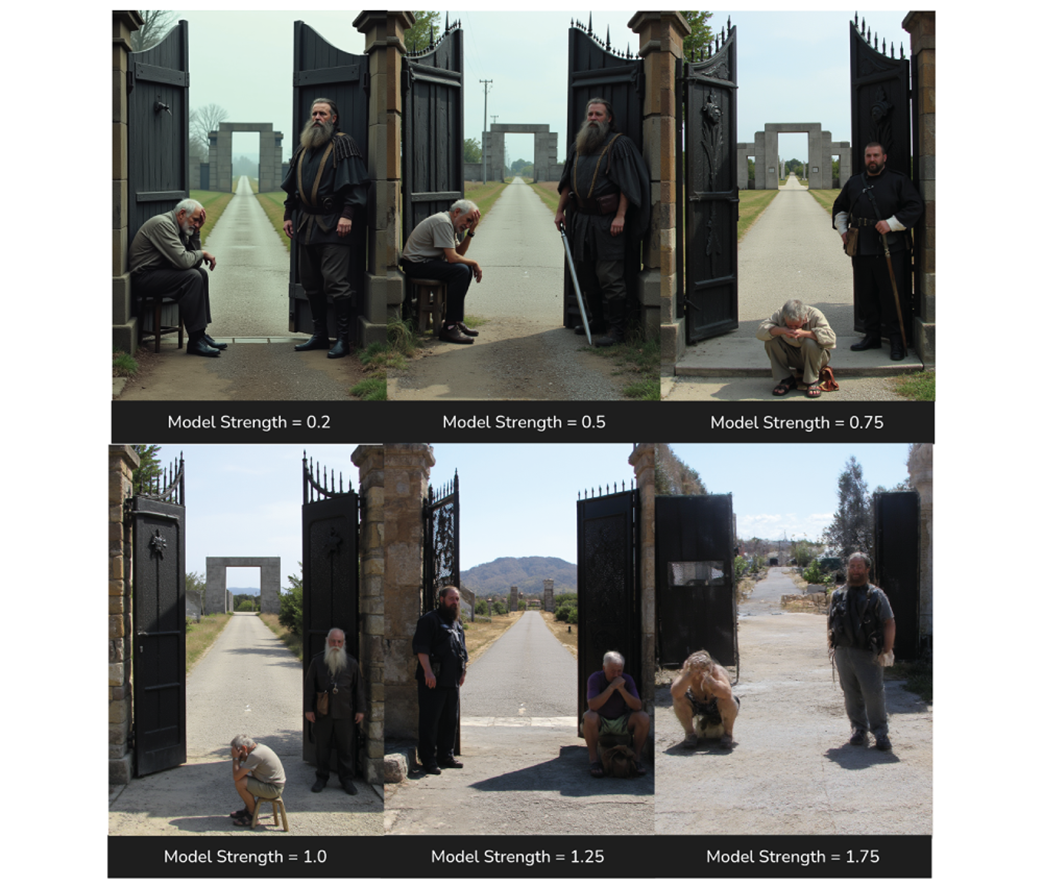
changing the model strength determines how much the LoRA style impacts the result.
The Tarot card LoRA completely changes the style of our image.
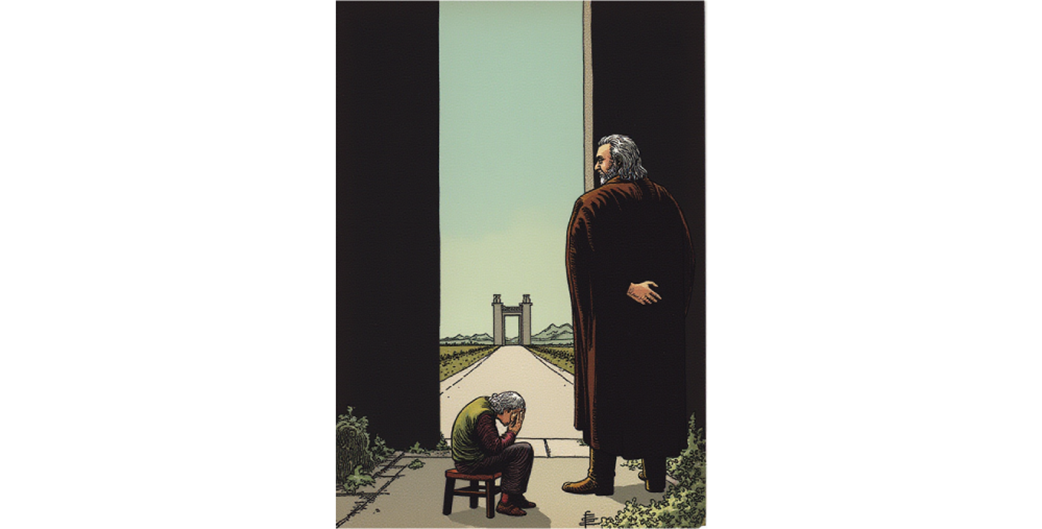
Using the correct “trigger words” can dramatically change the outcome of the generation.

The author of this book as generated using a concept LoRA
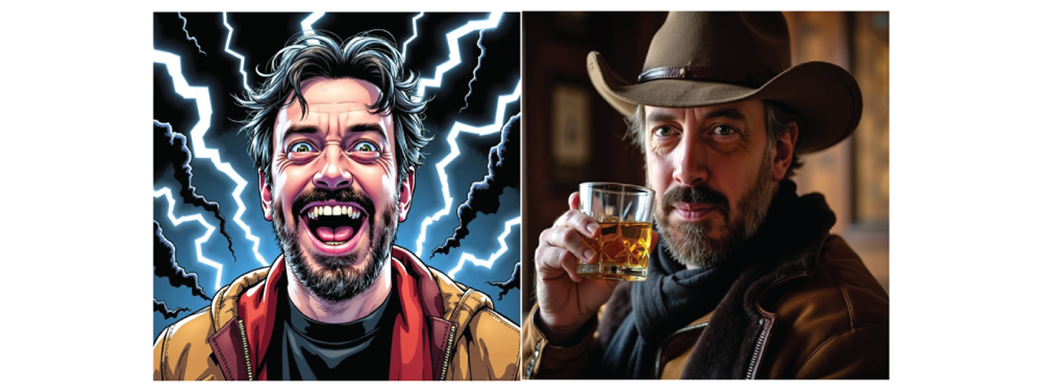
Keats the dog promises not to sue over trademark or brand infringement
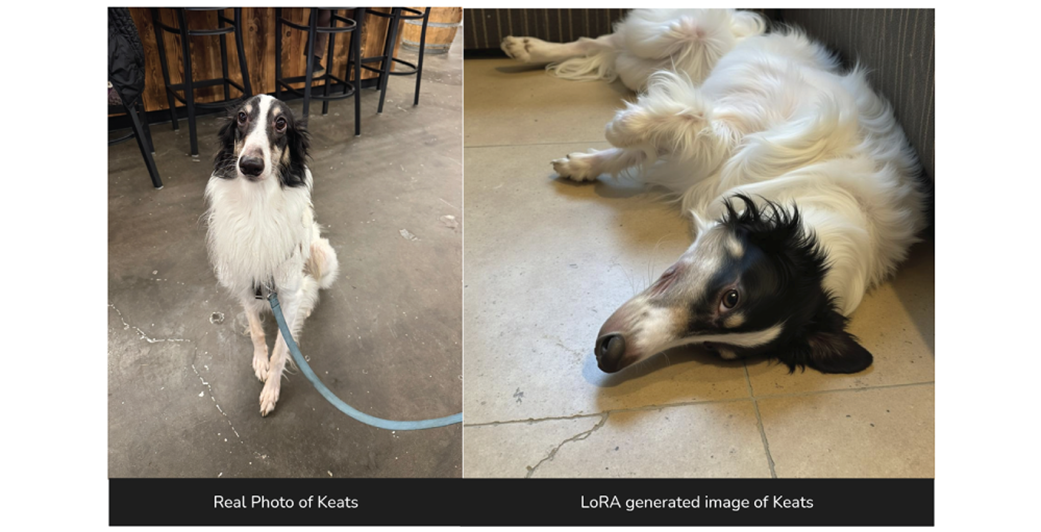
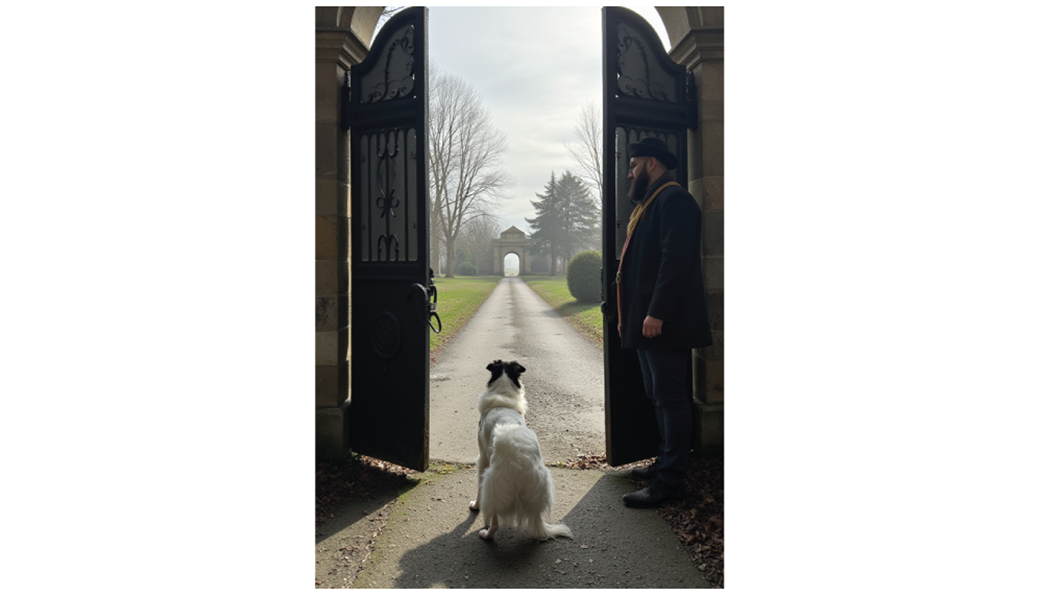
Keats is just curious if there might be some treats down that path
LoRAs can be combined simply by chaining them.

A Tarot card depicting Keats the dog in a Kafka story.

Slightly different variant of tarot card made by swapping the LoRA order.

Summary

  • Fine-tuning checkpoints requires significantly more VRAM than generating images.
  • This means it is very difficult to fine-tune models like Flux.
  • LoRAs work by modifying only the attention layers of models used for diffusion.
  • Because of how they are designed, LoRAs are small and can be trained on consumer hardware.
  • When using a LoRA in ComfyUI, it is placed immediately after the u-net and clip encoder are loaded
  • LoRA can be used to easily and dramatically change the style output from Flux (and other diffusion models).
  • Many LoRA rely on “trigger words” to get the best performance, make sure to include these in your prompt.
  • Concept LoRA allows you to use a character or subject in your image generation.
  • Multiple LoRAs can be combined together, but the order will impact the results.

FAQ

What is a LoRA in the context of diffusion models?A LoRA, or Low Rank Adaptation, is a small model that modifies part of a diffusion model to produce new styles or concepts without retraining the entire checkpoint.
Why are LoRAs useful for Flux and Stable Diffusion?LoRAs are useful because they let you make dramatic changes to image output while using far less VRAM and training resources than creating a full fine-tuned checkpoint.
Why is training a full diffusion checkpoint so difficult?Training requires much more memory than inference because the model must track additional information while updating weights, which can demand very high VRAM, especially for Flux and SDXL.
How much VRAM might be needed to train different diffusion models?Without optimizations, training may require about 32GB+ for Stable Diffusion 1.5, 100GB+ for SDXL, and 200–300GB for Flux. Even with clever tricks, Flux training can still require 80–150GB.
What part of the model does a LoRA usually modify?A LoRA typically modifies the attention layers, which strongly influence how information flows through the model and can significantly change the final image.
How do I add a LoRA to a ComfyUI workflow?Download the LoRA file into the ComfyUI/models/loras folder, add a “Load LoRA” node, and connect it between the model and CLIP-related parts of the workflow.
What are strength_model and strength_clip used for?strength_model controls how strongly the LoRA affects the U-Net or main image generation process, while strength_clip controls how much it affects the text encoder’s response to prompts.
What are trigger words and why do they matter?Trigger words are special words or phrases trained with a LoRA that help activate the intended style or concept. Including them in your prompt often makes the LoRA work much better.
What is the difference between a style LoRA and a concept LoRA?A style LoRA changes the visual look of an image, such as making it resemble a tarot card or a photograph, while a concept LoRA teaches the model a specific subject or identity, such as a person or character.
Can multiple LoRAs be used together?Yes. You can chain multiple LoRAs in sequence, but the order can matter and you may need to adjust the strength of each one to get the best combined result.

pro $24.99 per month

  • access to all Manning books, MEAPs, liveVideos, liveProjects, and audiobooks!
  • choose one free eBook per month to keep
  • exclusive 50% discount on all purchases
  • renews monthly, pause or cancel renewal anytime

lite $19.99 per month

  • access to all Manning books, including MEAPs!

team

5, 10 or 20 seats+ for your team - learn more


choose your plan

team

monthly
annual
$49.99
$499.99
only $41.67 per month
  • five seats for your team
  • access to all Manning books, MEAPs, liveVideos, liveProjects, and audiobooks!
  • choose another free product every time you renew
  • choose twelve free products per year
  • exclusive 50% discount on all purchases
  • renews monthly, pause or cancel renewal anytime
  • renews annually, pause or cancel renewal anytime
  • Local Image Generation ebook for free
choose your plan

team

monthly
annual
$49.99
$499.99
only $41.67 per month
  • five seats for your team
  • access to all Manning books, MEAPs, liveVideos, liveProjects, and audiobooks!
  • choose another free product every time you renew
  • choose twelve free products per year
  • exclusive 50% discount on all purchases
  • renews monthly, pause or cancel renewal anytime
  • renews annually, pause or cancel renewal anytime
  • Local Image Generation ebook for free