10 The Flux Workflow
This chapter introduces the Flux image generation workflow in ComfyUI and explains how it differs from the Stable Diffusion setups used earlier. It begins with the practical steps needed to get Flux running locally, including loading the workflow, downloading the required encoder, VAE, and model files, and understanding how Flux’s components are split apart rather than bundled into a single checkpoint.
The chapter then focuses on ways to make Flux usable on limited hardware and on how to control its behavior. It describes quantization as a memory-saving approach that lets Flux run with less VRAM by using lower-precision weights, and it shows that switching to an fp8 model can preserve much of the output quality. It also explains Flux’s dual text-encoder setup and the special guidance system, which differs from traditional CFG and can be adjusted to improve style adherence or reduce the overly synthetic look in photorealistic images.
Finally, the chapter breaks down Flux’s more complex sampling process, including seed control, the effects of different sampler choices, and the meaning of base shift, max shift, and denoise settings. These parameters can noticeably change the denoising schedule and the final image, especially for different aspect ratios and composition goals. The chapter concludes by noting that while Flux already offers strong generation quality, its workflow requires more careful tuning than SD1.5 or SDXL, and later techniques such as LoRAs will further improve style control and realism.
Drag this image to ComfyUI to get the Flux workflow.

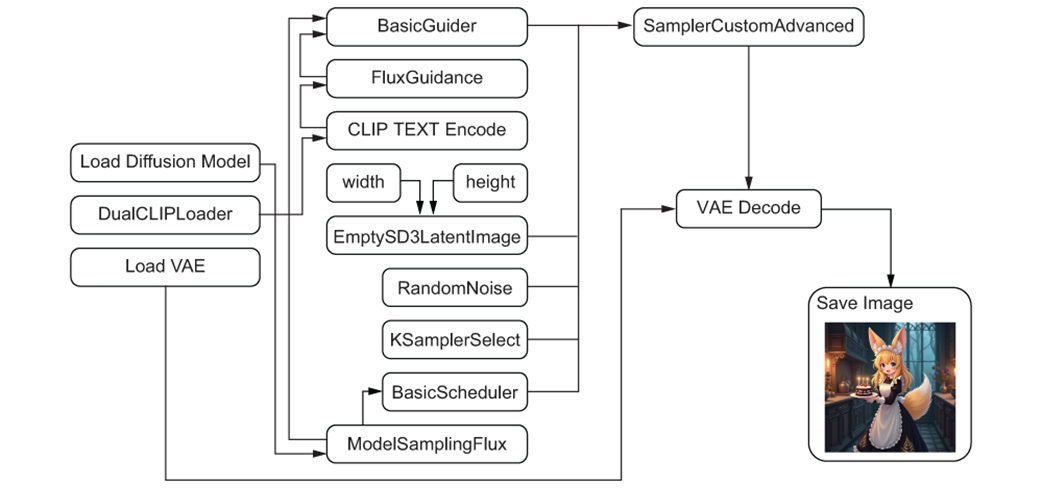
The Flux workflow is notably different than SD1.5 and SDXL
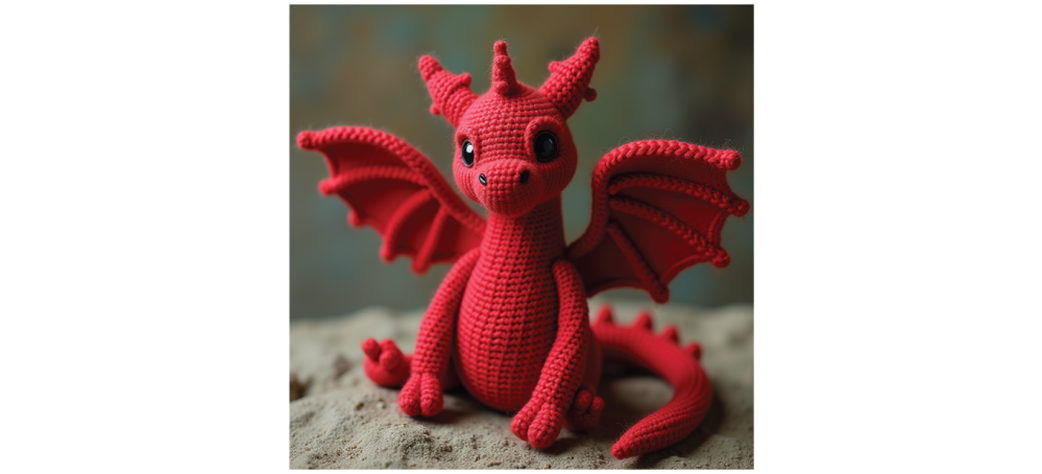
Our adorable first image from Flux
The Load Diffusion Model node allows you to select the U-NET.

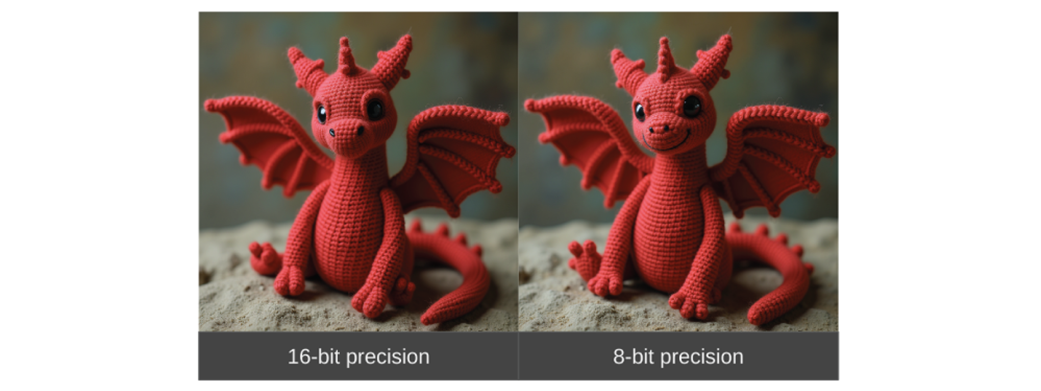
Using the fp8 model only minorly impacts the quality of our output.
The DualCLIPLoader allows us to use two CLIP encoders.

FluxGuidance and BasicGuider nodes.
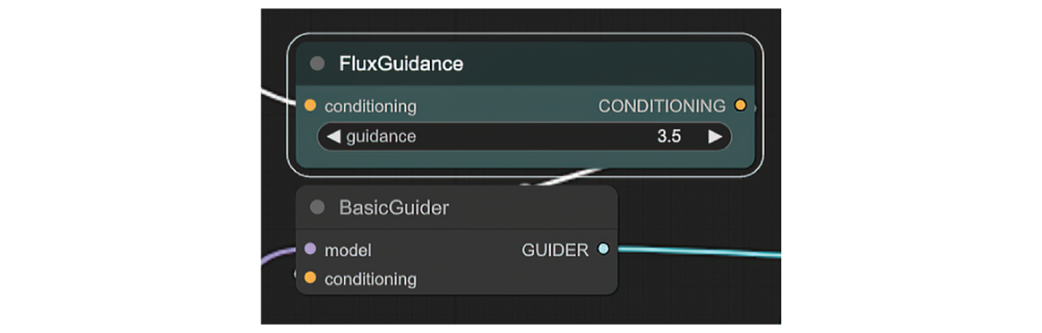
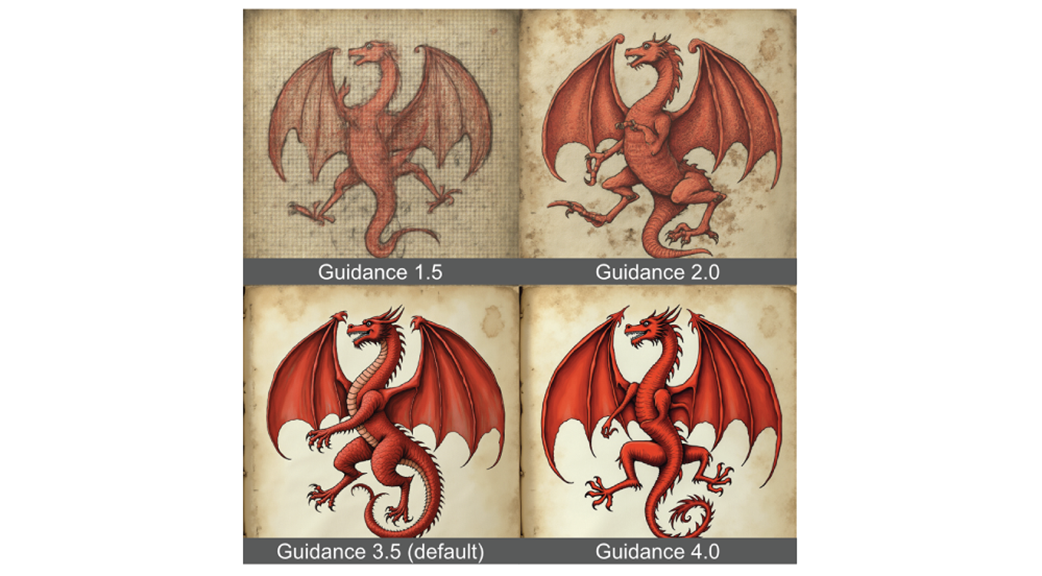
The Guidance parameter in Flux can help the model adhere to style better.
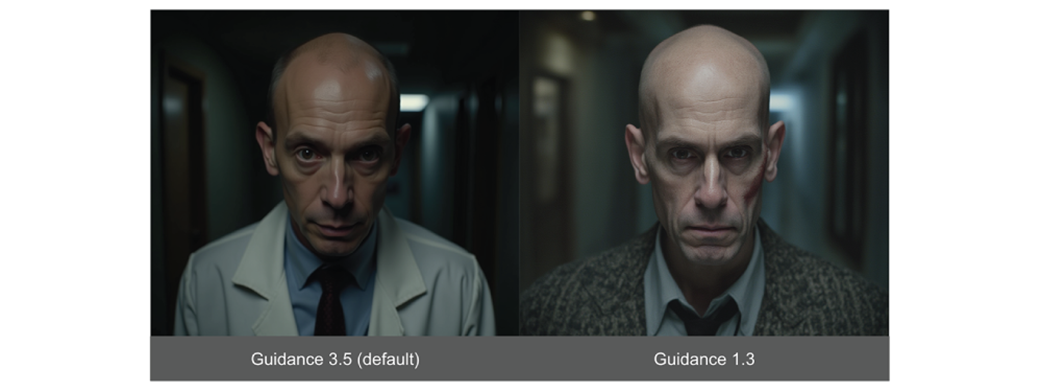
Lower Guidance also helps to make images look less “plasticy”.
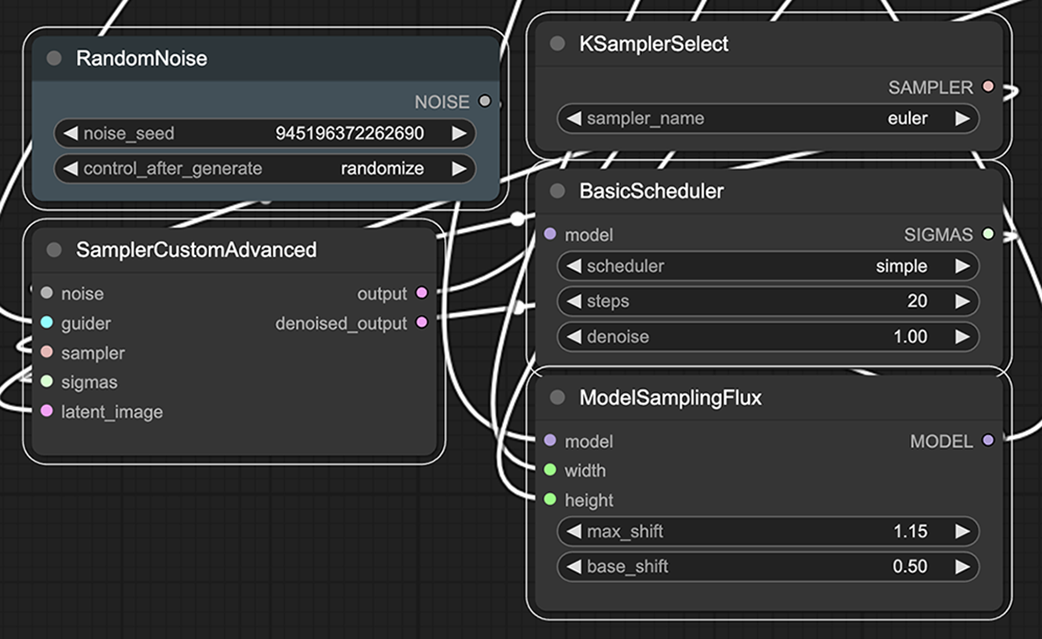
Sampling is notably more complex when working with Flux.
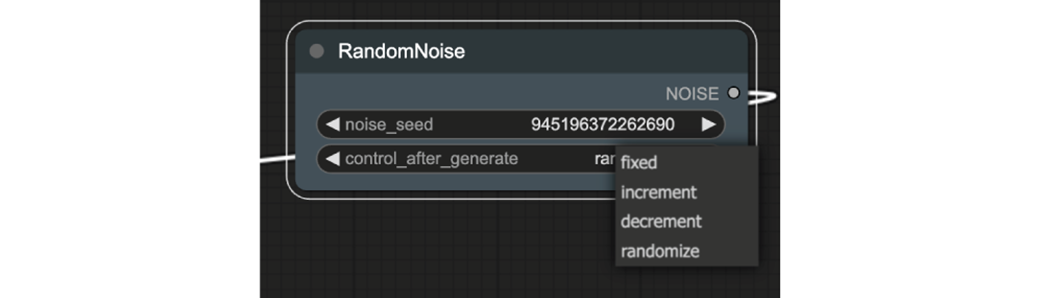
RandomNoize adds a control_after_generation option.
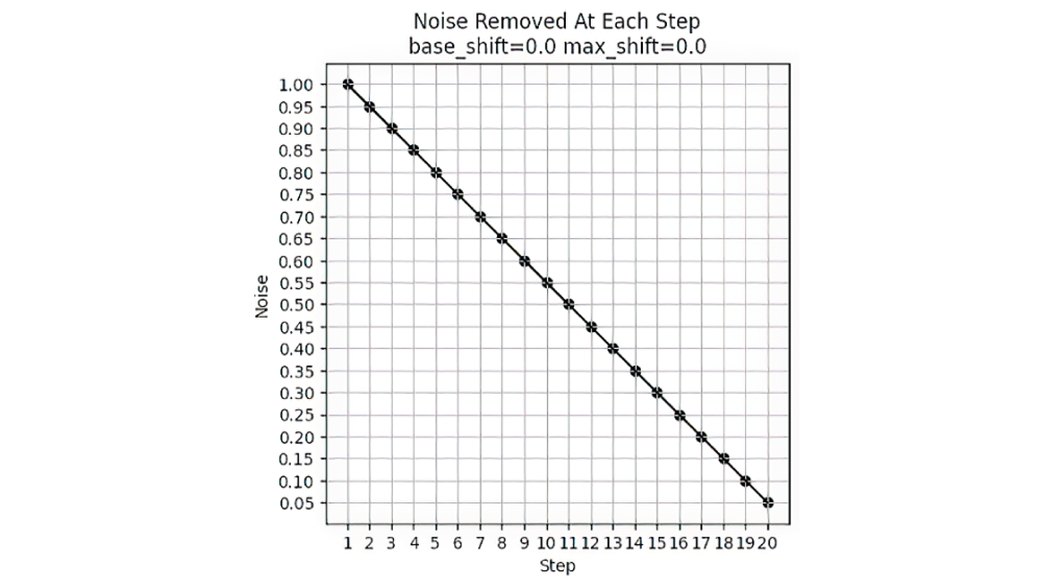
Noise Schedule when max_shift and base_shift both are 0.0.
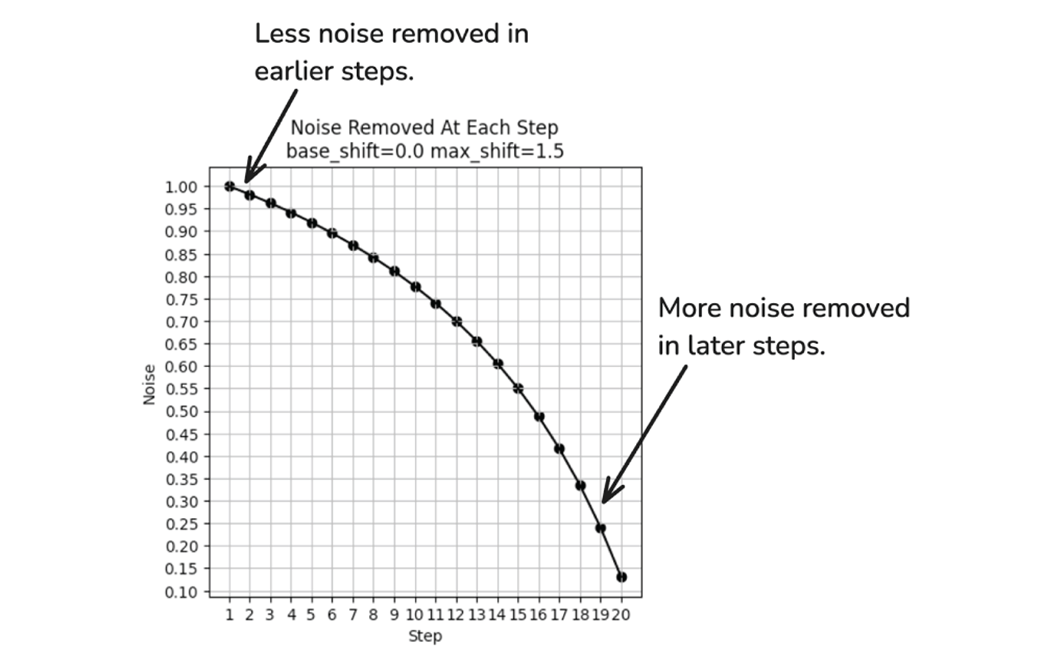
With max_shift of 1.5, the noise removal is no longer uniform.
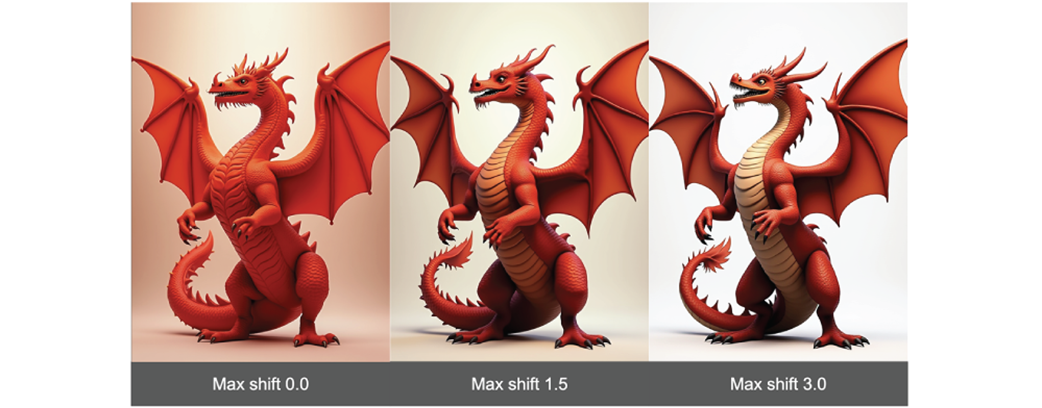
Max shift can have a notable impact on the resulting image generated.
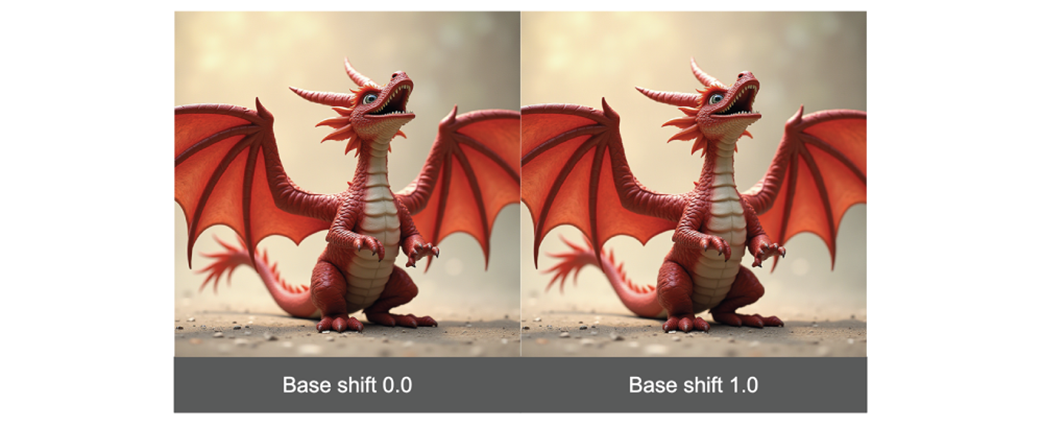
Base shift slightly modifies the denoising curve.
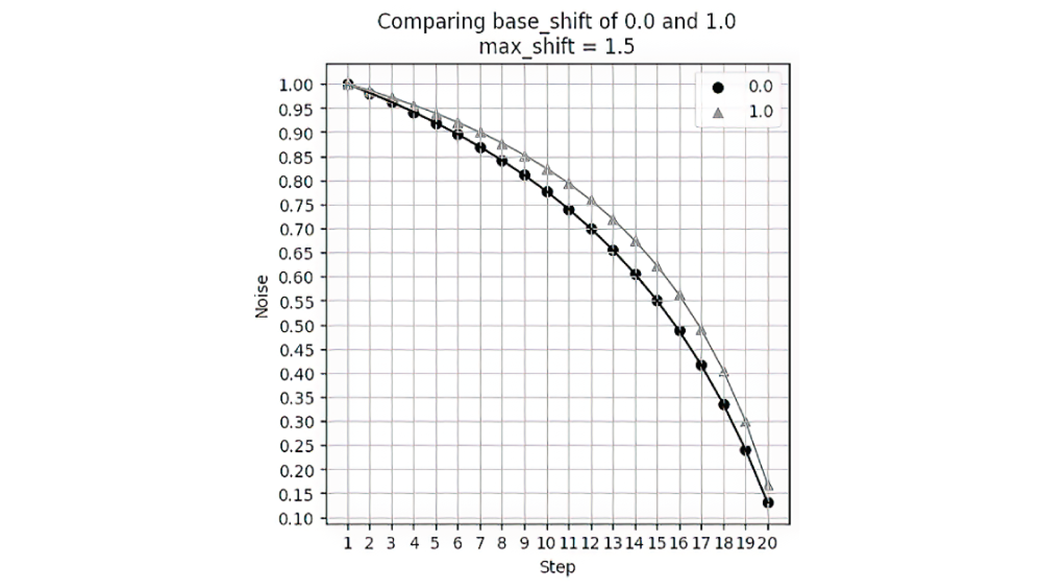
While there is a difference in images, it is more subtle.
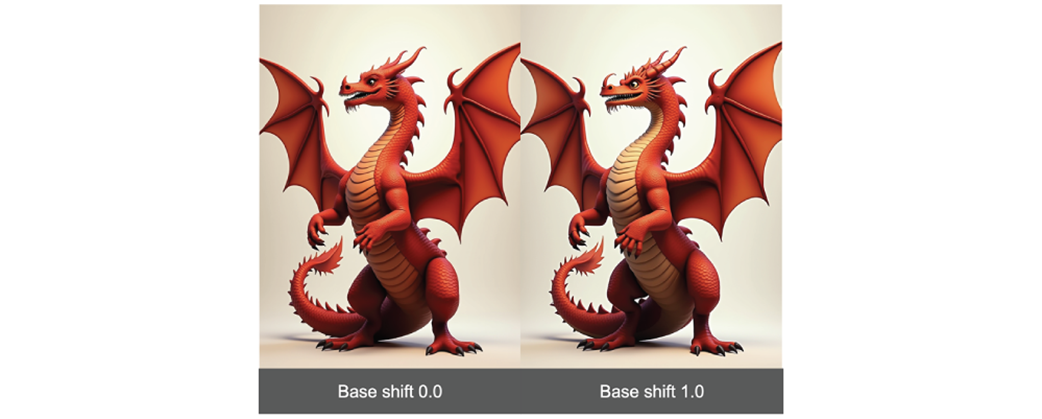
Under some aspect ratios, base_shift has no impact at all!
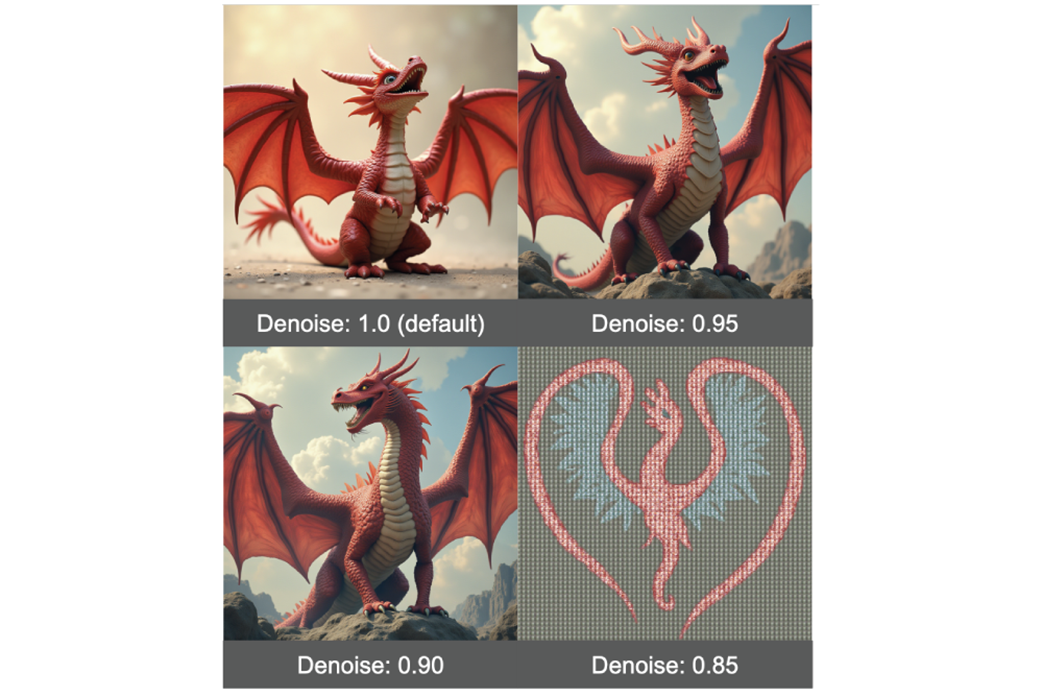
Denoise should be changed in very small increments
Summary
- The Flux workflow has quite a few differences from the standard Stable Diffusion workflow.
- When working with models requiring high memory, it is helpful to look for quantized versions of these models.
- Part of the reason Flux is so good at prompt adherence is because it uses two CLIP encoders.
- Guidance in Flux is similar to CFG in SD1.5 and SDXL, but doesn’t allow for a negative prompt.
- Reducing Guidance can help the model pay more attention to the style recommended in the prompt.
- Flux allows for much more nuanced control over scheduling.
- Max shift can have a pretty major impact on your final result, but base shift is less impactful and in many cases will have no impact at all.
- Reducing the Denoise value can make the image look nicer, but should only be done in very small steps as it can quickly degrade the image.
FAQ
What is Flux.1-dev, and why is it used in this chapter?
Flux.1-dev is the open Flux image generation model used throughout the chapter. It is described as the most powerful open version of Flux, and the chapter uses it to explore how Flux works in ComfyUI and how its workflow differs from Stable Diffusion.How do you load the Flux workflow into ComfyUI?
You can load the Flux workflow by downloading the example image from the ComfyUI Flux examples page and dragging that image into ComfyUI. The workflow is embedded in the image itself, so importing the image loads the full node setup.What files do you need to run Flux locally in ComfyUI?
You need four main files: two CLIP encoder files, the Flux VAE file, and the Flux model file. The CLIP files are placed inComfyUI/models/clip, the VAE goes in ComfyUI/models/vae, and the model file goes in ComfyUI/models/unet.Which CLIP encoder files does Flux require?
Flux requires two CLIP encoder files:clip_l.safetensors and t5xxl_fp16.safetensors. They are loaded together with the DualCLIPLoader node.
 Local Image Generation ebook for free
