Joining tables is essential in SQL, and inner joins alone won’t answer many real-world questions. This chapter introduces the full toolbox of join types so you can, for example, list all orders and indicate whether a discount code was used, find customers who placed no orders in a given period, or show which customers in a region did and did not buy. Using an orderheader table and a promotion table as running examples, it first clarifies that JOIN is shorthand for INNER JOIN, which returns only rows that satisfy the join condition (matching keys in both tables).
The chapter then focuses on outer joins. A LEFT OUTER JOIN returns all rows from the left (first) table and matches from the right when available; RIGHT OUTER JOIN does the symmetric operation on the right table. A critical pitfall is filtering: applying a filter on the non-preserved side in the WHERE clause effectively collapses an outer join into an inner join. To preserve the “include all” behavior, move such predicates into the ON clause. Outer joins are also the standard way to find non-matching rows by filtering for NULLs on the joined columns. You can generally rewrite a RIGHT OUTER JOIN as a LEFT OUTER JOIN by swapping table order, and many systems prefer or only support LEFT joins. LEFT/RIGHT OUTER JOIN can be shortened to LEFT/RIGHT JOIN, while FULL OUTER JOIN exists in some systems but isn’t universally supported.
Finally, the chapter surveys two lesser-used syntaxes—USING (requires identical column names) and NATURAL joins (implicitly join same-named columns)—and explains why they are discouraged: they obscure join logic and can accidentally bind on unrelated but similarly named columns. It closes with CROSS JOIN, which produces the Cartesian product of two tables and is useful for enumerating all combinations (or generating test data), along with a warning that writing JOIN without an ON clause can yield a cross join in some systems. Throughout, the emphasis is on choosing the right join for the question, placing filters carefully, preferring clear, portable syntax, and practicing with realistic scenarios.
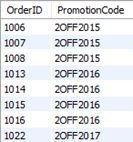
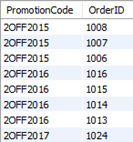
A portion (8 of the 20 rows) of the results showing the order ID and promotion codes of all orders that used a promotion code
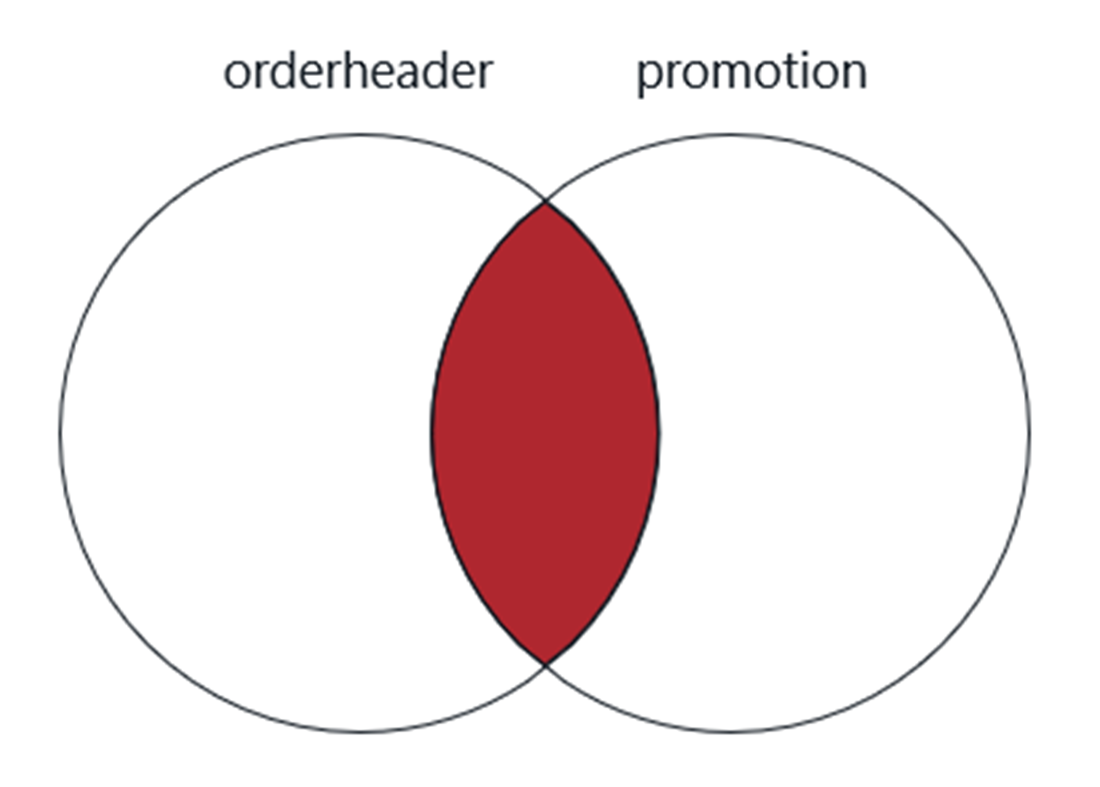
A Venn diagram of the inner join used in the previous query
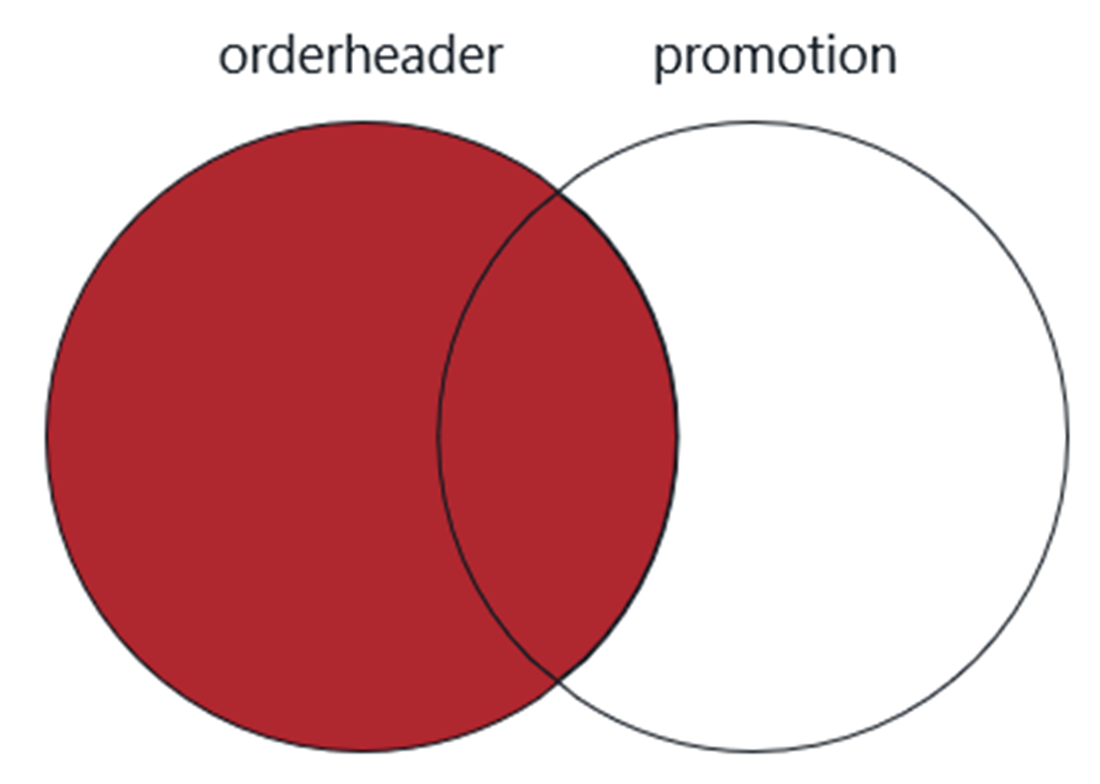
A Venn diagram of the left outer join
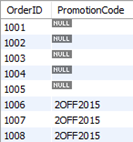
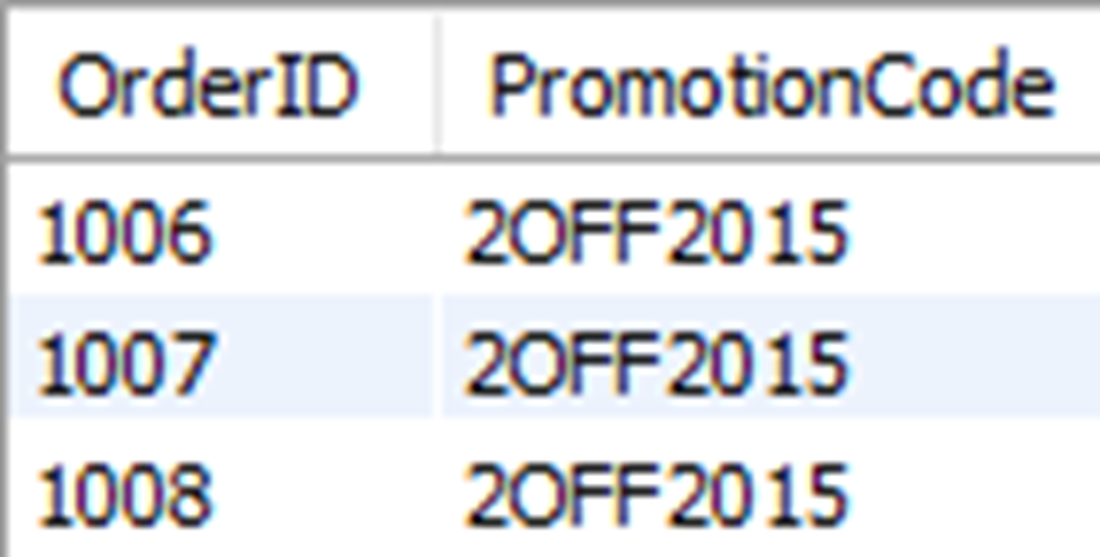
shows the order ID and any promotion codes used for the first eight orders. Promotion codes were used only for order IDs 1006, 1007, and 1008.
shows the results of the left outer join with a filter on the right table (promotion), which reduces our result set to one that would be the same as if this were an inner join.
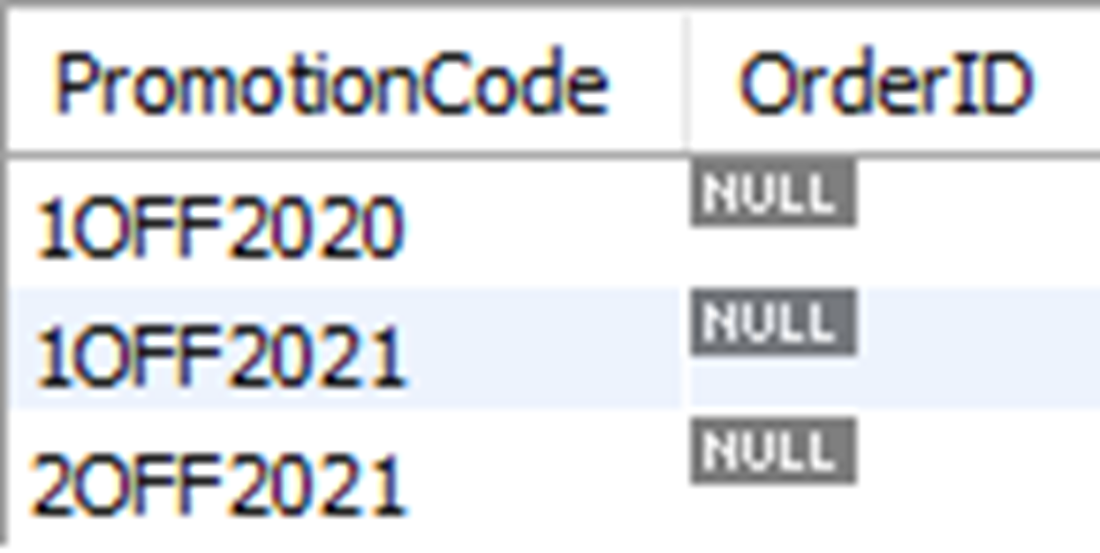
A portion (8 of the 23 rows) of the results showing all promotion codes, and order IDs if they were used in a promotion
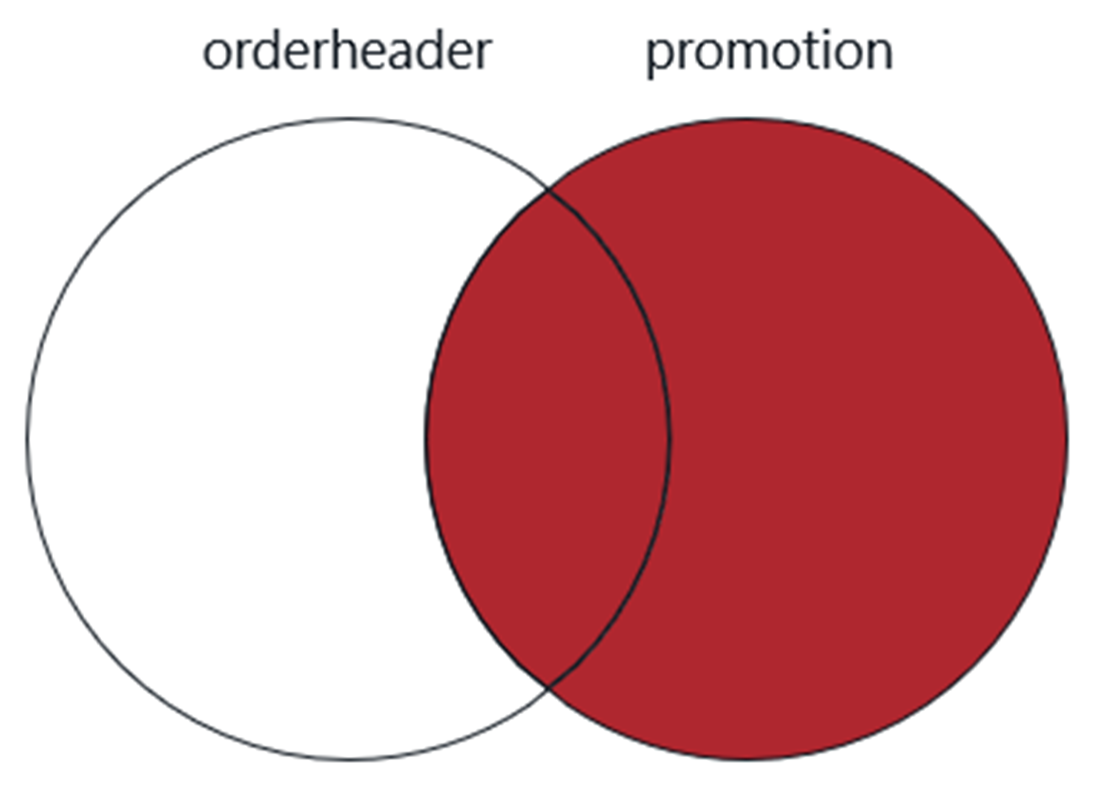
A Venn diagram of the right outer join
The results for all promotion codes that do not have a corresponding order ID, meaning the promotion code was never used
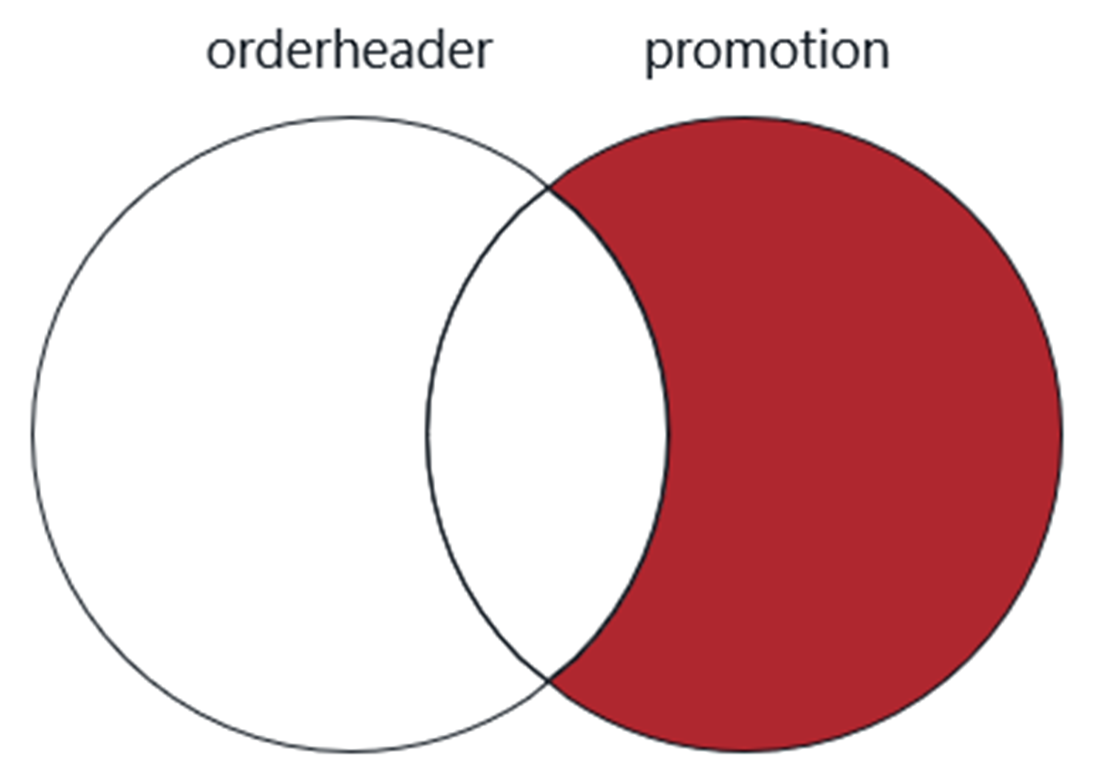
A Venn diagram of the right outer join that excludes rows from the left table
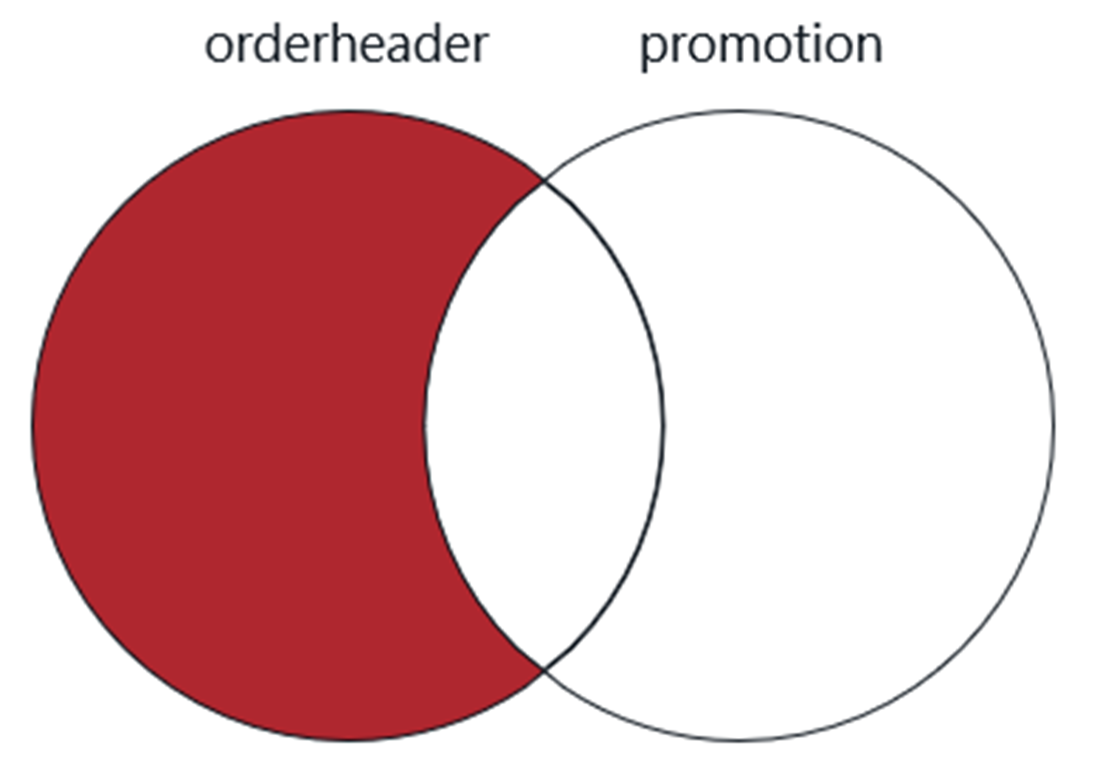
A Venn diagram of the left outer join that excludes rows from the right table
Lab answers
The answer is below:
The answer is below:
The answer is below:
The answer is below:
FAQ
What is an inner join, and is it the same as writing JOIN?Yes. In SQL, writing JOIN without a qualifier is shorthand for INNER JOIN. An inner join returns only the rows where the join condition matches in both tables; nonmatching rows from either side are excluded.What does “left” mean in a LEFT OUTER JOIN?“Left” refers to the first table listed in the FROM clause. A LEFT OUTER JOIN returns all rows from the left (first) table and the matching rows from the right table; when no match exists, the right-side columns are NULL.Why did my LEFT JOIN suddenly behave like an INNER JOIN after I added a WHERE filter on the right table?Placing a filter on the right table in the WHERE clause (for example, WHERE p.PromotionCode = '2OFF2015') eliminates rows where the right side is NULL, effectively turning the LEFT JOIN into an INNER JOIN. To preserve unmatched left rows, move that filter into the ON clause (for example, ON ... AND p.PromotionCode = '2OFF2015').How can I find rows in one table that don’t have a match in the other?Use an outer join and filter for NULL on the opposite side’s key. For example, to find promotion codes never used in orders, join promotions to orders and add WHERE oh.PromotionID IS NULL. The NULL check is the exception that does not collapse an outer join to an inner join.When should I use RIGHT OUTER JOIN, and what if my database doesn’t support it?RIGHT OUTER JOIN returns all rows from the right (second) table. If your RDBMS doesn’t support RIGHT JOIN (for example, SQLite), rewrite it as a LEFT JOIN by swapping the table order in the FROM clause and using LEFT JOIN instead. As a best practice, favor using only LEFT JOINs in a query for clarity and portability.Do I need to write OUTER in LEFT/RIGHT OUTER JOIN?No. LEFT OUTER JOIN and RIGHT OUTER JOIN can be shortened to LEFT JOIN and RIGHT JOIN. Many developers prefer the shorter forms for readability.What is FULL OUTER JOIN and is it widely supported?A FULL OUTER JOIN returns the union of a LEFT JOIN and a RIGHT JOIN (all rows from both tables with NULLs where there’s no match). It’s not supported in some popular systems like MySQL, MariaDB, and SQLite. Alternative patterns (such as unioning a LEFT JOIN and a RIGHT JOIN that filters unmatched rows) can achieve similar results.What does the USING keyword do in joins?USING replaces ON when the join columns have the same name in both tables (for example, USING (PromotionID)). It saves typing and omits table qualifiers, but it’s less common and only works when column names match exactly, which limits its usefulness.What is a NATURAL JOIN and why is it discouraged?A NATURAL JOIN implicitly joins on all columns that share the same name between the two tables, without listing them. It reduces explicitness and can create unintended joins on similarly named but unrelated columns (for example, CreateDate), leading to incorrect results; it’s also not supported in SQL Server.What is a CROSS JOIN and when is it useful?A CROSS JOIN produces the Cartesian product of two tables, pairing every row from one with every row of the other (rowcount equals rowsA × rowsB). It’s useful for generating all possible combinations (for example, sizes × colors) or creating test data, but be cautious of explosive row counts. In MySQL, writing JOIN without an ON clause yields a cross join, not an inner join.
pro $24.99 per month
access to all Manning books, MEAPs, liveVideos, liveProjects, and audiobooks!

 Learn SQL in a Month of Lunches ebook for free
