6 Filtering with multiple values, ranges, and exclusions
This chapter expands on filtering in the WHERE clause by moving from single-value predicates to concise, multi-value and range-based searches, and then to their negations. It introduces positive (inclusive) filters that explicitly select what to include, alongside exclusive filters that remove specified values. To avoid verbose chains of OR conditions, the chapter emphasizes the IN operator for matching against lists, noting its syntax (comma-delimited list within parentheses, with quotes for strings and dates) and the recommendation to list values in logical order for readability, even though the database does not require it.
For ranges, the chapter covers open-ended comparisons with < and > and their inclusive counterparts <= and >=, applicable to numbers, dates, and (with caution around collation) strings. It then shows how to express closed intervals either with paired comparisons or with BETWEEN, which includes both endpoints and requires the lower bound first. A practical warning highlights that reversing BETWEEN bounds yields no rows. Throughout, examples pair range predicates with ORDER BY to make boundary behavior visible and confirm whether endpoints are included.
On exclusions, the chapter presents <> (with a note that != may not be portable) to filter out a single value, and introduces NOT to negate any condition, including NOT IN for excluding lists—often preferred over clumsier “WHERE NOT … IN” forms. It demonstrates mixing inclusive and exclusive predicates with AND/OR and parentheses to control evaluation and build richer logic across numeric and date columns. A final guideline suggests favoring inclusive filters for clarity and typical performance, reserving exclusive filters for cases with only a few specific exclusions.
The results of a query with filter conditions for a Price of $10.95 or $12.95.
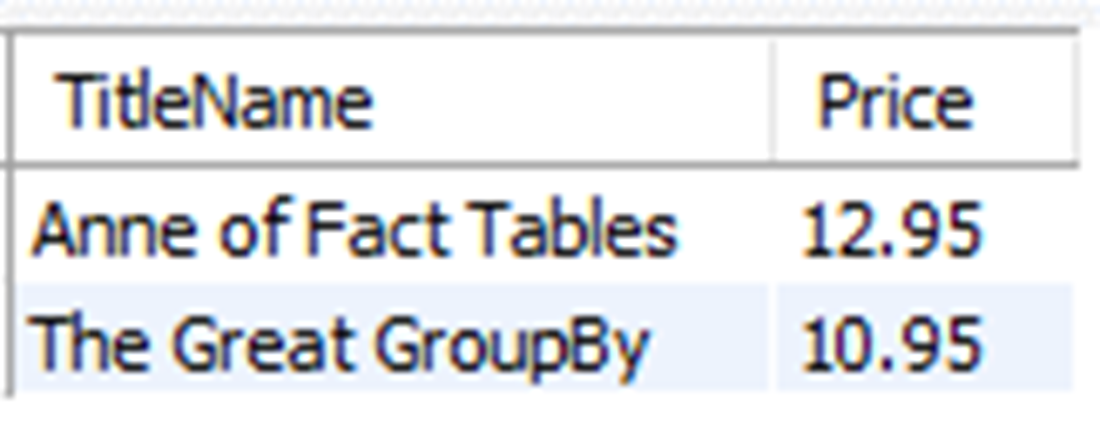
The results for titles with a Publication Date of April 30th, 2015, or February 6th, 2016.

The titles that have a Price greater than $9.95, ordered by Price ascending.
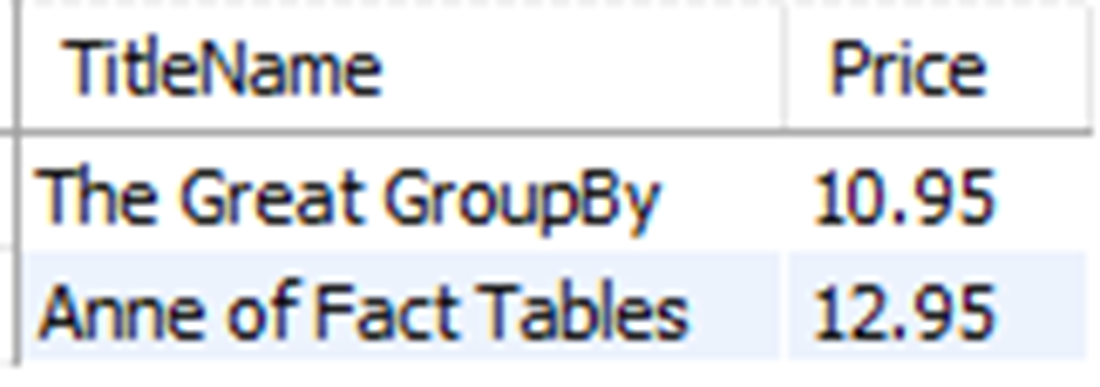
The titles that have a Price less than $9.95, ordered by Price descending.
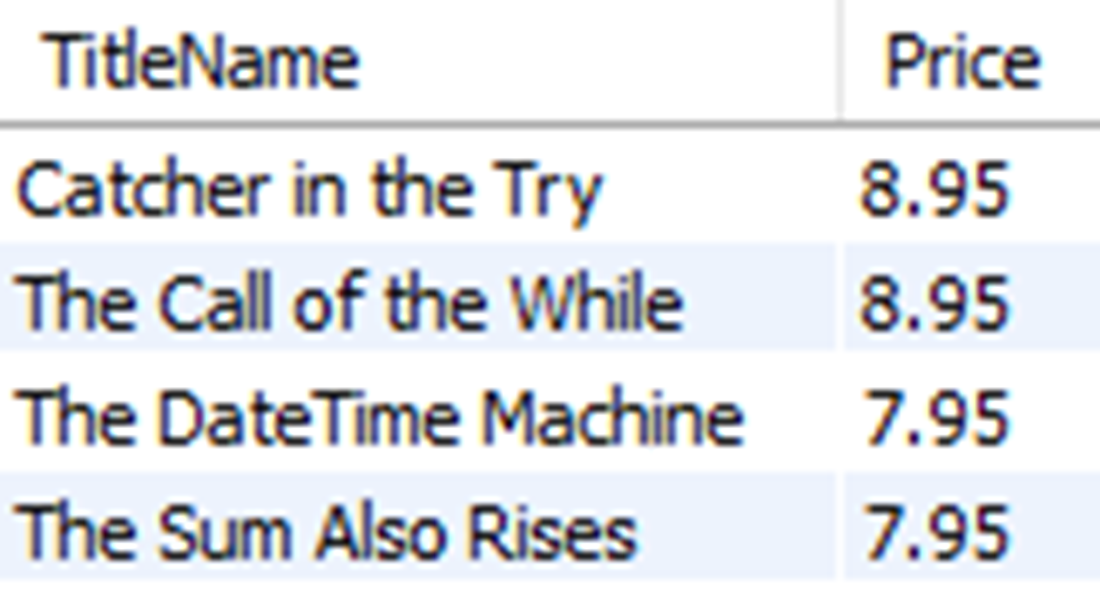
The titles that have a Price greater than or equal to $9.95, ordered by Price ascending.
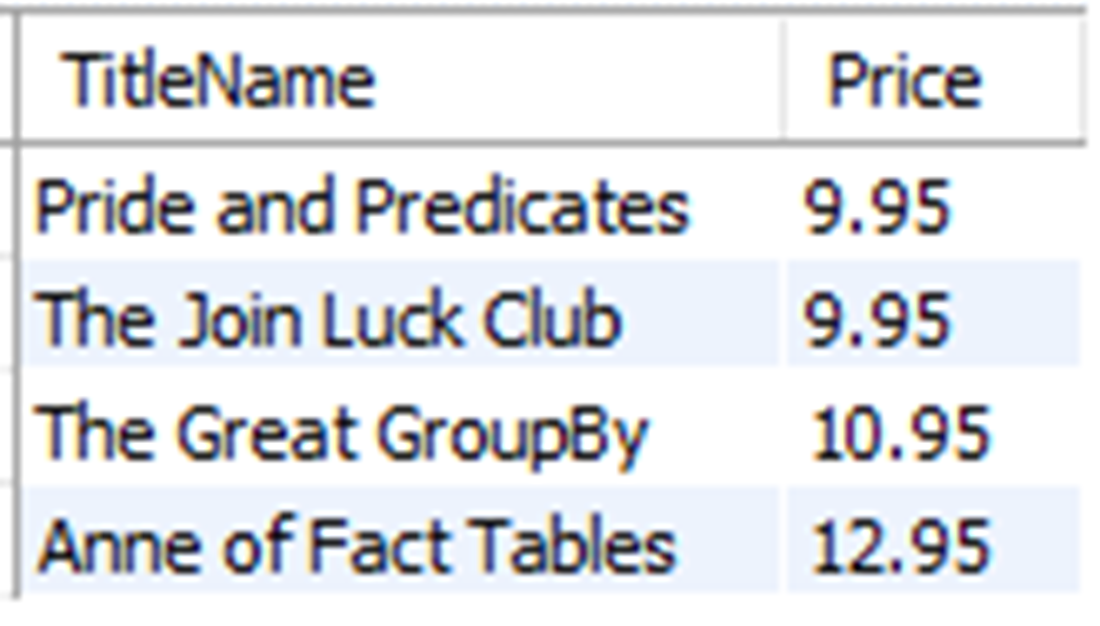
The titles with Price values between the search conditions of $8.95 and $10.95.
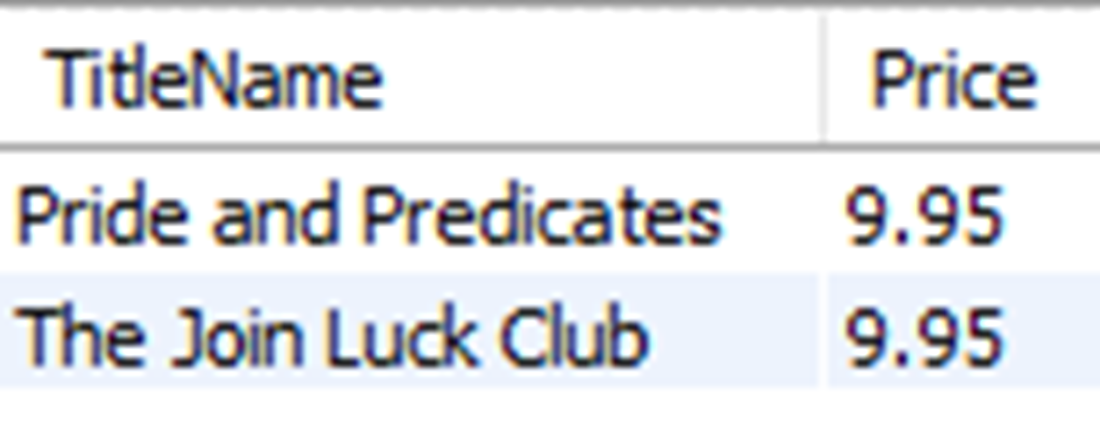
The titles with Price values between the filter conditions of $8.95 and $10.95, when the values used in the filter condition are included.
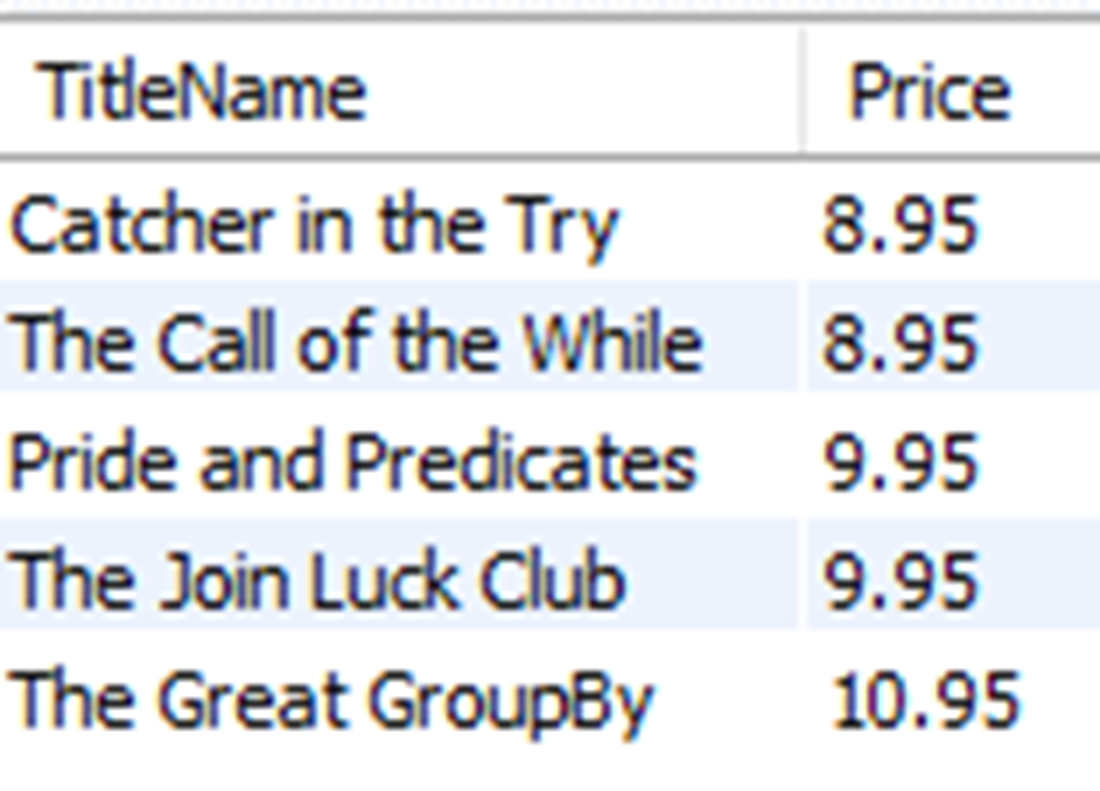
All titles, excluding the two that have a price of 7.95.
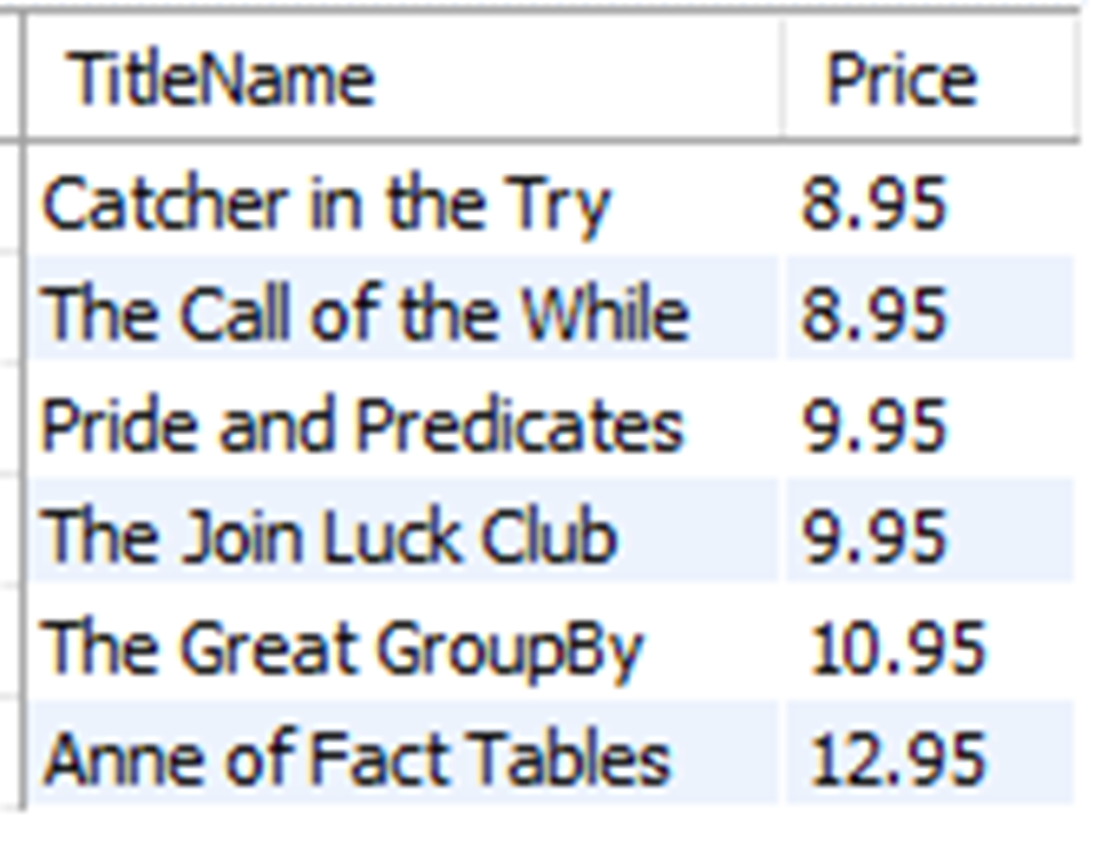
All titles, excluding the one (“The Join Luck Club”) that has a Publication Date of February 6th, 2016
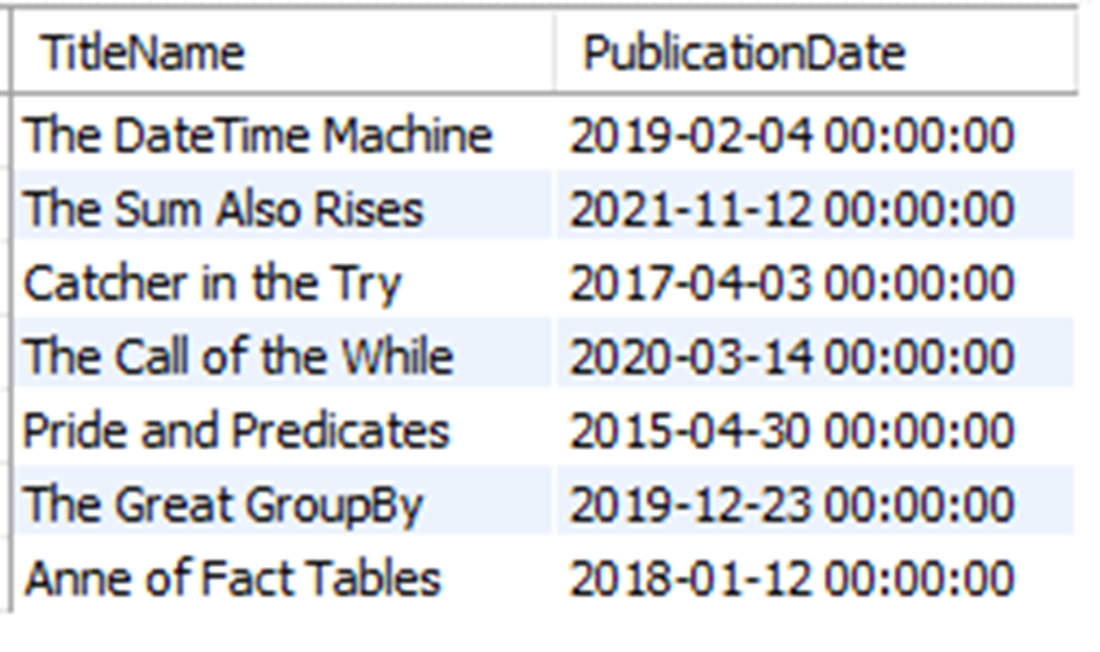
All titles, excluding those with a Price of either $10.95 or $12.95.
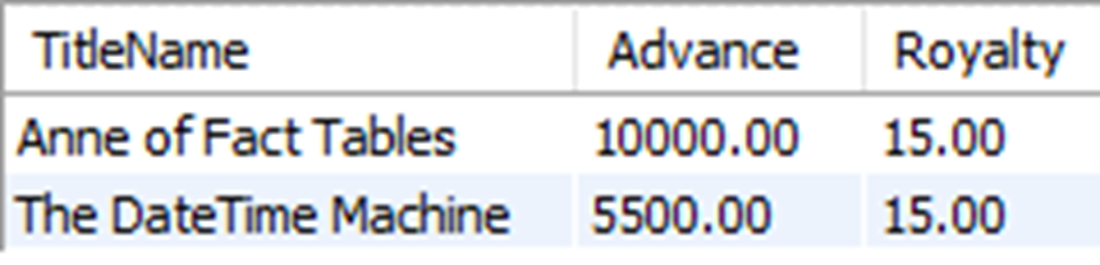
The titles that have an Advance greater than $5000 with a Royalty that is not 12%.
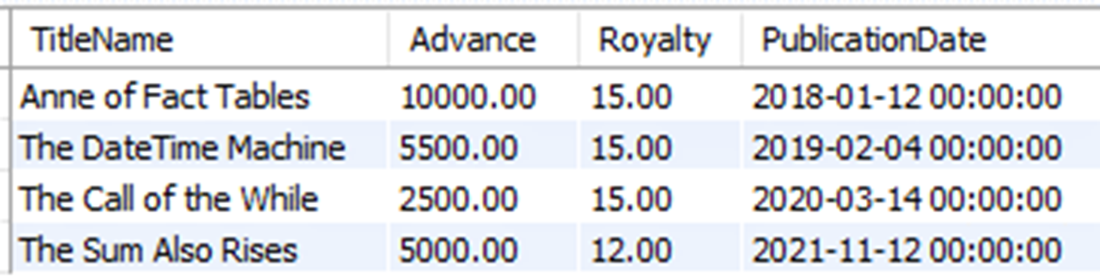
The titles with an advance of $5000 that don’t have a royalty of 12%, or any title published after January 1 of 2020.
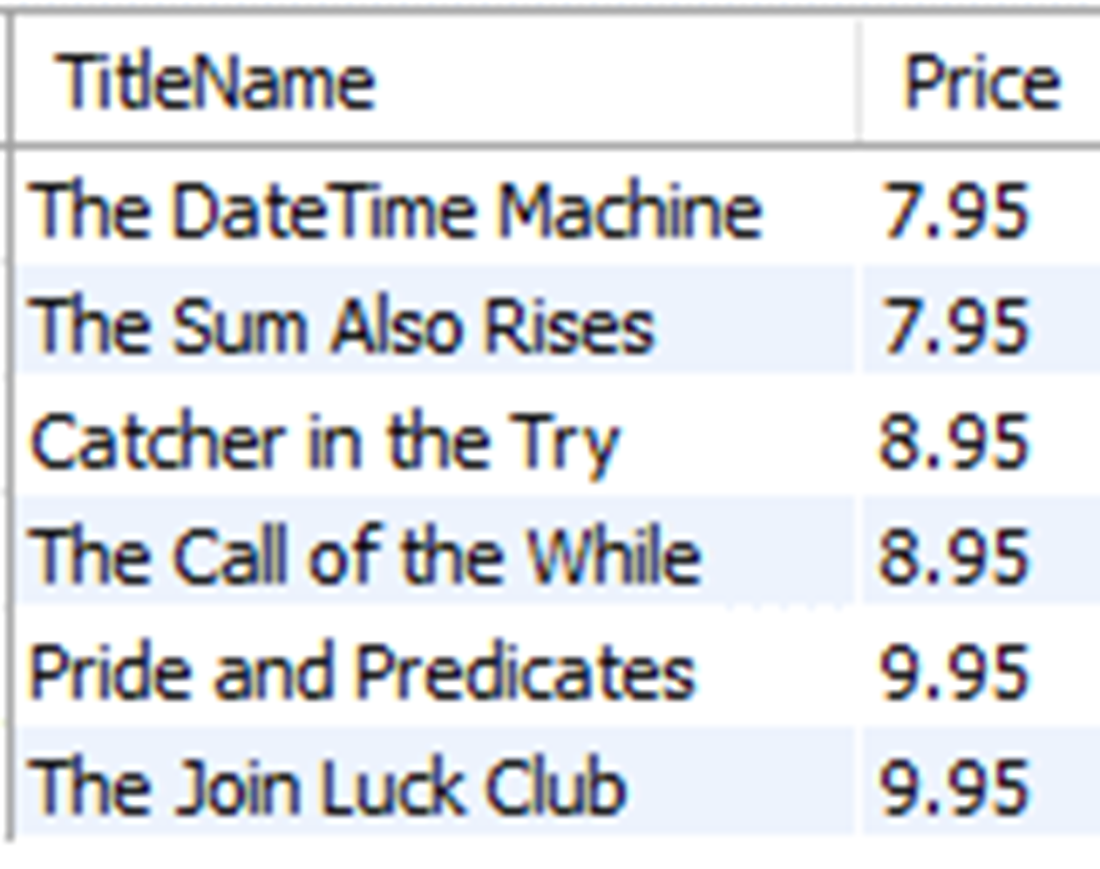
The titles with a Price that is not $9.95, ordered by Price ascending.
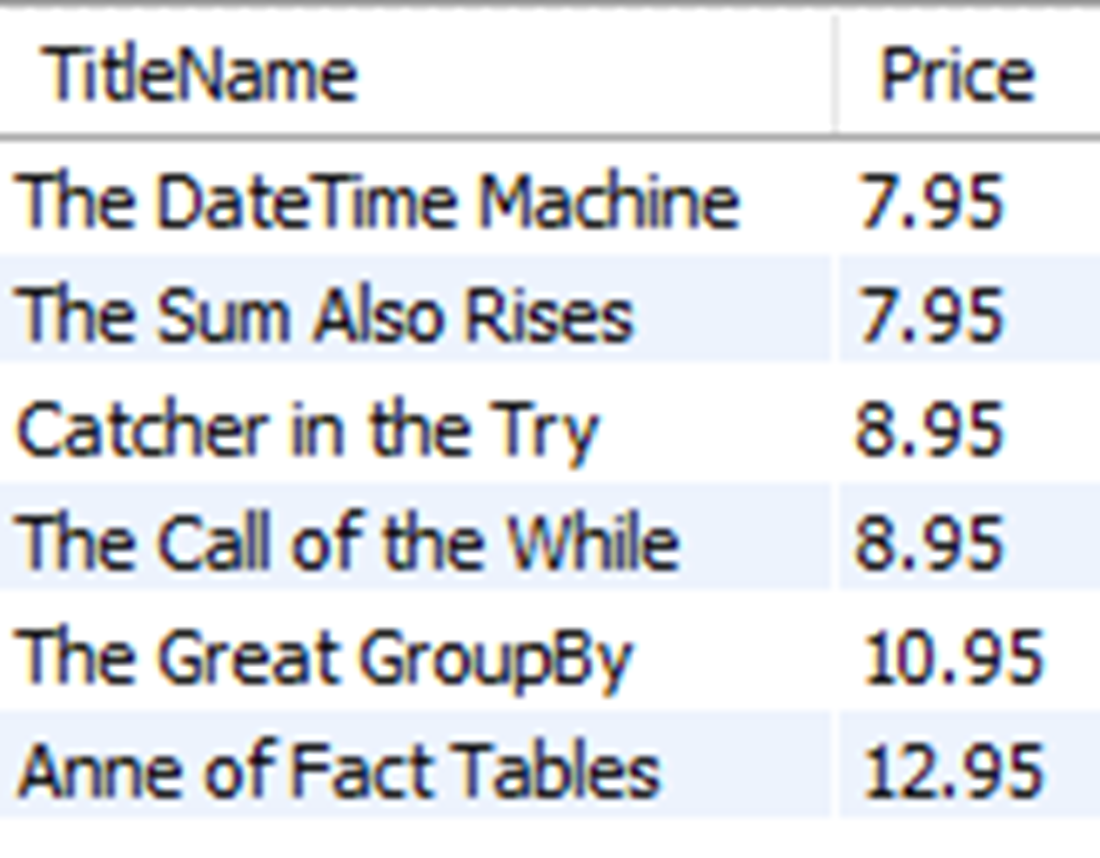
Lab answers
These are some of the many ways you can write the WHERE clause to exclude titles with a price of $9.95:
- WHERE Price <> 9.95
- WHERE NOT Price = 9.95
- WHERE Price < 9.95 OR Price > 9.95
- WHERE PRICE NOT IN (9.95)
- WHERE Price IN (7.95, 8.95, 10.95, 12.95)
- WHERE Price BETWEEN 7.95 AND 8.95 OR Price BETWEEN 10.95 and 12.95
- WHERE NOT Price BETWEEN 9.95 and 9.95
That last one might seem a bit unexpected, as it effectively negates a range of values that are only a single value. It isn’t a method you would often use, as a filter condition on a single value is typically done using an = in the WHERE clause. It’s shown here only to demonstrate that a range with the same high and low end can be executed.
FAQ
When should I use the IN operator instead of multiple OR conditions?
The IN operator is best when you need to match a single column against multiple values. It’s equivalent to chaining OR comparisons but is shorter and easier to read. Requirements: values are comma-separated, enclosed in parentheses, and strings/dates use single quotes (for example,WHERE Price IN (7.95, 8.95, 9.95) or WHERE PublicationDate IN ('2015-04-30','2016-02-06')).How do I filter values in an open-ended range?
Use comparison operators:>, <, >=, and <=. For example, titles priced above 9.95: WHERE Price > 9.95. To include 9.95, use >=. The same operators work with dates (quoted) and even strings (subject to collation rules).How do I filter a defined range and include the endpoints?
Use BETWEEN to include both ends:WHERE Price BETWEEN 8.95 AND 10.95. BETWEEN is inclusive. You can also spell it out with >= and <=: WHERE Price >= 8.95 AND Price <= 10.95.Why is my BETWEEN query returning no rows?
BETWEEN expects the lower value first and the higher value second. If you reverse them (for example,WHERE Price BETWEEN 10.95 AND 8.95), no rows match because no value can be simultaneously greater than 10.95 and less than 8.95.What’s the difference between <> and NOT, and when should I use each?
<> means “not equal to” and negates a single equality (for example, Price <> 7.95). NOT negates an entire condition, so WHERE NOT PublicationDate = '2016-02-06' is equivalent to WHERE PublicationDate <> '2016-02-06'. Use NOT when you want to invert more complex predicates (for example, NOT Price IN (...)).Is there a difference between “WHERE NOT col IN (...)” and “WHERE col NOT IN (...)”?
No.NOT IN is a single operator and both placements are equivalent. Most people prefer col NOT IN (...) for readability: WHERE Price NOT IN (10.95, 12.95).Do I need quotes for dates or strings in IN, BETWEEN, or comparisons?
Yes. Dates and strings must be in single quotes:WHERE PublicationDate IN ('2015-04-30','2016-02-06') or WHERE PublicationDate >= '2020-01-01'. Numbers don’t need quotes.Does the order of values in an IN list matter? What about result order?
The order of values in an IN list does not affect which rows match. Also, result order is not guaranteed unless you use ORDER BY. For readability, list IN values in a logical order (numeric, alphabetical, or chronological).Can I compare strings with <, >, etc.? Anything to watch out for?
You can, but results depend on your database’s collation (rules for case, accent, and character ordering). Be cautious:'Z' might sort before 'a' depending on collation. For predictable ordering, know or set your collation.When should I prefer inclusive filters over exclusive filters?
Prefer inclusive conditions (for example,Price IN (...), Price BETWEEN ...) for clarity and often better performance. Use exclusive filters (<>, NOT, NOT IN) when you have only a few exclusions and many possible inclusions.
 Learn SQL in a Month of Lunches ebook for free
