5 Filtering on specific values
This chapter moves from returning whole tables to retrieving only the rows you need by applying conditions with the WHERE clause. It introduces filtering as the core of purposeful SQL and shows how it narrows broad result sets to meaningful subsets. You learn the foundational mechanics for filtering across data types, then progress to composing multiple conditions, controlling their evaluation, and integrating sorting so results are both correct and readable.
For single-condition filtering, the chapter covers numeric, string, and date values. With numbers, use = for equality and avoid commas or currency symbols; precision (like 10000 vs 10000.00) doesn’t affect equality. Strings must be wrapped in single quotes and must match exactly—watch for subtle issues like smart quotes or hidden spaces. Dates are quoted too, typically in YYYY-MM-DD (optionally with time); because they’re effectively numeric under the hood, precision matters—omitting time works only when stored values have 00:00:00.
For multiple conditions, AND requires every condition to be true, generally shrinking results, while OR accepts any matching condition, often expanding them. Because SQL evaluates AND before OR, parentheses are essential to enforce intended logic when combining both. The chapter also clarifies placement: ORDER BY always follows WHERE. Throughout, tips and exercises reinforce correct quoting, exact matching, operator precedence, and building clear, predictable filters that return exactly the data you intend.
shows that only one row meets the filter criteria for an Advance value of 10000.00.
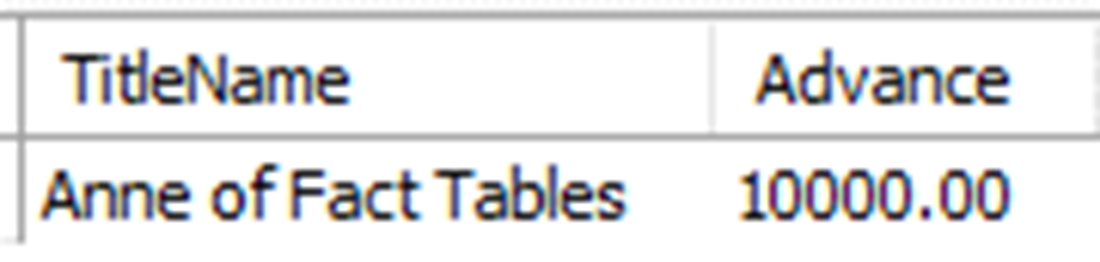
The result of a query for the Advance from Title where the Title Name is Anne of Fact Tables.

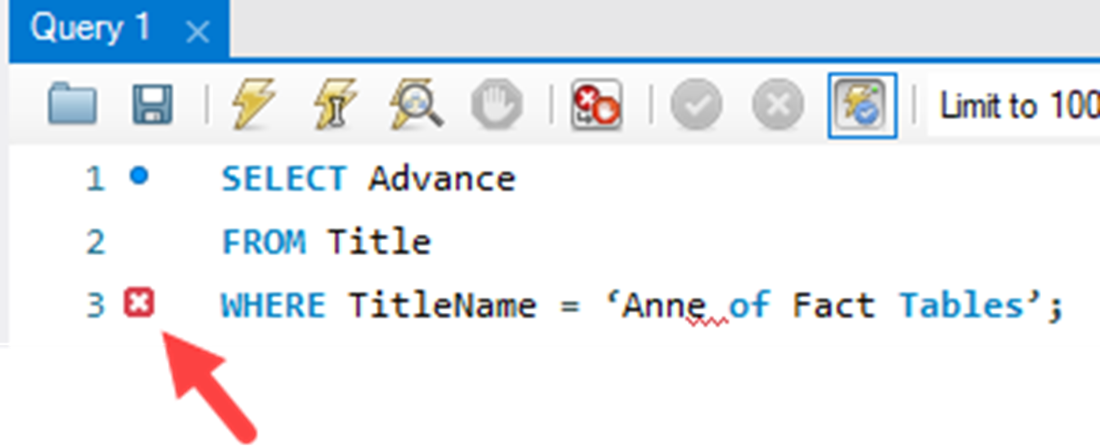
Incorrect single quotes are used, which have been copied from a Microsoft Word document. Workbench is already letting you know this with the red square with an X to the left of the line.
The TitleName and PublicationDate for a title with a publication from March 14, 2020. The time values are the equivalent of midnight at the start of the day.

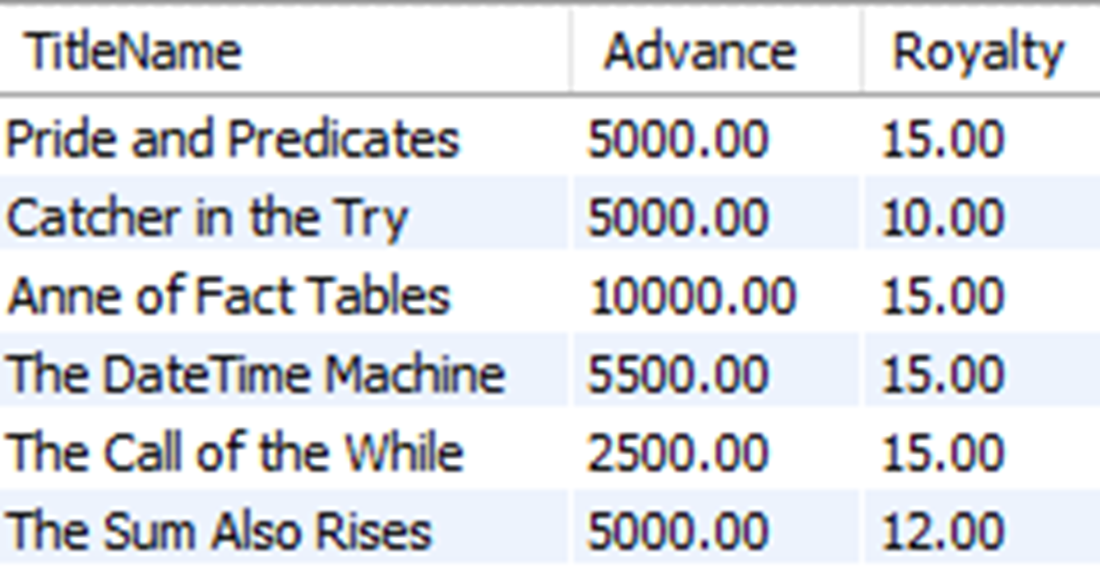
Although multiple rows in the Title table have a Price value of $5000, adding a second filter condition for a Royalty of 15 percent reduces the result set to one row.

The results for any rows in the Title table that have either an Advance of $5000 or a Royalty of 15 percent.
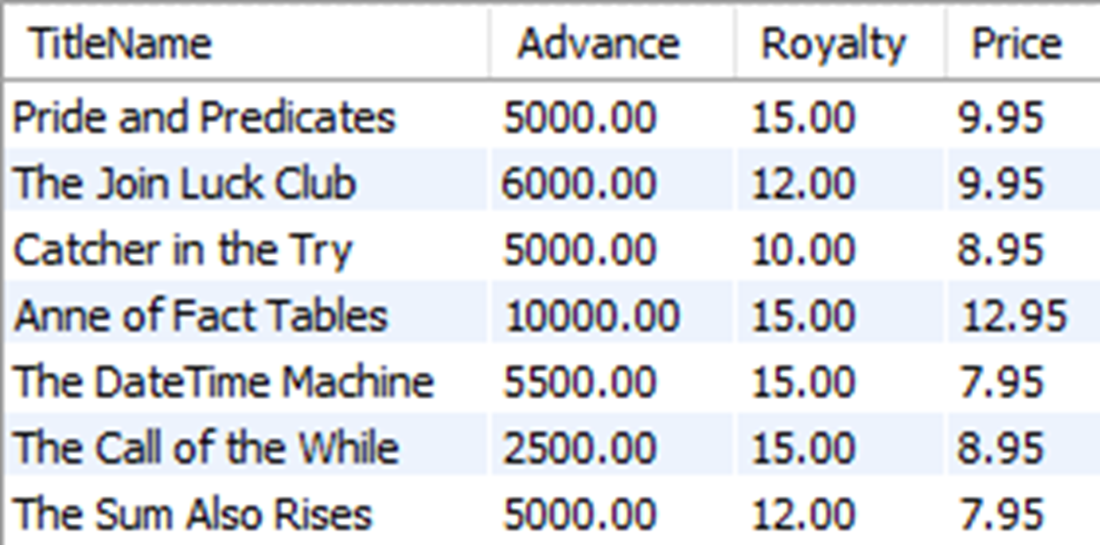
The seven rows that can match any one of the three conditions of an Advance of $5000, a Royalty of 15 percent, or a Price of $9.95.
The rows returned from the query do not match our intended filter conditions for Title Names with a Price of $9.95 and either a Publication Date of February 6, 2016, or an Advance of $5000.00.
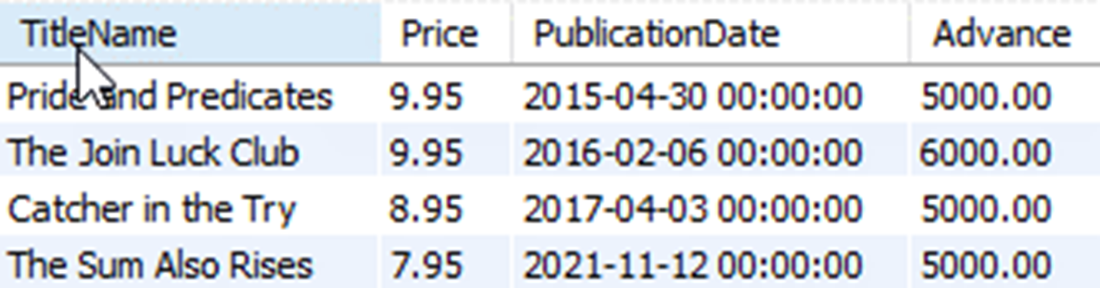
With the parenthetical notation, the query now returns data that has a Price of $9.95 and either a Publication Date of February 6th, 2016, or an Advance of $5000.00.

The four rows that match any one of the three conditions of a Price of $9.95, a Publication Date of April 30, 2015, or an Advance of $5000.00, and the results are sorted alphabetically by TitleName.
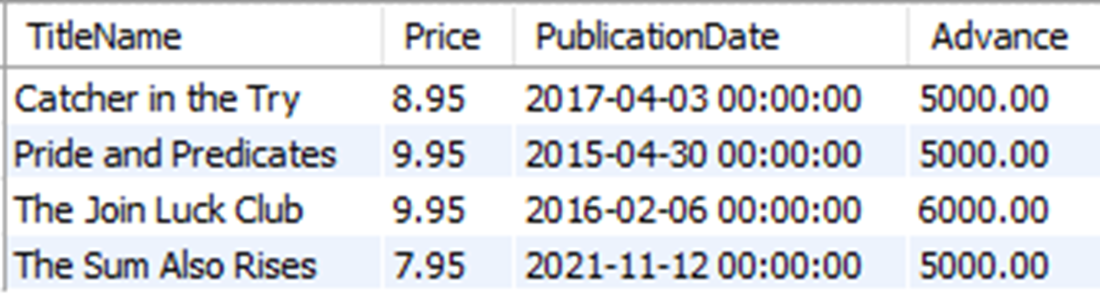
Lab answers
- The query executes as expected, although behind the scenes the RDBMS has made the data match. This means it had to convert either the value in quotes to a number, or all the values in the Price column to a string, which could negatively impact the duration of the query, if we were using a larger set of data. For this reason, you should avoid putting single quotes around numeric values.
- The query returns no values because there is an extra space after the word “Tables” in the WHERE clause. For a string used in a filter to be correct, it needs to be exactly as the values are in the table, including unseen characters, such as spaces, tabs, and carriage returns.
- The query will result in a syntax error, as the ORDER BY cannot come before the WHERE clause.
- This is similar to the query used in section 5.2.3. Using AND and OR and parentheses, your query should return two rows and should look something like this:

 Learn SQL in a Month of Lunches ebook for free
