Overview

4 Sorting, skipping, and commenting data

Relational databases do not guarantee any natural order of query results, so if you care about sequence you must ask for it explicitly. The chapter introduces ORDER BY as the way to sort results, emphasizing that it runs last in the query and should appear at the end of the statement. You can sort by one or multiple columns, control direction with ASC and DESC (and it’s wise to state the direction explicitly), and even sort using column aliases or columns that aren’t selected. There’s also a shorthand to sort by column positions in the SELECT list, but it’s discouraged for reusable code due to poor readability and fragility. Because sorting forces the database to organize the entire result set, the chapter cautions that ORDER BY can be expensive on very large datasets.

To reduce result size, the chapter shows how to use LIMIT to return only a specified number of rows, and explains why pairing it with ORDER BY is usually essential for meaningful, repeatable samples (such as “most recent” or “highest priced”). OFFSET can be combined with LIMIT to skip a number of rows—useful for paging or to look beyond the very top results—though OFFSET cannot be used without LIMIT. The text also notes SQL dialect differences: LIMIT is supported in engines like MySQL, MariaDB, PostgreSQL, and SQLite, but not in DB2, Oracle, or SQL Server, which use different, vendor-specific mechanisms.

Finally, the chapter promotes clear, consistent commenting practices so people (including your future self) understand a query’s intent. It covers single-line comments with --, the less common # (supported in MySQL), and multiline comments with /* ... */ that can span blocks of SQL or temporarily disable code. Good comments can include author, date, purpose, and clarifications of nonobvious choices, improving readability and saving substantial time when revisiting or sharing queries.

The results of the query of TitleName and Price from the title table. The results are not ordered by either TitleName or Price.
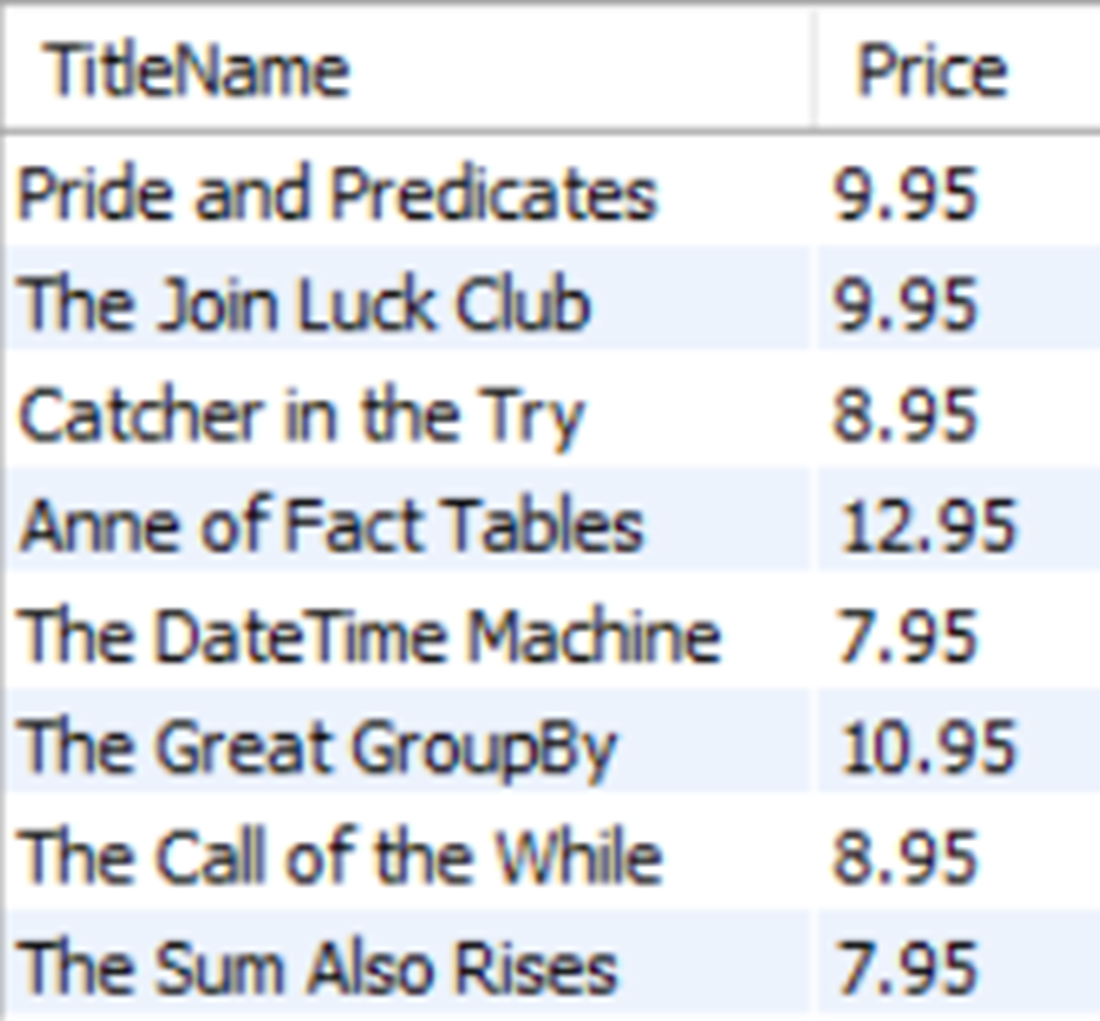
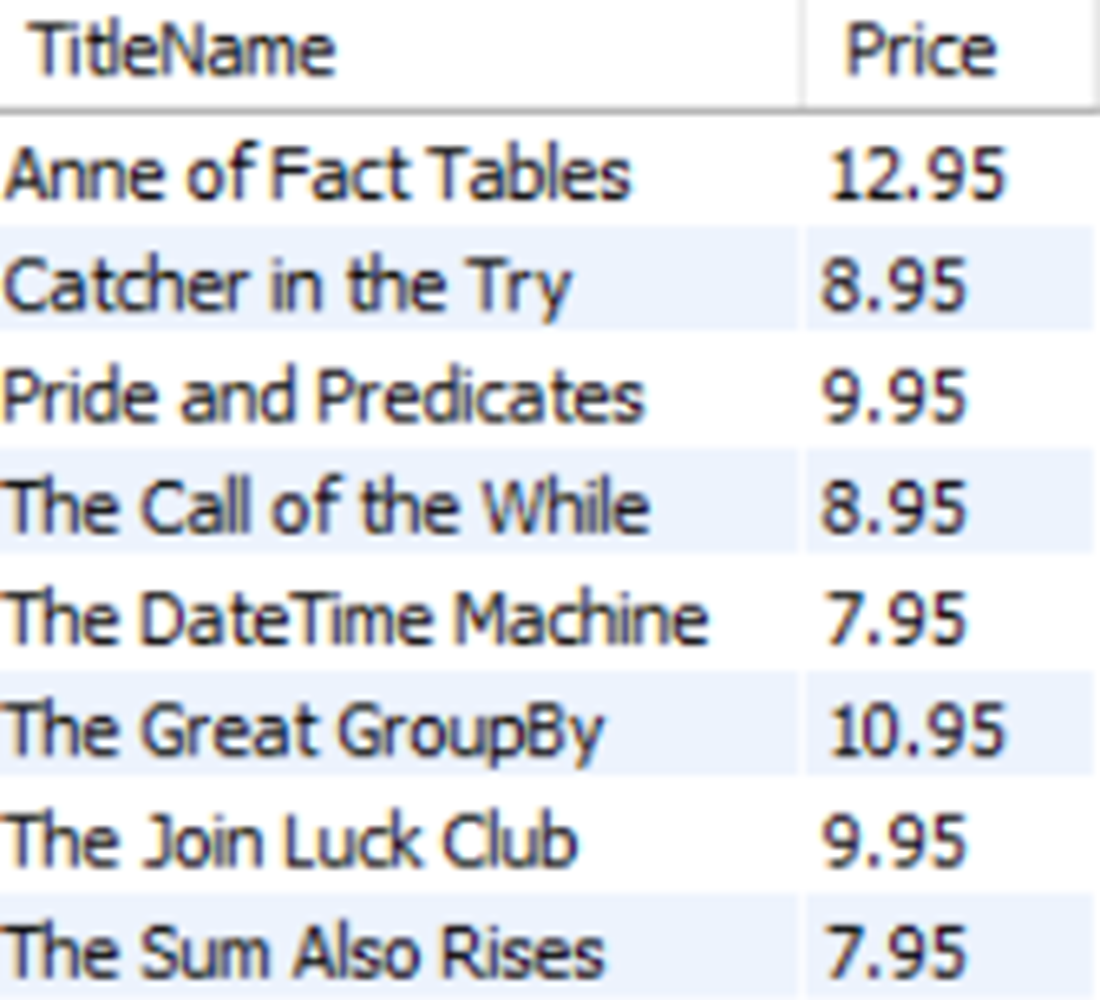
The results of the preceding query, with the results now sorted alphabetically by TitleName.
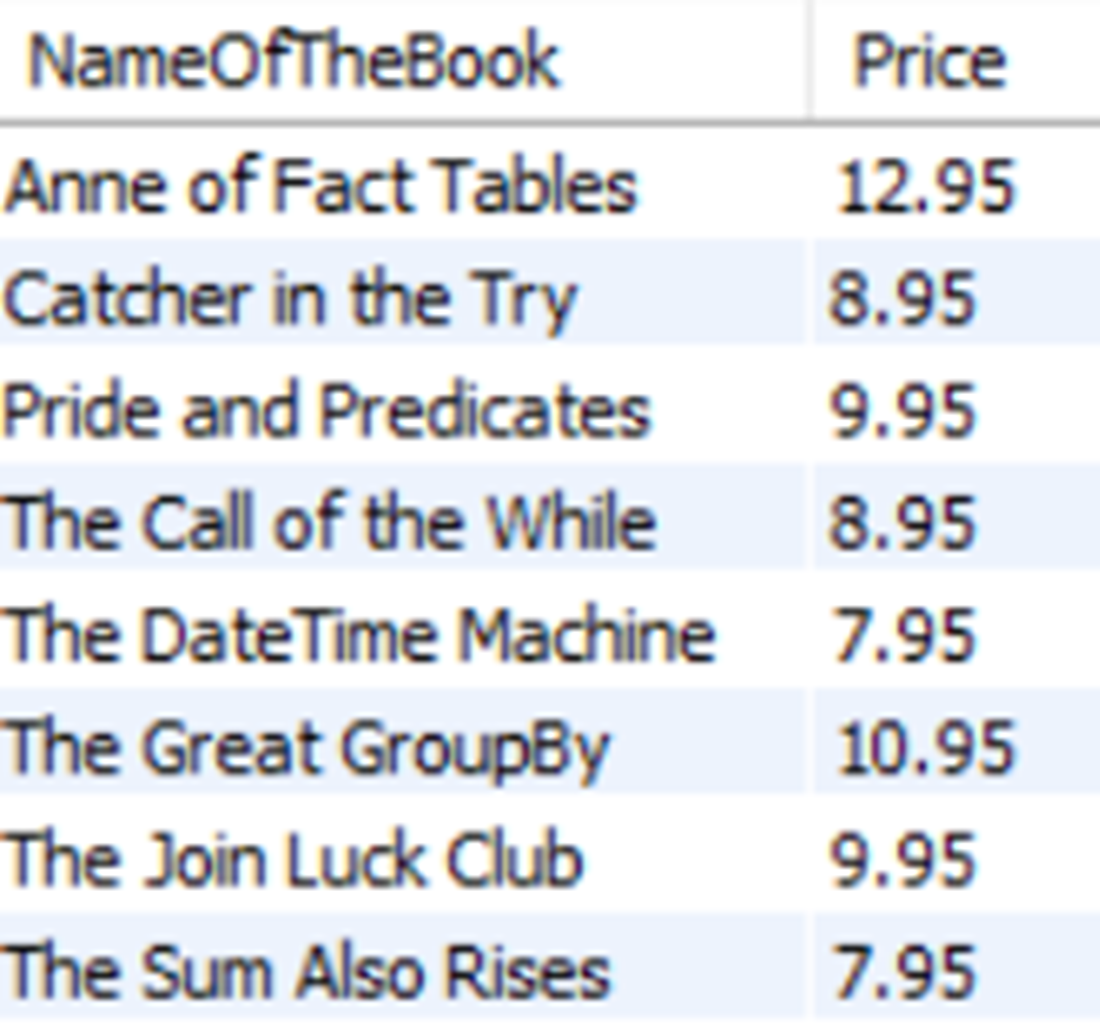
Using an ORDER BY, the results of the preceding query are now ordered by TitleName, which has been aliased as NameOfTheBook.
The results of a query ordered by the Advance column and then by the Royalty column, both from highest value to lowest.
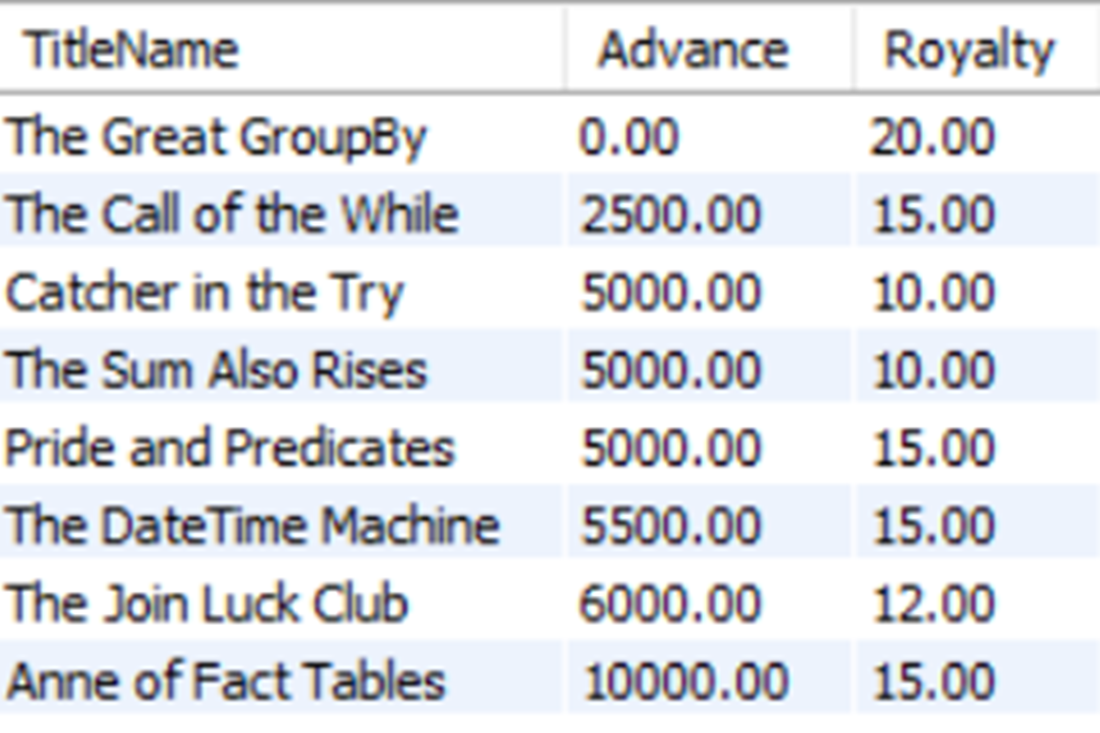
The results now sorted by Advance descending and Royalty ascending.
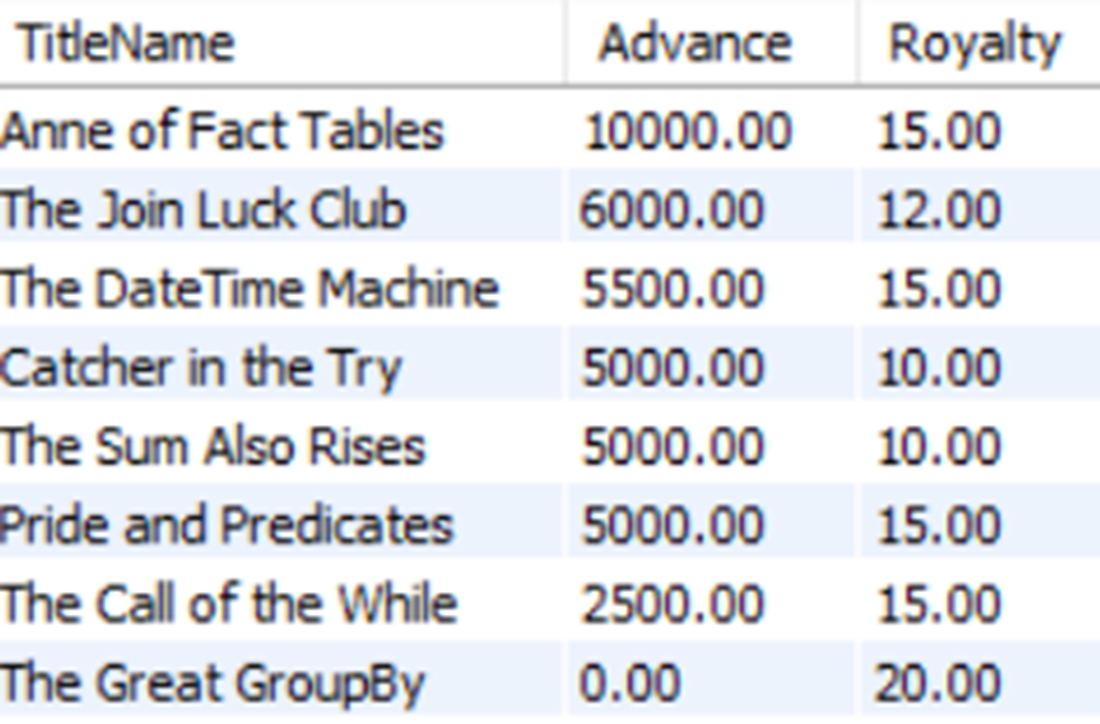
shows only the TitleName values in the results, but the rows are still sorted by Advance descending and Royalty ascending.
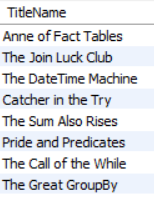
The results of using LIMIT to return only three rows.
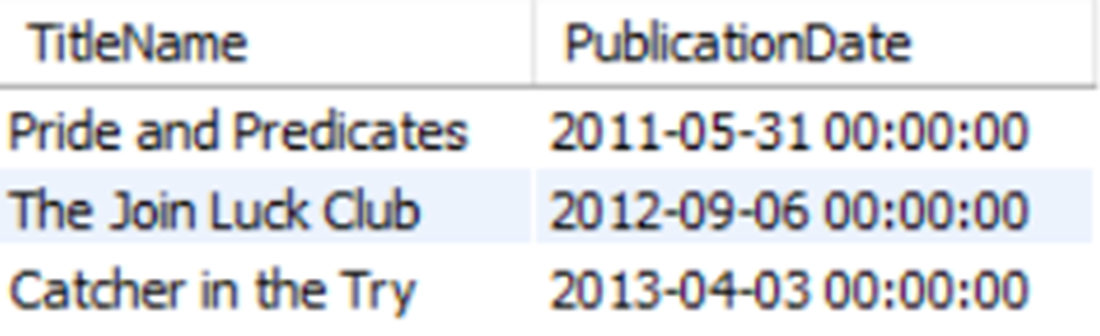
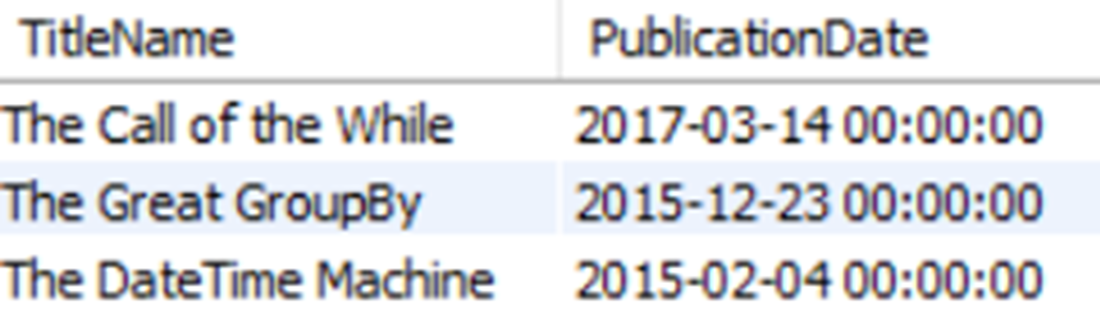
The three most recently published TitleNames and their PublicationDates when using ORDER BY on PublicationDate and LIMIT.
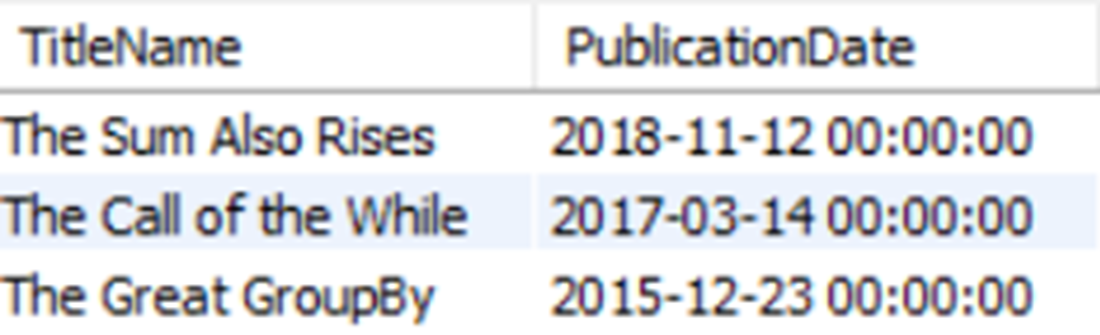
The most recent three TitleName and PublicationDate values after skipping the first row using OFFSET.
Lab answers

  1. The answer is below:
  1. The answer is below:
  • Alternatively, you could use SELECT * instead of listing all the column names.
  1. Because the entire query is now on a single line preceded by two hyphens, the entire query will execute as a comment. Although this will not result in an error, it will also not return the results the query intended. This is one of several reasons why /* and */ are advised to be used for comments in reusable code, as both the beginning and end of the commented line or lines are clearly marked.

FAQ

Why don’t SELECT queries return rows in a predictable order by default?Because SQL is declarative, the RDBMS is free to return qualifying rows in any order that’s efficient. If you need a specific order, you must request it with ORDER BY.
Where should ORDER BY appear in a query, and can anything come after it?ORDER BY should be at the end of the SELECT statement. The only clause that may follow it is LIMIT (and its OFFSET option). Also note that sorting happens after the result set is formed, which can be expensive on large data sets.
How do I sort by multiple columns and how are ties resolved?List columns comma-separated in ORDER BY. The first column determines the primary sort; if two rows tie there, the next column breaks the tie, and so on. Example: ORDER BY Advance, Royalty.
How do I control sort direction, and what is the default?The default is ascending (ASC). Specify DESC for descending and ASC for clarity. You can set direction per column, e.g., ORDER BY Advance DESC, Royalty ASC.
Can I ORDER BY a column alias?Yes. Aliases are available to ORDER BY because sorting occurs after the SELECT list is evaluated. Example: SELECT TitleName AS NameOfTheBook FROM title ORDER BY NameOfTheBook.
Can I sort by columns that aren’t returned in the SELECT list?Yes. You can ORDER BY columns that aren’t selected. The engine can use those “hidden” columns to sort, then return only the requested columns. Be cautious with very large result sets because this still requires reading and sorting those values.
How can I limit the number of rows returned?Use LIMIT n to cap the rows, often with ORDER BY to make the sample meaningful. Example: ORDER BY PublicationDate DESC LIMIT 3. LIMIT should be the last clause.
How do I skip some rows and get the next set (paging)?Use OFFSET with LIMIT. OFFSET m skips m rows, then LIMIT n returns the next n. Example: ORDER BY PublicationDate DESC LIMIT 3 OFFSET 1. OFFSET is used together with LIMIT.
Does LIMIT work in all databases?LIMIT is supported by MySQL, MariaDB, PostgreSQL, and SQLite. It isn’t supported by SQL Server, Oracle, or DB2, which use other, engine-specific syntax to restrict rows.
How do I write comments in SQL, and what should I document?Single-line: -- comment to end of line (in MySQL, # also works). Multi-line: /* comment */. Document intent, author, dates, and non-obvious choices (e.g., sort columns, limits). Remember: anything after -- on the same line is ignored, so if a script is collapsed into one line after --, the rest won’t execute.

pro $24.99 per month

  • access to all Manning books, MEAPs, liveVideos, liveProjects, and audiobooks!
  • choose one free eBook per month to keep
  • exclusive 50% discount on all purchases
  • renews monthly, pause or cancel renewal anytime

lite $19.99 per month

  • access to all Manning books, including MEAPs!

team

5, 10 or 20 seats+ for your team - learn more


choose your plan

team

monthly
annual
$49.99
$499.99
only $41.67 per month
  • five seats for your team
  • access to all Manning books, MEAPs, liveVideos, liveProjects, and audiobooks!
  • choose another free product every time you renew
  • choose twelve free products per year
  • exclusive 50% discount on all purchases
  • renews monthly, pause or cancel renewal anytime
  • renews annually, pause or cancel renewal anytime
  • Learn SQL in a Month of Lunches ebook for free

choose your plan

team

monthly
annual
$49.99
$499.99
only $41.67 per month
  • five seats for your team
  • access to all Manning books, MEAPs, liveVideos, liveProjects, and audiobooks!
  • choose another free product every time you renew
  • choose twelve free products per year
  • exclusive 50% discount on all purchases
  • renews monthly, pause or cancel renewal anytime
  • renews annually, pause or cancel renewal anytime
  • Learn SQL in a Month of Lunches ebook for free
choose your plan

team

monthly
annual
$49.99
$499.99
only $41.67 per month
  • five seats for your team
  • access to all Manning books, MEAPs, liveVideos, liveProjects, and audiobooks!
  • choose another free product every time you renew
  • choose twelve free products per year
  • exclusive 50% discount on all purchases
  • renews monthly, pause or cancel renewal anytime
  • renews annually, pause or cancel renewal anytime
  • Learn SQL in a Month of Lunches ebook for free