3 Querying data
This chapter deepens the introduction to querying by unpacking the SELECT statement and its minimum requirements. It explains that retrieving data demands at least two clauses—SELECT (what to return) and FROM (where to get it)—and that clause order matters: SELECT must precede FROM. It clarifies the roles of keywords and reserved words, warning against using them for object names, and notes that while keywords are case-insensitive, identifiers and data may not be. The text also stresses that whitespace and formatting are flexible, encouraging consistent, readable styles (often with uppercase keywords) rather than any single “right” layout.
With the sqlnovel.title table as a working example, the chapter shows how to discover column names in a GUI and then progressively builds queries: selecting one column, then multiple columns separated by commas, in any output order, even repeating columns. It emphasizes that SQL returns rows with no implicit ordering unless explicitly requested, so the same query may display rows in different orders at different times. The discussion highlights practical naming choices (such as TitleName instead of the reserved Name) and introduces column aliases to rename output headers, either with AS or by placing the alias after the column name, while avoiding reserved words as aliases.
Finally, it covers three ways to retrieve all columns: typing them out, dragging them from the GUI into the query, or using SELECT * for quick exploration. While SELECT * is convenient, the chapter cautions against using it in reusable code because it can degrade performance on large tables and break reports when schemas change. The guidance is to reserve SELECT * for ad hoc inspection and otherwise list needed columns explicitly. A short lab reinforces these ideas by having you locate columns in another table, practice selecting multiple fields, reason about missing commas (which cause syntax errors), and recognize that the asterisk represents all columns and cannot be aliased as a single output name.
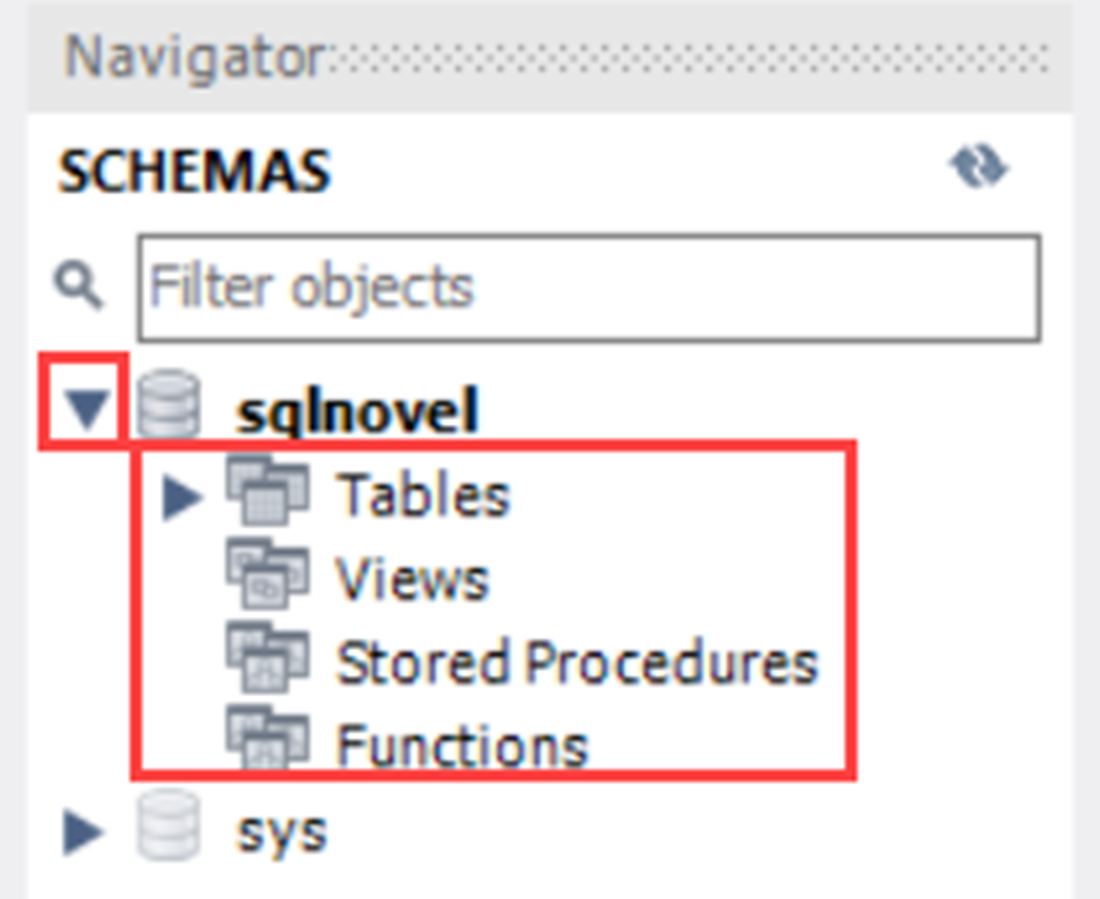
The database name has been expanded to show Tables, View, Stored Procedures, and Functions.
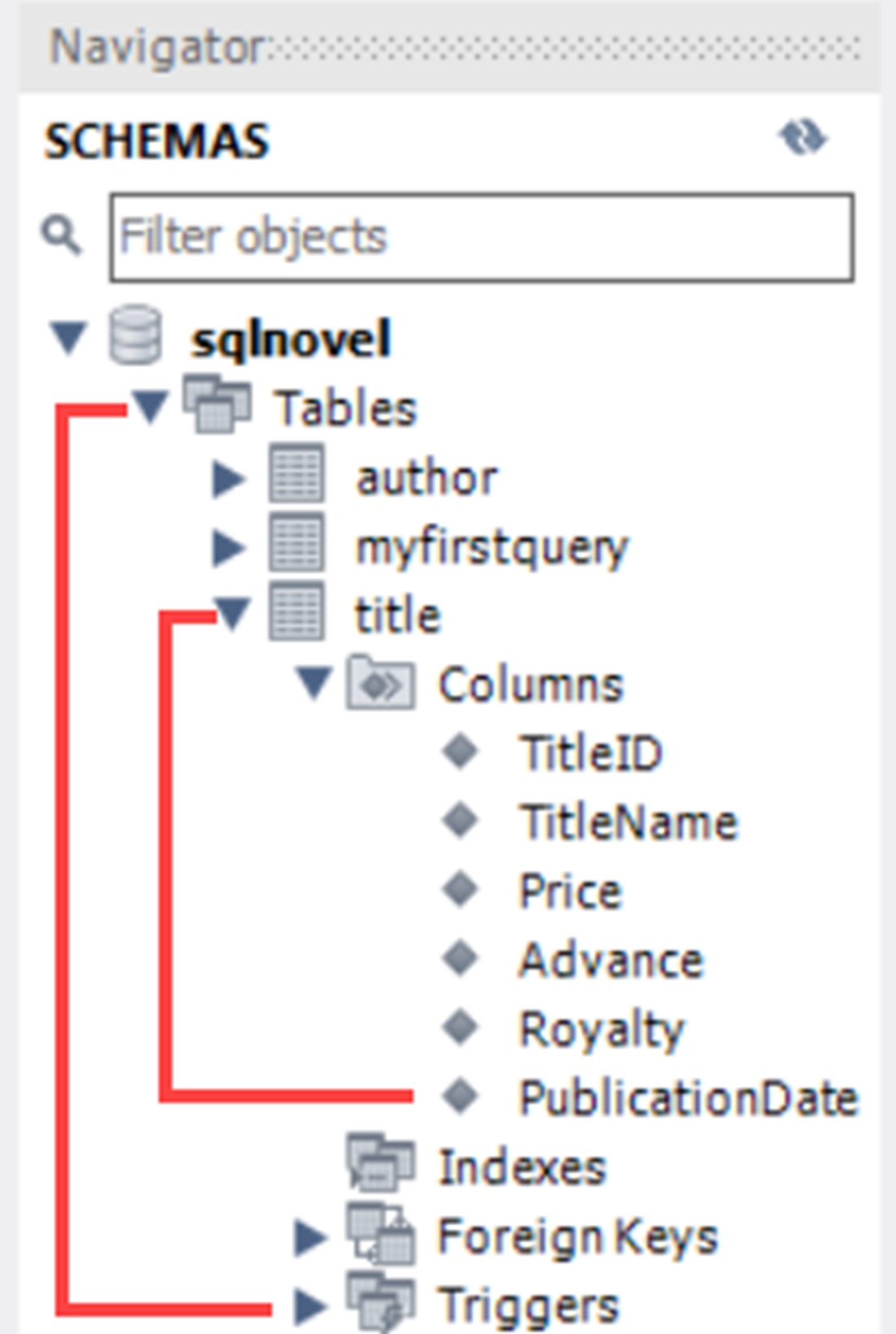
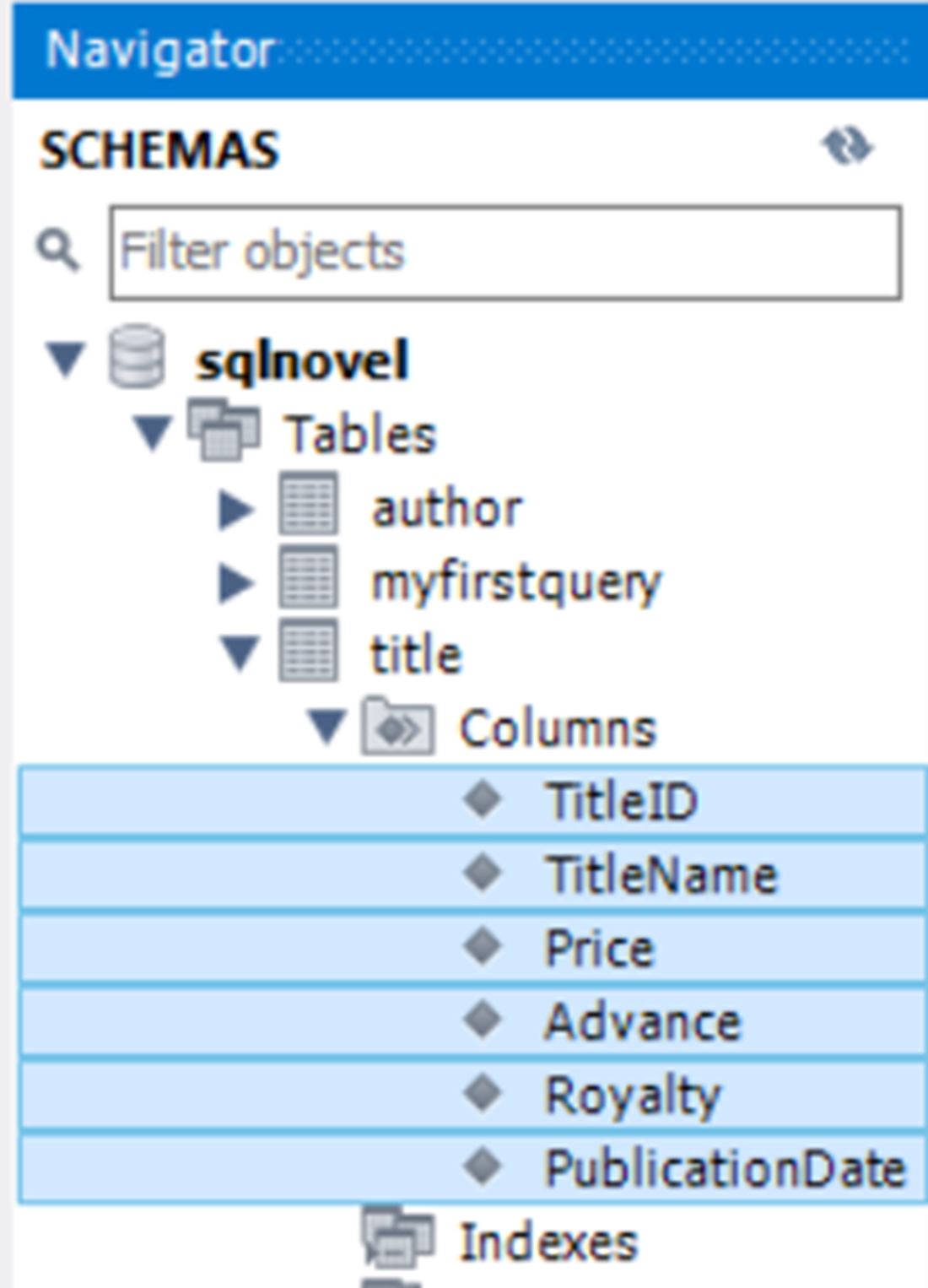
The Navigator panel, where Tables has been expanded to show individual table names, and the title table has been expanded to show all columns in that table.
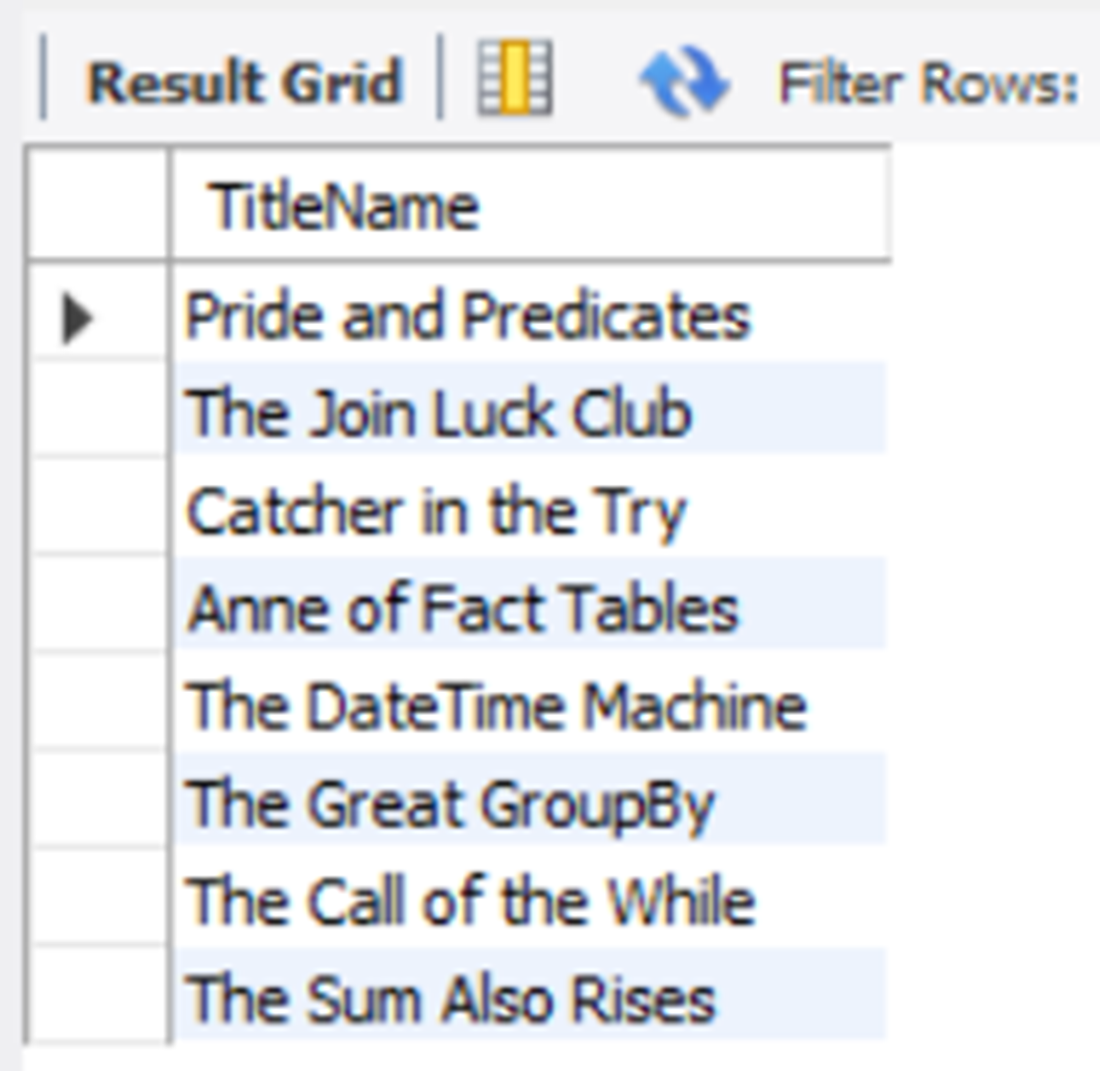
The values of the TitleName column in the title table are returned in no particular order.
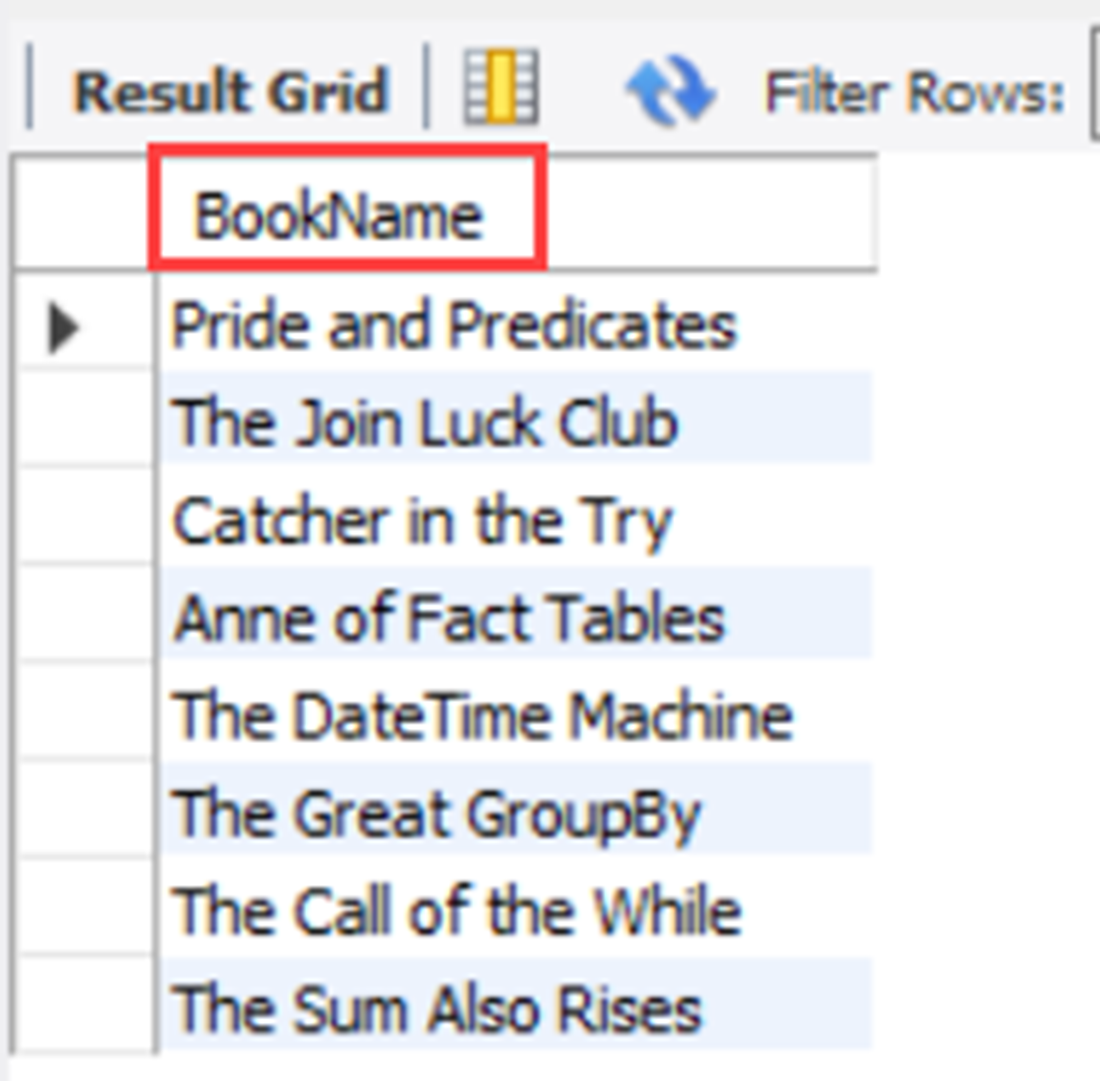
The results of the values for TitleName are now returned with a column header of BookName.
The column names for the title table highlighted after selecting the first column name and then holding the Shift key and clicking the last column name.
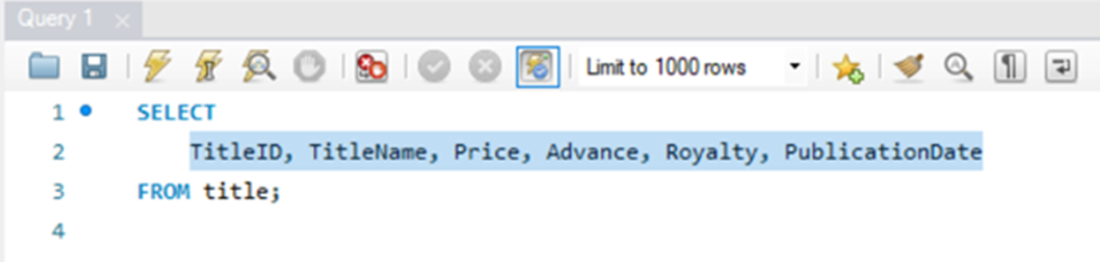
shows the columns of the title table after they have been pasted in the Query panel.
Lab answers
- The best method would be to expand the columns folder under the author table in the Navigator panel. If, for some reason, you are using an interface that doesn’t allow you to do that, you can use the SELECT * method in the following query.
- The answer is below:
- This query will execute, but the results will not be as expected. Since the comma is no longer between TitleName and Price, the word “Price” is now considered a column alias for TitleName. Only one column with an aliased name of Price will be returned, but the values will be from the TitleName column.
- This query won’t execute, as you can’t alias column names with SELECT *. If you try this, your first indication of a problem will be the red square with a white X on the line with the alias, as this means the Workbench application has already found your query to have an incorrect syntax.

 Learn SQL in a Month of Lunches ebook for free
