This chapter introduces cursors as a way to process query results one row at a time, contrasting them with the set-based approach that SQL typically favors. Because MySQL restricts cursor usage to stored programs, the chapter first revisits variables and parameters within procedures, including declaring local variables with DECLARE, setting default values, and using OUT parameters to return results. With that foundation, it frames cursors as powerful but inherently more complex, procedural constructs that require careful attention to their moving parts and lifecycle.
The chapter breaks every cursor into four required stages—DECLARE, OPEN, FETCH, and CLOSE—and walks through a practical example that totals quantities sold at list price. The example shows declaring a cursor over OrderID values, using a CONTINUE HANDLER and a Boolean flag to detect the end of data, looping with FETCH to process each order, and accumulating results in an OUT parameter before closing the cursor. It also notes MySQL-specific elements such as LOOP, LEAVE, and delimiter management inside procedures, underscoring that even a simple cursor involves multiple steps and control-flow constructs.
After demonstrating cursors, the chapter presents simpler alternatives and important considerations. A WHILE loop can replicate row-by-row processing with less code, and temporary tables can isolate working sets to reduce blocking in multi-user environments. Most importantly, many cursor-style tasks are better solved with set-based SQL, which is typically faster, less resource-intensive, and more aligned with how RDBMSs operate. The guidance is to reserve cursors (and procedural loops) for cases that truly require per-row logic, prefer set-based solutions whenever possible, and treat existing cursors as opportunities for performance and complexity improvements.
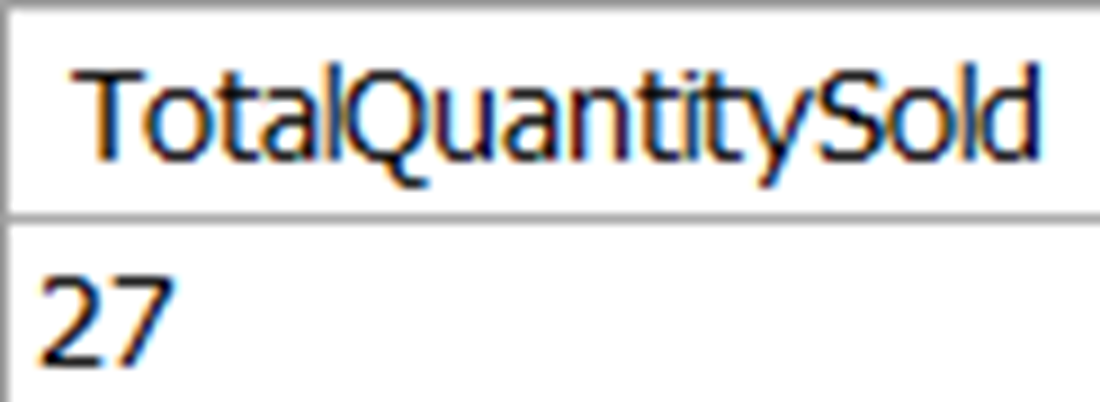
The total quantity of titles sold at the listed price, as determined by the stored procedure we wrote, which uses a cursor to determine this value.
Lab answers
You do not need a cursor to determine this. You can find the requested data set from a query like this one, which uses a subquery to collect the quantity of titles ordered by customers in California:
You don’t need a cursor for this either. You can use a subquery again and a CASE statement to determine the presence of data in the subquery. You also need to be careful to use COALESCE or some other way to evaluate something other than NULL, since NULL cannot be evaluated in a CASE statement. Here we have defaulted NULL values to 0 because there is no CustomerID of 0:
We don’t need a cursor for this either. We can use another subquery to determine the first OrderID for each CustomerID and then select the desired rows from the subquery with an INNER JOIN:
Also, in each of these exercises, we could instead use the SQL in the subqueries to populate a temporary table and then join that temporary table instead of joining the subquery. The point is that there were choices we could use beyond the use of a cursor to achieve the desired results.
This is one of the few times we need to use a cursor. We will have a data set of CustomerID values, but we can’t use set-based programming to complete the request since we can only provide one value at a time to the CreateThankYouMessage stored procedure.
FAQ
What is a cursor in SQL and what problem does it solve?A cursor is a server-side object that lets you step through the rows from a SELECT result one at a time, so you can perform per-row logic (populate variables, run conditional logic, make changes) instead of processing the whole set at once.Where can you use cursors in MySQL?In MySQL, cursors can only be used inside stored programs (for example, stored procedures). You declare them there and use them with local variables and control-flow statements.What are the four required parts of a cursor and their order?Every cursor follows this sequence: 1) DECLARE the cursor with its SELECT; 2) OPEN the cursor to execute the SELECT and buffer the result; 3) FETCH rows one-by-one (typically inside a loop); 4) CLOSE the cursor to release resources. Keep this order.How do you detect end-of-data when fetching from a cursor in MySQL?Declare a CONTINUE handler for the NOT FOUND condition that sets a flag (for example, a BOOLEAN _Done). After each FETCH, check the flag inside your loop; if it’s set, LEAVE the loop.How do variables and parameters work inside stored procedures?Inside procedures, you must DECLARE local variables with a data type, can assign with SET, and can provide DEFAULTs on DECLARE. Parameters can be IN or OUT (or INOUT). MySQL doesn’t allow default values on parameters, so initialize them in the body if needed.How do you return a value from a procedure using an OUT parameter?Define the parameter with OUT, set it inside the procedure, then capture it in a session variable when calling, for example: CALL ProcName(@p); then SELECT @p to read the value.Are cursors the only way to loop over data in MySQL?No. A common alternative is a WHILE loop that advances a key value (for example, iterating OrderID from MIN upward). WHILE requires less boilerplate than a cursor but still evaluates rows procedurally.What is blocking, and why do cursors or loops risk causing it?Blocking happens when a query holds locks on rows or other resources, making other sessions wait. Row-by-row processing (via cursors or loops) can hold locks longer. One mitigation is to copy the working set into a temporary table and iterate over that instead.How do temporary tables help when using cursors or WHILE loops?Temporary tables (CREATE TEMPORARY TABLE ...) are scoped to your connection, so only your session uses them. By staging the IDs you’ll iterate over in a temp table, you avoid locking heavily used base tables during the loop.When should you use a cursor, and when should you avoid it?Prefer set-based solutions: many cursor tasks can be replaced with a single SELECT (for example, SUM over a join). Use a cursor only when you truly must act on each row individually (rare cases, such as per-row side effects). If you must loop, consider a WHILE loop and/or temporary tables, and be mindful of performance and locking.
pro $24.99 per month
access to all Manning books, MEAPs, liveVideos, liveProjects, and audiobooks!

 Learn SQL in a Month of Lunches ebook for free
