20 Reusing queries with views and stored procedures
After building up a toolkit of SELECTs, filters, joins, and data changes, the chapter shows how to turn repeatable SQL into reusable database objects that anyone with permission can run. It focuses on two portable patterns—views and stored procedures—to encapsulate logic, promote consistency, and simplify access. By saving queries as first-class objects, you reduce duplication, centralize business logic, and control usage via permissions, all while keeping an eye on performance and maintainability.
Views are named SELECT statements that behave like virtual tables: they store no data, but can be queried, filtered, aggregated, and even joined to tables or other views. Creating and altering views is straightforward, and adding key columns (such as primary keys) enables reliable joins. Good practices include unique column names, clear naming conventions (e.g., a “vw_” prefix), avoiding unnecessary ORDER BY clauses, and steering clear of nested views due to performance costs. While some systems allow data changes through views, the chapter cautions against using views for modifications and emphasizes that views are best for simplifying and reusing read logic.
Stored procedures go further by allowing multiple statements, parameters (IN, OUT, and sometimes INOUT), conditional logic, and both read and write operations. The chapter illustrates cross-RDBMS differences (like MySQL’s DELIMITER handling and CALL vs. EXEC), shows how to pass parameters for filtering, and uses COALESCE to treat NULL as “return all” behavior. Key considerations include matching parameter and column data types, consistent naming, careful nesting, and thorough commenting. In contrast to views (single result set, no parameters, joinable in queries), stored procedures can orchestrate complex workflows and return multiple result sets or output parameters, making them the preferred choice for data modifications and richer, reusable logic.
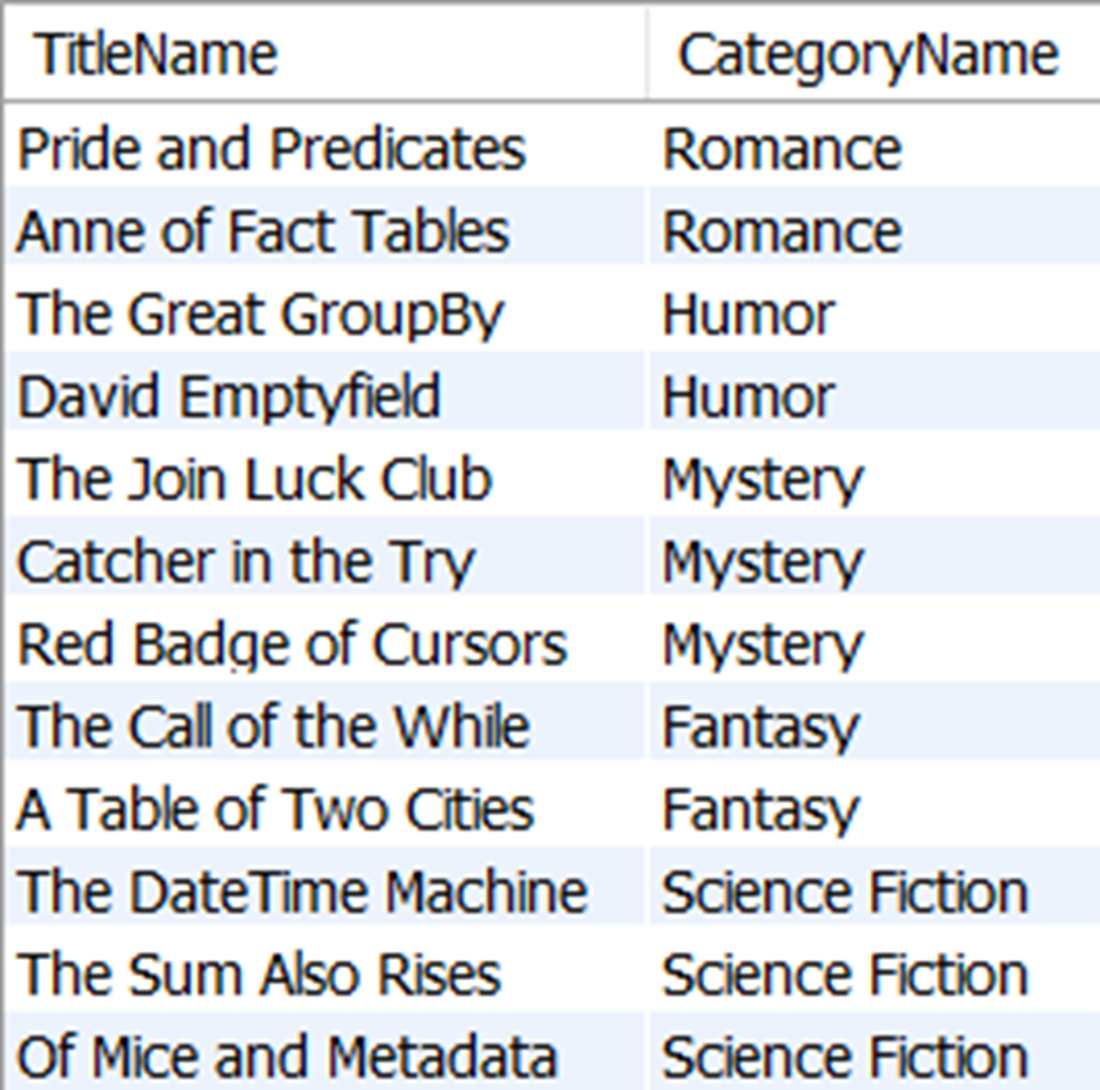
The results of all TitleName values from the title table and their related CategoryName values in the category table
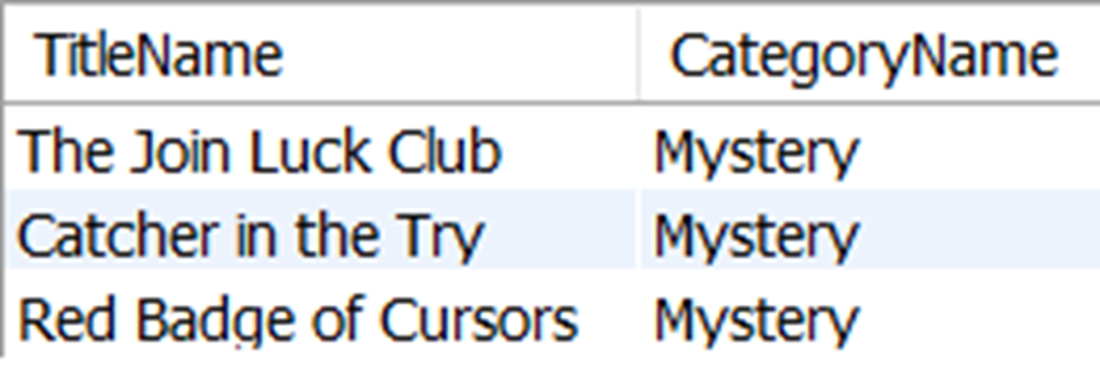
The results of selecting all rows from vw_TitleCategory with a CategoryName value of Mystery
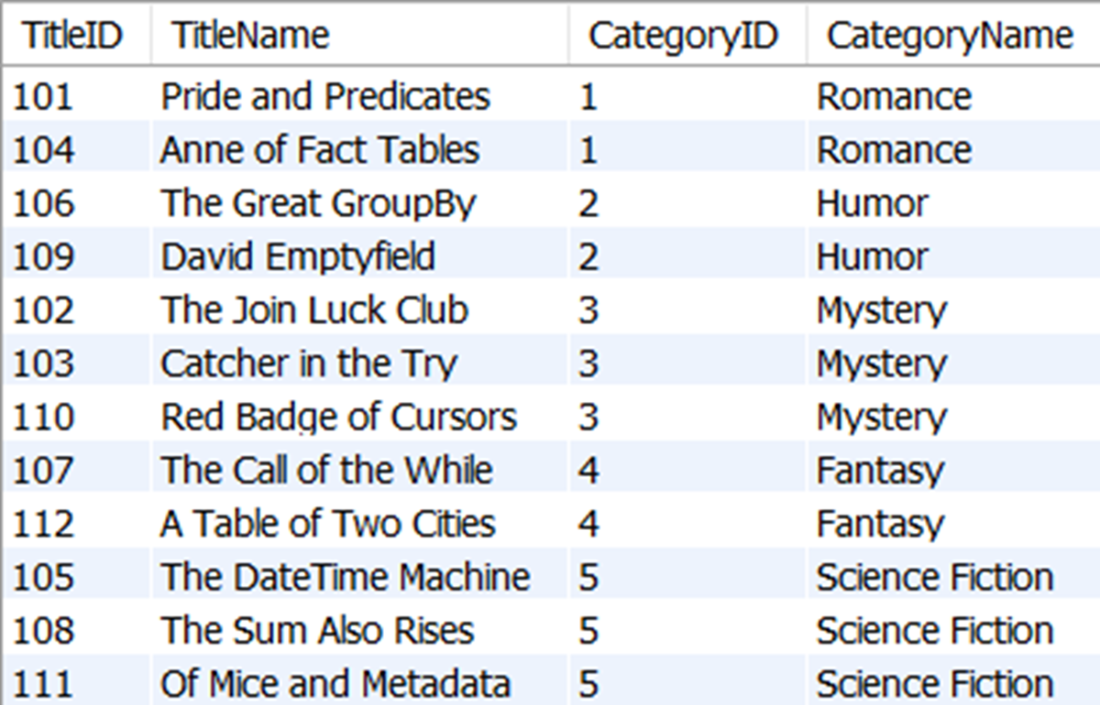
The new results of selecting all rows and columns from vw_TtileCategoryID, which now includes the TitleID and CategoryID columns
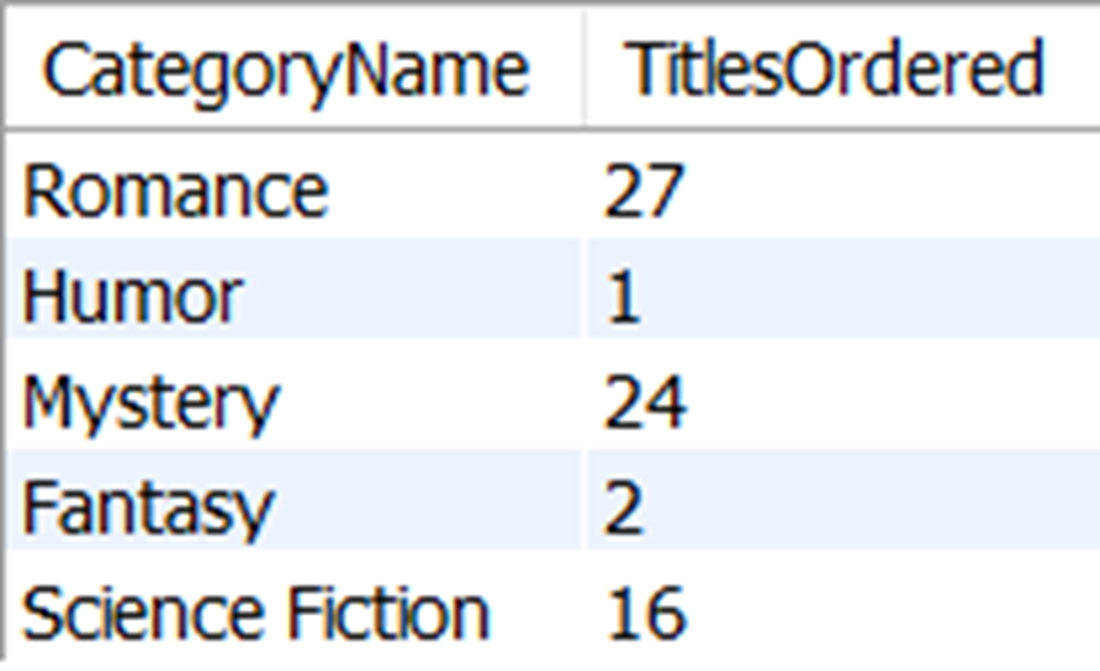
The results of the number of titles ordered from each category
The results of all TitleName values from the title table and their related CategoryName values in the category table, as returned by the stored procedure GetTitleCategory
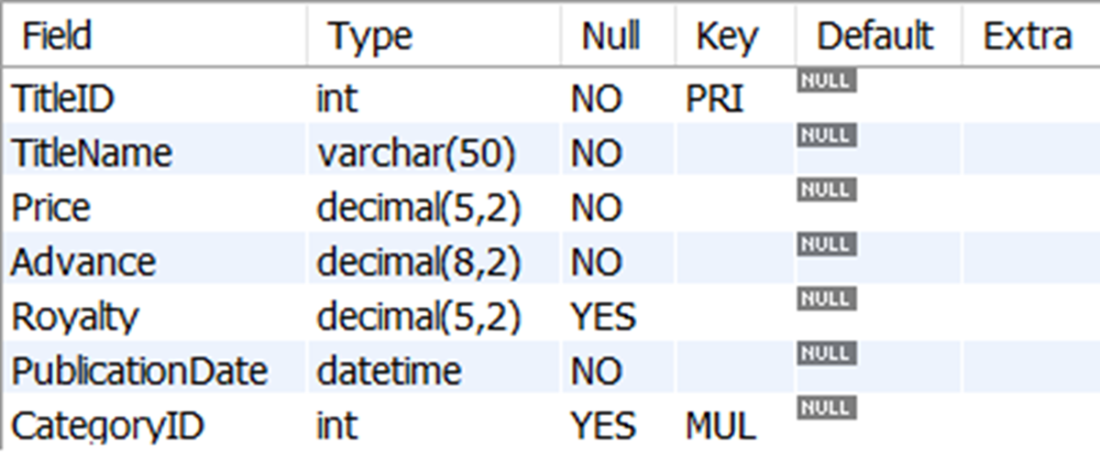
The data types of all columns in the title table, as returned by SHOW COLUMNS
The results of executing GetTitleCategory using the value of The Sum Also Rises with the input parameter _TitleName

The results of all TitleName values from the title table and their related CategoryName values in the category table, as returned by the stored procedure GetTitleCategory with an argument of NULL for the _TitleName parameter
The results of TitleName values from the title table and their related CategoryName values in the category table, as returned by the stored procedure GetTitleCategory with an argument of The Sum Also Rises for the _TitleName parameter.
The results of executing our new GetOrder stored procedure with an argument of the literal value 1049 passed to the _OrderID parameter

FAQ
What is a view and how is it different from a table?
A view is a saved SELECT statement that returns a single result set when queried. It’s often called a “virtual table,” but it stores no data; the data is fetched from underlying tables at execution time.How do I create, query, and modify a view?
Create withCREATE VIEW view_name AS SELECT .... Query it like a table: SELECT * FROM view_name. Modify its definition with ALTER VIEW view_name AS SELECT ....Can I filter, sort, aggregate, and join when using a view?
Yes. You can filter (WHERE), aggregate (GROUP BY), and join views to tables or other views. Prefer applying ORDER BY in the consuming query rather than inside the view for performance.How do I make a view easy to join to other tables?
Include key columns (primary keys are preferred) from the underlying tables in the view’s SELECT list, and ensure column names are unique. This enables reliable joins from the view to other objects.What naming and design conventions should I use for views?
- Use unique names that don’t collide with table names (for example, prefix withvw_).- Alias any calculated columns.
- Avoid nested views (views that reference other views), as they can hurt performance.
- Generally avoid updating or inserting through views, even if supported, to prevent unintended side effects.
What is a stored procedure and how does it differ from a view?
A stored procedure is a database object that contains one or more SQL statements and can accept parameters. Unlike views, procedures can: accept input/output parameters, execute multiple queries, return zero/one/multiple result sets or output parameters, and encapsulate complex logic. Procedures aren’t joined like tables/views.How do I create and execute a stored procedure in MySQL?
In MySQL, temporarily change the statement terminator withDELIMITER, then define the procedure: CREATE PROCEDURE name(...) BEGIN ...; END, reset the delimiter, and run it with CALL name(...). Other RDBMS differ (e.g., SQL Server/Oracle use EXEC). SQLite doesn’t support stored procedures.How do parameters work in stored procedures (IN, OUT, INOUT)?
Each parameter has a name, data type, and direction.IN passes a value into the procedure, OUT returns a value, and (in MySQL) INOUT both accepts and returns a value. Always match parameter data types to the columns they’re compared with.How can I make a stored procedure parameter optional?
PassNULL and handle it in the procedure, for example: WHERE t.TitleName = COALESCE(_TitleName, t.TitleName). If the argument is NULL, this returns all rows; otherwise it filters by the provided value.When should I choose a view vs. a stored procedure?
- Choose a view for a reusable, single SELECT result set that can be joined and filtered externally.- Choose a stored procedure when you need parameters, multiple statements, conditional logic, or to return multiple result sets or output values. Views can be joined; procedures cannot. Procedures can call other procedures; avoid deep nesting in both for maintainability and performance.

 Learn SQL in a Month of Lunches ebook for free
