2 Your first SQL query
This chapter quickly moves from orientation to action by grounding SQL in familiar concepts and focusing on immediate effectiveness. It frames relational data through the lens of spreadsheets: tables are the primary storage structures, composed of vertical columns and horizontal rows, and each row holds a value for every column. With that foundation, the chapter introduces a small, essential vocabulary—data set, table, column, row, and value—so readers can describe and reason about data the same way an RDBMS does, without getting bogged down in jargon.
SQL is presented as a declarative, English-like language: you state what you want, and the database figures out how to get it. The chapter demonstrates translating a plain-English request into SQL by introducing the core keywords SELECT (what to return) and FROM (where to get it), emphasizing accurate column names, the default of returning all rows unless further constrained, and the importance of ending statements with a semicolon. It also distinguishes a “query” (a statement that retrieves data) from other types of SQL statements and culminates in a simple pattern exemplified by SELECT Name FROM vegetables; as the canonical first query.
Finally, the chapter walks through running your first real query in MySQL Workbench—connecting, selecting the default schema, entering SELECT Outcome FROM MyFirstQuery;, and executing it via menu, hotkeys, or toolbar—then interpreting the results and execution output. It reinforces good habits (consistent semicolon use, awareness of connection context) and shows how result sets reflect the columns selected, even when the output is just one row and one column. The chapter closes by reviewing the key terms and keywords introduced and offering a light lab to solidify the mental model of tables, rows, columns, values, and multi-statement execution.
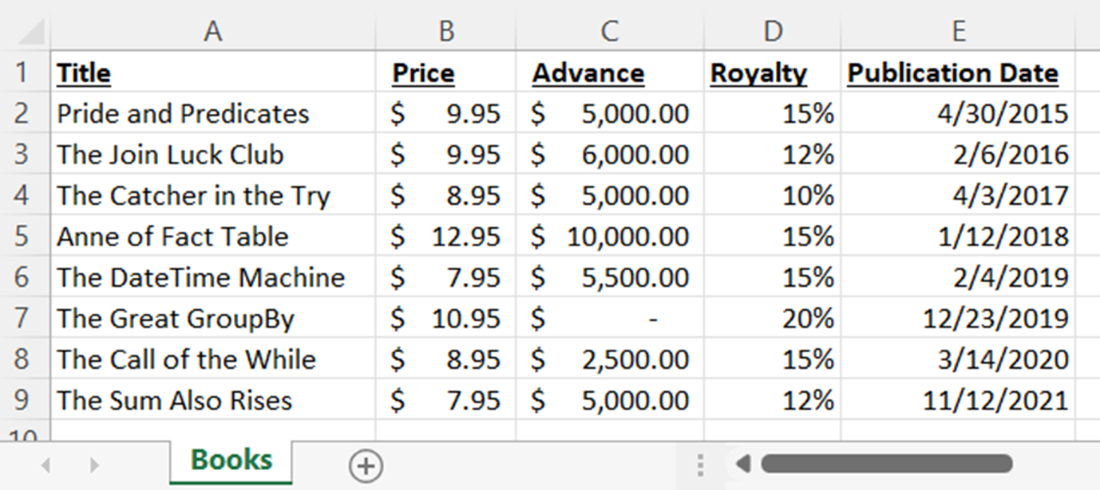
A spreadsheet with five columns (A through E) of values for several extraordinary fictional books. The structure is organized similarly to a table in a database.
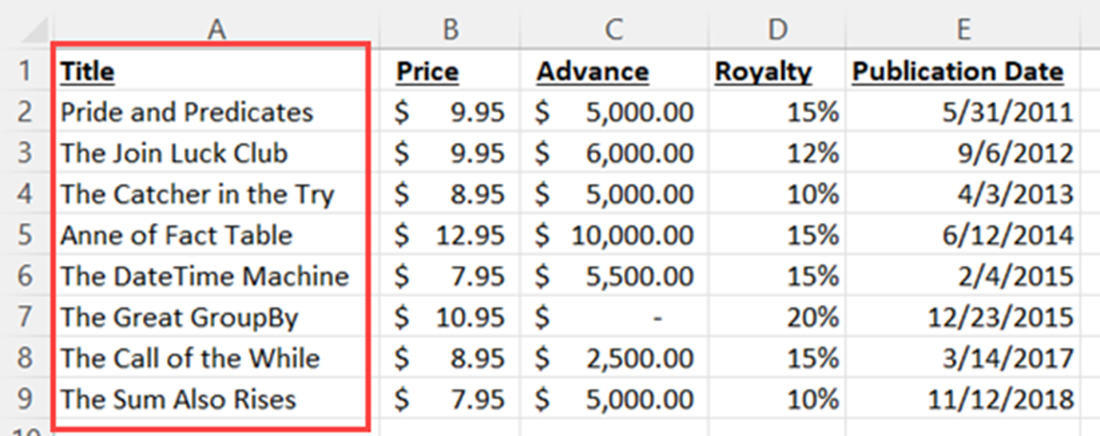
The spreadsheet of book titles, with the Title column highlighted to show the vertical nature of columns.
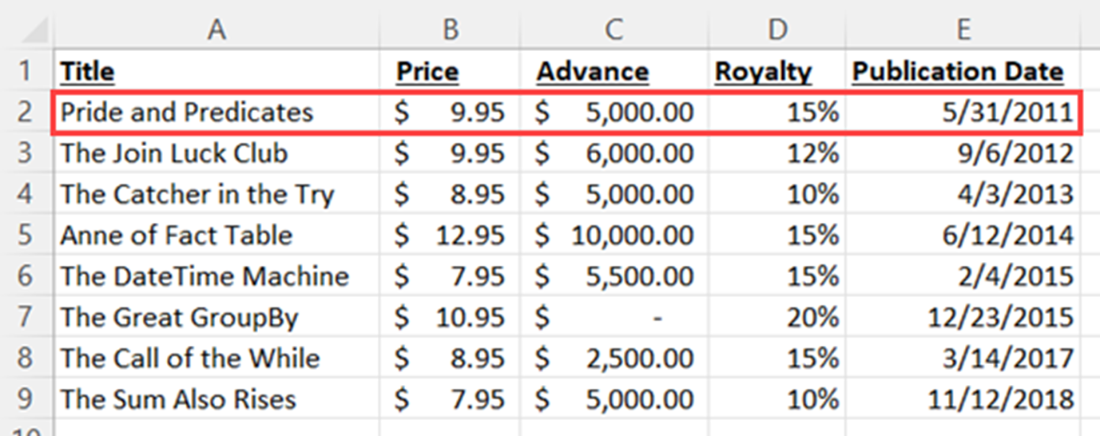
The spreadsheet of books, with the first horizontal collection of data highlighted to show the horizontal nature of rows.
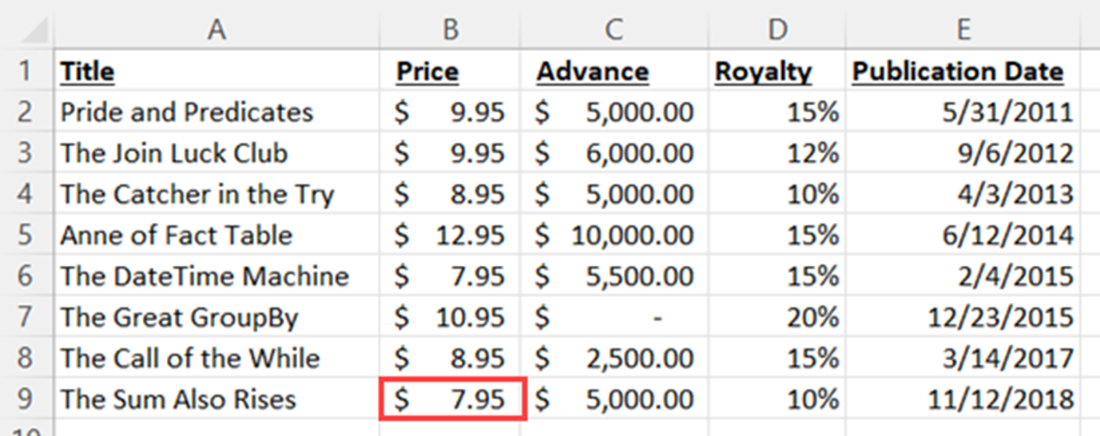
The value of Price in the row with the title The Sum Also Rises highlighted to indicate a value. This is just one value of many.
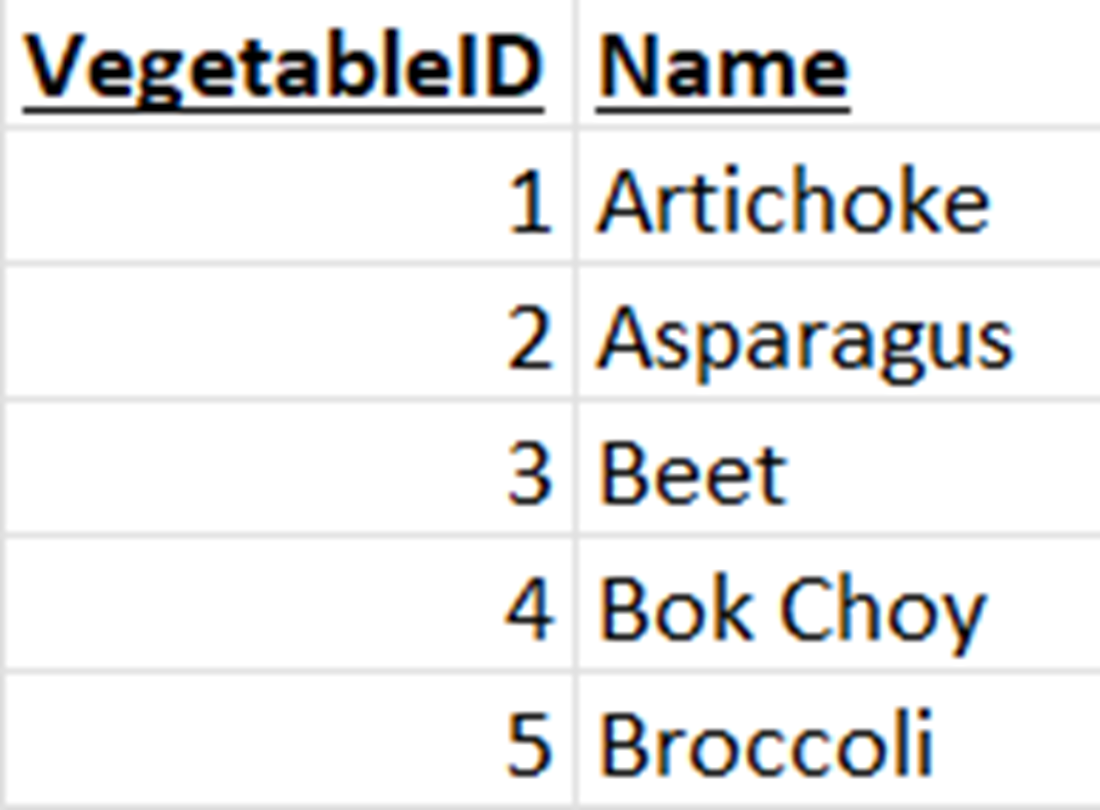
A vegetables table with two columns and five rows. We’re going to learn how to create a query that shows the names of all the vegetables.
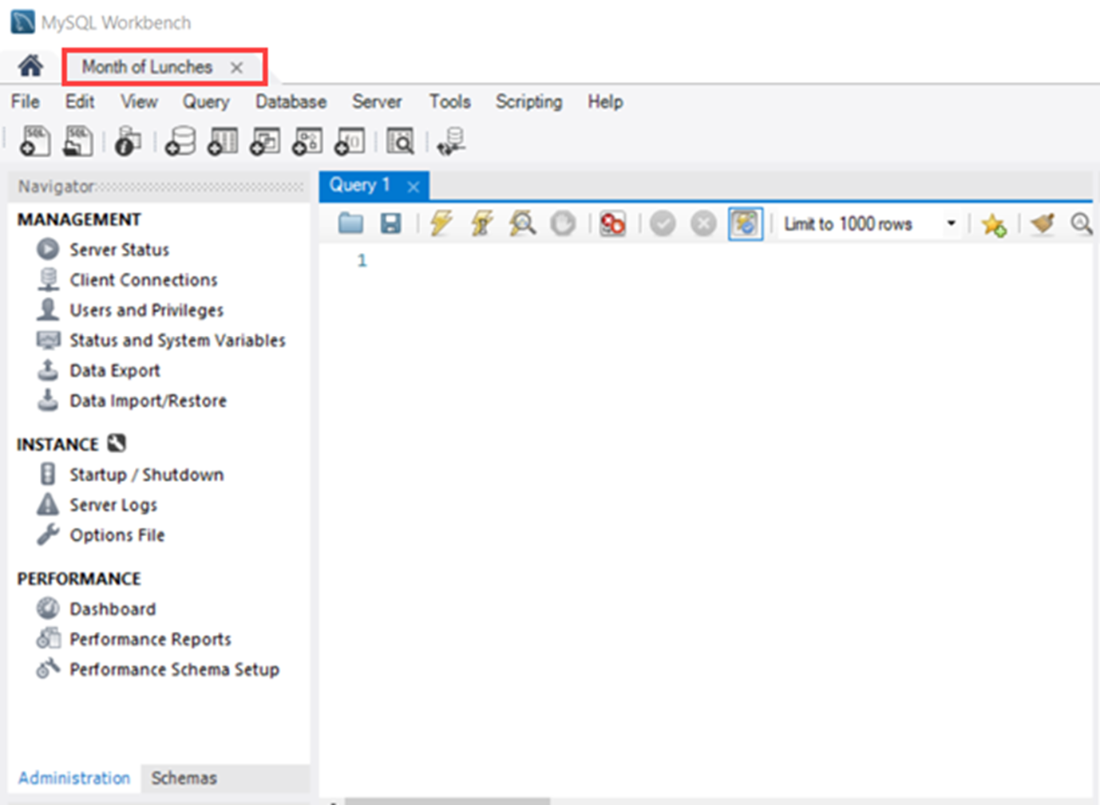
The MySQL Workbench open with our Month of Lunches connection, with administration information shown in the Navigator panel. We enter queries like the one we just wrote in the Query panel.
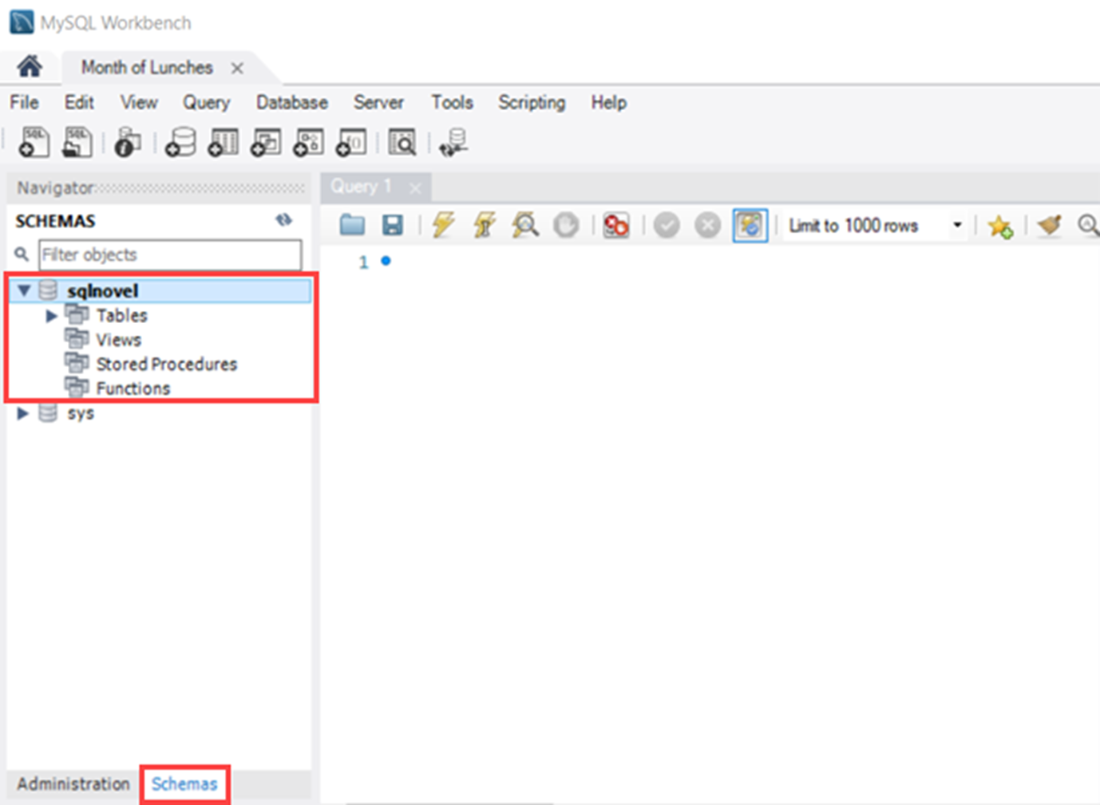
The Month of Lunches connection again, but now we see the Schemas information in the Navigator panel. The sqlnovel database is now shown in bold text, indicating it is the default database.
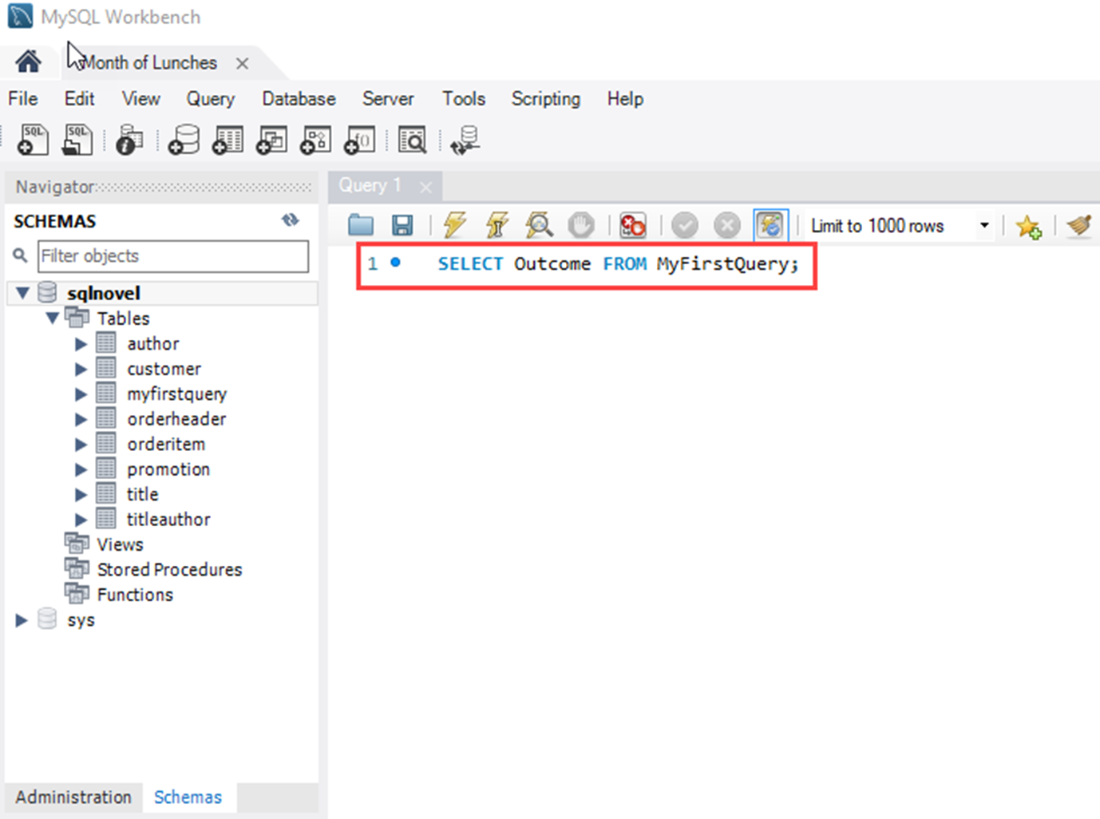
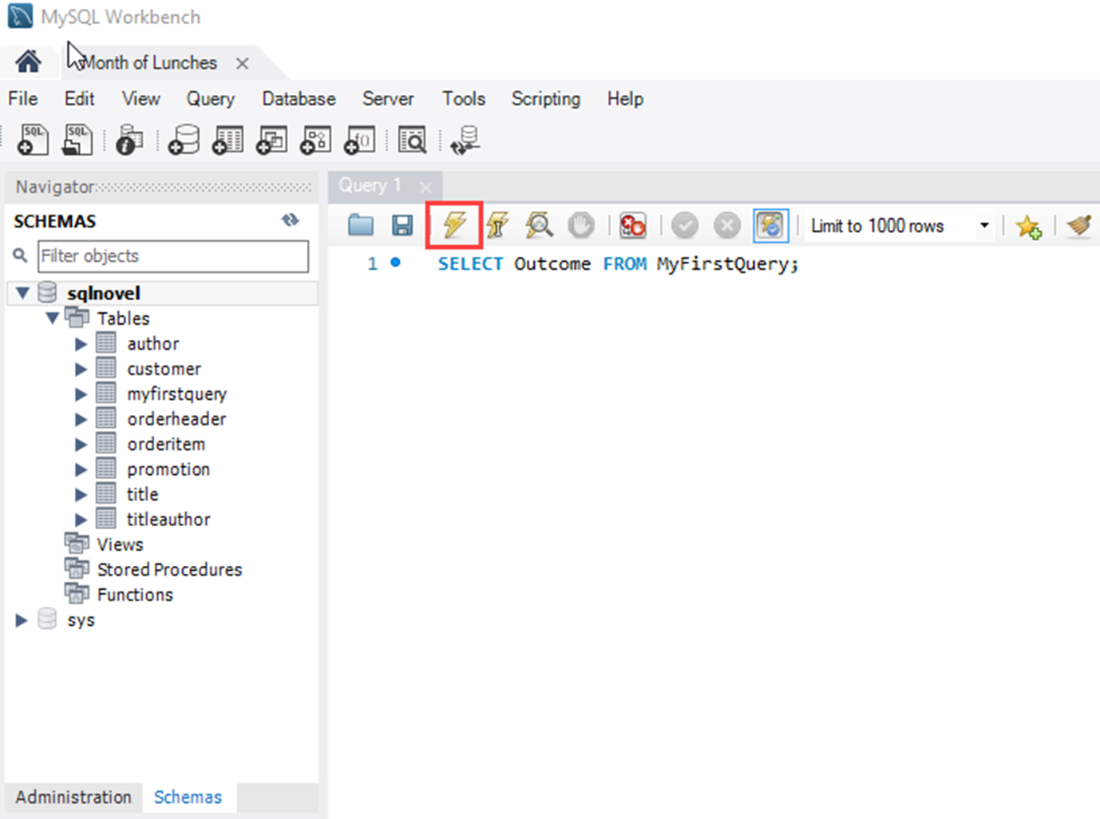
The query entered into the Query panel, ready to execute.
The highlighted plain lightning bolt in the Query panel. Clicking the plain lightning bolt will execute the selected part of the Query panel, which is the same thing that pressing Ctrl + Enter on your keyboard will do.
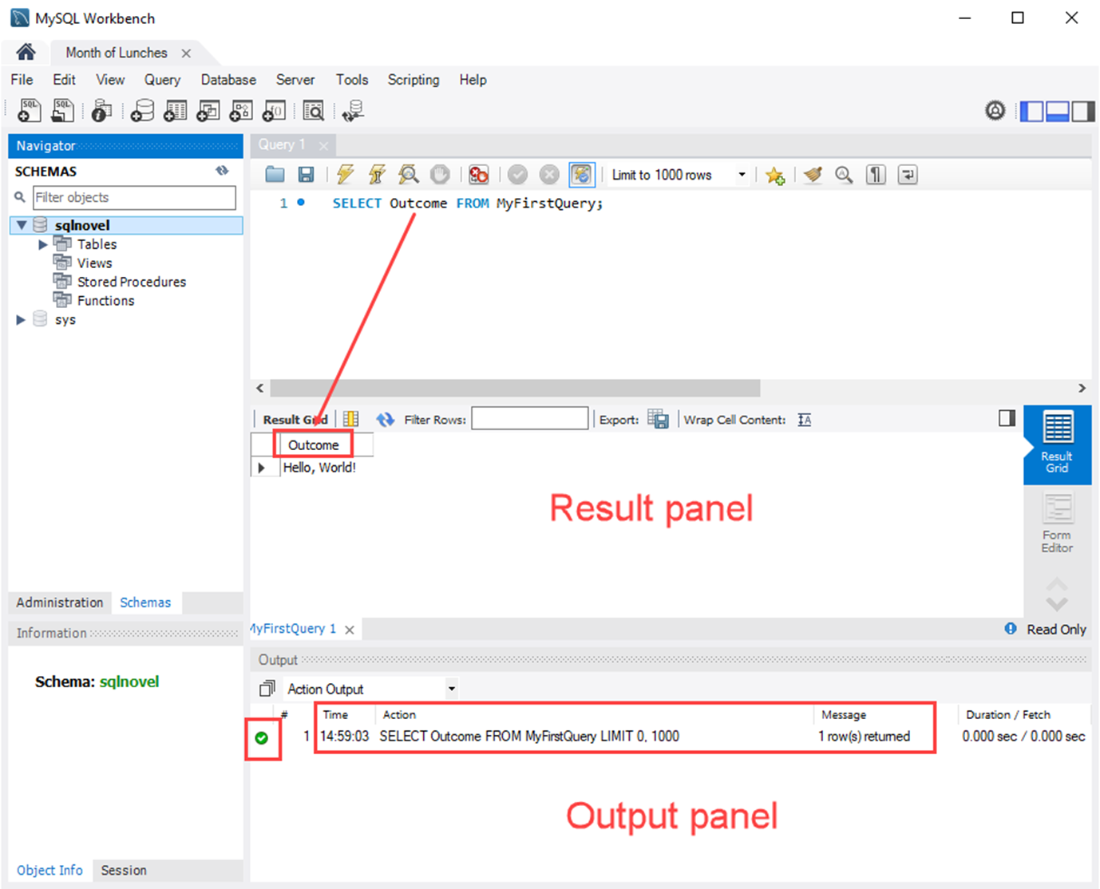
The results after query execution. In the Result panel, we can see the result is, “Hello, World!” In the Output panel, a green circle with a check mark indicates the query executed successfully, and other information shows the time it was executed, what the query was, how many rows were returned, and the duration of the query execution.
Lab answers
- No, it is not possible to have a table with no columns. This is why I mentioned earlier that you could think of a table as a collection of columns. There must always be at least one column; otherwise, there is nowhere to put the values of data.
- Yes, you can definitely have tables without rows. In fact, every time a table is created, it initially starts with no rows. This is not uncommon, and it’s something to consider when querying and the result is zero rows.
- This is a bit of a tricky question, as it depends on the way the table was set up. We can definitely have rows of valid data that don’t have values for particular columns. For example, think of a column for Middle Name in a table of persons. Not everyone has a middle name, so we have to be able to accommodate that lack of data for rows with people who have no middle name. That said, designers can also put restrictions on tables to require all rows to have a value for particular columns, such as a column capturing a last name for all rows in that same table of persons.
- This actually will execute, and will result in two separate data sets being returned. This is the very reason we put those semicolons at the end of our queries, so that the RDBMS knows we have to separate the queries we are executing.
All right, let’s move on to Chapter 3 and learn more fun ways to query using the SELECT keyword!

 Learn SQL in a Month of Lunches ebook for free
