18 Storing data in tables
This chapter focuses on how data is stored in relational databases by designing, creating, and modifying tables—the core of practical SQL work. It keeps the concepts approachable while reinforcing fundamentals like meaningful naming, data types, and the role of keys in relating data. Through a guided example, it shows how thoughtful table structure decisions underpin clarity, consistency, and the integrity of your data model.
You begin by planning a new table (choosing a table name, column names, and data types), then implement it with CREATE TABLE, using clear, consistent names and appropriate types such as int for identifiers and varchar(n) for variable-length text. The example builds a category table and populates it with INSERT statements, then validates results with SELECT. Next, the chapter demonstrates altering an existing table with ALTER TABLE to add a CategoryID column to the title table, populating it via targeted UPDATE operations, and confirming relationships with an INNER JOIN. It also explains why new columns are typically appended to the end of a table and why display order is handled in queries rather than by reorganizing storage.
The chapter then formalizes integrity with constraints. It defines the rules for primary keys (unique, not null, and stable), shows how to add and name them (often PK_tablename), and covers composite keys when multiple columns together ensure uniqueness. It introduces foreign keys to enforce parent–child relationships (commonly named FK_child_parent) and cautions about adding constraints to tables that already contain inconsistent data. Finally, it covers how to remove constraints, columns, and tables with DROP—emphasizing the correct order (constraints first)—and provides hands-on lab exercises, including diagnosing and fixing duplicate key data before creating a composite primary key and generating a database diagram to visualize relationships.
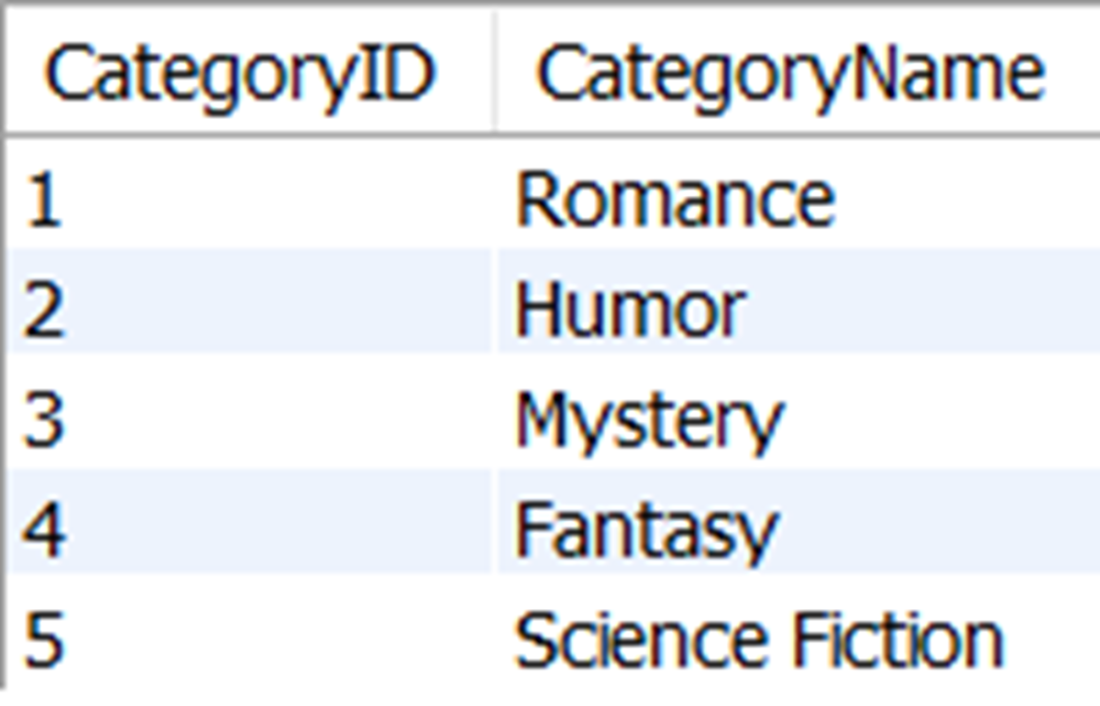
All rows in the new category table
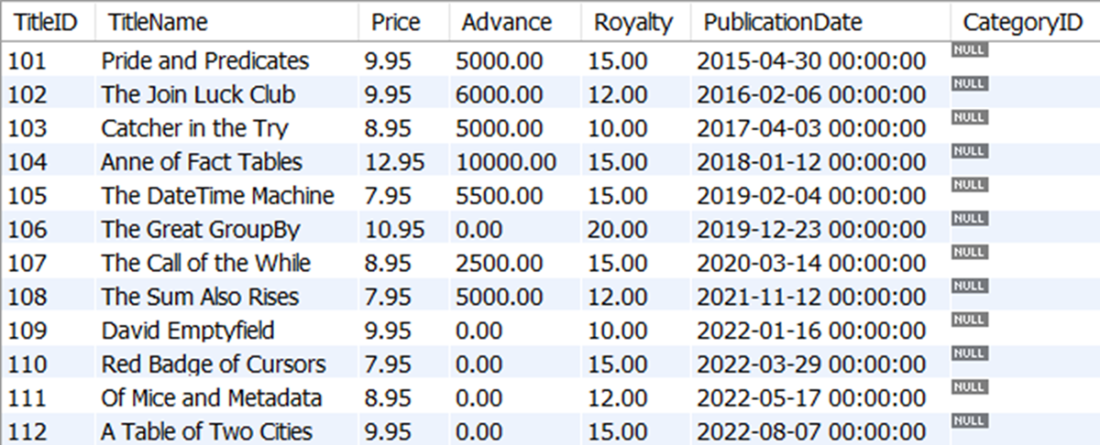
The title table with the new CategoryID column at the far right
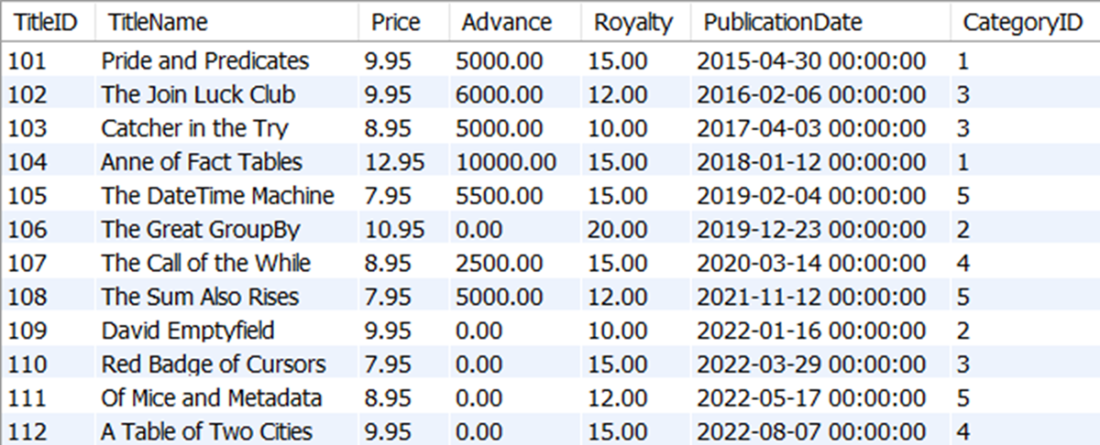
The title table with the CategoryID populated with values for all rows
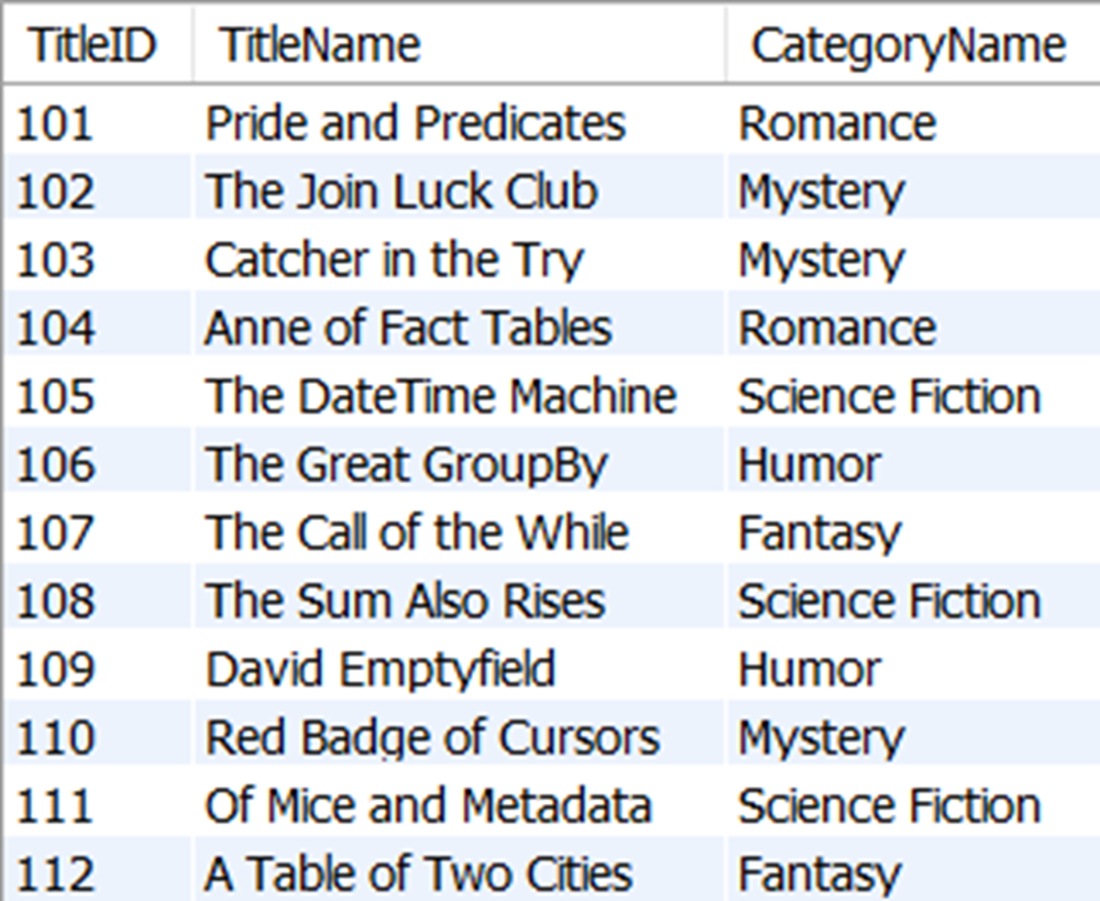
The CategoryName for every TitleName in the title table, as related by CategoryID
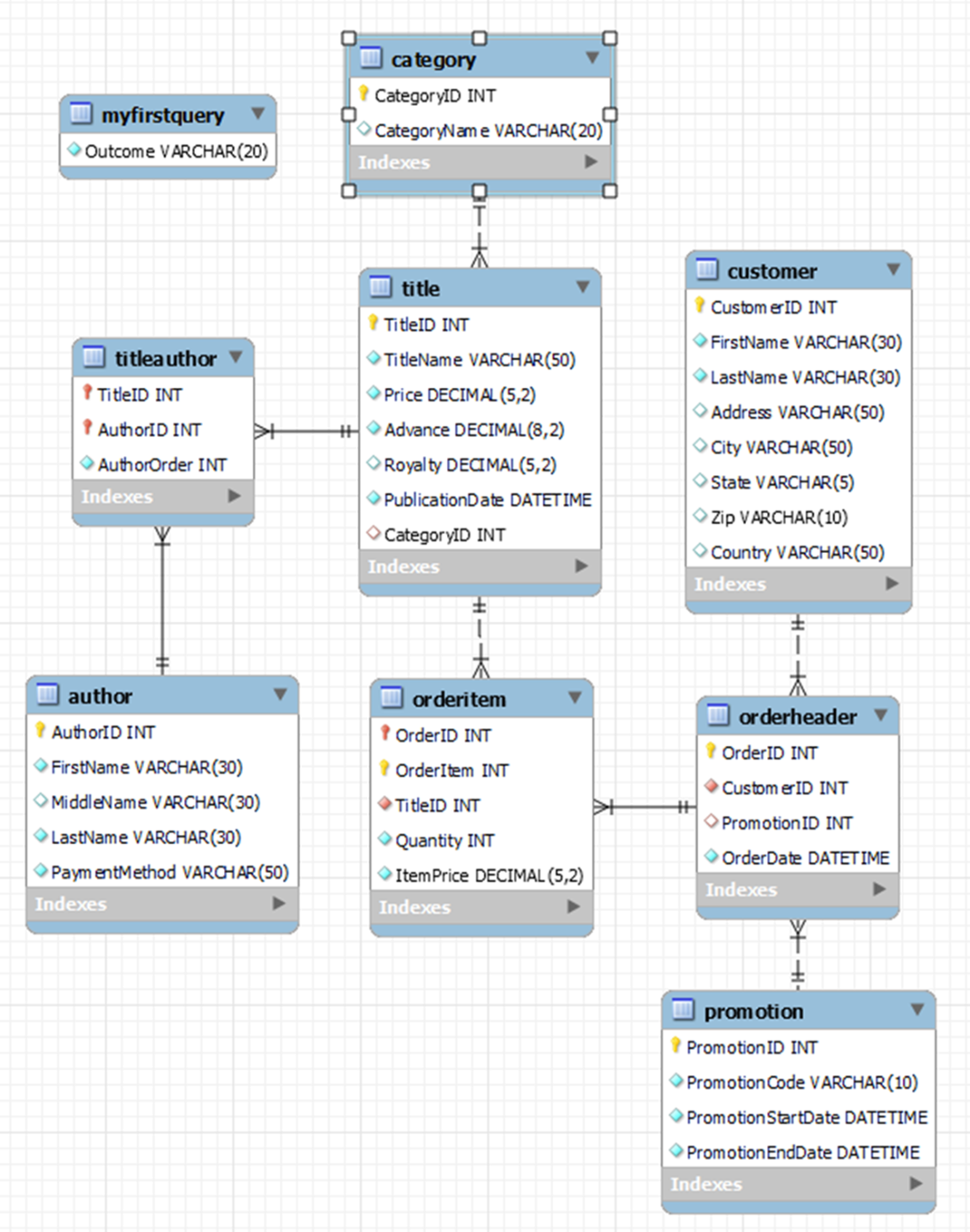
A data diagram that includes all tables in the sqlnovel database and their relationships to other tables
The two rows that prevent the primary key from being created on the orderitem table

FAQ
What should I decide before creating a new table?
You should decide: 1) the table name, 2) the column names, and 3) the data types for each column. Choose clear, meaningful names, avoid reusing an existing table name, and only reuse column names across tables when they represent the same concept (for easier relationships).How do I create a simple table?
Use CREATE TABLE with the table name, then list columns in parentheses, separated by commas. Example:CREATE TABLE category ( CategoryID int, CategoryName varchar(20) );Remember to include the parentheses and commas between column definitions.
When should I use varchar instead of char, and should I set a length?
Use varchar for variable-length text (saves space versus char). It’s best to set a maximum length (for example, varchar(20)) to avoid inefficient defaults and to enforce sensible limits for your data.How do I insert multiple rows into a table at once?
List the columns and provide multiple value tuples in a single INSERT statement, separated by commas. Example:INSERT INTO category (CategoryID, CategoryName) VALUES (1, 'Romance'), (2, 'Humor'), (3, 'Mystery');
How do I add a column to an existing table?
Use ALTER TABLE with ADD and the column definition. Example:ALTER TABLE title ADD CategoryID int;New columns are added at the end of the table’s column list. You can then populate values with UPDATE.
What’s the difference between INSERT and UPDATE in this context?
INSERT adds new rows to a table. UPDATE modifies existing rows. After adding a new column, use UPDATE to fill that column’s values for the rows you already have.What makes a good primary key, and what rules must it follow?
A primary key uniquely identifies each row. Rules: 1) values must be unique, 2) every row must have a value (no NULLs), and 3) primary key values should not change. These rules maintain referential integrity across related tables.How do I add and name a primary key (including composite keys)?
Add it with ALTER TABLE and a named CONSTRAINT. Examples:ALTER TABLE category ADD CONSTRAINT PK_category PRIMARY KEY (CategoryID);Composite example (two columns):
ALTER TABLE orderitem
ADD CONSTRAINT PK_orderitem PRIMARY KEY (OrderID, OrderItem);
Naming (PK_tableName) makes management easier.
What is a foreign key and how do I create one?
A foreign key enforces that child-table values exist in a parent table. Create it by referencing the parent’s primary key and give it a descriptive name (FK_child_parent). Example:ALTER TABLE title ADD CONSTRAINT FK_title_category FOREIGN KEY (CategoryID) REFERENCES category(CategoryID);
How do I delete constraints, columns, or tables safely, and in what order?
Drop constraints first, then columns, then tables to avoid errors. Examples:-- Drop foreign key ALTER TABLE title DROP FOREIGN KEY FK_title_category; -- Drop primary key (named or generic) ALTER TABLE category DROP CONSTRAINT PK_category; -- or ALTER TABLE category DROP PRIMARY KEY; -- Drop a column ALTER TABLE title DROP COLUMN CategoryID; -- Drop a table DROP TABLE category;Be cautious: dropping these objects is destructive.

 Learn SQL in a Month of Lunches ebook for free
