15 Combining or calculating values with functions
This chapter expands your toolkit for shaping query output by showing how to combine values and perform calculations with SQL functions. It frames common, practical needs—such as assembling full names or addresses into a single field and ensuring financial values display with the right precision—and then demonstrates the functions that make these tasks reliable across typical relational database systems.
The chapter begins with string concatenation. Because the plus operator isn’t portable for joining text, it introduces CONCAT to combine literals, columns, and variables, with a caution that mixing data types converts everything to text and can cause unexpected lexicographic sorting. It shows how to preserve numeric ordering by sorting on the original numeric column, even if it’s not selected. CONCAT_WS simplifies repeated separators and conveniently ignores NULLs, while CONCAT does not—so COALESCE is used to substitute empty strings when needed. To tidy results, REPLACE can post-process concatenated text (for example, turning unintended double spaces into single spaces). Together, these functions let you assemble readable, null-safe strings from multiple sources.
Next, the chapter covers value conversion and numeric calculations. CAST and CONVERT change data types (such as trimming a DATETIME to a DATE); CAST is more portable, while CONVERT may offer extra formatting options depending on the RDBMS. For arithmetic, it highlights ROUND for producing sensible currency totals and tax amounts, noting the optional precision parameter and standard rounding behavior. It concludes with a brief survey of widely available math functions (for example, ABS, CEIL/FLOOR, MOD, SQRT), emphasizing that these tools—combined with string, conversion, and rounding functions—enable clear, accurate, and consistently formatted query results.
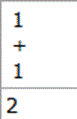
The results of calculating 1 + 1 using SQL
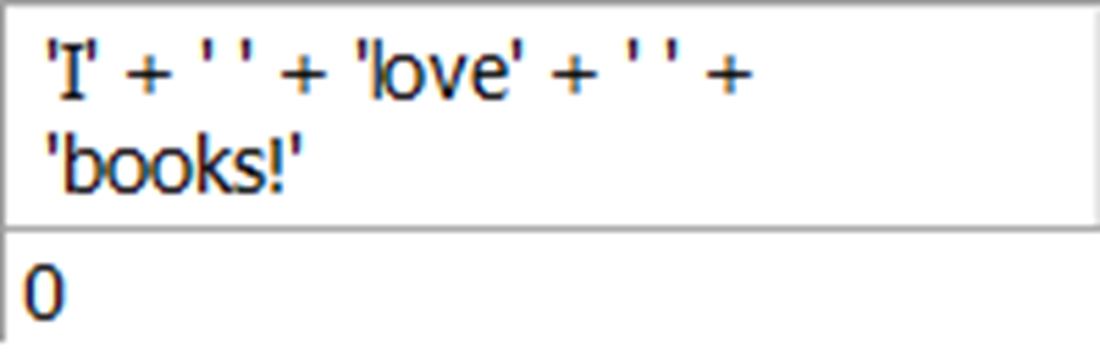
The results of combining string values with the plus operator, which does not combine all the values into a string
The results of using the CONCAT function to create a single string value from multiple string values to form the “I love books!” output

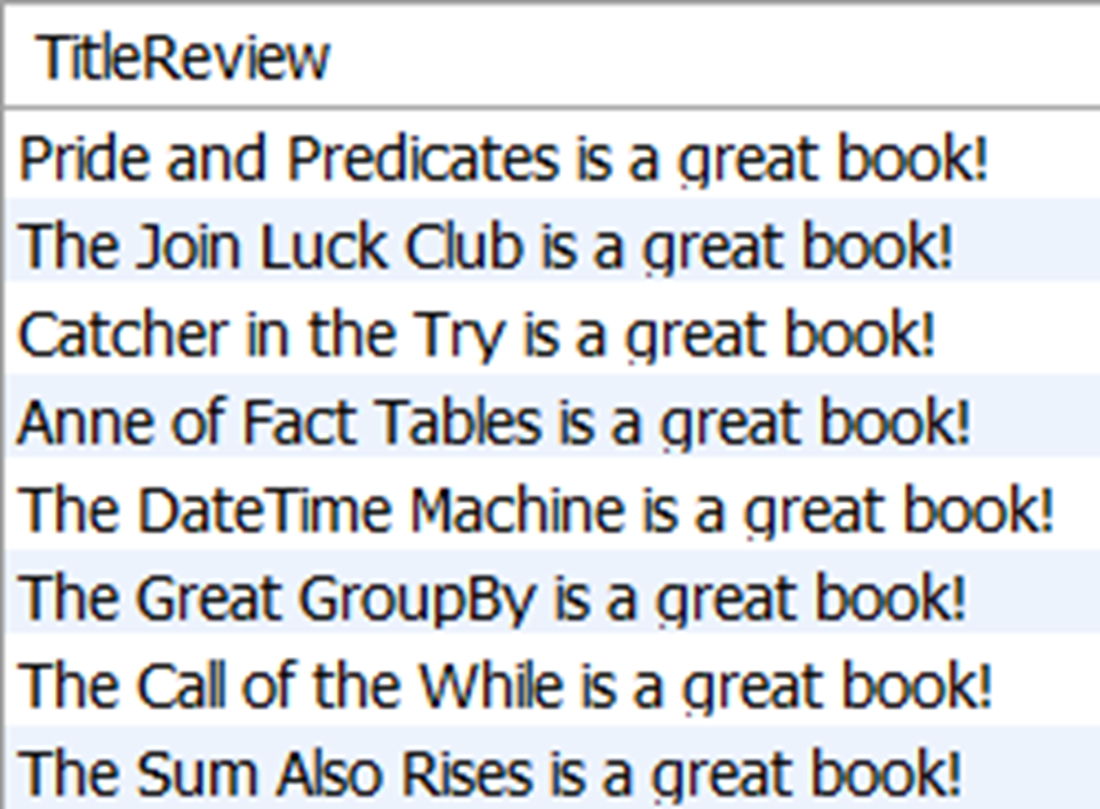
The results of concatenating the values of the title name column in the title table with a string variable to form a single column of output
The results of the concatenated values of price and title name with a space to separate them, sorted in ascending order of the concatenated value

The results of the concatenated values of price and title name with a space to separate them, sorted in ascending order of price

The results of the first and last name of the author table, concatenated into a single value and separated by a space

The results of using CONCAT_WS to concatenate the first, middle, and last name of all rows in the author table

shows the results of using CONCAT to concatenate the first, middle, and last name of all rows in the author table. The rows with null results are caused by null values in the middle name.
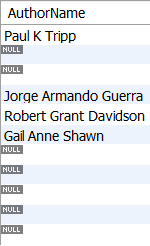
shows the results of using CONCAT to concatenate the first, middle, and last name of all rows in the author table. The COALESCE function has replaced the null values for middle name with empty strings.

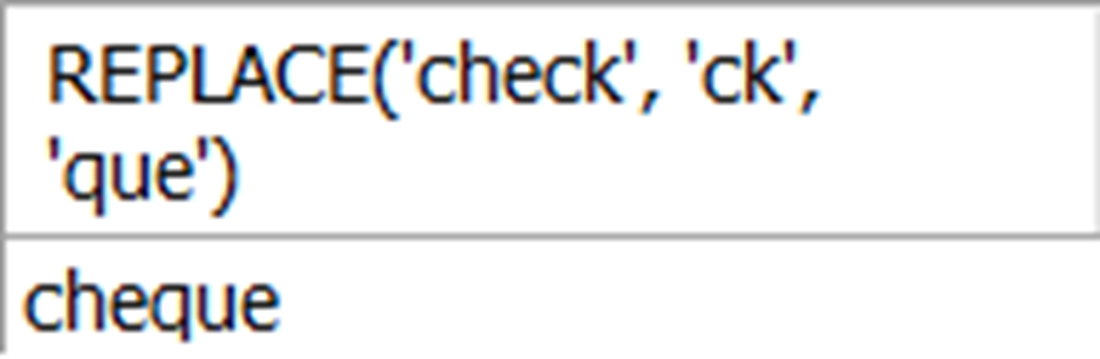
shows the results of replacing the ck in the string check with que to convert the word from the American English spelling to British English.
shows the results of the concatenated author names, replacing the null values with an empty string using COALESCE, and the resulting double spaces with a single space using REPLACE.

The results of selecting the publication date from the title table, and the publication date converted to remove the time portion of the value

shows the results of the total value of all sales in dollars and cents, along with the same value rounded to an integer.

shows the results of using ROUND to round 573.49 from two decimal places to one, which rounds the value slightly higher.

Lab answers
- We can use the CONCAT_WS function to format the names, with a query like this:
- Depending on which function you prefer to use, you can accomplish this output in one of several ways. If you used CAST, your query could look like this:
- You could accomplish the same output using CONVERT:
- You could also use the DATE function discussed in the last chapter:
- This one may be a bit tricky since it requires using the REPLACE function in the ORDER BY clause, which is something we haven’t done yet. By doing this, we can replace the word The in the title name with an empty string for sorting. Be sure to also include the space after the word The to achieve the correct sort order:
FAQ
How do I concatenate strings in SQL?
Use the CONCAT function and pass each piece as a separate argument.
SELECT CONCAT('I', ' ', 'love', ' ', 'books!');This returns: I love books!
Can I use the + operator to join strings?
It depends on the RDBMS. In MySQL, + is numeric addition, so 'a' + 'b' won’t concatenate and often yields 0. SQL Server allows string concatenation with +. For portability, prefer CONCAT.
What’s the difference between CONCAT and CONCAT_WS?
CONCAT joins values exactly as provided and returns NULL if any argument is NULL. CONCAT_WS takes a separator as the first argument and inserts it between all other arguments, treating NULLs as empty strings.
-- With a space separator, skipping NULL middle names
SELECT CONCAT_WS(' ', FirstName, MiddleName, LastName) AS AuthorName
FROM author;
How do I handle NULLs when concatenating if I can’t use CONCAT_WS?
Wrap nullable columns with COALESCE to substitute a non-NULL value (like an empty string), and optionally collapse double spaces with REPLACE.
SELECT REPLACE(
         CONCAT(FirstName, ' ', COALESCE(MiddleName, ''), ' ', LastName),
         '  ', ' '
       ) AS AuthorName
FROM author;
Why does ORDER BY a concatenated number + text string sort 10.95 before 7.95?
Because the concatenation is a string, sorting is lexical (character-by-character). Order by the true numeric column instead.
SELECT CONCAT(Price, ' - ', TitleName) AS PriceAndTitle
FROM title
ORDER BY Price;  -- not by PriceAndTitle
How can I append a constant or variable to a column value?
Concatenate the column with a literal or session variable.
SET @Review = ' is a great book!';
SELECT CONCAT(TitleName, @Review) AS TitleReview
FROM title;
How do I convert data types? When should I use CAST vs CONVERT?
Both change a value’s type; syntax differs. CAST is standard and more portable; CONVERT may offer extra formatting options in some systems.
-- Remove time from a DATETIME
SELECT
  PublicationDate,
  CAST(PublicationDate AS DATE)             AS PublicationDateNoTime,
  CONVERT(PublicationDate, DATE)            AS PublicationDateNoTime2
FROM title;
How do I replace part of a string?
Use REPLACE(source, from_substring, to_substring). It replaces all occurrences of the target substring.
SELECT REPLACE('check', 'ck', 'que'); -- returns 'cheque'It’s also handy to fix spacing after concatenation:
SELECT REPLACE(full_name, ' ', ' ') FROM ...;
How does ROUND work, and how do I round currency?
ROUND(number, decimals) rounds to the specified decimal places; the second argument is optional and defaults to 0 (integer).
-- Total sales rounded to integer dollars
SELECT
  SUM(Quantity * ItemPrice)             AS Total,
  ROUND(SUM(Quantity * ItemPrice))      AS TotalRounded
FROM orderitem;

-- Sales tax at 5% on $9.95, rounded to 2 decimals
SELECT
  9.95 * 0.05                AS CalculatedTax,
  ROUND(9.95 * 0.05, 2)      AS CalculatedTaxRounded;
What other common numeric functions are available?
Most RDBMSs include: ABS (absolute value), CEIL/CEILING (round up), FLOOR (round down), MOD (remainder), SQRT (square root). Note: SQL Server uses CEILING instead of CEIL.

 Learn SQL in a Month of Lunches ebook for free
