14 Querying with functions
This chapter broadens the use of SQL functions beyond aggregates, showing how they can transform, filter, and format data across strings, dates, times, and connection context. It opens with practical guidance on when to use functions, emphasizing two caveats: portability and performance. Function names and syntax often vary across RDBMSs, so the same idea may require different keywords in MySQL, SQL Server, or others; and functions can force scans of large value ranges, which may be correct but inefficient. Used thoughtfully, however, functions are powerful building blocks that can be combined and nested to express complex logic succinctly.
The chapter’s string tools focus on presentation and cleanup. Case functions like UPPER and LOWER reshape text, while column aliases improve readability of derived outputs. Whitespace issues are handled with LTRIM, RTRIM, and TRIM, and results can be verified using LENGTH; the text also demonstrates nesting functions (for example, LENGTH(TRIM(...))) and notes common cross-RDBMS string utilities such as LEFT, RIGHT, SUBSTRING, and REPLACE. These capabilities are essential for preparing data for reports, standardizing user-entered values, and avoiding sorting and filtering surprises caused by stray spaces or inconsistent casing.
Date and time coverage shows how to extract parts of timestamps with YEAR, MONTH, DAY, HOUR, MINUTE, and SECOND, and how to return human-friendly labels with MONTHNAME and DAYNAME. Additional helpers like DATE, TIME, QUARTER, DAYOFWEEK, DAYOFYEAR, WEEKOFYEAR, and LAST_DAY support flexible temporal filtering and formatting. For “right now,” the chapter uses CURRENT_TIMESTAMP (and its MySQL synonym NOW), plus CURRENT_DATE and CURRENT_TIME; these can be combined with other functions, such as DAYNAME(NOW()). It closes with informational functions for connection context—DATABASE to confirm the active database, CURRENT_USER to see the login in use, and VERSION to check the engine version—alongside reminders about engine-specific differences (for example, LENGTH vs LEN) and the need to balance correctness with efficiency when applying functions at scale.
The first and last names of all customers in California, first as they exist in the customer table and then in all uppercase using the UPPER function.
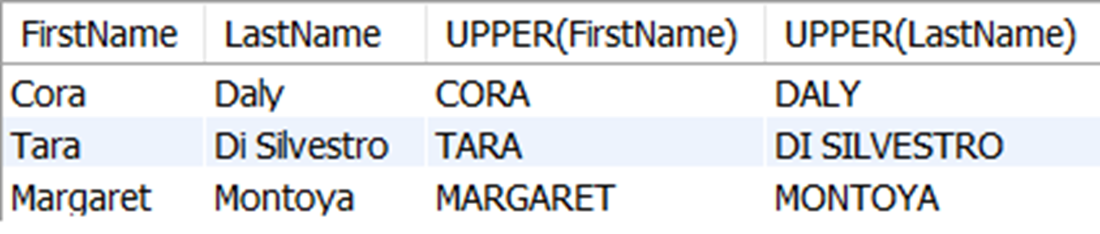
The first and last names of all customers in California, as they exist in the customer table and as all uppercase using the UPPER function with defined column names.
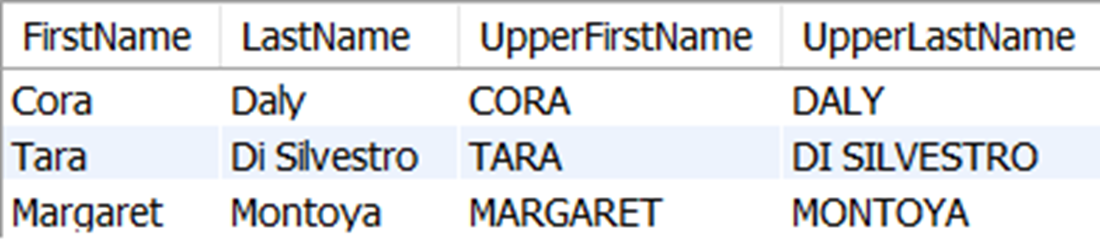
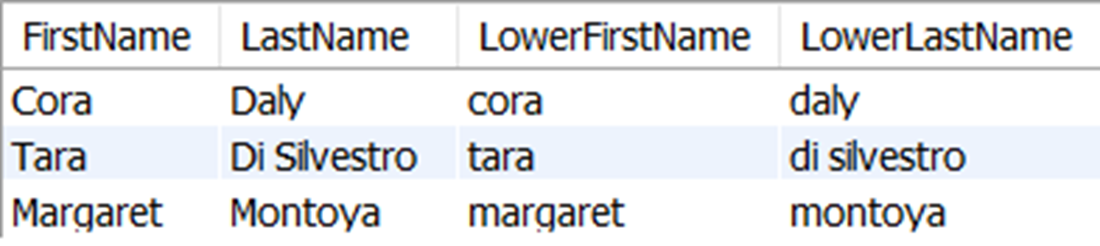
The first and last names of all customers in California, as they exist in the customer table and as all lowercase using the LOWER function with defined column names.
The results of selecting the character string “ word ”, which has three leading spaces and two trailing spaces, with the three trim-related functions. LTRIM removes the left leading spaces, RTRIM removes the right trailing spaces, and TRIM removes both leading and trailing spaces.

The results of selecting the length of the strings with the LENGTH function, after applying different trim functions to the string “ word “. Since the removal of leading and trailing spaces can be difficult to see, we can use LENGTH to validate the results of using the trim functions.

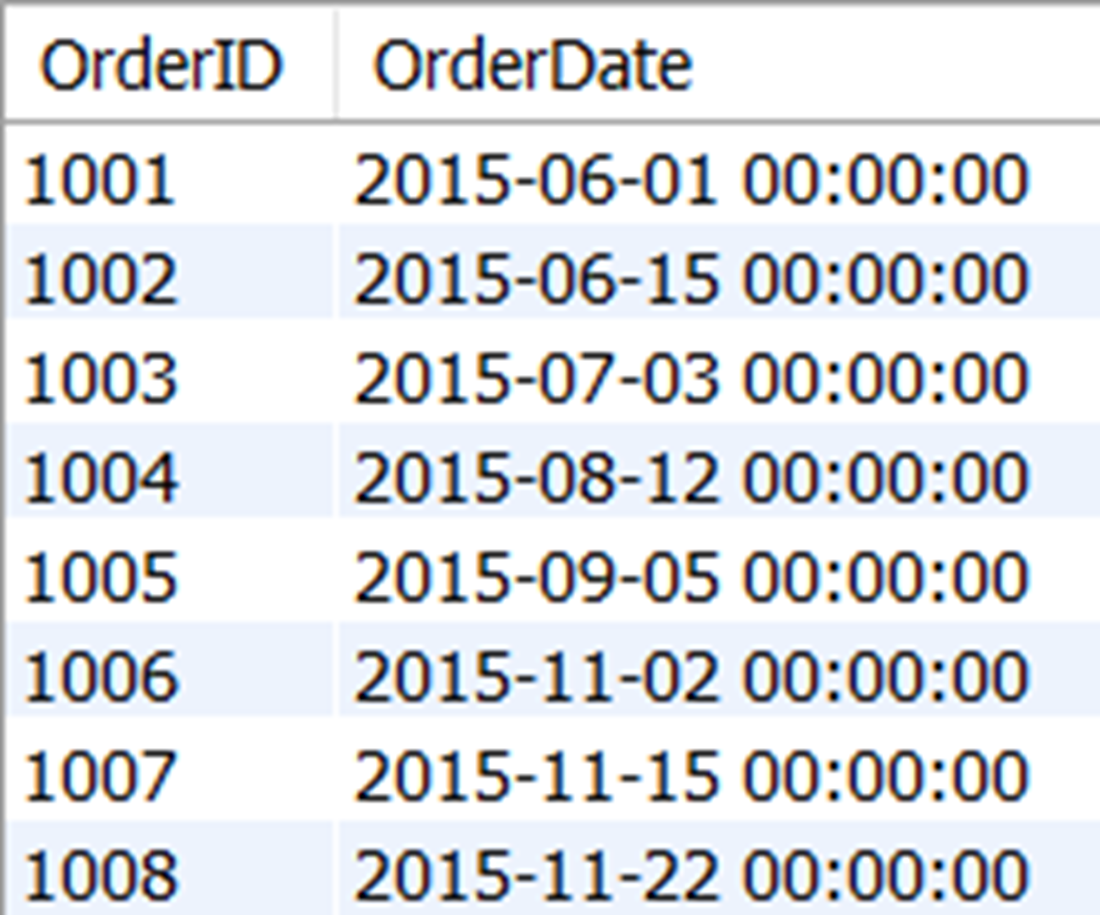
The results of all order id and order dates from orders placed in 2015. We got these results by using the YEAR function.
The results of all the date and time parts from the order date of the first order in the orderheader table.

The results of using the MONTHNAME and DAYNAME to determine the names of the month and day of the first order in the orderheader table.

The results of selecting the current database used by the connection, which is the sqlnovel database.

Lab answers
- The CURRENT_TIMESTAMP function will accept integers as parameters, which determine the precision used in the value of date and time returned. Adding the 2 as shown below will additionally return milliseconds of the date and time.
- We can use the DAYNAME function, which will allow us to filter rows in the orderheader table that have an order date that happened on a Monday.
- We can use the MAX and LENGTH functions to determine the longest title name in the title table.
The next part might be a bit more challenging because it involves a subquery. We can filter on titles with the length determined by the previous query, by using a subquery in the predicate to determine the name of the longest title that has a length matching the MAX length.
FAQ
What are the two main caveats of using SQL functions?
Functions vary across RDBMSs (syntax and availability differ), and they can be inefficient on large datasets because they may need to read/compute over all values. Use them thoughtfully and be prepared to adjust syntax per database.How do I convert text to uppercase or lowercase and give the result a readable column name?
Use UPPER() or LOWER() with an alias:SELECT UPPER(FirstName) AS UpperFirstName, LOWER(LastName) AS LowerLastName FROM customer;How can I remove leading/trailing spaces from strings?
Use LTRIM() for leading spaces, RTRIM() for trailing spaces, and TRIM() for both. Example:SELECT TRIM(Col) AS Cleaned FROM t; You can also nest: RTRIM(LTRIM(Col)).How can I verify that trimming worked?
Check lengths before/after with LENGTH() (MySQL) or LEN() (SQL Server):SELECT LENGTH(Col), LENGTH(TRIM(Col)) FROM t;What common string functions help extract or modify text?
LEFT(text,n), RIGHT(text,n), SUBSTRING(text,start,len), and REPLACE(text, from, to) are widely available for slicing and replacing parts of strings.How do I filter rows by parts of a date, like year or month?
Use functions such as YEAR(), MONTH(), DAY(), HOUR(), MINUTE(), SECOND(). Example:SELECT OrderID FROM orderheader WHERE YEAR(OrderDate) = 2015; Note: applying functions in WHERE can be less efficient on large tables.How do I get the names of the month or day from a date?
Use MONTHNAME(date) and DAYNAME(date). Example:SELECT MONTHNAME(OrderDate), DAYNAME(OrderDate) FROM orderheader WHERE OrderID = 1001;How do I get the current date and time?
Use CURRENT_TIMESTAMP() (same as NOW() in MySQL). For just parts, use CURRENT_DATE() and CURRENT_TIME(). Example:SELECT CURRENT_TIMESTAMP(), CURRENT_DATE(), CURRENT_TIME();How can I find connection info like the current database, user, or server version?
Use DATABASE() for the current DB, CURRENT_USER() for the username, and VERSION() for the DB engine version. Example:SELECT DATABASE(), CURRENT_USER(), VERSION();Can I nest functions, and what is the execution order?
Yes. Functions can be nested; the innermost runs first. Example:LENGTH(TRIM(Col)) computes TRIM(Col) before LENGTH().
 Learn SQL in a Month of Lunches ebook for free
