This chapter builds on set operators by introducing subqueries—queries nested inside other queries—to evaluate one result set against another without running multiple separate statements. Because a SELECT result behaves like a table, subqueries let you filter and join those results as if they were tables, such as replacing a hard-coded filter value with a subquery that returns the needed value at runtime. A key constraint is that subqueries used for filtering in the WHERE clause must return a single column, since SQL evaluates one value (or set of values) at a time there.
To handle subqueries that return multiple rows, the chapter pairs them with logical operators. IN and = ANY both match any value in the subquery’s result (use ANY when combined with comparative operators like >, >=, <, <=; use IN for equality-only checks). For exclusions, NOT IN removes matches, while <> ALL enforces that a value must differ from all values returned by the subquery; using <> ANY is a common pitfall because almost everything will pass whenever any one value differs. The discussion also emphasizes that subqueries increase work for the database engine, so consider necessity and operator choice carefully.
EXISTS and NOT EXISTS are presented as efficient, correlated-subquery options that stop at the first match (or its absence), often outperforming IN/NOT IN on larger datasets. Beyond the WHERE clause, subqueries can appear in the FROM clause as derived tables (which require aliases, can return multiple columns, and can be combined with INNER or LEFT joins for inclusion or anti-join patterns), and they can even appear in the SELECT list—though that last pattern is unusual and generally not recommended. The chapter closes by encouraging judicious use of subqueries, favoring clear intent and performance-aware operator selection.
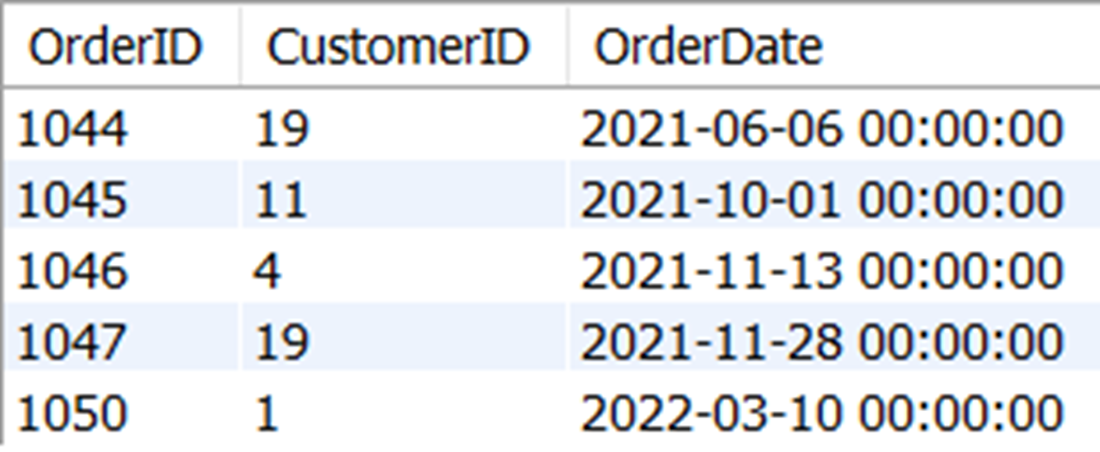
The order ID, customer ID, and order date of all orders placed after Margaret Montoya placed her only order on April 23, 2021
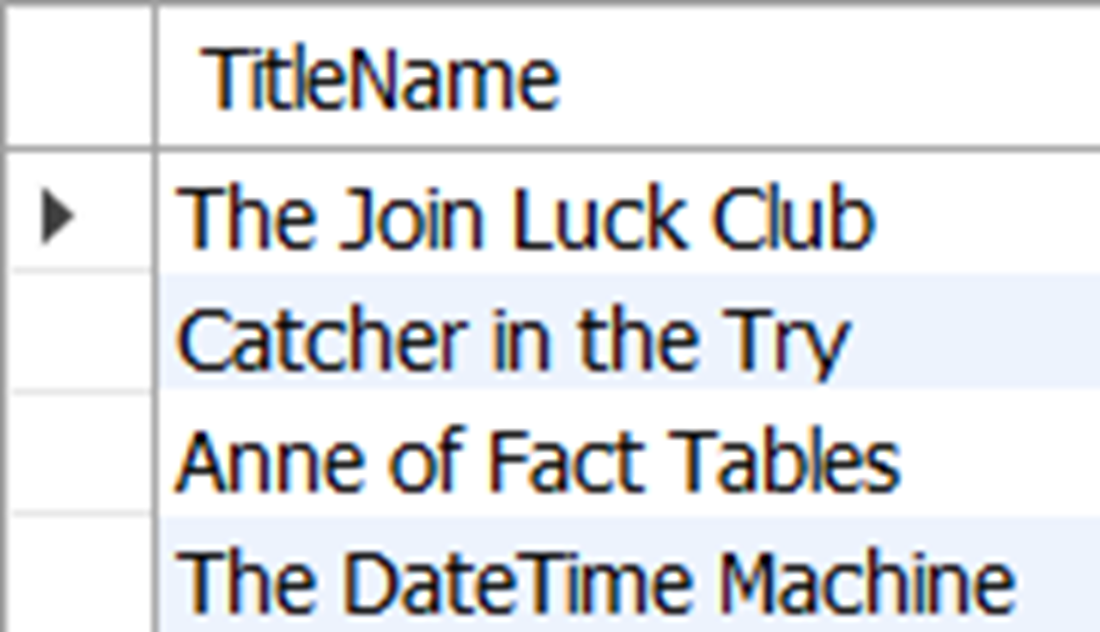
The four titles included in order 1034
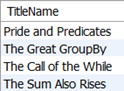
The four titles not included in order 1034
Lab answers
There are many ways to do this, depending on which queries you join in the subquery. Here is one way.
Your query may vary, but here is a way to find the intended order information.
Yes, because the value or column used in the SELECT clause of a subquery is not evaluated by EXISTS or NOT EXISTS.
FAQ
What is a subquery, and why would I use one?A subquery is a SELECT statement nested inside another query. You use it to evaluate the result of one SELECT against another in a single statement—avoiding multiple round trips and enabling filters or joins based on computed result sets.Why can a subquery in the WHERE clause return only one column?In the WHERE clause, SQL evaluates a single value or a set of single values. Therefore, the subquery used there must return exactly one column. Returning more than one column triggers an error because the predicate can’t compare multiple columns at once.How do I filter by multiple values returned from a subquery?Use IN or a comparison with ANY. Example: TitleID IN (SELECT TitleID FROM orderitem WHERE OrderID = 1034). IN and = ANY work the same for equality; ANY also supports other comparisons like >, >=, <, and <=.When should I use IN versus = ANY?Use IN for equality checks; it’s clearer and more common. Use ANY when you need a comparison operator other than =, such as >, >=, <, or <=.How do I exclude values from a subquery result?Use NOT IN or <> ALL. Example: TitleID NOT IN (SELECT TitleID FROM orderitem WHERE OrderID = 1034). Avoid <> ANY for exclusion—it can match everything when the subquery returns multiple rows.What do EXISTS and NOT EXISTS do, and when are they preferable?EXISTS/NOT EXISTS test whether matching rows exist, stopping at the first match (or confirming none exist). They can be faster on large datasets. They’re written as correlated subqueries, e.g., EXISTS (SELECT 1 FROM orderitem oi WHERE oi.OrderID = 1034 AND oi.TitleID = t.TitleID).Why do EXISTS subqueries often use SELECT 1 (or another constant)?With EXISTS/NOT EXISTS, the selected value is ignored. Only the presence of a row matters. Using SELECT 1 is a convention that emphasizes this.Can I use subqueries in the FROM or SELECT clause?Yes. In FROM, a subquery behaves like a derived table and must be aliased; it can return multiple columns for joining/filtering. In SELECT, a subquery returns a scalar per row, but this pattern is uncommon and often less efficient than joins.How can I find rows that have no match in a subquery using joins?Use a LEFT JOIN to a subquery and filter for NULLs from the subquery side. Example: LEFT JOIN (SELECT TitleID FROM orderitem WHERE OrderID = 1034) o ON t.TitleID = o.TitleID WHERE o.TitleID IS NULL.How do I fix “Subquery returns more than 1 row” errors?Either change the predicate to handle multiple values (e.g., replace = with IN or = ANY), or constrain the subquery to a single value (e.g., MIN/ MAX or additional filters) when you truly expect one row.
pro $24.99 per month
access to all Manning books, MEAPs, liveVideos, liveProjects, and audiobooks!

 Learn SQL in a Month of Lunches ebook for free
