7 Adding commands
PowerShell’s strength lies in its extensibility: you can “add commands” by installing modules, much like adding apps to a phone. Modern PowerShell (v6+) focuses on modules rather than the older snap-ins, and Microsoft as well as the community publish modules for services like Azure Compute, Networking, DNS, and more. PowerShellGet streamlines discovering, installing, and updating these extensions from online repositories such as the PowerShell Gallery, though you should treat community code with appropriate caution.
The chapter shows how to find and install modules with commands like Find-Module and Install-Module, handle repository trust prompts, and verify installations with Get-Module -ListAvailable. It explains PSModulePath, the environment variable that tells PowerShell where to look for modules, how to add custom locations to it, and why keeping it lean improves autodiscovery and autoloading of commands and help. If a module lives outside those paths, you can import it by full path; modules may also add providers to the shell. A notable exception discussed is the GoogleCloud module, which requires an initial Import-Module -Force to complete setup before its commands become discoverable.
To avoid command conflicts, most vendors prefix nouns (for example, Az or Gc), and you can disambiguate collisions by module-qualified names or remove a module; you can also assign a custom prefix during import. The text models a practical exploration workflow using the Microsoft.PowerShell.Archive module, demonstrating Compress-Archive and Expand-Archive with parameters like -Verbose and -Force, and emphasizes using Get-Help (especially -Examples or -Full) to learn new commands efficiently. A concluding lab reinforces these skills: browse and install modules, import them, archive and expand files, and verify results with Compare-Object.
Lab answers
Here’s one way to approach this:
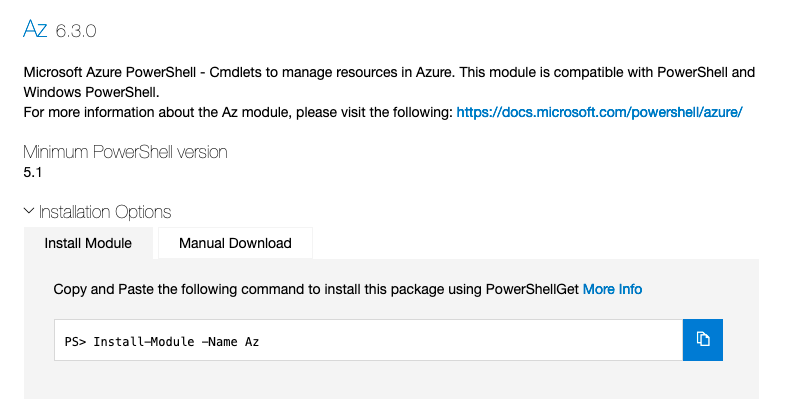
Install-Module moduleyoufound
a)If you are on a Windows machine we suggest the import-excel moduleGet-Command –module moduleyoufound
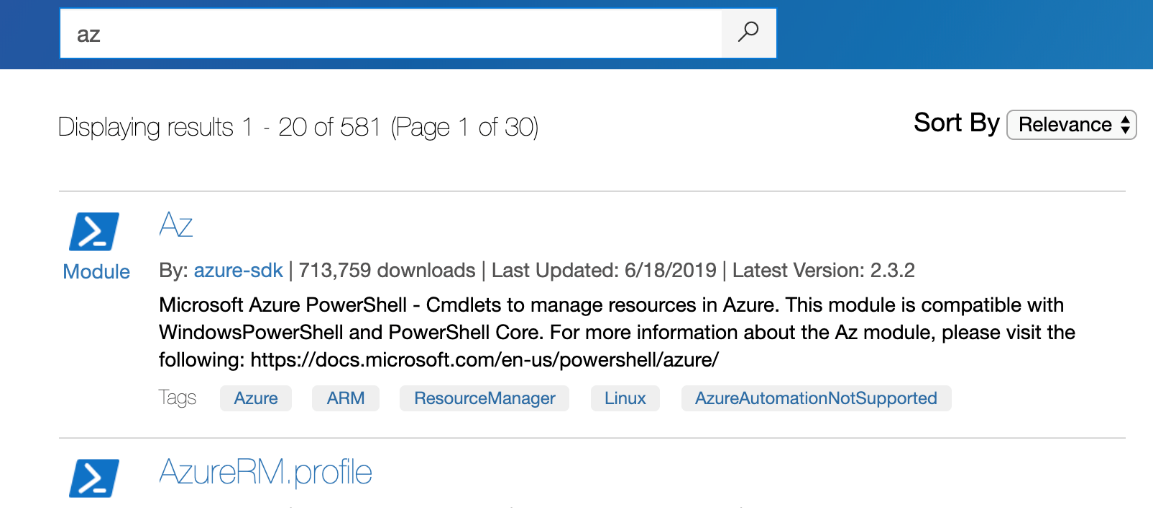
a)Get-command -module azFind-Module -Command Compress-Archive | Install-Module -ForceImport-Module Microsoft.PowerShell.Archivewill create a collection of the numbers between 1 and 10. If you did this another way, don’t worry.
a)New-Item ~/TestFolder -ItemType Directory
b)1..10 | ForEach-Object {New-Item "~/TestFolder/$_.txt" -ItemType File -Value $_}Compress-Archive ~/TestFolder/* -DestinationPath ~/TestFolder.zipExpand-Archive ~/TestFolder.zip -DestinationPath ~/TestFolder2- This is a possible way. Remember
diris an alias forGet-ChildItem
FAQ
What is a PowerShell module and how does it add commands?
A module is a self-contained package that adds commands, help, and other assets to PowerShell. Starting with PowerShell 6, modules are the only supported extension type (snap-ins are legacy). Installing a module makes its commands discoverable and auto-loadable by the shell.How do I find and install modules from the PowerShell Gallery?
Use PowerShellGet. Common commands include:Find-Module (search), Install-Module (install), and Update-Module (update). On first install you may see an “untrusted repository” prompt; use Set-PSRepository to change the policy if appropriate.Is everything in the PowerShell Gallery Microsoft-produced or endorsed?
No. The Gallery hosts community-contributed code. Review, test, and use due caution before running third‑party modules in your environment.How can I check whether a module supports my PowerShell edition or platform?
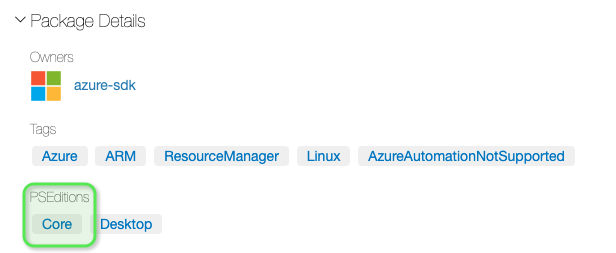
On the module’s page in the PowerShell Gallery, review the Package Details and PSEditions section to see what the author has tested and supports.What is PSModulePath and how do I view or modify it?
PSModulePath is an environment variable listing folders where PowerShell looks for modules. View it with (Get-Content Env:/PSModulePath) and split by ':' on macOS/Linux or ';' on Windows. Add a path with $env:PSModulePath += [System.IO.Path]::PathSeparator + 'C:\Scripts\MyModules'.How does module autodiscovery and autoloading work?
If a module resides in any folder listed inPSModulePath, PowerShell can discover its commands, show help for them, and autoload the module the first time you run one of its commands. Keep PSModulePath lean for best performance.What if my module isn’t in a PSModulePath location?
Import it by specifying the full path, for example:Import-Module 'C:\Scripts\MyModules\MyModule'. You can also add that folder to PSModulePath so it’s found automatically next time.How do I resolve command name conflicts between modules?
Prefer modules that use product-specific noun prefixes (for example,Get-AzStorageTable or Get-GcSqlInstance). To disambiguate, run a command as ModuleName\CommandName, import a module with a custom prefix using Import-Module -Prefix, or unload a module with Remove-Module.Why don’t I see any commands after installing a module like GoogleCloud?
Some modules require a first‑run initialization. RunImport-Module GoogleCloud -Force to trigger setup; after that, commands (for example, those managing Google Cloud SQL) will appear.How can I quickly learn a new module’s commands (example: archive/zip)?
UseGet-Command -Module ModuleName to list commands, then Get-Help with -Full or -Examples. For zipping, the Microsoft.PowerShell.Archive module provides Compress-Archive and Expand-Archive; use -Path, -DestinationPath, -Force to overwrite, and -Verbose to see progress.
 Learn PowerShell in a Month of Lunches, Fourth Edition ebook for free
