Pre-trained large language models have reshaped generative AI by enabling high-quality text, code, image, and speech generation without training models from scratch. This chapter explains how to harness these capabilities effectively, emphasizing Python-based integration for automation and customization and introducing LangChain to orchestrate multiple models and services. It also frames prompting styles—zero-shot, one-shot, and few-shot—as core techniques for guiding model behavior, and closes with a balanced discussion of limitations and ethical concerns.
Practically, the chapter demonstrates using the OpenAI API from Python for tasks such as question answering, summarization, creative writing, code generation, image synthesis, and text-to-speech. Because LLMs are trained on past data and lack real-time awareness, the chapter shows how LangChain can build an agent that selects the right tool for a query, chaining LLMs with external services like Wolfram Alpha for computations and current data and Wikipedia for factual lookups. With LangChain’s agent and tool abstractions (including ReAct-style reasoning), readers progressively add custom tools—a text summarizer, joke teller, sentiment classifier, and generators for code and images—so the agent can autonomously decide how to solve diverse tasks.
Finally, the chapter highlights critical caveats: LLMs can make reasoning errors, hallucinate facts, and fail on nuanced problems; they also raise concerns around bias, misinformation, privacy, and copyright. It recommends mitigation through careful prompt design, tool augmentation for verification and retrieval, bias-aware development practices, robust content moderation, and transparent, responsible deployment. The result is a practical blueprint for building capable, extensible LLM-powered systems while maintaining rigor and ethical safeguards.
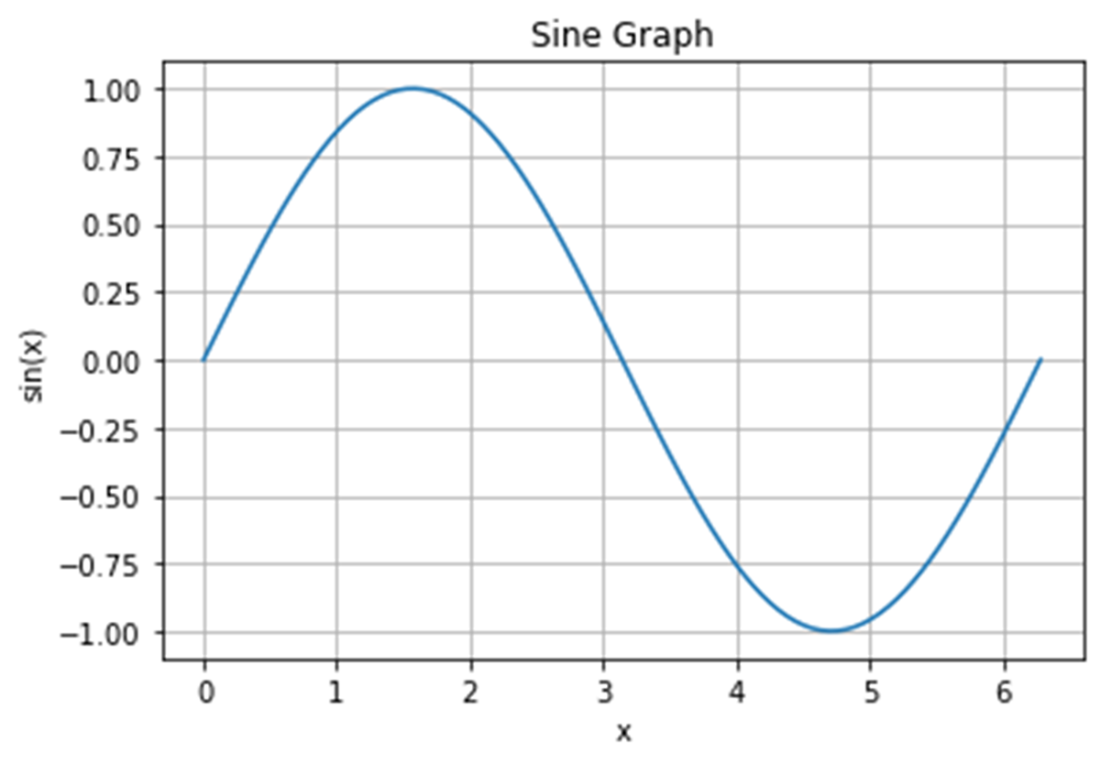
Use OpenAI GPT-3.5 to generate Python code to plot a sine curve. We use the text description “Write a Python program to plot a sine graph” to ask it to generate a Python program. We then run the program to create the graph.
An image generated by DALL-E 2 with the text prompt “someone fishing at the riverbank.”
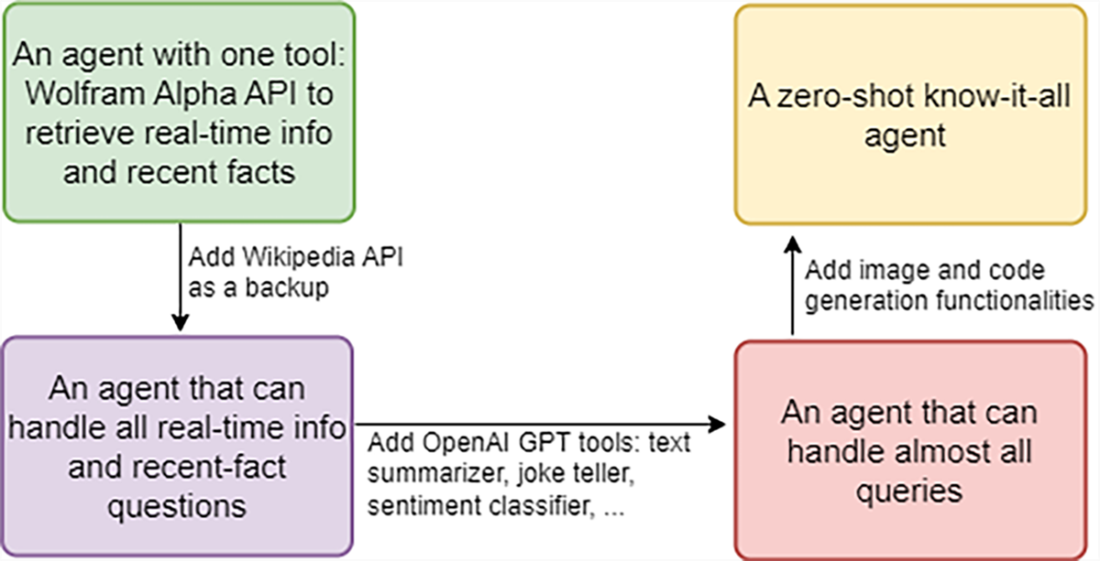
Steps to create a zero-shot know-it-all agent with the LangChain library
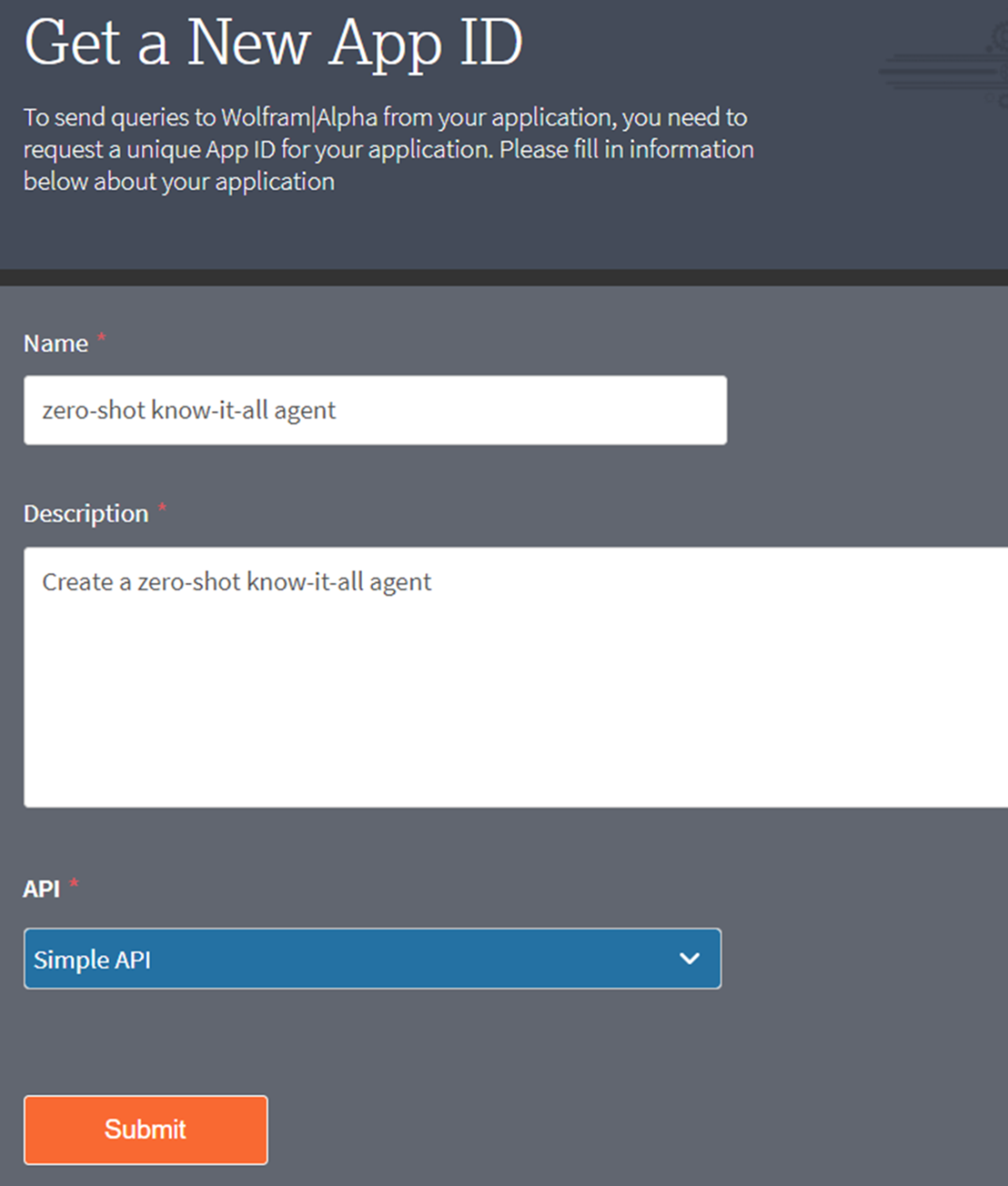
Applying for a Wolfram Alpha AppID
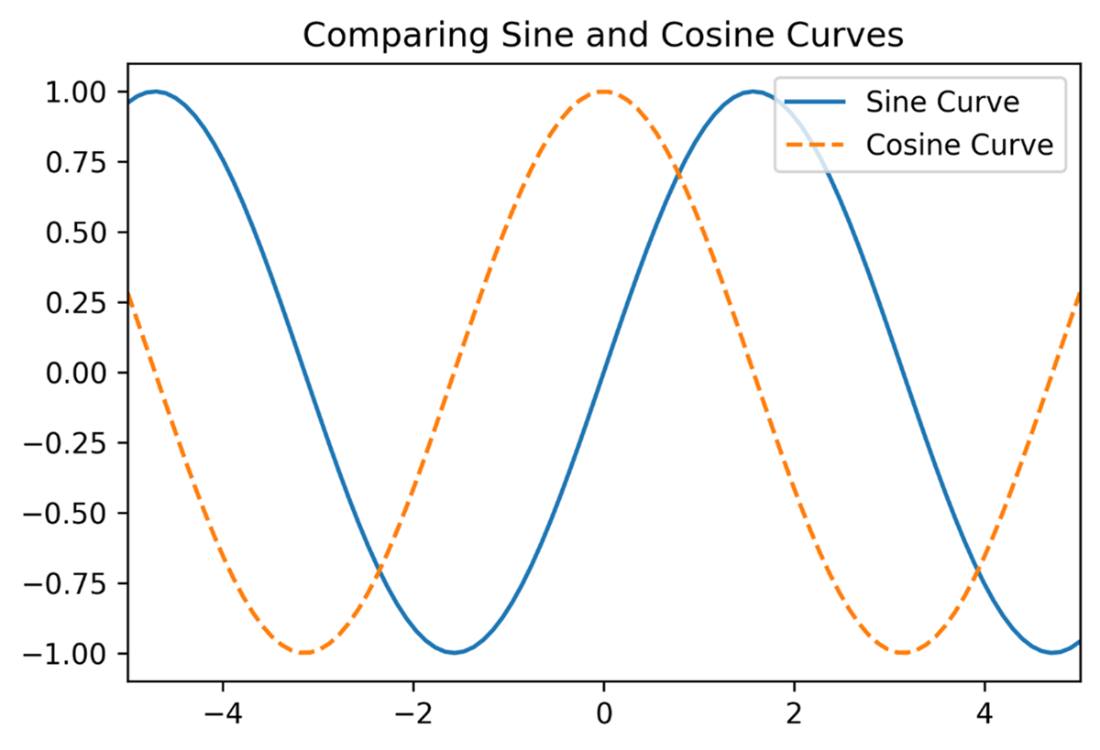
Add a tool in LangChain to generate Python code. The tool then generates code to plot sine and cosine curves in the same graph, with a legend and line styles.
An image generated by a know-it-all agent in LangChain.
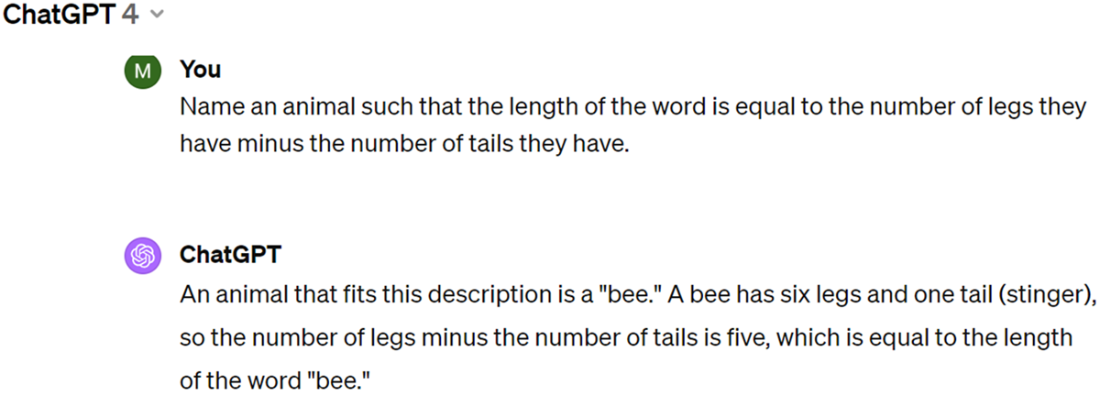
How GPT-4 still makes low-level mistakes.
Summary
Few-shot prompting means you give LLMs multiple examples to help them understand the task, while one-shot or zero-shot prompting means one example or no example is provided.
LangChain is a Python library designed to facilitate the use of LLMs in various applications. It abstracts away the complexities of interacting with different LLMs and applications. It allows the agent to automatically go to the right tool in the toolbox based on the task at hand without explicitly telling it what to do.
Modern pre-trained LLMs such as OpenAI’s GPT series can create various formats of content such as text, images, audio, and code.
Despite their impressive achievements, LLMs lack a true understanding of the content or the ability to reason. These limitations can lead to errors in logic, factual inaccuracies, and a failure to grasp complex concepts or nuances. Furthermore, the rapid advancement and widespread application of these models have given rise to a host of ethical concerns such as bias, misinformation, breach of privacy, and copyright infringements. These issues demand careful consideration and proactive measures to ensure that the development and deployment of LLMs align with ethical standards and societal values.
FAQ
How do I set up my environment to follow this chapter?Install the required packages, then add your API keys. In a fresh environment or notebook, run: pip install --upgrade openai langchain_openai langchain, pip install wolframalpha langchainhub, and pip install --upgrade --quiet wikipedia. You need an OpenAI API key (from the prior chapter) and, for Wolfram Alpha, an AppID set as the environment variable WOLFRAM_ALPHA_APPID. Using Jupyter Notebook is recommended for running the examples.What kinds of content can I generate with pre-trained LLMs via the OpenAI API?You can generate text (Q&A, summaries, creative writing), code (e.g., Python), images (with DALL-E 2), and audio (text-to-speech). Text/code use chat.completions with messages that include roles: system (behavior), user (instructions), and assistant (model replies). Image generation uses the images API, and speech uses the audio.speech API.What’s the difference between zero-shot, one-shot, and few-shot prompting?Zero-shot gives only instructions with no examples; the model relies on prior knowledge. One-shot provides a single example to illustrate the task. Few-shot supplies multiple examples so the model can infer the pattern (useful for tasks like classification). Keep your example format consistent (e.g., using the same separators) so the model understands the mapping.Why use Python and LangChain instead of a browser UI?Python enables automation, customization, and integration with systems and data pipelines (e.g., scheduled reports, conditional logic, error handling). LangChain adds orchestration: it abstracts model/tool specifics, lets you chain LLMs with external tools (e.g., Wikipedia, Wolfram Alpha), and compose multi-step agents for more accurate, task-appropriate solutions.Can GPT still generate code, and what happened to Codex?Yes. Code generation is handled within GPT-3.5/GPT-4 chat endpoints; Codex’s capabilities are integrated rather than exposed as a separate model. Provide a clear natural-language description (requirements, libraries, constraints) and the model will produce runnable code (e.g., Matplotlib plots in Python).How do I generate images with DALL-E 2, and what should I expect?Call the images API (model “dall-e-2”) with a text prompt, size, and count. The response includes a temporary URL (expires in about an hour). Image outputs are stochastic: the same prompt can yield different images across runs due to the underlying diffusion process.What is LangChain, and what problems does it solve?LangChain is a framework for building LLM-powered applications that coordinate models and tools. It simplifies calling different LLMs/APIs, manages prompts, and enables agents that decide which tool to use for a task, such as combining GPT with Wolfram Alpha for real-time data and Wikipedia for recent facts.What is a ReAct agent in LangChain and how does it work?A ReAct agent (e.g., the “hwchase17/react” prompt) interleaves reasoning with tool use. Given a question and a toolbox (Wolfram Alpha, Wikipedia, custom tools), it decides which tool to call, observes the result, reasons about next steps, and produces a final answer. The AgentExecutor can show its step-by-step reasoning and tool calls when verbose mode is on.How do I add Wolfram Alpha and Wikipedia so the agent can answer real-time or recent questions?Obtain a Wolfram Alpha AppID and set WOLFRAM_ALPHA_APPID. In LangChain, load tools like “wolfram-alpha” and “wikipedia” with your LLM (e.g., ChatOpenAI). The agent will route queries: Wolfram Alpha for computations and real-time info; Wikipedia for factual lookups about recent or specific events.How do I create custom tools in LangChain (summarizer, joke teller, code/image generators)?Define a PromptTemplate and an LLMChain for each task, then wrap it as a Tool (Tool.from_function) with a clear name and description. Recreate the agent with the expanded tool list. Phrase inputs to match the tool template so the agent selects the right tool. For images, you can pair a text-to-image prompt chain with DALL·E via DallEAPIWrapper.What limitations and ethical concerns should I keep in mind?LLMs can make logical or factual errors, and they lack true understanding. They may miss real-time events due to training cutoffs, and can exhibit bias or produce misinformation. Privacy and copyright concerns arise from training data and outputs. Mitigations include tool integration for up-to-date facts (e.g., Wolfram/Wikipedia), careful prompt design, bias detection/correction, content moderation, and adherence to evolving legal/ethical guidelines.
pro $24.99 per month
access to all Manning books, MEAPs, liveVideos, liveProjects, and audiobooks!



 Learn Generative AI with PyTorch ebook for free
