8 Supporting reliability with health checks and dependency checks
Building production-ready containers means giving the platform the signals it needs to keep applications healthy and online. This chapter shows how to embed both runtime health checks and startup dependency checks into container images so that orchestrators can detect failures, restart or replace instances, and maintain availability. It frames these checks as the foundation of self-healing behavior, moving beyond simple “process is running” indicators to application-aware status that helps clusters recover automatically from faults.
Health checks augment Docker’s basic process monitoring by periodically executing a command that validates real application behavior (for example, calling a health endpoint). Docker records results, exposes status and recent logs, and lets you tune intervals, timeouts, retries, and startup grace periods. On a single host Docker won’t replace unhealthy containers to avoid unintended downtime, but in a cluster the platform can act on these signals to reschedule containers. The chapter recommends replacing ad hoc shell tools like curl with a small, language-native check utility packaged via multi-stage builds, which reduces image bloat, shares configuration with the app, enables richer logic (retries, branching), and keeps behavior portable across Docker, Compose, and Kubernetes.
Dependency checks run before the app starts to verify prerequisites such as service endpoints, enabling fail-fast behavior: if a dependency isn’t ready, the container exits so the platform can restart it when conditions improve. The chapter demonstrates this with a web service that depends on an API, and shows how Docker Compose can reinforce resilience by adding health checks, configuring restart-on-failure, and allowing services to start in any order while checks drive convergence to a working state. Finally, it advises designing checks thoughtfully—keep periodic health checks lightweight and focused on critical paths, and use more thorough logic at startup—so the platform can handle transient issues and even mitigate persistent bugs by recycling containers without taking the application offline.
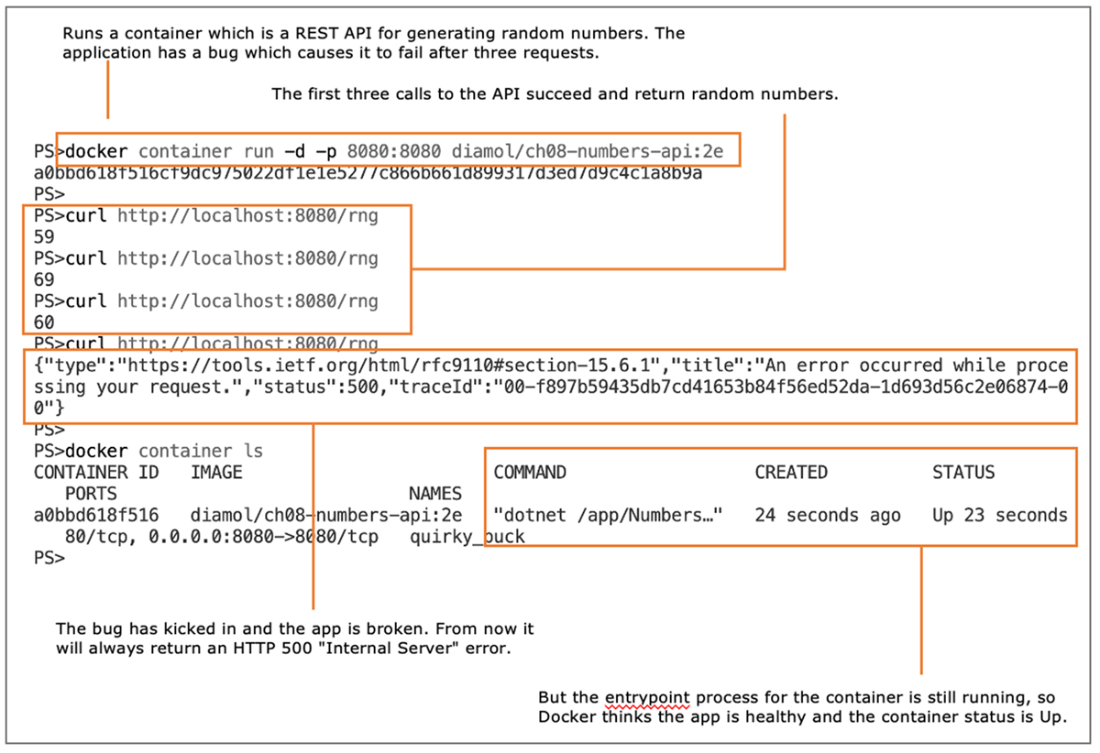
Docker checks the app process, so the container is up even if the app is in a failed state.
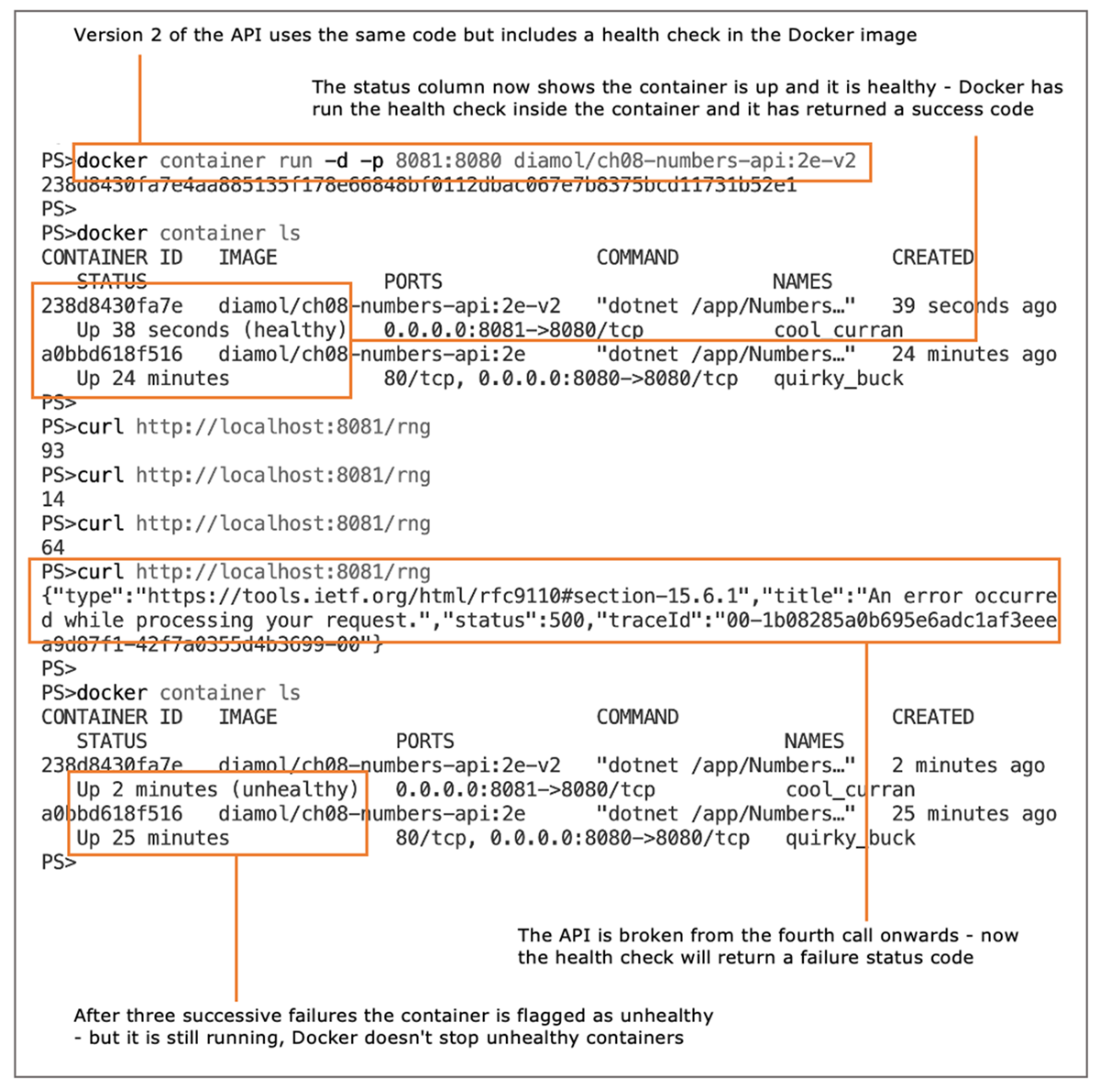
A broken app shows as an unhealthy container, but the container is still up.
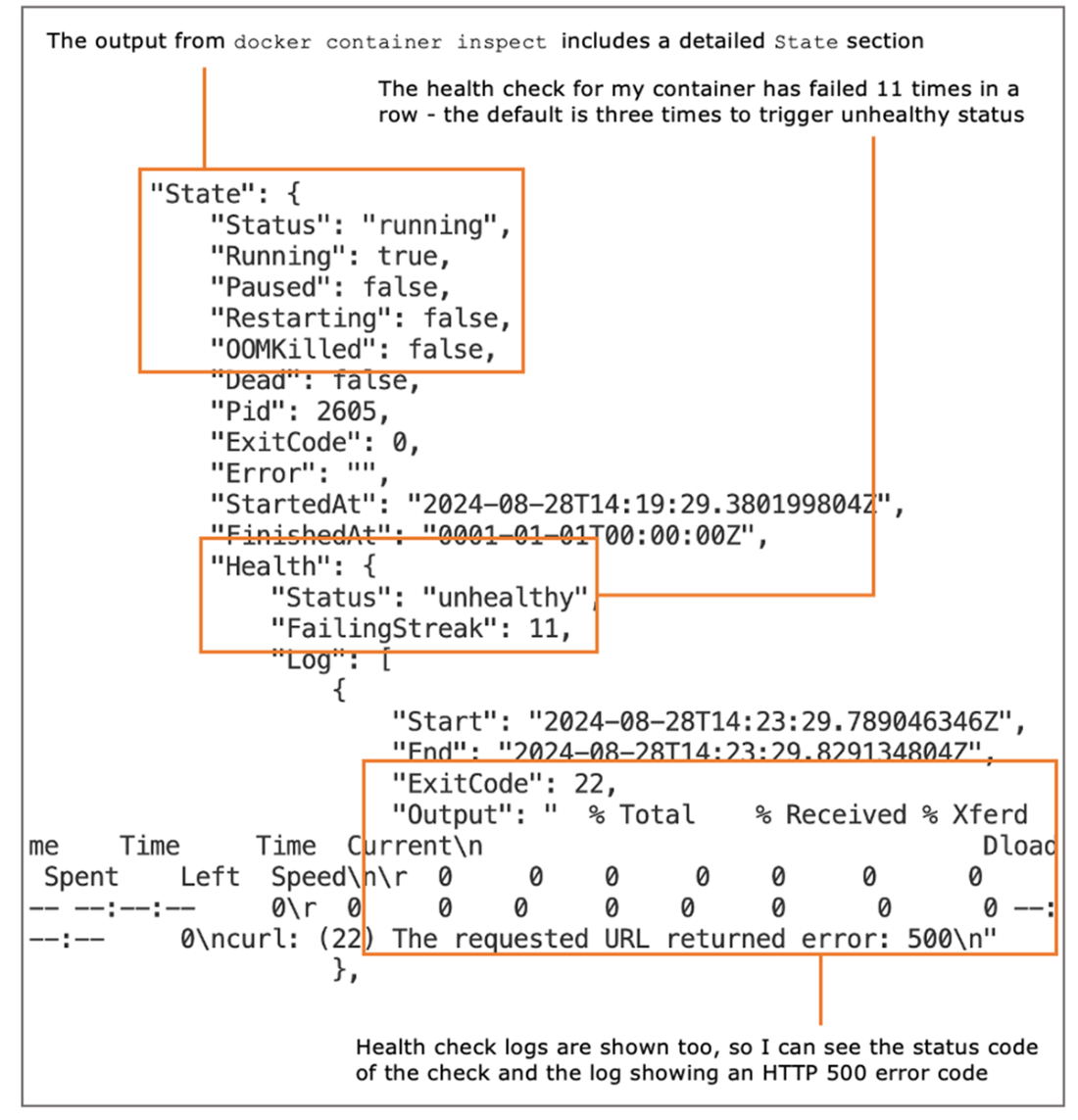
Containers with a health check show the health status of the app and the health check logs.
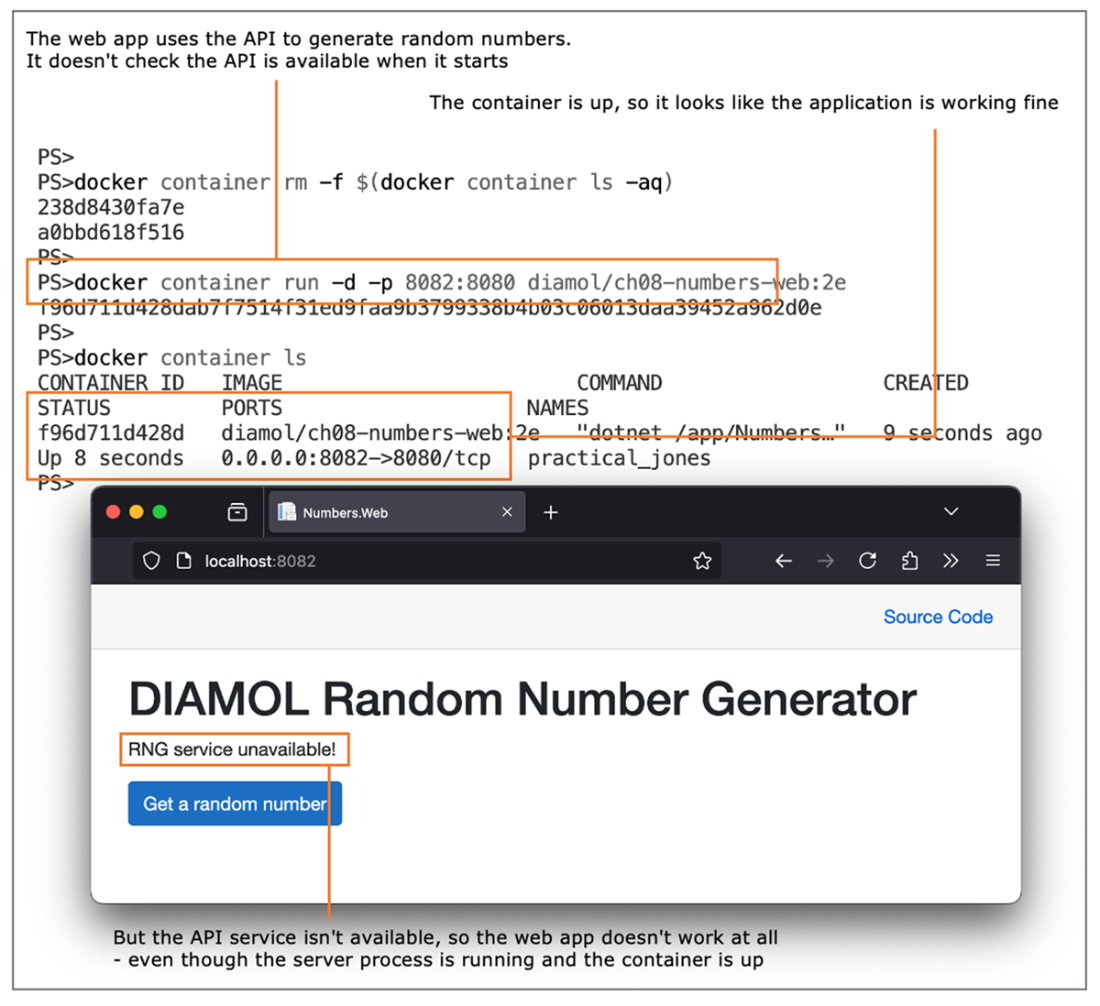
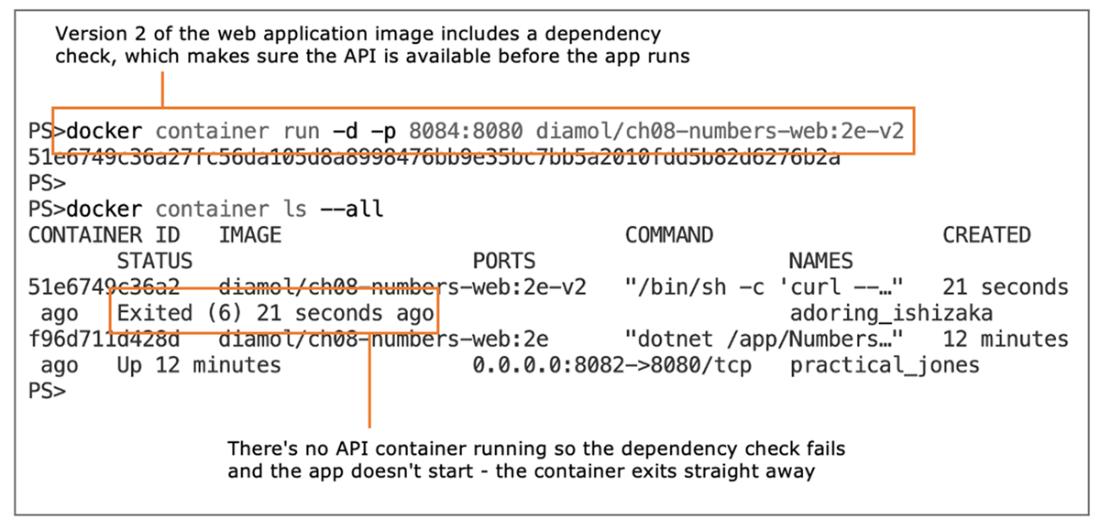
Apps that don’t verify that their dependencies are available may look OK but be in a failed state.
A container with dependency checks at startup exits if the checks fail.
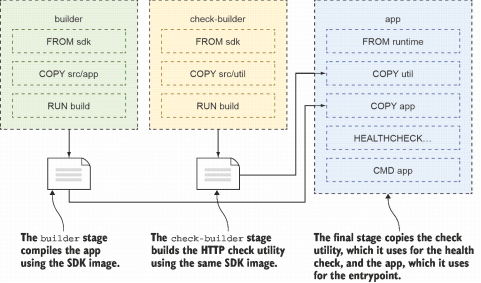
Using multi-stage builds to compile and package utilities alongside the application
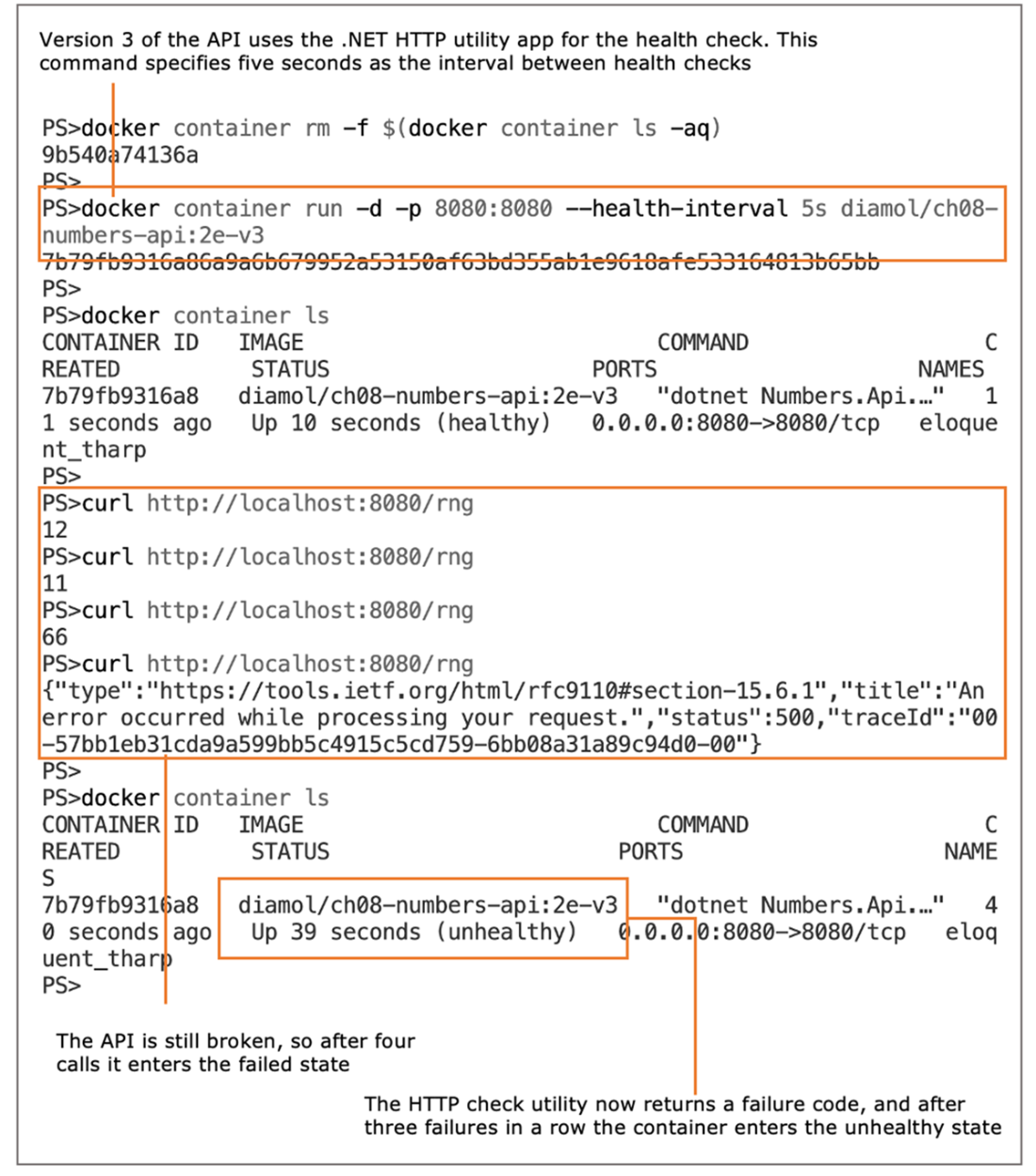
A container health check that uses a utility tool packaged into the Docker image
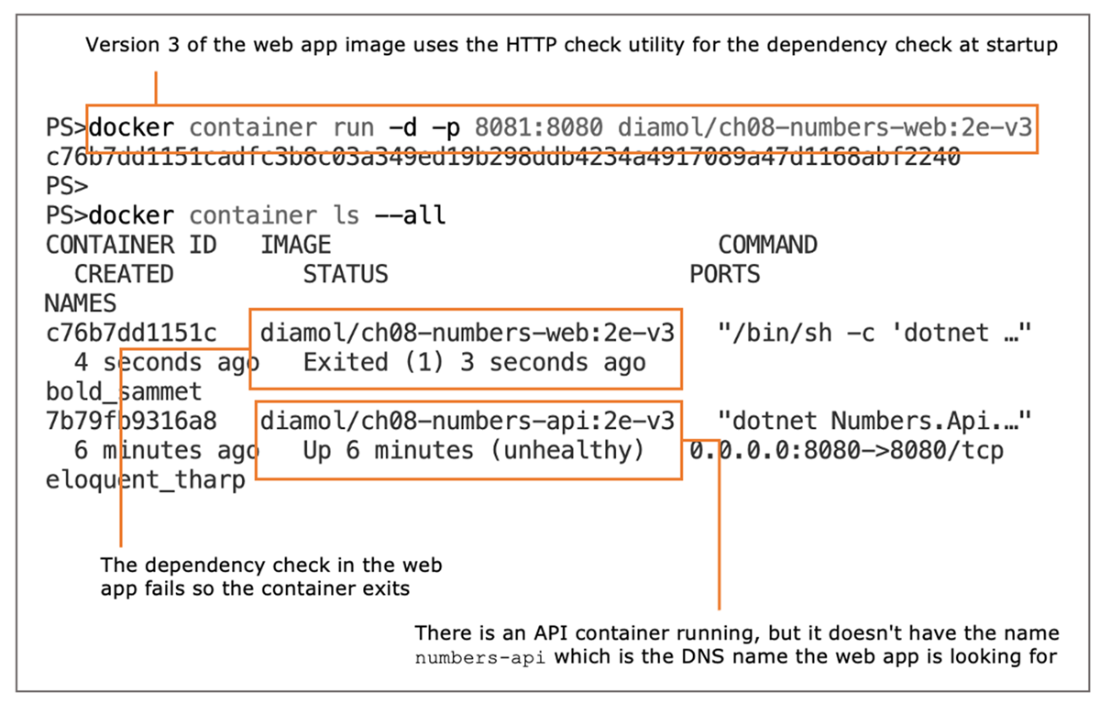
Using a utility packaged into the Docker image as the dependency check tool
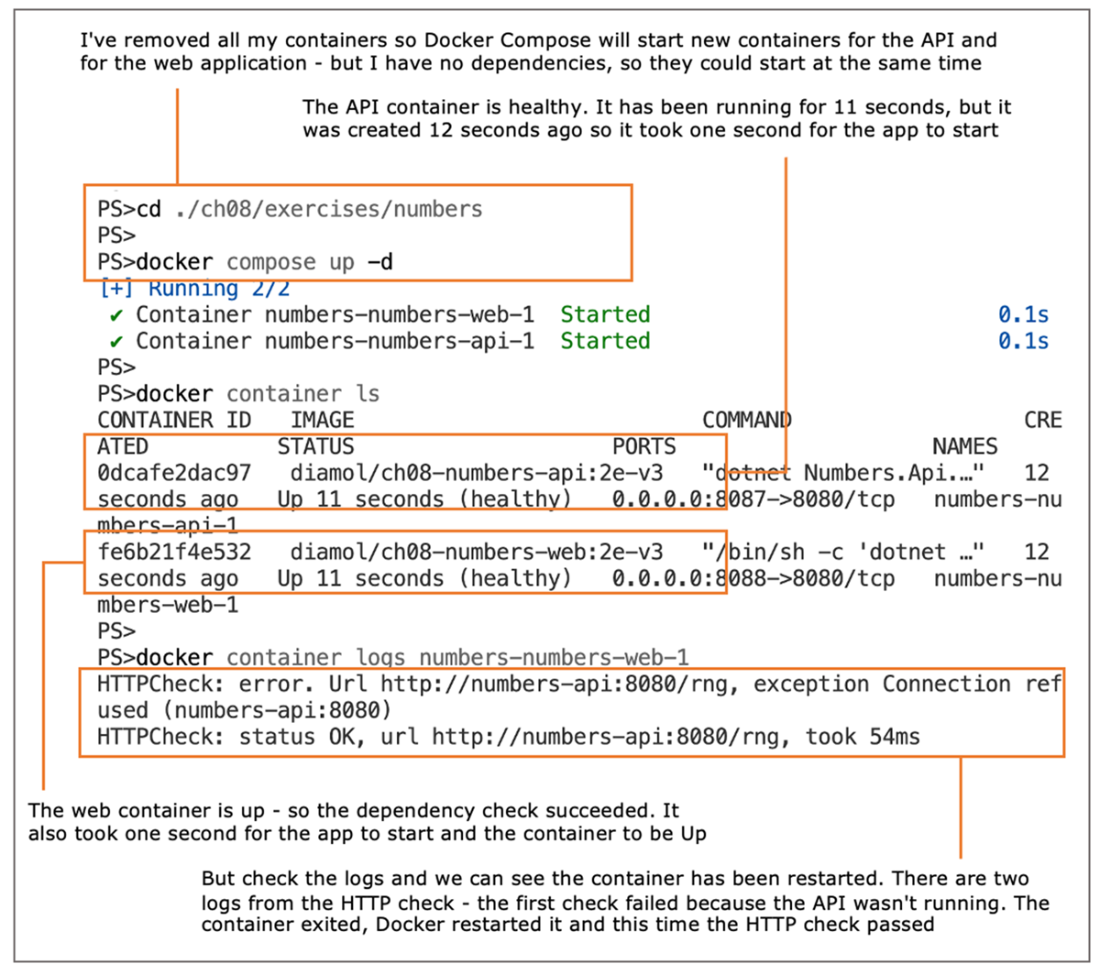
Docker Compose adds resilience—the web container is restarted after its first check fails.
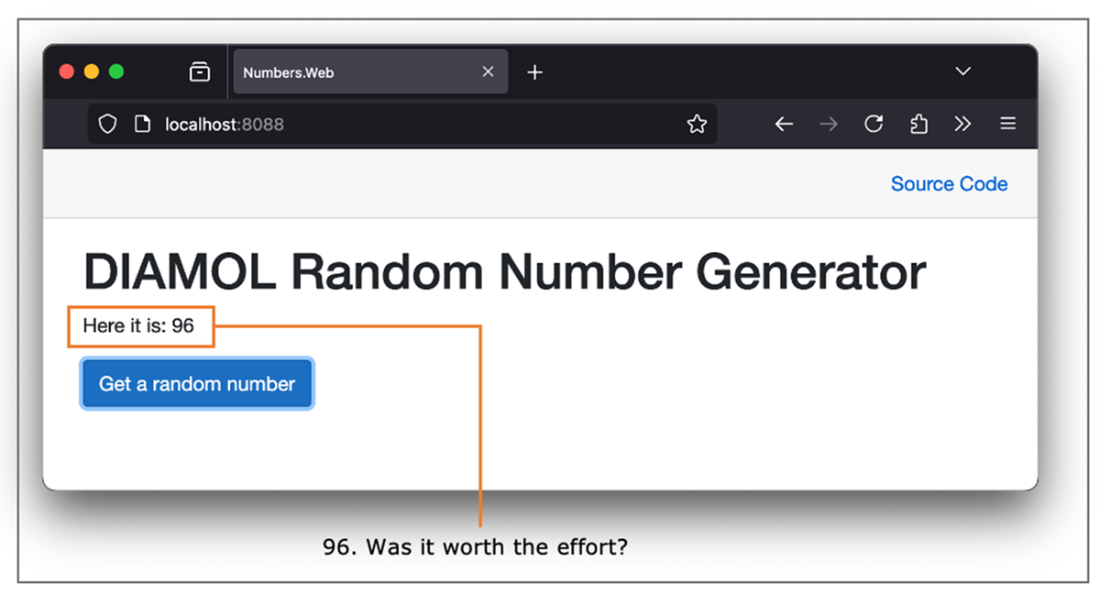
The app is finally working correctly, with health and dependency checks in the containers.
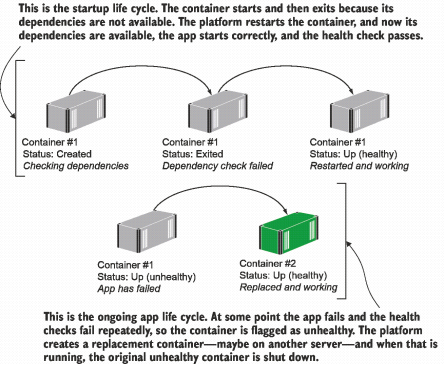
Self-healing applications in a production cluster—containers can be restarted or replaced.
FAQ
What problem do Docker health checks solve beyond “is the process running?”Health checks validate that the application inside the container is actually working, not just that the main process is alive. A containerized web app can keep its process running while returning errors (for example, HTTP 500 or 503), which would still appear “Up” to Docker without a health check. A health check detects this and marks the container unhealthy so a platform can react.How do I add a health check to a Docker image?Use the HEALTHCHECK instruction in the Dockerfile to run a command inside the container that returns 0 on success and non-zero on failure. For example, run an HTTP probe against a /health endpoint. Docker executes it periodically; consistent failures mark the container unhealthy.What are the defaults and tunable settings for health checks?By default, the check runs every 30s and 3 consecutive failures mark a container unhealthy. You can override cadence per container with flags (for example, --health-interval) or in Docker Compose using:
- interval: time between checks
- timeout: max duration before a single check is considered failed
- retries: consecutive failures before marking unhealthy
- start_period: delay before checks begin (gives startup time)Why doesn’t Docker Engine automatically restart or replace unhealthy containers?On a single host, automatic replacement can cause downtime or data loss (for example, if the app stores data inside the container). Docker Engine emits the unhealthy status but leaves the container running. In a cluster (for example, Kubernetes), the platform can safely start replacements on other nodes while keeping service available.How can I see the current health state and recent check results?Run docker container inspect on the container and review State.Health. You’ll see:
- Status: healthy or unhealthy
- FailingStreak: number of consecutive failures
- Log: recent check attempts with exit codes and output
This helps diagnose why health checks are failing.What is a dependency check, and how is it different from a health check?A dependency check runs before the app starts to ensure required services (APIs, databases, files, certificates) are available. If dependencies aren’t ready, the container exits (fail-fast). A health check runs periodically after startup to verify the app continues to operate correctly.How do I implement a dependency check in a container?Put the check in the startup command (ENTRYPOINT or CMD). For example: run an HTTP call to a required service and only start the app if the call succeeds (using “cmd1 && cmd2” semantics). If the check fails, the container exits, allowing the platform to restart it later when dependencies are ready.Why use a custom check utility instead of curl or shell scripts?Benefits include:
- Smaller, safer images (no extra tools)
- Richer logic (retries, branching) in your app’s language
- Reuse app configuration (same settings, no duplication)
- Ability to test non-HTTP dependencies with your app’s libraries
- Consistent behavior across Docker, Compose, and KubernetesHow do health and dependency checks work with Docker Compose?Compose can:
- Configure healthcheck parameters (interval, timeout, retries, start_period)
- Add a health check even if the image doesn’t define one (healthcheck.test)
- Restart containers that exit (restart: on-failure)
With dependency checks in the image, Compose can start services in any order: if a dependency isn’t ready, the container exits and Compose restarts it once the dependency is available.How do checks enable self-healing in a cluster platform?In Kubernetes or similar platforms, unhealthy containers are detected and can be replaced, and containers that fail dependency checks are restarted elsewhere. This avoids rigid startup ordering; the platform schedules many containers quickly, and fail-fast behavior plus health probes allow the system to converge to a healthy, serving state with minimal downtime.
pro $24.99 per month
access to all Manning books, MEAPs, liveVideos, liveProjects, and audiobooks!

 Learn Docker in a Month of Lunches, Second Edition ebook for free
