5 Sharing images with Docker Hub and other registries
After learning how to build and run containers, the next step is sharing images so others can use them reliably across environments. Docker solves distribution with registries, the central servers that store images; Docker Hub is the default and most widely used. Images are identified by full references made up of registry domain, account/namespace, repository, and tag. While Docker defaults to Docker Hub and the tag “latest,” effective sharing requires explicit naming and version tags so the exact image can be found, pulled, and reproduced.
Pushing to Docker Hub involves logging in, tagging the local image with your account and a version, and pushing; the registry stores content by layers, so optimized Dockerfiles reduce upload time and bandwidth. Hub auto-creates repositories and makes them publicly pullable by default, but you can also use other cloud registries or run your own lightweight registry in a container. For a local, HTTP-only registry, you typically add a friendly hostname, tag images with that domain, allow it as an insecure registry in Docker’s daemon configuration, restart the engine, and then push—keeping in mind the security risks of unencrypted registries.
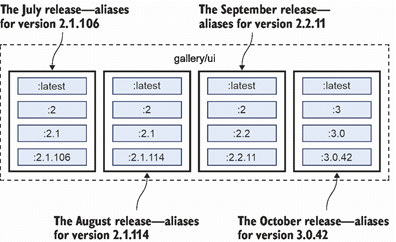
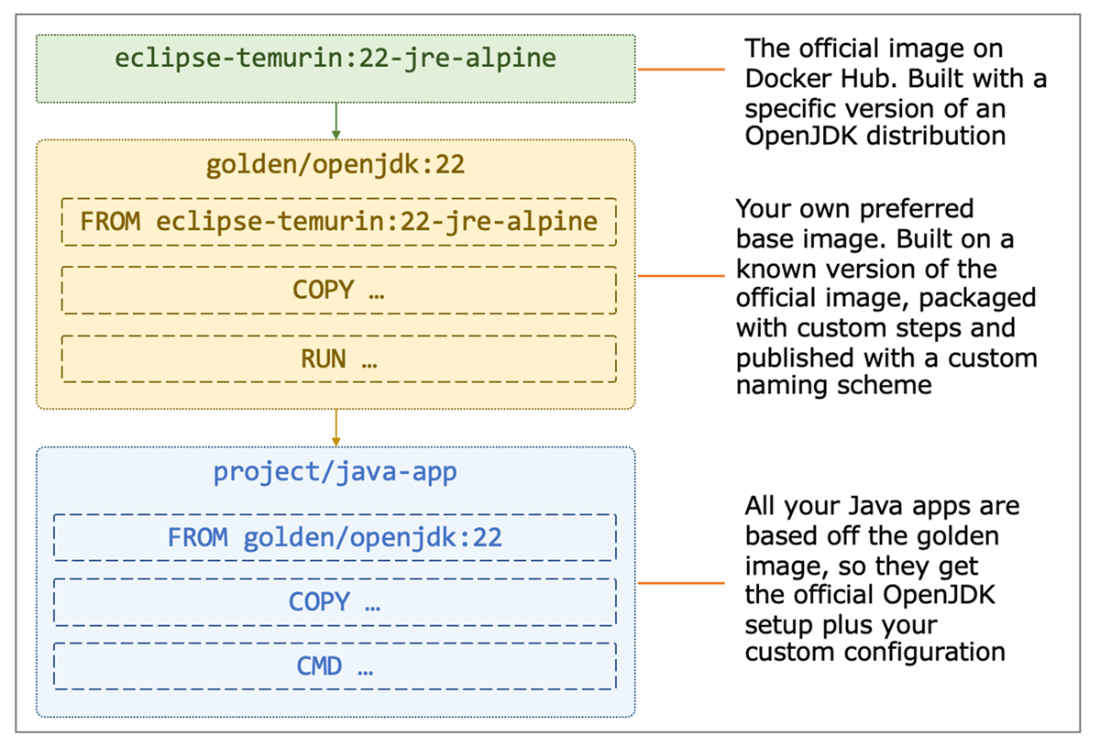
Tags are your versioning contract: use semantic versioning (major.minor.patch) to let consumers pin to exact patches for repeatability, stick to a minor line for bug fixes, or track a major line for new features; avoid relying on “latest.” Always pin base images in your Dockerfiles to stable tags to prevent surprise breaks. For trust, prefer images from verified publishers and official images, and consider creating organization-specific “golden images” that wrap official bases with your certificates, settings, and update cadence. You can enforce their use in CI, ensuring consistent, secure foundations across all application images.
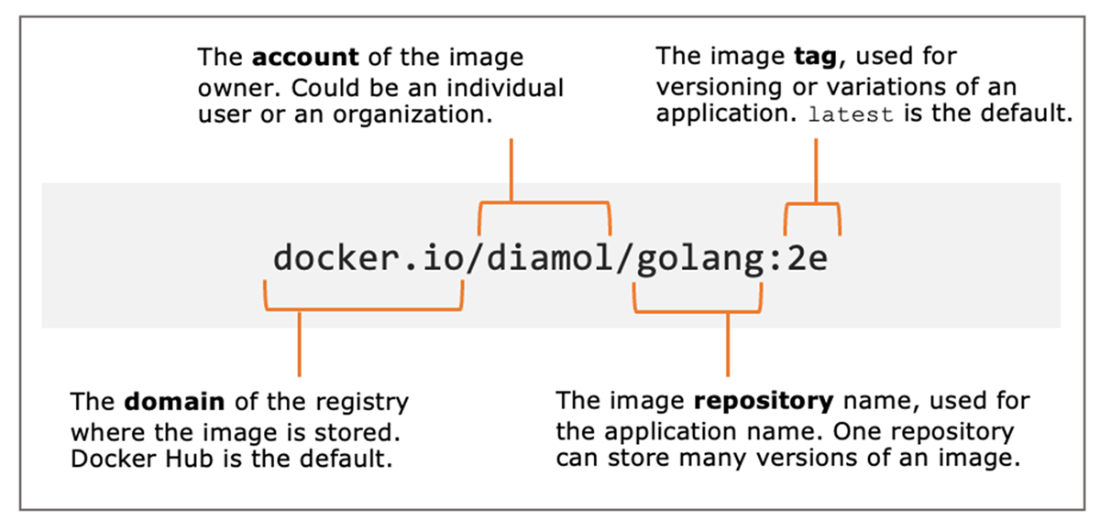
Anatomy of a Docker image reference
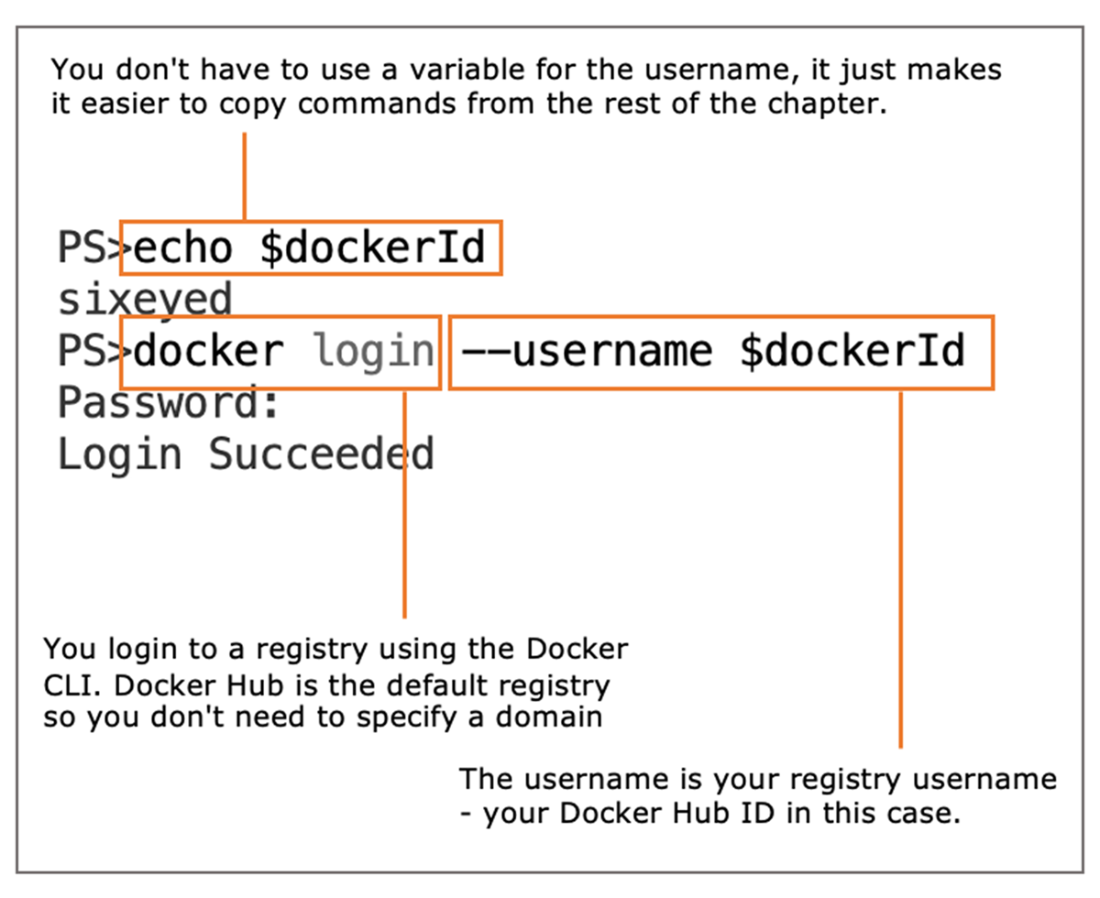
Logging in to Docker Hub
One image with two references
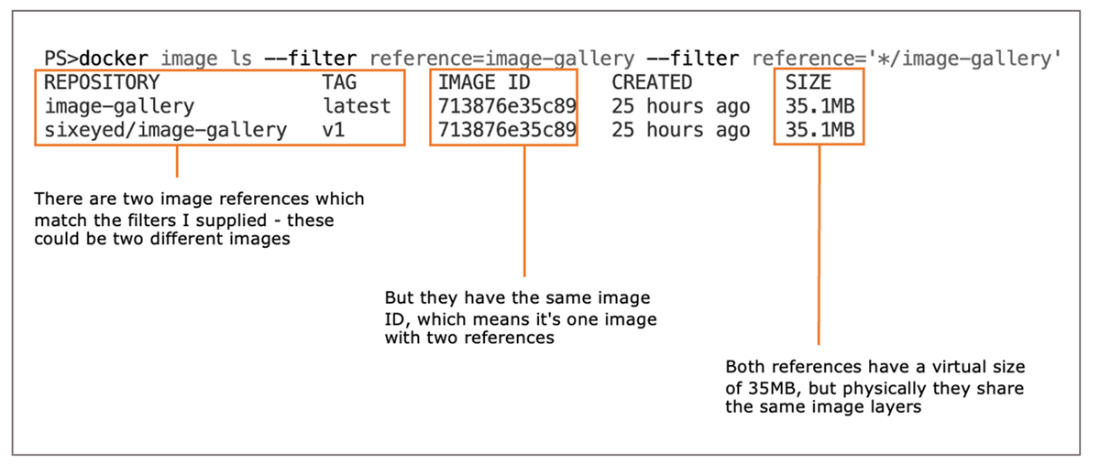
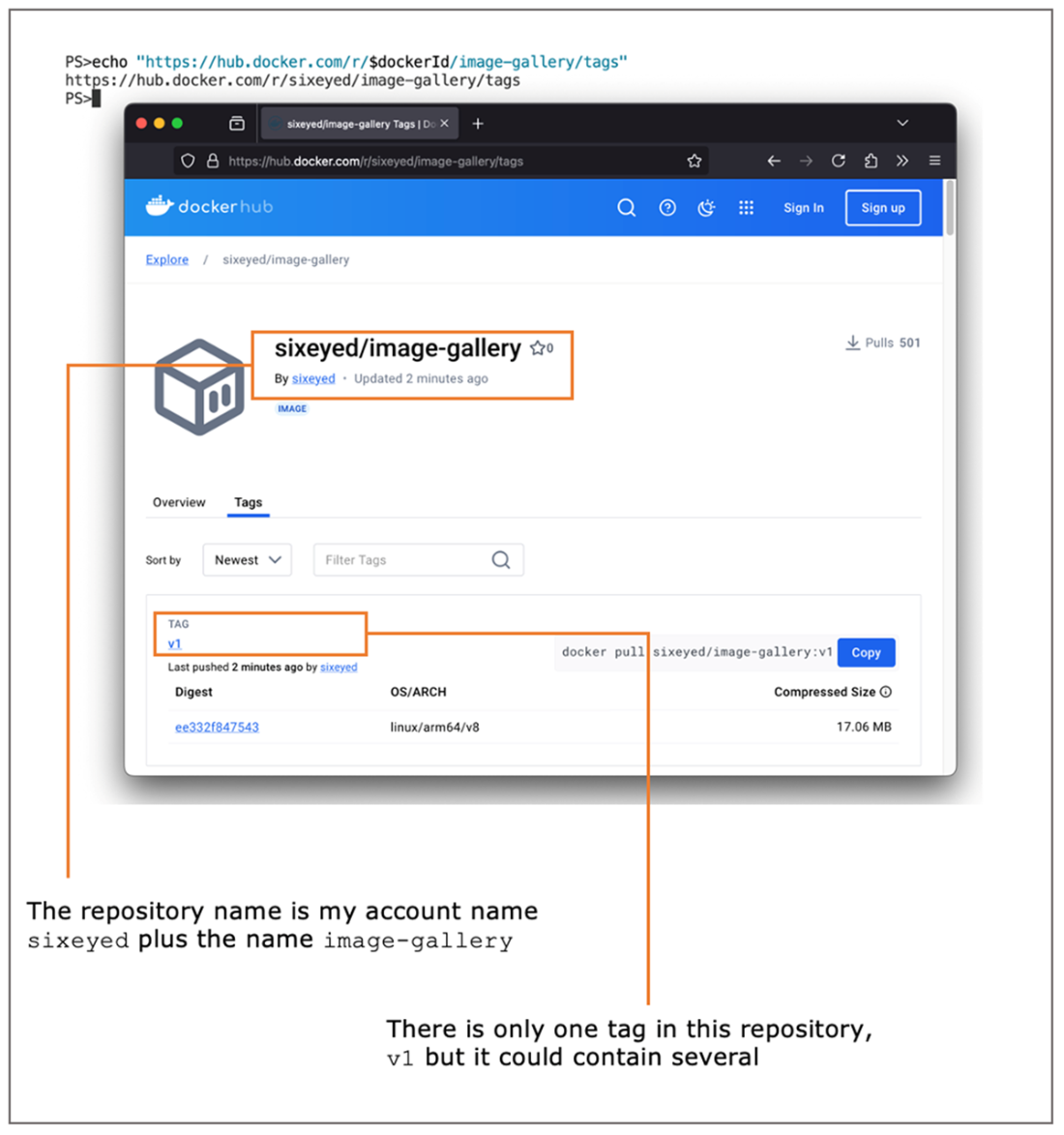
Image listings on Docker Hub
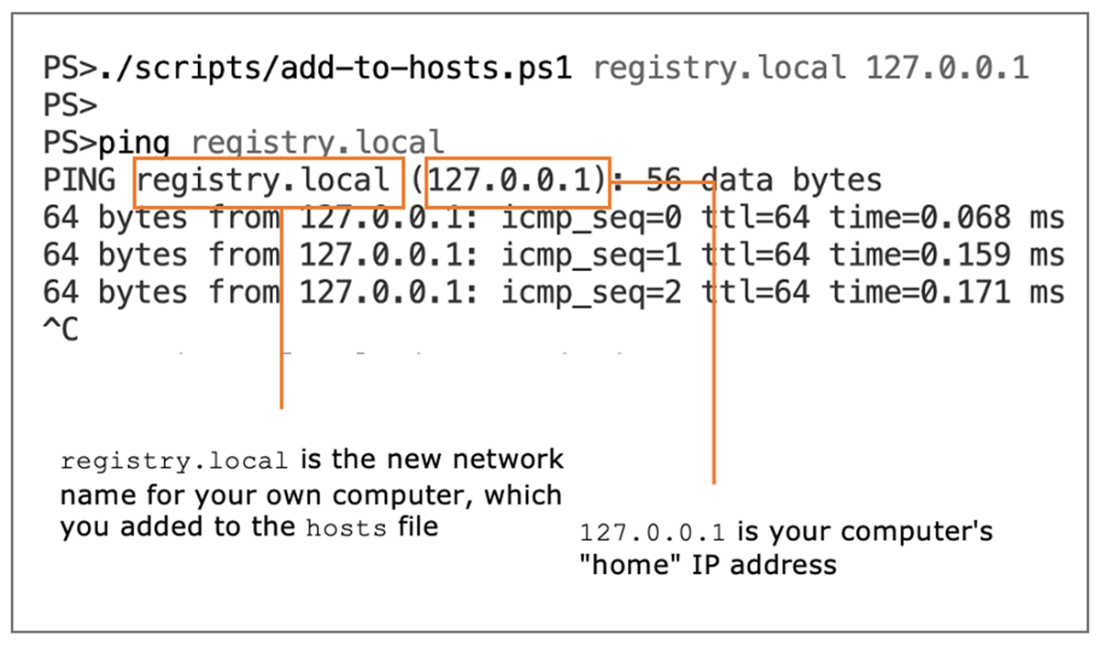
Adding a new network alias for your computer
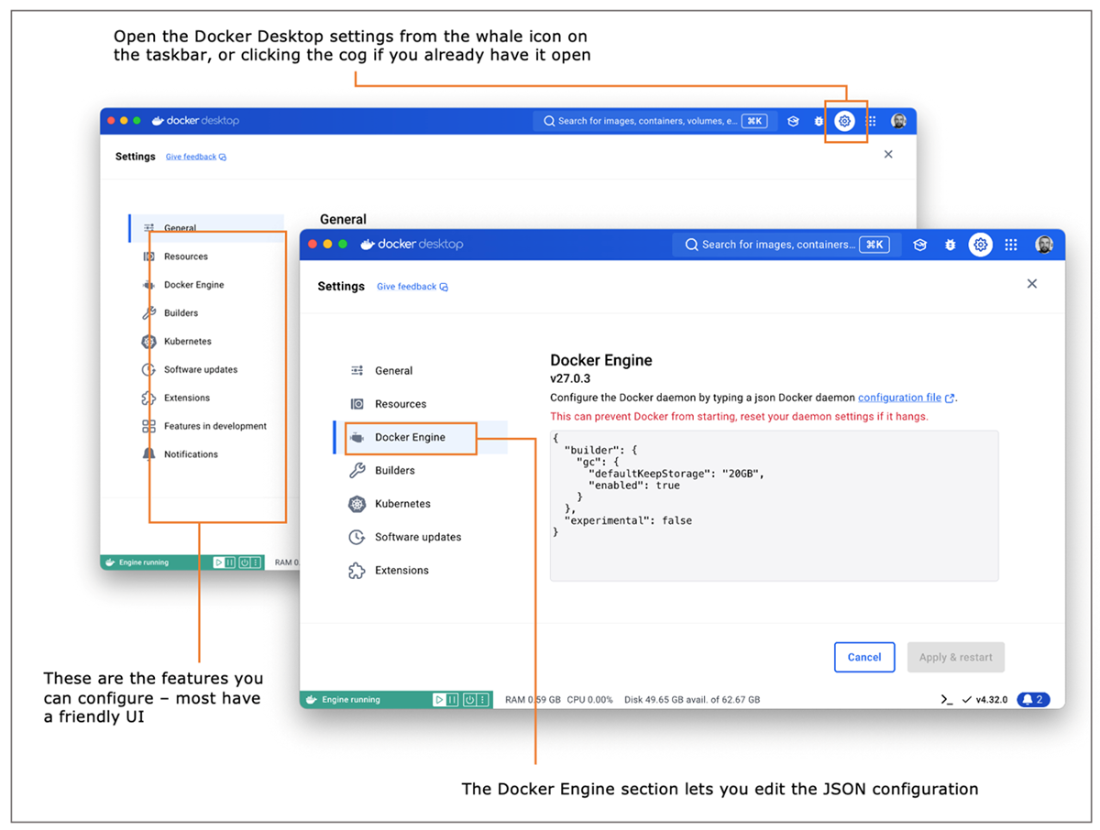
Editing Docker Engine configuration settings in Docker Desktop
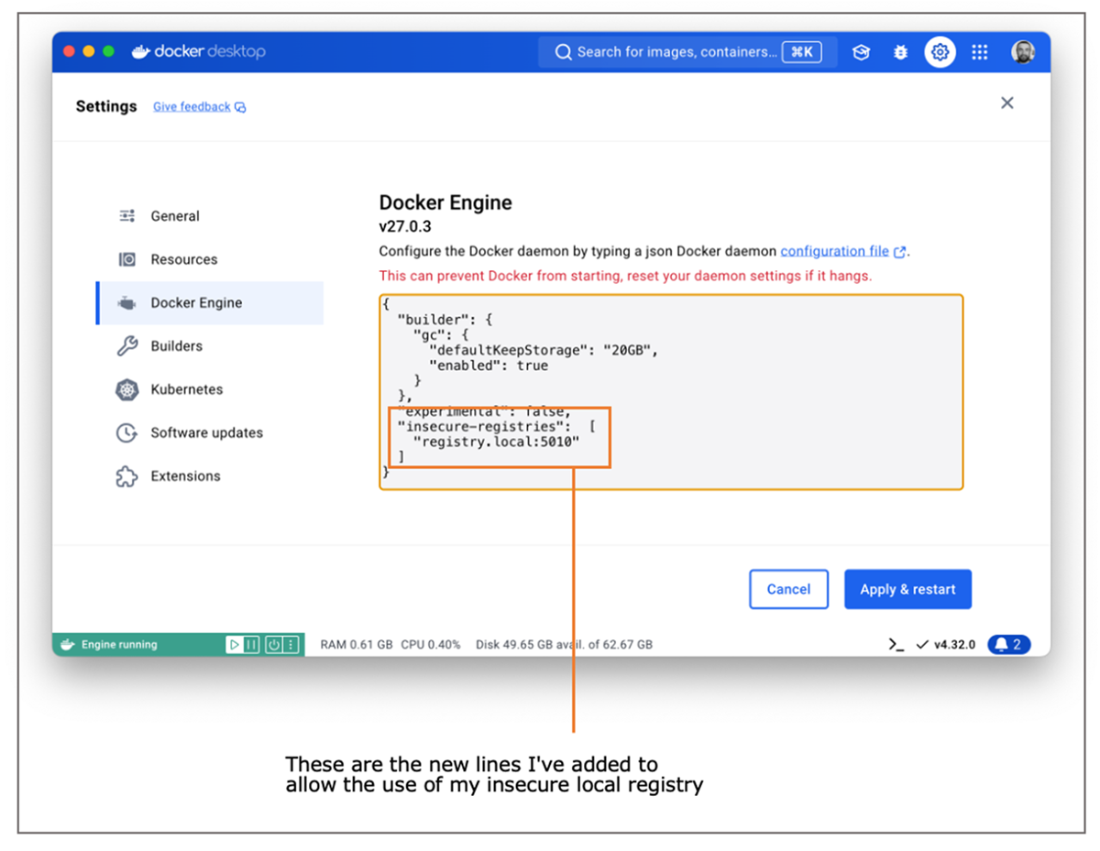
Adding the local insecure registry to the Docker Engine configuration
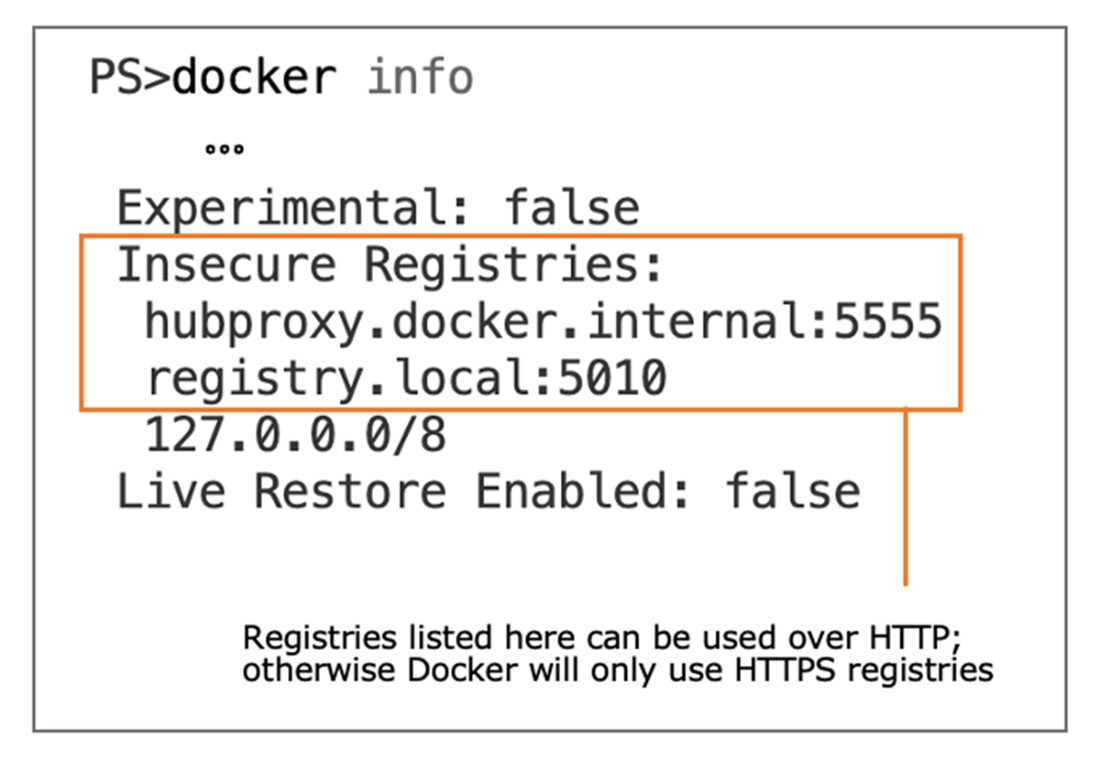
Insecure registries that Docker is configured to allow
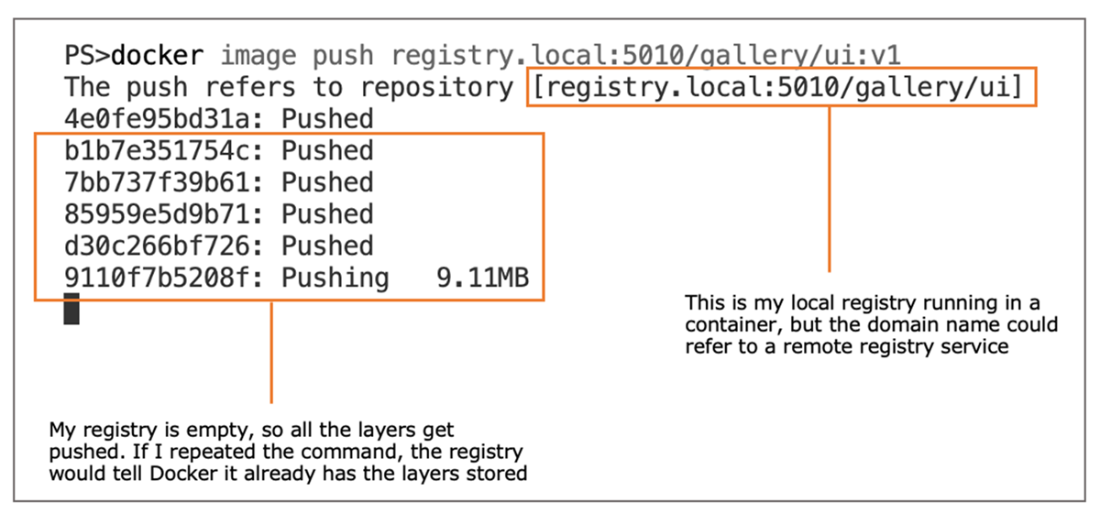
Pushing a new set of image layers to a Docker registry
The evolution of image tags during software releases
Using a golden image to encapsulate an official image
Lab
This lab is going to take some detective work, but it will be worth it in the end. You’ll need to dig around the Docker Registry API v2 specification (https://github.com/opencontainers/distribution-spec/blob/v1.0.1/spec.md) because the REST API is the only way you can interact with your local Docker registry—you can’t search or delete images using the Docker CLI.
The goal for this lab is to push all the tags for your gallery/ui image to your local registry, verify that they’re all there, and then delete them all and verify that they’re gone. We won’t include the gallery/api or gallery/logs images because this lab focuses on images with multiple tags and we have those for gallery/ui. Here are a few hints:
- You can use a single image push command to push all these tags.
- The URL for your local registry REST API is http://registry.local:5010/v2.
- Start by listing the image tags for the repository.
- Then you’ll need to get the image manifest.
- You can delete images through the API, but you need to use the manifest.
- Read the docs—there’s a specific request header you need to use in your HEAD request.
The solution is on the book’s GitHub repository, and this is a rare case where it’s OK to cheat a little. The first couple of steps should be straightforward for you to work out, but then it gets a little awkward, so don’t feel too bad if you end up heading here: https://github.com/sixeyed/diamol/tree/2e/ch05/lab.
Good luck. And remember to read the docs.
FAQ
What are Docker registries, repositories, and image tags?
• Registry: a server that stores images (for example, Docker Hub). • Repository: a collection of related images under a name/namespace (for example,yourname/app). • Tag: a label for a specific image version within a repository (for example, :1.2.3). You pull and push images by repository and tag.What are the parts of a full Docker image reference and what defaults does Docker use?
A full reference is[registry-domain]/[namespace]/[repository]:[tag] (for example, docker.io/diamol/golang:2e). Defaults: registry is Docker Hub (docker.io) and tag is latest if omitted, so diamol/golang means docker.io/diamol/golang:latest.How do I push a local image to Docker Hub?
1) Log in:docker login --username <your-id>. 2) Tag with your namespace: docker image tag image-gallery <your-id>/image-gallery:v1. 3) Push: docker image push <your-id>/image-gallery:v1. Docker creates the repo on first push and makes it public by default.Can one image have multiple tags or names?
Yes. Tags are aliases to the same image ID. You can add more tags withdocker image tag and see them share the same IMAGE ID in docker image ls.Why should I avoid relying on the latest tag, and how should I tag versions?
latest is just a name and may not be the newest build. Use explicit semantic versioning tags like 3, 3.1, and 3.1.4. • Pin to a patch tag (for reproducibility). • Use a minor or major tag to receive compatible updates. Provide latest only as a convenience.How do image layers affect pushing and pulling, and why optimize Dockerfiles?
Registries store layers. When pushing, Docker uploads only layers the registry doesn’t already have (by content hash). Optimized Dockerfiles that maximize cache reuse reduce build time, push/pull bandwidth, and storage.How can I run my own local Docker registry?
Run the registry container (example):docker container run -d -p 5010:5000 --restart always diamol/registry:2e. Optionally add a host alias (for example, registry.local) and tag images with registry.local:5010/yourproj/app:v1, then push with docker image push ....Docker rejects my local registry as insecure. How do I allow HTTP registries?
Add it to Docker Engine’sdaemon.json: {"insecure-registries":["registry.local:5010"]}. Use Docker Desktop’s Engine settings UI or edit the file (Linux: /etc/docker/daemon.json, Windows Server: C:\ProgramData\docker\config\daemon.json). Restart Docker and verify with docker info.What’s the difference between verified publisher images, official images, and golden images?
• Verified publishers: vetted companies publishing images on Docker Hub; images are security scanned. • Official images: curated, best-practice images for popular OSS projects, maintained with Docker; regularly updated and scanned. • Golden images: your organization’s base images built on top of official images with your certificates, settings, and update cadence, used as the required base for app images.How do namespaces and organizations affect pushing images to Docker Hub?
You can push to repositories in your own Docker Hub account (namespace) and to any organizations where you have permission. To push, the image reference’s namespace must match an account or org where you’re authorized (for example,yourid/app:tag or yourorg/app:tag).
 Learn Docker in a Month of Lunches, Second Edition ebook for free
