15 Kubernetes: A primer
This chapter introduces Kubernetes as the industry-standard container orchestrator that closes the production gaps left by running Docker alone. It explains how Kubernetes abstracts machines into a cluster and uses a declarative, portable API—expressed in YAML and managed with kubectl—to model compute, networking, storage, and configuration. While the platform’s richness comes with notable complexity and a steep learning curve, the payoff is strong portability across environments and providers, plus consistent tooling and skills that transfer between applications and clouds.
The chapter walks through the core building blocks. Pods wrap one or more containers and ensure they are kept running, while Services provide stable networking and traffic routing using label selectors, supporting local port-forwarding for development and LoadBalancer exposure in the cloud. Deployments manage Pods for resilience, scaling, and rolling updates, continuously reconciling actual state to desired state. Health probes (readiness and liveness) enhance availability by removing unhealthy Pods from traffic and restarting them as needed, and Services distribute requests across healthy endpoints for steady operation during failures and upgrades.
For application configuration, Kubernetes uses ConfigMaps and Secrets to inject settings as environment variables or mounted files, enabling flexible, environment-specific setups without changing container images. Updates to configuration or container setup are applied safely through rolling changes to Pods. The chapter culminates with a multi-component example (web app plus database) modeled with Deployments, Services, ConfigMaps, and Secrets, demonstrating how to iteratively assemble and operate real applications. It closes by highlighting a practical learning path: deepen Docker fundamentals, broaden Kubernetes API fluency, and explore ecosystem tools and cloud integrations to make the most of Kubernetes in production.
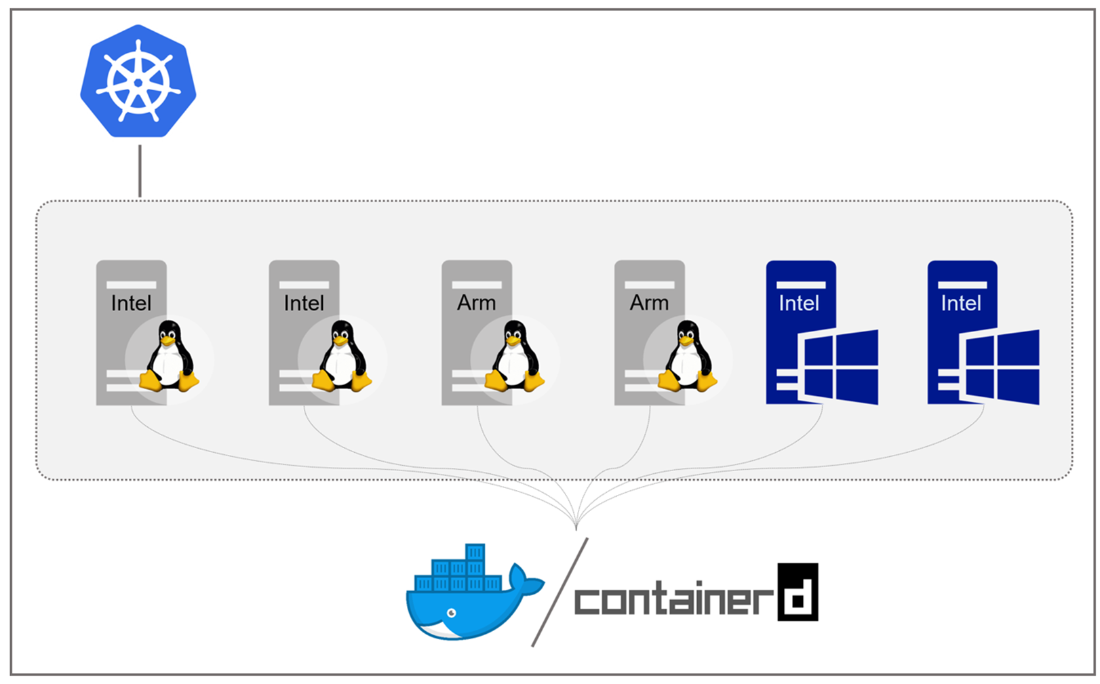
A multi-platform Kubernetes cluster which can run containers of any kind
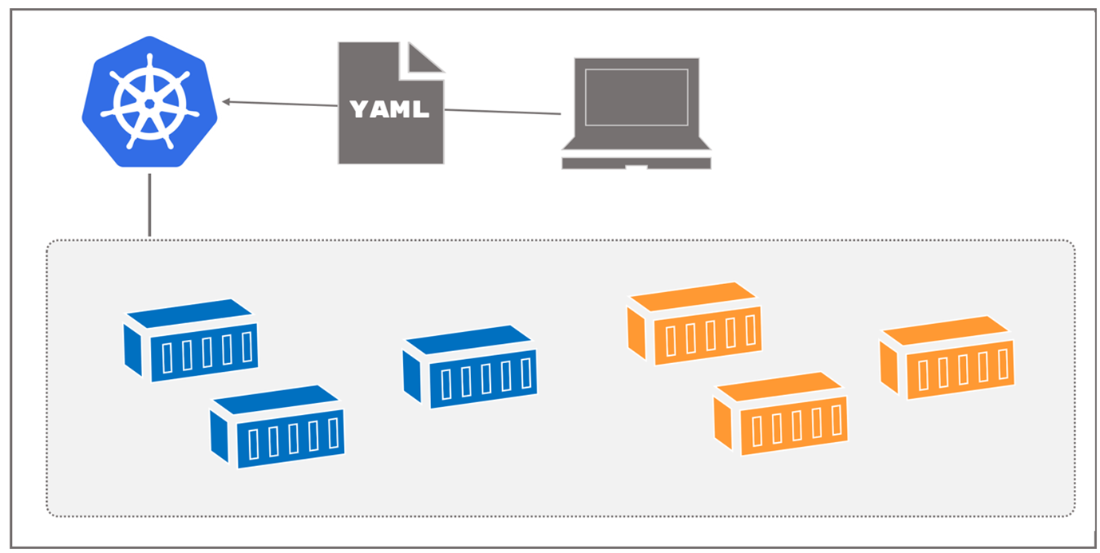
Deploying an application by sending the YAML model to the cluster
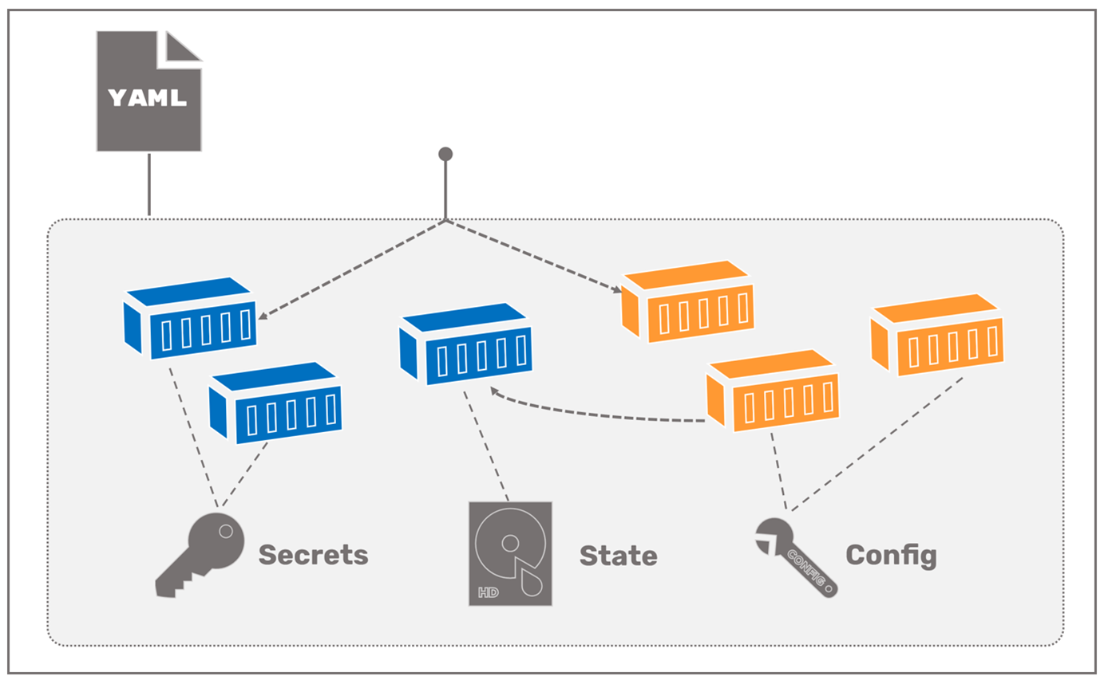
Modeling compute, networking, storage and configuration in the Kubernetes API
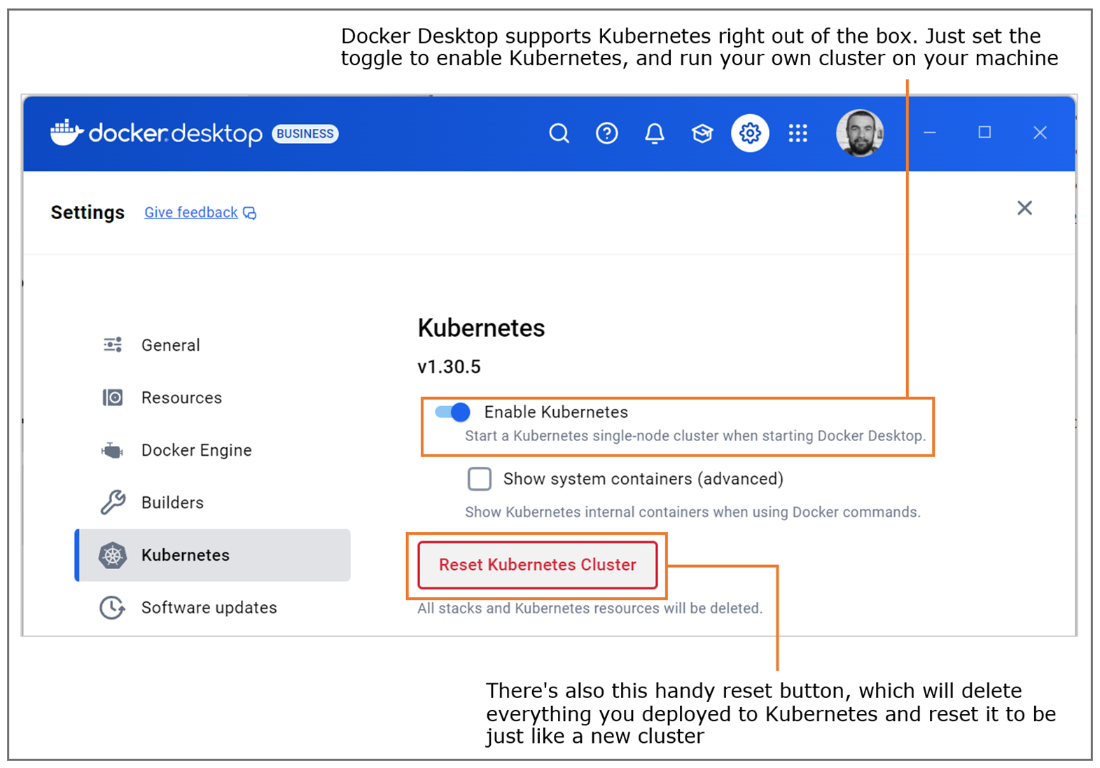
Enabling Kubernetes in Docker Desktop
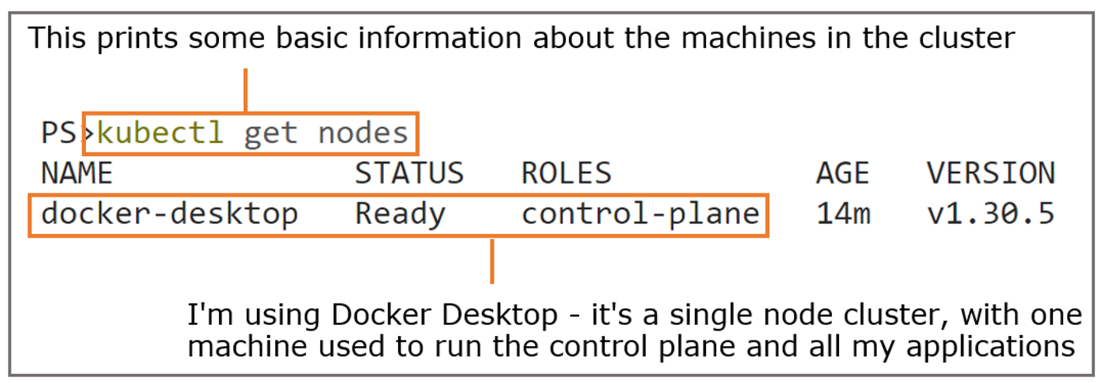
Listing the nodes in the cluster is a good way to ensure everything is running correctly.
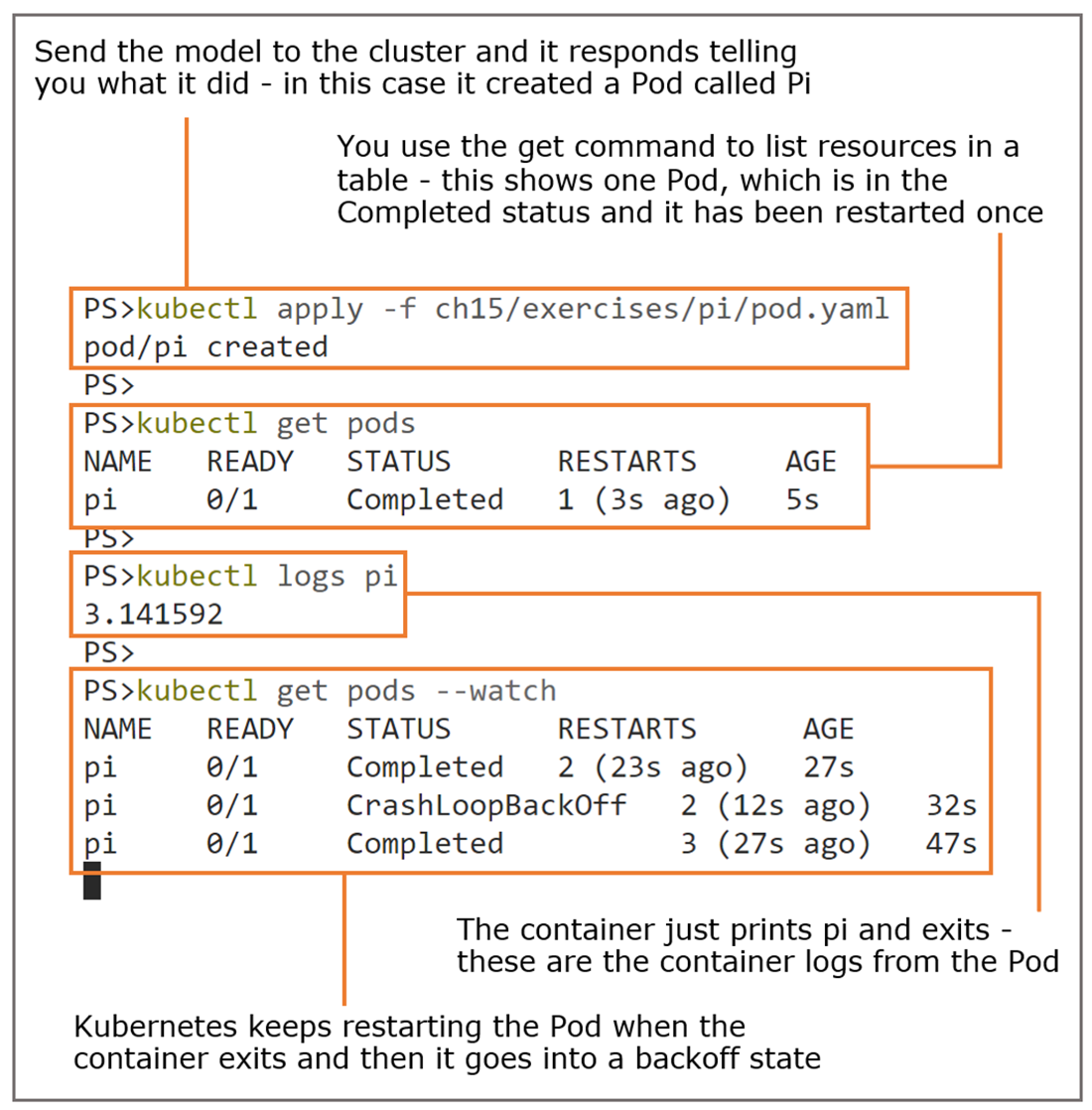
Kubernetes will keep restarting a Pod if the container exits.
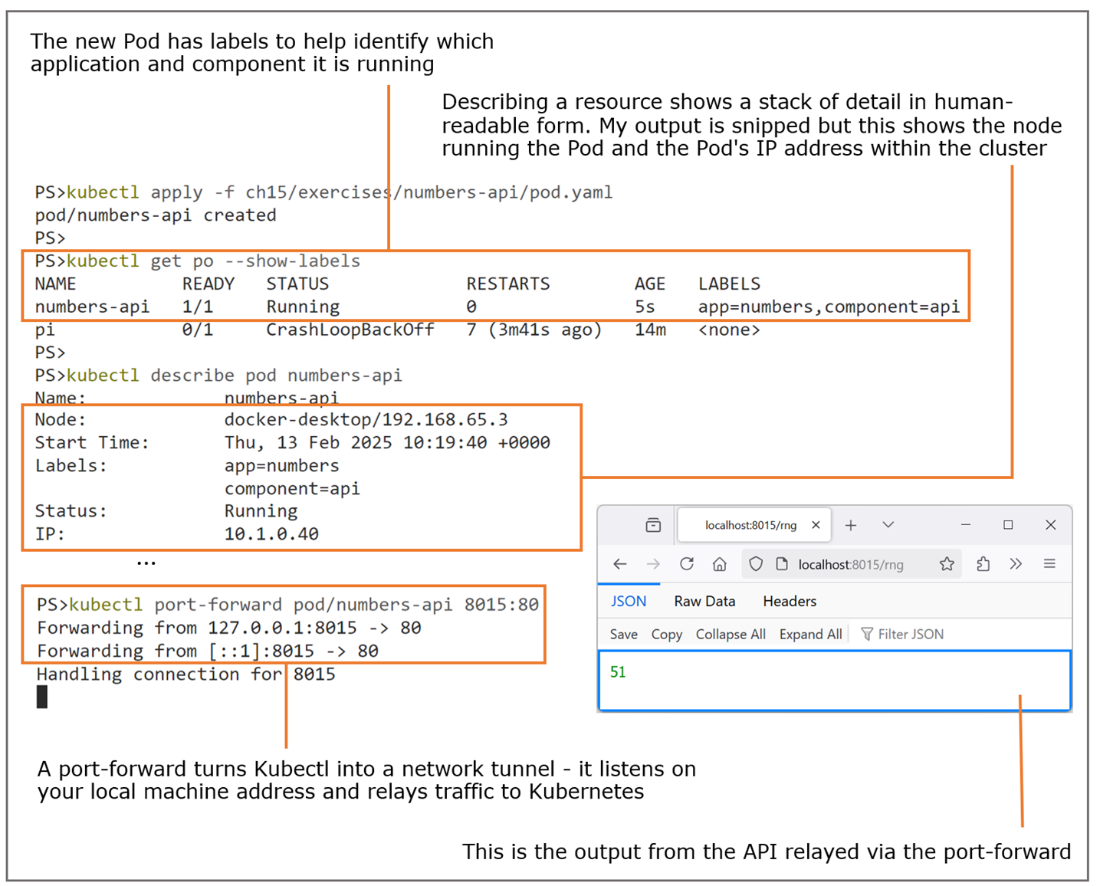
Running an HTTP server in a Pod and routing traffic via the Kubernetes CLI
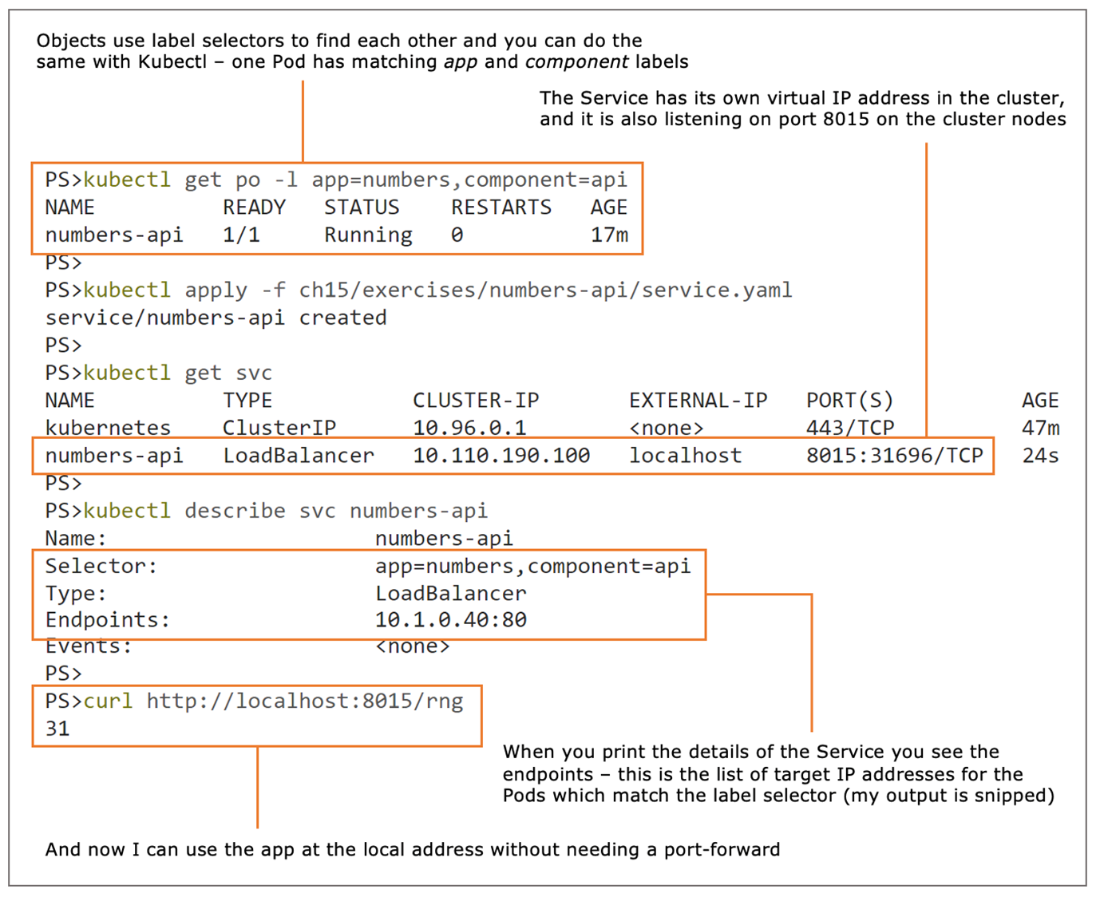
Deploying a Service to route incoming cluster traffic to a Pod
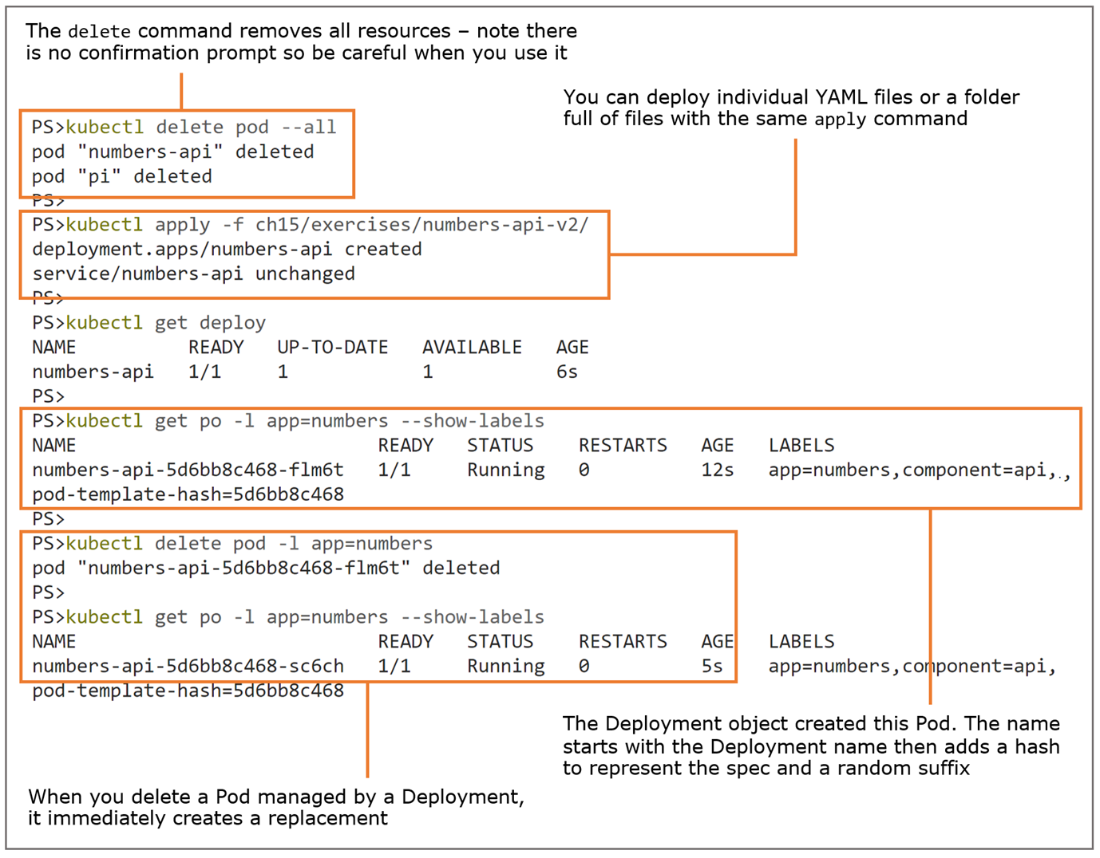
Deployments manage Pods; if a Pod goes missing, the Deployment creates another.
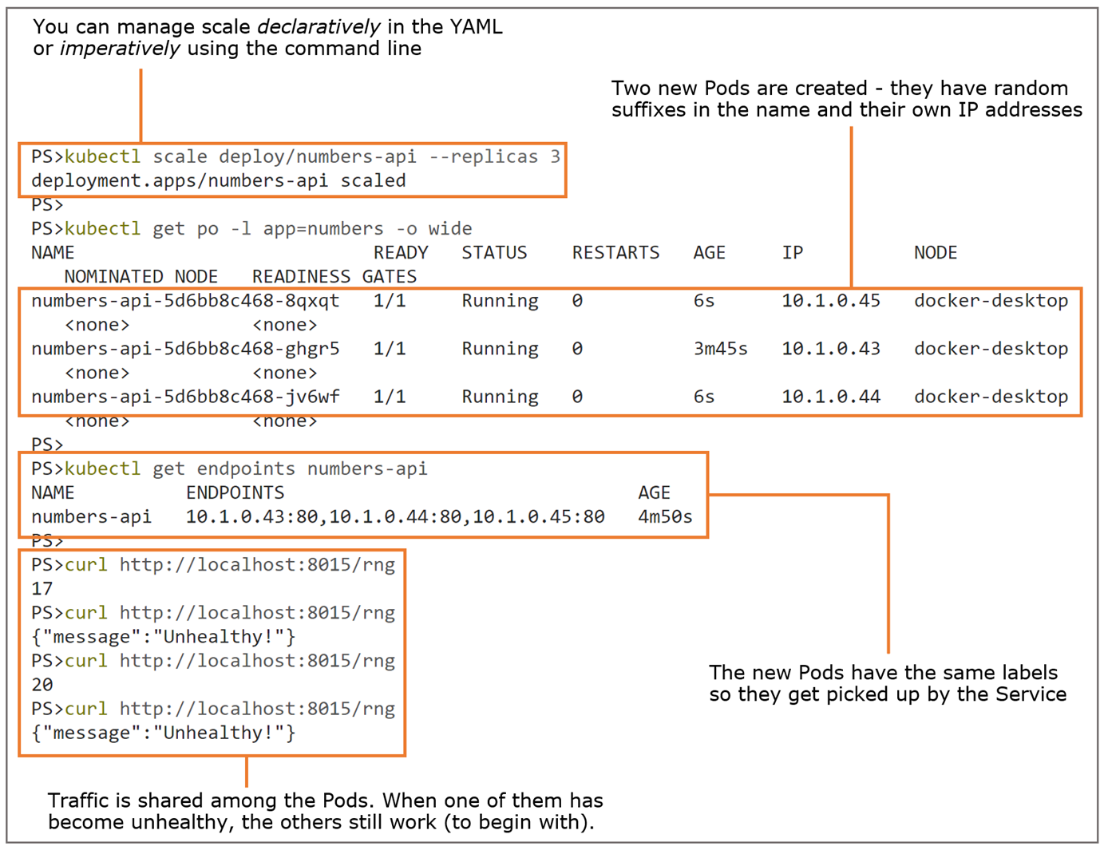
You can scale a Deployment to add Pods; new Pods share the Service's traffic distribution.
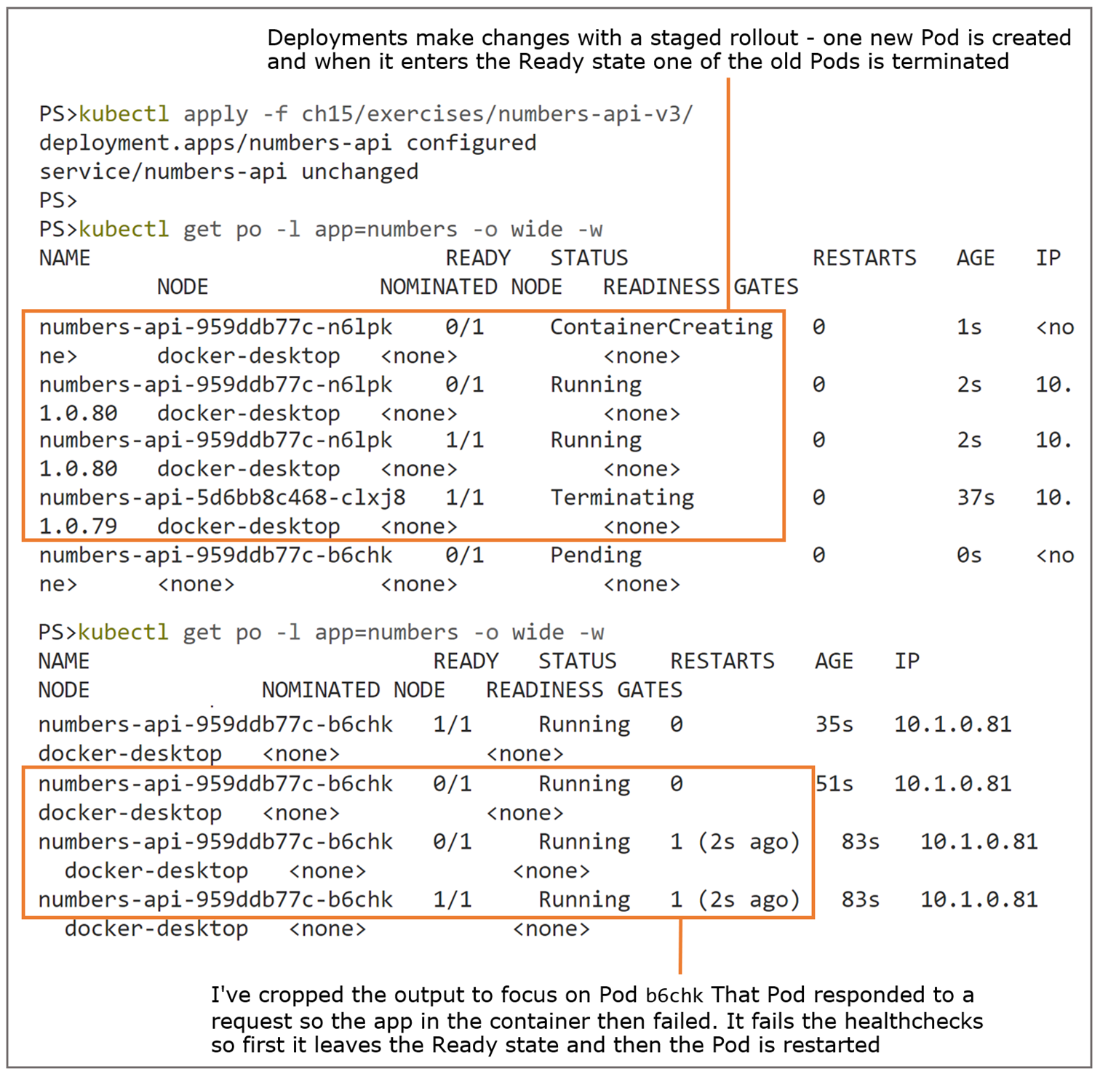
Container probes in the model add high availability to the running app.
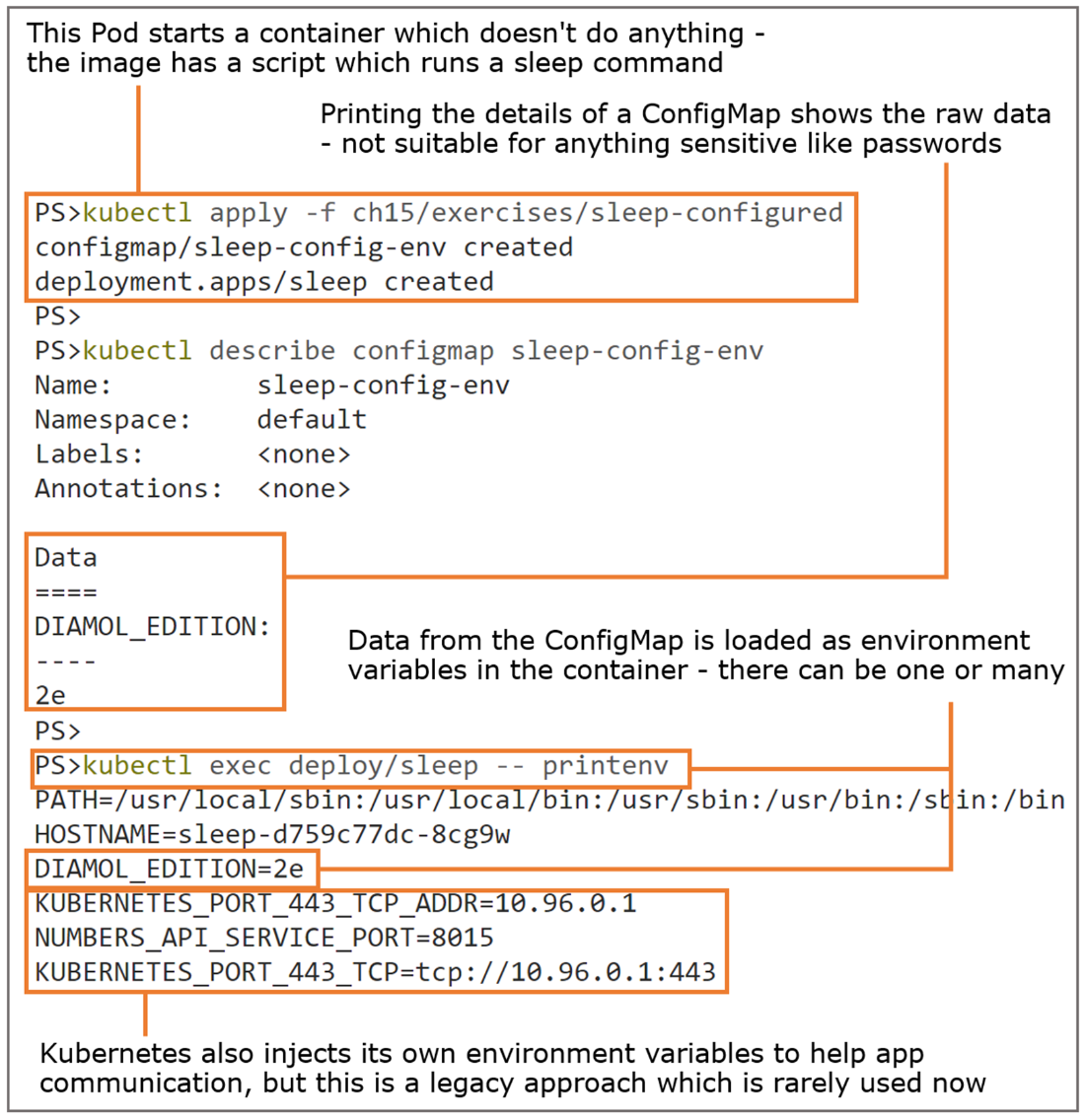
Injecting ConfigMap data into a Pod container as environment variables
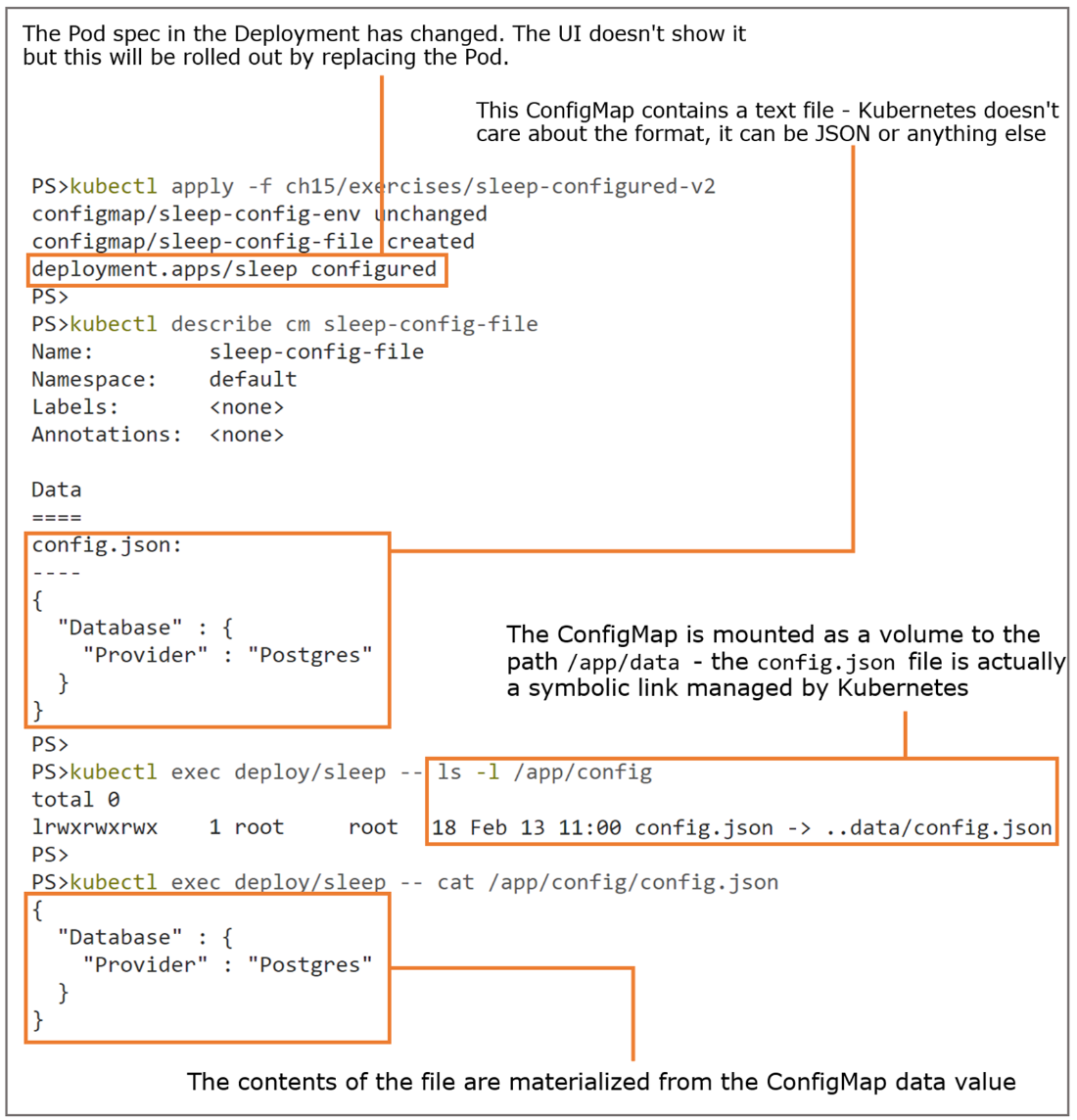
Mounting a ConfigMap to a folder path presents the data content as files.
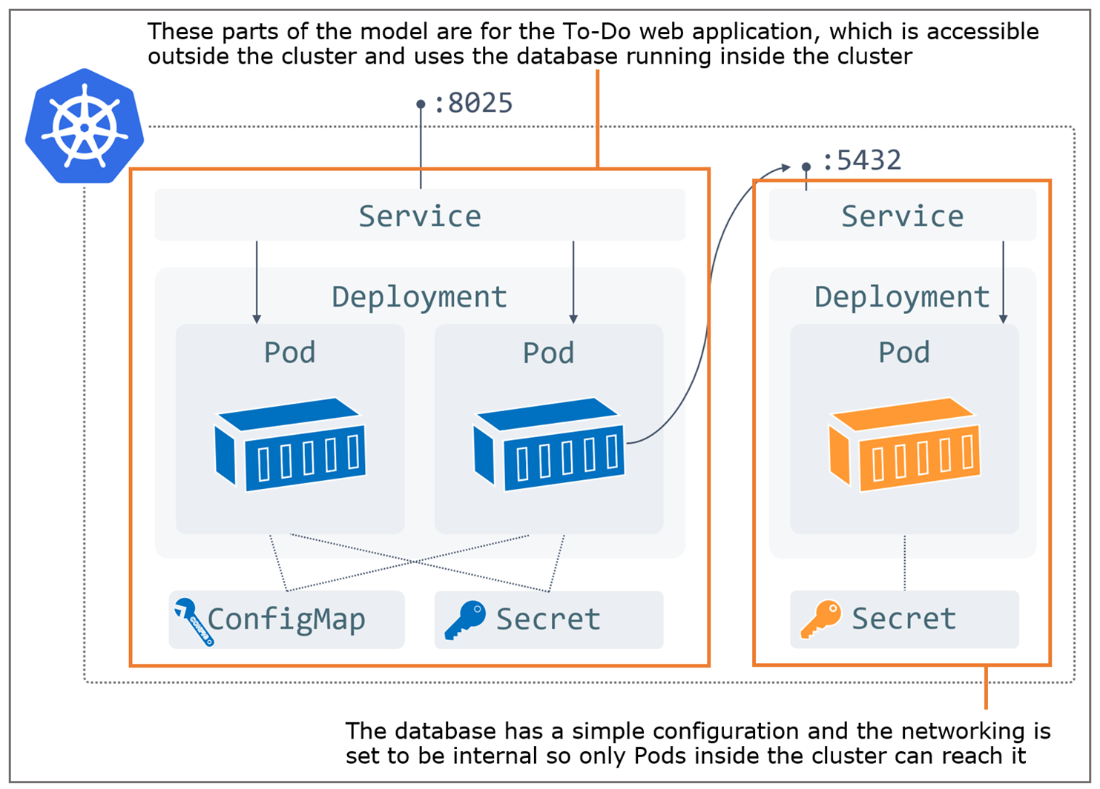
A full application model in Kubernetes with multiple components using all the core resources
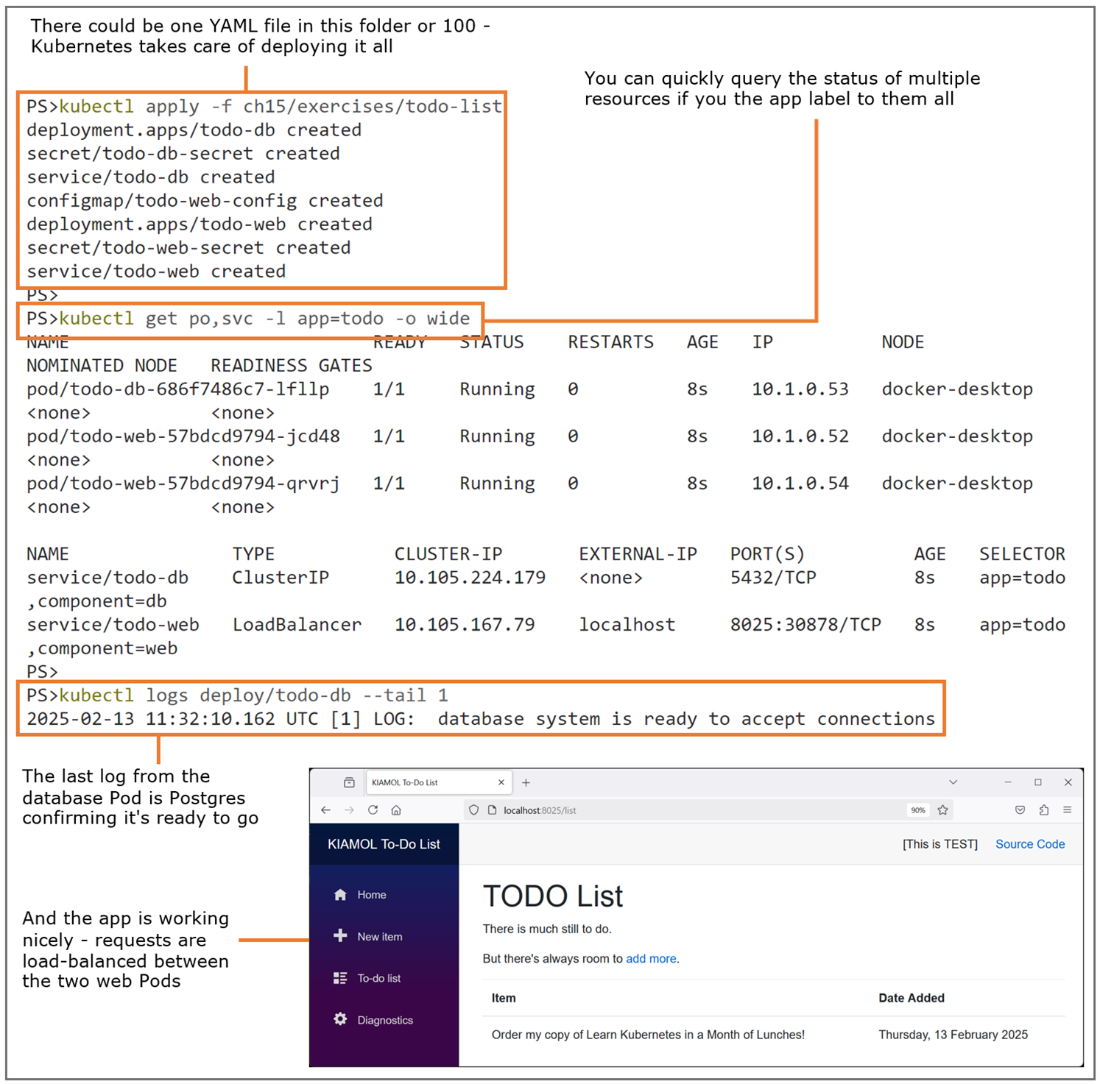
Deploying and managing distributed apps in Kubernetes; the tools and processes are the same no matter how complex the app.
Lab
You will spend a surprising amount of your Kubernetes modeling time working on app configuration. It's an ops-dev intersection where the ops team need to know how the app loads config settings and what can be varied, and the dev team need to know what the options are for running in different environments. This lab gives you some experience with that.
- We're starting with the to-do app you deployed in section 15.4—if you don't have it, deploy it again from the folder ch15/exercises/todo-list.
- Use the app and check the logs for the web component—you'll see there aren't any because the default configuration settings only print logs when there are errors.
- There's a file called logging.json in the ch15/lab folder which increases the logging level. Your goal is to inject that config file into the web container filesystem.
- The app looks for that logging config file in the same folder as the config.json file.
- When you make the change, do the existing Pods pick it up and start writing logs, or do you need to force the Deployment to create new Pods to pick up the new config file?
My solution is in the lab folder if you need it, and there's some documentation in the README file. And remember the Reset Kubernetes button in Docker Desktop for when you're done: https://github.com/sixeyed/diamol/blob/2e/ch15/lab/README.md.
FAQ
Why use Kubernetes instead of other orchestrators?
Kubernetes has become the de facto standard because cloud providers offer managed services (AKS, EKS, GKE) and it can run almost any workload—from modern microservices to legacy apps and databases. Its standardized, declarative API gives strong portability across vendors. The main trade-off is complexity: the model is richer and more verbose than Docker Compose, but the payoff is portability of apps and skills.What is a Kubernetes cluster and how do I interact with it?
A cluster is a set of machines (nodes) running a container runtime (Docker or containerd) and managed by Kubernetes’ control plane. You typically ignore individual machines and work against the cluster using kubectl, sending declarative YAML that the control plane reconciles into running workloads. Local options include Docker Desktop or k3d; in the cloud you can use AKS/EKS/GKE.What does the Kubernetes API model?
The API is declarative and versioned. You describe: - Compute: Pods (and higher-level controllers) - Communication: virtual networking and traffic routing with Services - Storage: abstract requirements that Kubernetes fulfills - Configuration: app settings and secrets injected at runtime This standardization is what enables portability across clusters.What is a Pod and how is it different from a container?
A Pod is the smallest deployable unit in Kubernetes and wraps one or more containers that run together. The Pod ensures containers are kept running (replacing them if they exit) and adds the first layer of availability. If a short-lived container exits, the Pod may repeatedly restart it, leading to CrashLoopBackOff—use a job-oriented resource for tasks that are expected to end.How do Services route traffic to Pods?
Services use label selectors to discover matching Pods and maintain an endpoints list for load-balancing. A Service can expose traffic inside the cluster or externally. With type LoadBalancer, Docker Desktop binds to localhost; in the cloud, the provider allocates a public IP and wires routing automatically.How can I reach a Pod without exposing it publicly?
Use kubectl port-forward to tunnel a local port to a Pod (or Service) port. It’s ideal for debugging because it works for remote clusters and doesn’t require any extra infrastructure.What are Deployments and why prefer them over standalone Pods?
Deployments are controllers that manage Pods from a template. They maintain the desired replica count, reschedule Pods if nodes fail, support scaling, and roll out changes safely via rolling updates. The reconciliation loop constantly ensures current state matches desired state.What’s the difference between readiness and liveness probes?
- Readiness probes indicate when a container is ready to serve traffic; failing readiness removes the Pod from Service endpoints so it stops receiving requests.- Liveness probes indicate if a container is healthy; repeated failures trigger restarts. Together they improve availability and reduce user-facing errors.

 Learn Docker in a Month of Lunches, Second Edition ebook for free
