This chapter eases you into dbatools by focusing on safe, read‑only commands and the four common parameters you’ll use across the module: -SqlInstance, -SqlCredential, -ComputerName, and -Credential. It stresses that dbatools, like SSMS or any PowerShell, only does what your account is permitted to do, and encourages using Get-Help (and -Examples) to understand each command. You start by validating connectivity with Connect-DbaInstance and Test-DbaConnection to ensure your SQL instance is reachable and PowerShell remoting is available, laying a reliable foundation before running other tasks. The authors also advocate managing servers remotely from a central workstation for both convenience and security.
The -SqlInstance parameter is presented as the standard way to target SQL Server engines—supporting default and named instances, local and remote hosts, multiple instances at once, and even non-default ports or forced protocols. You learn several ways to pass targets: as comma-separated arrays, via the pipeline, stored in variables, or retrieved programmatically (for example, from a configuration database). Test-DbaConnection returns rich diagnostics beyond simple success/failure, helping you troubleshoot issues early, while consistent parameterization across commands keeps usage predictable. Throughout, examples reinforce best practices without changing anything on target systems.
The chapter then distinguishes -SqlCredential (for SQL Engine access) from -Credential (for OS-level access) and shows how to authenticate using SQL logins, alternate Windows/AD accounts, Azure AD, or even MFA, with credentials supplied interactively or via stored PSCredential objects. Shifting to server-level tasks, -ComputerName is used with Get-DbaService to inventory SQL-related services—locally or across many hosts—with filters by type or instance, noting that local admin rights are required for remote service queries. Finally, you’re introduced to the optional -EnableException behavior for advanced error handling. Together, these patterns and parameters form the core toolkit for reliably connecting to, inspecting, and automating SQL Server environments at scale.
Figure 4.1. SSMS’s familiar connection dialog box
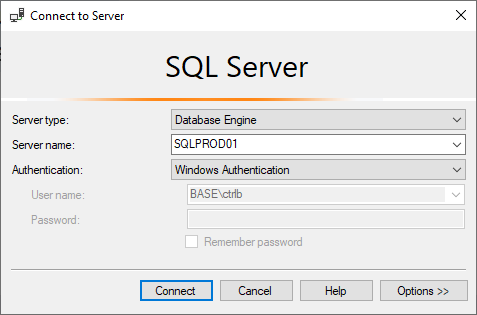
Figure 4.2. Getting Help
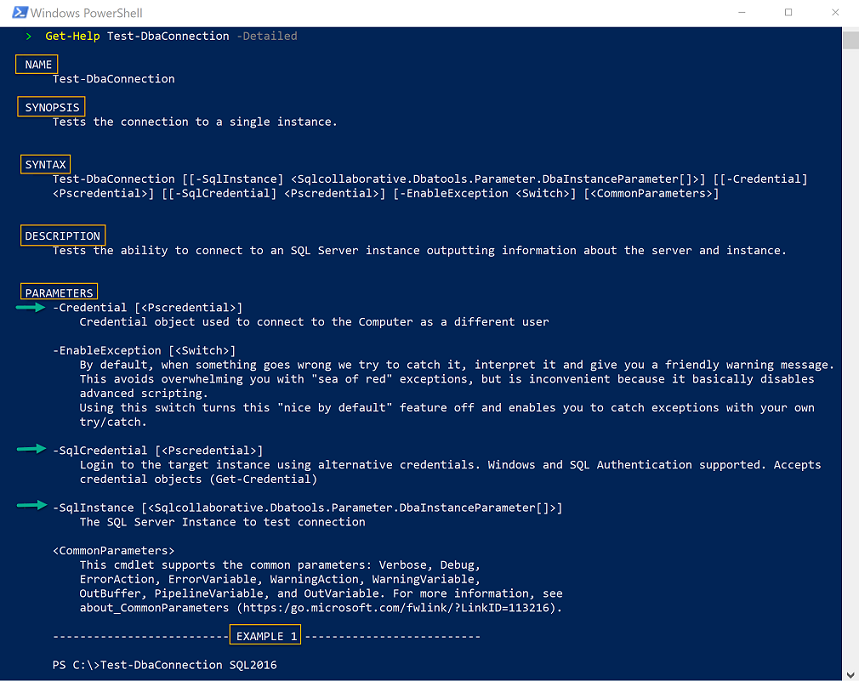
Figure 4.3. Connection failure in SSMS
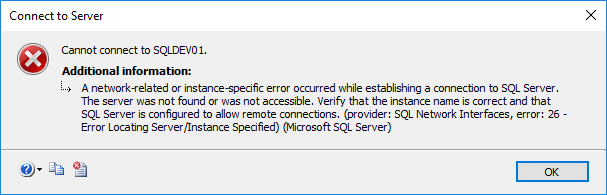
Figure 4.4. SQL Authentication box in SSMS
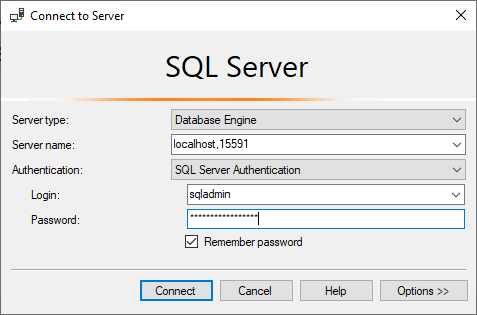
Figure 4.5. Classic credential prompt
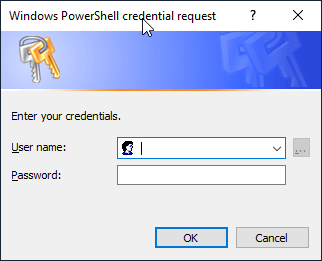
Figure 4.6. Running PowerShell as a different user
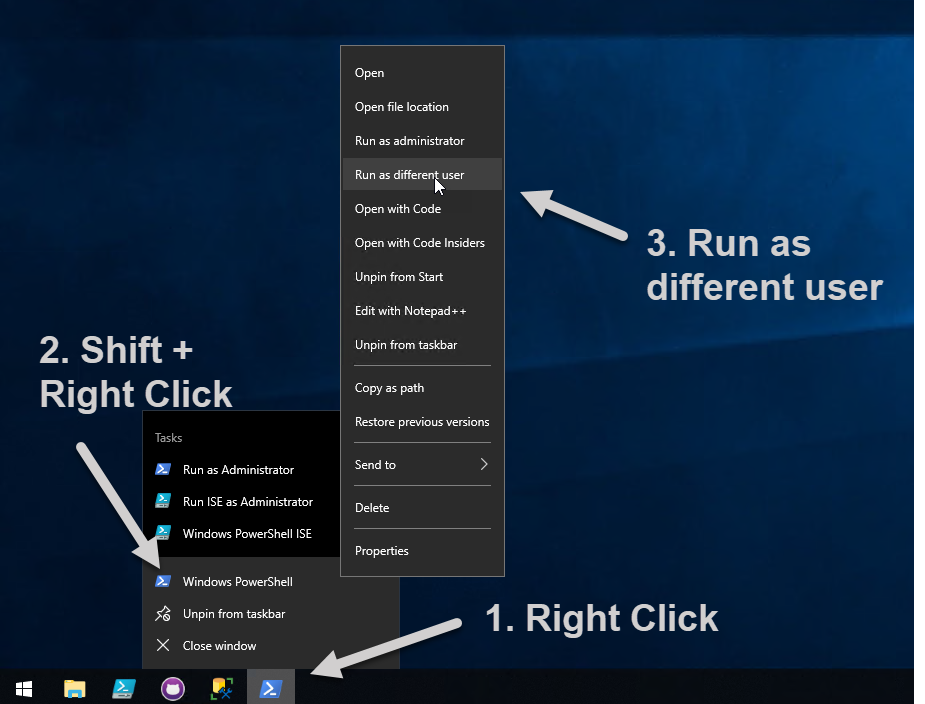
Figure 4.7. Classic credential prompt
Hands-on Lab
Let’s use what you have read about in this chapter so that you get comfortable with dbatools commands. Try the following tasks
- List the SQL Services on a computer
- List the SQL Services for a specific instance
- Identify the user account that is running the SQL Agent service
- Write a command to return the databases without a log backup
- Write a command to return the databases without a log backup in the last 30 minutes
- Find any databases without a full backup on your test instance
FAQ
What are the four common dbatools parameters introduced in this chapter?
- -SqlInstance: Targets one or more SQL Server instances (same value you’d type in SSMS, e.g., HOST, HOST\INSTANCE, HOST,PORT).
- -SqlCredential: Supplies credentials used to authenticate to the SQL Database Engine (SQL auth, Windows/AAD, or MFA).
- -ComputerName: Targets one or more computers for OS-level operations (e.g., listing SQL services).
- -Credential: Supplies credentials used for OS-level connections (PowerShell remoting, WMI, file shares, registry, etc.).
How do I quickly test connectivity to a SQL Server and PowerShell remoting?
Use Test-DbaConnection. It validates SQL connectivity and also checks basic host reachability and PowerShell remoting.
Test-DbaConnection -SqlInstance $Env:ComputerNameLook for ConnectSuccess (True/False) and PSRemotingAccessible to confirm both paths work.
What’s the best way to learn a dbatools command’s syntax and examples?
Use Get-Help, ideally with -Detailed or -Examples.
Get-Help Test-DbaConnection -Detailed
Get-Help Connect-DbaInstance -Examples
Update help as needed with Update-Help for the freshest docs.
How do I specify default and named instances, including local connections and custom ports?
- Default instance (remote):
-SqlInstance PRODSQL01 - Named instance (remote):
-SqlInstance PRODSQL01\SHAREPOINT - Local defaults:
$Env:ComputerName, machine name,localhost, or. - Local named:
localhost\INSTANCENAME(or$Env:ComputerName\INSTANCENAME) - Custom port:
HOST,14333orHOST:14333(quotes recommended when using commas) - Force protocol:
TCP:SQLPROD01\SHAREPOINT
Can I run a command against many instances at once?
Yes. -SqlInstance accepts multiple values.
# Array
Connect-DbaInstance -SqlInstance PRODSQL01, PRODSQL02, PRODSQL03\ShoeFactory

# Pipeline
"PRODSQL01","PRODSQL02","PRODSQL03\ShoeFactory" | Connect-DbaInstance

# Variable
$instances = "PRODSQL01","PRODSQL02","PRODSQL03\ShoeFactory"
$instances | Connect-DbaInstance
You can even source instance names from a database query and pipe them in.
What’s the difference between -SqlCredential and -Credential?
- -SqlCredential is used for authenticating to the SQL Database Engine (SQL logins, Windows/AAD identities, MFA).
- -Credential is used for authenticating to the operating system (PowerShell remoting, WMI, SMB/file shares, registry).
A few commands require both because they touch SQL and OS components.
How do I pass credentials securely and reuse them across multiple commands?
Create a PSCredential once and store it in a variable.
$cred = Get-Credential
Connect-DbaInstance -SqlInstance CORPSQL01 -SqlCredential $cred
Get-DbaService -ComputerName CORPSQL01 -Credential $cred
PowerShell 6+ prompts inline. For stored credentials, ensure you can retrieve them as a [PSCredential] before passing to dbatools.
How do I connect with SQL authentication, Azure AD, or MFA?
- SQL auth:
Connect-DbaInstance -SqlInstance CORPSQL01 -SqlCredential MySqlUser - Azure AD (UPN):
Connect-DbaInstance -SqlInstance mydb.database.windows.net -SqlCredential user@tenant.onmicrosoft.com -Database mydb - MFA (service principal):
# username = app id, password = client secret, include -Tenant
Connect-DbaInstance -SqlInstance mydb.database.windows.net `
  -SqlCredential <app-id> -Tenant <tenant-id> -Database mydb
Use the server object with Invoke-DbaQuery once connected.
How do I list SQL-related services on one or more servers?
Use Get-DbaService with -ComputerName. Local Admin rights on the target are required.
# Single server
Get-DbaService -ComputerName CORPSQL

# Multiple servers
"SQL01","SQL02" | Get-DbaService

# Filter by type (Engine/Agent/SSIS/etc.)
Get-DbaService -ComputerName CORPSQL -Type Engine

# Filter by instance name
Get-DbaService -ComputerName CORPSQL -InstanceName BOLTON
What does -EnableException do, and why doesn’t Connect-DbaInstance have it?
dbatools suppresses raw PowerShell exceptions by default and surfaces friendly error messages. Adding -EnableException lets advanced users catch exceptions in try/catch blocks. Connect-DbaInstance uses -DisableException (inverse behavior) instead of -EnableException.

 Learn dbatools in a Month of Lunches ebook for free
