This chapter focuses on giving you a safe, non‑production playground for learning dbatools and SQL Server. It stresses the importance of never testing in production, acknowledges that PowerShell’s power requires guardrails, and sets expectations that not every example can work verbatim across all environments. Rather than chasing a “perfect” lab, the chapter aims to remove onboarding friction and provide a reliable foundation so you can practice basic tasks and more advanced scenarios like migrations and log shipping without risk.
The first path builds a Windows-based lab that supports the full dbatools command set, including features that rely on the registry and SQL Server WMI. You install two SQL Server Developer Edition instances with a streamlined use of Install-DbaInstance, connect with Connect-DbaInstance, and discover instances with Find-DbaInstance. To make the lab realistic, you restore sample databases, create SQL logins, users, and Agent jobs, and tweak a few sp_configure settings, all via dbatools. The chapter keeps the setup lightweight—no Hyper‑V or Active Directory—and suggests minimal hardware, simple automation scripts, and checking installation logs for transparency and troubleshooting.
The second path provides fast, disposable demo environments using Docker containers. Containers trade some command coverage (Linux-based images support most, but not all, dbatools commands) for speed and easy resets, making them ideal for quick tests and repeated migrations. You pull prebuilt images, run two containers on different ports, and connect with Connect-DbaInstance, optionally simplifying connections with a client alias. The chapter notes the ephemeral nature of containers and how volumes can persist data when needed. By the end, you’ll have either a comprehensive Windows lab or a nimble container setup—both designed to let you explore dbatools confidently and safely.
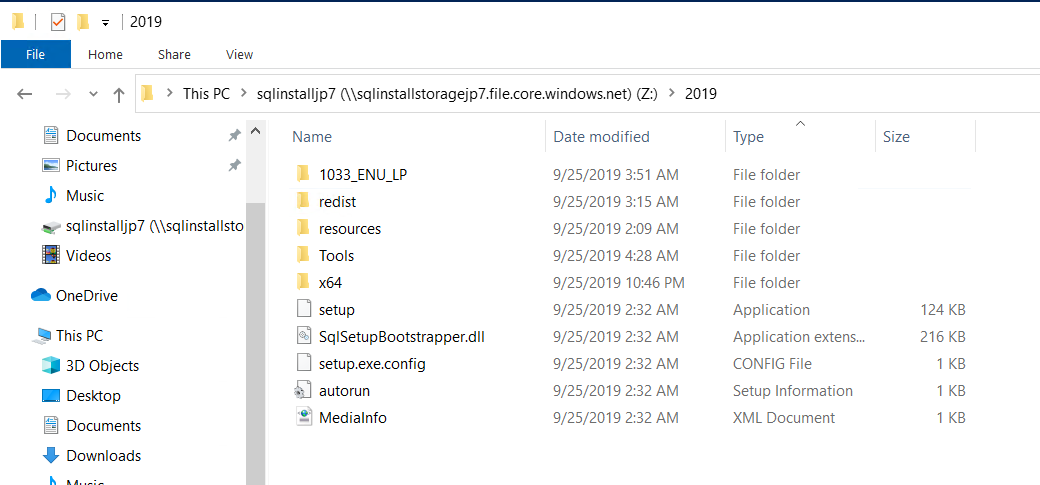
Figure 3.1. SQL Server 2019 installation media ready for our install.
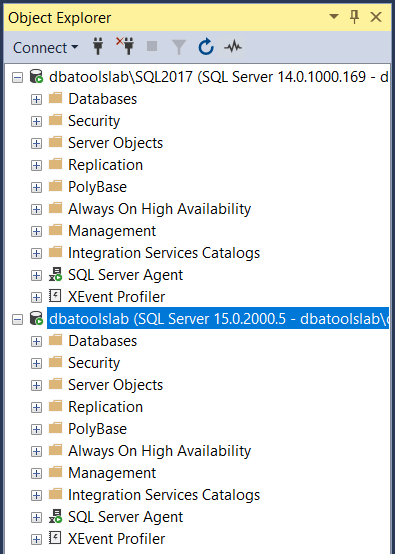
Figure 3.2. Two SQL Instances, one 2017 and one 2019, ready for action.
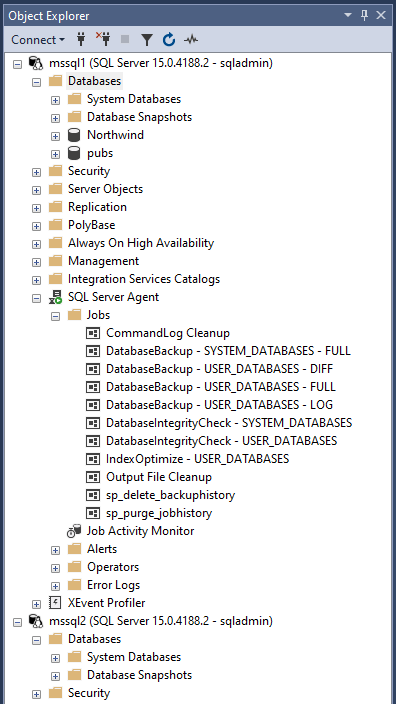
Figure 3.3. SQL Server Management Studio connected to our two SQL Server 2019 containers
FAQ
Why does the book include a SQL Server lab?The lab gives you a safe, repeatable place to learn dbatools by actually connecting to SQL Server. You’ll practice basic discovery as well as more advanced scenarios (for example, migrations and log shipping) without risking production systems.Should I ever test these scripts and commands in production?No. Always test in a non-production environment first. PowerShell (and dbatools) is powerful; the lab exists so you can experiment safely.What lab platforms can I choose from?You have two options: 1) Windows-based SQL Server instances, and 2) Docker containers running SQL Server on Linux. You can use either (or both) depending on what you want to practice.Do all dbatools commands work in containers?Windows supports 100% of dbatools commands. Linux-based containers support 75%+; commands that rely on Windows-specific tech (for example, registry or SQLWMI, such as New-DbaClientAlias or Update-DbaServiceAccount) aren’t available there.What machine resources and prerequisites are recommended for the Windows lab?A modest machine is fine (for example, 2 CPU cores and 8 GB RAM). You don’t need Hyper‑V or Active Directory. The dbatools-lab GitHub repo includes scripts to install prerequisites like Chocolatey, SSMS, and Azure Data Studio.Which SQL Server versions/editions should I download for the lab?Download SQL Server Developer Edition (free) for 2017 and 2019. If you download ISOs, mount them and copy the files to folders you can reference during installation.How do I install SQL Server instances with dbatools?Use Install-DbaInstance from an elevated PowerShell prompt to install (for example, a 2019 default instance and a 2017 named instance). The command will prompt for confirmation. If something fails, check the Setup Bootstrap Summary.txt path returned in the output.How do I connect to and discover my lab instances?Connect-DbaInstance lets you connect (for example, to dbatoolslab or dbatoolslab\sql2017). To see what’s installed on a host, use Find-DbaInstance (for example, against localhost). You can also connect via SSMS/ADS.How do I add sample data and useful objects to the lab?Restore sample backups (for example, WideWorldImporters and AdventureWorks) with Restore-DbaDatabase. Then create SQL logins/users and add role memberships (New-DbaLogin, New-DbaDbUser, Add-DbaDbRoleMember). Create a couple of SQL Agent jobs (New-DbaAgentJob and New-DbaAgentJobStep). Optionally tweak settings with Set-DbaSpConfigure to make instances differ slightly.How do I run the container-based lab and connect to it?Install Docker Desktop, then run the dbatools images (for example, dbatools/sqlinstance and dbatools/sqlinstance2) and map ports (1433 and 14333→1433). Connect with Connect-DbaInstance to localhost (or localhost:14333). Default credentials are sqladmin / dbatools.IO. For convenience, create a client alias (New-DbaClientAlias) so you can connect by container name. Remember container storage is ephemeral; use a volume if you need persistence.
pro $24.99 per month
access to all Manning books, MEAPs, liveVideos, liveProjects, and audiobooks!

 Learn dbatools in a Month of Lunches ebook for free
