5 Using the OpenAI API in Data Workflows
The chapter introduces a key shift in how AI is used in data engineering: rather than relying on an external coding assistant, the model is embedded directly inside the data workflow as a working component. Using a practical sentiment analysis example, it shows how AI can function like any other transformation step in a pipeline, enriching incoming text data and passing the results onward to tools such as pandas, machine learning workflows, databases, or dashboards. The main idea is that AI is no longer just a helper for writing code, but a native part of the data stack.
To build this workflow, the chapter walks through a simple end-to-end pipeline that starts with live article extraction from NewsAPI, then cleans and combines article fields into a usable text column, and finally sends that content to OpenAI’s Chat Completions API for sentiment analysis. It emphasizes secure API key handling with environment variables, explains the basic structure of OpenAI requests and responses, and demonstrates how prompt design affects the usefulness of the output. The first version returns verbose explanations, but the chapter quickly moves toward more practical prompting so the model produces concise sentiment labels suitable for downstream use.
As the workflow matures, the focus shifts to making AI output more reliable and pipeline-friendly. The chapter highlights the need to normalize responses into consistent categories such as positive, neutral, or negative, and to log results while processing multiple articles into an enriched DataFrame. It also cautions about cost management, model inconsistency, and the limits of sentiment analysis when dealing with sarcasm, nuance, or subjective interpretation. Overall, the chapter frames OpenAI as a composable data tool and encourages careful prompt engineering, structured outputs, and iterative testing to make AI practical in real-world data workflows.
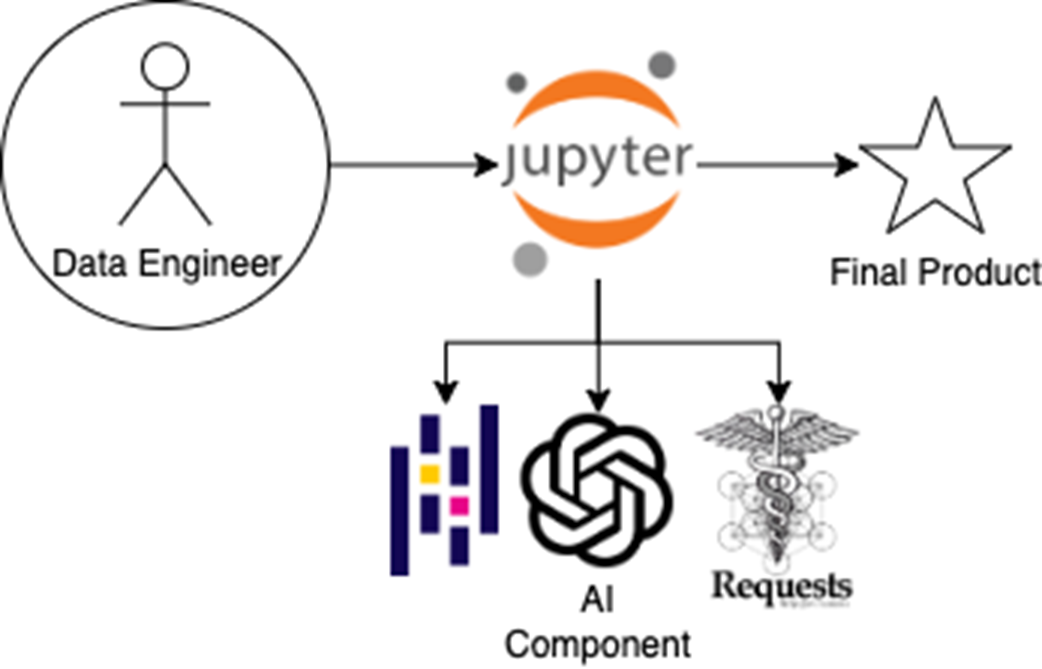
In earlier chapters, the data engineer acted as a go-between—manually passing instructions between an AI coding companion and the coding environment. Now, the AI component is embedded directly within the workflow, alongside libraries like Requests and Pandas, enabling natural language tasks (like sentiment analysis) to execute as native steps within the Jupyter notebook
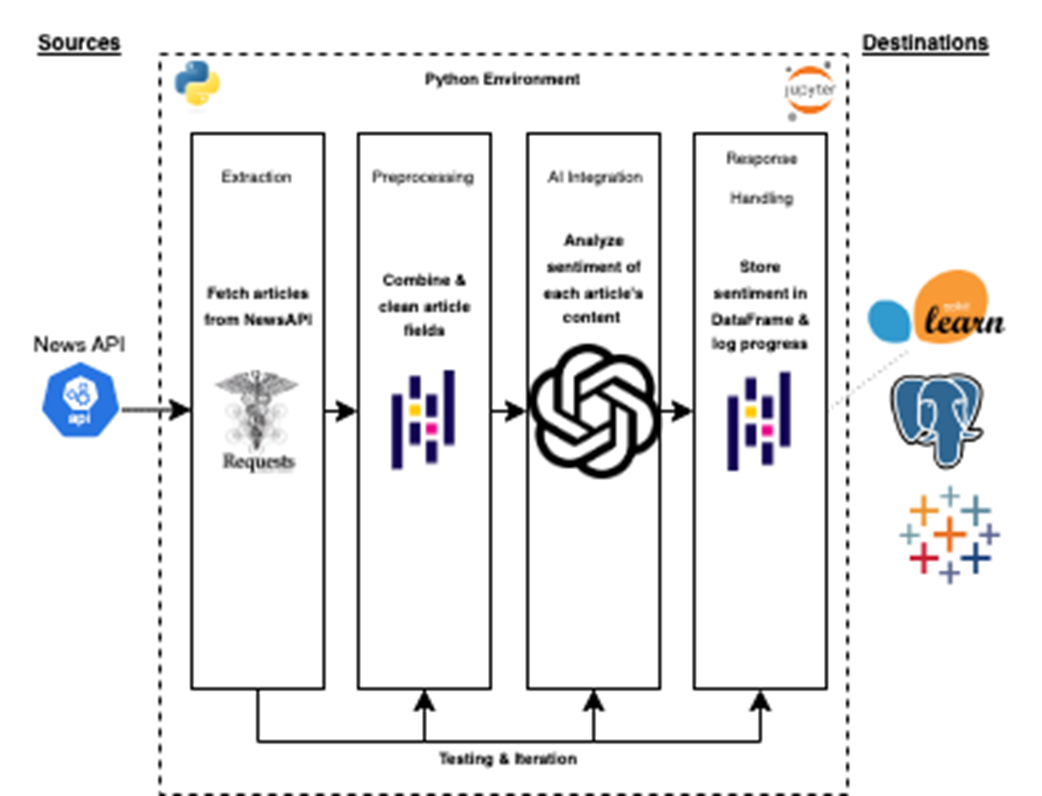
This diagram illustrates the full mental model for the use case. Articles are fetched from the NewsAPI using the requests library, then preprocessed into clean content blocks. The OpenAI API is embedded within the Python environment to analyze sentiment, returning structured labels. Finally, results are stored in a pandas DataFrame and logged—ready for downstream use in tools like scikit-learn, PostgreSQL, or Tableau.
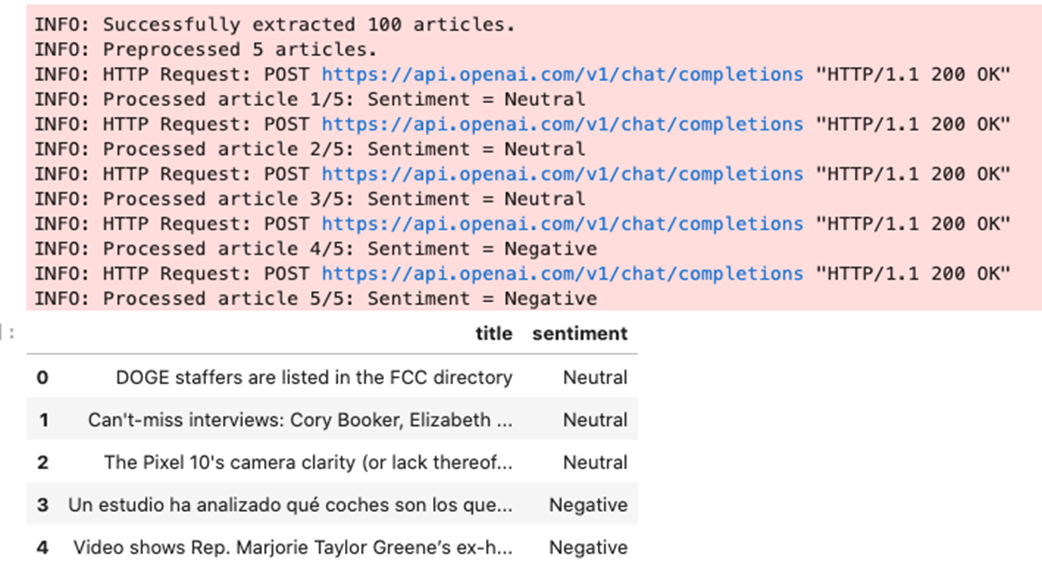
This figure shows the results of the full AI-powered sentiment pipeline. The top portion displays logging output for each step, including API requests and processed sentiment labels. The bottom shows the final pandas DataFrame, where each article title is paired with a normalized sentiment category. Results will vary over time, as the input depends on live Tesla news retrieved from NewsAPI.
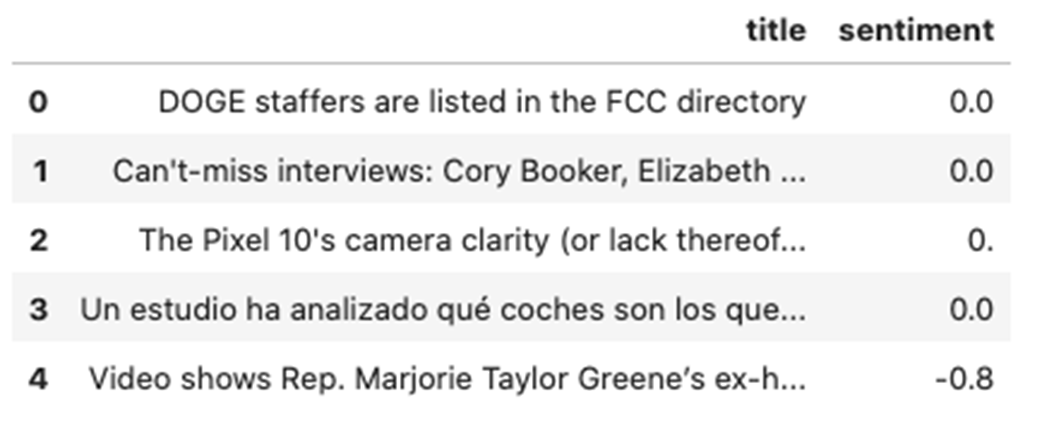
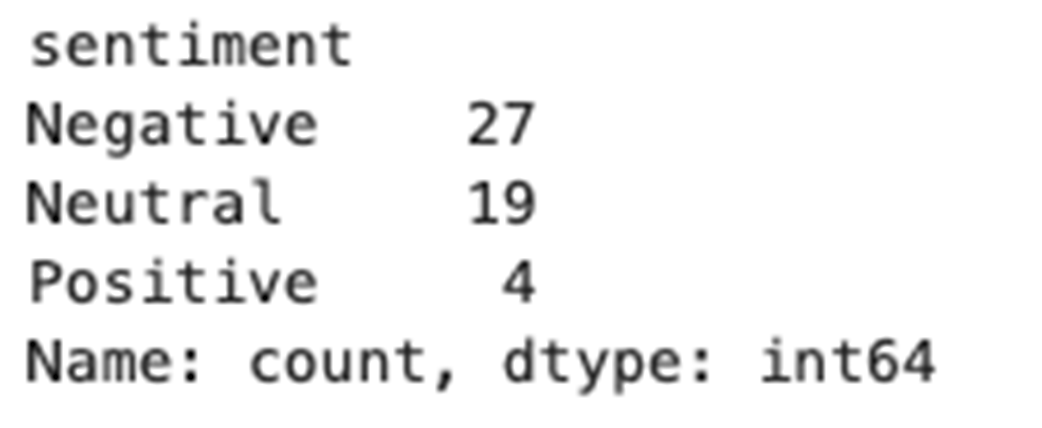
Example of what output by sentiment score should look like.
Example of what aggregation results may look like.

 Learn AI Data Engineering ebook for free
