Appendix B. Neo4j
This appendix provides a concise onboarding to Neo4j, the graph database used throughout the book, while emphasizing that the concepts and code generalize to other graph systems. It outlines why Neo4j was chosen—longstanding expertise, native graph capabilities, and an active community—and introduces its Community and Enterprise editions. The overview highlights Neo4j’s labeled property graph model, native index-free adjacency storage, Cypher query language, and developer workbench, along with full ACID transactions, strong recoverability, clustering for high availability, and capacity that scales to extremely large graphs.
Readers are guided through practical ways to get Neo4j running: downloading the server edition (with simple start-up steps and a browser-based interface), using the Desktop application to manage local and remote databases, or opting for Docker and the managed cloud service. The appendix recommends the free Community Edition for learning and notes that local installations are ideal for running the book’s code and exercises. Desktop streamlines common tasks such as creating projects, provisioning local DBMSs, starting instances, and opening the Neo4j Browser.
The appendix introduces Cypher as an easy-to-learn, declarative, pattern-based language for reading and writing graph data, and notes its broader adoption via openCypher. It then explains how Neo4j can be extended with plugins, focusing on two essential libraries: APOC, a comprehensive set of utility procedures and functions, and the Graph Data Science library, which provides scalable graph algorithms for analytics. Installation can be done by placing plugin files in the plugins directory and enabling them in the configuration, or through one-click setup in Desktop. It closes with handy maintenance tips, including using APOC to clear all data and drop constraints, preparing readers to run the book’s examples with a clean environment.
Figure B.1 DB-Engines ranking of Graph DBMSs
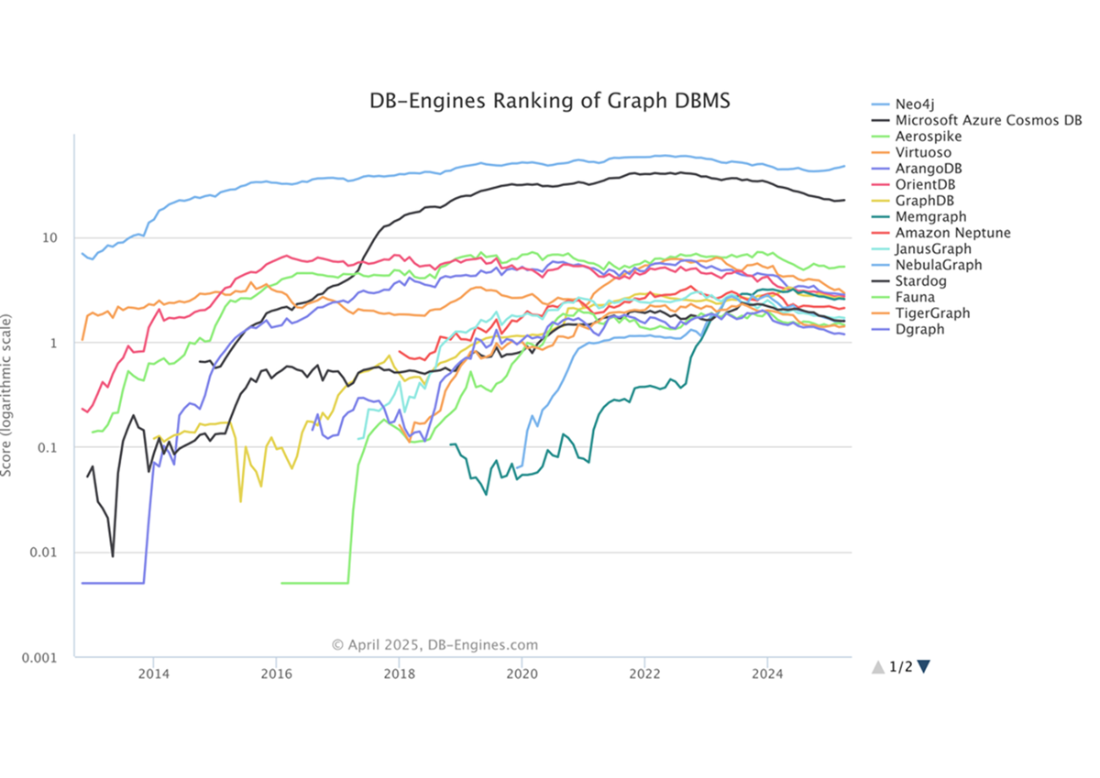
Figure B.2 An image of the Neo4j browser
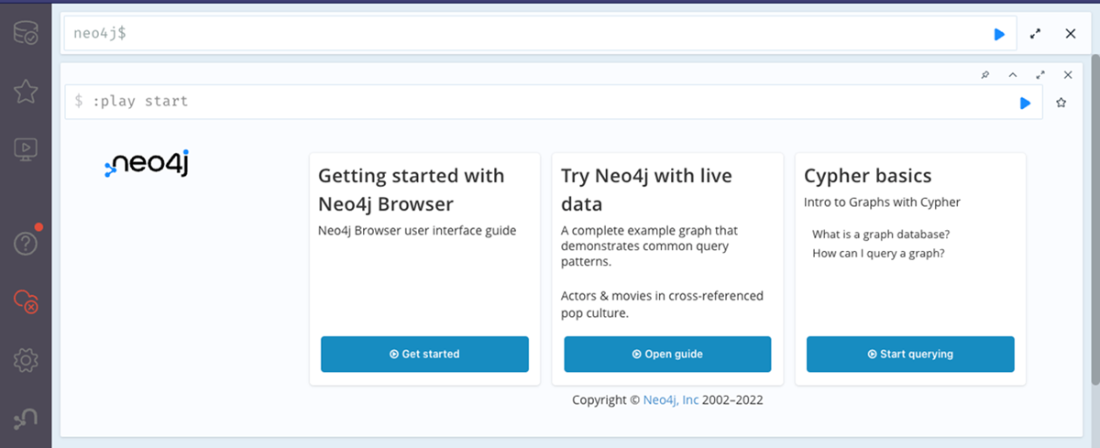
Figure B.3 Saving the Neo4j Desktop app on a MacOS
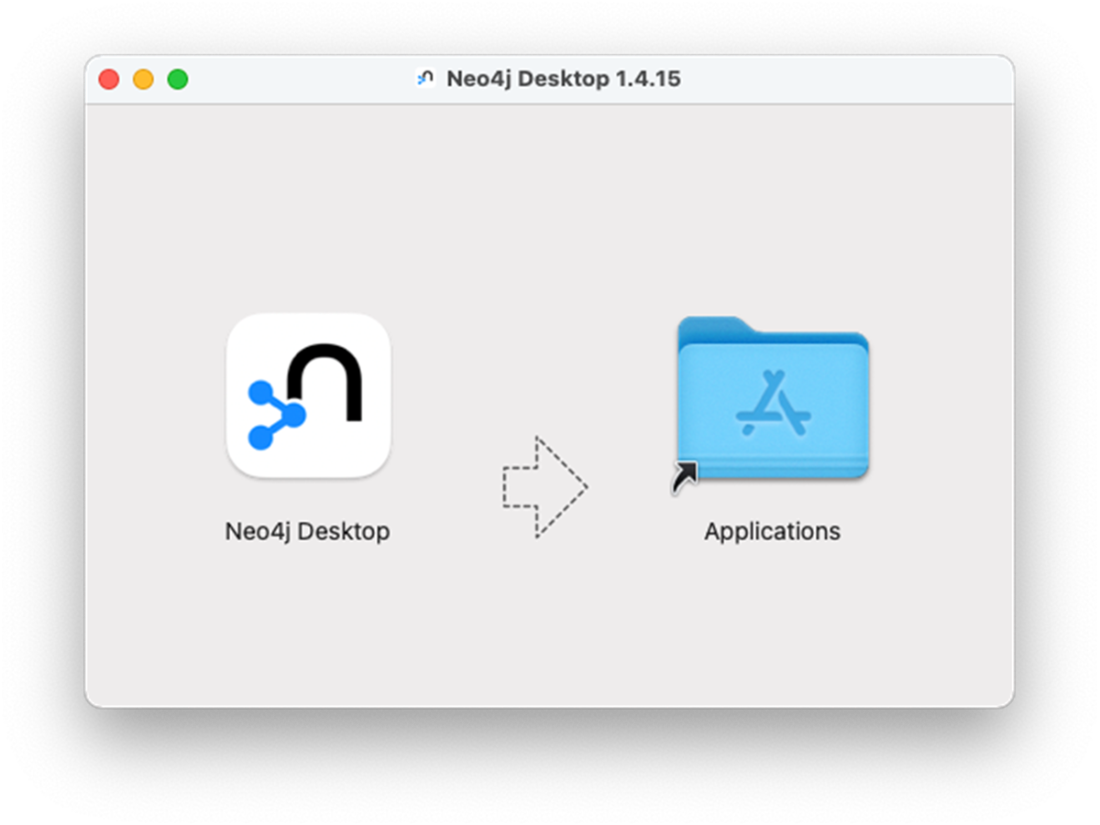
Figure B.4 Launching the Neo4j Desktop
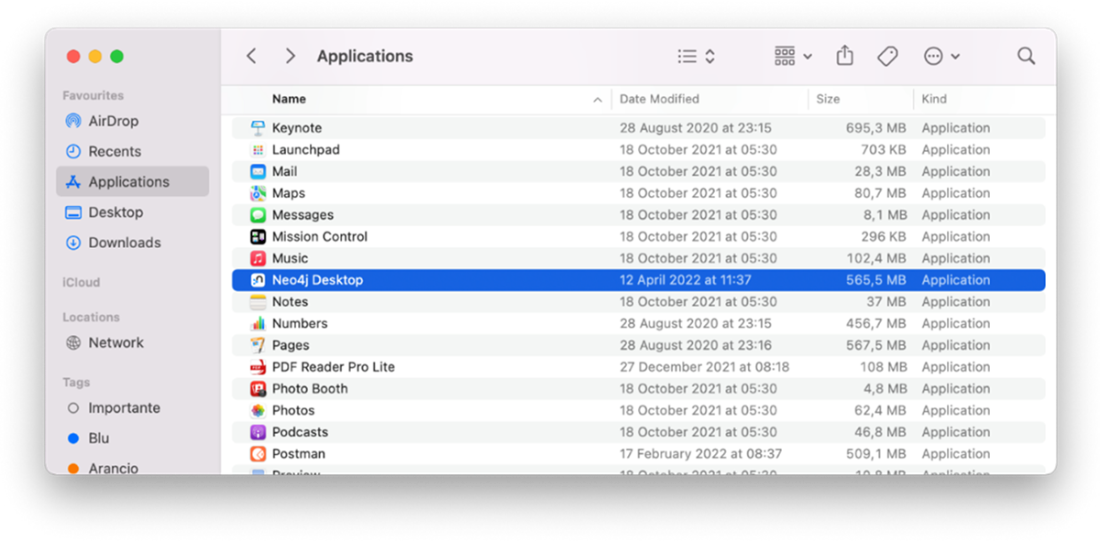
Figure B.5 Creating a new project in the Neo4j Desktop
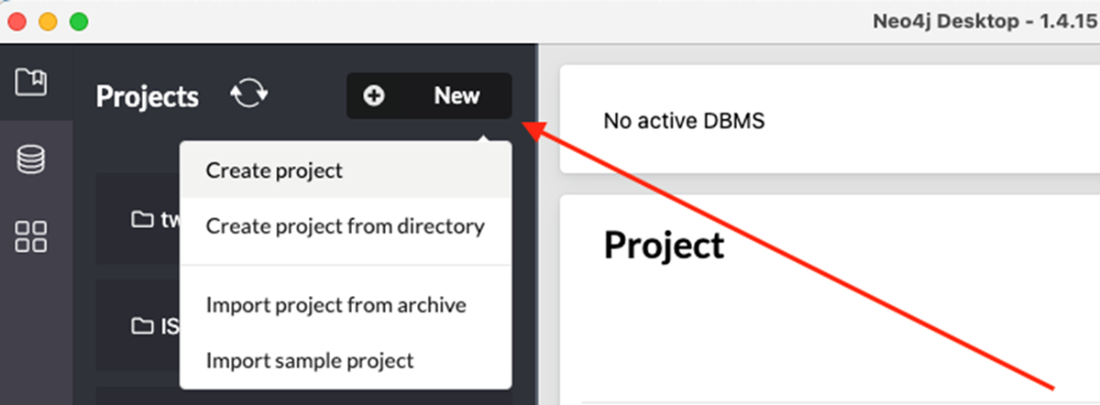
Figure B.6 Adding and selecting a new local graph or connecting to an existing one
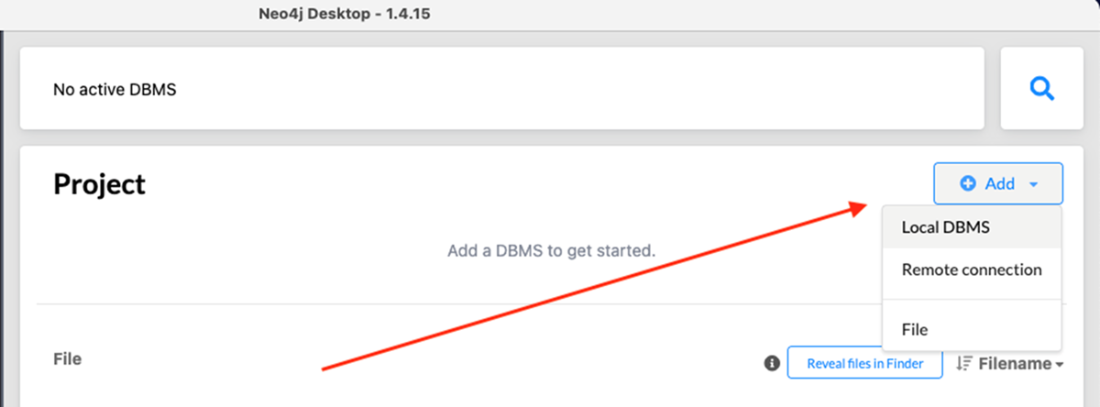
Figure B.7 Entering a graph name and password. In the case of a new local graph, create an admin password.
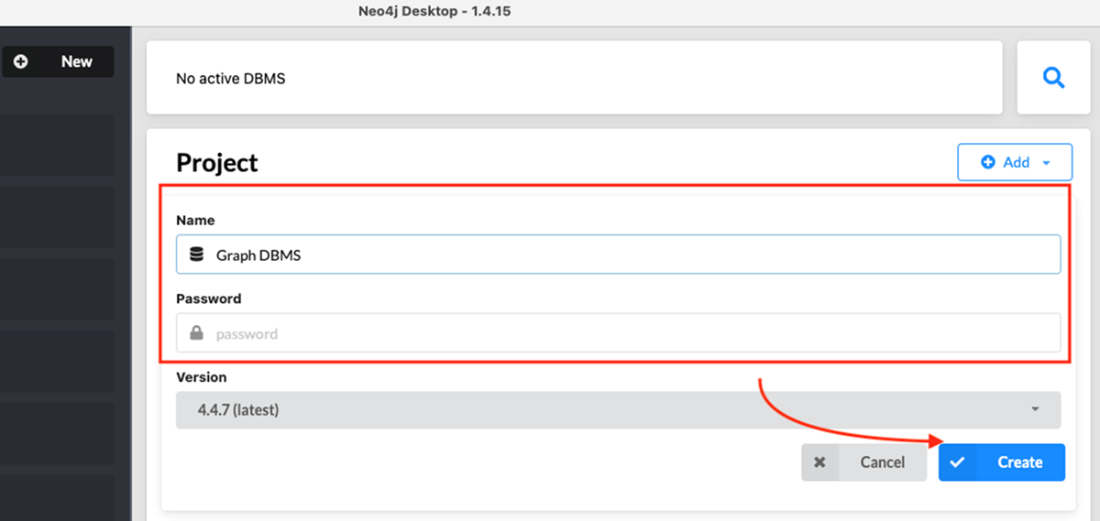
Figure B.8 Starting the new database instance
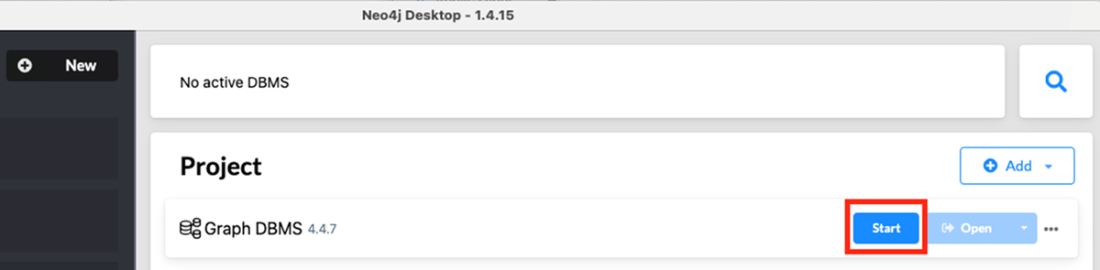
Figure B.9 Opening the Neo4j Browser
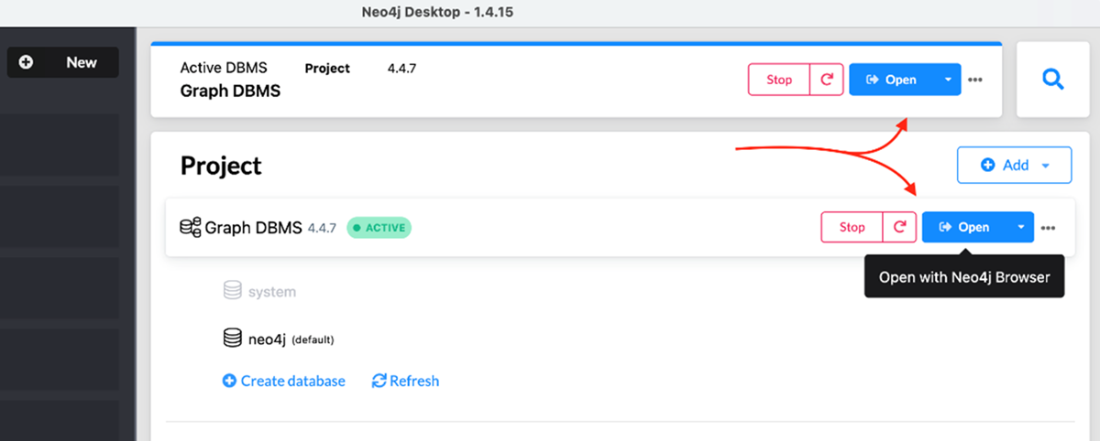
Figure B.10 APOC installation from the Neo4j Desktop
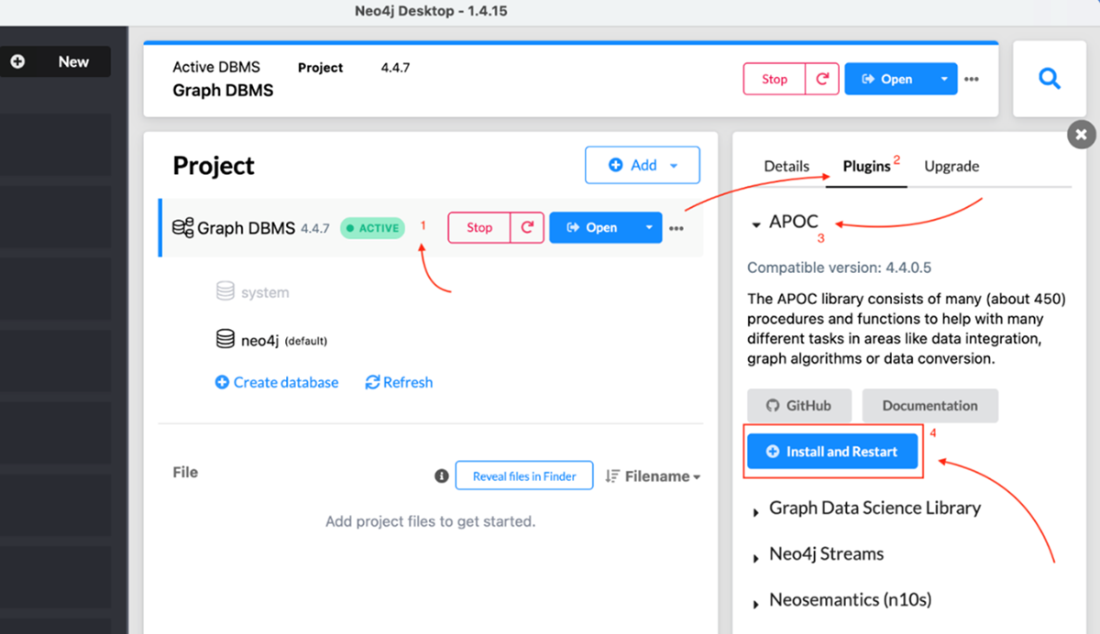
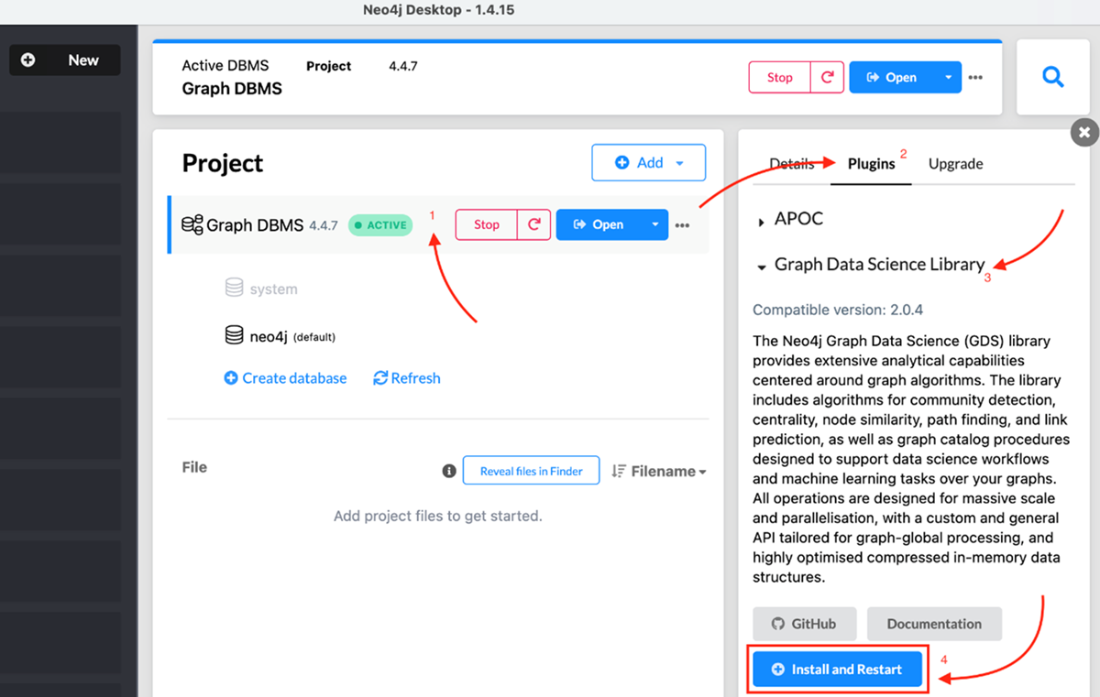
Figure B.11 GDS installation from the Neo4j Desktop
FAQ
Why does the book use Neo4j, and what makes it popular for graph data?
Neo4j is a native, industrial-grade graph database with a large community and long-standing leadership in DB-Engines’ graph DBMS ranking. The book uses it because it is mature, widely adopted, and optimized end-to-end for graphs (from storage and query planning to on-disk layout). Key points: - Labeled property graph model - Native storage with index-free adjacency for fast traversals - Cypher, a declarative query language designed for graphs - Developer workbench with graph visualization - Strong transactional guarantees (ACID)What Neo4j editions are available, and how are they licensed?
- Community Edition: Open source (GPLv3), free to download and use; suitable for learning and noncommercial use. - Enterprise Edition: Commercial license with enterprise features (e.g., backup, clustering, advanced security, and scaling). Neo4j Desktop includes a free developer license for Enterprise for local development and testing.What options do I have to run Neo4j (Server, Desktop, Docker, Cloud), and when should I choose each?
- Server (tar/zip installer): Best for running a local or remote instance you manage yourself; fits tutorials and integration with your code. - Desktop (GUI): Easiest developer experience for managing multiple local DBMSs, projects, and plugins; includes a free Enterprise developer license. - Docker image: Convenient for reproducible environments and CI setups. - Aura (cloud): Fully managed Neo4j service; great for quick trials and when you don’t want to operate infrastructure. For hands-on exercises and local coding, installing locally is often more convenient.How do I install Neo4j Server and connect to it?
Basic steps (Linux/Mac; Windows is similar): - Ensure Java 11+ is installed. - Extract the Neo4j archive and set the folder as NEO4J_HOME. - Start Neo4j: - Console:<NEO4J_HOME>/bin/neo4j console
- Background: <NEO4J_HOME>/bin/neo4j start
- Open http://localhost:7474 in your browser.
- Log in with user neo4j and the default password neo4j, then set a new password.How do I set up a local database using Neo4j Desktop?
- Install and open Neo4j Desktop. - Create a project (New → Create project). - Add a Local DBMS (Add → Local DBMS). - Name the DBMS and set an admin password; click Create. - Click Start to run it, then Open to launch Neo4j Browser for queries.What is Cypher, and what does a simple query look like?
Cypher is Neo4j’s declarative query language for expressing graph patterns in an intuitive ASCII-art style. It’s inspired by SQL but tailored to graphs. Example: find all Person nodes:MATCH (p:Person) RETURN pCypher supports creating, reading, updating, and deleting nodes, relationships, and schema elements.
What does ACID mean in Neo4j, and why does it matter?
Neo4j provides full ACID transactions: - Atomicity: A multi-step operation succeeds or is fully rolled back. - Consistency: Reads see committed, valid data. - Isolation: Concurrent transactions don’t interfere with each other’s intermediate states. - Durability: Committed data is persisted and survives restarts/crashes. These guarantees make it safe and familiar for teams coming from relational databases.How does Neo4j address recoverability, availability, and capacity?
- Recoverability: On restart after an unclean shutdown, Neo4j replays transaction logs to restore a consistent state; online backups help with disaster recovery. - Availability: Clustered deployments increase uptime; instances recover quickly and replicate writes from the leader to followers. - Capacity: With dynamically sized pointers (Neo4j 3.0+), Neo4j scales to extremely large graphs—upper limits in the quadrillions of nodes.What are the APOC and GDS plugins, and why should I use them?
- APOC (Awesome Procedures On Cypher): A large utility library (hundreds of procedures/functions) for data loading, transformation, graph operations, and more—easily callable from Cypher. - GDS (Graph Data Science): Algorithms and tooling for graph analytics, embeddings, community detection, centrality, similarity, and more; optimized for large-scale analytics.How do I install and verify APOC and GDS, and how can I clean a database using APOC?
Server install: - Download the matching plugin JARs: - APOC: https://github.com/neo4j-contrib/neo4j-apoc-procedures/releases (use the -all.jar) - GDS: https://github.com/neo4j/graph-data-science/releases (use the -standalone.jar) - Copy JARs into<NEO4J_HOME>/plugins.
- Edit conf/neo4j.conf and add:
dbms.security.procedures.unrestricted=apoc.*,gds.*
dbms.security.procedures.allowlist=apoc.*,gds.*
- Restart Neo4j. - Verify: - APOC:
CALL dbms.procedures() YIELD name
WHERE name STARTS WITH "apoc"
RETURN name
- GDS:
RETURN gds.version()Desktop install: - In Neo4j Desktop, select your DBMS → Plugins → Install APOC and Graph Data Science → Restart. Clean database (APOC): - Delete all nodes and relationships in batches:
CALL apoc.periodic.iterate(
  'MATCH (n) RETURN n',
  'DETACH DELETE n',
  {batchSize:1000}
)
- Drop all constraints/indexes:
CALL apoc.schema.assert({}, {})
 Knowledge Graphs and LLMs in Action ebook for free
